
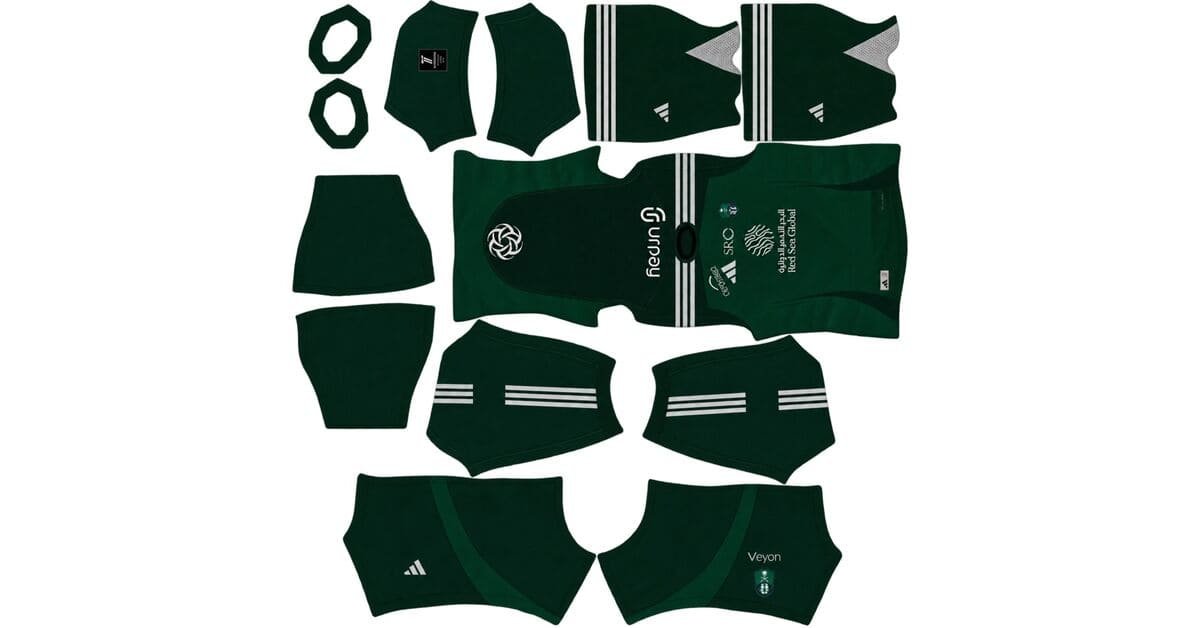
The Al Ahli DLS Kits URL 512×512 collection includes the current Al Ahli Saudi home, away and goalkeeper kits prepared for Dream League Soccer. These files are designed around the standard 512×512 layout used by the game, so the shirt, sleeves, shorts and socks sit in the correct areas when the image is wrapped around the player model.
AL-Ahli Logo
Official Logo 512×512
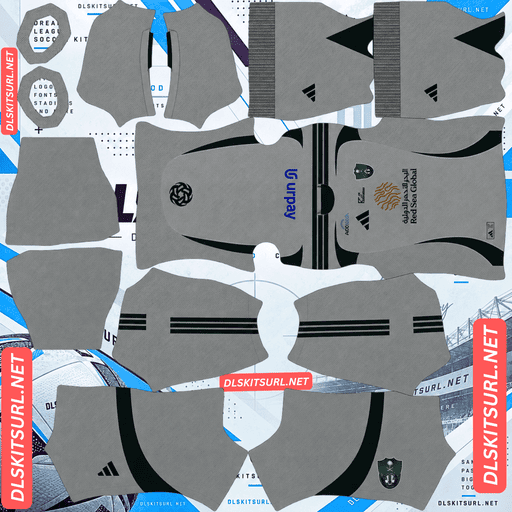
Al-Ahli Home Kit
Home Kit 512×512 (2026/27)
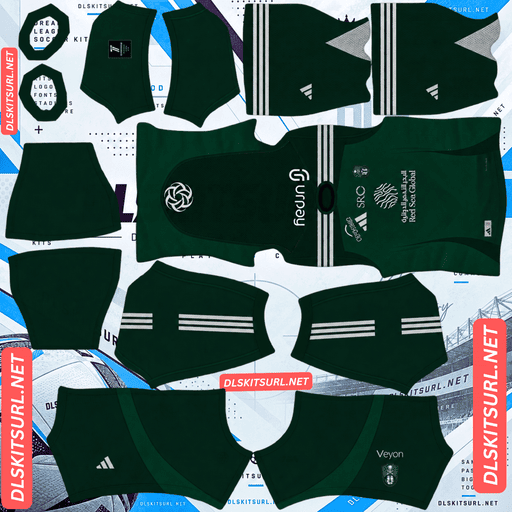
AL-Ahli Away Kit
Away Kit 512×512 (2026/27)
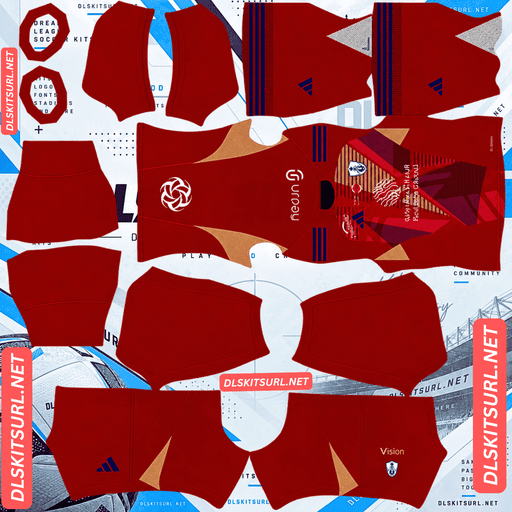
AL-Ahli GK Home Kit
GK Home Kit 512×512 (2026/27)
Before importing anything, there is one important distinction to make. Al Ahli Saudi and Al Ahly SC are different clubs, and their near-identical names cause kit files to be mislabeled regularly. The Saudi club plays in green and white, while Al Ahly of Egypt is associated with red. That colour difference is the quickest way to avoid importing the wrong team.
Al Ahli or Al Ahly? Check the Colour First
Al Ahli Saudi are based in Jeddah and play in the Saudi Pro League, with green and white as their main colours. Al Ahly SC are based in Cairo and traditionally wear red. Both clubs use Adidas, and both have 2026/27 kits in circulation, so the names alone are not enough to identify the correct file.
The simplest check is the shirt colour. If the kit is green, you are looking at Al Ahli Saudi. If it is red, it belongs to Al Ahly SC of Egypt. A file labelled “Al Ahli” but showing a red shirt is almost certainly the Egyptian club rather than the Saudi one.
Al Ahli Home Kit 2026/27
Adidas released the Al Ahli home and away kits on 12 August 2026, with each shirt built around a different part of the club’s identity. The home kit uses Al Ahli’s traditional green base and carries a scale-like textured pattern across the front panel.
Green Adidas Three Stripes continue the tonal look, while the round-neck collar keeps the upper section simple. The most important visual feature, however, is the pair of contrasting white raglan sleeves, which create a strong break between the green body and the shoulders. The design theme is described as “The Castle Guards,” linking the shirt to Jeddah’s heritage and the relationship between players and supporters.
Why the Raglan Sleeves Matter in Dream League Soccer
The Al Ahli home kit is a useful test of whether a DLS texture has been built carefully because raglan sleeves are harder to align than normal set-in sleeves. On a conventional football shirt, the sleeve seam sits near the top of the shoulder where the arm meets the body. A raglan sleeve extends further upward and runs diagonally from the armpit towards the collar.
Dream League Soccer treats the sleeve and body as separate areas of the template, so that diagonal transition has to be positioned correctly on both. With Al Ahli, the contrast makes mistakes easy to see because the sleeve is white and the body is green. If the boundary looks stepped, too vertical or misaligned near the collar, the file has not been prepared correctly.
How to Check the Raglan Sleeve Alignment
Open the home kit at full size and follow the line where the white sleeve meets the green body. It should rise diagonally from the underarm towards the neckline rather than forming a simple vertical shoulder seam.
After importing the kit, check the same transition on the player model. If the white and green meet cleanly, the template alignment is good. If the line jumps or changes direction, the problem is in the PNG rather than a setting inside Dream League Soccer.
Al Ahli Away Kit 2026/27
The away shirt takes a more retro and formal approach. It uses an off-white base with faint vertical pinstripes, deep green sleeves and a green polo collar. Metallic gold detailing is used throughout the shirt, giving the design a more traditional and premium appearance.
Adidas presented the kit under the theme “The Royal Club,” with the design intended to reflect Al Ahli’s history, prestige and ambition. It also introduces an important branding change: according to the supplied source, this is the first Al Ahli Saudi kit to use the Adidas Trefoil on the pitch. That makes the logo one of the easiest ways to identify the current away shirt.
Why the Al Ahli Away Kit Is Harder to Reproduce
The away kit contains two details that are particularly difficult to preserve in a 512×512 texture. The first is the faint vertical pinstriping. These lines are both narrow and low contrast, which makes them extremely vulnerable to compression and resizing.
The second is the metallic gold. Gold depends on small highlights, mid-tones and darker areas to create the appearance of metal. If those transitions are lost, the gold becomes flat yellow or dull brown. A strong away file should preserve both the pinstripes and enough tonal variation in the gold to keep the metallic effect visible.
Quick Al Ahli Kit Quality Check
For the home shirt, trace the white-to-green sleeve boundary and make sure it forms a clean diagonal towards the collar. That tells you whether the template alignment is correct.
For the away shirt, inspect the gold first. If it still looks metallic rather than brown, the file has probably preserved the finer details reasonably well. Then check whether the faint pinstripes remain visible on the off-white body.
Why the Home Kit Can Look Plain Green
The home shirt’s scale-like pattern is tonal, so it sits close to the green base rather than using a strong contrasting colour. That means a weak file can lose the texture while preserving the basic green-and-white appearance.
If the kit imports as a plain green shirt with white sleeves, the main structure is still correct, but some of the original detail has disappeared. A better source should preserve enough of the scale pattern to remain visible when you inspect the PNG closely.
Best Number Colours for Al Ahli DLS Kits
Dream League Soccer uses separate colour swatches on the kit template for shirt and shorts numbers. The game does not automatically choose a number colour based on the shirt design, so using poor contrast can make the numbers difficult to see.
For the home kit, white is the strongest choice against the green shirt and also matches the raglan sleeves. For the away kit, deep green works best because it contrasts clearly with the off-white base while matching the sleeves and collar.
Gold may look attractive on the away kit, but it is less reliable at match size because metallic tones depend on subtle gradients. Deep green gives better readability. Set the shirt and shorts number colours separately rather than assuming one shade will work on both.
Why the White Sleeves Help on a Green Pitch
A green football shirt can lose some separation against the pitch because both sit in a similar part of the colour range. Dream League Soccer renders players fairly small during matches, so this background contrast affects how easy your team is to follow.
Al Ahli’s home shirt handles the problem better than a completely green design because the white raglan sleeves break up the silhouette. Those light areas remain visible against the grass and help the player stand out even when the scale pattern on the main body becomes difficult to see.
How to Tell if an Al Ahli DLS Kit Is Current
The first check is the colour. The current Al Ahli Saudi kits should be based around green and white rather than red, which belongs to Al Ahly SC of Egypt.
The home shirt should use white raglan sleeves with a green body and a scale-like pattern across the front. The away should be off-white with green sleeves, a green polo collar and gold detailing. It should also carry the Adidas Trefoil, which the supplied source identifies as the first use of that logo on an Al Ahli Saudi match shirt.
How to Use an Al Ahli DLS Kits URL
To import an Al Ahli DLS Kits URL, use the Copy URL button underneath the kit so you get the direct image address rather than the webpage containing it. Dream League Soccer needs the actual image file.
Open Dream League Soccer, go to My Club, and choose Customise. Open the Kit section instead of Logo, select the slot you want to replace, and tap Custom Kit. Paste the direct image URL and confirm the import. Older versions may display this option as Download.
The home, away, third and goalkeeper slots work independently. According to the supplied source, Adidas released the home and away shirts, which leaves the third slot open if you want to use a previous-season Al Ahli design.
Test the Al Ahli Kit URL Before Importing
Open the URL in your browser before pasting it into Dream League Soccer. The image should appear on its own rather than inside a normal webpage with menus, buttons, text or advertisements around it.
A direct kit link commonly points to a .png image. On desktop, opening the image separately also makes it easier to check whether the raglan sleeves are aligned properly, whether the scale pattern remains visible and whether the away kit’s gold still looks metallic.
Why Al Ahli DLS Kit URLs Stop Working
A correctly prepared Al Ahli kit can still stop importing if the image host changes. Free image services sometimes remove older uploads, leaving behind a URL that still looks normal but no longer returns the file.
Hotlink protection is another common cause. Some image hosts allow the picture to open in a browser but block external requests from applications such as Dream League Soccer. A third problem occurs when a website displays one image as the preview while its Copy URL button points to another server. If that second image disappears, the page may still look fine even though the DLS import no longer works.
According to the supplied page, the kit image shown on the card and the URL provided for copying are intended to use the same hosted file.
Al Ahli Badge for Dream League Soccer
The Al Ahli badge should be imported separately through the Logo section. Dream League Soccer displays badges at a small size, so the source image should have enough space around the entire crest rather than being cropped tightly against the artwork.
The crest contains Arabic script, and that finer lettering will naturally become difficult to read once the logo is reduced. The green-and-white colour blocking is more important at match size because it carries the club identity even when the smaller details soften.
Do Not Import the Al Ahly Egypt Badge by Mistake
The same naming problem that affects kit files also applies to logos. Al Ahly SC of Egypt uses a very different red-based identity, while Al Ahli Saudi is associated with green and white.
Always check the badge before importing it. If the crest is dominated by red and belongs to the Cairo club, it is the wrong file for this page.
Keep Your Al Ahli DLS Kit URLs Saved
Save the home, away, goalkeeper and badge URLs somewhere outside Dream League Soccer. A notes app is enough, and keeping everything together makes it much easier to restore the same setup after reinstalling the game or moving to another device.
This is especially useful with Al Ahli because of the naming confusion with Al Ahly SC. Saving the correct Al Ahli DLS Kits URL files once means you do not have to search through similarly named Saudi and Egyptian kits again later.
Al Ahli DLS Kits URL FAQ
What Is an Al Ahli DLS Kits URL?
An Al Ahli DLS Kits URL is a direct link to an Al Ahli Saudi kit image prepared for Dream League Soccer. The standard custom-kit format uses a 512×512 PNG that is pasted into the game’s Kit section.
What Is the Difference Between Al Ahli and Al Ahly?
Al Ahli Saudi are based in Jeddah and wear green and white. Al Ahly SC are based in Cairo and traditionally wear red. Their similar names cause kit and badge files to be mislabeled regularly.
What Does the Al Ahli Saudi 2026/27 Home Kit Look Like?
The home shirt uses a green base with a scale-like textured pattern across the front, white raglan sleeves, green Adidas Three Stripes and a round-neck collar. The design theme is “The Castle Guards.”
What Does the Al Ahli Away Kit Look Like?
The away shirt uses an off-white base with faint vertical pinstripes, deep green sleeves, a green polo collar and metallic gold detailing. It also carries the Adidas Trefoil.
Why Do the Sleeves Look Wrong on My Al Ahli Home Kit?
The home shirt uses raglan sleeves, so the line between sleeve and body should run diagonally from the underarm towards the collar. A poorly aligned file can make that boundary look stepped or too vertical.
Why Does My Al Ahli Home Kit Look Plain Green?
The scale-like pattern is tonal and low contrast. If the source image has been enlarged or compressed too heavily, the texture can disappear while the green base and white sleeves remain.
Why Does My Al Ahli Away Kit Look Plain?
The away shirt uses very faint pinstripes, which are difficult to preserve at 512×512. A weak source can remove those lines and flatten the metallic gold into dull brown.
What Number Colour Works Best on the Al Ahli Home Kit?
White is the best choice because it contrasts clearly with the green base and matches the white raglan sleeves.
What Number Colour Works on the Al Ahli Away Kit?
Deep green gives the strongest balance of accuracy and readability against the off-white body. Gold matches the design but is less reliable at small sizes.
Is There an Al Ahli Third Kit for 2026/27?
According to the supplied source, Adidas released the home and away shirts, leaving the third DLS slot available for another Al Ahli design, including a previous-season kit.
How Can I Avoid Downloading an Al Ahly Egypt Kit by Mistake?
Check the colours before importing. Green and white indicate Al Ahli Saudi, while red indicates Al Ahly SC of Egypt.
Should I Save My Al Ahli DLS Kit URLs?
Yes. Saving the direct kit and badge links outside the game makes it easier to restore the same setup and avoids having to sort through similarly named Al Ahli and Al Ahly files again later.