
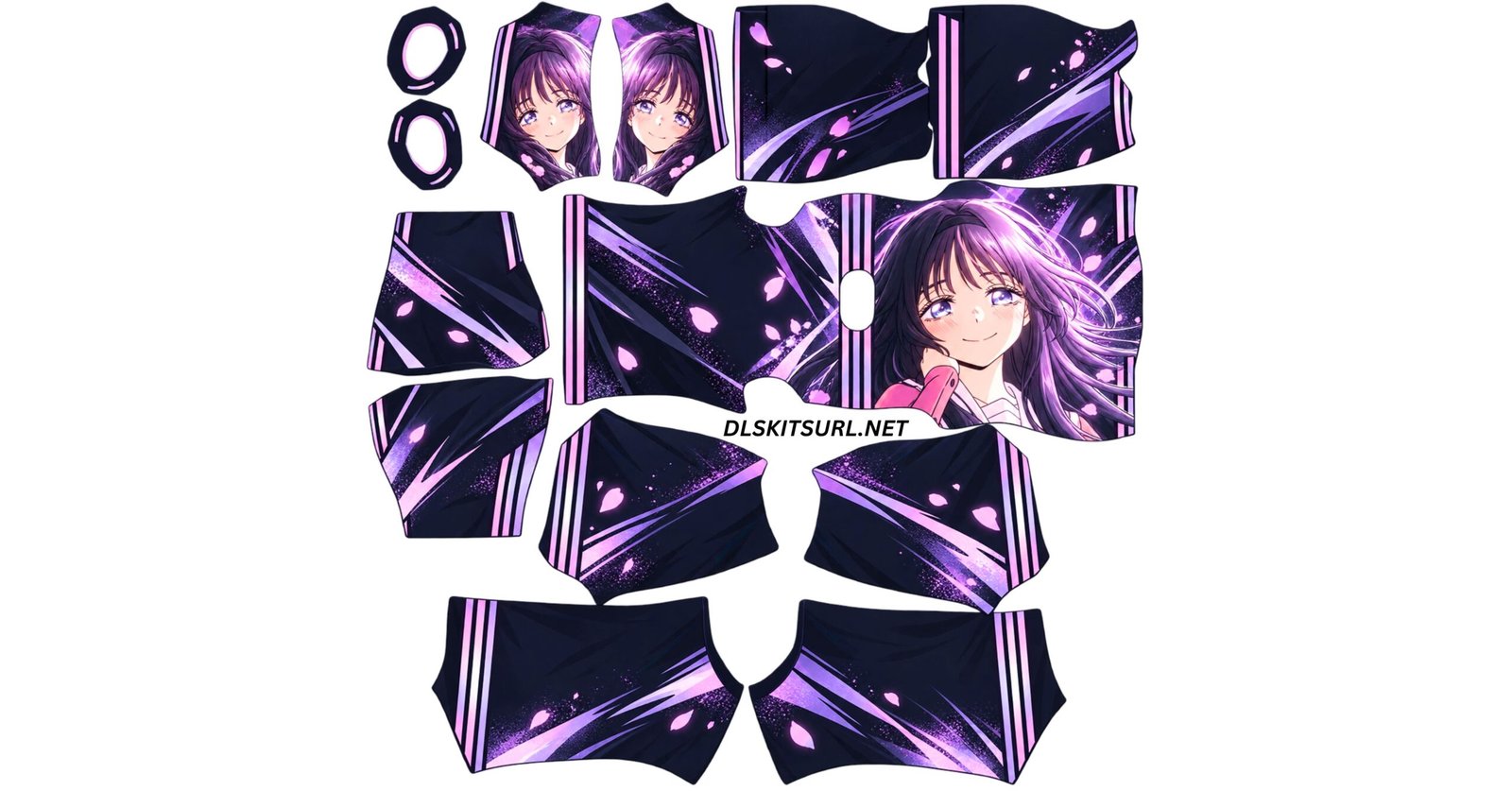
A DLS anime kit URL puts illustrated artwork on your team instead of a club’s shirt. These six are built the way anime kits should be: one large character on the chest, glowing energy wrapping around the body, and a dark base that makes the colours burn.y
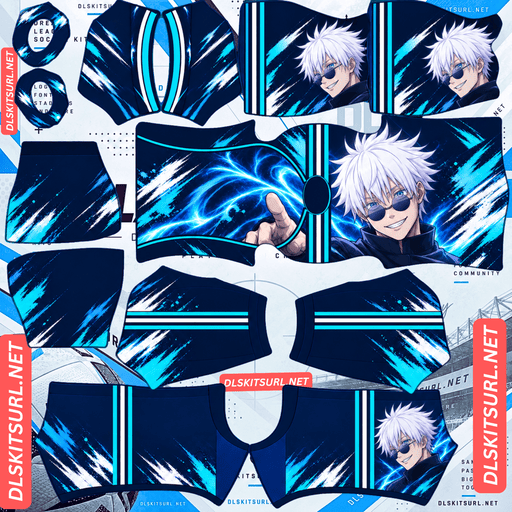
Anime Cyan Storm Kit
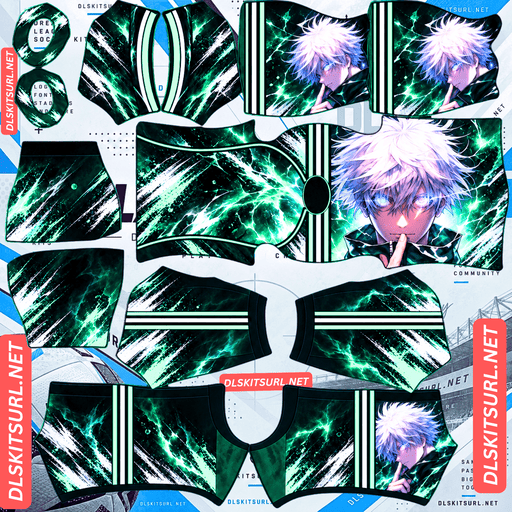
Anime Green Lightning Kit
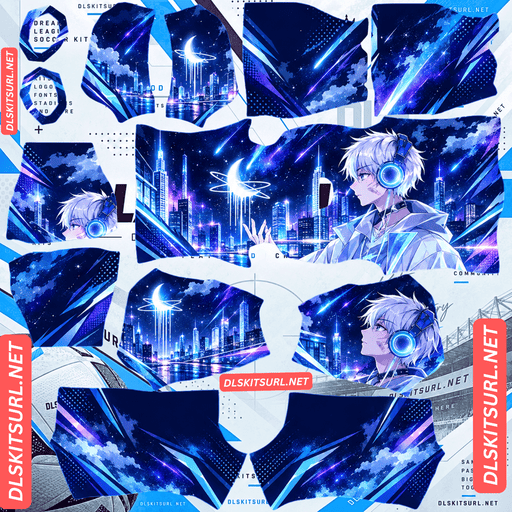
Anime Neon City Kit
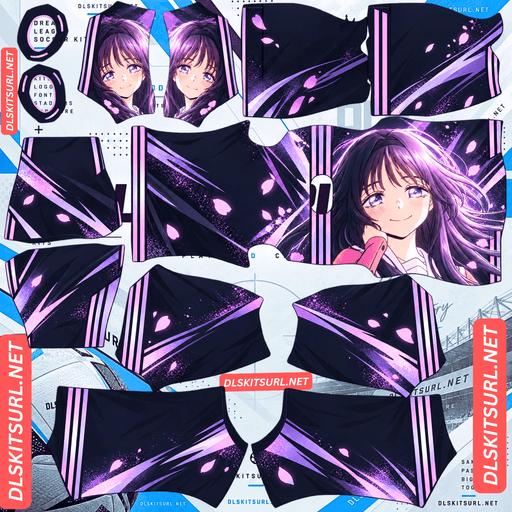
Anime Purple Sakura Kit
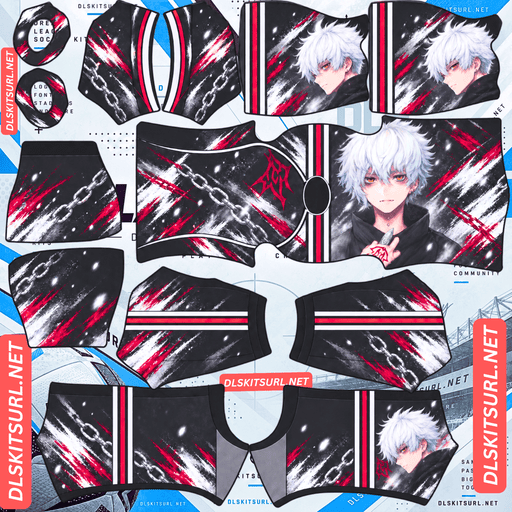
Anime Red Black Chains Kit
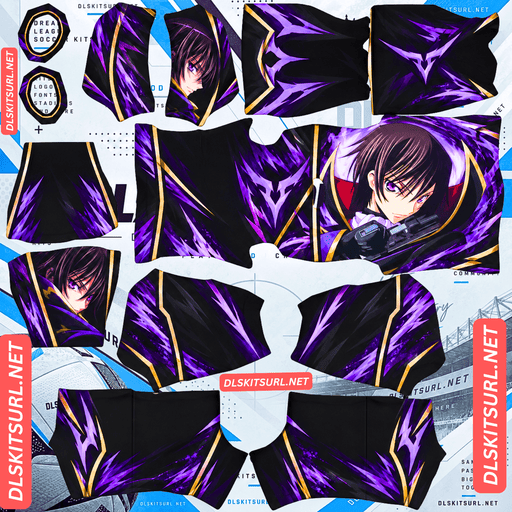
Purple and Gold Anime Kit
Each is a 512×512 PNG you paste into Dream League Soccer. There is also one setting anime kits break more often than any other style — covered further down, because it will cost you your squad numbers if you skip it.
The six kits,
Purple Sakura
Near-black base washed with violet and lilac light streaks, with pink cherry blossom petals drifting across the whole kit. A long-haired character sits on the right of the chest, lit from behind, with the glow spilling out across the shoulder. Pink and lavender stripes on the sleeves and shorts.
The softest kit of the six, and the one that looks most like a deliberate fashion piece rather than a fan design.
Neon City
A night skyline in deep blue and violet, towers reflected in water, a crescent moon ringed with light and shooting stars crossing the sky. A figure in glowing headphones stands at the right of the chest looking up at it.
More landscape than character. The city runs right around the body, which makes it the most immersive design here — your players look like they are wearing a scene rather than a shirt.
Cyan Storm
Navy base torn open by cyan lightning. The energy arcs across the chest and gathers at a raised hand, with a white-haired figure on the right. Sharp cyan and white stripes on the sleeves and shorts.
The most aggressive colour combination of the set, and it reads from a long way off.
Navy Blue
The same energy idea in a deeper, calmer palette. Dark navy with blue light and white brush strokes, a figure on the right of the chest, and cyan and white trim throughout.
Where Cyan Storm shouts, this one hums. Better for a full season if you find the brighter version tiring.
Green Lightning
Black base with green electrical crackle spreading across the front and back, white flecks scattered through it like sparks. A white-haired figure occupies the right of the chest. Green and white stripes.
Green and black is rare in football, which is exactly why this stands out on the pitch.
Red Black Chains
Monochrome grunge — black, white and grey brush strokes with chains running diagonally across the body — cut with deep red. A figure with amber eyes sits on the right, and a red emblem marks the upper back. Red and white stripes.
The darkest and most serious-looking of the six.
Why anime kits suit Dream League Soccer
There is a real reason this style works better than most in this game.
Club kits increasingly rely on tonal patterns: shading inside stripes, woven textures, subtle fabric effects. All of that vanishes when the game renders a player at match size. Anime kits do the opposite. One big piece of artwork, strong colour contrast, glowing edges against a dark base.
Big and bold survives being shrunk. Subtle does not.
The dark bases help too. Most club kits are light or mid-toned, so a black or navy anime kit stands out immediately in a league full of them.
Set your number colours or you will lose them
This is the setting anime kits break most often, and it catches almost everyone.
Dream League Soccer does not take the squad number colour from your design. It reads it from two small colour swatches on the kit template — one for the shirt numbers, one for the shorts numbers. Whatever colour sits in those squares is the colour your numbers are drawn in.
Every kit on this page has a dark base. If those swatches are left dark, your numbers come out dark on dark. They are technically there. Nobody can read them.
Use a light colour in both swatches with these kits. White works. So does the kit’s own accent colour — cyan on the storm kit, green on the lightning one, pink on the sakura design. Set the shirt and shorts swatches separately, since the shorts are often a slightly different shade.
If you have ever imported an anime kit and found your players unnumbered, this is why, and it takes ten seconds to fix.
How the artwork sits on the body
Worth knowing so you understand what you will actually see in game.
On the kit template, the shirt front and back form one continuous shape with the collar hole between them. That is why the energy effects and the city skyline on these kits wrap all the way around the player — there is no seam down the side to break them.
The character sits on the right of that shape, which becomes the front of the shirt. So your players carry the figure on the chest and the abstract background across the back.
At match distance you will read the colours and the glow. In the kit menu, replays and celebrations you will see the character properly. That split is normal for this style and it is not a fault in the file.
Building an anime squad
Four slots, and these six mix well.
The blue team. Cyan Storm at home, Navy Blue away, Neon City third. Three shades of the same idea, and they look like a deliberate collection rather than three unrelated kits.
Maximum contrast
Green Lightning at home, Red Black Chains away. Nothing else in your league will look like either.
The soft option
Purple Sakura at home with Neon City away. Both lean on atmosphere rather than aggression.
Set the goalkeeper too. All four slots sit together on the team screen, and a default keeper next to three anime kits is the first thing you notice.
How to use a DLS anime kit URL
Copy the link from the button under the kit rather than from your browser address bar, which usually gives you the page instead of the image.
In the game, go to My Club, then Customise, then the Kit section — not Logo. Choose the slot you want, tap Custom Kit, paste the link and confirm. On older builds that button reads Download.
The first custom kit needs a one-time gem unlock. After that, changing kits is free and unlimited.
Before you paste, open the link in your browser. The kit should fill the screen on its own and the address should end in .png.
Making your own anime kit
If you want a specific look rather than one of these, it is very doable.
Start with the kit template so you know where the panels sit. Put your artwork on a layer beneath it, position the character on the right side of the large body shape, and let the background effects run across the whole thing so they wrap around the player.
Three things that make the difference between a good anime kit and a muddy one.
Keep the character inside the front half. Cross the centre and it will split across the shoulders.
Use a dark base with bright accents. Glow reads at distance; mid-tones do not.
Set the number swatches. As above. It is the step everyone forgets.
Export at exactly 512×512 as a PNG, keep it under 1 MB, then upload it somewhere that gives you a direct link ending in .png.
Save your links
Custom kits live on your phone rather than in your account, so reinstalling the game or switching devices wipes them. Paste the links for your squad into a notes app and you can rebuild the team in a minute.
FAQ
What is a DLS anime kit URL?
A direct link to a 512×512 PNG anime-styled kit that you paste into Dream League Soccer’s kit screen. A working link ends in .png.
Why are the numbers invisible on my anime kit?
Dream League Soccer takes the squad number colour from two swatches on the kit template, not from your design. Anime kits use dark bases, so if those swatches are dark the numbers are drawn dark on dark. Set them to a light colour.
Why is the character only on the front of the shirt?
On the kit template the front and back form one continuous shape. The character sits on the front half, while the background effects wrap around the back.
Do anime kits look good during a match?
Yes, better than most. The game renders players small, and anime kits use large artwork with strong contrast, which survives being shrunk. Subtle patterns on club kits do not.
Are these anime kits free?
Yes. The only cost is Dream League Soccer’s one-time gem unlock for custom kits.
Can I make my own anime kit?
Yes. Use the kit template, place your artwork on the front half, use a dark base with bright accents, set the number swatches, and export at 512×512 as a PNG.
Can I mix anime kits with club kits?
Yes. Each slot is separate, so any combination works.
1 thought on “DLS Anime Kit URL – 512×512 Anime Kits for Dream League Soccer”