
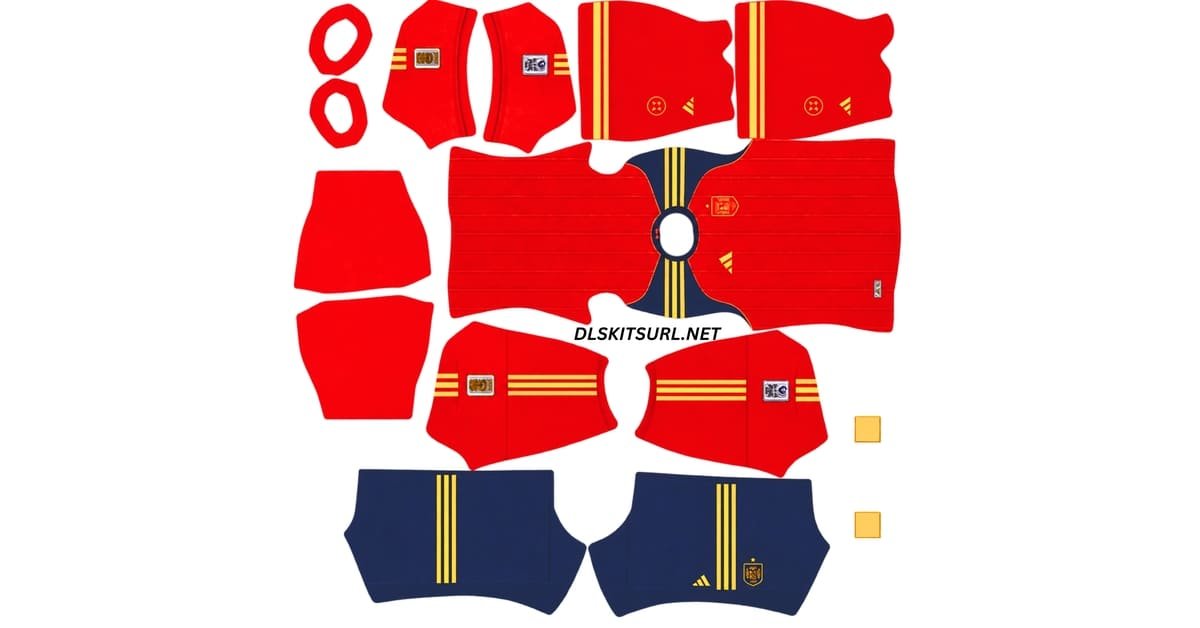
Looking for a working Spain DLS kit URL for Dream League Soccer 2026/27? Here you can find Spain’s current kit options in the standard 512×512 PNG format, ready to use with the custom kit feature in Dream League Soccer.
Spain are a little more complicated than most national teams this season because several versions of the home shirt are currently in circulation.
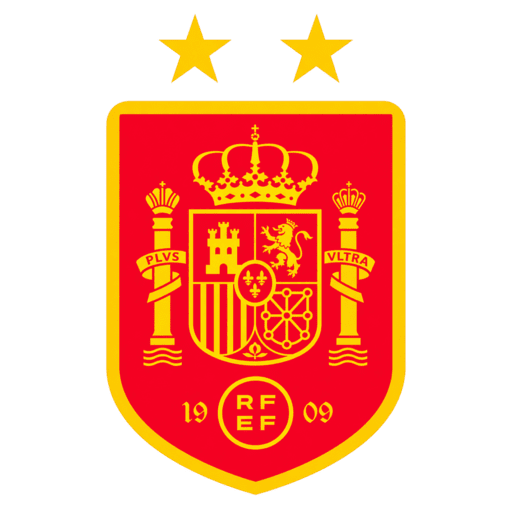
Spain Official Logo
Official Logo 512×512
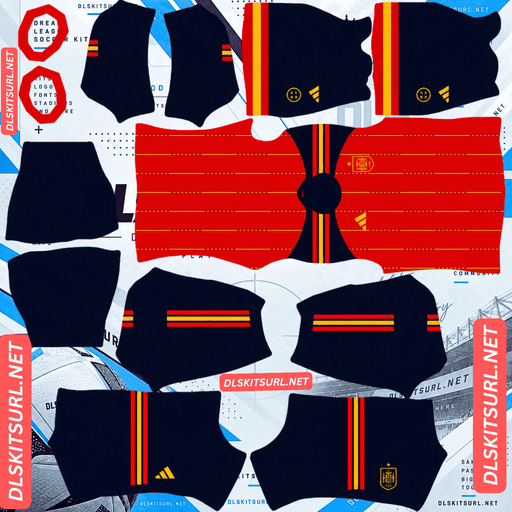
Spain Home Kit
Home Kit 512×512 (2026/27)
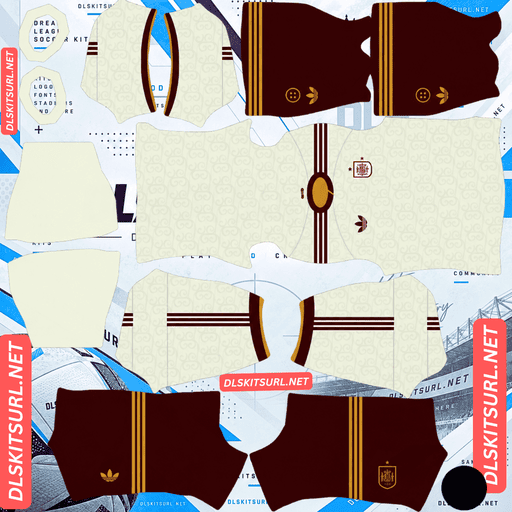
Spain Away Kit
Away Kit 512×512 (2026/27)
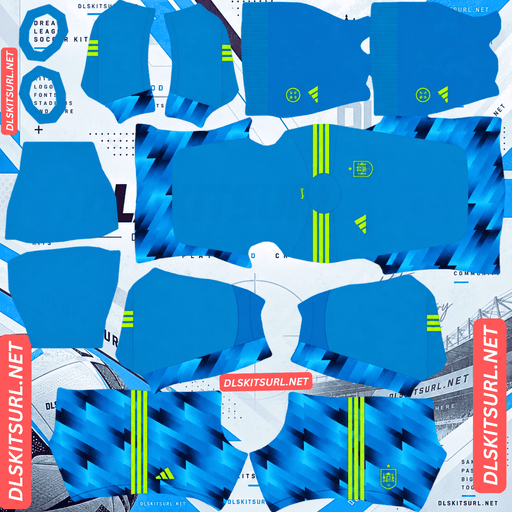
Spain Home GK Kit
Home GK Kit 512×512 (2026/27)
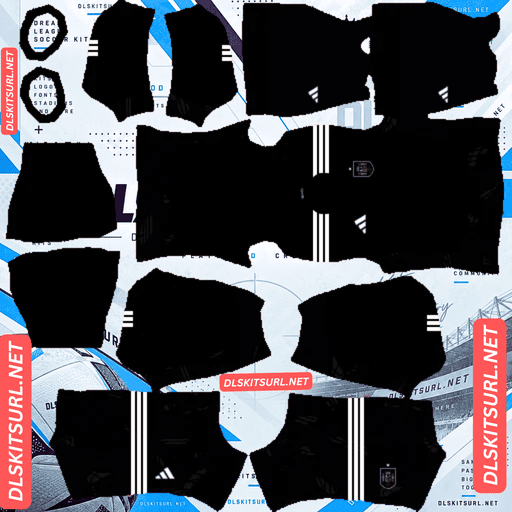
Spain Away GK Kit
Away GK Kit 512×512 (2026/27)
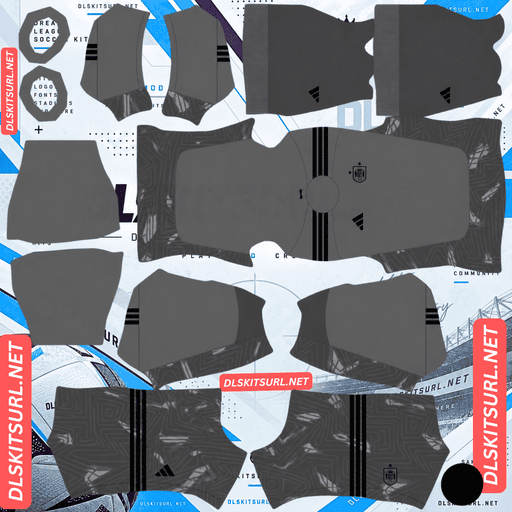
Spain Third GK Kit
Third GK Kit 512×512 (2026/27)
There is the one-star shirt worn during the World Cup, the commemorative Winners edition, the standard two-star version, and an away kit that still carries one star.
Each version represents a different point in Spain’s 2026 kit timeline, so knowing the difference helps you choose the right shirt for your DLS team.
Why There Are Different Spain DLS Kits in 2026/27
Spain’s kit situation changed quickly after the World Cup final on 19 July 2026.
Spain defeated Argentina 1-0 after extra time, with Ferran Torres scoring in the 106th minute. Adidas then began updating Spain’s shirts and merchandise to reflect the country’s second World Cup title.
That is why you may see several slightly different designs while searching for a Spain DLS kit 512×512.
All of them can look similar at first, but the stars and Champions badge make it easy to tell them apart.
One-Star Spain Home Kit
The one-star home shirt is the version Spain wore throughout qualifying and during the World Cup itself.
Most importantly, it is also the shirt worn when Spain lifted the trophy.
If you want to recreate the 2026 World Cup-winning Spain team in Dream League Soccer, this is the accurate version to use.
It keeps the original single star above the Spanish crest and represents the team exactly as they appeared during the tournament.
Spain Winners Edition
The Spain Winners edition appeared for pre-order on 19 July and reached shops in early August.
The main shirt design remained the same, but Adidas added two major details.
The first is Spain’s second gold star above the crest.
The second is the FIFA World Cup 2026 Champions badge, positioned prominently in the middle of the chest.
If you want your Dream League Soccer team to celebrate Spain’s latest World Cup victory, this is the most obvious version to use.
Standard Two-Star Spain Home Kit
The standard two-star Spain home shirt uses the same basic design but removes the central Champions badge.
It carries two gold stars above the crest and represents Spain’s regular post-World Cup home look.
If you simply want your Dream League Soccer team to represent Spain as they appear after becoming two-time world champions, this is likely the best match.
Spain Away Kit
The away shirt is slightly different.
For now, the official version still carries only one star above the crest.
An updated two-star away shirt is expected later, so you may already find unofficial two-star versions online.
Those fan-made versions can still work perfectly well in Dream League Soccer, but they do not represent the current official shirt.
How Spain’s Two Stars Are Positioned
This is a small detail, but it is one of the easiest ways to spot an inaccurate kit file.
Spain’s two gold stars sit side by side directly above the traditional Spanish shield.
They are level with each other rather than stacked vertically.
A number of Spain kit files appeared online immediately after the World Cup final before the official updated design had been widely seen.
Some creators placed the stars vertically, while others positioned them at an angle.
Those shirts may still work when imported into Dream League Soccer, but they do not match the official arrangement.
When checking a Spain DLS kits URL, look at the crest carefully.
If you want the official updated version, the two stars should sit next to each other above the shield.
Why the Spain Away Kit Still Has One Star
This is one of the more confusing details in Spain’s current kit collection.
Adidas updated the home shirt quickly following the World Cup, but the away version did not receive the same immediate update.
The official two-star Spain away kit is expected in November 2026.
Until then, the one-star away shirt remains the current official version.
That gives Dream League Soccer players two options.
You can use the one-star shirt if you want the official kit, or choose an unofficial two-star edit if you prefer your home and away shirts to match.
Both can work inside DLS.
The difference comes down to whether you prefer official accuracy or a matching two-star setup.
Are These Spain’s Kits for the Whole 2026/27 Season?
For the most part, yes.
Spain’s two-star shirts are updates to the existing 2026 designs rather than completely new kits.
National teams also tend to keep their designs longer than club teams, which normally introduce several new shirts every season.
Spain are therefore expected to continue wearing these designs throughout the 2026/27 period.
The main change still expected is the updated two-star away shirt.
Completely new Spain kits are not expected until the build-up to the Euro 2028 cycle.
That means you do not need to wait for another home kit before updating your Dream League Soccer team.
What Is the Champions Badge on the Spain Shirt?
The commemorative Winners shirt includes the FIFA World Cup 2026 Champions badge in the centre of the chest.
It sits between the Adidas branding and Spain’s crest.
This badge makes it easy to tell the two post-World Cup home versions apart.
If the shirt has two stars and a central Champions badge, you are looking at the Winners edition.
If the shirt has two stars but no central badge, it is the standard updated Spain home kit.
Both versions belong to Spain’s post-World Cup collection.
Which one you use in Dream League Soccer depends on the look you want for your team.
Which Spain Kit Should You Use in Dream League Soccer?
There is no single version that suits every Spain DLS team.
If you are recreating Spain’s 2026 World Cup-winning squad, use the one-star home shirt because that is what the players wore during the tournament and final.
If you want your team to represent Spain after the World Cup, use the standard two-star home kit.
If you want something more celebratory, choose the Winners edition with the two stars and central Champions badge.
For the away slot, the one-star version remains the official option until the updated shirt arrives.
The important thing is knowing which version you are downloading instead of choosing one by accident.
An Interesting Detail About Spain’s World Cup Shirts
Spain’s two World Cup victories also share an interesting kit detail.
In both winning tournaments, Adidas used Spain’s national colours within the Three Stripes.
Spain won the 2010 World Cup final wearing their away kit, while the 2026 title came in their home colours.
That means Spain have now won World Cup finals in both home and away strips.
For Dream League Soccer players who enjoy recreating historic teams, this gives Spain several interesting kit combinations to use.
You can build the 2010 side, the 2026 champions, or Spain’s updated two-star team using different DLS kits.
How to Check a Spain DLS Kit Before Importing It
A quick check before importing can save you from using the wrong or low-quality file.
Start with the stars.
On the updated Spain home shirt, there should be two gold stars positioned side by side above the shield.
If the stars are stacked or strangely positioned, you are probably looking at an unofficial interpretation.
Next, check the middle of the chest.
If there is a Champions badge, the shirt is the Winners edition.
If there are two stars but no central badge, it is the standard updated version.
Finally, inspect the image quality.
The stars are particularly useful for checking resolution because their points should remain sharp and clearly defined.
When a small image has simply been enlarged to 512×512, those points can become soft or blurry.
You can also zoom in on the collar, sleeve trim or another sharp boundary.
A properly prepared 512×512 Spain DLS kit PNG should keep reasonably clean edges.
If everything looks heavily blurred or pixelated, the original source image may have been much smaller.
How to Use a Spain DLS Kits URL
Importing a Spain kit into Dream League Soccer only takes a few steps.
First, copy the direct image URL using the Copy URL button on the kit card.
Then open Dream League Soccer and go to My Club.
Choose Customise. Some versions may show this as Customise Team.
Next, open the Kit section rather than Logo.
Choose the kit slot you want to replace.
This could be your home, away, third or goalkeeper kit.
Tap Custom Kit.
On some older versions of Dream League Soccer, the same option may appear as Download.
Paste the Spain DLS kit URL into the field and confirm the import.
Repeat the same process for every kit slot you want to customise.
If custom kits are not already available on your account, you may first need to unlock the feature using the game’s one-time gem requirement.
Once unlocked, you can continue changing custom kits without paying separately for every shirt.
Check the Spain Kit URL Before Opening DLS
It is worth checking your link in a normal browser before pasting it into Dream League Soccer.
Open the URL and see what appears.
Ideally, the kit image should load on its own without a webpage around it.
You should not see navigation menus, buttons, adverts or other page elements.
Dream League Soccer needs the direct image file rather than the page displaying it.
A direct kit link will normally point to the PNG image itself.
On a computer, you can often right-click the kit and choose Open image in new tab.
You can then inspect the image dimensions and quality before importing it.
If the file is really 512×512, it should be suitable for the standard Dream League Soccer kit template.
Checking first only takes a few seconds and can save you from repeated failed imports.
Why Spain DLS Kit URLs Stop Working
A Spain DLS kits URL can stop working even when there is nothing wrong with the kit design itself.
The problem is often the image host.
Many DLS kit creators upload their PNG files to free image-hosting services.
Over time, those websites may delete old uploads, change URLs or introduce restrictions.
Another common issue is hotlink protection.
This happens when an image host allows you to view the picture directly in your browser but blocks outside applications from downloading the same file.
As a result, the URL may open perfectly when you tap it, but Dream League Soccer cannot import it.
Preview images can also cause confusion.
Some websites display a preview from one server while the actual Copy URL button points to another server.
If the second file disappears, the kit can still appear correctly on the webpage even though the DLS download link no longer works.
That is why reliable direct image URLs are important.
Which Spain Badge Should You Use in DLS?
Spain’s team crest can be imported separately from the kits.
Go to the same customisation area in Dream League Soccer, but choose Logo instead of Kit.
With Spain’s updated crest, pay particular attention to the space above the shield.
The stars sit at the top of the badge.
Dream League Soccer may crop or resize team logos when displaying them in different parts of the game.
If the PNG is cropped too tightly around the badge, the stars can end up very close to the edge or may not display properly.
A better Spain DLS logo leaves some clear space around the full artwork.
This gives the shield and both stars enough room when the game scales the image down.
Save Your Spain DLS Kit URLs
Once you find Spain kits that work properly, save the links somewhere outside Dream League Soccer.
A simple notes app is enough.
Custom kits are generally tied to your local installation rather than being stored as a permanent collection that follows you everywhere.
If you reinstall Dream League Soccer or move to another phone, you may need to import the kits again.
The same applies to your custom team logo.
Saving your Spain DLS kits URL links now means you will not have to search for the exact same versions again later.
This is especially useful for Spain because several different versions of the current shirt are circulating at the same time.
Spain DLS Kits URL FAQ
What Is a Spain DLS Kits URL?
A Spain DLS kits URL is a direct image link used to import a custom Spain shirt into Dream League Soccer.
The kit should be created using the correct Dream League Soccer template, with 512×512 pixels being the standard size commonly used for custom kit PNG files.
How Many Stars Does Spain Have on Their Shirt Now?
Spain’s updated home shirt carries two stars, representing the country’s World Cup victories in 2010 and 2026.
The second star was added after Spain’s 2026 World Cup victory.
How Are the Two Stars Arranged on the Spain Crest?
The two gold stars are positioned side by side directly above the Spanish shield.
They sit level with one another rather than being stacked vertically.
If you find a two-star Spain kit with the stars stacked, it is most likely an unofficial design.
Does the Spain Away Kit Have Two Stars?
Not yet.
The current official Spain away shirt still carries one star.
The updated two-star away version is expected in November 2026.
Two-star Spain away kits may already appear online, but those are unofficial edits rather than the current official version.
Will Spain Get a New Kit During 2026/27?
The main expected update is the two-star away shirt.
The current home and away designs are based on Spain’s existing 2026 kit collection rather than a completely new generation of shirts.
New Spain designs are expected closer to the Euro 2028 cycle.
What Is the Badge in the Middle of the Spain Shirt?
It is the FIFA World Cup 2026 Champions badge used on the commemorative Winners edition.
The standard updated Spain home shirt has two stars but does not include this central badge.
This makes it easy to identify which version of the kit you have downloaded.
Which Spain Kit Should I Use in DLS?
Use the one-star home kit if you want to recreate the Spain team that actually played in and won the 2026 World Cup final.
Use the standard two-star home shirt if you want Spain’s current post-World Cup appearance.
You can also choose the Winners edition if you prefer the two-star design with the Champions badge in the middle of the chest.
Why Are the Stars Blurry on My Spain DLS Kit?
The kit image may have been enlarged from a lower-resolution source.
Small details such as stars are often the first parts of a design to lose sharpness when an image is upscaled.
A properly prepared 512×512 PNG should keep the stars and other small details much clearer.
Why Does My Spain Kit URL Work in a Browser but Not in DLS?
The image host may be using hotlink protection.
This allows the image to open directly in your browser while preventing Dream League Soccer from downloading it from an outside request.
If this happens, try another direct PNG URL hosted on a service that allows external image access.
Do Spain Custom Kits Survive a Dream League Soccer Reinstall?
You may need to import your custom kits again after reinstalling Dream League Soccer or changing devices.
For that reason, it is a good idea to save your Spain DLS kits URL links somewhere outside the game.
Keeping the links in a notes app or another safe place makes restoring your Spain home, away and other custom kits much easier.