
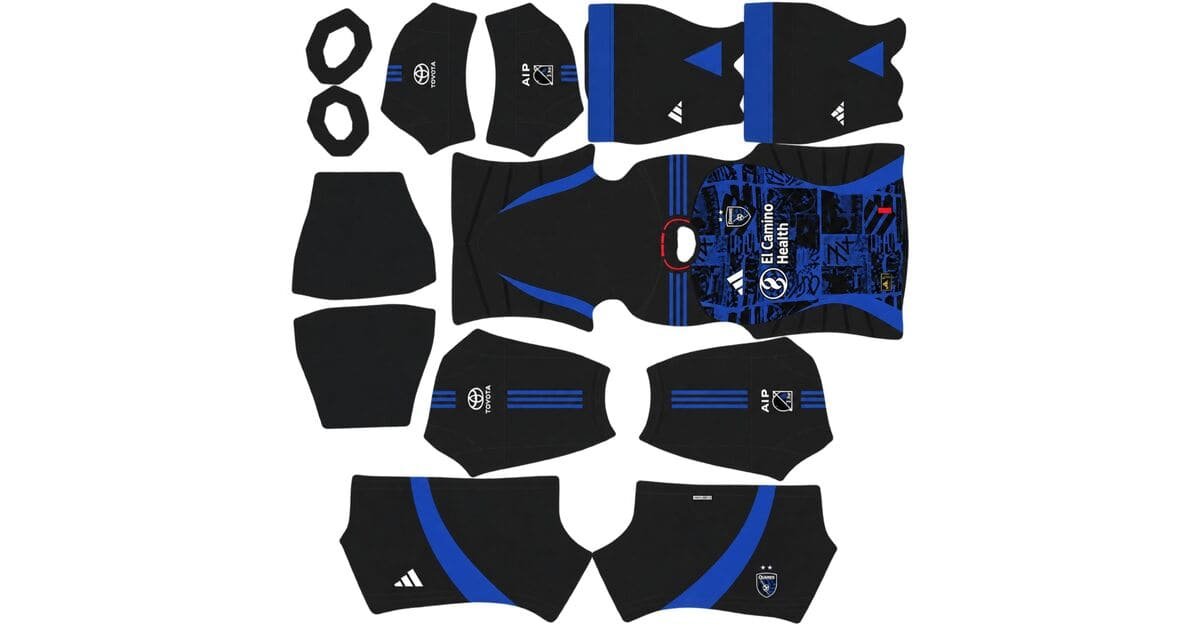
A San Jose Earthquakes DLS kits URL is a direct link to a 512×512 PNG shirt that you can import into Dream League Soccer. All four kit slots are listed below, and every file has been loaded into the game before being featured here.
San Jose Earthquakes Logo
Official Logo 512×512 (2026/27)
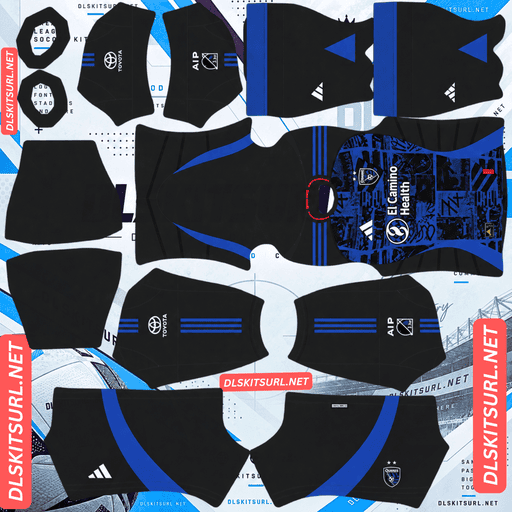
San Jose Earthquakes Home Kit
Home Kit 512×512 (2026/27)
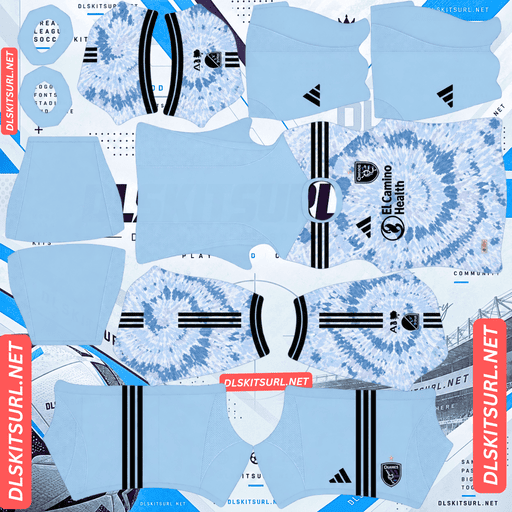
San Jose Earthquakes Away Kit
Away Kit 512×512 (2026/27)
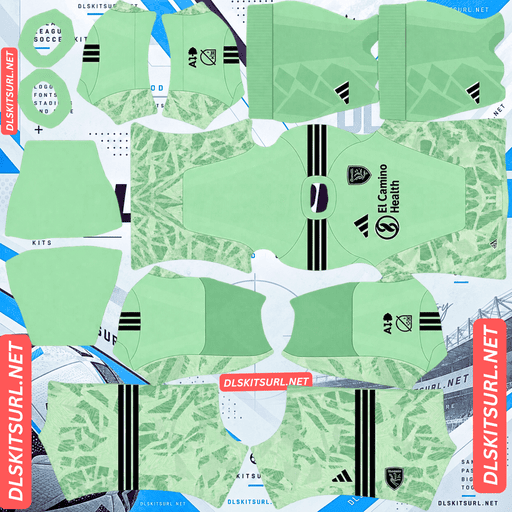
San Jose Earthquakes GK Home Kit
GK Home Kit 512×512 (2026/27)
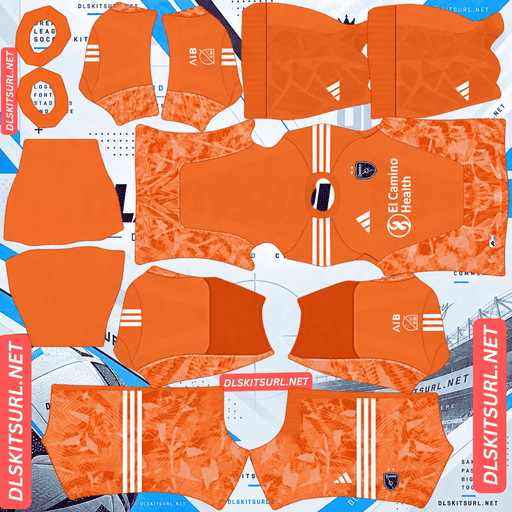
San Jose Earthquakes GK Away Kit
GK Away Kit 512×512 (2026/27)
The 2026 away shirt comes with an unusual challenge: it is a tie-dye design. That changes how you need to check its quality, because almost every standard test used for other kits becomes unreliable.
The Dead Kit
San Jose released its 2026 away shirt ahead of the new season under the name Dead. The design celebrates the spirit of the Bay Area, bringing together the region’s music, culture and community. It also pays tribute to one of the area’s most legendary cultural icons.
The shirt uses a bold tie-dye pattern in sky blue and dark blue, spreading across the front and even running over the club crest. The darker details come from the navy Adidas logo and the familiar Three Stripes across the shoulders.
Why tie-dye changes the usual quality checks
This is the detail that makes the Dead Kit different from the other MLS shirts covered on this site.
Most kit-quality checks rely on having a clear design or shape to inspect. A stripe should stay straight, a band should maintain the same height around the shirt, and a pattern should continue neatly across a seam. Logos and other defined elements should also have sharp, clean edges.
Tie-dye does not follow those rules. Its appearance is deliberately irregular, with colours bleeding into one another and an intentionally uneven pattern. There are no straight lines to align, no uniform bands to follow and no precise pattern edges to inspect.
The advantage and disadvantage of an irregular design
The good news is that the tie-dye pattern is extremely forgiving. If a seam does not line up perfectly, it is unlikely to stand out because the design was never meant to be symmetrical. The pattern also handles image compression better than many shirts with precise geometric details.
The downside is that a low-quality file can look just as convincing as a good one. You cannot reliably distinguish a genuine 512×512 image from an enlarged 256×256 version by inspecting the tie-dye alone. Any softness or blur can easily pass as part of the intended design.
The same problem appeared with Eyüpspor’s brushstroke kits, where painted textures and splattered edges made the usual quality checks largely ineffective.
Check the navy details instead
The navy elements provide the most dependable way to judge the Dead Kit’s image quality.
Both the Adidas logo and the Three Stripes on the shoulders have clearly defined shapes and hard edges. They stand out against the lighter parts of the shirt, making them much easier to inspect than the tie-dye itself.
If these details look sharp rather than blurred or smeared, the file is more likely to have the resolution it claims. If their edges look soft, the image is probably weak, even if the tie-dye still appears convincing.
Open the image at full size and inspect the shoulders rather than the body. That is where you will get the most useful indication of file quality.
The tie-dye also covers the club crest
There is another detail worth understanding before importing the away shirt.
On the original Dead Kit, the tie-dye design runs over the club crest. This is an intentional part of the shirt’s concept, rather than a missing or incorrectly placed badge.
Dream League Soccer handles imported badges differently. It automatically draws your selected crest on the chest, regardless of what is already present in the kit image. As a result, the game restores a visible badge in a place where the real shirt deliberately obscures it.
It is an unusual situation where the game’s normal behaviour works against the original design. Unfortunately, there is no way to recreate the fully obscured crest in DLS because the game always displays an imported badge.
The home kit carried over into 2026
Adidas gives each MLS club one new kit per year rather than replacing both home and away shirts every season. This means one design normally carries over.
For San Jose, the 2026 new release was the away shirt, so the previous season’s home design remained in use. It is predominantly blue, with black sleeves and side panels, alongside the club’s distinctive graphics across the front.
Why a 2025-labelled home file can still be correct
On many kit pages, an image labelled with last year’s season would be considered outdated. MLS is different, and automatically rejecting an older label can lead you to overlook a perfectly current shirt.
A 2025-labelled San Jose home kit may be exactly the design the club wore throughout 2026. The important thing is to compare the actual shirt design rather than relying only on the year in the file name.
MLS also follows a calendar-year season, so its kits are generally labelled 2026 rather than 2026/27.
The same carry-over arrangement applies to Austin FC, Charlotte FC, Colorado Rapids, Atlanta United, FC Cincinnati, CF Montréal, the Red Bulls, NYCFC, New England, Nashville, Seattle, Toronto, Vancouver, St. Louis, Sporting KC, Portland and San Diego.
Which San Jose Earthquakes kit holds up best in DLS?
The two shirts need different checks because their designs have very different levels of detail.
The away Dead Kit is the more forgiving design. Its blue tie-dye pattern has no precise lines or alignment points to lose during compression. However, you should still inspect the navy Adidas logo and shoulder stripes to make sure the file is sharp.
The home kit, with its blue body and black sleeves, has a clearer boundary to examine. Pay particular attention to where the blue fabric meets the black sleeve area. Unlike the tie-dye, this is a real division between two colour zones, so any poor alignment or rough edge should be easier to notice.
How visible are the Quakes kits on the pitch?
The away shirt is easier to follow during a match because its sky-blue base stands out more clearly against the green pitch.
Dream League Soccer displays players at a relatively small size, so a kit’s brightness and contrast make a noticeable difference. Pale, bright colours are generally easier to recognise against the grass.
Sky blue gives the Dead Kit that advantage, while the darker blue tie-dye adds contrast without making the shirt blend into the pitch. It has a similar visibility benefit to the kits worn by Charlotte FC, NYCFC and Sporting KC.
The home shirt is darker by comparison. Its blue body and black sleeves create a deeper overall silhouette, with less brightness to separate the player from the background.
Best number colours for the San Jose Earthquakes kits
Dream League Soccer does not take the shirt-number colour directly from your imported image. Instead, it uses two separate colour swatches on the kit template: one controls the numbers on the shirt, while the other controls those on the shorts.
For the away Dead Kit, navy is the strongest choice. It matches the Adidas logo and shoulder stripes, but there is another reason to use it. The tie-dye continues across the back in two shades of blue, so a medium-blue number could disappear into parts of the pattern. Navy provides a darker contrast against both shades.
For the home kit, white is the more reliable option. It remains readable against the blue body and black sleeves.
Remember to set the shirt and shorts number-colour swatches separately.
How to identify a current San Jose Earthquakes kit file
There are four useful things to check before importing a Quakes shirt.
First, look for Adidas branding, as all thirty MLS clubs wear Adidas. Next, confirm that the 2026 away shirt has the distinctive sky-blue and dark-blue tie-dye design. For the home shirt, do not automatically reject a file labelled 2025 if its design matches the one carried into 2026. Finally, check the sleeve patch, since separate MLS and Leagues Cup versions exist.
San Jose also has several distinctive recent designs that can sometimes be incorrectly labelled.
The 2024 “The 50 Kit” away shirt was white with red details and a retro NASL-era crest. The 2025 third kit was a white San Jose Clash throwback featuring bold zig-zag patterns. Neither should be confused with the blue tie-dye Dead Kit.
How to use a San Jose Earthquakes DLS kits URL
Use the copy button on the kit card to get the direct image link. Avoid copying the address from your browser’s address bar, because that usually gives you the webpage rather than the actual shirt image.
Open Dream League Soccer and go to My Club, then select Customise. Choose the Kit section, not Logo, because badges are imported through a separate menu.
Select the kit slot you want to replace before pasting the link. The game will replace whichever slot is currently open. Press and hold the URL field, choose Paste, and then tap Confirm. Some older versions of the game use the button label Download instead.
Since Adidas released a new away shirt while the home carried over, the third-kit slot is available. The 2025 San Jose Clash throwback is a natural choice for it. Its zig-zag design reinterprets the club’s inaugural MLS kits, and Dream League Soccer accepts any working 512×512 image URL regardless of how old the design is.
Your first custom kit requires a one-time gem unlock. Once that is done, you can change your imported kits again without paying gems each time.
Test the kit URL before importing
It is worth opening the link in a browser before using it in the game. A proper direct image URL should display the shirt by itself, with the address ending in .png.
If the image appears inside a webpage with buttons, menus or other page elements around it, you are probably looking at a viewer page rather than a direct image link. Dream League Soccer cannot import that type of page.
For the Dead Kit, however, simply looking at the tie-dye is not enough to judge image quality. The pattern can look convincing even when the source file is too small.
If you are checking the image on a computer, right-click it and open it in a new tab. Check the dimensions reported by your browser rather than relying on how sharp the tie-dye looks. The actual image dimensions are the reliable way to confirm whether the file is 512×512.
Why San Jose Earthquakes kit URLs stop working
There are three common reasons a kit link can stop working, although not all of them are immediately obvious.
The first is that free image-hosting websites sometimes delete uploaded files. Images that have not been accessed for months or years may be removed. The original URL can still look valid, but the image itself no longer loads.
The second problem is hotlink protection. Some hosts block requests coming from outside their own websites. Your browser may display the image when you open the link directly, while Dream League Soccer gets refused when it tries to download the same file. This explains why a URL can appear to work in a browser but fail inside the game.
The third issue is that the preview image and the downloadable file may be different. Some websites display a thumbnail stored on their own server but provide a separate URL that points to another location. The preview can continue working even after the actual download link has stopped responding.
On this page, the shirt preview and the URL you copy refer to the same file on the same server.
The San Jose Earthquakes badge
You can import the club crest during the same session, but you need to open Logo instead of Kit.
The San Jose Earthquakes badge is built around the club’s name and its distinctive earthquake fault motif, using blue and black as its main colours.
Dream League Soccer crops imported badges into a circular shape. For the best result, choose an image that leaves some clear space around the complete design instead of cropping tightly against the artwork. This helps prevent parts of the crest from being cut off when the game applies its circular crop.
There is also a retro badge option. The 2024 anniversary away shirt featured a NASL-era crest, making it the more accurate choice if you are recreating that particular kit.
Santos, Corinthians, Strasbourg, Lyon, CF Montréal, Vancouver and Orlando also use historic crests this season for similar reasons.
Keeping your San Jose Earthquakes kits
Dream League Soccer stores custom kits on your device rather than saving them directly to your account. Updating the game will usually leave your imported designs in place, but reinstalling the game or moving to a new phone can remove them. Your imported badge can disappear as well.
Save all four kit URLs in a notes app before importing them. It is also worth recording the actual dimensions of your Dead Kit image, since its tie-dye pattern makes it difficult to judge resolution by eye later.
FAQ FOR RANK MATH
What is a San Jose Earthquakes DLS kits URL?
It is a direct link to a 512×512 PNG San Jose Earthquakes shirt that you can paste into the kit section of Dream League Soccer. A working direct image link should end in .png.
What is the Dead Kit?
The Dead Kit is San Jose’s 2026 away shirt. It features a sky-blue and dark-blue tie-dye design celebrating the Bay Area’s music and cultural history, with navy Adidas branding and shoulder stripes.
Does the tie-dye pattern survive in DLS?
Yes. The irregular design is very forgiving because it does not rely on straight lines, precise alignment or sharply defined pattern edges. That makes it one of the more compression-resistant kit designs.
Why does image quality still matter if the tie-dye is so forgiving?
Because a poor-quality file can look almost identical to a good one. Blur can easily blend into the intended tie-dye effect, making it difficult to judge resolution from the pattern alone.
How can I check the quality of a Dead Kit file?
Inspect the navy Adidas logo and the Three Stripes on the shoulders. These elements have defined shapes and hard edges, so they provide a much more reliable indication of image sharpness than the tie-dye pattern.
Why does my crest appear when the real Dead Kit hides it?
The original shirt has tie-dye running over the club crest, but Dream League Soccer automatically displays your imported badge on the chest. The game does not provide a way to hide the imported crest to reproduce the original shirt’s obscured look.
Is a 2025 San Jose Earthquakes home kit still current in 2026?
It can be. Adidas releases one new kit per MLS club each year, and San Jose’s 2026 release was the away shirt. The previous home design therefore carried over into the 2026 season.
What number colour should I use on the San Jose away kit?
Navy is the best choice. The tie-dye pattern continues across the back in two shades of blue, so a medium-blue number could disappear against part of the design. Navy offers better contrast and matches the Adidas details.