
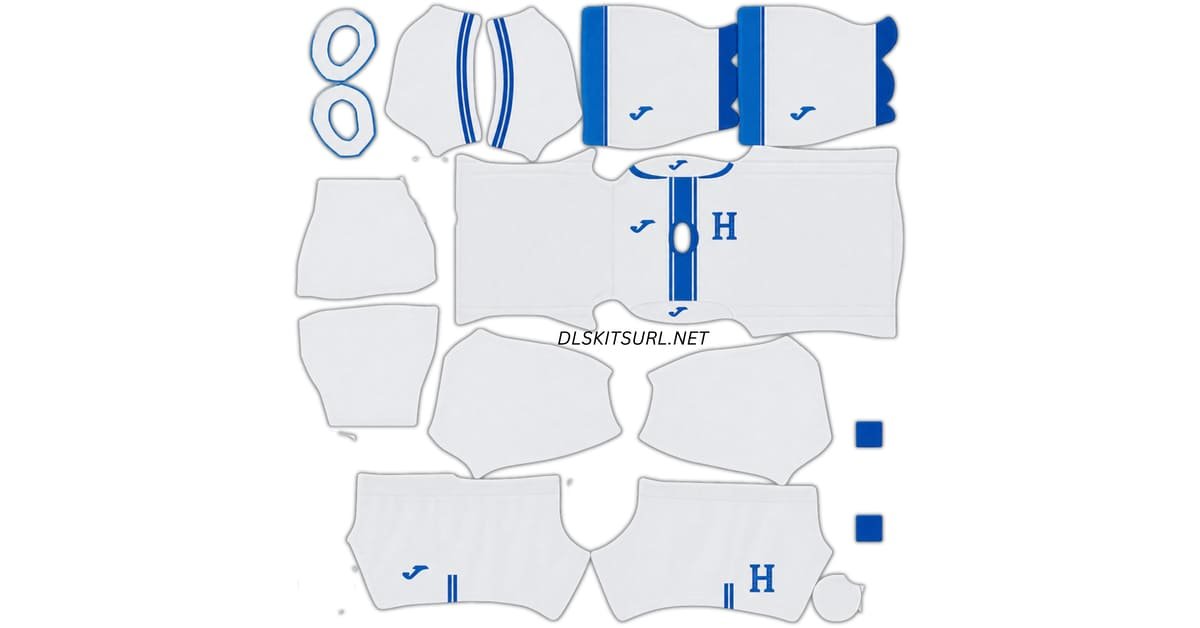
Honduras logo
Official Logo 512×512 (2026/27)
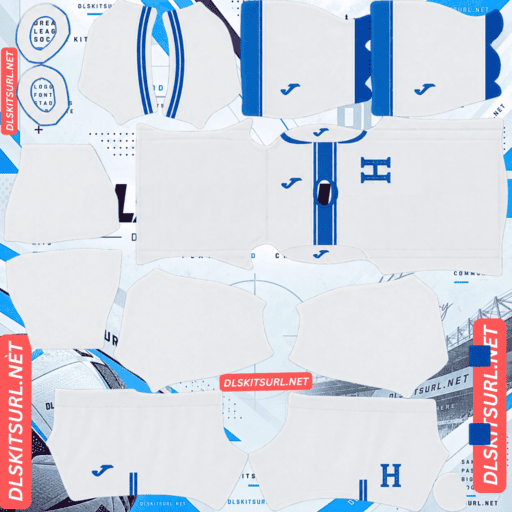
Honduras Home Kit
Home Kit 512×512 (2026/27)
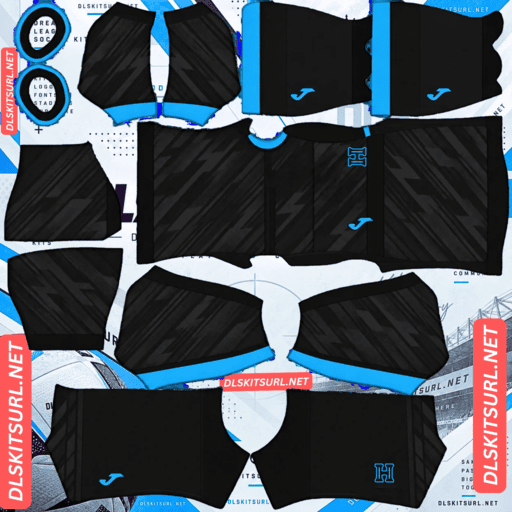
Honduras Away Kit
Away Kit 512×512 (2026/27)
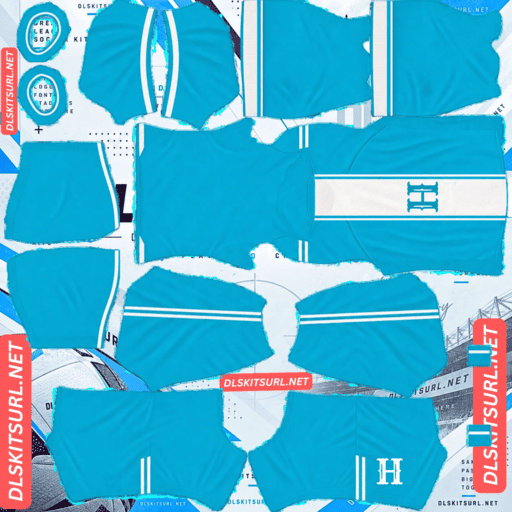
Honduras Third Kit
Third Kit 512×512 (2026/27)
The Honduras DLS Kits URL 512×512 collection includes all four outfield shirts from the current 2026–2028 Joma cycle, ready for use in Dream League Soccer.
Honduras are unusual this time because Joma released four outfield kits at once, while Dream League Soccer only gives you three normal outfield slots alongside the goalkeeper. There is also some disagreement between kit publications about which shirt should be labelled away, third or fourth, so the safest way to organise the set is by colour rather than by slot name.
The four designs are easy to separate visually: white, black, royal blue with gold patterning, and teal.
Honduras Kits for the 2026–2028 Cycle
Joma released the full Honduras collection on 25 March 2026, and the shirts are intended for the 2026–2028 international cycle rather than one single season.
That makes the set more useful than a typical club collection, where new shirts arrive every summer.
Once you import these kits, they should remain relevant for much longer than a normal one-season club set.
The collection includes:
- A white shirt with blue detailing
- A black shirt with a subtle lighter pattern
- A royal blue shirt with gold Mayan-inspired graphics
- A teal shirt with a faint horizontal stripe effect
Royal Blue and Gold Honduras Kit
The royal blue shirt is the most distinctive design in the collection.
Gold patterning runs through the kit, drawing inspiration from Mayan art.
That reference has particular meaning for Honduras because Copán, in the west of the country, is one of the most important Maya archaeological sites and is known for its carved monuments and detailed stonework.
Using angular gold geometry on a royal blue football shirt gives the design a strong cultural reference without turning it into a literal historical illustration.
It also happens to work very well in Dream League Soccer because the colour contrast is strong.
Why the Mayan Pattern Works in DLS
Gold against royal blue creates a much clearer visual separation than low-contrast tonal patterns.
The shapes are also angular rather than soft or blended, which helps them remain recognisable when the player is shown at normal match size.
The main thing to watch is the gold itself.
Metallic effects rely on highlights and gradients. If the source image is too compressed, gold can flatten into a dull brown tone and lose the look that makes the shirt special.
If the pattern still looks metallic at full size, the file has preserved the detail much better.
Trust the Colour, Not the Kit Label
Honduras is one of those cases where the file name can be more confusing than helpful.
Different kit publications disagree about which of the four shirts should be called the away, third or fourth kit. Some descriptions also differ in how they describe the white shirt.
Because of that, the safest approach is to identify the kits by colour rather than by label.
Use:
White
Black
Royal blue with gold
Teal
Those four descriptions are unambiguous, even when websites disagree about how the slots are named.
If you want to reproduce the federation’s exact official ordering, check Honduras’ own channels rather than relying only on third-party kit databases.
Four Honduras Kits, Three Outfield Slots
Dream League Soccer gives you four custom kit slots in total:
Home, away, third and goalkeeper.
That leaves room for only three outfield shirts if you want to keep a proper goalkeeper kit.
Since Honduras have four outfield designs in this cycle, one of them has to stay out of the normal rotation.
Option 1: Use Your Three Favourite Kits
The simplest solution is to choose the three shirts you like most.
For many players, that will mean keeping the white, royal blue and either black or teal kit.
There is no technical reason to force all four into the setup at once.
Option 2: Replace the Goalkeeper Slot
You could technically use the goalkeeper slot for a fourth outfield shirt, but it creates an obvious visual problem.
Your goalkeeper will then wear what looks like another outfield kit.
On the team screen, the setup also feels less complete because the goalkeeper no longer has a clearly separate design.
Using three outfield kits plus a proper goalkeeper shirt is the cleaner option.
Option 3: Rotate the Third Slot
Another practical approach is to rotate one of the extra shirts in and out.
Once the custom kit feature is unlocked, you can replace kits whenever you want.
That makes it easy to keep three active shirts while saving the fourth URL for later.
For example, you can switch between the royal blue and teal designs depending on which one you want to use.
Which Honduras Kit Looks Best in Dream League Soccer?
The four shirts do not translate equally well to a 512×512 game texture.
Some depend on strong contrast, while others rely on subtle patterns that are easier to lose.
Royal Blue and Gold – Strongest
The royal blue shirt is the strongest design at match distance.
The blue base is dark enough to support the gold detailing, while the pattern itself uses clear geometric shapes.
That combination survives being reduced onto the player model better than most of the other designs.
The main quality check is whether the gold still looks metallic rather than brown.
Teal Kit – Good at Distance
The teal shirt also works well because the base colour is strong and unusual.
Even if the faint horizontal stripe effect loses some detail, the shirt still has a distinctive overall look.
That makes it less dependent on perfect resolution than the black design.
Black Kit – More Demanding
The black shirt uses a lighter tonal pattern over a dark base.
That is much more difficult to preserve.
Low-contrast patterns are usually the first details lost when an image is enlarged from a smaller source or compressed too heavily.
A weak file can reduce the shirt to plain black.
A better-quality version should still show the subtle pattern when viewed up close.
White Kit – Depends on the Version
The white shirt is harder to describe because the source material notes conflicting descriptions.
Some references describe blue and teal detailing, while others describe stronger vertical striping in several blue shades.
Either version is relatively easy to reproduce if the contrast is strong.
The fragile part is the subtle texture or horizontal striping across the white fabric.
White-on-white detail is extremely low contrast and can disappear quickly in a poor-quality file.
Quick Honduras Kit Quality Check
For the royal blue shirt, inspect the gold pattern and see whether it still has a metallic appearance.
For the white kit, look closely at the body and check whether the subtle texture is still visible.
Those two checks cover the main weak points in the collection.
Set the Honduras Number Colours Correctly
Dream League Soccer does not automatically choose a squad-number colour from the shirt design.
The kit template contains separate number-colour swatches for the shirt and shorts.
Each Honduras kit therefore needs its own contrast settings.
White Kit Number Colour
Use blue or black.
White numbers on a white shirt will disappear almost completely.
A darker colour gives much better contrast.
Black Kit Number Colour
Use white.
It remains clearly visible against the dark base and will not be affected much by the subtle background pattern.
Royal Blue Kit Number Colour
Use white or gold.
White gives the clearest result at match distance, while gold ties the numbers into the rest of the design.
Teal Kit Number Colour
Use white or navy.
Avoid colours too close to teal or green because they can blend into the shirt and become harder to read against the pitch as well.
Set the shirt and shorts swatches separately for each kit.
How to Use a Honduras DLS Kit URL
Importing a Honduras DLS kit URL works like any other custom Dream League Soccer shirt.
Copy the direct image link using the Copy URL button on the kit card.
Avoid copying the normal webpage address unless it points directly to the image.
Open Dream League Soccer, go to My Club, then choose Customise.
Open the Kit section rather than Logo.
Select the slot you want to replace.
Tap Custom Kit, paste the direct image URL and confirm.
Older versions may label the same option as Download.
Each slot is separate, so importing three outfield shirts and a goalkeeper requires four individual passes.
Unlocking Custom Kits in DLS
According to the supplied guide, the first custom kit requires a one-time in-game gem unlock.
After that, changing kits does not require another unlock each time.
That is what makes rotating the fourth Honduras shirt in and out practical.
Test the Honduras Kit Link First
Open the URL in your browser before pasting it into Dream League Soccer.
The image should appear on its own, without a normal webpage around it.
If you see menus, text, buttons or advertising around the image, you may have copied the page URL rather than the direct PNG link.
On desktop, opening the image in a new tab also makes it easier to inspect its dimensions and quality before importing.
Why Honduras DLS Kit URLs Stop Working
Even a correct kit can stop importing if the image host changes.
Free Image Hosts Delete Files
Old or inactive uploads may be removed from free image-hosting services.
The original URL can remain online and look valid even though the actual image has disappeared.
This can affect less widely maintained national-team kits more often because fewer copies may exist across the web.
Hotlink Protection Can Block the Game
Some image hosts allow a picture to open in your browser but block external requests from applications such as Dream League Soccer.
That creates the familiar problem where a URL works when you click it but fails when pasted into the game.
In that case, the image usually needs to be hosted somewhere else.
Preview and Copy URL Can Be Different Files
Some websites display a preview from one server while the Copy URL button points somewhere else.
If the external file is deleted, the page can continue showing the kit preview normally.
You only discover the problem at the moment of import.
According to the supplied page, the visible shirt and copied URL are intended to use the same hosted file.
The Honduras Badge
The Honduras crest should be imported separately through the Logo section.
Dream League Soccer reduces badges significantly, so using a clean file with enough transparent space around the design helps preserve the shape.
Do not trim the artwork so tightly that parts of the badge are pushed against the edge.
Simplified H Logo on the White Kit
One detail specific to this collection is the simplified H logo used on the white shirt.
If that is the kit you plan to use most often and you have a matching badge file, it provides the most accurate visual pairing.
A single bold letter also translates very well to Dream League Soccer because there are fewer small elements to lose at reduced size.
For the other three shirts, the standard Honduras crest is the safer general choice.
Keeping Your Honduras DLS Kits
Save all four outfield kit URLs, even if you only use three of them at the same time.
A notes app is enough.
Because this collection covers the 2026–2028 cycle, you may want to rotate the shirts later rather than searching for the missing file again.
If you reinstall Dream League Soccer or change devices, you may need to import the kits and badge again.
Keeping every Honduras DLS kit URL saved makes rebuilding the full setup much easier.
Honduras DLS Kit URL FAQ
What Is a Honduras DLS Kit URL?
A Honduras DLS kit URL is a direct link to a Honduras kit image prepared for Dream League Soccer.
The standard custom format uses a 512×512 PNG that can be pasted into the game’s custom kit section.
How Many Honduras Kits Are There for 2026?
Joma released four outfield kits for the 2026–2028 cycle on 25 March 2026.
The collection includes a white shirt, black shirt, royal blue shirt with gold Mayan-inspired patterning, and teal shirt.
Can I Use All Four Honduras Kits in DLS?
Not comfortably if you also want a proper goalkeeper kit.
Dream League Soccer gives you three normal outfield slots plus one goalkeeper slot.
The easiest approach is to choose three shirts and save the fourth URL for rotation.
Which Honduras Kit Is the Away and Which Is the Third?
The source material says kit publications disagree about the exact labels.
For that reason, it is safer to identify the shirts by colour rather than rely on file names such as away, third or fourth.
What Is the Pattern on the Blue Honduras Kit?
The royal blue shirt uses gold graphics inspired by Mayan art.
The design has a meaningful connection to Honduras through the country’s Maya heritage, including the important site at Copán.
Why Does My Black Honduras Kit Look Plain?
The black shirt uses a subtle lighter pattern over a dark base.
That low contrast is easy to lose if the source image has been compressed or enlarged from something smaller.
Why Does the Gold on My Honduras Kit Look Brown?
Gold depends on highlights and gradients to look metallic.
When a poor-quality image loses those tonal differences, the gold can flatten into a dull brown colour.
What Number Colour Should I Use on the Honduras Kits?
Use blue or black on the white kit, white on the black kit, white or gold on the royal blue shirt, and white or navy on the teal design.
The shirt and shorts number swatches should be checked separately.
How Long Will the Honduras Kits Stay Current?
The collection covers the 2026–2028 cycle, so it is intended to remain in use longer than a normal one-season club kit set.
Should I Save All Four Honduras Kit URLs?
Yes.
Even if you only use three outfield shirts at one time, saving all four links lets you rotate the extra design later without having to find it again.