
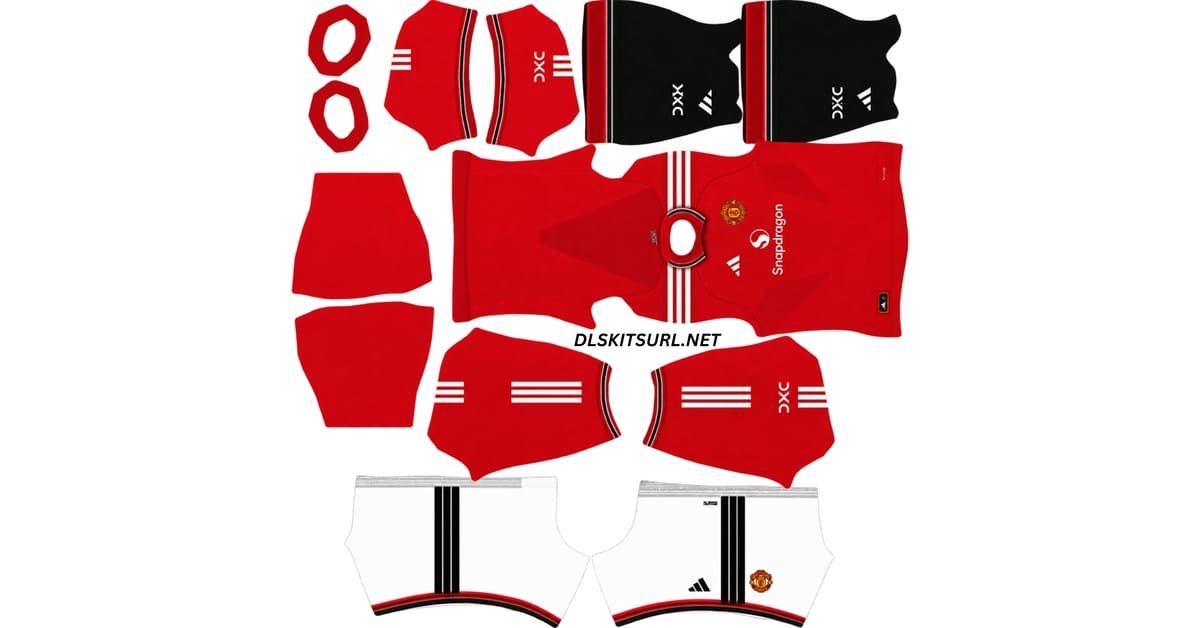
The Manchester United DLS Kit URL 512×512 collection for Dream League Soccer 2026/27 includes the current home, away, third and goalkeeper kits prepared for custom kit import.
United’s three outfield shirts are also useful for checking whether a DLS kit file has been made properly.
Manchester United Official Logo
Official Logo 512×512
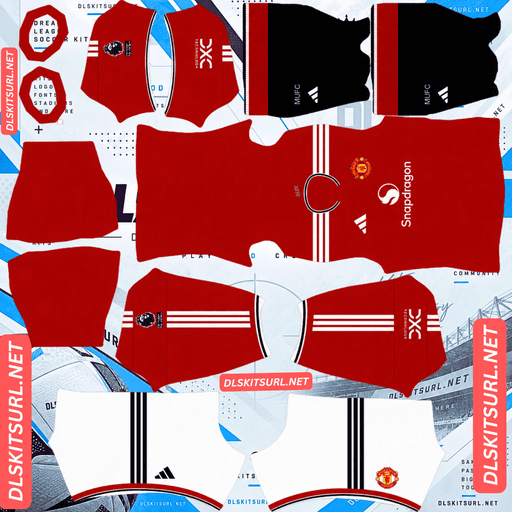
Man United Home Kit
Home Kit 512×512 (2026/27)
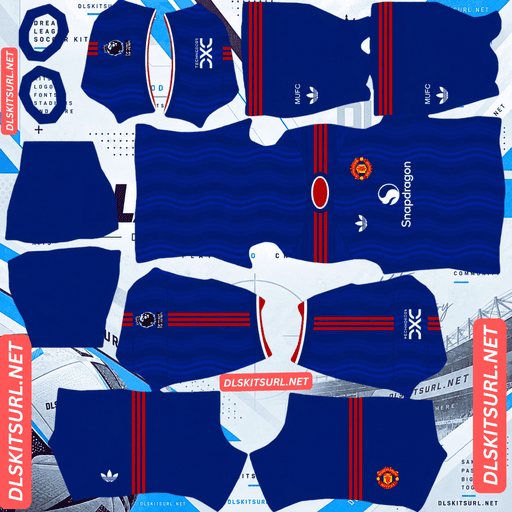
Man United Away Kit
Away Kit 512×512 (2026/27)
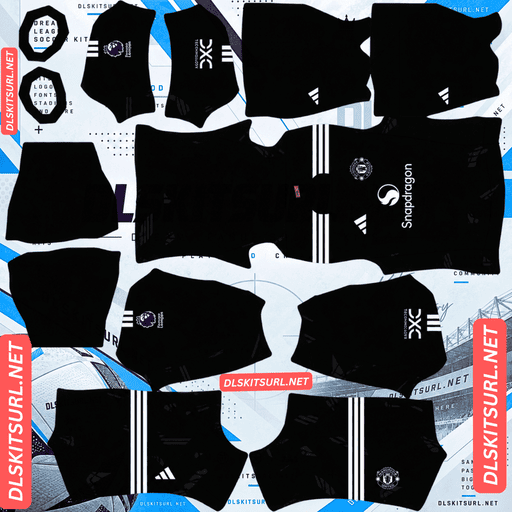
Man United Home GK Kit
GK Kit 512×512 (2026/27)
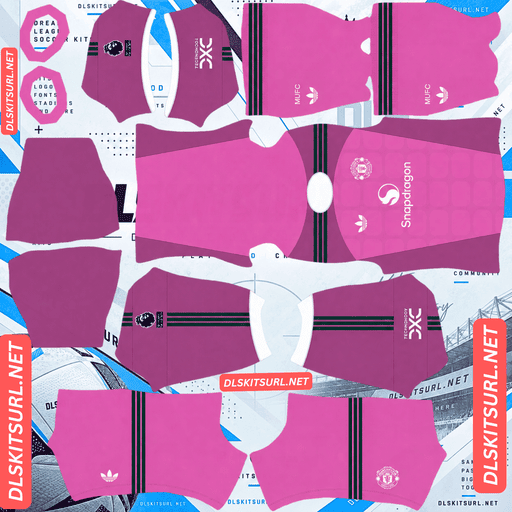
Man United Away GK Kit
GK Kit 512×512 (2026/27)
Each design exposes a different kind of problem.
The home kit makes poor collar and sleeve alignment easy to spot. The away shirt reveals low-resolution files because its tonal wave pattern disappears quickly. The third kit is even more demanding because its logos run vertically down the centre of the chest, making an incorrect template immediately visible.
A kit can still import successfully while getting all of those details wrong, so checking the PNG before using it can save a lot of trial and error.
Manchester United Home Kit 2026/27
Manchester United’s 2026/27 home kit was released on 14 May 2026 and is the most traditional of the three outfield designs.
The shirt keeps United’s familiar red base, with white Adidas Three Stripes and black used as a secondary accent.
The detail that gives the shirt its character is the collar.
It uses a striped design with matching sleeve cuffs, taking inspiration from the Admiral shirts Manchester United wore between 1975 and 1980.
A “UNITED” graphic also appears at the back of the neck.
Those details may look small, but they are particularly important when judging a Dream League Soccer kit file.
Why the United Home Kit Tests Template Zones
A Dream League Soccer kit template is divided into separate areas.
The shirt body, collar and sleeve cuffs are not all drawn in one place on the 512×512 image.
Instead, each part occupies a different section of the template, and the game wraps those areas around the player model separately.
That is why the Manchester United home shirt is useful for checking whether someone has paid attention to the full template.
A file can have a perfectly good red body while still getting the collar completely wrong.
If the 2026/27 home kit appears with a plain collar or plain sleeve cuffs in DLS, the creator may have completed the main shirt area but ignored the smaller zones.
How to Check the Manchester United Home Kit
Start with the collar and cuffs.
The striped detail should be visible in both places.
If the shirt body looks correct but those areas are plain, the problem is likely in the kit file rather than your game.
Also check the edges where the white, black and red sections meet.
They should look reasonably clean rather than soft or heavily blurred.
A properly prepared Manchester United DLS kit 512×512 PNG should preserve those boundaries clearly.
Manchester United Away Kit 2026/27
Manchester United’s away kit uses royal blue as its main colour.
The design revisits the club’s 1988 strip while adding a pattern connected directly with Greater Manchester.
Across the front, sleeves and back runs a tonal wave graphic.
Those waves represent the River Irwell, which flows through Greater Manchester and forms part of the boundary between Manchester and Salford.
Rather than using a bright contrasting graphic, Adidas keeps the wave design within different shades of blue.
That makes the shirt look understated from a distance but much more detailed when viewed closely.
Manchester United Away Kit Details
The V-neck collar combines blue, white and red, with similar striping appearing on the sleeve cuffs.
Red Adidas Three Stripes run across the shoulders.
The shirt also uses the classic Adidas Trefoil on the right side of the chest, with the Manchester United crest opposite.
The Snapdragon sponsor appears in white across the centre.
The tonal wave pattern continues onto the back while leaving space for the player’s name and number.
Why the United Away Kit Tests Image Resolution
The away shirt is one of the easiest Manchester United kits to use as a resolution test.
The River Irwell pattern is tonal.
That means the waves are created using slightly different shades of the same blue rather than a strongly contrasting colour.
Subtle differences like these are usually the first details to disappear when an image has been enlarged from a smaller source.
Heavy compression can create the same problem.
The file may still measure 512×512 when you download it, but if the original image was much smaller, the information needed to show the waves is already gone.
The result is a shirt that looks almost completely plain royal blue.
How to Check the United Away Kit Quality
Open the PNG at full size before importing it.
Look across the front and sleeves.
You should be able to see the tonal wave pattern rather than a completely flat blue surface.
If the waves are barely visible even at full size, Dream League Soccer is unlikely to improve them once the image is wrapped around the player.
You can also zoom in on a sharp boundary elsewhere in the kit.
If edges blur across several pixels, there is a good chance the source image was enlarged.
A clean Manchester United away DLS kit 512×512 should preserve both the wave pattern and the sharper trim details.
Manchester United Third Kit 2026/27
Manchester United’s third kit was released on 14 August 2026.
It is one of the most locally influenced shirts in the collection.
The main colour is ivory, with a tonal pattern made from hand-drawn Lancashire rose illustrations.
Maroon appears on the crew-neck collar and sleeve cuffs.
The shoulder Three Stripes use a dark green shade Adidas calls Jungle Ink.
According to the source material, both colours draw from Manchester itself: maroon references the city’s red-brick architecture, while the green takes inspiration from details seen on local community buildings.
Salford Lads Club Details on the Third Kit
The local references continue at the back of the neck.
There is a sign-off inspired by the arched entrance sign of Salford Lads Club, surrounded by small rose details.
The kit’s launch campaign was also filmed there.
The full strip includes dark green shorts with ivory stripes and a standalone Devil emblem on the leg.
Ivory socks with dark green turnovers complete the look.
Why the Third Kit Tests the DLS Template
The most important detail for Dream League Soccer players is the shirt’s unusual branding layout.
Instead of spreading the logos across the chest in the conventional way, the third kit stacks them vertically down the centre.
The Adidas Performance logo, standalone Devil emblem and Snapdragon sponsor sit one below another.
That makes the shirt an excellent test of template accuracy.
The front panel of a DLS kit has a centre line.
If the PNG was created using the wrong template, centrally placed graphics can shift away from that line once the shirt is wrapped around the player model.
They may appear crooked, offset to one side or split awkwardly where different template areas meet.
No in-game setting can correct that.
The file itself needs to be built on the proper layout.
How to Check the United Third Kit Alignment
Look directly at the vertical stack of branding.
The logos should run cleanly down the middle of the chest.
If the Adidas logo, Devil emblem or Snapdragon branding appears noticeably off-centre, the file may have been created on the wrong DLS template.
This is different from a resolution problem.
A file can be sharp and high quality but still use the wrong layout.
For the third shirt, correct placement matters just as much as image resolution.
What the Three Manchester United Kits Can Tell You
United’s 2026/27 shirts reveal three different problems that commonly appear in Dream League Soccer kit files.
The home kit tests zone alignment. If the collar and cuffs are wrong, those areas of the template were probably not handled properly.
The away kit tests resolution. If the River Irwell waves disappear, the source image was likely too small or heavily compressed.
The third kit tests template accuracy. If the centre branding is crooked or offset, the file may have been built for a different DLS layout.
A Manchester United kit set that handles all three correctly is a much stronger sign that the files were prepared carefully.
How to Check If a Manchester United DLS Kit Is Current
Manchester United shirts from older seasons are still widely shared, so it helps to know what separates the 2026/27 set.
Check the Away Kit Colour
The current away shirt should be royal blue.
White, black or grey Manchester United away shirts belong to different seasons.
Look for the Adidas Trefoil
The away kit should use the classic Adidas Trefoil rather than the normal three-bar performance mark.
This is one of the easiest details to check on a 512×512 file.
Check the Home Collar
The home kit should have a striped collar with matching sleeve cuffs.
A plain collar does not accurately reproduce the current design.
Check the Third Kit
The current third shirt should use an ivory base with a tonal Lancashire rose pattern, maroon trim and dark green Three Stripes.
It was released on 14 August 2026.
If a kit page only lists the home and away shirts, it may not have been updated after the third kit launched.
How to Use a Manchester United DLS Kit URL
Importing a Manchester United DLS kit URL into Dream League Soccer is straightforward.
First, copy the direct image link using the Copy URL button on the kit card.
Avoid copying the normal browser address unless you know it points directly to the image.
Open Dream League Soccer and go to My Club.
Choose Customise.
Some versions of the game may call this Customise Team.
Open the Kit section rather than Logo.
Select the slot you want to replace.
Then tap Custom Kit.
Older versions of Dream League Soccer may display this option as Download.
Paste the direct image URL and confirm.
Repeat the process for each kit slot you want to customise.
Manchester United Goalkeeper Kit in DLS
The goalkeeper kit should be imported into its own slot just like the outfield shirts.
Setting all four available kit slots gives your Manchester United setup a much more complete appearance than leaving the goalkeeper in a default DLS uniform.
If your page also provides a Manchester United badge, save that URL alongside the four kit links so the entire setup can be restored later.
Unlocking Custom Kits in Dream League Soccer
If you have never used a custom kit before, the feature may first need to be unlocked in Dream League Soccer.
The source article describes this as a one-time in-game gem payment.
Once unlocked, you can continue replacing custom kits without paying separately for every new shirt.
Check the Manchester United Kit URL in Your Browser First
Test the link before pasting it into Dream League Soccer.
Open the URL in your normal browser.
The kit image should appear on its own, without a full webpage surrounding it.
If you see headers, menus, adverts or other website elements, you probably have the page URL rather than the direct kit image.
Dream League Soccer needs to access the image itself.
A working kit link will commonly point to a .png file.
On desktop, right-click the image and choose Open image in new tab.
This also gives you an opportunity to inspect the dimensions and file quality.
A standard custom DLS kit should use a 512×512 layout.
How to Check Manchester United Kit Resolution
For a quick resolution test, zoom in on a sharp colour boundary.
The source article suggests checking the sleeve area where white meets red on the home kit.
A good image should show a reasonably clean line.
If that edge becomes a soft blur spread across several pixels, the source file may have been enlarged.
The same issue will usually affect smaller details such as the striped collar, away-kit waves and third-kit rose pattern even more strongly.
Why Manchester United DLS Kit URLs Stop Working
A Manchester United DLS kit URL can stop working even if the actual kit file was created correctly.
The problem is often the image host.
Free Image Hosts Delete Files
Many Dream League Soccer kit files are stored on free image-hosting services.
Those hosts may remove old or inactive uploads after a period of time.
The page containing the kit may remain online even after the actual PNG has disappeared.
That leaves you with a URL that looks valid but no longer returns the kit.
Hotlink Protection Can Block DLS
Some hosts use hotlink protection to prevent outside websites and applications from loading their images directly.
This can make the problem confusing.
The Manchester United kit opens normally in your browser, but the same link fails inside Dream League Soccer.
The game itself may be working perfectly.
The image server is simply refusing the outside request.
In that situation, you need another direct PNG URL hosted on a service that allows external access.
The Preview and Kit URL May Be Different Files
Some kit websites show a preview stored on their own server while their Copy button points to an image hosted somewhere else.
If that external file is removed, the preview may continue displaying normally.
You only discover the broken link when trying to import the kit.
Using the same hosted image for both the visible preview and the copied DLS URL makes this less likely to happen.
Which Manchester United Badge Should You Use in DLS?
The Manchester United crest can be imported separately using the Logo section of Dream League Soccer.
The full badge creates a particular challenge inside the game.
It has a banner across the top containing the club name, while the shield narrows toward a point at the bottom.
Dream League Soccer may display team logos inside a circular crop.
A circle naturally cuts most aggressively around the top and bottom edges, which are exactly where important parts of United’s crest sit.
If the original badge PNG is cropped tightly, part of the upper banner or lower shield can be lost.
Why the Standalone Devil Can Work Better
One solution is to use a full Manchester United badge with some transparent space around the artwork.
That gives the game more room to resize the design safely.
Another option is the standalone Devil emblem.
It contains no large banner, club-name text or pointed outer shield, so there is less information near the edges to lose.
The Devil also suits the 2026/27 third kit particularly well because that shirt already uses the standalone emblem in the centre of the chest.
For players who value clarity at small sizes, it can be a practical DLS logo choice.
Save Your Manchester United DLS Kit URLs
Once you find Manchester United files that pass the collar, resolution and template-alignment checks, save the URLs somewhere outside Dream League Soccer.
A notes app is enough.
This is worth doing because a file that merely imports is not necessarily a good file.
You may spend time finding a home kit with the correct collar zones, an away shirt that preserves the River Irwell pattern, and a third kit whose centre branding lines up correctly.
If you reinstall Dream League Soccer or change devices, you may need to import those custom kits again.
Saving the Manchester United DLS kit URL links, along with the badge URL, means you will not have to repeat the search.
Manchester United DLS Kit URL FAQ
What Is a Manchester United DLS Kit URL?
A Manchester United DLS kit URL is a direct image link to a Manchester United shirt prepared for Dream League Soccer.
The standard custom kit layout uses a 512×512 PNG, which is pasted into the game’s custom kit section.
Why Does My Manchester United Home Kit Have a Plain Collar?
The collar and sleeve cuffs occupy separate areas of a Dream League Soccer kit template.
The 2026/27 home shirt should have a striped collar with matching cuffs.
If those areas appear plain while the rest of the shirt looks correct, the file was probably not prepared properly across all template zones.
Why Is My Manchester United Away Kit Plain Blue?
The away shirt includes a tonal wave design inspired by the River Irwell.
Because the pattern uses different shades of the same blue, it can disappear when a source image is too small or heavily compressed.
A better-quality 512×512 PNG should preserve the waves more clearly.
Why Do the Logos on My Manchester United Third Kit Look Crooked?
The third shirt stacks its Adidas logo, Devil emblem and Snapdragon sponsor vertically down the centre of the chest.
That arrangement depends on correct template alignment.
If the branding appears bent or shifted to one side, the file may have been created for a different Dream League Soccer template.
What Is the Manchester United Third Kit for 2026/27?
Manchester United’s 2026/27 third kit uses an ivory base with a tonal pattern of hand-drawn Lancashire roses.
It has maroon collar and cuff details, along with dark green Adidas Three Stripes.
The shirt was released on 14 August 2026.
Why Is the Manchester United Away Kit Blue This Season?
The royal-blue away design revisits Manchester United’s 1988 strip.
Its tonal wave pattern represents the River Irwell, connecting the shirt with Greater Manchester and the boundary between Manchester and Salford.
Why Does My Manchester United Badge Look Cut Off in DLS?
The full crest contains important details close to both the top and bottom edges.
Dream League Soccer may crop team badges into a circular area, which can cut into those parts of a tightly trimmed image.
Use a badge PNG with transparent padding around the crest or consider the standalone Devil emblem.
Why Does a Manchester United Kit URL Work in My Browser but Not in DLS?
The image host may be using hotlink protection.
This allows the image to load directly in your browser while blocking Dream League Soccer from requesting it externally.
If this happens, another direct PNG URL hosted somewhere that permits external access is usually required.
Do Manchester United Custom Kits Survive a Reinstall?
You may need to import your Manchester United custom kits again after reinstalling Dream League Soccer or moving to another device.
Save your Manchester United DLS kit URL links and badge URL somewhere outside the game so they are easy to restore later.