
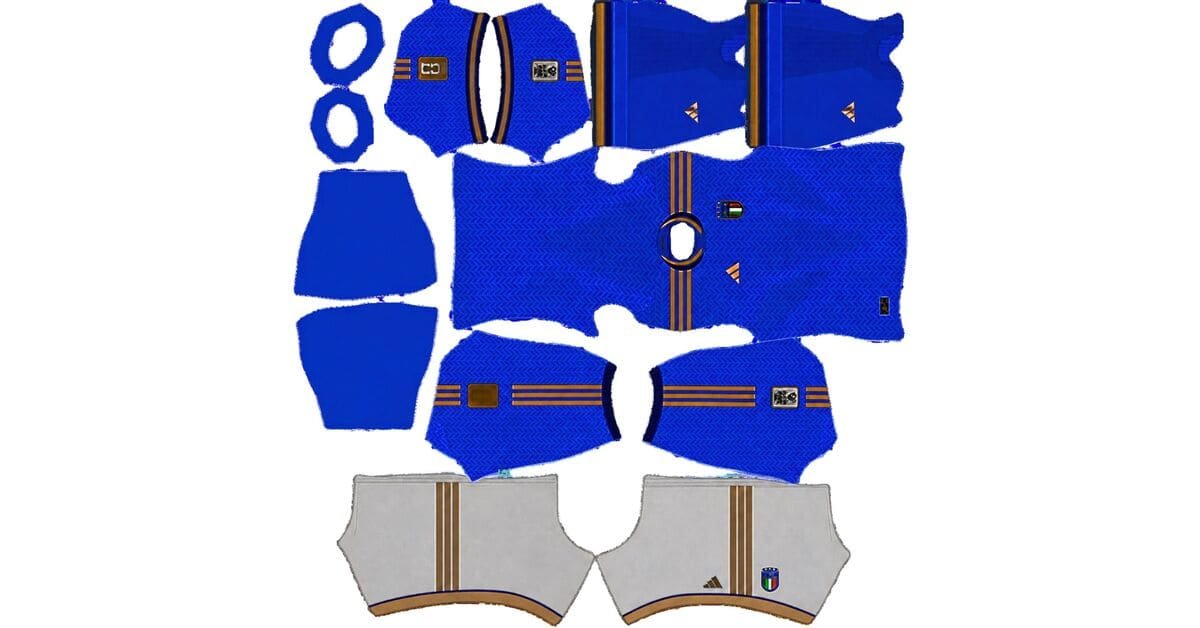
An Italy DLS kits URL is a direct address for a kit image you can import into Dream League Soccer. Choose an Azzurri shirt below, copy its URL and paste it into the game’s custom Kit option. Use the separate logo URL to add Italy’s badge.
Italy Logo
Official Logo 512×512 (2026/27)
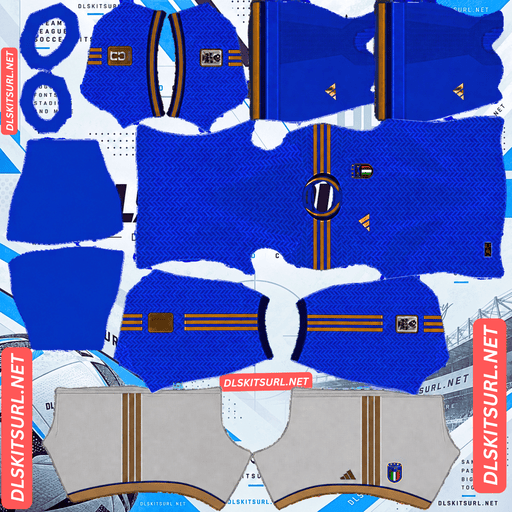
Italy Home Kit
Home Kit 512×512 (2026/27)
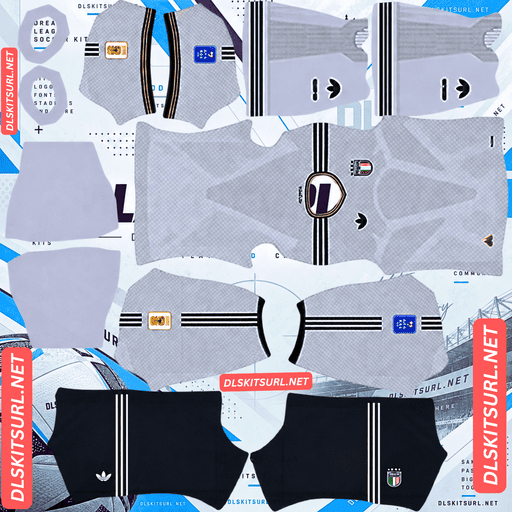
Italy Away Kit
Away Kit 512×512 (2026/27)
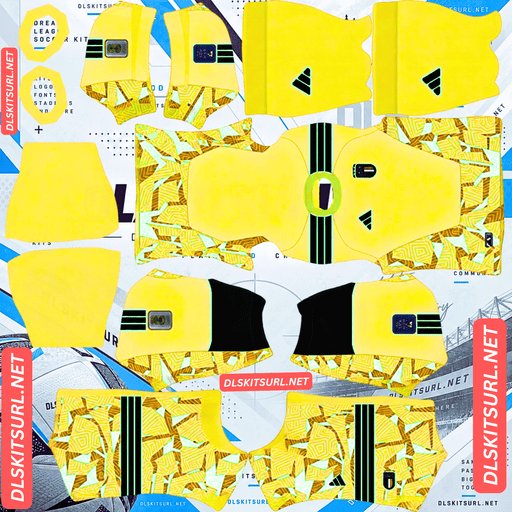
Italy GK Home kit
GK Kit 512×512 (2026/27)
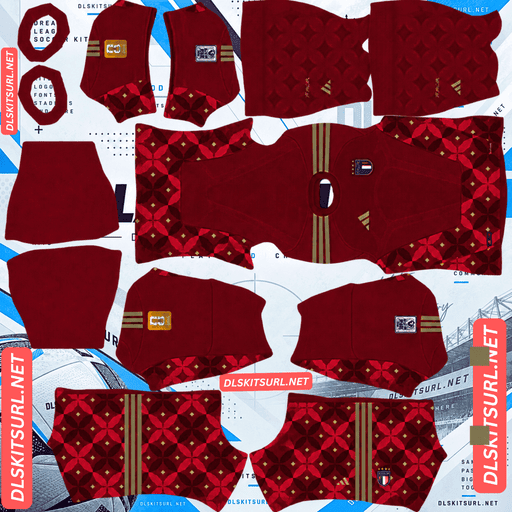
Italy GK Away kit
GK Away Kit 512×512 (2026/27)
Italy’s current home and away designs contain more detail than their main colours suggest. The home shirt combines blue with laurel leaves and gold accents. The away shirt uses a much lighter blue and a subtle pattern inspired by Italian tailoring. This guide explains how those details appear in DLS and how to choose a kit file that works.
Italy’s 2026 home and away kits
The two Adidas shirts give you contrasting options for your DLS team. One keeps the familiar deep blue associated with Italy; the other is pale enough to look almost white from a distance.
If this page also includes goalkeeper, retro or custom Italy kits, label those cards clearly. Visitors should be able to identify the current home and away designs without guessing from an image alone.
Home kit: Azzurri blue with laurel details
Italy’s home shirt uses a bold blue base with a laurel leaf pattern and gold details. The laurel gives the shirt texture without changing its instantly recognisable blue appearance.
That balance matters in Dream League Soccer. From a match camera, you will notice the blue first. The leaf pattern is easier to appreciate in the larger player preview, where you can also check whether the crest and shoulder details sit in the correct places.
A good DLS version should capture both parts of the design: the strong overall colour and enough of the quieter pattern to stop the shirt looking completely flat.
Away kit: light blue inspired by Italian tailoring
The away shirt uses a light blue and white look with a subtle all-over graphic. Its design takes inspiration from the formal suits worn by Italy’s teams during past celebrations.
It gives your squad a noticeably different option from the home shirt. Because the pattern is restrained, it may be difficult to see during a match even when the file is clear. Judge the away kit by its overall colour, collar and layout first; inspect the finer pattern in the player preview.
Italy’s kits after the 2026 World Cup qualifiers
Italy did not qualify for the 2026 World Cup. The Azzurri lost their March play-off final against Bosnia and Herzegovina on penalties, making it their third consecutive World Cup absence.
You may still see kit pages describing these as Italy’s “2026 World Cup kits.” The shirts were released during that cycle, but Italy did not wear them at the tournament. They remain designs you can use for an Italy squad in Dream League Soccer.
Why these Italy kits need a clear PNG
Some football shirts rely on large, contrasting stripes. Italy’s current designs use finer detail: leaves in the home shirt and a quiet graphic across the away shirt. That makes image quality especially noticeable when you inspect the files up close.
The home shirt’s laurel pattern
The leaves sit within the blue design rather than forming one large contrasting shape. If a kit file was enlarged from a small image or saved poorly, the pattern can become faint.
Zoom in on the flat PNG, then inspect the shirt in the player preview. If the leaves are barely visible in both, try a clearer version. During a match, expect them to be subtle even in a good file.
The away shirt’s tonal graphic
Light colours and low-contrast patterns can blend together at match size. That does not automatically mean the import failed. Compare the large preview with the flat PNG to see whether the graphic is present.
If the image shows obvious blur around the collar, crest or sleeve details, the file may also have lost some of the quieter pattern.
The gold details
Gold can look different in a game image than it does on a physical shirt. Real fabric and printed marks respond to light; a PNG represents them with fixed colours. The useful check is whether the gold areas are clean, correctly placed and distinct from the surrounding blue.
What makes an Italy DLS kits URL work?
The URL must point directly to a PNG image, rather than to the webpage where the image appears. Open the copied address in your browser. If the kit image appears by itself, you have the right kind of link. If you see an article or gallery around it, copy the image URL instead.
The file must also follow a DLS kit layout. The game places different parts of the image onto the shirt body, sleeves, shorts and socks. A photograph of a real Italy jersey will not fit that layout, even if the photograph is 512×512 pixels.
Use the Copy URL button on the kit card to avoid copying this page’s address from your browser bar.
How to check an Italy kit file before importing it
Look at the full template
Confirm that the file contains separate areas for the uniform, rather than one picture of a complete shirt. Check whether the colours used for the sleeves, shorts and socks match the card preview.
Inspect sharp edges
Zoom in where a shoulder detail, collar edge or crest meets the shirt. These boundaries should look reasonably clean. A file can have the correct 512×512 dimensions but still look blurry if it was made from a smaller image.
Check the player preview
After import, turn the player to see the front, back and sides. This catches misplaced sleeve colours, uneven shorts and marks that cross from one template section into another.
Fine details will always be less visible from the match camera. The player preview helps you tell the difference between normal small-screen rendering and a problem in the PNG.
How to import an Italy DLS kit URL
- Choose an Italy kit card and tap Copy URL.
- Open Dream League Soccer and enter your club’s Customise menu.
- Select Kit and choose the slot you want to change.
- Open the custom kit option, paste the URL and confirm.
- Check the complete uniform in the player preview.
Repeat the process for the other Italy kits you want to use. Menu wording can differ between game versions, but kit images belong in the Kit section. The badge goes in the separate Logo section.
Choosing readable number colours
Check player numbers against the actual shirt and shorts after importing each kit.
A light number generally stands out on the deep blue home shirt. A dark number is usually easier to read on the pale away shirt. The shorts may need a different colour if they contrast with the jersey.
View the back of a player in the editor before settling on a number colour. It is the quickest way to see whether a choice looks clear on your particular kit file.
How to add the Italy logo URL
Copy the URL from the Italy badge card and paste it into Dream League Soccer’s custom Logo option.
Italy’s crest includes four stars above it, representing the national team’s four World Cup wins. Choose an image that leaves clear space above those stars and around the rest of the badge. A file trimmed tightly against the artwork may look cramped when displayed small.
The chest badge on an imported kit may depend on the artwork included in that kit’s template. If you change the team logo but do not see the expected crest on a custom shirt, inspect the kit PNG too.
Why an Italy kit URL may fail
The link leads to a webpage. Return to the card and copy the direct PNG URL.
The image no longer loads. Open the address in a browser. If the file is unavailable there, choose another kit.
The image is a jersey photo. The game needs a kit template with sections for the uniform, not a regular product image.
The template is arranged incorrectly. If the file imports but puts details on the wrong body parts, the PNG itself needs replacing or correcting.
Checking the URL in a browser first helps you decide whether the problem is the link or the image layout.
Save your Italy kit and logo URLs
Keep the home kit, away kit and logo URLs together in a note, with a label beside each address. Add any retro, goalkeeper or custom Italy designs you use.
That gives you a quick way to find the same images again if you change a kit slot or want to import a favourite design later.
Frequently asked questions
What is an Italy DLS kit URL?
It is a direct link to an Italy kit PNG arranged for Dream League Soccer. Paste it into the game’s custom Kit option to import the uniform.
What does Italy’s 2026 home kit look like?
It has a bold blue base, a laurel leaf pattern and gold details.
What colour is Italy’s 2026 away kit?
It uses a light blue and white look with a subtle graphic inspired by Italian tailoring.
Did Italy qualify for the 2026 World Cup?
No. Italy lost its March 2026 play-off final to Bosnia and Herzegovina on penalties.
Why does my Italy home kit look plain blue?
The laurel pattern is subtle. It may be difficult to see during a match, and a blurry kit file can make it less visible even in the player preview.
Can I use a photo of an Italy shirt as a DLS kit?
No. The game needs a PNG arranged in its kit template, with separate sections for the shirt, sleeves, shorts and socks.
Why are the stars on my Italy badge cut off?
The badge image may be cropped too tightly. Choose one with room above all four stars and around the full crest.
Is the Italy logo URL the same as a kit URL?
No. Import the uniform in the Kit section and the badge in the Logo section.