
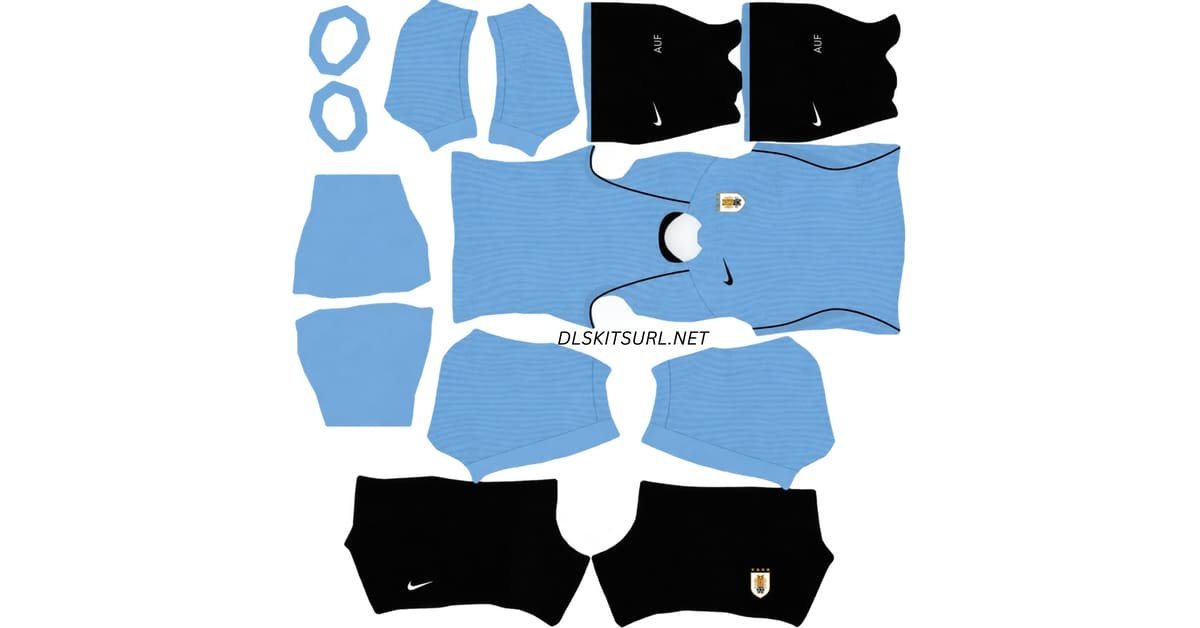
A Uruguay DLS kits URL is a direct link to a 512×512 PNG shirt that you can import into Dream League Soccer. Below, you’ll find both of Uruguay’s 2026 kits, with a copy URL button for each design.
Uruguay Official Logo
Official Logo 512×512
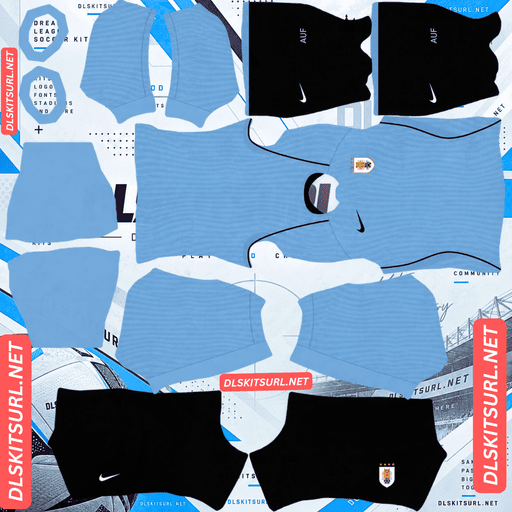
Uruguay Home Kit
Home GK Kit 512×512 (2026/27)
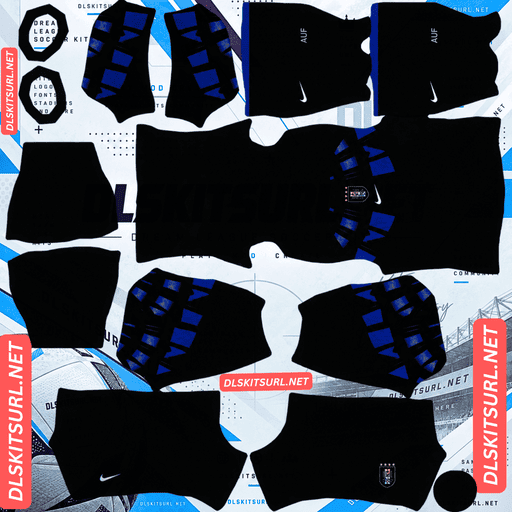
Uruguay Away Kit
Away GK Kit 512×512 (2026/27)
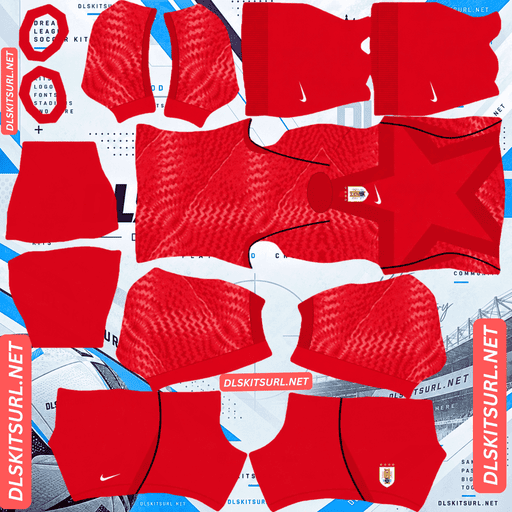
Uruguay Home GK Kit
Home GK Kit 512×512 (2026/27)
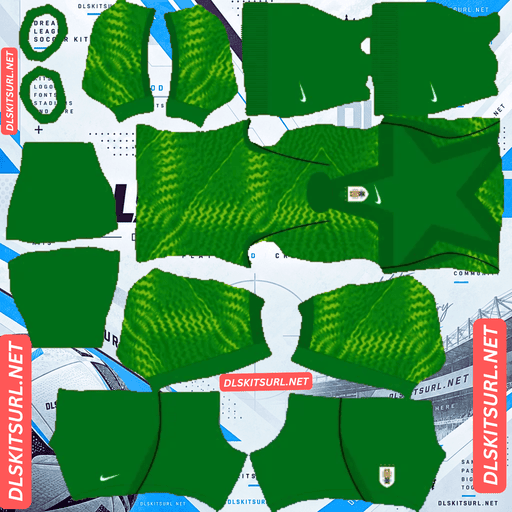
Uruguay Away GK Kit
Away GK Kit 512×512 (2026/27)
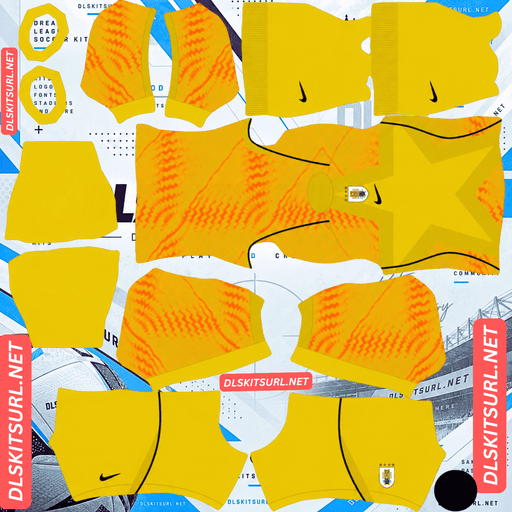
Uruguay Third GK Kit
Third GK Kit 512×512 (2026/27)
Nike designed Uruguay’s away shirt around the country’s status as the first-ever World Cup champions and the idea of defending their throne. The result is a striking design with a story that makes it especially memorable.
The campaign behind Uruguay’s 2026 kits
Uruguay entered Group H alongside Spain, Saudi Arabia and World Cup debutants Cape Verde.
Their group-stage results were:
Uruguay 1–1 Saudi Arabia — Miami, 15 June.
Uruguay 2–2 Cape Verde.
Spain 1–0 Uruguay — Guadalajara.
Uruguay finished the group with two points, no wins and a goal difference of minus one. They placed third in Group H but did not qualify among the best eight third-placed teams, ending their tournament in the group stage.
Cape Verde progressed instead, making their first World Cup appearance and drawing all three of their matches.
For a four-star nation that won the inaugural World Cup, elimination at the group stage was a disappointing outcome. It also gave Nike’s concept of defending the throne an unexpected significance.
If you’re building Uruguay in Dream League Soccer, these are the shirts associated with that campaign.
Uruguay’s 2026 kits
Both kits were made by Nike, which took over Uruguay’s kit contract in 2024 after the country’s long partnership with Puma.
Important: Nike, not Puma
Some retailers still describe Uruguay’s 2026 World Cup shirts as Puma kits. That information is outdated.
Puma supplied Uruguay from 2007 to 2022, while Nike has held the contract since 2024. The 2026 World Cup designs belong to Nike.
If a kit file features the Puma cat, it represents an older design rather than Uruguay’s 2026 shirt, regardless of the product listing.
Home kit: El Alma
Nike named Uruguay’s home shirt “El Alma,” meaning the soul.
The design uses Uruguay’s classic Celeste sky blue, reworked through several tones inspired by the Uruguayan sky. A white polo collar with navy at the back completes the look, while navy accents run along the shoulders and sides.
The concept draws inspiration from a line by Uruguayan musician Jorge Drexler about having the soul of the colour of the sky.
Another distinctive detail is the custom Art Deco typeface. Inspired by the signage used at the 1930 World Cup and the Art Deco architecture of Montevideo, it connects the modern shirt to Uruguay’s football history.
Away kit: La Gloria
The away shirt is called “La Gloria,” meaning the glory, a reference to a stanza of Uruguay’s national anthem.
Its base is deep navy, almost obsidian, with electric blue wings spreading from the collar across the chest and shoulders. The luminous graphic gives the shirt a futuristic appearance, prompting comparisons with the glowing design of the Black Panther costume.
The inspiration goes much deeper than its appearance. Nike designer Luis Callegari combined the sweeping architectural lines of the Estadio Centenario’s curved stands with the wings of the original Jules Rimet trophy.
The stadium was built for the 1930 World Cup, which Uruguay hosted and won. The trophy represents the country’s first triumph on football’s biggest stage.
Together, these two historical symbols create one striking graphic: the stadium where history was made and the trophy Uruguay became the first nation to lift.
Why the 1930 Art Deco typeface cannot be imported into DLS
The home shirt’s custom typography is one of its most thoughtful historical details.
Nike commissioned an Art Deco typeface inspired by the signage of the 1930 World Cup, recalling the lettering that would have appeared around the Estadio Centenario during the tournament’s inaugural edition.
However, Dream League Soccer handles player names and squad numbers differently. The game generates them using its own built-in font and the number colours selected through the kit settings.
A 512×512 kit image cannot replace that built-in typography.
Your Uruguay team can still wear the Celeste shirt, white collar and navy accents, but the names and numbers will use the game’s standard lettering rather than Nike’s custom 1930-inspired typeface.
The same limitation affects other teams whose real-world shirts feature specially designed fonts. In Uruguay’s case, the detail is particularly meaningful because it draws on almost a century of football history.
The away kit’s wings graphic overlaps the badge area
Before importing the away shirt, check where the chest graphic sits.
The electric blue wings spread outward from the collar and occupy much of the central chest area. Dream League Soccer places your imported club or national-team badge in a fixed position on the shirt, regardless of the artwork underneath.
That means Uruguay’s crest may appear directly over the wings graphic.
Open the away kit image at full size before importing it. A DLS-specific version might leave a clearer space for the badge, while a faithful recreation of the original shirt may preserve the graphic across the chest.
Neither approach is automatically wrong. The important difference is whether you prefer the original design to remain uninterrupted or want your imported crest to stand out more clearly.
Which Uruguay kit works better at 512×512?
The two shirts have very different visual characteristics. The away kit has the more elaborate design, while the home kit is simpler and easier to reproduce accurately.
Away kit: strong contrast and large shapes
The combination of electric blue and deep navy gives the away shirt a clear visual contrast. Its wings are also made up of broad, sweeping shapes rather than tiny decorative details.
These features are helpful at 512×512 resolution. Large shapes generally retain their outlines better when displayed at smaller sizes, while strong colour contrast makes the design easier to distinguish.
For a kit with such a detailed concept, the away shirt is well suited to a compact game texture, provided the wings are reproduced cleanly.
When checking the file, look for clear blue edges, an even navy background and a graphic that remains balanced across the chest and shoulders.
Home kit: simple, clean and recognisable
The home shirt uses Celeste blue, a white polo collar and navy accents. It has no large graphic or complicated pattern to reproduce.
That makes it one of the simpler designs to check at 512×512 resolution.
Pay particular attention to the two-tone collar. The front should be white, with navy at the back. A poorly recreated kit may make the entire collar white or colour it incorrectly.
The navy shoulder and side accents should also have clean edges without unwanted colour bleeding.
If those details are correct, the home kit should retain the essential appearance of Uruguay’s design without needing additional texture.
Choose the correct number colours
Dream League Soccer does not automatically extract the squad-number colours from the shirt artwork. Instead, you select the colours using the kit template’s shirt-number and shorts-number swatches.
For Uruguay, the two kits need different settings.
Home kit: Use navy for the shirt and shorts numbers. It matches the collar and other dark accents while remaining readable against the light Celeste background. White numbers can lack contrast against sky blue.
Away kit: Electric blue matches the wings and gives the numbers a coordinated appearance against the dark navy shirt. White is another option if you prefer maximum contrast and readability.
Remember to configure the shirt and shorts number colours separately. A good shirt-number colour does not guarantee that the shorts numbers will be equally clear.
Protect all four stars on Uruguay’s badge
Uruguay’s national-team crest carries four stars, each representing an important part of the country’s football history.
Two commemorate Uruguay’s World Cup victories in 1930 and 1950. The other two represent the Olympic football tournaments of 1924 and 1928, which were recognised as world championships at the time.
Dream League Soccer crops imported badges into a circular shape. This can cut off artwork near the top and bottom, making the stars particularly vulnerable when the original image is cropped too tightly.
Choose a badge file with clear space around the complete crest. The extra margin gives the game room to apply its circular crop without removing the stars or the lower part of the shield.
A tightly cropped image may lose the tips of the upper stars or remove them altogether. For Uruguay, that would mean losing some of the most historically significant details of the badge.
The same issue can affect other national teams with stars above their crests, including Ivory Coast, Spain and Germany.
Both Uruguay kits stand out on the pitch
A kit can look excellent in a full-size image but behave differently during a match. Dream League Soccer displays players at relatively small sizes, so clear colour separation and recognisable shapes matter.
The home kit: Celeste is a distinctive light blue that contrasts well with green pitch grass. The navy details add definition to the shirt and help its silhouette remain recognisable.
The away kit: Deep navy provides a strong contrast with the pitch, while the electric blue wings create a distinctive feature that is easy to recognise from a distance.
Both designs can work well in matches. The home shirt offers a classic, clean appearance, while the away shirt has a bolder graphic identity.
How to identify a current Uruguay DLS kit
Use these four details to check whether a file matches Uruguay’s 2026 design.
Nike branding: Uruguay’s 2026 shirts are Nike designs. A Puma logo indicates an older kit.
The home collar: Look for a white polo collar with navy at the back.
The away graphic: The shirt should have a deep navy base with electric blue wings radiating from the collar.
The national crest: Uruguay’s badge should feature all four stars.
Checking these features helps you avoid importing an older Uruguay shirt or a recreation that misses the key details of the 2026 designs.
How to use a Uruguay DLS kits URL
Importing a custom Uruguay kit is straightforward once you have the direct PNG link.
Copy the kit URL using the copy button on the kit card. Avoid copying the page address from your browser, because that usually links to the webpage rather than the shirt image.
Open Dream League Soccer.
Go to My Club, then select Customise.
Open Kit, not Logo.
Select the kit slot you want to replace.
Choose Custom Kit, press and hold the URL field, and tap Paste.
Confirm the import. Some older versions of the game may use the label Download instead.
Nike released home and away kits, leaving the third kit slot available for another design. A classic Uruguay shirt from the 1930 World Cup era would be a fitting choice, although any compatible 512×512 kit URL can be used.
The first custom kit requires a one-time gem unlock in the game. After that initial unlock, changing custom kits does not require paying gems each time.
Test the kit URL before importing it
Before opening Dream League Soccer, check that the URL leads directly to the image.
A working direct image link should open the shirt by itself, without webpage headers, navigation menus or buttons surrounding it. The URL should end in .png.
If the link opens a webpage instead, it may be a preview page rather than the actual image file. Dream League Soccer needs a direct image URL to import the kit.
On a computer, you can right-click the image and open it in a new tab. You can also check the image dimensions through your browser to see whether it matches the expected 512×512 format.
Testing the link first can save time and help identify problems before you try importing it into the game.
Why Uruguay kit URLs sometimes stop working
Even a link that worked previously can fail later. Common causes include the following.
Image-host deletion: Free image-hosting services sometimes remove uploads that have not been accessed for a long time. The old URL may still look correct even though the file is no longer available.
Hotlink protection: Some hosts block requests from external applications or websites. An image might open normally in your browser but fail when Dream League Soccer attempts to retrieve it.
Different preview and image files: A webpage may display a thumbnail stored on one server while its copy link points to an image hosted elsewhere. If that external file disappears, the preview page may still work even though the import URL does not.
For the smoothest experience, use a direct PNG link that points to the actual kit image rather than a webpage containing a preview.
Importing the Uruguay AUF badge
You can add Uruguay’s federation badge during the same session as your kits.
Open My Club, select Customise, and choose Logo instead of Kit. Paste the direct image URL for the badge and confirm the import.
The AUF crest uses a shield design featuring Uruguay’s national colours and the federation lettering. As explained above, the four stars are particularly important, so choose an image with enough space around the full design.
Dream League Soccer crops badges into circles, while a shield naturally narrows towards its base. A little extra margin helps preserve the shape during cropping.
The AUF lettering may become less distinct when the game displays the badge at a small size beside the score. That is a limitation of the in-game display size rather than necessarily a problem with the image. At match distance, the Celeste-and-white design and the four stars are the details most likely to remain recognisable.
Save your Uruguay kit links for later
Custom kits and badges are stored locally on your device rather than being permanently attached to your account.
A routine game update may leave them intact, but reinstalling Dream League Soccer or moving to a new phone can mean importing everything again.
Before you begin, save the links for your home kit, away kit and AUF badge in a notes app or another place you can easily access.
If you ever need to rebuild your Uruguay team, you will have the URLs ready and can restore the designs without searching for them again.
FAQ
What is a Uruguay DLS kits URL?
A Uruguay DLS kits URL is a direct link to a 512×512 PNG shirt that you can import into Dream League Soccer. A direct image URL commonly ends in .png.
Who makes Uruguay’s 2026 World Cup kits?
Nike makes Uruguay’s 2026 World Cup kits. The company took over the contract in 2024. Puma supplied Uruguay from 2007 to 2022, so listings identifying the 2026 shirts as Puma designs are outdated.
What is the graphic on Uruguay’s away kit?
The away shirt features electric blue wings spreading from the collar across the chest and shoulders. The design combines the curved architectural lines of the Estadio Centenario with the wings of the original Jules Rimet trophy, referencing Uruguay’s role as host and winner of the first World Cup in 1930.
What does El Alma mean?
El Alma means “the soul.” Nike named Uruguay’s home kit after a concept inspired by a line from Uruguayan musician Jorge Drexler about the soul of the colour of the sky. The Celeste design draws on multiple tones of the Uruguayan sky.
Can I use the 1930 Art Deco typeface in Dream League Soccer?
No. Dream League Soccer generates player names and squad numbers using its own built-in font. Custom typography cannot be imported through the kit image. Uruguay’s special typeface was inspired by the signage of the 1930 World Cup.
Why does Uruguay’s badge have four stars?
Two stars represent Uruguay’s World Cup victories in 1930 and 1950. The other two commemorate the Olympic football tournaments of 1924 and 1928, which were recognised as world championships at the time.
Why are the stars missing from my Uruguay badge?
The stars sit above the crest, where Dream League Soccer’s circular badge crop can cut them off. Use a badge image with clear space around the entire design to help preserve all four stars.
How did Uruguay perform at the 2026 World Cup?
According to the supplied campaign details, Uruguay finished third in Group H with two points. They drew against Saudi Arabia and Cape Verde, lost to Spain and were eliminated without winning a match.