
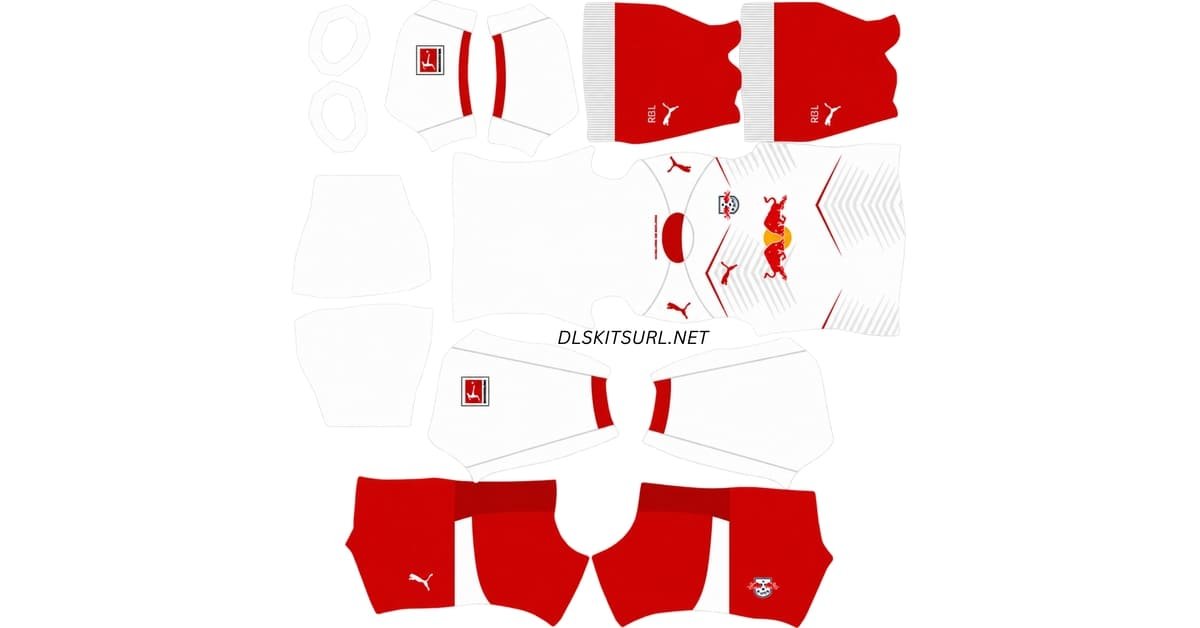
An RB Leipzig DLS kits URL is a direct link to a 512×512 PNG kit that you paste into Dream League Soccer. Use the cards below to copy the home, away, third and goalkeeper links.
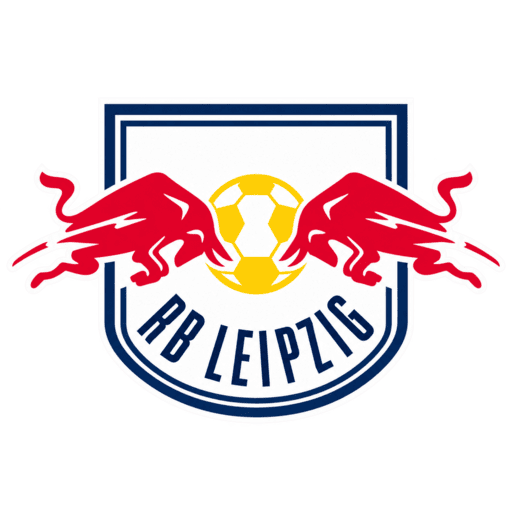
RB Leipzig logo
Official Logo 512×512 (2026/27)
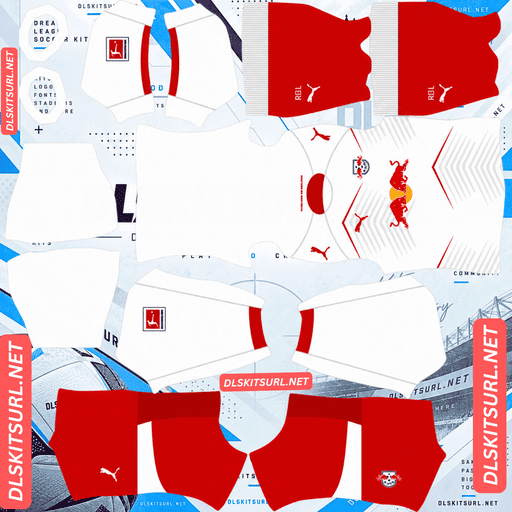
RB Leipzig Home Kit
Home Kit 512×512 (2026/27)
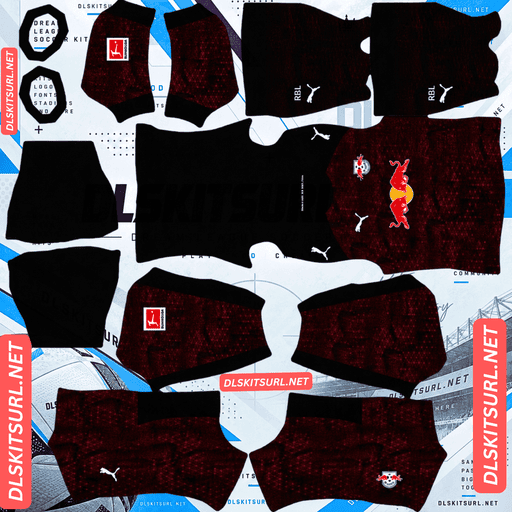
RB Leipzig Away Kit
Away Kit 512×512 (2026/27)
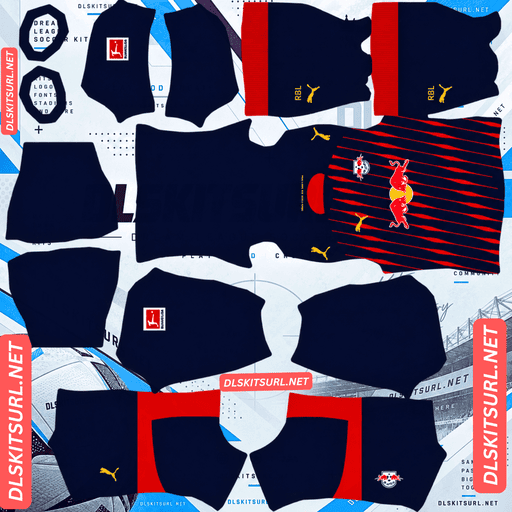
RB Leipzig Third Kit
Third Kit 512×512 (2026/27)
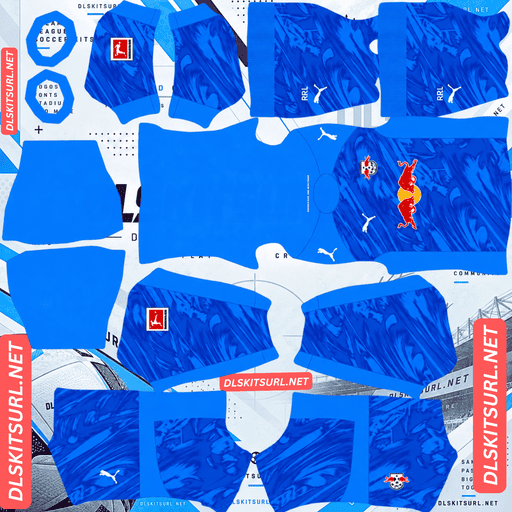
RB Leipzig Home GK Kit
Home GK Kit 512×512 (2026/27)
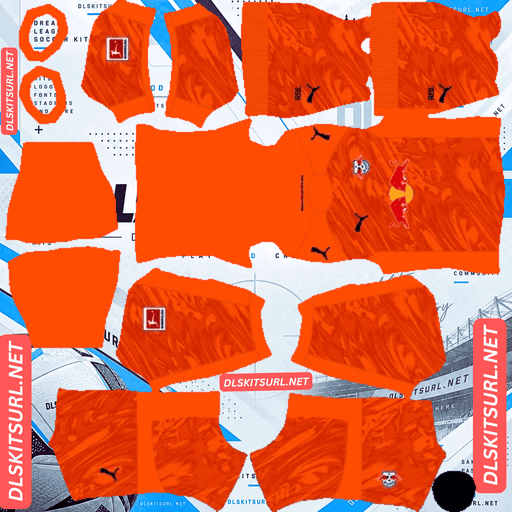
RB Leipzig Away GK Kit
GK Kit 512×512 (2026/27)
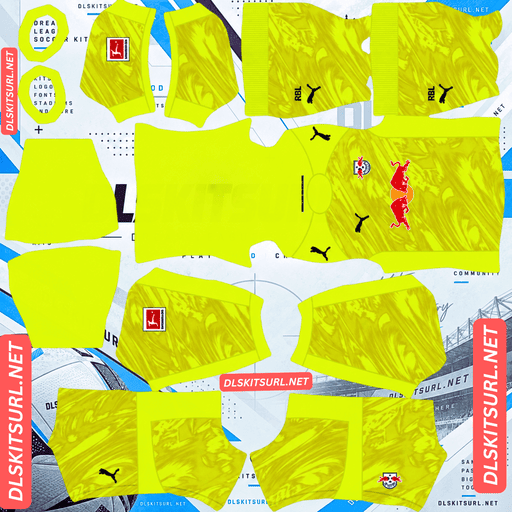
RB Leipzig Third GK Kit
Third GK Kit 512×512 (2026/27)
Two of Leipzig’s 2026/27 Puma shirts deserve a close look before you import them. The home kit has dotted pinstripes that become fainter down the shirt. The navy third kit has a busy front and sleeves but a clean back designed to keep player names and numbers readable. Each presents a different test for a DLS file.
The RB Leipzig 2026/27 kits
Home: fading dotted pinstripes
Leipzig’s home shirt became available on 8 May 2026.
It keeps the club’s familiar white base and bright red accents. Its defining feature is a set of fine pinstripes running down the front, inspired by the lines of the Red Bull Arena.
Look closely: these are dotted pinstripes, not continuous printed lines. The marks become less prominent as they move down the shirt.
That effect gives the real shirt texture without overwhelming the white base. It also makes the pattern particularly difficult to preserve in a small PNG.
Away: red and yellow
The 2026/27 away shirt uses an intense red base with striking yellow branding and details. Dark blue also appears in parts of the design.
Red and yellow make this kit immediately different from Leipzig’s white home shirt and from some of the club’s earlier navy alternatives.
Check the copy-button PNG against the shirt preview, especially the positions of the yellow logos, crest and trim. Those placements matter more than simply getting the base colour right.
Third: designed for European nights
Puma’s third shirt arrived in late August 2026 with European fixtures in mind.
Its front and sleeves carry a dense graphic over deep navy. Electric blue and red lines, zigzags, stars and abstract forms give the shirt a bright, energetic appearance.
The back takes a different approach. Most of it is plain deep navy, with white “RB LEIPZIG” lettering near the top. The V-neck collar is navy. Matching navy shorts carry the club badge and a white Puma mark, while the navy socks display “RBL” lettering.
Why the third kit has a plain back
The contrast between the third shirt’s busy front and clean back serves a practical purpose: player names and numbers need a readable area.
Football competitions set requirements for the visibility of shirt numbers. Leaving the rear panel largely plain gives white lettering a clear background instead of placing it over the front’s dense graphic.
In Dream League Soccer, you still need to check the number colour in your kit PNG. The game places the squad number over the back of the imported design; it cannot judge whether your chosen colour is easy to read.
On this shirt, the solution is straightforward. The navy back gives you a clean area, and white numbers make use of it. A dark blue or low-contrast red could undermine that advantage.
This is why the number-colour areas on a DLS template deserve attention even when the shirt design itself looks accurate.
Why the home pattern is the hardest to reproduce
The home shirt combines three details that are difficult to fit into a 512×512 file.
The pinstripes are thin. Each one occupies only a small part of the shirt panel. Reducing or blurring the image can cause neighbouring marks to merge.
The lines are made from separate dots. A continuous line has an unbroken shape; these tiny marks can vanish individually or clump together after poor resizing.
The pattern fades. A gradual change needs enough image detail to show the transition. In a weak file, the fade can look abrupt or disappear.
Together, those features make the home shirt demanding despite its simple white-and-red appearance.
In a good PNG, you can identify separate dotted lines near the top of the front panel and see them become gradually less prominent lower down.
In a poor PNG, the shirt looks plain white with red trim. It may import without an error, but the feature that distinguishes this home design will be missing.
If you pay extra attention to the quality of one Leipzig file, make it the home kit.
The third kit has the opposite challenge
The third kit’s blue and red graphic has stronger contrast and larger shapes. It remains recognisable when the player appears small.
Its main risk is template alignment. The graphic extends from the front onto the sleeves, which occupy separate areas in a DLS PNG. If the file uses the wrong layout, the lines may jump or break where a sleeve meets the shirt body.
Check the transition to the back as well. The busy front should give way cleanly to the plain navy rear panel rather than fading into a messy edge.
How to inspect the files
Start with the home PNG. Open it at its actual size and look at the dotted lines on the front. You should be able to distinguish individual marks and see the pattern become lighter as it descends.
Then check the third kit’s front-to-sleeve joins and its clean navy back. Passing the home detail test does not automatically prove that another PNG uses the right template, so inspect each kit on its own.
Set your number colours
Each of Leipzig’s three outfield kits needs a readable number colour.
The DLS template has separate colour areas for shirt numbers and shorts numbers. Check both in your PNG and in the player preview.
Home: Use red on the white shirt. It matches the accents and remains visible. Avoid white shirt numbers, which disappear into the base.
Away: The shirt is predominantly red with yellow and some dark blue details. White is a sensible starting point for the numbers, but check it against the exact areas where they appear.
Third: Use white against the plain deep navy back. The shirt provides a clear area for names and numbers, so keep that contrast.
Set the shirt and shorts number colours separately for all three designs.
How to tell whether a Leipzig kit file is current
Use these four checks before importing a file labelled 2026/27.
Look for Puma branding. Leipzig’s current kits are made by Puma. A kit with a Nike Swoosh belongs to an earlier period.
The home shirt should have fading dotted pinstripes. A completely plain front or continuous solid stripes miss its distinctive pattern.
The away kit should have a strong red base and yellow details. Check the placement of its branding and any additional trim against the preview.
The third shirt should have a graphic front and a mainly plain navy back. The blue and red pattern should also continue correctly onto the sleeves.
How to use an RB Leipzig DLS kits URL
Tap Copy URL on the relevant kit card. Your browser’s address bar normally shows this article’s address rather than the direct PNG link needed by DLS.
Open Dream League Soccer and choose My Club, then Customise. Select Kit, not Logo, and choose the slot you intend to replace before importing anything.
Open the custom kit option, press and hold its URL field, choose Paste, then confirm. Some older versions call the import button Download.
The home, away and third shirts cover the outfield slots. Use the goalkeeper-kit card for the remaining slot if you want a complete Leipzig setup.
If your version asks you to unlock custom kit imports with gems, follow the requirement shown in game. Unlock costs and menu wording may differ between versions.
Test the kit link first
Open the copied URL in a browser before using it in the game. The PNG itself should appear, without article text, site navigation or viewer buttons around it. A direct PNG address commonly ends in .png.
A page displaying a kit image is not necessarily the image file that DLS can import. If you copied a page link, get the direct file URL instead.
On a computer, right-click the image and choose Open image in new tab. This lets you inspect its address and check whether your browser reports the expected 512×512 dimensions.
Why Leipzig kit URLs stop working
An image host removes an old upload. The page linking to it may remain online even after the PNG has disappeared.
The host blocks requests from outside its website. You might be able to view the image in a browser while DLS cannot retrieve it.
The preview and copy button lead to different files. A working thumbnail does not guarantee that the URL given to the game still works.
When an import fails, open the exact URL supplied by the copy button. If you manage these kit cards, confirm that each preview and its copied link resolve to the same intended PNG on the same server.
The RB Leipzig badge
You can import the badge during the same setup. Return to Customise, select Logo instead of Kit, and paste its direct image URL.
The two charging bulls and central ball are bold shapes. Their red, yellow and white colours help the crest stay recognisable when displayed at the small size used beside the score.
Leave some clear space around the full badge in the image file. A tight crop can squeeze or cut off parts of the design when it appears in a circular display.
Keeping your Leipzig kits
Save the home, away, third and goalkeeper URLs, plus the badge URL, in a notes app. If you need to set up the team again after a reinstall or phone change, you will have the links ready.
Whether imported customisations carry over depends on your game version and save setup. Keeping the direct image addresses makes it easier to restore them if needed.
FAQ
What is an RB Leipzig DLS kit URL?
It is a direct link to a Leipzig kit PNG that you paste into Dream League Soccer’s custom kit importer. Open the link first to make sure it displays the image itself.
What does the RB Leipzig 2026/27 home kit look like?
It has a white base, red accents and dotted pinstripes that become less prominent down the front. The shirt became available on 8 May 2026.
Why does my Leipzig home kit look plain white?
The pattern uses tiny dots arranged in thin, fading lines. Poor resizing, blur or heavy compression can remove those details from a 512×512 PNG.
What is the RB Leipzig third kit for 2026/27?
It is a deep navy Puma shirt with blue and red graphic lines across the front and sleeves. Its mainly plain navy back carries white “RB LEIPZIG” lettering near the top.
Why is the back of the Leipzig third kit plain?
The clean navy area helps player names and numbers remain readable instead of placing them over the busy front graphic.
What number colour should I use on the Leipzig third kit?
White provides strong contrast against the deep navy back. Check the shorts number colour separately.
Who makes RB Leipzig’s kits?
Puma makes the club’s 2026/27 kits. Leipzig previously wore Nike kits, so check the manufacturer mark when dating a PNG.
Is there a Leipzig away kit for 2026/27?
Yes. The away design has a strong red base with striking yellow details and additional dark blue accents.