
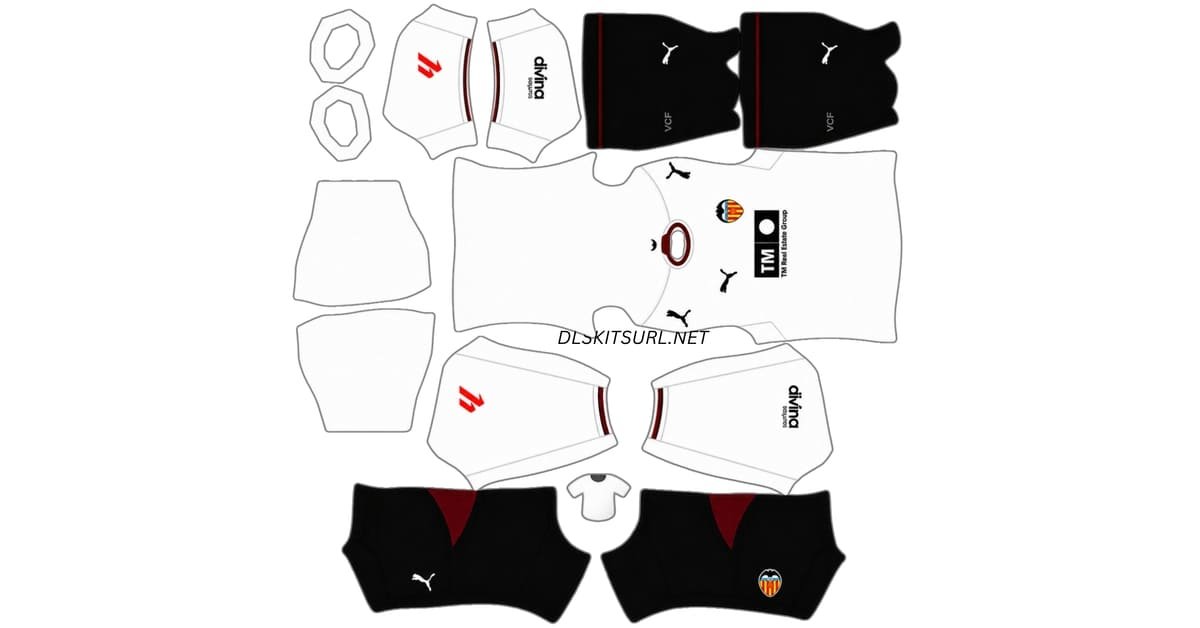
A Valencia DLS kits URL is a direct link to a 512×512 PNG kit that you paste into Dream League Soccer. Use the cards below to copy the home, away, third and goalkeeper kit links.
Valencia logo
Official Logo 512×512 (2026/27)
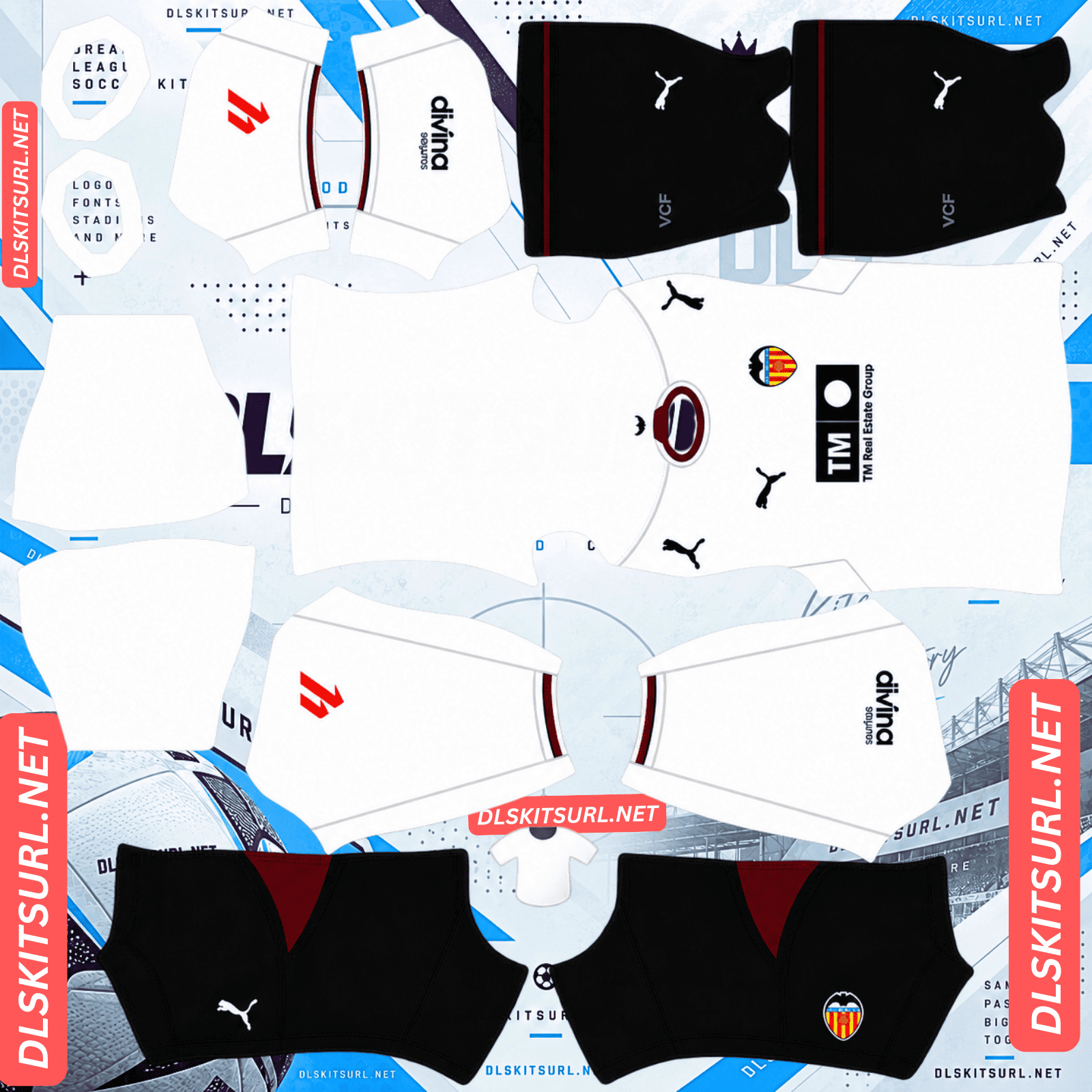
Valencia Home Kit
Home Kit 512×512 (2026/27)
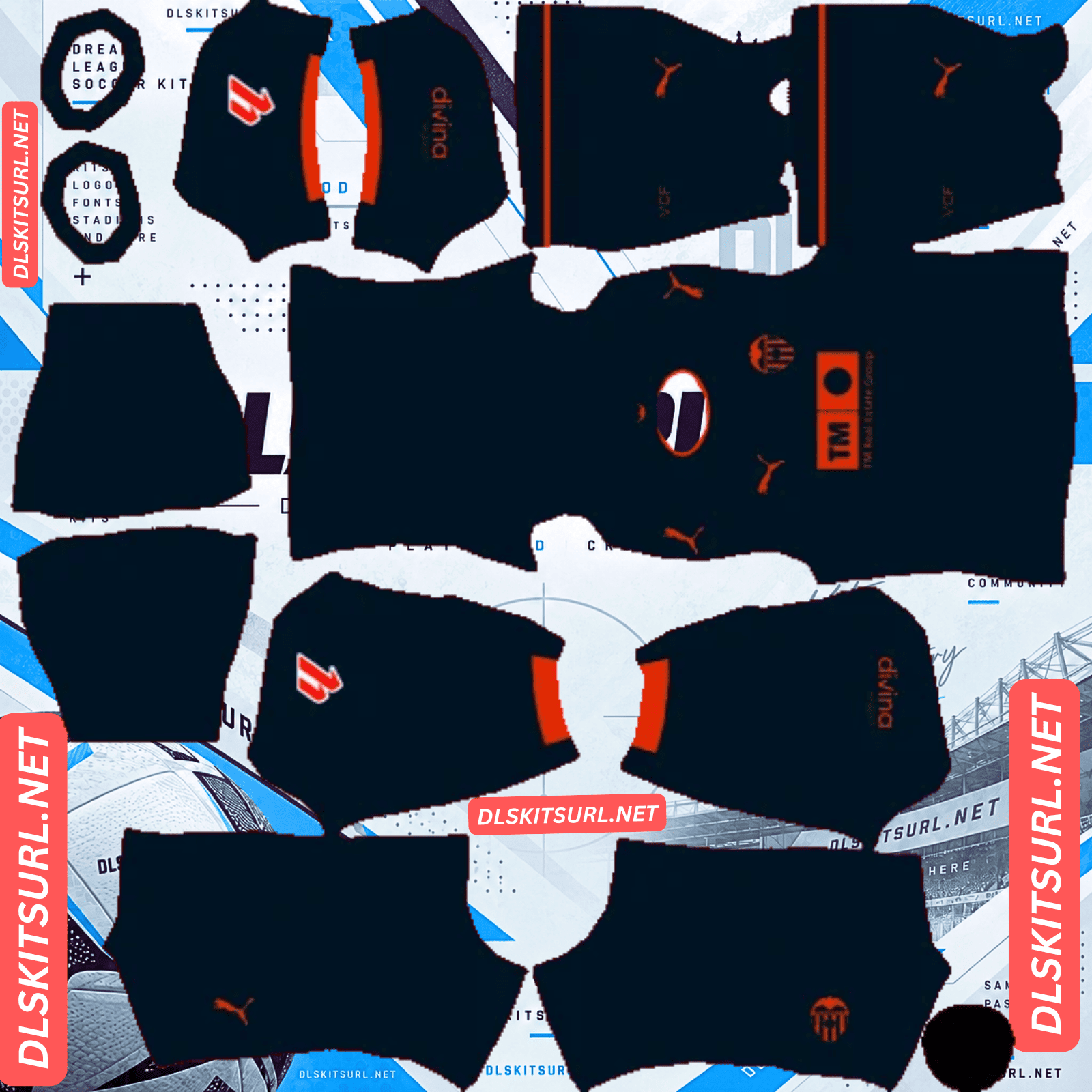
Valencia Away Kit
Away Kit 512×512 (2026/27)
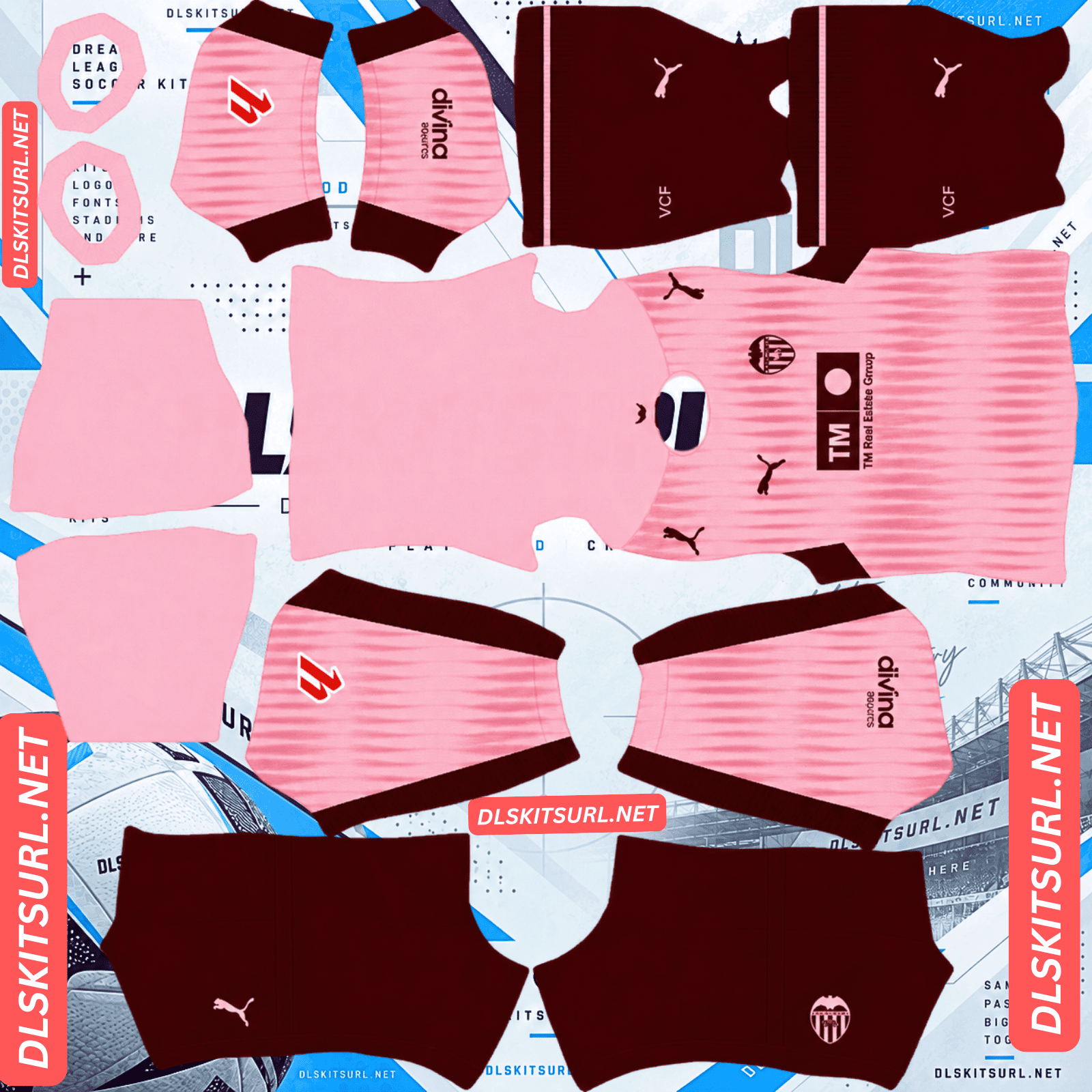
Valencia Third Kit
Third Kit 512×512 (2026/27)
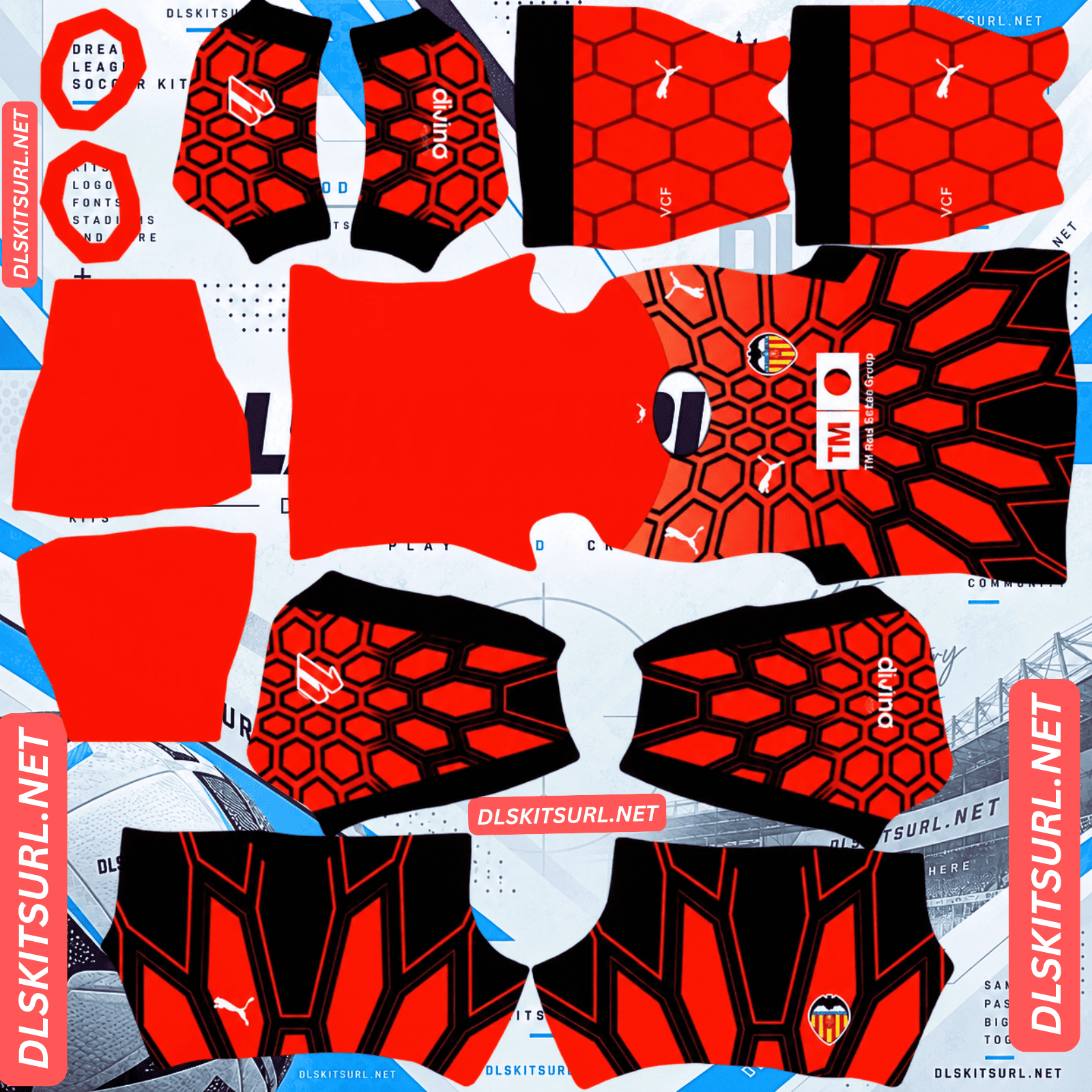
Valencia Home GK Kit
GK Kit 512×512 (2026/27)
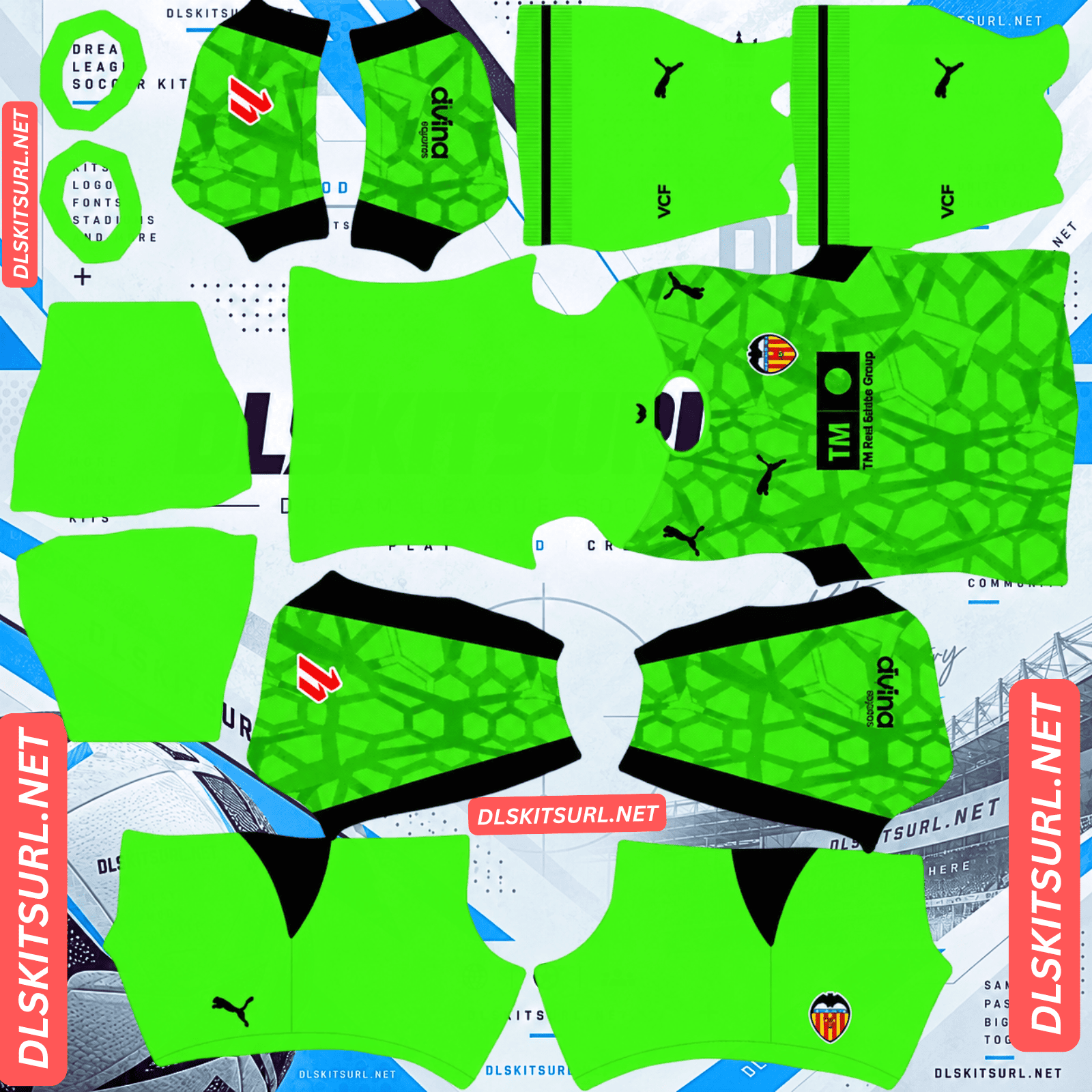
Valencia Away GK Kit
Away GK Kit 512×512 (2026/27)
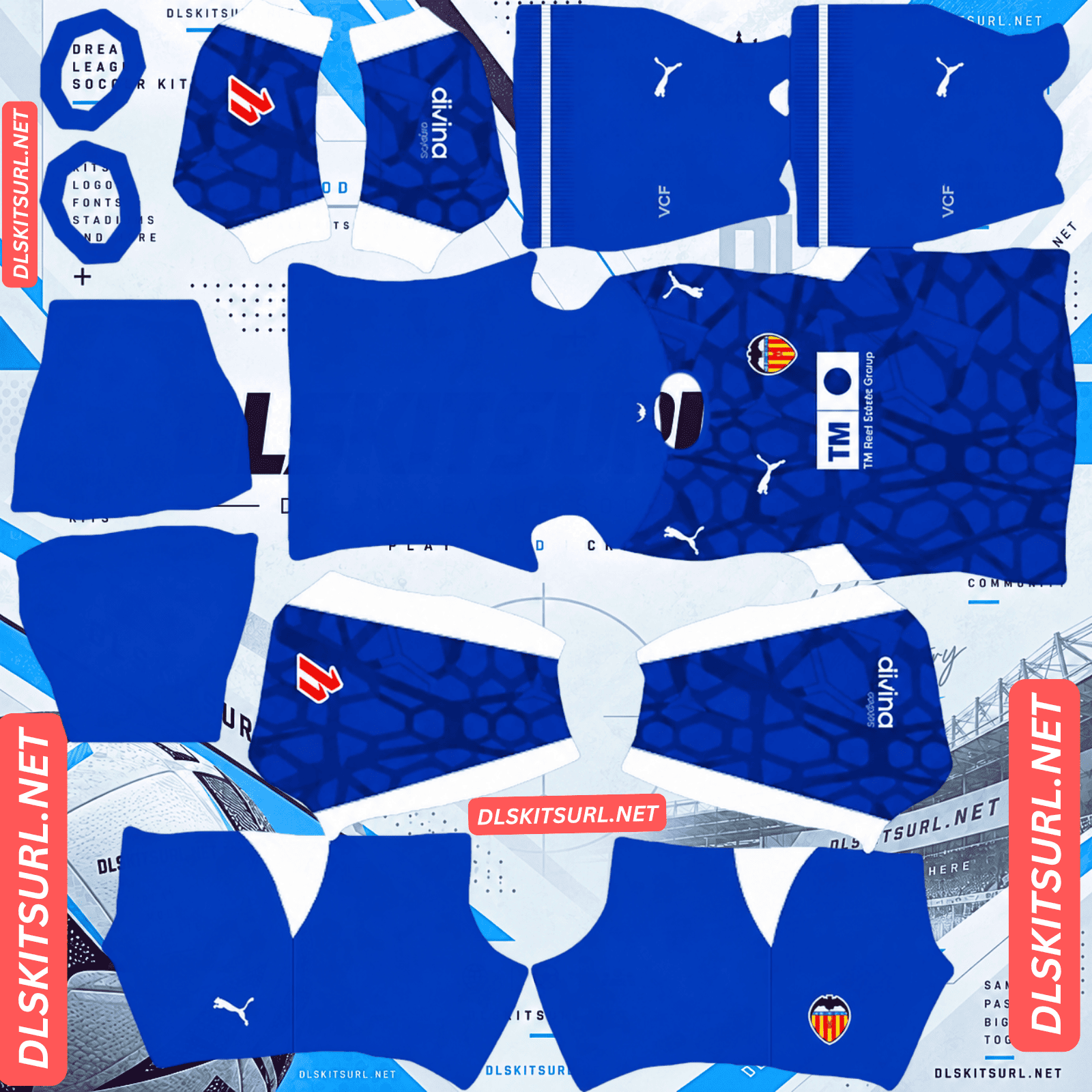
Valencia Third GK Kit
Third GK Kit 512×512 (2026/27)
Valencia’s 2026/27 shirts carry extra meaning. The club has presented this season as its farewell to Mestalla, its home since 1923. Puma’s collection looks back at that history, most visibly through Torino Red: a colour Valencia wore in the first home match at the stadium and has brought back for this season.
A farewell to Mestalla
Valencia’s 2026/27 home kit pays tribute to the club’s history during its planned final season at Mestalla.
The stadium opened in 1923 and has hosted generations of Valencia supporters. With the club preparing to move to Nou Mestalla, these shirts have been designed to mark the closing chapter of its time at the old ground.
The third kit brings back a colour from Mestalla’s first match
Torino Red is one of Valencia’s most significant alternative colours. It appears prominently in the 2026/27 collection, including alongside pink on the third shirt.
Valencia wore Torino Red in its first home match at Mestalla in 1923. Bringing that colour into the stadium’s farewell season creates a connection between its opening and its planned final campaign.
That history gives the pink and red third kit a reason for its unusual combination. It is a current design built around a colour with a century-long link to the ground.
The Valencia 2026/27 kits
Home: white with Torino Red details
Valencia released the home kit on 18 June 2026.
White remains the dominant colour. Torino Red, a deep burgundy shade, appears on the V-neck collar, sleeves and trim. It is the first Valencia home kit to bring white and Torino Red together in this way. Black Puma marks and sponsor branding provide further contrast.
The club’s bat symbol appears in several details. Most notably, the crest has a textured, embossed finish inspired by the shape and movement of bat wings. Check the crest closely when judging a DLS version; the bat-wing texture belongs to that detail rather than an all-over white jacquard pattern on the shirt body.
Black shorts and socks complete the traditional home combination, with white alternatives also available.
If you follow kit templates, you may notice that the shirt’s V-neck construction resembles the shape Puma used for Portugal’s 2026 kit. For a DLS file, the priority is still the correct collar outline and Torino Red placement on the Valencia shirt itself.
Away: the Mediterranean at sunset
Valencia’s away shirt uses a deep blue base with subtle horizontal patterning. Mediterranean Orange brings contrast to the collar, sleeve areas, Puma marks, crest and sponsor treatment.
The colours refer to Valencia’s coastal setting: blue for the Mediterranean Sea and orange for the light of a sunset over the water. It gives Los Che an away kit tied closely to their city.
Deep blue shorts and socks with orange details complete the strip. A small orange bat also appears on the rear of the collar.
Third: two pinks and Torino Red
The third kit was unveiled in July 2026 and is the boldest colour combination of the three.
Two shades of pink form an elongated, subtle pattern across the shirt. Torino Red adds stronger contrast through the side areas, collar and sleeve details, sponsor treatment, monochrome crest and Puma mark.
The Škoda logo appears on the kit, while a bat symbol at the back of the neck repeats a detail used elsewhere in the 2026/27 collection.
Red shorts and pink socks finish the look. Puma connects the design to Valencia’s Terra de Valentia identity and the club’s history of using Torino Red.
Which kit looks best in Dream League Soccer?
The three Valencia shirts present different challenges in a 512×512 PNG. Strong blocks of colour tend to survive at match distance; fine texture and faint patterns require a sharper image.
Third: the easiest to recognise
The third kit’s light pink and Torino Red areas have a clear colour boundary. Its red panels are large enough to remain visible on a small player model.
The faint pattern formed by the two pink shades may soften in a poor PNG. Even then, the shirt’s main pink-and-red identity remains recognisable.
Home: small crest details need care
The white home kit is visually simple, so the Torino Red trim and accurately placed badges do much of the work.
Its bat-wing-inspired embossing is a detail of the crest. At 512×512, that fine texture may be hard to reproduce and even harder to see during a match. A good file should still preserve the crest’s shape, the bat above it and the contrast of the white shirt with its dark branding and burgundy accents.
If a home PNG looks plain, check the collar, sleeves and crest before assuming a pattern is missing from the body.
Away: horizontal lines demand accurate placement
The away shirt’s subtle horizontal pattern is the most demanding of the three designs.
Horizontal lines make joins between template sections easier to notice. If a line continues across a seam, its height should remain consistent on the neighbouring section. A file made on the wrong layout can cause the pattern to step up or down where the parts meet.
The pattern is also close in colour to the blue base. Blur or heavy compression can make it disappear even when the main navy and orange colours remain correct.
How to check the away PNG
Open the image at its actual size and look at the shirt’s side areas. The horizontal details should remain visible and, where the design continues across sections, sit at a consistent height.
That inspection checks two things: whether the pattern is sharp enough to see and whether the template pieces have been aligned carefully.
Set your number colours
Valencia’s three kits need different number colours. Check the shirt and shorts independently.
The DLS kit template includes separate small colour areas for shirt numbers and shorts numbers. A number that works on the shirt may disappear against the shorts.
Home: Use black or burgundy on the white shirt. For the black shorts, choose white. White shirt numbers would blend into the home shirt.
Away: Orange matches the kit’s trim and stands out on deep blue. White is another readable option. Check both the shirt and shorts previews.
Third: Torino Red contrasts with the light pink shirt. Use white on the red shorts.
Set both number-colour areas separately in each PNG.
The bat on the back of the neck
The third shirt carries a small bat symbol on the rear collar. The home and away designs also use the bat as a back-neck sign-off.
It sits high on the shirt model, close to the collar. You may be able to inspect it in the 512×512 file or a close kit preview, but it is unlikely to be noticeable during normal gameplay.
The bat above Valencia’s club badge is much easier to recognise. Its placement in the logo matters more when you are setting up the team.
How to tell whether a Valencia kit file is current
Use four checks when reviewing a supposed 2026/27 Valencia DLS kit.
The home shirt should combine white with Torino Red trim. Look for the deep red shade around the collar and other details.
The away shirt should be deep blue with orange accents. The sea-and-sunset colour pairing is its most immediate identifier.
The third shirt should combine pink and Torino Red. Its two pink shades add subtle texture, while Torino Red creates the stronger visual contrast.
All three should have Puma branding and TM Grupo Inmobiliario as the front sponsor. Check that the marks appear in the right colours and positions for each shirt.
How to use a Valencia DLS kit URL
Tap Copy URL on the relevant kit card. Copying the address from your browser’s top bar usually gives you this page’s URL rather than the direct PNG link the game needs.
In Dream League Soccer, open My Club, then Customise. Select Kit, rather than Logo, and choose the slot you want to replace before pasting anything.
Open the custom kit import option, press and hold its URL field, select Paste, then confirm. Some older versions use Download as the button label.
The three outfield designs fill the home, away and third slots. Import the goalkeeper PNG into its own slot as well if you want the complete Valencia set.
Your version of the game may require an in-game unlock before custom imports become available. Check the current requirement shown on your screen, since menus and costs can change.
Test the link first
Open a copied Valencia kit URL in your browser before pasting it into the game. It should display the PNG image itself, without an article, site header or viewer controls around it. Direct image URLs often end in .png.
A webpage containing a kit preview is different from the actual image file. DLS needs an address from which it can retrieve the PNG directly.
On a computer, right-click the image and choose Open image in new tab. You can then inspect its direct address and check whether your browser reports the expected 512×512 dimensions.
Why Valencia kit URLs stop working
A free host removes the image. The card or article may remain online, but its old PNG URL returns an error.
Hotlink protection blocks outside requests. The image might load in your browser while the game is refused access to it.
The preview and copied link point to different files. A page can display a working thumbnail while supplying an import URL that no longer leads to an image.
If a kit fails to import, test the exact address returned by the copy button. If you manage the kit cards, confirm that each preview and its copied link resolve to the same intended PNG on the same server.
The Valencia badge
You can add the crest during the same DLS setup. In Customise, choose Logo instead of Kit, then paste the direct badge-image URL.
Valencia’s shield carries the club’s colours and is topped by the rat-penat, the bat associated with the city.
Leave some clear space around the entire badge in the logo image. The bat’s wingtips sit near the top edges, while the shield narrows to a point at the bottom. Cropping tightly around either end can make those shapes appear cut off in the game’s small logo display.
If you mainly use the third shirt, its monochrome Torino Red crest is the closest visual pairing. Keep in mind that the badge printed directly on a kit PNG and your separately imported team logo are two parts of the setup.
Keeping your Valencia kits
Save the home, away, third and goalkeeper URLs, together with your badge URL, in a notes app. If you need to import them again after changing phones or reinstalling the game, the direct links will already be together.
There is an extra reason to keep this particular set: it marks Valencia’s planned farewell season at Mestalla. Even after later kits arrive, you can return to the designs connected with the old ground.
Whether imported customisations carry over depends on your game version and save setup. Keeping the URLs makes rebuilding straightforward if they do not.
FAQ
What is a Valencia DLS kit URL?
It is a direct link to a 512×512 Valencia kit PNG that you paste into Dream League Soccer’s custom kit importer. Open the link in a browser first to confirm that it displays the image itself.
What is special about Valencia’s 2026/27 home kit?
The white shirt honours the club’s history during its planned farewell season at Mestalla. It combines white with Torino Red trim and has a crest with bat-wing-inspired embossed texture.
Why is the Valencia third kit pink and red?
It combines two shades of pink with Torino Red, a historic Valencia alternative colour. The club wore Torino Red in its inaugural home match at Mestalla in 1923.
What inspired the Valencia away kit?
The Mediterranean coast and its sunsets. Deep blue represents the sea, while orange details recall the warm light above it.
Why does my Valencia home kit look plain white?
The home design is predominantly white; its key contrasts come from Torino Red trim, dark branding and the crest. The bat-wing-inspired texture is a fine detail on the crest, so it may be hard to see on a small DLS player.
Why do the lines on my Valencia away kit not line up?
Its horizontal pattern needs careful placement across the kit template. A misaligned file can make lines step up or down where separate sections meet.
Why are the numbers invisible on my Valencia home kit?
White numbers blend into the white shirt. Check the number-colour areas of the PNG and use black or burgundy for shirt numbers.
What is the bat on the Valencia crest?
It is the rat-penat, a longstanding symbol of the city of Valencia. A smaller bat detail also appears on the back of the neck of the 2026/27 shirts.