
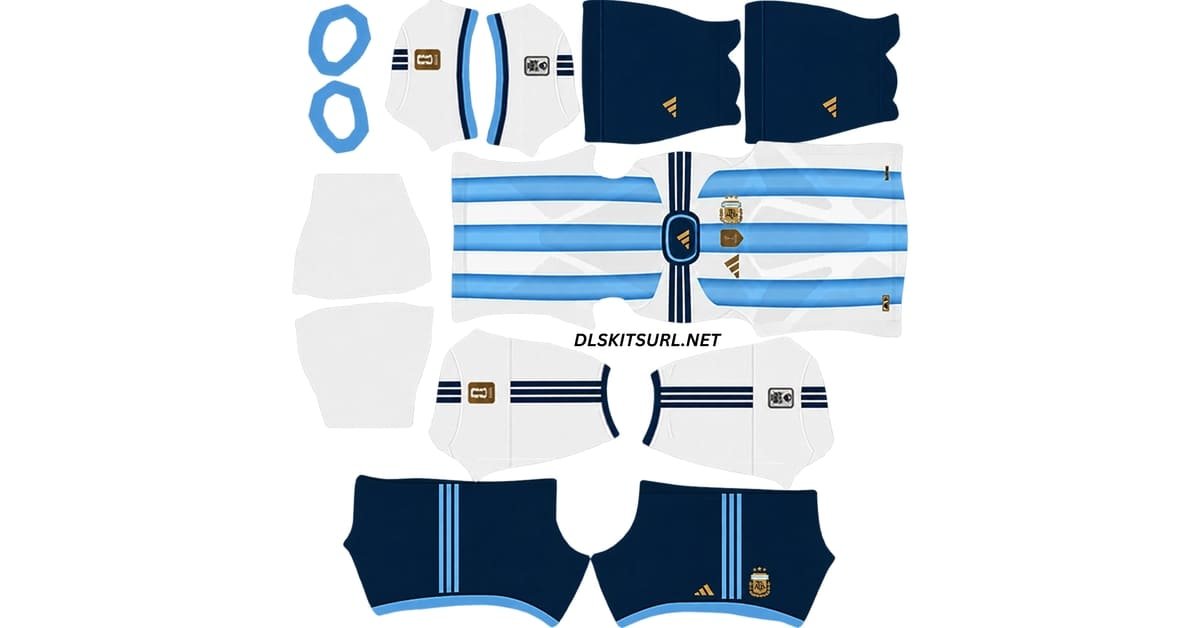
A cool DLS kit URL 512×512 should do more than look impressive on a download page. The real test is how the shirt looks once Dream League Soccer shrinks it onto a player moving across the pitch.
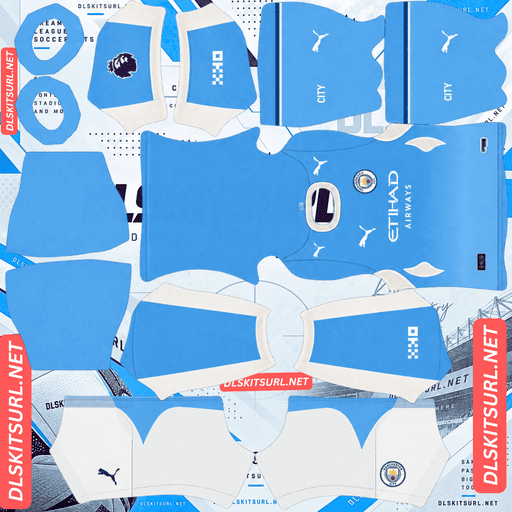
Manchester City
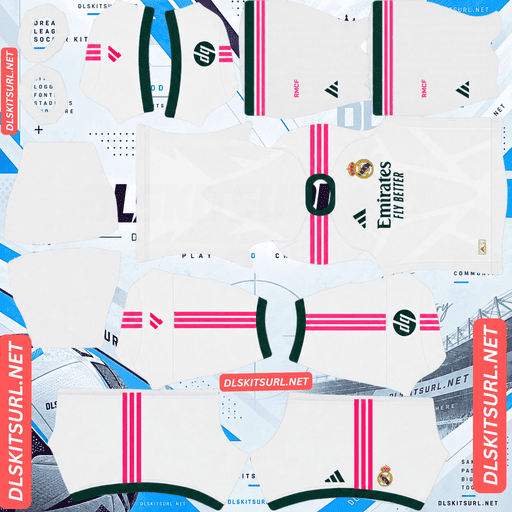
Real Madrid
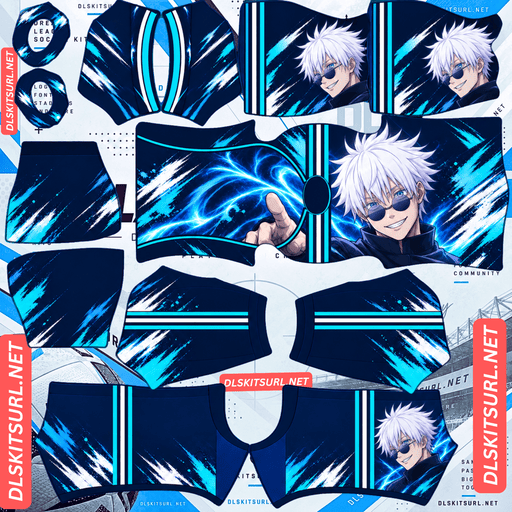
Anime Kit
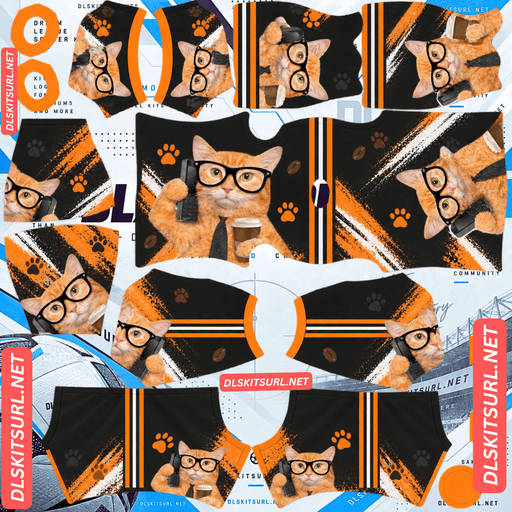
Cute Cat Funny Kit
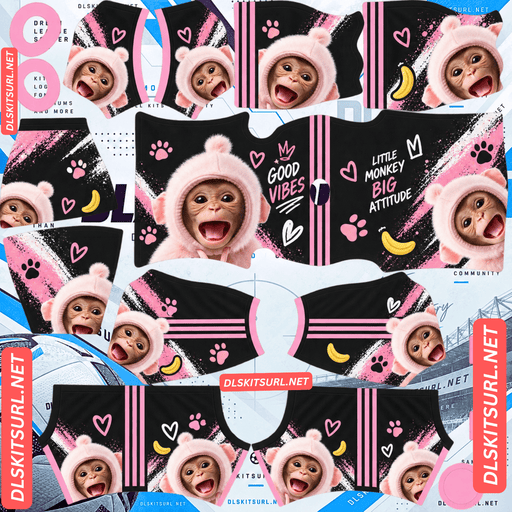
Cute Monkey Kit
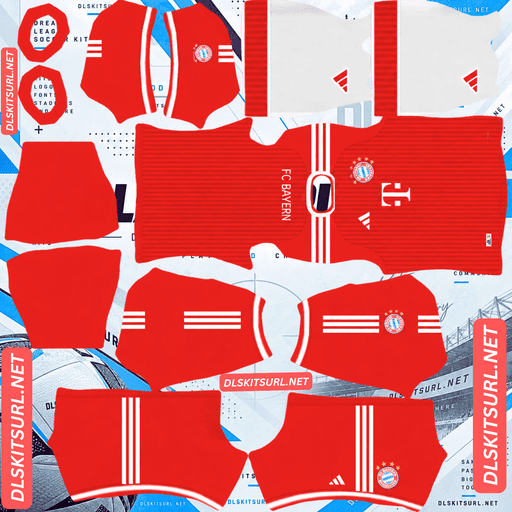
Bayern Munich Kit
Some kit designs look excellent as flat PNGs but lose most of their detail in the game. Thin lines disappear, small text becomes unreadable and subtle shading can merge into one flat colour. The kits that work best in DLS usually do the opposite: they rely on strong contrast, large shapes and simple visual ideas that remain clear even when the player model is small.
The kits Above are selected with that in mind. They are designed to look good during actual gameplay rather than only when viewed at full size.
What Makes a DLS Kit Look Cool in Dream League Soccer?
Dream League Soccer does not display a custom kit at full 512×512 resolution during a match. The image is wrapped around a player model and then shown at a much smaller size on your screen.
That changes what works visually.
A kit with lots of fine detail can look impressive in an editor but lose its character once it is reduced. A simpler design with one strong colour split or one large graphic often survives much better.
Players Are Small on Screen
During normal gameplay, a player occupies only a small part of the display. That means every design element on the shirt is reduced significantly.
Three things usually suffer first: thin lines, small lettering and subtle patterns.
Fine pinstripes can disappear, tiny sponsor text can become unreadable and low-contrast shading can blend into the base colour.
Large shapes behave differently.
A bold stripe, strong colour block or oversized graphic can still be recognised from match distance because it keeps its basic shape even after being reduced.
That is why the best-looking DLS kits are often the most visually direct.
Dark Bases Stand Out More
Black, deep navy and other dark bases work especially well in Dream League Soccer.
Most football kits use white, red, blue or another mid-tone colour. A dark kit immediately feels different when it appears beside them.
Dark colours also make bright accents more effective.
A cyan stripe on black, for example, creates stronger contrast than several pale colours placed together on a light shirt.
That contrast survives much better once the game shrinks the design.
One Strong Idea Works Better Than Several
The best custom kits usually commit to one clear visual idea.
That could be a large diagonal stripe, one oversized graphic, a split colour scheme or a single neon accent.
Problems start when a design tries to include too many things at once.
A kit with a gradient, slogan, photo, pattern, multiple trims and several colours may look rich at full size, but much of that turns into visual noise during a match.
A simpler design usually looks more deliberate.
Strong Edges Keep a Design Readable
Look at the points where two colours meet.
Hard edges remain visible when the image is reduced. Soft transitions are more likely to blend together.
That is why grunge, paint-splatter and sharp geometric designs often work well in Dream League Soccer. They create clear boundaries that remain easy to recognise.
Very soft watercolour effects can look beautiful in a large image but may turn into one blurred area on the player model.
Best Colour Combinations for Cool DLS Kits
Colour choice makes a major difference to how a kit looks in the game.
Some combinations naturally create more contrast and remain readable from a distance, while others merge together once the player becomes small.
Black and One Neon Colour
Black with cyan, lime, magenta or orange is one of the strongest combinations for a custom DLS kit.
The dark background makes the bright accent colour stand out immediately.
You do not need much of it. One stripe, trim line or large graphic can be enough to give the entire kit a strong identity.
This combination is common in fantasy and custom designs because it works well both in menus and during matches.
Navy and Gold
Navy and gold creates a different mood.
It still uses the contrast of a dark background and bright accent, but it feels less aggressive than black and neon.
Gold trim around the collar, cuffs or shoulders can give the shirt a cleaner and more premium appearance without needing a lot of extra decoration.
It also works well for players who want a custom kit that feels original without looking like a meme or fantasy design.
Blackout Kits
An all-black kit can be one of the simplest and most effective options.
The main shirt, shorts and socks stay dark while subtle black-on-black details add texture. A single metallic or bright accent can then be used for the crest, trim or numbers.
Because there are fewer competing colours, very little can go visually wrong.
The main thing to check is the squad-number colour. A black shirt with black numbers can make the players look unnumbered.
Colour Combinations to Avoid
Mid-tone colours placed against other mid-tones often disappear into each other.
Grey on brown, olive on navy or maroon on purple may look sophisticated when viewed at full size, but there may not be enough contrast once the kit is displayed during gameplay.
If two colours already look close together in the editor, they will usually look even closer in the game.
Strong contrast is safer.
The Setting That Can Ruin a Cool DLS Kit
Many good-looking custom kits use dark bases, which creates one common problem: invisible squad numbers.
Dream League Soccer does not automatically take the number colour from the visible shirt design. Instead, the kit template contains two small colour swatches that control the shirt numbers and shorts numbers.
Whatever colour is placed in those swatches is what the game uses.
If the shirt is black and the number swatch is also black, the number is still being drawn, but it blends into the shirt.
Best Number Colours for Dark Kits
Use a light or bright colour against a dark base.
White is the safest choice because it works on almost any black or navy shirt.
You can also use the kit’s accent colour. Cyan, gold, lime, red or another bright shade can make the numbers feel more integrated with the design.
The shirt and shorts swatches should be checked separately because the two parts of the kit may use different colours.
A number colour that works on the shirt may not provide enough contrast on the shorts.
How to Use a Cool DLS Kit URL
Importing a cool DLS kit URL works the same way as importing any other custom Dream League Soccer shirt.
Copy the direct image link using the Copy URL button underneath the kit.
Avoid copying the normal browser page address unless it points directly to the image file.
Open Dream League Soccer, go to My Club, and choose Customise. Some versions may show Customise Team instead.
Open the Kit section, select the slot you want to change, and tap Custom Kit.
On older versions of the game, the same option may appear as Download.
Paste the direct image URL and confirm.
Repeat the process for each home, away, third or goalkeeper slot you want to replace.
Unlocking Custom Kits in DLS
Before importing your first custom shirt, Dream League Soccer may require the custom kit feature to be unlocked with an in-game gem payment.
According to the setup described here, this is a one-time unlock rather than a charge for every new kit.
Once custom kits are available, you can replace them whenever you want.
How to Check a DLS Kit File Before Using It
A kit can have the right colours and still look poor if the source file is low quality.
A few quick checks can tell you whether a PNG is worth importing.
Open the Image in Your Browser First
The direct image should open on its own without a normal webpage surrounding it.
If you see navigation menus, buttons, adverts or other page elements, you may have copied the page URL rather than the image URL.
A working custom kit link commonly points directly to a .png file.
This is the version Dream League Soccer needs to retrieve.
Zoom In on a Sharp Edge
Find a part of the kit where two colours meet clearly.
A stripe edge, collar trim or sleeve boundary works well.
A good-quality 512×512 image should show a reasonably crisp line.
If the transition looks blurred across several pixels, the source may have been enlarged from a smaller image.
Upscaling does not restore missing detail, so that softness usually becomes even more noticeable in the game.
Check Central Graphics and Stripes
Anything running down the middle of the shirt is particularly sensitive to template alignment.
A vertical stripe, central sponsor or stacked logo needs to sit correctly on the current Dream League Soccer template.
If it looks bent, shifted or broken after import, the file may have been created for a different layout.
That problem usually cannot be fixed from inside the game.
Why a Real 512×512 File Matters
A file being labelled “512×512” does not automatically mean it contains true 512×512 detail.
A smaller image can be enlarged and saved at that size, but the missing detail does not return.
The result is technically the right dimensions but still looks soft.
A genuine high-quality source keeps edges cleaner, preserves trim and makes strong graphics appear sharper on the player model.
Designing Your Own Cool DLS Kit
If none of the available designs fits the style you want, building your own kit is not especially difficult.
Start with the current Dream League Soccer kit template so you know where the front, back, sleeves, shorts, socks and collar areas sit.
You can use a browser editor such as Photopea, desktop software such as GIMP, or mobile apps like PixelLab and ibisPaint.
The main challenge is not adding more detail. It is knowing when to stop.
Start With a Dark Base and One Accent
Choose your base colour first.
Black or navy gives you an easy starting point because both work well with bright accents.
Then choose one main highlight colour.
Cyan, lime, gold, orange or magenta can all work.
Try not to add a third or fourth strong colour unless the design genuinely needs it.
The restraint is what gives the kit a more finished appearance.
Keep the Main Graphic on the Front Area
Important logos, faces or large graphics should remain comfortably inside the front part of the shirt template.
If an image crosses into another template area, Dream League Soccer may wrap part of it onto the shoulder, sleeve or back.
Large designs are easier to recognise during gameplay, but they still need to stay inside the correct panel.
Make the Main Element Larger Than You Expect
Artwork that looks large in the editor becomes much smaller once the kit is displayed on a player.
A graphic that feels perfectly sized on the flat template may almost disappear during a match.
For that reason, large central elements usually work better than small decorative details.
Scale the main idea until it feels slightly oversized, then check how it appears on the player model.
Set the Number Swatches Before Exporting
Do not leave the number colours until after the kit has been imported.
Set both the shirt and shorts swatches while you are finishing the design.
A contrasting number colour makes the difference between a complete-looking custom kit and one where the players appear to have no numbers.
Export Settings for a Cool DLS Kit
The finished custom kit should use the standard 512×512 pixel layout.
Export the image as a PNG so edges and transparency are preserved properly.
The supplied guidance recommends keeping the file below 1 MB, especially if you intend to host it online and import it through a direct URL.
Once exported, upload it somewhere that provides a direct link to the image rather than a webpage containing the image.
Keep Your Cool DLS Kit URLs Saved
Save the direct URLs for any custom kits you want to keep.
A notes app is enough.
If you reinstall Dream League Soccer or move to another device, you may need to import your custom shirts and badge again.
Keeping each cool DLS kit URL saved makes restoring the same setup much easier.
Cool DLS Kit URL FAQ
What Makes a DLS Kit Look Cool in Game?
Bold shapes, strong colour contrast and clear visual ideas usually work best.
Dream League Soccer renders players relatively small during matches, so large graphics survive while tiny text, thin lines and subtle patterns become harder to see.
Why Do Dark Kits Look Good in Dream League Soccer?
Dark kits stand out because many football shirts use lighter or mid-tone colours.
Black and navy also make bright accents such as cyan, gold, lime or orange appear stronger at match distance.
Why Are the Numbers Invisible on My Dark Kit?
Dream League Soccer reads the squad-number colour from dedicated swatches on the kit template.
If those swatches are dark on a black or navy shirt, the numbers can blend into the background.
Use a light or contrasting colour instead.
What Colours Work Best for a Custom DLS Kit?
Black with one neon accent, navy with gold and simple blackout designs all work well because they provide strong contrast.
Avoid combinations where both colours have similar brightness, since they can merge together during gameplay.
How Do I Know if a DLS Kit File Is Good Quality?
Open the image at full size and zoom in on a sharp edge such as a stripe or collar trim.
A good 512×512 source should keep that boundary reasonably crisp. A heavily upscaled file usually looks blurred.
Why Does My Kit Look Different in the Match Than in the PNG?
The game displays the kit on a much smaller player model, so fine details naturally become less visible.
Large shapes, colour contrast and strong silhouettes remain easier to recognise than small text or subtle patterns.
Are Cool DLS Kits Free?
The kit URLs themselves are free to use.
Dream League Soccer may still require its normal one-time in-game gem unlock before custom kits can be imported.
Can I Design My Own Cool DLS Kit?
Yes.
Use a current Dream League Soccer kit template, choose a strong base colour and accent, keep the main graphic inside the front panel, set the number-colour swatches and export the final image as a 512×512 PNG.
Can I Mix Cool Custom Kits With Club Kits?
Yes.
Each kit slot is independent, so you can use a custom home shirt with an official-style away kit or combine several different designs.
Should I Save My DLS Kit URLs?
Yes.
Saving the links outside the game makes it easier to restore your team if you reinstall Dream League Soccer or switch to another device.