
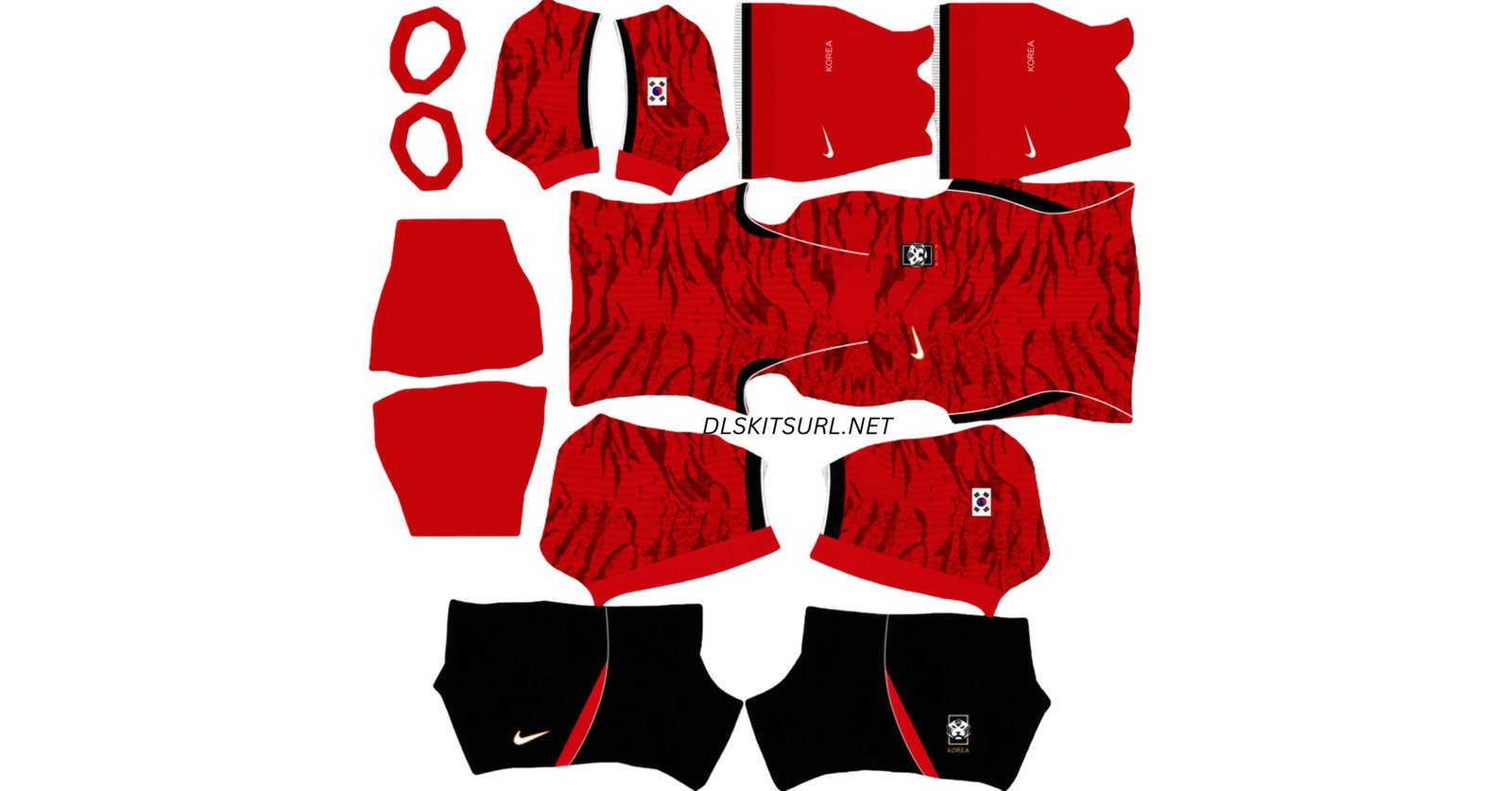
A South Korea DLS kits URL is a direct link to a 512×512 PNG shirt that you can import into Dream League Soccer. Both the home and away kits are featured below, ready to add to your game using their image URLs.
South Korea Logo
Official Logo 512×512
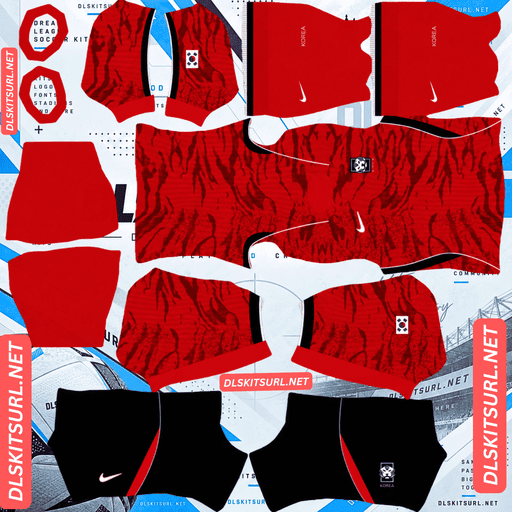
South Korea Home Kit
Home Kit 512×512 (2026/27)
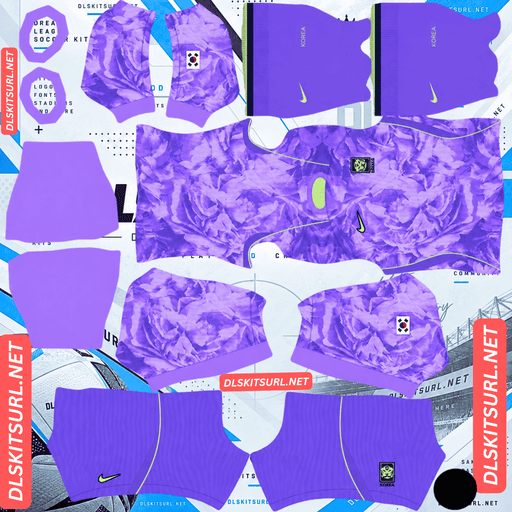
South Korea Away Kit
Away Kit 512×512 (2026/27)
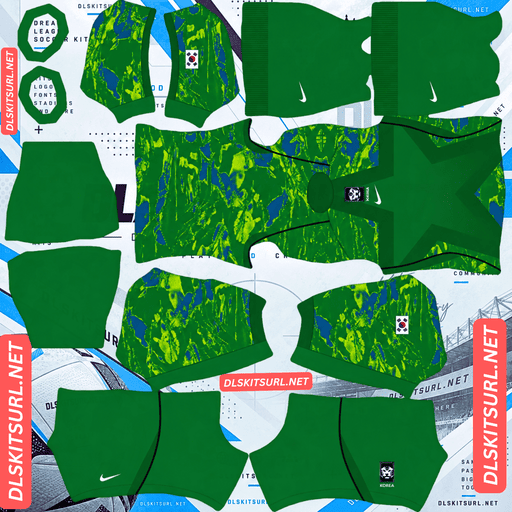
South Korea Home GK Kit
Home GK Kit 512×512 (2026/27)
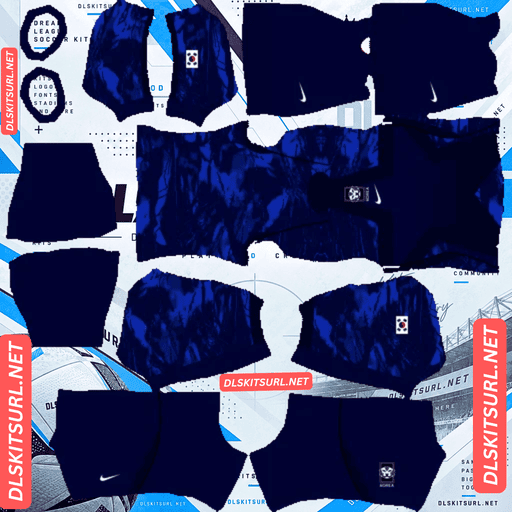
South Korea Away GK Kit
GK Kit 512×512 (2026/27)
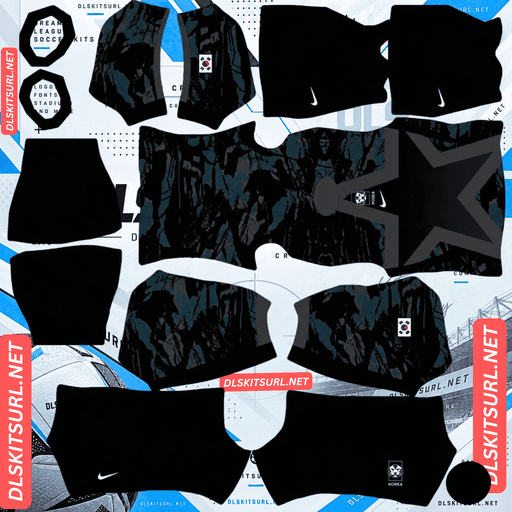
South Korea Third GK Kit
Third GK Kit 512×512 (2026/27)
Nike built both shirts around the same concept and a similar technique: tonal graphics woven into the overall design. However, one pattern is much easier to recognise in Dream League Soccer than the other. The difference comes down to the size of the details, not simply the quality of the image.
The Tiger’s Ambush
Nike revealed South Korea’s 2026 collection on 19 March 2026, among the first federation kits unveiled outside the Americas.
The collection follows a central concept called “The Tiger’s Ambush,” representing surprise, precision and collective energy. The tiger is South Korea’s national animal and has long been associated with the Taegeuk Warriors.
Home Kit: Mountains and Tiger Stripes
The home shirt features a Global Red base covered in an all-over sublimated graphic. The pattern combines two visual references: Korea’s mountain landscapes and the distinctive texture of tiger skin.
Mountain ridges and tiger-like stripes blend together, creating a textured design rather than a conventional pattern of straight lines or repeating shapes.
The shirt also features black sleeve cuffs, a V-notch collar and a white Nike Swoosh outlined in gold.
Away Kit: The Rose of Sharon
The away shirt makes a much bolder departure from South Korea’s traditional colours. Its Space Purple base is a soft, saturated lavender covered with a large-scale tonal floral graphic.
The flower is the Mugunghwa, also known as the Rose of Sharon. It is South Korea’s national flower and represents indomitable will, perseverance and enduring beauty.
Neon green-yellow trim highlights the crew-neck collar and side panels, while the national-team crest sits over the heart.
South Korea’s away shirts have traditionally used white or black, making this purple design a striking change. It also became one of the tournament’s most distinctive alternative kits.
The Same Technique, but Different Results in DLS
Both South Korea kits use tonal graphics. Instead of relying on a contrasting colour, their patterns are created with shades close to the main shirt colour.
Tonal designs can be difficult to reproduce in Dream League Soccer because fine details may disappear when an image is compressed or displayed at a small size. However, the home and away shirts respond differently because their graphics use different scales.
Why the Away Kit’s Flowers Survive
The Mugunghwa pattern on the purple away shirt uses large floral shapes. The petals and other elements occupy enough space to remain visible even when the image is reduced or compressed.
Large shapes generally preserve their outlines better than tiny details because more pixels are available to represent each part of the design.
As a result, the away kit should retain a recognisable floral appearance in Dream League Soccer, even if the pattern lacks some of the depth and texture of the original shirt.
Why the Home Kit’s Tiger Pattern Disappears
The home shirt uses a much finer texture made from mountain ridges and tiger-like stripes. Instead of a few large shapes, the design relies on numerous small marks.
When those details are reduced to a handful of pixels, nearby colours can blend together. The result is a shirt that appears mostly plain red, with the black sleeve cuffs still clearly visible.
Even a reasonable image file may struggle to preserve the full texture at the game’s display size.
Which Kit Should You Choose?
Choose the purple away kit if you want the graphic to remain visible in Dream League Soccer. Its large floral pattern is easier to recognise, and the purple colour makes the shirt stand out on the pitch.
A similar issue can occur with Ivory Coast’s away kit, where large sunburst shapes remain visible while finer palm details become less noticeable.
The key lesson is that pattern scale matters just as much as contrast when choosing or preparing a custom kit image.
Why the Gold Swoosh Outline Looks Different
One small detail on the South Korea home shirt deserves attention: the Nike Swoosh is white with a gold outline.
Gold usually looks metallic because it contains several tones, including bright highlights, mid-tones and darker shadows. These variations create the impression of a reflective surface.
An outline is extremely narrow, leaving very little room for those tonal changes. At 512×512 resolution, a thin gold outline may therefore look more yellow than metallic.
This does not necessarily indicate a problem with the image file. The same limitation can affect other designs that rely on extremely thin gold pinstripes or outlines.
Increasing the image quality cannot create detail that the narrow outline does not have enough space to display.
How to Check Your South Korea Kit File
Because both shirts use tonal graphics, it helps to inspect their clearer design elements before importing them.
Checking the Home Kit
Look at the black sleeve cuffs against the Global Red body. Their edges should be clean and well defined. This provides a useful indication of image clarity, even if the tiger-and-mountain texture is difficult to see at full match distance.
Checking the Away Kit
Inspect the neon green-yellow trim around the collar and side panels. The bright trim contrasts strongly with the purple base, so it should look sharp rather than blurred or smeared.
The large floral graphic should also remain recognisable in the image.
Confirming the Image Dimensions
Do not rely on a filename that claims to be 512×512. Check the actual image dimensions instead.
On a computer, open the image in a new browser tab and inspect its properties or dimensions. A genuine 512×512 file is the appropriate size for this kit setup.
Both South Korea Kits Stand Out on the Pitch
Dream League Soccer displays players at a relatively small size during matches. A shirt’s contrast with the green pitch can therefore make a noticeable difference to how easily you follow your team.
The home kit’s Global Red base contrasts strongly with the grass, making your players easy to identify during play.
The Space Purple away kit offers a similar advantage. Purple sits well apart from the green pitch, while the neon green-yellow trim adds another bright detail to the shirt.
Both designs combine a distinctive appearance with good visibility, although the away kit’s large floral graphic is more likely to remain recognisable during gameplay.
Choose the Right Number Colours
Dream League Soccer uses separate colour swatches for shirt numbers and shorts numbers. It does not automatically choose the number colour based on your kit design.
Set the two swatches individually for each kit.
Home kit: White numbers provide clear contrast against Global Red. Black is another option if you want to coordinate with the sleeve cuffs.
Away kit: Neon green-yellow numbers match the collar and side-panel trim and stand out against Space Purple. White is a more understated alternative.
Choose whichever option remains easy to read at match distance, and remember to configure the shirt and shorts numbers separately.
Build South Korea’s World Cup Group
South Korea were drawn alongside Czechia, South Africa and Mexico.
If you want to recreate their group in Dream League Soccer, you can pair the South Korea kits with the corresponding national-team kits for all three opponents.
Czechia is particularly worth checking if you are building the full group, as its 2026 kit information includes references to two different manufacturers.
How to Identify a Current South Korea Kit
Use these four details to distinguish the 2026 designs from older kits.
Home shirt: It should use Global Red with an all-over tiger-and-mountain texture, black sleeve cuffs and a gold-outlined Nike Swoosh.
Away shirt: It should have a Space Purple base with a large floral graphic.
Away trim: Look for neon green-yellow details around the collar and side panels.
Branding: Both shirts should feature Nike branding.
Older white or black away shirts belong to previous kit cycles and should not be confused with the distinctive purple design.
How to Use a South Korea DLS Kits URL
Follow these steps to import a custom South Korea shirt into Dream League Soccer.
Use the Copy URL button on the relevant kit card to copy the direct image link. Copying the browser’s page address may give you a website URL instead of the image itself.
Open Dream League Soccer and go to My Club.
Select Customise, then open Kit rather than Logo.
Select the kit slot you want to replace before importing.
Tap Custom Kit, press and hold the URL field, and choose Paste.
Confirm the import. Some older versions of the game may label the final button Download.
Since the collection includes home and away shirts, the third kit slot remains available for another design. South Korea’s 2002 shirt is a natural choice because the team reached the semi-finals on home soil, achieving the country’s best World Cup result.
Dream League Soccer can accept a working 512×512 kit URL regardless of the season the design originally came from.
The first custom kit requires a one-time gem unlock in the game. After that initial unlock, changing your custom kits does not require another kit-unlock payment.
Test the Link Before Importing
Open the copied URL in your browser before trying to import it.
A direct image link should display the shirt by itself, without a surrounding webpage, navigation menu or extra buttons. The address should ideally end in .png.
If the URL opens a page containing a preview and other website elements, it may be a viewer page rather than a direct image file. Dream League Soccer needs access to the actual image.
You should also check the dimensions where possible. A correctly sized 512×512 PNG is the target for these custom kits.
Why South Korea Kit URLs Stop Working
A kit URL may stop working even if it was valid when you first saved it. Here are three common reasons.
Free Image Hosts Delete Files
Some free image-hosting services automatically remove uploads that have not been accessed for months or years.
The saved URL may still look normal, but the image itself may no longer exist.
Hotlink Protection Blocks the Request
Some hosts prevent external applications from loading their images directly.
The image may open successfully in your browser because you are visiting the host yourself, while Dream League Soccer’s request is blocked. This can make a link appear to work until you try importing it.
The Preview and the Direct Link Are Different
Some websites display a thumbnail hosted on their own servers but provide a separate URL for the full image.
If that external file is removed or moved, the preview page may continue displaying the shirt even though the copied link no longer works.
For reliable imports, make sure the URL points directly to the PNG image rather than a webpage or temporary thumbnail.
Add the Korea Football Association Badge
To import the national-team crest, return to the customisation menu and select Logo instead of Kit.
The Korea Football Association badge centres on a tiger motif, connecting it visually with the tiger-inspired home shirt. The tiger’s head and the crest’s red and blue colour blocking help the badge remain recognisable at the small size used in the game.
Dream League Soccer crops imported badges into a circular shape, so choose an image with enough space around the complete design. An image cropped too tightly may lose parts of the artwork.
Fine lettering around the crest can become difficult to read at match distance. This is a normal limitation of the game’s small badge display rather than necessarily a problem with your source file.
Keep Your South Korea Kits Safe
Custom kits are stored on your device rather than permanently attached to your account. Regular game updates may preserve them, but reinstalling the game or moving to another phone can mean losing your imported shirts and badge.
Before you start, save the home kit URL, away kit URL and badge URL in a notes app or another safe location.
Keeping those links together makes it much easier to restore your South Korea setup if you reinstall the game or change devices.
FAQ
What is a South Korea DLS kits URL?
A South Korea DLS kits URL is a direct link to a 512×512 PNG Taegeuk Warriors shirt that you can paste into Dream League Soccer’s Kit menu. A direct image link commonly ends in .png.
What is Nike’s Tiger’s Ambush concept?
The Tiger’s Ambush concept represents surprise, precision and collective energy. Nike used it as the central idea for South Korea’s 2026 home and away kits, drawing inspiration from the tiger associated with the national team.
What flower appears on South Korea’s away kit?
The away kit features the Mugunghwa, or Rose of Sharon, South Korea’s national flower. Its large-scale tonal floral graphic appears on a Space Purple base.
Why does my South Korea home kit look plain red?
The home shirt’s tiger-and-mountain graphic is made from fine tonal details. When the image is compressed or displayed at a small size, those details can merge into the red base colour, making the shirt appear almost plain red.
Which South Korea kit shows its design better in Dream League Soccer?
The Space Purple away kit is more likely to retain its pattern. Its large Mugunghwa flowers preserve their outlines better than the home shirt’s fine tiger-and-mountain texture.
Why doesn’t the gold outline on the Nike Swoosh look metallic?
A metallic gold effect depends on highlights, mid-tones and shadows. A very thin outline has little room for these variations, so it may appear yellow rather than metallic at 512×512 resolution.
What colours were South Korea’s away kits before the purple design?
South Korea’s away shirts have traditionally used white or black. The Space Purple 2026 design is a significant departure from those colours.
Which group were South Korea drawn in for the 2026 World Cup?
South Korea were drawn in a group alongside Czechia, South Africa and Mexico.