
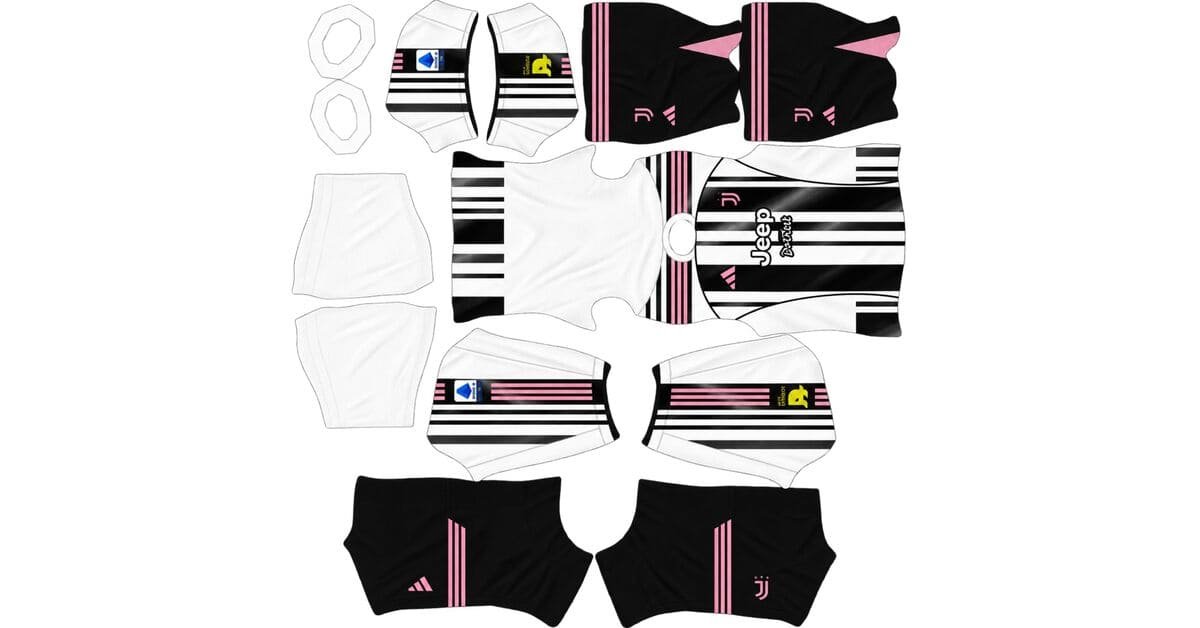
A Juventus DLS kits URL lets you bring the club’s 2026/27 look into Dream League Soccer. This page covers the black and white home kit, pink away kit, black third kit and Juventus logo. Choose the design you want, copy its image URL and import it through the game’s kit or logo menu.

Juventus Logo
Official Logo 512×512 (2026/27)
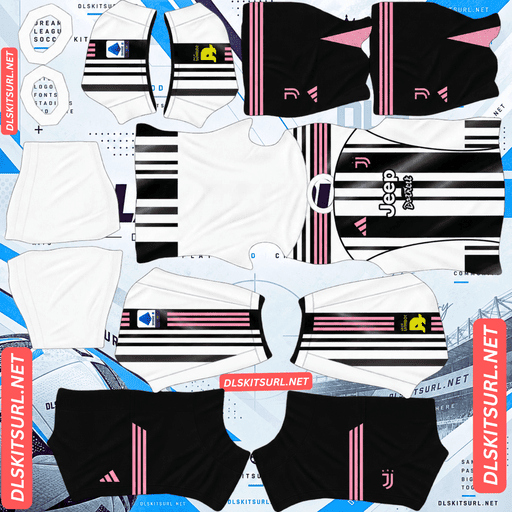
Juventus Home kit
Home Kit 512×512 (2026/27)
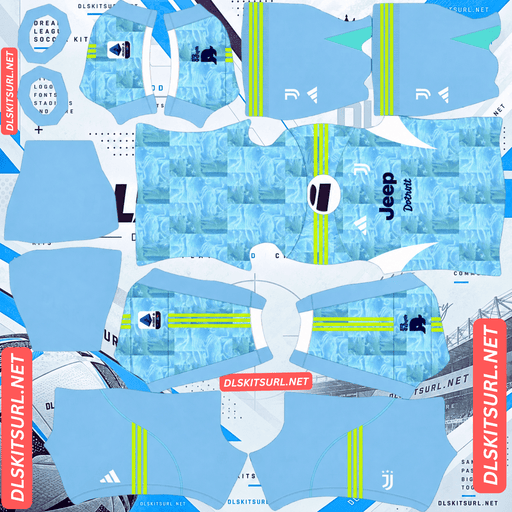
Juventus away kit
Away Kit 512×512 (2026/27)
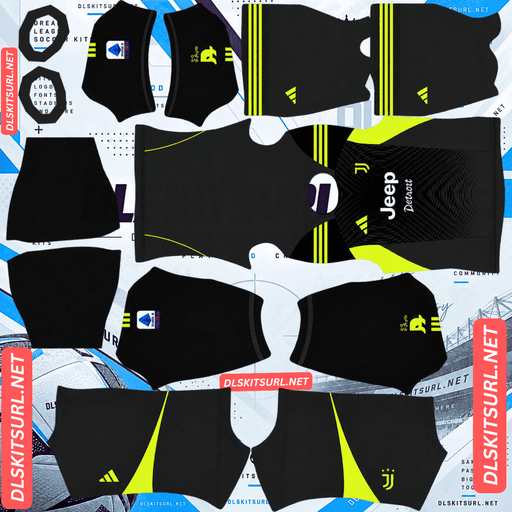
Juventus GK Home kit
Home GK Kit 512×512 (2026/27)
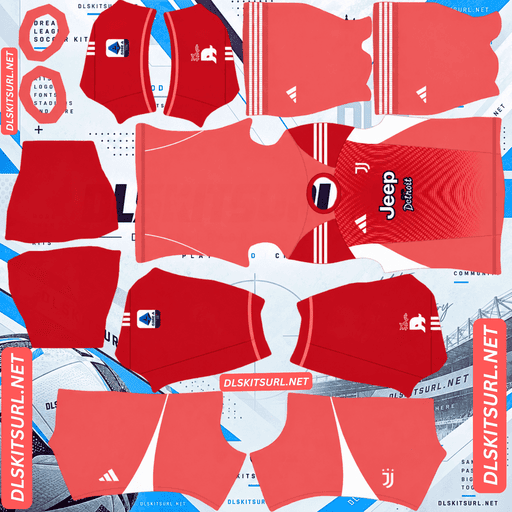
Juventus GK Away kit
Away GK Kit 512×512 (2026/27)
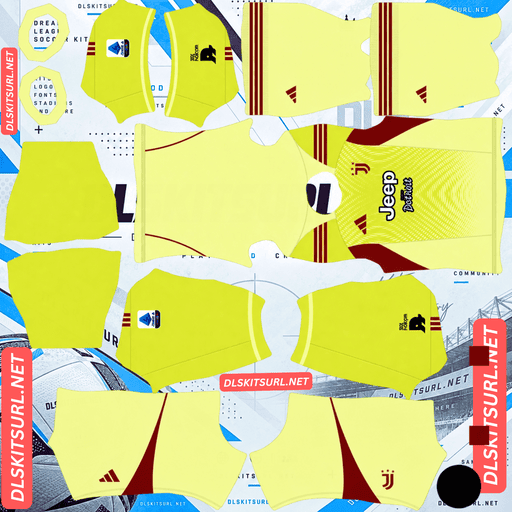
Juventus GK Third kit
GK Third Kit 512×512 (2026/27)
The three shirts have distinct details, so it helps to check the preview before choosing one. The home kit keeps Juventus’s familiar stripes, the away kit revisits the club’s early pink colours, and the third kit uses a dark flame pattern.
Juventus 2026/27 DLS Kit URLs
Each kit card should give you a direct URL to a 512×512 PNG image. Copy the URL from the card rather than the address of this webpage. Dream League Soccer needs to download the image itself to apply it to your players.
Home kit: black and white stripes
The 2026/27 home shirt returns to clean black and white vertical stripes. A polo-style collar gives it a different shape from a standard crew-neck shirt, while small gold details add colour without taking attention away from the stripes. White shorts and socks complete the look.
In DLS, the collar and stripe placement are the details to inspect first. A kit image can look right as a flat square but appear misaligned once the game wraps it around a player. Check the front, back and sleeves in the preview after importing.
Away kit: pink with a zebra pattern
Pink has a place in Juventus history: the club wore pink before adopting its black and white stripes. The 2026/27 away shirt draws on that connection with a soft pink base, a subtle zebra-inspired pattern and black detailing. The Adidas Trefoil appears on the shirt.
The pattern is tonal, so it may be easier to see in a large preview than during a match. That is normal for a design built from closely related shades of pink. If you want the away kit to feel closer to the real shirt, look for a file that keeps the pattern visible without turning it into heavy black stripes.
Third kit: black with gold details
The third shirt takes a darker approach. Its black base carries a tonal flame pattern, with gold used for the visible details. Black shorts and socks keep the full kit consistent.
This is a useful choice if you prefer a Juventus kit without the home shirt’s stripes. On the pitch, the flame pattern may look understated because the player models are small. The black and gold colour combination is what will stand out most.
Juventus DLS Logo URL 512×512
The Juventus DLS logo URL is separate from the kit URLs. Import it through the game’s logo option so the club badge appears with your customised team.
Juventus’s current badge is built around a bold, stylised J. When choosing a logo image, look for a clear version with enough space around the mark. A badge placed too close to the edge of a PNG can look cramped when the game displays it at a small size.
How to import a Juventus kit in Dream League Soccer
Once you have copied a kit URL, open Dream League Soccer and go to your club’s customisation options. Select the kit type you want to replace, open its custom kit option, paste the URL and confirm the download.
Repeat the process for the home, away or third kit you want to use. The menu wording can vary by game version, so follow the option labelled Kit or Custom Kit if your screen differs slightly.
A kit image and a logo image serve different purposes. Paste a kit URL into a kit slot and the logo URL into the logo option. If you paste them into the wrong places, the result will not look like a football kit or badge.
What makes Juventus DLS kits URL work?
A usable URL must lead to the image file that the game can download. An address for a webpage that displays the image is different from an address for the image itself.
If an import fails, check these points:
- The URL opens the image directly. A page containing a preview may not work as an import URL.
- The file is a 512×512 PNG. This is the standard size and format used for custom DLS kits.
- The image is publicly accessible. A file behind a sign-in screen or restricted sharing setting cannot be downloaded by the game.
- The kit matches the slot. Check that you copied the home, away or third kit card you intended to use.
- Your connection is working. The game needs to retrieve the file when you confirm the import.
If you run a page with copy buttons, test each button against its own preview. A correct looking preview does not prove that the button copies the same image URL.
Kit colours and numbers in DLS
Importing a shirt image may not set every in-game colour the way you expect. After adding a Juventus kit, look at the number and name colours in the player preview.
For the pink away kit, dark lettering usually gives better contrast. On the black third kit, a light colour is easier to read. The striped home shirt needs more care: a number that looks clear over a black stripe may disappear over a white one. Use the game’s preview to choose a colour that remains readable on the back of the shirt.
Frequently asked questions
What is the Juventus DLS kit URL for 2026/27?
It is a direct image URL for a 512×512 PNG kit that you paste into Dream League Soccer. Use the copy button beside the home, away or third kit you want to import.
Is there a separate Juventus DLS logo URL?
Yes. The logo uses its own image URL and goes into the custom logo option. A kit URL belongs in a kit slot.
What does the Juventus 2026/27 home kit look like?
It has black and white vertical stripes, a polo-style collar and gold details, paired with white shorts and socks.
Why is the Juventus away kit pink?
Pink refers to the club’s earliest shirts, worn before Juventus adopted its well-known black and white colours. The 2026/27 design adds a subtle zebra-inspired pattern and black details.
What colour is the Juventus third kit?
It is predominantly black, with a tonal flame pattern and gold details. The shorts and socks are black as well.
Why is my Juventus kit URL not loading?
The address may point to a webpage instead of a PNG, the file may be unavailable, or the game may be unable to download it. Open the copied URL to check that it leads directly to the image, then try the import again.
Can I use a Juventus kit URL as a logo URL?
No. Kit images are laid out for the player model, while the logo is a separate badge image. Use the matching URL and customisation option for each one.