
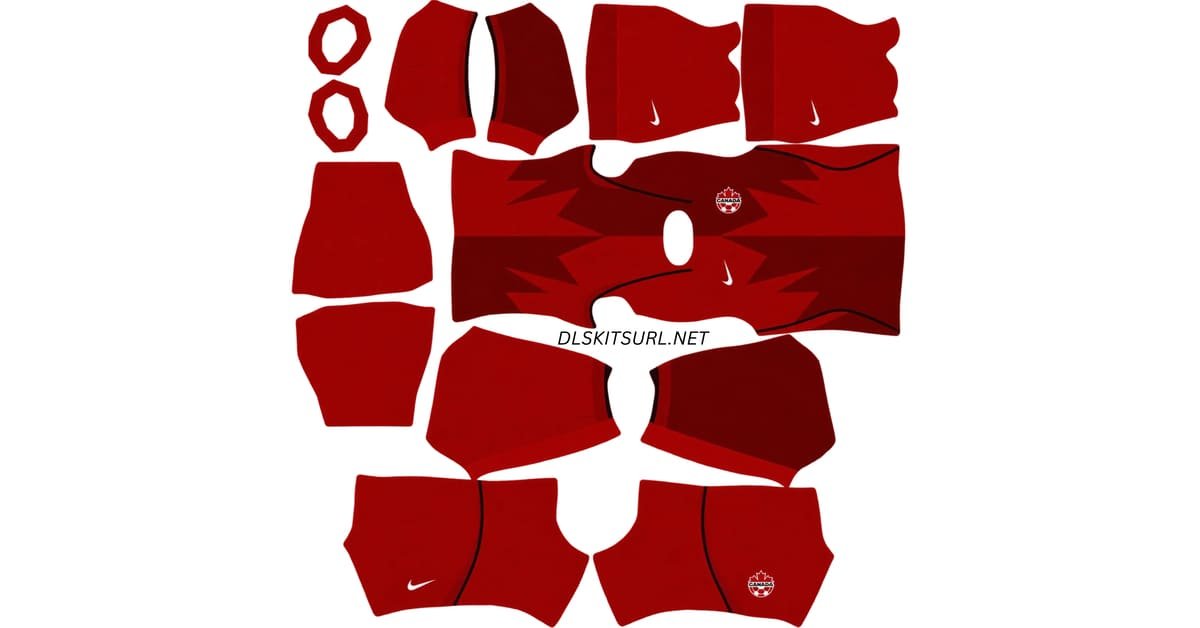
A Canada DLS kits URL lets you add a Canada national team shirt to Dream League Soccer. This collection includes the red home design, black cracked-ice away design and light third design, along with a separate URL for the Canada Soccer logo. Copy the image URL for the kit you want and paste it into the appropriate slot in the game.
Canada Logo
Official Logo 512×512 (2026/27)
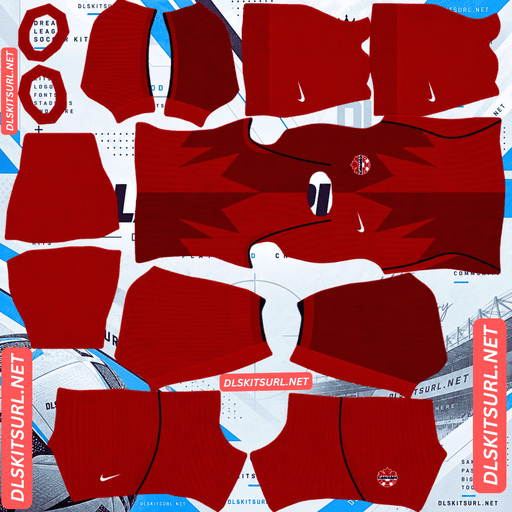
Canada Home Kit
Home Kit 512×512 (2026/27)
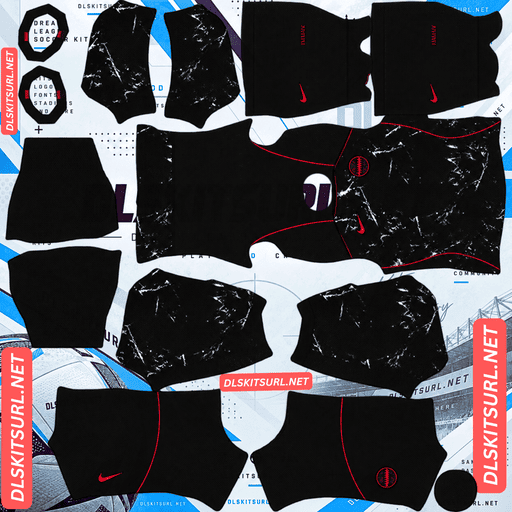
Canada Away Kit
Away Kit 512×512 (2026/27)
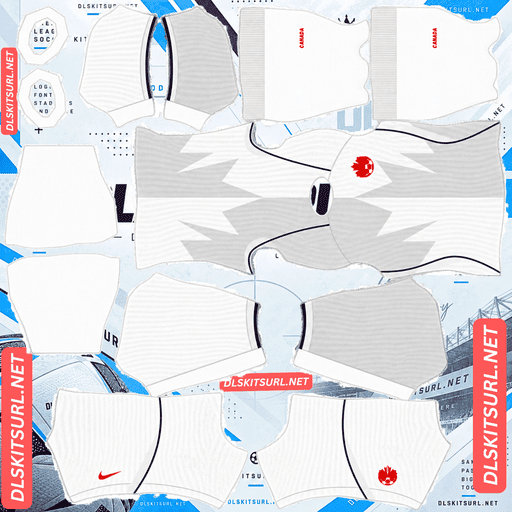
Canada Third kit
Third Kit 512×512 (2026/27)
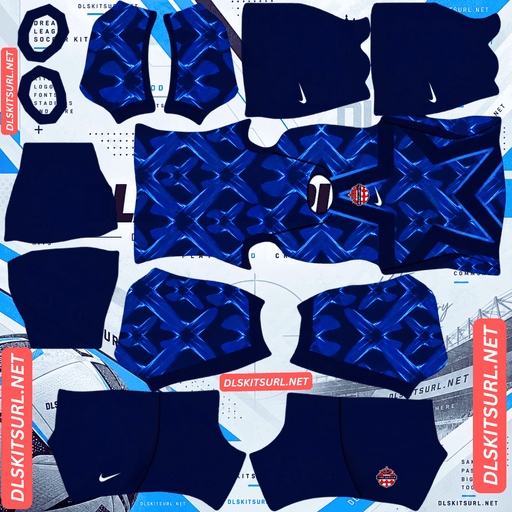
Canada GK Home kit
GK Kit 512×512 (2026/27)
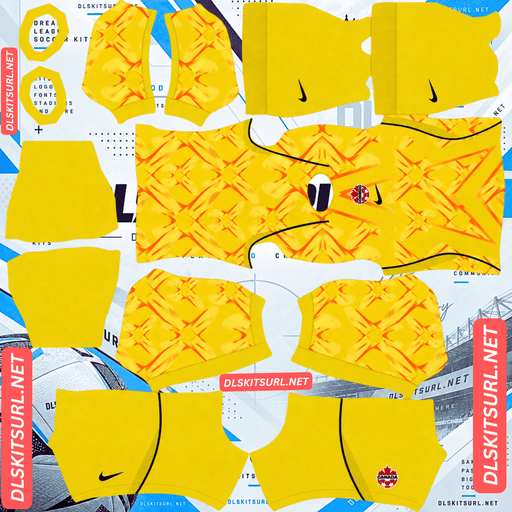
Canada GK Away kit
GK Away Kit 512×512 (2026/27)
Each shirt has a maple leaf, but the designs look different in play. The home shirt puts the leaf on a red field, the away shirt draws on the look of cracked ice, and the third shirt uses a much lighter combination of white and grey.
Canada 2026/27 DLS Kit URLs
A DLS kit URL should lead directly to a PNG arranged as a game kit template. The image contains separate areas for the shirt, sleeves, shorts and socks. Choose the card that matches the slot you want to change.
Canada home kit: red maple leaf
The home design is unmistakably Canadian: a predominantly red shirt with an oversized maple leaf across the front. Different red tones give the leaf its shape without taking the shirt away from the country’s familiar colour.
That tonal design is the detail to check after importing. From a distance, the player should look clearly dressed in red. In a larger preview, the maple leaf should also be visible. If it disappears entirely, inspect the copied image to see whether its red shades are distinct enough.
The design works well as a home kit because its main colour is easy to recognise even when the finer parts of the leaf are less obvious during a match.
Canada away kit: black cracked ice
The away shirt offers the strongest change from the home look. It uses a dark base with a cracked-ice graphic inspired by Canada’s frozen landscapes. A maple leaf treated to resemble a skate-blade mark connects the winter imagery back to the national emblem.
This is the kit to choose if you want a darker Canada team in DLS. The cracked pattern adds movement to the shirt, but its appearance depends on the image you import. Check the player preview to make sure the graphic is visible across the intended parts of the shirt rather than appearing as an unrelated patch on one panel.
Canada third kit: white and light grey
The third shirt returns to the large maple leaf motif on a light background. White and pale grey form a two-tone design, giving it a cooler appearance than the red home kit.
Because the colours are close, the leaf may be easier to see in a full size preview than during a match. Look at the front of the imported player: you should be able to identify both the change in tone and the outline of the maple leaf.
The home and third shirts share a prominent leaf motif, but they serve different purposes in your DLS wardrobe. One gives you Canada’s traditional red; the other gives you a light alternative when red or black would clash with an opponent.
How to choose between the three Canada kits
If you want to recreate the current collection, assign red to Home, black to Away and white or light grey to Third. That gives you a strong colour difference between all three slots, even though the home and third shirts both feature a large maple leaf.
In match play, the black away kit is likely to show its overall design most clearly because it contrasts strongly with the other two. The red home kit remains instantly identifiable by colour. The light third kit is most useful as an alternate colour, though its tonal leaf may require a closer look.
There is no need to skip the third kit because its leaf resembles the home graphic. The white and grey colourway makes it visually distinct on the pitch.
What to check in each Canada DLS kits image
A kit can have the right colours yet look wrong after the PNG wraps around a player. Use the game’s preview to inspect the complete outfit.
Check the maple leaf placement
On the home and third shirts, the oversized leaf is the main design element. Make sure it sits where you expect on the front of the player. A leaf shifted onto a seam or cut into separate pieces suggests that the image was built for a different template.
Check the away pattern
Look across the chest and sides of the black shirt. The cracked-ice design should feel connected rather than appearing as isolated marks. It may look softer from the match camera than it does in the kit menu.
Check shorts, socks and numbers
Do not stop at the shirt. Preview the shorts and socks, then look at the back to see whether the player number is readable. The third kit needs particular care because pale numbers can disappear against white and grey.
Canada DLS Logo URL 512×512
The Canada DLS logo URL belongs in the game’s custom logo option. It is a separate image from the home, away and third kit templates.
The maple leaf is the feature you will recognise most readily when the badge appears small. Choose a sharp logo image with enough space around its edges so its outer points remain clear in the preview.
If the imported kit PNG already includes a badge on the shirt, changing your team logo may not replace that printed kit detail. Check both the team crest and the shirt preview if you want them to match.
How to import a Canada DLS kit URL
Open Dream League Soccer and go to My Club, then the team customisation area. Choose the kit slot you want to change and open the custom kit import option. Paste the URL from the corresponding card and confirm.
Repeat for any other Canada designs you want to use. Check the selected slot each time: a new import replaces the kit you are currently editing. Menu labels can differ slightly between versions of the game.
For the badge, choose Logo or Custom Logo and paste the separate logo URL. Preview your team afterward to check that the shirt and crest look the way you intended.
What kind of URL works in Dream League Soccer?
The game needs an address for the image file itself. An article page or gallery page may display a kit in your browser without giving the game a usable image.
Use the copy button beside the kit preview. If an import fails, open the exact URL you copied. It should display the PNG on its own. The file also needs to be a DLS kit template; a square photograph of a Canada shirt cannot place the sleeves, shorts and socks correctly.
A working URL and a well-made image are two separate requirements. If the file downloads but parts of the uniform appear in the wrong places, the template needs attention.
Number colours for Canada’s kits
Look at the back of the player after each import. The number colour needs to stand out against the part of the shirt beneath it.
White is generally clear on the red home shirt. A light number is also easier to see on the dark away shirt. For the white and grey third kit, try a dark number, such as black or a strong red, and check it against both light tones.
If the shorts numbers use a separate colour in your kit template, inspect those too. The best combination is the one you can read in the player preview, not simply the one that matches an accent on the front.
Why a Canada DLS kit URL may fail
If the game cannot import a kit, check these common causes:
- The copied address opens a webpage: Copy the direct PNG URL from the kit card.
- The image is unavailable: The file may have moved or been removed.
- Access is restricted: The game needs to download the image without signing in.
- The image is not a DLS template: A shirt photo will not wrap correctly around the player.
- The wrong card was copied: Compare the URL with the red home, black away or light third preview you intended to use.
If a kit imports successfully but its maple leaf or cracked-ice pattern looks misplaced, inspect the image layout rather than repeatedly pasting the same URL.
Save your Canada kit URLs
Keep the home, away, third and logo URLs together in a note if you like changing your team’s appearance. You can then return to the same design without searching for it again. Open an older saved URL before reusing it to make sure its image is still available.
Frequently asked questions
What is a Canada DLS kit URL?
It is a direct URL to a Canada kit PNG formatted for Dream League Soccer. Paste it into a custom kit slot to apply the outfit to your team.
What does the Canada 2026 home kit look like?
It is predominantly red, with a large maple leaf graphic across the front in different red tones.
What does the Canada 2026 away kit look like?
It has a dark base with a cracked-ice graphic and a maple leaf inspired by the mark of a skate blade.
Is there a Canada third kit for 2026?
Yes. The light third design uses white and grey tones with a large maple leaf on the front.
Why does my Canada third kit look almost plain white?
Its white and grey areas are close in tone. Check the image and the larger in-game preview to see whether the leaf and two-tone design are present.
Do the Canada home and third kits have the same colours?
No. Both use a prominent maple leaf, but the home kit is red and the third kit is white and grey.
Why are my numbers hard to read on the third kit?
Pale numbers have little contrast against its light shirt. Try a darker colour and inspect the back of the player in the kit preview.
Is the Canada DLS logo URL the same as a kit URL?
No. Use the logo URL in Custom Logo and the three outfit URLs in their corresponding kit slots.