
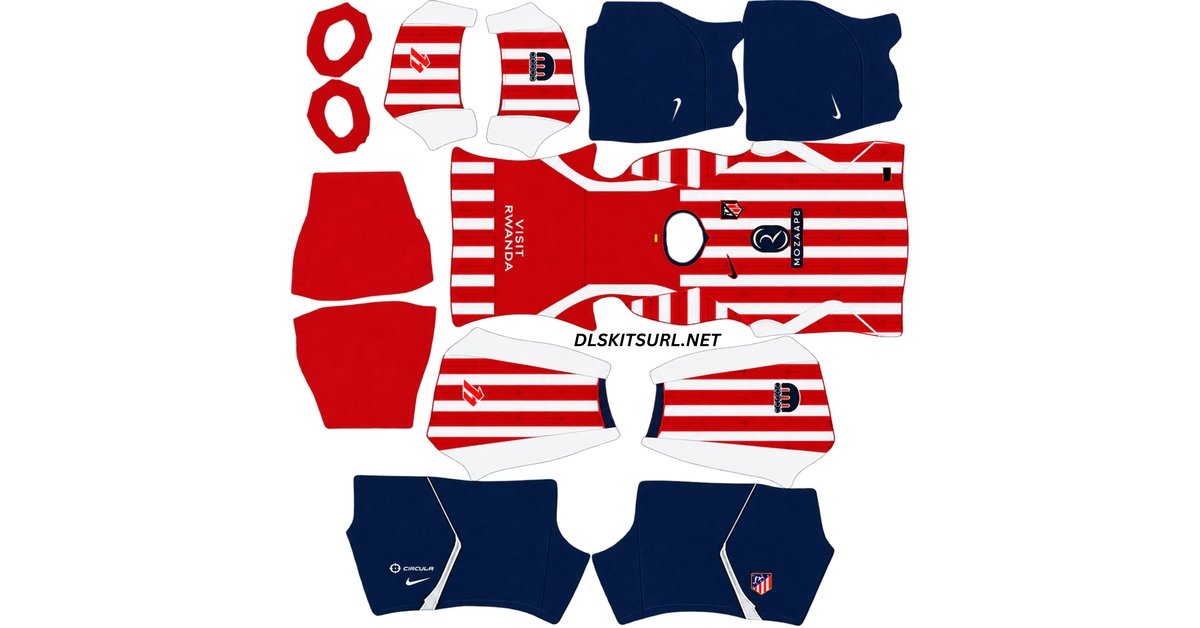
The Atletico Madrid DLS Kit URL 512×512 collection for Dream League Soccer 2026/27 includes the current home, away, third and goalkeeper kits ready for custom import.
Atlético are also one of the clubs where choosing the correct badge matters almost as much as choosing the right shirt.
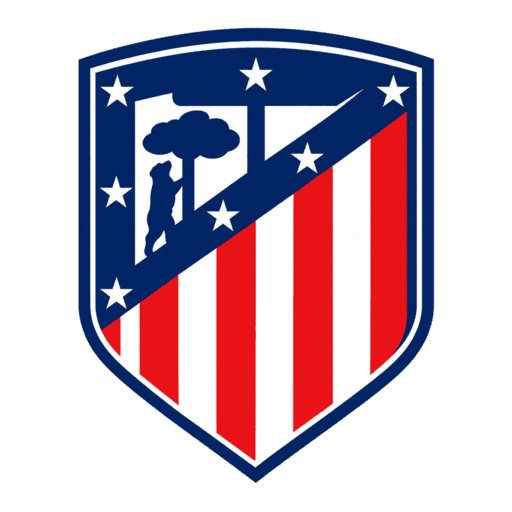
Atlético Madrid Official Logo
Official Logo 512×512
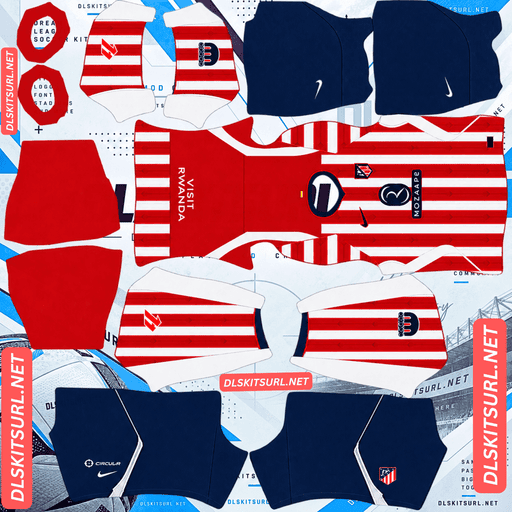
Atletico Madrid Home Kit
Home Kit 512×512 (2026/27)
The club restored its traditional crest after members voted to bring it back, replacing the modernised badge introduced in 2017. At the same time, Atlético’s 2026/27 third shirt uses a separate retro-style crest, meaning several different versions of the badge can still appear on DLS kit and logo pages.
The three shirts also present different challenges when converted to 512×512. The home kit relies on a subtle trident pattern inside narrow red stripes, while the third shirt needs precise template alignment for its horizontal hoops.
[KIT CARDS WITH COPY URL BUTTONS]
The Atlético Madrid Crest Fans Voted to Restore
Atlético Madrid changed their club badge in 2017.
The redesign simplified the traditional crest, giving it a cleaner and more modern appearance.
The change proved unpopular with a large section of the club’s support.
Campaigns calling for the previous crest to return continued for years, and Atlético eventually allowed members to vote on the issue.
Nearly 78,000 club members took part.
Of those, 68,894 voted to restore the traditional badge, representing 88.68 percent of the votes cast.
Only 8,796 members supported keeping the 2017 version.
Atlético had already warned that reversing the redesign would require changes across the club’s branding and could cost millions.
The members still chose to bring the old identity back.
The traditional crest officially returned on 1 July 2024 and has remained Atlético’s main badge since.
Why the Atlético Badge Matters in Dream League Soccer
When Atlético announced the return of the traditional crest, the change went far beyond the shirts.
The badge needed to be updated across the stadium, training and academy facilities, club signage, apps, digital platforms, licensed merchandise, broadcasts and other uses.
Video games were also part of that rollout.
For Dream League Soccer players, the problem is that files using both Atlético badge designs remain online.
The old and new versions are similar enough that they can be difficult to distinguish when displayed as small thumbnails.
Knowing a few details makes identifying the correct one much easier.
Gold Trim on the Atlético Crest
The restored traditional badge includes gold trim.
The modernised 2017 version removed much of that gold detailing and used a flatter visual style.
If an Atlético logo looks especially simplified and lacks the traditional gold treatment, check whether it is the 2017 version.
Bear and Strawberry Tree Detail
Both versions include the bear and strawberry tree taken from Madrid’s coat of arms.
The difference is in how those elements are drawn.
The traditional crest gives them more depth and detail, including a green tree, brown trunk and a more detailed black bear.
The 2017 badge simplified these elements into a flatter design.
This can be harder to see in a small DLS logo preview, so opening the full PNG before importing it is useful.
Atlético Crest Stripe Thickness
The red stripes inside the traditional crest are also thinner.
The modernised version altered the proportions as part of the overall simplification.
When comparing two apparently similar Atlético logo files, stripe width can therefore provide another clue.
Atlético Crest Shape
The restored badge returns to Atlético’s traditional shield outline.
The 2017 design used a cleaner and more streamlined silhouette.
The differences are subtle when the badge is small, but much easier to see when both versions are placed side by side.
Atlético Third Kit Uses Another Crest
The badge situation becomes even more interesting with the 2026/27 third kit.
That shirt uses a retro-styled Atlético crest instead of the standard current version.
This means three different Atlético badges may appear in kit collections online:
the restored traditional crest used with the current home and away shirts, the retro crest used on the third kit, and the discontinued 2017 badge that remains attached to older files.
Dream League Soccer normally uses one club logo across every kit.
That means you need to choose which identity you want your team to display.
If you mainly use the home or away shirt, the restored classic crest is the closest match.
If the third kit is your main strip, the retro badge can provide a more accurate visual combination.
The 2017 modernised crest belongs to an earlier period rather than the current setup.
Atlético Madrid Home Kit 2026/27
Atlético’s home shirt keeps the club’s famous red and white stripes but adds several details that distinguish it from previous seasons.
The official colours are listed as White, University Red and Deep Loyal Blue.
The blue is darker than the royal-blue tone used previously and is similar to the shade seen on Atlético’s 2022/23 away kit.
A navy V-neck finishes the upper part of the shirt, while blue shorts and socks complete the strip.
The most interesting detail, however, sits inside the red stripes.
Neptune Trident Pattern on the Atlético Home Kit
A subtle trident pattern is worked into the red sections of the home shirt.
The idea comes from Madrid’s Fountain of Neptune, where Atlético supporters traditionally gather to celebrate major trophies.
Instead of printing a large Neptune graphic on the jersey, the design uses the trident as a tonal detail inside the stripes.
This keeps the shirt traditional from a distance while adding a local reference when viewed more closely.
For Dream League Soccer players, it is also one of the most important details to check before importing a kit.
Why the Atlético Home Kit Needs a Good 512×512 PNG
The trident graphic is deliberately subtle.
It uses tonal shading within an already narrow red stripe.
That combination gives the image very little room to preserve the design when the source file is small.
If someone takes a low-resolution shirt image and simply enlarges it to 512×512, the tonal differences can disappear.
The red stripes then look completely flat.
A plain stripe does not necessarily mean the real shirt lacks the trident.
It can simply mean the Atlético Madrid DLS kit file has lost the detail during resizing or compression.
Atlético Madrid Away Kit 2026/27
Atlético’s 2026/27 away shirt was released on 18 May 2026 and moves away from the club’s traditional colour combinations.
The base is black.
Fluorescent green is used for the Nike Swoosh, Atlético crest and Riyadh Air sponsor, creating a strong contrast against the dark background.
There is also a subtle tonal geometric pattern running through the fabric.
Black shorts and socks complete the kit.
The colour combination makes this shirt one of the easiest of the three to identify.
If a file labelled as the current Atlético away kit is mainly red, white or blue, it belongs to another season.
Why the Atlético Away Kit Is Easier to Recreate
Of Atlético’s three outfield shirts, the away kit is the most forgiving when converted into a DLS template.
Black and fluorescent green naturally create strong contrast.
That means the major design elements remain easier to see even if the image quality is not perfect.
The tonal pattern can still lose some definition in a poor PNG, but the overall identity of the shirt normally survives better than the subtle trident detailing on the home kit.
Atlético Madrid Third Kit 2026/27
Atlético’s third shirt became available on 24 August 2026.
It uses a light grey base officially called Light Pumice, combined with Obsidian navy and Salsa Red.
Horizontal red and navy hoops run across the torso, back and sleeves.
The shirt also includes an Obsidian polo collar with red trim.
Grey shorts complete the main look.
Grey has been relatively uncommon in Atlético’s kit history, making this one of the more unusual shirts in the 2026/27 collection.
Why the Atlético Third Kit Tests Template Alignment
Horizontal hoops are one of the most demanding patterns to recreate on a Dream League Soccer template.
The problem is continuity.
A horizontal stripe has to line up across the front of the shirt, continue around both side seams, match the back, and then connect correctly with the sleeve sections.
If the PNG was created using the wrong template, those areas stop lining up.
One hoop may suddenly sit higher on the back than on the front.
A stripe may break at the side seam.
The sleeve pattern may start at the wrong height.
These problems cannot be fixed through an in-game setting because they are built into the image itself.
How to Check the Atlético Third Kit Alignment
Look closely at the horizontal red and navy hoops after importing the shirt.
They should continue naturally around the player model.
If a stripe suddenly jumps upward or downward at a seam, the file may have been created for a different DLS template.
Also check the sleeves.
The pattern should continue into them rather than stopping unexpectedly at the shoulders.
A correctly prepared Atlético Madrid third kit 512×512 PNG should keep those lines reasonably consistent across the model.
Which Atlético Madrid Kit Is Hardest to Recreate?
The three shirts present different levels of difficulty.
The home kit is the most demanding in terms of resolution because the Neptune trident is tonal and sits inside relatively narrow red stripes.
The third kit is the most demanding for template alignment because horizontal hoops need to meet correctly across several different zones.
The away kit is the most forgiving thanks to its high-contrast black and fluorescent green colour scheme.
Understanding those differences makes it easier to diagnose a bad kit file.
A flat home shirt usually points to missing resolution.
A misaligned third shirt usually points to the wrong template.
How to Check Atlético DLS Kit Image Quality
A simple edge test can help identify an enlarged image.
Open the PNG at full size and zoom in on a clean boundary.
The edge of one of the third shirt’s hoops is a good place to check.
You can also inspect the home kit’s collar trim.
The line should appear reasonably crisp.
If it spreads into a soft blur across several pixels, the original source image may have been smaller than 512×512.
A file can technically have 512×512 dimensions while still being an enlarged low-resolution image.
How to Use an Atlético Madrid DLS Kit URL
Importing an Atlético Madrid DLS kit URL into Dream League Soccer only takes a few steps.
First, copy the direct image link using the Copy URL button on the kit card.
Avoid copying the normal page address unless you know it points directly to the PNG.
Open Dream League Soccer and go to My Club.
Choose Customise.
Some versions may display this as Customise Team.
Open the Kit section rather than Logo.
Select the kit slot you want to replace.
Tap Custom Kit.
Older versions of Dream League Soccer may show this option as Download.
Paste the direct image URL into the field and confirm.
Repeat the process for each slot you want to customise.
Atlético Madrid Goalkeeper Kit in DLS
The goalkeeper kit uses its own custom slot.
Import it in the same way as the home, away and third shirts.
Completing all four kit slots gives your Atlético team a much more consistent appearance than leaving the goalkeeper in a default Dream League Soccer design.
The club badge should be imported separately through the Logo section.
Unlocking Custom Kits in Dream League Soccer
If you have never imported a custom kit before, Dream League Soccer may first require the feature to be unlocked.
The source material describes this as a one-time in-game gem payment.
Once custom kits are unlocked, you can continue replacing shirts without paying separately for every import.
Check the Atlético Kit URL in Your Browser First
Test the URL before pasting it into Dream League Soccer.
Open the link in your browser.
The kit image should appear by itself rather than inside a normal webpage.
If you see menus, headers, buttons or adverts around the shirt, you probably copied the page address rather than the direct image URL.
Dream League Soccer needs access to the actual image file.
A direct kit link commonly points to a .png image.
On desktop, right-click the image and choose Open image in new tab.
You can then inspect both its quality and dimensions.
A standard custom DLS kit should use a 512×512 layout.
Why Atlético Madrid DLS Kit URLs Stop Working
Even a properly prepared Atlético Madrid DLS kit URL can stop working later.
The most common problems involve the image-hosting service rather than Dream League Soccer itself.
Free Image Hosts Delete Files
Many DLS kit creators store their PNG files on free image hosts.
Those services may eventually remove old or inactive uploads.
The original webpage can remain online even though the image itself is gone.
That leaves a kit URL that appears valid but no longer returns anything.
Hotlink Protection Can Block DLS
Some hosts enable hotlink protection.
This allows an image to load when you visit it directly but prevents another website or application from requesting the same file.
That explains why an Atlético kit URL can work perfectly in your browser and then fail when pasted into Dream League Soccer.
If that happens, the problem may be the server rather than your game.
Another direct image URL is usually required.
The Preview and Kit URL May Be Different Files
Some DLS websites display a preview stored on one server while the Copy URL button points to another image host.
If that external image disappears, the preview can continue working normally.
You only discover the broken link when trying to import the kit.
Using the same hosted file for the visible kit and copied URL helps avoid this problem.
Save Your Atlético Madrid DLS Kit URLs
Once you find Atlético kit files and a badge that work properly, save the links somewhere outside Dream League Soccer.
A notes app is enough.
This is particularly useful with Atlético because there are several badge versions still circulating online.
Finding the correct restored crest, or deciding to use the retro third-kit badge instead, takes more effort than simply downloading the first logo you see.
Kit files can also vary considerably in quality, especially with the home trident and third-shirt hoops.
If you reinstall Dream League Soccer or change phones, you may need to import everything again.
Saving your Atlético Madrid DLS kit URL links and badge URL means you will not need to repeat that work.
Atlético Madrid DLS Kit URL FAQ
What Is an Atlético Madrid DLS Kit URL?
An Atlético Madrid DLS kit URL is a direct image link to an Atlético shirt prepared for Dream League Soccer.
The standard custom kit format uses a 512×512 PNG, which you paste into the game’s custom kit section.
Which Atlético Madrid Badge Is the Current One?
Atlético currently use the traditional crest that was worn between 1947 and 2016.
It officially returned on 1 July 2024 after club members voted to restore it.
The modernised badge introduced in 2017 is no longer the club’s main crest.
How Do I Tell the Two Atlético Madrid Crests Apart?
The traditional crest includes gold trim, thinner red stripes and more detailed treatment of the bear and strawberry tree.
The 2017 version uses a flatter, simplified appearance and removes much of the traditional gold detailing.
Did Atlético Madrid Fans Vote to Restore the Badge?
Yes.
Nearly 78,000 Atlético members participated in the vote.
A total of 68,894 members, or 88.68 percent of those voting, supported restoring the traditional crest.
Why Is the Atlético Madrid Away Kit Black in 2026/27?
The current away shirt uses a black base with fluorescent green branding and crest details.
It represents a clear break from more traditional Atlético change-kit colours.
The shirt was released on 18 May 2026.
What Is the Pattern in the Atlético Madrid Home Stripes?
The red stripes contain a subtle trident pattern inspired by the Fountain of Neptune in Madrid.
Atlético supporters traditionally gather around Neptune to celebrate major titles.
The graphic is tonal, so it can be difficult to see in a poor-quality DLS kit file.
Why Are My Atlético Home Kit Stripes Plain Red?
The Neptune trident uses subtle shading inside narrow red stripes.
When a source image is too small or heavily compressed, those tonal differences can disappear.
A better-quality 512×512 Atlético Madrid DLS kit PNG should preserve more of the pattern.
Why Do the Hoops on My Atlético Third Kit Not Line Up?
The horizontal stripes need to match across the front, side seams, back and sleeves.
If the PNG was created for a different Dream League Soccer template, those sections may sit at different heights when wrapped around the player.
The problem is in the kit layout rather than an in-game setting.
Why Does an Atlético Madrid Kit URL Work in My Browser but Not in DLS?
The image host may be using hotlink protection.
This can allow the PNG to open normally in your browser while blocking Dream League Soccer from requesting the file externally.
Using another direct PNG URL hosted on a service that permits external access usually solves the problem.
Do Atlético Madrid Custom Kits Survive a Reinstall?
You may need to import your Atlético custom kits again after reinstalling Dream League Soccer or moving to another device.
Save your Atlético Madrid DLS kit URL links and chosen badge URL somewhere outside the game so they are easy to restore later.