
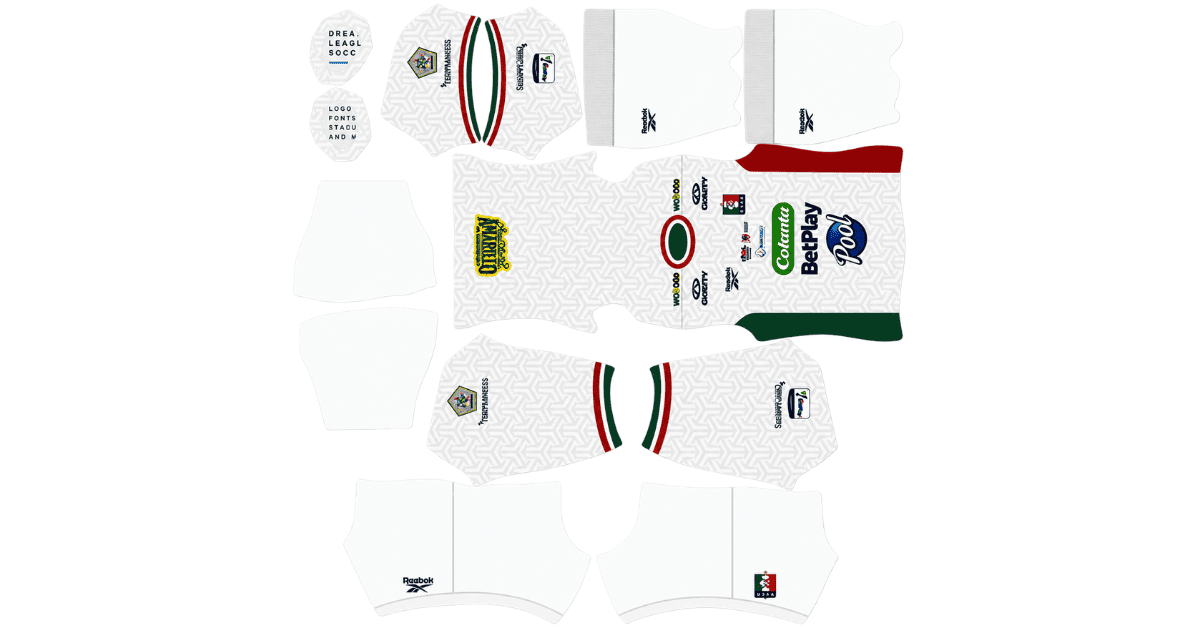
An Once Caldas DLS kits URL gives you a direct link to a 512×512 PNG shirt that you can import into Dream League Soccer. All four kit slots are covered below, and each file has been loaded into the game before being listed here.
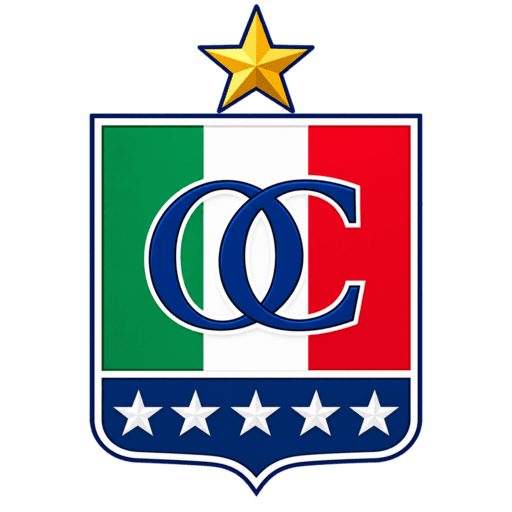
Once Caldas Logo
Official Logo 512×512 (2026/27)
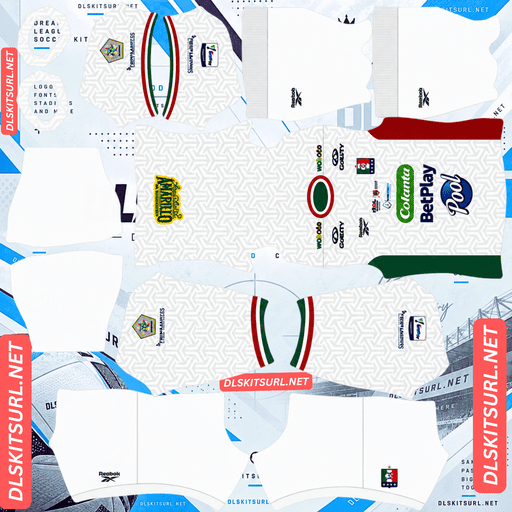
Once Caldas Home Kit
Home Kit 512×512 (2026/27)
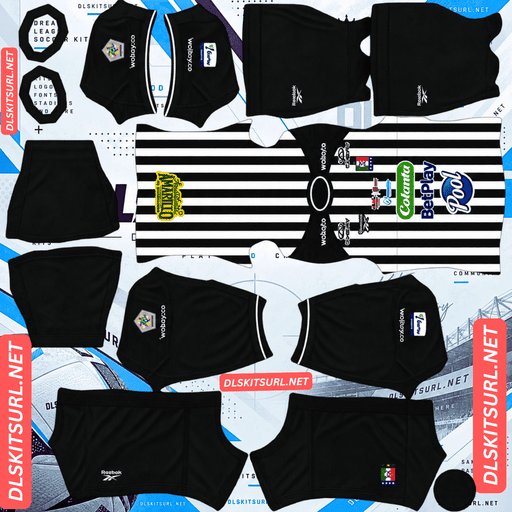
Once Caldas Away Kit
Away Kit 512×512 (2026/27)
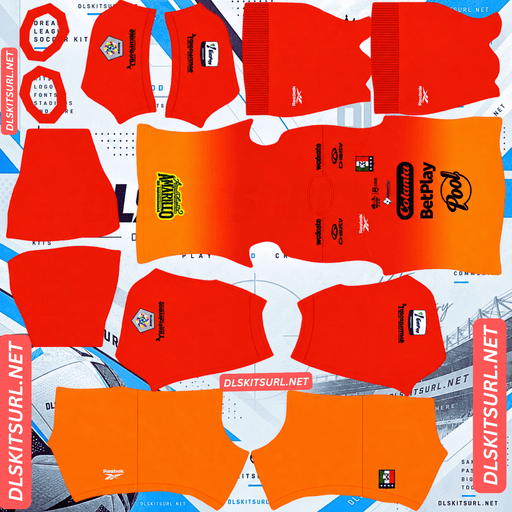
Once Caldas GK Home Kit
GK Home Kit 512×512 (2026/27)
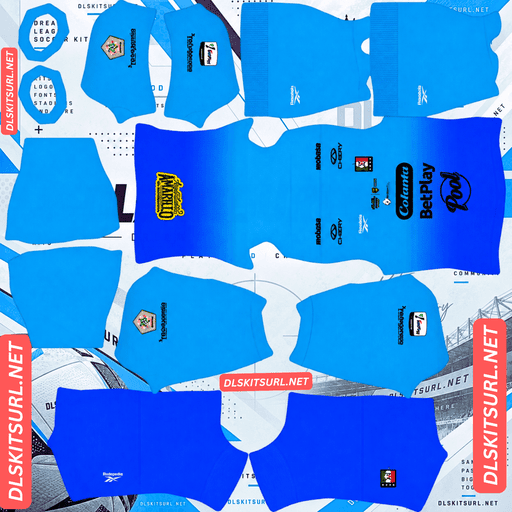
Once Caldas GK Away Kit
GK Away Kit 512×512 (2026/27)
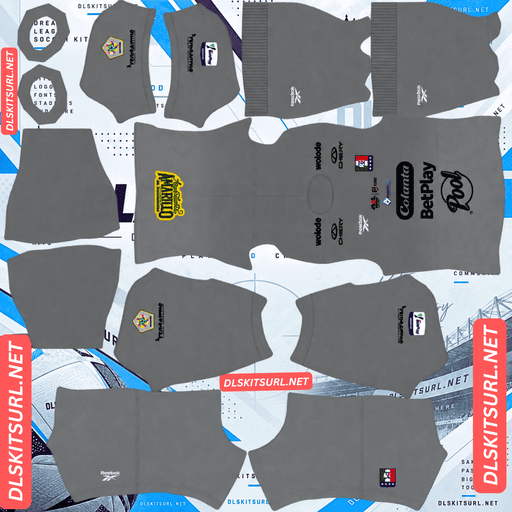
Once Caldas GK Third Kit
GK Third Kit 512×512 (2026/27)
Once Caldas has attracted unusually strong attention for a Colombian Primera A club, with its 2026 shirts drawing roughly ten times the attention of many other league releases. That gives you more options when choosing the right kit for your team.
Reebok Replaced Hillside in 2026
Reebok became Once Caldas’ kit supplier in 2026, as the international brand returned to football.
The deal replaced Hillside, the Colombian sportswear brand that supplied Once Caldas through 2023 and continues to produce kits for Deportivo Cali.
Why Once Caldas Kits Are Easier to Find
Having an international supplier gives Once Caldas an advantage when it comes to finding kit files online.
Reebok’s return to football received wider attention during the same period that the brand supplied kits for Panama’s World Cup squad, Botafogo, Club Tijuana and Hibernian. That broader coverage also helps bring attention to Once Caldas’ shirts.
Compare that with Colombian clubs using brands such as Deportivo Cali’s Hillside, Águilas Doradas’ Aerosport or Boyacá Chicó’s Geus, which have a much smaller international presence.
One quick dating check is the supplier logo. A Hillside logo on an Once Caldas shirt points to an older design from 2023 or earlier, rather than the club’s 2026 Reebok range.
Three Outfield Kits and Several Other Designs
For 2026, Reebok released home, away and third kits, alongside three goalkeeper designs, a pre-season home shirt, a pre-match shirt, two training shirts and four travel pieces.
Dream League Soccer gives you three outfield kit slots and one goalkeeper slot. That means the home, away and third shirts fit neatly into the first three slots, while you can choose one of the three goalkeeper designs for the fourth.
Choose the goalkeeper shirt that contrasts most clearly with your outfield kits. The aim is to make the keeper easy to distinguish from both teams during a match.
The home and away designs have also received strong responses from supporters, with hundreds of votes contributing to their ratings. That level of engagement is relatively unusual for a Colombian club and helps explain why the files are likely to circulate more widely than those of many other Primera A teams.
Choose the Right Number Colours for White Kits
Once Caldas are known as El Blanco Blanco, meaning “The White White.” A white-based shirt looks clean on the pitch, but it requires a little extra attention when setting up your DLS kit.
Dream League Soccer uses two small colour swatches in the kit template to control the numbers: one for the shirt and another for the shorts. These colours are separate from the imported shirt image.
The most common mistake is choosing white numbers for a white shirt. White numbers on a white background are almost impossible to see, and the kit preview may not reveal the problem because it shows the shirt design rather than the finished numbers.
Use these combinations as a starting point:
White home kit: Red or black numbers, depending on the shirt’s trim.
Dark alternative kit: White numbers for clear contrast at the game’s small player scale.
Remember to set the shirt and shorts number colours separately. Once Caldas can pair a white shirt with shorts in another colour, so a combination that works on the shirt may not work on the shorts.
White Is a Neutral Colour on the Pitch
Players appear relatively small in Dream League Soccer, so kit visibility depends partly on how clearly the shirt separates from the grass.
White generally stands out against the green pitch. It is not a difficult colour to see in the way that some shades of green can be.
The main difference is that white creates contrast without necessarily giving the shirt much internal definition. The collar, cuffs and any red or black detailing help establish the shape of the kit.
That makes the trim particularly important on Once Caldas shirts. When choosing a file, check those details rather than judging the design by its white background alone.
What to Check in an Once Caldas Kit File
White shirts leave compression artifacts fewer obvious details to hide behind, so inspect the parts of the design that should have clean, defined edges.
Collar and cuffs: The trim should look sharp, not blurred or smeared.
Crest and sponsor: Both should remain recognisable rather than appearing soft or pixelated.
Colour boundaries: Any transition between white and another colour should have a clear edge.
If those details look clean, the file is more likely to hold up well in the game.
Also check the image’s actual dimensions. On a computer, open the image in a new browser tab or inspect its image properties. Confirm that it really measures 512×512 pixels. A filename containing “512×512” does not prove that the image has those dimensions.
How to Identify a Current Once Caldas Kit
Use these four checks to distinguish the 2026 designs from older shirts or other club apparel.
Look for Reebok branding. A Hillside logo points to an older Once Caldas design from 2023 or earlier.
Compare the shirt with the kit cards above. Do not rely on a season label in the filename alone.
Make sure it is a match kit. Reebok also produced pre-match, training and travel apparel, which should not be confused with the home, away or third shirt.
Check goalkeeper designs carefully. Three goalkeeper options exist for 2026, so confirm which one you are importing.
These checks are more reliable than assuming every image labelled “Once Caldas 2026” is the correct match shirt.
How to Use an Once Caldas DLS Kits URL
Importing the kit is straightforward once you have the direct image link.
Copy the URL using the button on the kit card. Copying your browser’s address bar may give you the webpage address instead of the image itself.
Open Dream League Soccer and go to My Club.
Select Customise, then open Kit. Do not choose Logo, which is used for the club badge.
Select the slot you want to replace: home, away, third or goalkeeper.
Press and hold the URL field, choose Paste, then tap Confirm. Some older game versions may use the label Download.
Repeat the process for the other slots you want to customise.
Choose the correct slot before pasting a link, because the selected slot is the one that gets replaced.
Once all three outfield shirts are imported, choose one goalkeeper design for the fourth slot. This lets you use the complete set on your team screen rather than leaving the default goalkeeper kit in place.
The first custom kit requires a one-time gem unlock. After that, changing your kits does not cost additional gems.
Test the Kit Link Before Importing It
Before opening the game, test the URL in your browser.
A working direct image link should open the shirt by itself, without a surrounding webpage, navigation menu or extra buttons. The address should end in .png.
If the link opens a webpage containing the image, it may be a viewer page rather than a direct image URL. Dream League Soccer needs access to the image file itself, so use a direct link instead.
Why Do Once Caldas Kit URLs Stop Working?
A kit link can stop working for several reasons, even if the image was available when you first found it.
1. The Image Host Deletes the File
Some free image-hosting services remove uploads after long periods of inactivity. The URL may still look normal, but the image behind it no longer exists.
Once Caldas files may be easier to find again because Reebok’s wider football coverage helps keep the designs in circulation. However, that does not guarantee that any particular link will remain active.
2. Hotlink Protection Blocks the Game
Some image hosts prevent other websites or apps from loading their files directly. Your browser may display the image when you click the link, while Dream League Soccer’s request gets rejected.
This explains why a URL can appear to work in a browser but fail when pasted into the game.
3. The Preview Uses a Different Image
Some pages display a thumbnail hosted on their own server while the copy button points to an image stored elsewhere. The preview can continue to work even after the linked file becomes unavailable.
For the most reliable import, check that the image you preview and the URL you copy point to the same file. The kit cards above are intended to provide that direct connection.
Importing the Once Caldas Badge
You can add the club crest during the same customisation session, but use Logo instead of Kit.
The badge is especially noticeable on a white-shirted team. When the shirt has a pale base and relatively little internal contrast, the crest provides another clear point of colour and identity beside the score.
Dream League Soccer crops imported badges into a circle. Choose an image with enough empty space around the complete design instead of one trimmed tightly against the artwork.
Pay particular attention to the stars above the crest, which represent the club’s titles, including its 2004 Copa Libertadores victory. Because the stars sit above the main emblem, they can be among the first details lost when a circular crop cuts too close to the top.
Leave enough padding around the entire crest so the stars and the main design remain visible after cropping.
Supporters importing badges for clubs such as Millonarios, São Paulo and Grêmio, as well as Cape Verde, can run into a similar issue when their emblems contain details close to the edges.
How to Keep Your Once Caldas Kits
Custom kits are generally stored on your device rather than attached permanently to your account. A routine game update may leave them intact, but reinstalling the game or moving to a new phone can mean importing them again. Your badge may need to be restored too.
With three outfield kits, three goalkeeper designs and several other pieces of 2026 apparel available, it is easy to lose track of the files you wanted to use.
Before importing anything, save all four selected kit links in a notes app. Keep the badge URL there as well. That small step makes it much easier to restore your Once Caldas setup if you change devices or need to reinstall the game.
Frequently Asked Questions About Once Caldas DLS Kits
What is an Once Caldas DLS kits URL?
An Once Caldas DLS kits URL is a direct link to a 512×512 PNG shirt that you can import through Dream League Soccer’s Kit menu. A working direct image URL commonly ends in .png.
Who makes Once Caldas’ kits in 2026?
Reebok is the club’s kit supplier from 2026, following the brand’s return to football. Hillside supplied Once Caldas previously, so a Hillside-branded shirt is an older design from 2023 or earlier.
Are Once Caldas DLS kit files easier to find than those of other Colombian clubs?
The club’s Reebok partnership and the wider coverage of the brand’s return to football can make its shirts easier to discover. The 2026 Once Caldas kits have also attracted more supporter attention than many other Colombian Primera A releases.
What number colour should I use on the Once Caldas white home kit?
Red or black is a good starting point, depending on the trim of the shirt. White numbers disappear against a white background, so make sure you also check the shorts’ number colour separately.
How can I check the quality of an Once Caldas kit file?
Inspect the collar, cuffs, crest, sponsor and edges where white meets another colour. These details should look sharp rather than blurred. You should also confirm that the image’s actual dimensions are 512×512 pixels.
How many Once Caldas kits are available for 2026?
The 2026 range includes three outfield kits—home, away and third—along with three goalkeeper designs. It also includes pre-match, training, pre-season and travel apparel.
Is white difficult to see in Dream League Soccer?
No. White generally stands out clearly against the green pitch. The main consideration is that a white shirt may have less visible internal definition, making its collar, cuffs and coloured trim important for a clear silhouette.
Why are the stars missing from my Once Caldas badge?
Dream League Soccer crops imported badges into a circle, and stars positioned above the crest can be cut off if the image is too tightly cropped. Use a badge image with sufficient empty space around the top and sides of the full design.