
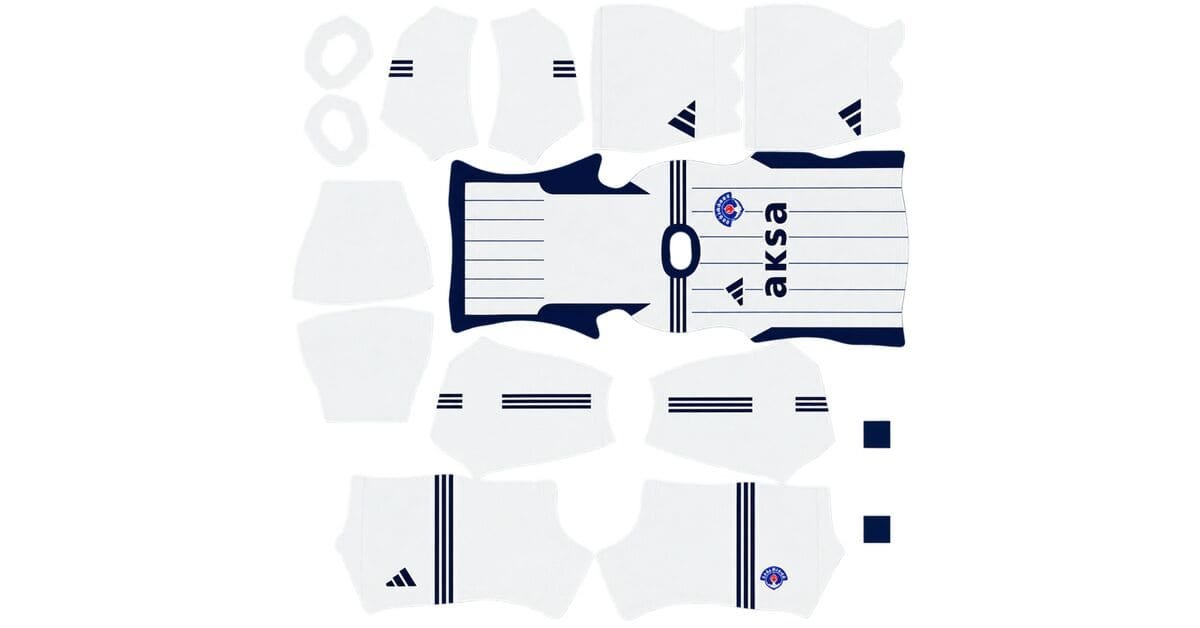
A Kasımpaşa DLS kits URL gives you a direct link to a 512×512 PNG shirt that you can import into Dream League Soccer. The four kit slots are listed below, and every image has been loaded into the game before being added to this page.
Kasımpaşa Logo
Official Logo 512×512 (2026/27)
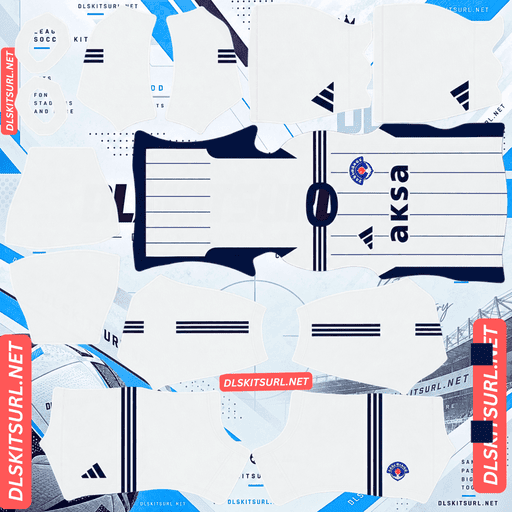
Kasımpaşa Home Kit
Home Kit 512×512 (2026/27)
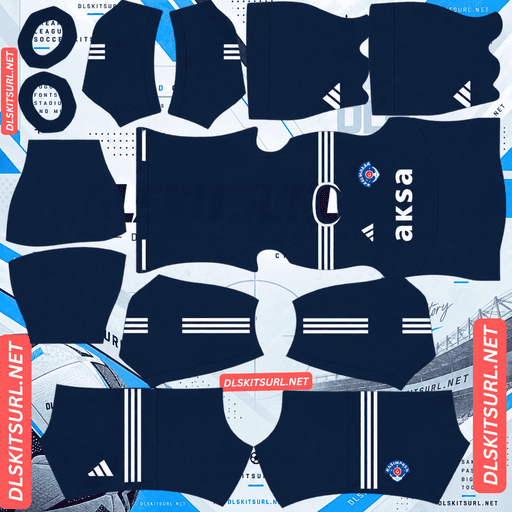
Kasımpaşa Away Kit
Away Kit 512×512 (2026/27)
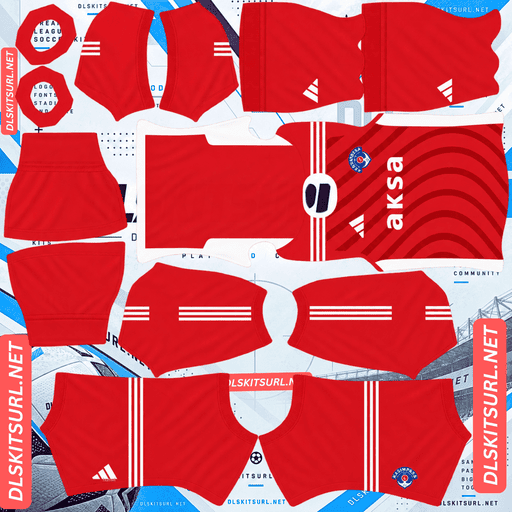
Kasımpaşa Third Kit
Third Kit 512×512 (2026/27)
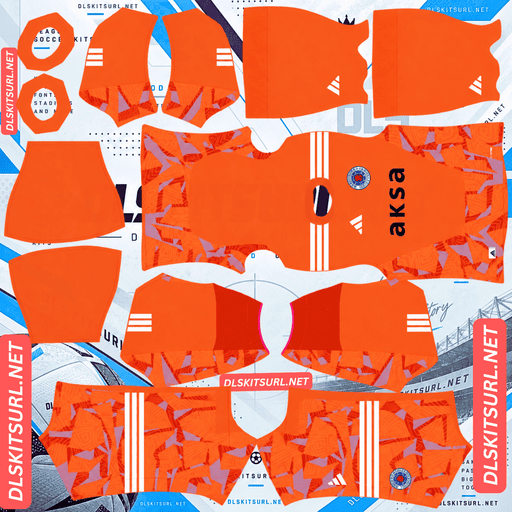
Kasımpaşa GK Home Kit
GK Home Kit 512×512 (2026/27)
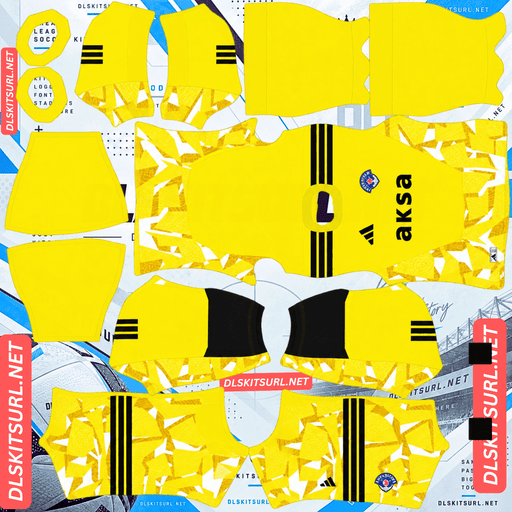
Kasımpaşa GK Away Kit
GK Away Kit 512×512 (2026/27)
Kasımpaşa’s traditional navy and white colours work well in DLS. They stand out clearly against the pitch and remain easy to recognise during a match, as long as you know which colour combinations can cause visibility problems.
Why navy and white work well in Dream League Soccer
Players appear relatively small during matches in Dream League Soccer, so a kit needs enough contrast to remain recognisable against the green pitch.
Navy works particularly well because it sits far away from the pitch’s green colour. It gives players a clear silhouette at match distance without the muddy appearance that some mid-tone colours can produce.
White adds another advantage. It creates a strong visual contrast with navy, giving the two colours a clear separation rather than relying on subtle tonal differences. That distinction also helps a 512×512 kit image retain its details when displayed in the game.
Overall, navy and white are a reliable combination for DLS kits. The pairing remains easy to recognise across different shirt designs.
Navy’s main weakness is black, not white
Navy becomes harder to distinguish when it appears beside another very dark colour.
Navy and black create one of the lowest-contrast combinations for kit designs. Both colours sit near the bottom of the brightness range, and image compression can make their shades blend together. When that happens, navy-and-black stripes may look like one dark shirt, similar to the problem seen with Strasbourg’s third kit.
Navy and white behave very differently because the contrast between them is much stronger.
When checking a Kasımpaşa kit, pay attention to the colour paired with navy. A navy-and-white design should remain clear, while a navy-and-black or navy-and-charcoal design deserves a closer look to make sure the colours remain separate in the final image.
Five Kasımpaşa kit files for 2026/27
Kasımpaşa’s 2026/27 collection includes three outfield kits — home, away and third — along with two goalkeeper designs.
Dream League Soccer provides three outfield kit slots and one goalkeeper slot. That means the three outfield shirts fit neatly into the available spaces, but you will need to choose between the two goalkeeper designs.
Before making your selection, consider the colours used by the rest of your squad. A goalkeeper should look noticeably different from both teams on the pitch, so choose whichever goalkeeper shirt provides the clearest contrast with your outfield kits.
Check for alternate versions in older Kasımpaşa kits
Kasımpaşa kits can be a little tricky to identify because the club has used alternate versions of the same design in recent seasons.
Kit databases have listed both a home kit and a home V2, as well as an away kit and an away V2, for the previous campaign.
These variations are often small. They might involve a different shorts colour, a modified collar or a sponsor change made during the season. Because the differences are subtle, two versions can look almost identical in a small thumbnail.
As a result, a file labelled simply “Kasımpaşa home” might show either version. If you want your Dream League Soccer team to match a particular season accurately, open the image at full size and compare it with the kit card above instead of relying on the filename alone.
Other clubs, including Flamengo, Atlético Mineiro and Cruzeiro, also use alternate kit versions this season. These changes often involve shorts or socks, details that Dream League Soccer cannot reproduce independently because the game imports the entire strip from a single kit image.
What to check in a Kasımpaşa DLS kit file
Kasımpaşa’s kit designs rely heavily on colour blocking rather than complicated patterns. That makes a few structural details especially important when checking image quality.
Navy and white boundaries: The edges where the two colours meet should be sharp rather than blurred or smeared.
Collar and cuff trim: Small details around the collar and sleeves should have clean, well-defined edges.
Club crest and sponsor: Both should look clear enough to recognise, rather than appearing soft or pixelated.
If these details remain sharp, the image is more likely to deliver the expected level of quality.
You should also check the image’s actual dimensions. On a computer, right-click the image and open it in a new tab or inspect its properties to see its size. A filename containing “512×512” does not guarantee that the image is genuinely 512×512 pixels.
Which number colours work best with Kasımpaşa kits?
Dream League Soccer determines shirt and shorts number colours using two small colour swatches in the kit template. These settings are separate from the imported shirt image, so you need to configure them yourself.
For Kasımpaşa’s colours, these combinations work best:
Navy shirt: Use white numbers for strong contrast and a look that fits the club’s colour palette.
White shirt: Use navy numbers. White numbers on a white shirt can disappear against the fabric.
Mixed-colour shirt: Choose the colour that contrasts most clearly with the upper back, where the shirt numbers appear.
Remember to set the shirt and shorts number colours separately. Kasımpaşa may use a navy shirt with white shorts or a white shirt with navy shorts, so the same number colour will not necessarily work for both pieces.
How to import a Kasımpaşa DLS kits URL
Importing a Kasımpaşa kit is straightforward once you have the correct direct image link.
Copy the URL using the copy button on the relevant kit card. Avoid copying the browser’s address bar, which usually contains the webpage address rather than the image file.
Open Dream League Soccer and go to My Club.
Select Customise, then open Kit. Do not choose Logo, as badge imports use a separate section.
Select the kit slot you want to replace before pasting the link.
Press and hold the URL field, tap Paste, and then select Confirm. Some older versions of the game may label the button Download.
Your three outfield kits can fill the home, away and third slots, leaving the goalkeeper slot for your preferred goalkeeper design. Once everything is imported, check the team screen to make sure the kits have been applied correctly rather than leaving one of the default designs in place.
The first custom kit requires a one-time gem unlock. After that initial unlock, changing your kits does not cost additional gems.
Test the Kasımpaşa kit link before importing it
Before opening Dream League Soccer, test the URL in your browser.
A working direct link should open the kit image by itself, filling the screen without a surrounding webpage, extra buttons or page content. The address should also end in .png.
If the link opens a webpage with a picture embedded inside it, you may have a viewer page rather than a direct image URL. Dream League Soccer needs the actual image file, not the page displaying it.
Checking the link first can save you time and help you avoid failed imports.
Why do Kasımpaşa DLS kit URLs stop working?
There are three common reasons a kit link might stop working. The first can be particularly frustrating for supporters looking for kits from smaller Süper Lig clubs.
Free image hosts remove uploaded files
Free image-hosting services sometimes delete files or remove inactive uploads. Since fewer people may maintain Kasımpaşa kit uploads than kits for Istanbul giants such as Galatasaray or Fenerbahçe, some files can become unavailable over time.
The original URL may still look correct even when the image no longer exists on the server.
Hotlink protection blocks the game
Some image hosts prevent other websites or apps from loading their files directly. This is known as hotlink protection.
It can create a confusing situation: the image opens normally when you click the link in your browser, but Dream League Soccer cannot retrieve it when you paste the same URL into the game.
The preview image and download link are different files
Some kit pages display a thumbnail hosted on one server while providing a link to an image stored somewhere else. The preview may continue to work even after the actual file has disappeared.
For this collection, the displayed shirt and the copied URL point to the same file on the same server, helping avoid that particular problem.
How to add the Kasımpaşa badge in DLS
You can import the club crest during the same customisation session, but you need to select Logo instead of Kit.
Kasımpaşa’s badge includes the club’s name and colours, along with its anchor and maritime references. These details reflect the club’s connection to the Golden Horn, an area associated with Istanbul’s naval history for centuries.
Dream League Soccer crops imported badges into a circular shape. Choose an image with enough space around the complete crest so the edges of the design are not cut off during cropping.
The Turkish lettering around the badge may look softer when displayed beside the match score because the game renders the crest at a small size. That does not necessarily mean the source file is poor quality. The navy-and-white design helps the badge remain recognisable even when the finer lettering is difficult to read.
How to keep your Kasımpaşa kits safe
Custom kits are stored on your device rather than being permanently attached to your game account. They will usually remain after a routine game update, but reinstalling the game or moving to a new phone can mean importing them again. Your custom badge may need to be restored as well.
Because Kasımpaşa has used alternate versions of some kits and offers two goalkeeper designs for this collection, it is worth keeping your chosen files organised.
Save all four kit URLs and your badge link in a notes app before importing them. That way, you can restore your preferred designs without having to search for the files again.
Frequently Asked Questions
What is a Kasımpaşa DLS kits URL?
A Kasımpaşa DLS kits URL is a direct link to a 512×512 PNG shirt that you can import into Dream League Soccer through the kit customisation screen. A working direct link should end in .png.
Are navy and white good colours for DLS kits?
Yes. Navy stands out against the green pitch, while white creates strong contrast against navy. The combination remains easy to recognise in matches and reproduces reliably in a 512×512 kit image.
When does navy become a problem in Dream League Soccer?
Navy becomes harder to distinguish when paired with another very dark colour, especially black. Compression can make the two shades blend together. Navy and white provide much stronger contrast.
How many Kasımpaşa kits are available for 2026/27?
The collection includes three outfield kits — home, away and third — plus two goalkeeper designs. Since Dream League Soccer has only one goalkeeper slot, you must choose which goalkeeper shirt to use.
Why do some Kasımpaşa kit files look almost identical?
Kasımpaşa has used alternate versions of the same kit in recent seasons. These variants may differ only in details such as the shorts colour, collar or sponsor, making them difficult to identify from a thumbnail.
What number colour should I use on Kasımpaşa kits?
Use white numbers on navy shirts and navy numbers on white shirts. For mixed-colour designs, select the colour that contrasts most clearly with the upper back, where the shirt numbers appear. Adjust the shirt and shorts number colours separately.
How can I check the quality of a Kasımpaşa kit file?
Inspect the edges where navy meets white, along with the collar trim, sleeve cuffs, crest and sponsor. These details should appear sharp rather than blurred. Also check the actual image dimensions to confirm that the file is 512×512 pixels.
Which Kasımpaşa goalkeeper kit should I choose?
Choose whichever goalkeeper design contrasts most clearly with your outfield shirts and the opposing team’s kit. The goalkeeper should be easy to distinguish from the other players during a match.