
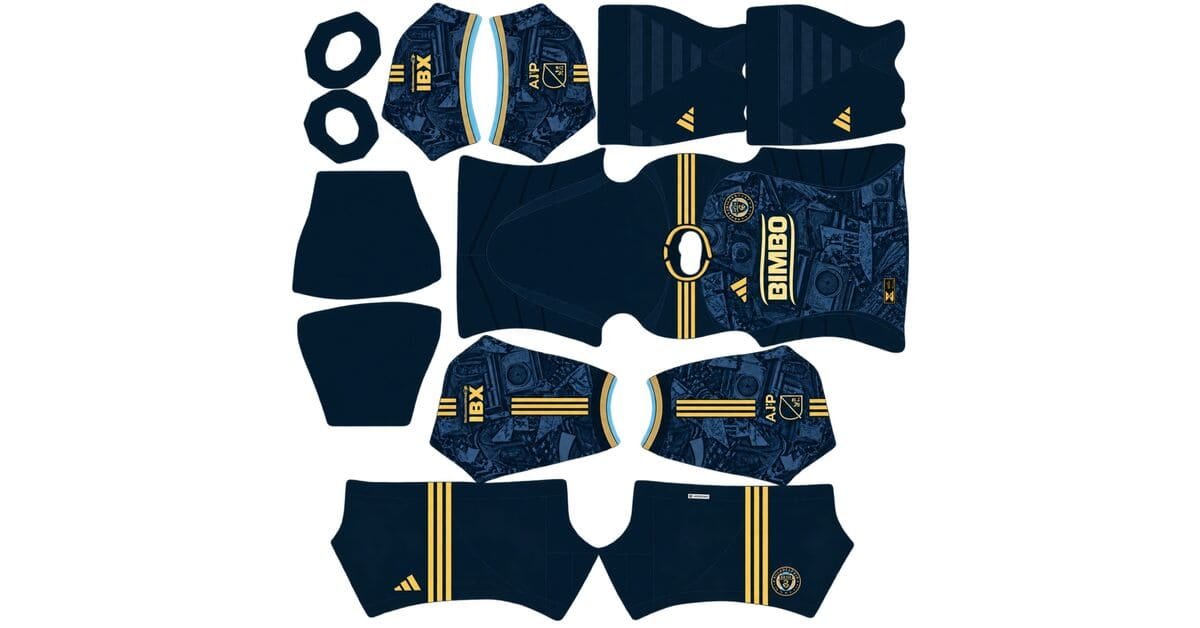
A Philadelphia Union DLS kits URL gives you a direct link to a 512×512 PNG shirt that you can import into Dream League Soccer. All four kit slots are listed below, and each file has been loaded into the game before being added to this page.
Philadelphia Union Logo
Official Logo 512×512 (2026/27)
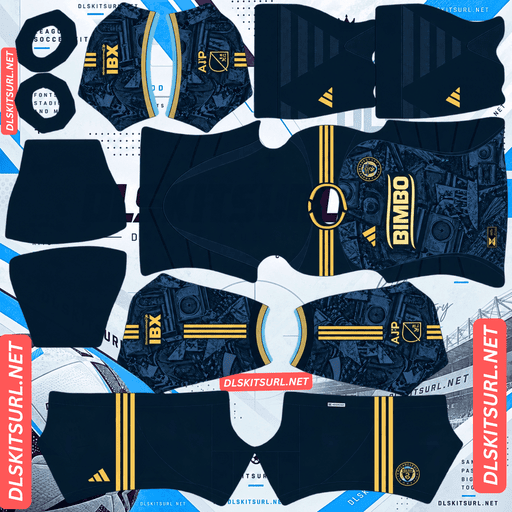
Philadelphia Union Home Kit
Home Kit 512×512 (2026/27)
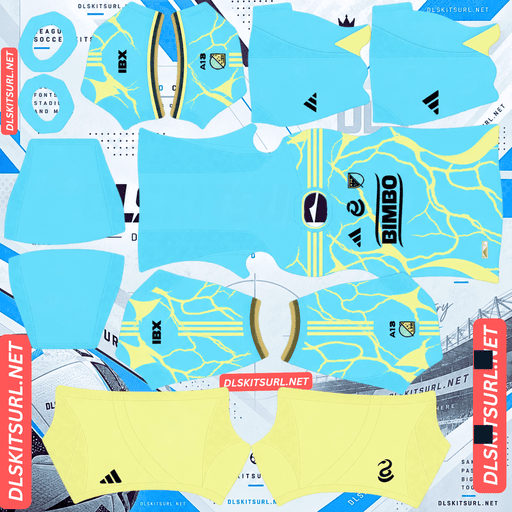
Philadelphia Union Away Kit
Away Kit 512×512 (2026/27)
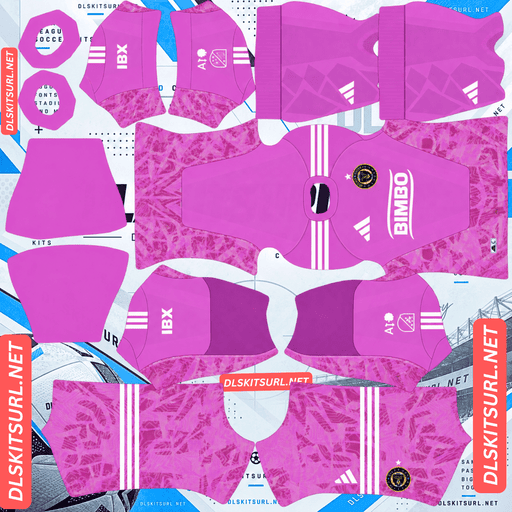
Philadelphia Union GK Home Kit
GK Home Kit 512×512 (2026/27)
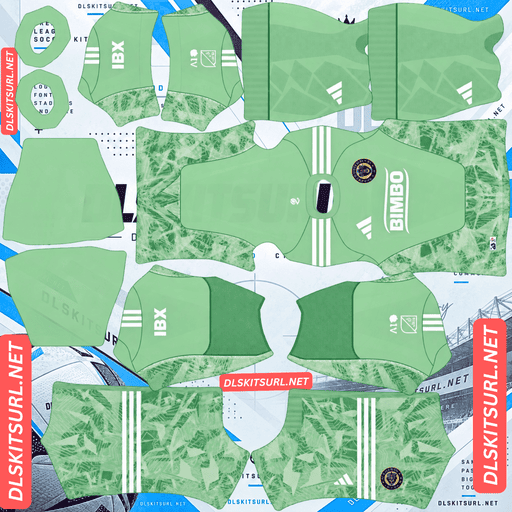
Philadelphia Union GK Away Kit
GK Away Kit 512×512 (2026/27)
Philadelphia released three kits in 2026, but the third one comes with an unusual detail: it replaces the regular club crest with a completely different symbol. That means choosing the right badge is part of setting up the kit.
The Philly Kit replaces the club crest with a snake
Released in August 2026, the Philly Kit is Philadelphia Union’s entry in the adidas x MLS Archive Collection, a league-wide range of third shirts inspired by retro football and local sports culture.
The shirt uses a cream, off-white base with a vintage look drawn from the 1970s and 1980s. Navy, light blue, red and gold provide the colour accents, while a retro PHILLY wordmark and a navy Philadelphia skyline silhouette give it a distinctly local identity.
The biggest departure from the regular Union shirt is the badge. Instead of the usual club crest, the design features a minimalist navy coiled snake. The Liberty Bell also appears wrapped by the Union snake.
Choosing the right badge matters
Dream League Soccer displays a single crest across your team, regardless of which kit the players wear. It also places that crest over the chest area of the imported shirt, covering whatever artwork is underneath.
For Philadelphia, the two badge choices have different uses:
Home and away: Use the standard Philadelphia Union crest.
Philly Kit third: The minimalist coiled snake is the accurate choice.
If you plan to use the Philly Kit as your main strip, look for the snake badge. The regular crest does not match a shirt designed around a much simpler snake symbol.
Philadelphia is also the third club in a row to make a different badge part of its Archive Collection third kit. CF Montréal brought back the Montreal Impact crest, Vancouver used the Vancouver 86ers logo, and Philadelphia replaced its usual crest with a snake. If you are building several MLS teams around these Archive Collection shirts, expect to make a separate badge decision for each one.
What survives on the Philly Kit in DLS?
Most of the design should come through clearly, largely because of where the artwork sits.
The skyline silhouette and PHILLY wordmark are positioned across the chest and body. These areas receive the most space and pixels in the DLS kit template, unlike small details placed around collars or cuffs.
The colour combination also helps. Navy against cream creates a strong contrast, giving the skyline a clear outline rather than relying on subtle changes in shade.
The skyline itself is made up of bold, angular building shapes. Those defined edges are more likely to remain visible after the image is reduced and compressed than softer or more complicated details.
The skyline and wordmark should therefore be easy to recognise. When checking the imported file, pay particular attention to the edges of the buildings. They should remain separate rather than merging into one large navy shape.
Gold is the detail to watch
The shirt includes gold alongside navy, light blue and red, but gold does not always translate well into a flat kit image.
Metallic gold depends on gradients to create its appearance. It normally needs a highlight, a middle tone and a shadow to look like metal, while a 512×512 image has limited room to reproduce those subtle changes.
The result depends on how the gold is used:
Broad gold accents: These should remain visible, although they may look more like flat yellow.
Thin gold trim or piping: Small details can become difficult to see or disappear altogether.
Navy, light blue and red are standard colours, so they should reproduce much more reliably.
This is the same limitation affecting Sevilla, Udinese, Brest, Amed SK and Atlanta United this season.
The 1776 home kit
Philadelphia Union released its 1776 home kit on 10 February 2026. The name and design draw on the city’s founding documents and landmarks, turning Philadelphia’s history and identity into shirt graphics.
Among supporters, it has become the best-received MLS kit of 2026, with a vote count several times larger than the number attracted by most other MLS releases.
For the DLS version, the important question is how the landmark elements have been reproduced. Check the image at full size and look closely at the treatment of those details:
Contrasting colours: Landmark graphics drawn in a different colour should remain visible.
Tonal designs: Details made from slightly different shades of the navy base may fade into the shirt.
Woven or embossed effects: These depend on fabric texture and will not appear in a flat imported image.
The gold and light blue details are the strongest visual elements to check because they provide contrast against the navy.
Which Philadelphia Union kit works best in DLS?
Kit
Where the main design appears
DLS verdict
Home
Body, with 1776 landmark symbols
Depends on how the symbols are rendered
Away
Compare with the kit card
Check the supplied file
Third
Chest and body, with skyline and wordmark
Expected to come through clearly
The Philly Kit is the safer choice if you want the main design to remain recognisable after importing it. Its skyline and wordmark occupy the areas of the shirt template with the most available pixels.
That is almost the opposite of Vancouver’s Coastal Jersey. Vancouver placed its mountain motif around the collar, where the template has very little space to reproduce it. Philadelphia puts its main artwork across the chest and body.
It is an interesting comparison: the same manufacturer, the same season and the same collection family, but very different results because of artwork placement.
What number colours work on Philadelphia Union kits?
Dream League Soccer does not take the number colour from the imported shirt image. Instead, it reads two small colour swatches in the kit template: one controls the shirt numbers and the other controls the shorts numbers.
For the Union kits, these combinations work best:
Home: Gold or white against navy. White should be the clearest option when the numbers are viewed at their normal in-game size.
Third: Navy, matching the skyline and snake. White is too close to the cream background and can become difficult to read.
Remember to set the shirt and shorts number colours separately.
How visible are the Union kits on the pitch?
Both the navy home shirt and cream third kit should be easy to distinguish during a match, but they achieve that in different ways.
Players appear relatively small in Dream League Soccer, so the main factor is how much the shirt colour stands apart from the green pitch.
The navy home kit has no real blending risk against the grass. It appears as a darker shape, while the gold and light blue details add brightness and help define the shirt.
The cream third kit is a neutral colour that remains visible without needing strong contrast from the base fabric alone. Its navy skyline provides the main structure across the chest. That makes keeping the skyline sharp particularly important.
How to tell if a Philadelphia Union kit file is current
Check these four details before importing a Union kit:
Adidas branding and Bimbo sponsorship should appear on the chest.
The home shirt should be the 1776 design, based on Philadelphia’s founding symbols and landmarks.
The third shirt should have a cream base, navy skyline, retro PHILLY wordmark and minimalist coiled snake in place of the regular crest.
Check the sleeve patch. MLS and Leagues Cup versions both exist, so make sure you choose the one you want.
How to use a Philadelphia Union DLS kits URL
Use the copy button on the kit card rather than copying the address from your browser. The browser address usually points to the webpage, not directly to the PNG image.
Once you have the link, open Dream League Soccer and follow these steps:
Go to My Club.
Tap Customise.
Open Kit — not Logo, which is a separate section.
Select the slot you want to replace: home, away, third or goalkeeper.
Press and hold the URL field, then tap Paste.
Select Confirm to import the shirt. Some older game versions call this button Download.
Choose your slot carefully before pasting. The kit currently displayed in that slot is the one that will be replaced.
The three outfield shirts fill the home, away and third positions, leaving the goalkeeper slot available. Before importing the Philly Kit, decide which badge you want to use. The snake is the correct match for that shirt.
Your first custom kit requires a one-time gem unlock. Once that feature is unlocked, changing or importing kits again does not cost anything.
Test the kit URL before importing it
It is worth checking the link in your browser before opening the game.
A working kit URL should display the image by itself, filling the screen, with an address that ends in .png.
If the image appears inside a webpage with buttons, headers or other controls around it, you are looking at a viewer page rather than a direct image link. Dream League Soccer cannot import that webpage as a kit.
Why do Philadelphia Union kit URLs stop working?
There are three common reasons a DLS kit link can stop working. Only one is immediately obvious when you open it.
Free image hosts delete uploaded files. Some services remove images that have not been accessed for months or years. The original URL may still look valid, but the file behind it is gone.
Hotlink protection blocks outside requests. An image host can prevent other websites and apps from loading its files directly. Your browser might display the image when you open the link, while Dream League Soccer gets refused when it tries to download it.
The preview and the download link point to different files. Some kit pages display a thumbnail hosted on their own server but provide a separate URL for the full image. The preview can continue working even after the actual download file has disappeared.
For the kits on this page, the displayed shirt and the copied URL point to the same file on the same server.
The Philadelphia Union badge: two choices
You can change the team badge in the same Customise menu used for kits. This time, select Logo instead of Kit.
The standard Philadelphia Union crest is a navy and gold shield featuring the rattlesnake and the thirteen stars representing the original colonies.
Dream League Soccer crops imported badges into a circle. Because the Union crest narrows towards the bottom, a tightly cropped image can lose part of the shield. Choose a file with enough clear space around the full design so it fits comfortably inside the circular crop.
The other option is the minimalist coiled snake, which is the correct badge pairing for the Philly Kit.
Its simple design also works particularly well at DLS size. The snake forms a bold, self-contained shape without small lettering or delicate details. That makes it easy to recognise beside the score, where it may actually read more clearly than the full club crest.
Choose the badge that matches the kit you use most often. You can change it later without paying anything.
Keeping your Philadelphia Union kits
Custom kits are saved on your device rather than being stored in your game account. A normal game update will usually leave them in place, but reinstalling Dream League Soccer or moving to a new phone can mean losing both your kits and badge.
Philadelphia takes a little more setup than most teams because there are two badge designs worth keeping. Before importing anything, save all four kit URLs in a notes app, along with links to both badge versions.
That way, you can restore your preferred Union setup without having to search for the files again.
FAQ FOR RANK MATH
What is a Philadelphia Union DLS kits URL?
A Philadelphia Union DLS kits URL is a direct link to a 512×512 PNG shirt that you can paste into Dream League Soccer’s kit screen. A working direct image link ends in .png.
What is the Philly Kit?
The Philly Kit is Philadelphia Union’s 2026 third shirt from the adidas x MLS Archive Collection. It has a cream base with a 1970s and 1980s vintage sports look, a retro PHILLY wordmark, a navy Philadelphia skyline and a minimalist coiled snake instead of the regular club crest.
Which badge should I use with the Philly Kit?
Use the minimalist coiled snake. It matches the symbol on the actual shirt. The standard Philadelphia Union crest is the better choice for the home and away kits.
Does the skyline graphic survive in DLS?
Yes. The skyline sits across the chest and body, where the kit template has the most pixels available. Its navy colour contrasts strongly with the cream base, and its bold, angular shapes should remain clear after importing.
What is the 1776 home kit?
The 1776 is Philadelphia Union’s 2026 primary home shirt, released on 10 February 2026. Its design takes inspiration from Philadelphia’s founding documents and landmarks. It is also the best-received MLS kit of the season among supporters.
Will the gold detailing look gold?
Only partly. Metallic gold relies on gradients to create highlights and shadows. Broad gold accents should remain visible as flat yellow, but thin trim and piping may disappear. Navy, light blue and red should reproduce properly.
What number colour should I use on the third kit?
Use navy. It matches the skyline and snake and stands out against the cream shirt. White is too close to the base colour and may be difficult to read.
Which Philadelphia Union kit works best in DLS?
The Philly Kit third is the safest choice. Its skyline and PHILLY wordmark sit across the chest and body, where the kit template provides the most pixels for the design.