
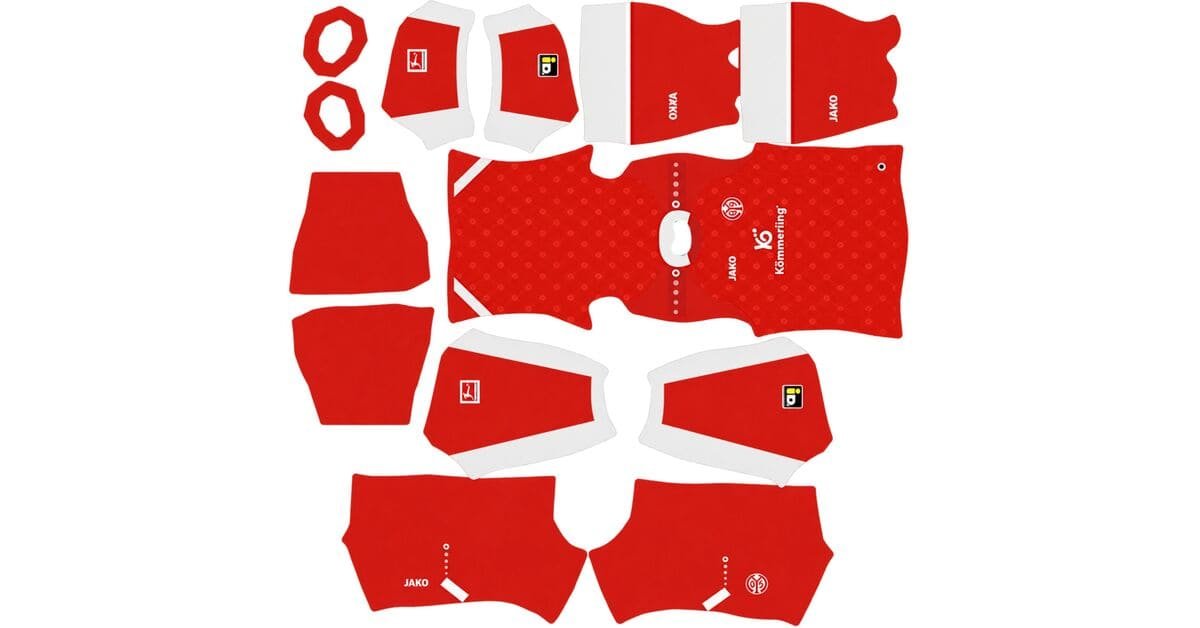
A Mainz DLS kits URL is a direct link to a 512×512 PNG 1. FSV Mainz 05 shirt that you can import into Dream League Soccer. All four kit slots are listed below, and each image has been loaded into the game before being featured here.
FSV Mainz Logo
Official Logo 512×512 (2026/27)
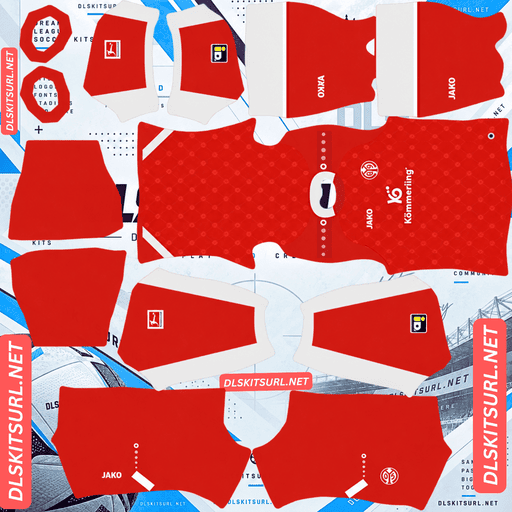
FSV Mainz Home Kit
Home Kit 512×512 (2026/27)
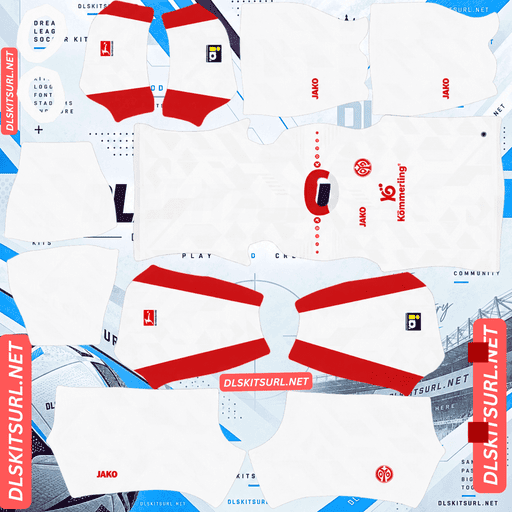
FSV Mainz Away Kit
Away Kit 512×512 (2026/27)
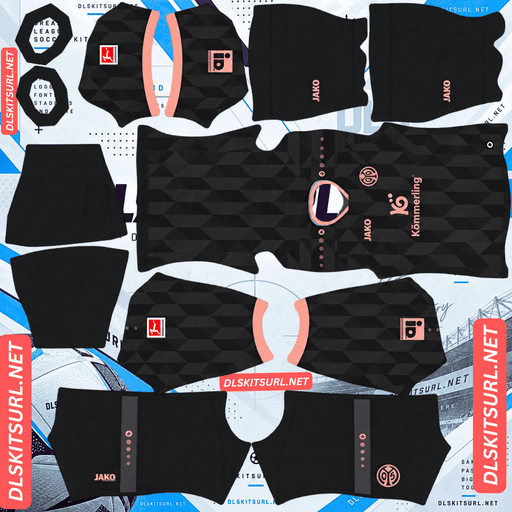
FSV Mainz Third Kit
Third Kit 512×512 (2026/27)
Jako has created three outfield kits for Mainz this season, with each shirt relying on woven, embossed or jacquard fabric details rather than printed graphics. This makes Mainz 05 an interesting example of the limitations of importing flat kit images into DLS.
Why Do All Three Mainz Kits Look Plain in DLS?
All three Mainz kits use patterns that depend on fabric texture rather than printed artwork. A 512×512 PNG can reproduce colours, logos and trim, but it cannot recreate raised threads, recessed details or the way light catches a textured surface.
Here is what makes each shirt different:
Home kit: An intricate, all-over embossed graphic pattern.
Away kit: White patterns made from fragmented FSV Mainz 05 logos, woven into the fabric using jacquard technology.
Third kit: A geometric polygonal pattern woven into the material to create a three-dimensional texture.
Printed graphics are made with ink on the fabric, so their appearance can be reproduced directly in a flat image. Woven and embossed patterns depend on physical depth and lighting. Those details cannot be accurately represented by a standard flat texture map.
As a result, the main colours, logos and contrasting trim will remain visible in DLS, but the distinctive fabric patterns will largely disappear.
The Colours Still Preserve Each Shirt’s Identity
Although the textures are lost, all three kits have clear colour schemes that remain recognisable in the game.
Home: Red with white collar, cuffs and side panels.
Away: White with red collar details, underarm panels and lower hems.
Third: Dark anthracite with sandstone-coloured detailing.
A red Mainz shirt with white trim is still recognisable as the club’s home kit. The import loses some of the original craftsmanship, but the colours preserve the shirt’s identity.
The same limitation affected Mainz’s 2025/26 home shirt, which featured an embossed topographic map of the city.
Which Mainz Kit Works Best in Dream League Soccer?
The third kit is the strongest option because its visual concept relies more on its colour combination than on its fabric texture.
Kit
Where its main design idea comes from
DLS result
Home
Embossed pattern inspired by the club’s history
Pattern largely disappears
Away
White-on-white jacquard pattern made from FSV logos
Pattern largely disappears
Third
Anthracite and sandstone colour combination
Colour concept remains visible
Why the Third Kit Is Different
Released on 24 July 2026, the third kit takes inspiration from Mainz’s Old Town, or Altstadt.
The dark anthracite base evokes the slate roofs of the historic city centre, including the roof of Mainz Cathedral. The sandstone-coloured accents represent the masonry found throughout the area’s architecture.
These accents appear on the V-neck collar, sleeve cuffs, Jako shoulder dots, sponsor and monochromatic club crest. Their soft peach-pink tone contrasts with the darker shirt.
The geometric polygonal pattern woven across the front and back will be difficult to see in DLS, just like the patterns on the home and away shirts.
However, the main colour concept survives. The dark base and warm sandstone detailing remain visible because a flat image can reproduce colour accurately. That makes the third kit the best choice if you want the original design idea to remain recognisable after importing it.
Mainz 05 DLS Kits for the 2026/27 Season
Home Kit — The Club’s History in an Embossed Design
Release date: 3 July 2026
The Mainz 05 home kit uses the club’s traditional red as its main colour, complemented by white details on the collar, sleeve cuffs and side panels.
The Jako logo and Kömmerling sponsor are also white, creating a clean contrast against the red fabric.
Across the shirt is an intricate embossed graphic pattern that the club describes as showcasing the depth of its history. Because the design is embossed rather than printed, this detail will not transfer accurately into the flat DLS texture.
The red base and white trim, however, should remain clear and recognisable during matches.
Away Kit — A Shirt Made from Its Own Badge
Release date: 31 July 2026
The away kit features a crisp white base with red accents on the collar, underarm sleeve panels, lower side hems and logos. Red fabric panels are also sewn into the sides and beneath the arms.
Its most distinctive feature is the pattern woven across the shirt using jacquard technology. The design uses fragmented FSV Mainz 05 logos, breaking apart the club’s own badge and spreading the elements across the fabric.
The Mainz 05 crest appears as an embroidered patch, while the Mainz city crest is embossed on the back of the neck.
These details give the original shirt a distinctive appearance, but their texture-dependent elements cannot be fully recreated by a flat DLS image.
Why the Away Kit Is Particularly Difficult to Reproduce
The away kit combines two features that are difficult to preserve in Dream League Soccer: a white-on-white pattern and a jacquard-woven surface.
White patterns against a white background have very little contrast. Since the fragmented logos are woven into the material rather than printed on it, their visibility depends on light and fabric texture.
This makes the pattern especially difficult to reproduce in the game. England’s white-on-white jacquard home shirt presents a similar challenge.
Expect the imported Mainz away kit to look like a plain white shirt with red trim. That does not necessarily mean the PNG file is faulty; it is a limitation of how the game displays flat textures.
Third Kit — Anthracite and Sandstone
Release date: 24 July 2026
The third kit takes its inspiration from Mainz’s historic Old Town, using a dark anthracite base with sandstone-coloured detailing.
The design references the slate roofs and characteristic masonry of the city centre. Sandstone accents appear on the collar, cuffs, Jako shoulder dots, sponsor and monochromatic crest.
A woven polygonal pattern runs across the front and back, adding texture to the original shirt. This pattern will largely disappear in DLS, but the contrast between anthracite and sandstone remains.
For players who want a Mainz kit that retains its overall concept after importing, this is the most suitable option of the three.
What Other Details Will Not Appear in DLS?
Two details on the away shirt are especially difficult to reproduce.
Mainz city crest: The crest is embossed on the back of the neck, close to the top edge of the shirt panel. This is already one of the least visible areas on the player model.
Embroidered club crest: The original patch uses raised stitching. A flat PNG can reproduce its colours and outline, but it cannot recreate the physical height of the embroidery.
These limitations affect the appearance of the imported design rather than the quality of the image itself.
How to Check a Mainz DLS Kit File
When checking the quality of a Mainz kit URL, judge the file by its trim rather than its woven pattern. The fabric details are too subtle or texture-dependent to provide a reliable measure of image quality.
Check the following areas:
Home kit: The white collar, cuffs and side panels should have sharp edges against the red base.
Away kit: The red collar, underarm panels and lower hems should be clearly defined against white.
Third kit: The sandstone collar and cuffs should remain distinct against anthracite.
If these colour boundaries look crisp, the image is likely to have sufficient resolution. Blurry or smeared edges can indicate that a smaller image has been enlarged.
Confirm the Actual Image Dimensions
Do not rely on the filename alone to confirm that a kit is 512×512.
On a computer, open the direct image link in a new browser tab. Check the image dimensions using your browser or image viewer. The actual file should measure 512 pixels wide by 512 pixels high.
A filename containing “512×512” does not guarantee that the image has those dimensions.
What Number Colours Work Best on Mainz Kits?
Dream League Soccer uses separate colour swatches for shirt numbers and shorts numbers. These settings are controlled independently of the imported PNG image.
Recommended shirt number colours:
Home kit: White, matching the collar, cuffs and side panels against the red shirt.
Away kit: Red, matching the shirt’s accents. White numbers would blend into the white base.
Third kit: Sandstone or white against anthracite. White generally offers stronger visibility at the small size used for numbers.
Remember to set the shirt and shorts number colours separately. Choosing a suitable shirt number colour does not automatically guarantee that the shorts numbers will match.
How Visible Are Mainz’s Kits on the Pitch?
All three Mainz kits use colours that stand apart from the green pitch, helping them remain recognisable during matches.
Red home kit: Red contrasts strongly with green grass, making the home shirt relatively easy to distinguish at match distance.
White away kit: The white base is clearly visible against the pitch, while the red trim adds definition around the collar, sleeves and sides.
Anthracite third kit: The dark base creates a strong contrast with the grass. The sandstone accents add a warm detail that helps distinguish it from a plain dark-grey shirt.
Because DLS displays players at relatively small sizes during gameplay, strong colour contrast is more important than subtle fabric texture.
How to Tell Whether a Mainz Kit URL Is Current
Use these four checks to identify the 2026/27 Mainz designs:
Home: Red base with white collar, cuffs and side panels, rather than the gold-accented 2025/26 design.
Away: White base with red accents, rather than the purplish-blue colours of the previous season.
Third: Dark anthracite with sandstone detailing and a monochromatic crest.
Branding: Jako branding and the Kömmerling sponsor across all three outfield shirts.
These visual details make it easier to distinguish the current designs from older Mainz kits.
How to Use a Mainz DLS Kits URL
Follow these steps to import a Mainz 05 shirt into Dream League Soccer.
Find the kit you want and tap the Copy URL button on its kit card.
Open Dream League Soccer.
Go to My Club.
Select Customise.
Open Kit, not Logo. Kits and club badges use separate menus.
Select the kit slot you want to replace.
Choose Custom Kit.
Press and hold the URL field, then tap Paste.
Tap Confirm or Download, depending on your game version.
Choose the correct slot before importing because the selected slot is the one that gets replaced.
Dream League Soccer has three outfield kit slots for home, away and third, plus a goalkeeper kit slot. Set all four if you want your team screen to display a complete set of custom kits.
The first custom kit may require a one-time gem unlock. After that initial unlock, changing the kit image does not normally require another gem payment.
Test the Mainz Kit Link Before Importing
Before opening the game, test the URL in your browser.
A working direct kit URL should:
Open the image by itself, without a surrounding webpage.
Display the full shirt image.
Point to a PNG file, typically with an address ending in .png.
Load without an error or missing-image message.
If the link opens a webpage containing buttons, headers or other content around the image, it may be a viewer page rather than a direct image URL. Dream League Soccer needs a link that points to the image itself.
Why Do Mainz Kit URLs Stop Working?
There are three common reasons a custom kit URL may stop working.
The Image Host Deletes the File
Some free image hosts remove uploads after long periods of inactivity. A previously working link may stop displaying the shirt if the original file is deleted.
Hotlink Protection Blocks the Game
Some image hosts prevent external websites or applications from loading their images directly. A link may open successfully in your browser but fail when Dream League Soccer tries to retrieve it.
The Preview and the Direct Image Are Different Files
Some websites display a thumbnail from one location while providing a URL that points to another file or server. The preview may continue to work even after the actual image link becomes unavailable.
For a reliable import, the image displayed on the kit card should match the file provided by the Copy URL button. Always test the copied link before importing it into the game.
How to Import the Mainz 05 Badge
The club badge is imported separately from the shirt.
Open Dream League Soccer.
Go to My Club → Customise → Logo.
Select the custom logo option.
Paste the direct image URL and confirm the import.
The Mainz 05 crest is a red-and-white shield featuring the club’s initials and founding year, with the Mainz wheel among its elements.
Dream League Soccer crops badges into a circular area. Because a shield narrows towards its base, choose an image with enough clear space around the entire design to reduce the risk of its edges being cut off.
Lettering may look softer at the small size used beside the score during matches. This is a consequence of the game’s rendering size rather than necessarily being a problem with the source image.
The crest’s red-and-white colour blocking is the most important part to preserve.
If you use the anthracite third kit, a matching monochromatic sandstone crest is another option for keeping the overall design consistent.
How to Keep Your Mainz Kits
Custom kits and badges may be stored locally on your device rather than being linked permanently to your account. A game update may leave them in place, but reinstalling the game or switching phones can mean importing them again.
Before setting up your kits, save the four direct image URLs and your badge URL in a notes app. If your custom designs disappear, you can use the saved links to restore them without searching for every image again.
Frequently Asked Questions
What Is a Mainz DLS Kits URL?
A Mainz DLS kits URL is a direct link to a 512×512 PNG image of a 1. FSV Mainz 05 shirt. You paste the link into Dream League Soccer’s custom kit menu to import the design. A working link should open the image directly.
Why Do All Three Mainz Kits Look Plain in DLS?
All three kits use texture-based designs rather than ordinary printed graphics. The home kit is embossed, the away kit uses jacquard-woven FSV logos, and the third features a woven geometric pattern. A flat 512×512 image cannot fully reproduce the physical depth of these details.
Which Mainz Kit Works Best in Dream League Soccer?
The anthracite third kit is the strongest option if you want the original concept to remain recognisable. Its dark base and sandstone accents reflect Mainz’s Old Town, so the colour combination survives even when the woven pattern disappears.
What Is the Pattern on the Mainz Away Kit?
The away kit features fragmented FSV Mainz 05 logos woven across the shirt using jacquard technology. The pattern is white on a white base, making it difficult to distinguish without the original fabric texture.
What Inspired the Mainz Third Kit?
The third kit takes inspiration from Mainz’s Old Town. Its dark anthracite base evokes the slate roofs of the historic city centre, including Mainz Cathedral, while the sandstone accents reflect the area’s characteristic masonry.
How Do I Check the Quality of a Mainz Kit File?
Check the edges of the collar, cuffs, side panels and contrasting trim rather than the woven pattern. Crisp colour boundaries indicate good image clarity. You should also confirm that the actual image dimensions are 512×512 pixels.
Will the Mainz City Crest on the Away Kit Show Up?
The city crest is embossed on the back of the neck, close to the top edge of the shirt panel. Its position and texture make it difficult to reproduce clearly in DLS.
Who Makes Mainz 05’s Kits?
Jako makes the Mainz 05 kits for the 2026/27 season. Kömmerling is the main shirt sponsor, and the supplied design details also identify IDM on the sleeve.
How Do I Import a Mainz Kit into DLS?
Go to My Club → Customise → Kit, select the slot you want to replace, choose Custom Kit, paste the direct PNG URL and confirm the import. Use the Logo menu separately to import the Mainz 05 badge.
Can I Use the Mainz Home, Away, Third and Goalkeeper Kits Together?
Yes. Dream League Soccer has separate slots for the three outfield kits and the goalkeeper kit. Import each image into its corresponding slot to complete the set.
Why Does My Mainz Kit URL Work in a Browser but Fail in DLS?
The image host may block external requests through hotlink protection, or the link may point to a preview page rather than the actual PNG. Test the copied URL and make sure it opens the image directly before importing it.
Will My Mainz Custom Kits Remain After Reinstalling DLS?
They may not. Custom kits and badges can be lost when the game is reinstalled or when you move to a new device. Save all your kit and logo URLs so you can import them again if needed.