
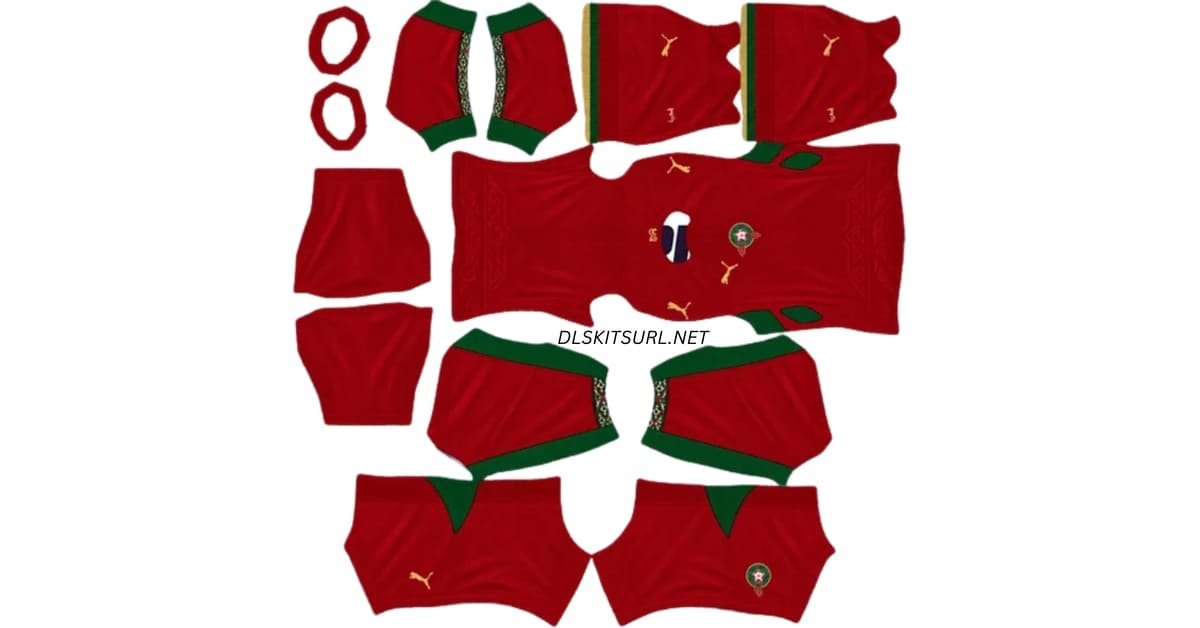
A Morocco DLS kits URL lets you add an Atlas Lions shirt to your Dream League Soccer team. The 2026 home design is red with green and gold details, while the away design pairs white with embroidery inspired by Moroccan craftsmanship. Copy the image URL for the shirt you want and paste it into the matching kit slot in the game.
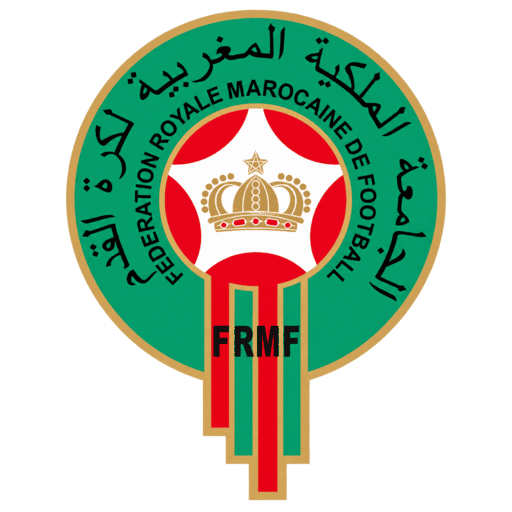
Morocco Logo
Official Logo 512×512
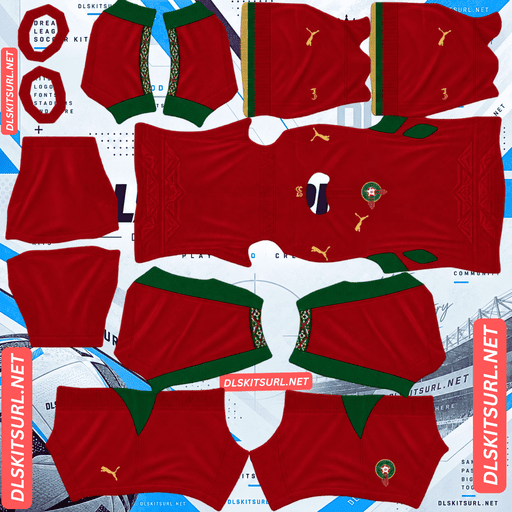
Morocco Home kit
Home Kit 512×512 (2026/27)
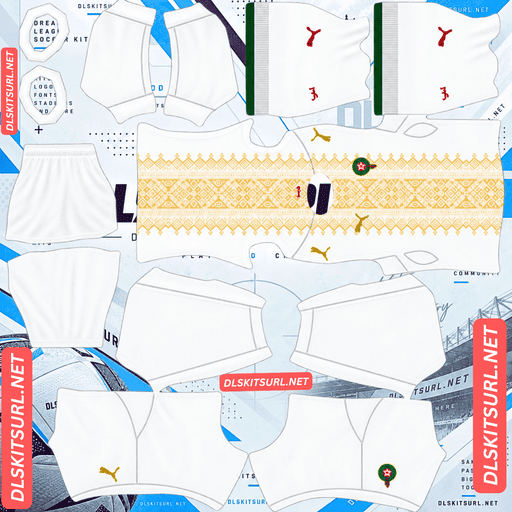
Morocco Away kit
Away Kit 512×512 (2026/27)
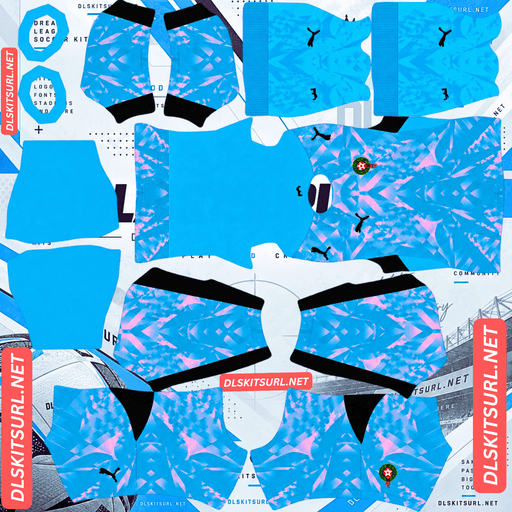
Morocco GK Home kit
GK Home Kit 512×512 (2026/27)
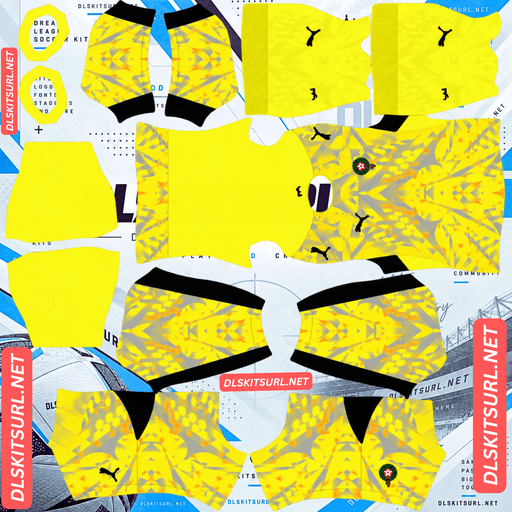
Morocco GK Third kit
GK Third Kit 512×512 (2026/27)
There is more to these kits than their main colours. The home shirt’s patterned collar and cuffs, and the away shirt’s gold design, are the details that make them recognisable. Check those areas when choosing a kit image.
Morocco 2026/27 DLS Kit URLs
Use the Home slot for the red kit and the Away slot for the white kit. Each copy button should give you the direct URL of a DLS kit PNG, rather than the address of the webpage displaying its preview.
Morocco home kit: red with patterned trim
Red remains the centre of Morocco’s home look. Green adds contrast, and gold appears in the branding and finer details. What gives this particular design its character is the embroidery inspired pattern around the neck and sleeve ends.
The trim draws attention to Moroccan craftsmanship without covering the entire shirt in a large print. On the replica version, the neckline has a Henley shape. If you are choosing between DLS images, compare their previews with the version of the shirt you want to recreate; details such as the collar can differ between retail versions.
A plain red template may look close during a match, but it misses much of what distinguishes this kit from an older Morocco design. Check the collar and cuffs in the player preview after importing.
Morocco away kit: white and gold
The away shirt takes the same interest in traditional embroidery in a different direction. White provides a clean base for the gold pattern, giving the design a lighter appearance than the home kit. Team and manufacturer details complete the shirt.
In Dream League Soccer, look at where the pattern sits on the player model. If the image template is misaligned, a design intended for the front of the shirt can shift across a seam or appear off-centre. The full player preview is more useful for checking this than the flat PNG alone.
Gold details can also vary in appearance between images. Aim for a clear pattern that remains visible against the white shirt without becoming dark brown or overly bright yellow.
What to check before copying a Morocco kit URL
Two images can both be labelled “Morocco 2026” while showing noticeably different results in the game. Before importing one, inspect its preview for the parts that matter most.
Home kit details
Look first at the neck and sleeves. The patterned trim should be visible where the collar and cuffs appear on the player. Then check that the red body and green details are cleanly separated. If a kit has the right colours but leaves the neck and cuffs plain, it will look less like this design.
Away kit details
Check the placement of the gold embroidery inspired design. It should look intentional on the front of the shirt, rather than broken or pushed to one side. Then inspect the shorts and socks so you know what the full kit will look like in a match.
For either shirt, a crisp webpage preview does not guarantee a good in-game result. A DLS kit PNG has separate areas that the game wraps around the player. Import the image and inspect the model before settling on it.
Morocco DLS Logo URL 512×512
The Morocco DLS logo URL is for the custom logo option, separate from the home and away kit slots. Choose a clear version of the federation badge with some space around its outer edge. That helps the emblem remain readable when the game displays it at a smaller size.
The badge contains finer details that may be hard to make out beside the score during a match. Judge it by whether its overall shape and main colours are clear on screen, as well as by how it looks when enlarged.
How to import a Morocco DLS kits URL
Open Dream League Soccer and go to My Club, then the team customisation area. Choose the kit you want to replace, open the custom kit import option, paste the URL from its card and confirm. Menu labels can vary by game version.
Import the red shirt into the Home slot and the white shirt into the Away slot. You can then return to customisation, choose Logo or Custom Logo, and paste the badge URL there.
Once the kit loads, rotate or inspect the player preview if your version of the game allows it. Check the collar, front pattern, sleeves, shorts and socks. This is also the right time to see whether player names and numbers stand out against the shirt.
Kit URLs and image files: what is the difference?
A working kit URL points to the PNG file that Dream League Soccer downloads. The address of an article or image gallery may show you the kit in a browser, but it does not necessarily point to the image itself.
If an import fails, open the URL you copied. You should see the kit image on its own. If you see a full webpage with menus, text and a preview image, return to the kit card and copy its image URL.
The file also needs to be laid out as a DLS kit template. A photo of a shirt, even one saved as a square PNG, cannot place the sleeves, shorts and socks correctly on the player model.
Choosing readable number colours
After importing, look at the player’s back. A number that looks attractive in a small colour swatch can be difficult to read once it sits over the shirt design.
On the red home kit, a light number colour generally offers clearer contrast than a dark red or green one. On the white away kit, a darker colour is usually easier to see than pale gold. Check the shorts numbers separately if the kit template includes them.
Use the actual in-game preview to make the final choice. Pattern placement and the shade of the kit image can change how much contrast a number has.
Why a Morocco DLS kit URL might not work
If the game does not load your chosen kit, start with the link:
- The address leads to a webpage. Copy the direct image URL from the kit card.
- The image has moved or been removed. Open the URL in a browser to see whether the PNG is still available.
- The file is restricted. The game needs to reach the image without signing into a website.
- The image uses the wrong layout. A regular shirt photo is not a DLS kit template.
- The wrong URL was copied. Make sure the red preview corresponds to the home URL and the white preview to the away URL.
If the image downloads but looks distorted on your players, the problem is more likely to be its template layout than the link.
Save the Morocco kit and logo URLs
Keep the home, away and logo URLs together in a note if you expect to use them again. This makes it easier to find the same designs later, especially if you try another kit and decide to switch back.
You can also return to the cards on this page to copy a URL again. Before reusing an older saved link, open it once to confirm that the image is still available.
Frequently asked questions
What is a Morocco DLS kit URL?
It is a direct link to a Morocco kit PNG made for Dream League Soccer. Paste it into the custom kit import option to add the design to your team.
What colour is Morocco’s 2026 home kit?
The home kit is predominantly red, with green and gold details. Embroidery inspired trim around the neck and sleeves is one of its defining features.
What does the Morocco away kit look like?
The away shirt has a white base with a gold embroidery inspired design. It offers a clear colour difference from the red home kit.
Why does my Morocco home kit look too plain? (H3)
Check its collar and cuffs. A kit image may reproduce the red body but leave out the patterned trim that gives this version of the shirt its character.
Why does the away pattern look misplaced in DLS?
The PNG may not follow the game’s kit template correctly. Inspect the front of the player model to see whether the pattern is centred and joins cleanly.
Is the Morocco logo URL the same as a kit URL?
No. The logo is a separate badge image imported through Custom Logo. Home and away kit URLs belong in their respective kit slots.
What should I do if the kit URL fails to load?
Open the copied URL and check that it displays the PNG directly. If it leads to a webpage, an unavailable file or a restricted image, the game may be unable to import it.