
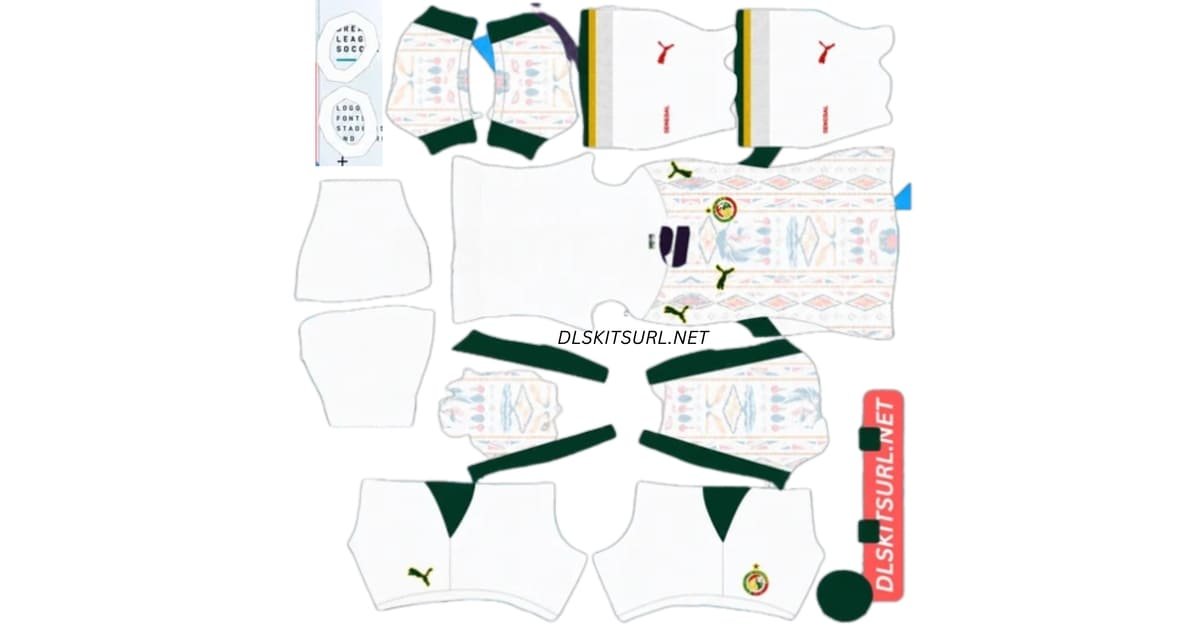
A Senegal DLS kits URL lets you add a Senegal shirt to your Dream League Soccer team. The 2026 home kit is white with a colourful pattern inspired by Dakar’s Car Rapide minibuses; the away kit is green with red details. Choose the shirt you want below, copy its image URL and paste it into the matching kit slot in the game.
Senegal Logo
Official Logo 512×512
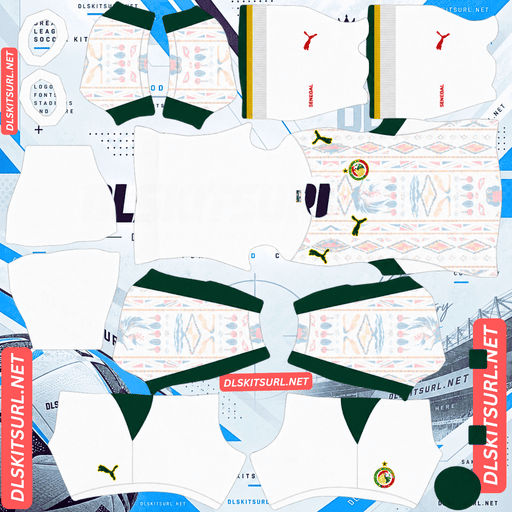
Senegal Home Kit
Home Kit 512×512 (2026/27)
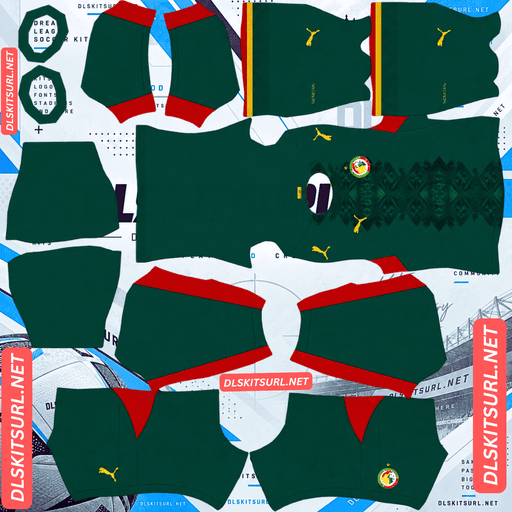
Senegal Away Kit
Away Kit 512×512 (2026/27)
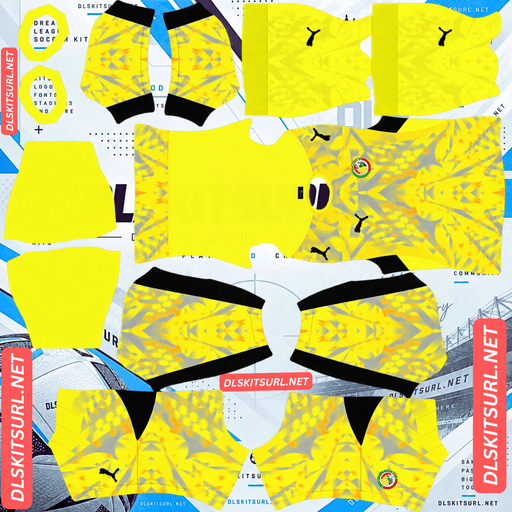
Senegal Home GK Kit
Home GK Kit 512×512 (2026/27)
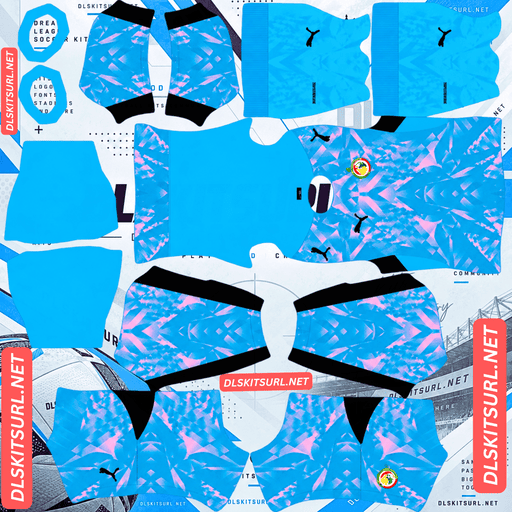
Senegal Away GK kit
Away GK Kit 512×512 (2026/27)
The colours are worth checking before you import. White is the home kit and green is the away kit. If you put them in the opposite slots, both images may load correctly, but your team will wear the wrong shirt for the match setting.
Senegal 2026/27 DLS Kits URL
The kit cards should provide direct URLs to PNG images laid out for Dream League Soccer. A photograph of a real shirt will not work as a kit template: the game needs an image with separate areas for the shirt, sleeves, shorts and socks.
Senegal home kit: white with a Car Rapide inspired design
The home shirt has a white base and green details, with a soft multicolour pattern across the fabric. Its inspiration comes from the Car Rapide, the brightly painted minibuses seen around Dakar. That connection gives the shirt a character beyond its national colours: it reflects something people encounter in everyday Senegalese life.
The pattern is deliberately lighter than the green trim. In a large image, you can pick out more of its colour; during a match, it may appear subtler because the players are small on screen. Check the kit preview after importing. If the body looks entirely plain white, inspect the source image to see whether the pattern is present and clear.
Senegal away kit: green with red accents
The away shirt uses a deep green base with red accents. A darker pattern runs through the front, giving the shirt texture without changing its overall green appearance.
This design is easier to recognise from a distance. The green and red areas remain visible even when the finer pattern becomes less noticeable during play. If you want a strong colour difference between your home and away kits, the white and green pair works well for that purpose.
Which Senegal kits goes in each DLS slot?
Put the white Car Rapide inspired kit in the Home slot and the green kit in the Away slot. Select the slot before pasting the URL, since importing a new image replaces the design assigned to that slot.
If you have previously imported a Senegal kit, check its colour before replacing it. A home kit from an earlier season may also be white, but it will not necessarily have the same pattern as this design.
You can use the third kit slot for another design you like, provided you have a compatible kit image. It does not have to be one of the two shirts featured on this page.
Senegal DLS Logo URL 512×512
The Senegal DLS logo URL belongs in the game’s custom logo option, which is separate from the kit slots. Look for a clear badge image that remains recognisable when displayed small.
If your chosen badge includes the star above the crest, check that the star has enough space around it in the image file. A tightly framed graphic can make the top of the design look cramped. The lion and smaller details may also be harder to see beside the score during a match, even when they look sharp in a full size preview.
How to import a Senegal DLS kit URL
Open Dream League Soccer and go to your club’s customisation menu. Choose Kit, select the Home or Away slot, then open the option for importing a custom kit. Paste the URL copied from the matching card and confirm.
To add the badge, return to customisation and choose Logo or Custom Logo. Paste the logo URL there. The exact menu labels may vary with the version of the game you use, but kits and logos have separate import options.
After the download, inspect the full player preview. Look at the front and back of the shirt, the sleeves, shorts and socks. A flat PNG can appear correct on a webpage while a misplaced part of its template becomes obvious on the player.
How to check a Senegal kit image before importing
Start by opening the URL you copied. It should display the image itself, rather than a webpage with an image somewhere inside it. Then check the file and its preview:
- Format: The kit should be a PNG laid out as a DLS kit template.
- Size: A 512×512 image is the standard choice for the kit files on this page.
- Home colours: The home design should be predominantly white with green details and a visible soft pattern.
- Away colours: The away design should be predominantly green with red details.
- Template alignment: The collar, sleeves, shorts and socks should appear in the right places after import.
A larger image is not automatically better if it has merely been stretched from a small, blurry file. For the white home shirt, the faint pattern is a useful detail to inspect: it should still be visible in the image you intend to copy.
Number colours for the Senegal kits
Once the kit is on your team, check whether player names and numbers are readable in the game preview. The best choice depends on the actual template and the colours behind the numbers.
On the white home shirt, a dark green or another strong dark colour is likely to show more clearly than white. On the green away shirt, a light colour can provide better contrast. Check the back of the shirt in particular, because that is where the main number needs to remain legible while you play.
If you are making your own kit PNG, keep the game’s kit template in mind when setting shirt and shorts number colours. If you are copying a ready-made URL, preview the result before deciding that the colours work.
Why a Senegal DLS kit URL may fail
A failed import does not always mean the shirt image is badly designed. The game also needs to reach and download the file.
The URL opens a webpage. An image gallery or file viewer may show the kit in your browser, but its page address is not necessarily the PNG address. Copy the image URL from the kit card.
The file is unavailable. An old URL can remain in an article after the image behind it has been removed. Open the copied address to see whether the image still loads.
Access is restricted. A file that needs a sign-in or special permission will not be publicly available to the game.
The image is not a kit template. A square photograph, badge or shirt mockup cannot wrap correctly around the player model. Use a PNG made for DLS kit placement.
If the URL opens the correct image but the result looks wrong on a player, compare the imported design with the card preview and try the other kit only if you copied the wrong one.
Keep your Senegal kit URLs handy
Save the home, away and logo URLs somewhere you can find them again, such as a note on your phone. That makes it easier to restore a favourite design or import it on another device. You can also revisit this page and copy the URLs from their cards when needed.
Frequently asked questions
What is a Senegal DLS kit URL?
It is a direct URL to a Senegal kit image formatted for import into Dream League Soccer. Copy it, select the appropriate custom kit slot and paste it into the game.
Is Senegal’s 2026 home kit white or green?
The home kit is white with a Car Rapide inspired pattern. The away kit is green with red details.
What inspired the Senegal home kit pattern?
Its design draws on the Car Rapide, Dakar’s brightly hand-painted minibuses. The colourful artwork appears as a softer pattern across the white shirt.
Why does the home kit look mostly white during matches?
Its multicolour pattern is relatively subtle, and small player models show less detail than a full size image. Check whether the pattern is visible in the PNG and in the player preview after importing.
Can I paste the Senegal logo URL into a kit slot?
The game has a separate custom logo option. Use the logo URL there and put kit URLs in their respective home or away kit slots.
What image size should I use for a Senegal DLS logo?
Use a clear PNG no larger than 512×512 pixels for the custom logo import. Leave some room around the crest so its details are not crowded by the image boundary.
Why will my Senegal kit URL not load?
The URL may lead to a webpage rather than the PNG, or the image may have been removed or restricted. Open the copied URL first and check that the kit image displays on its own.