
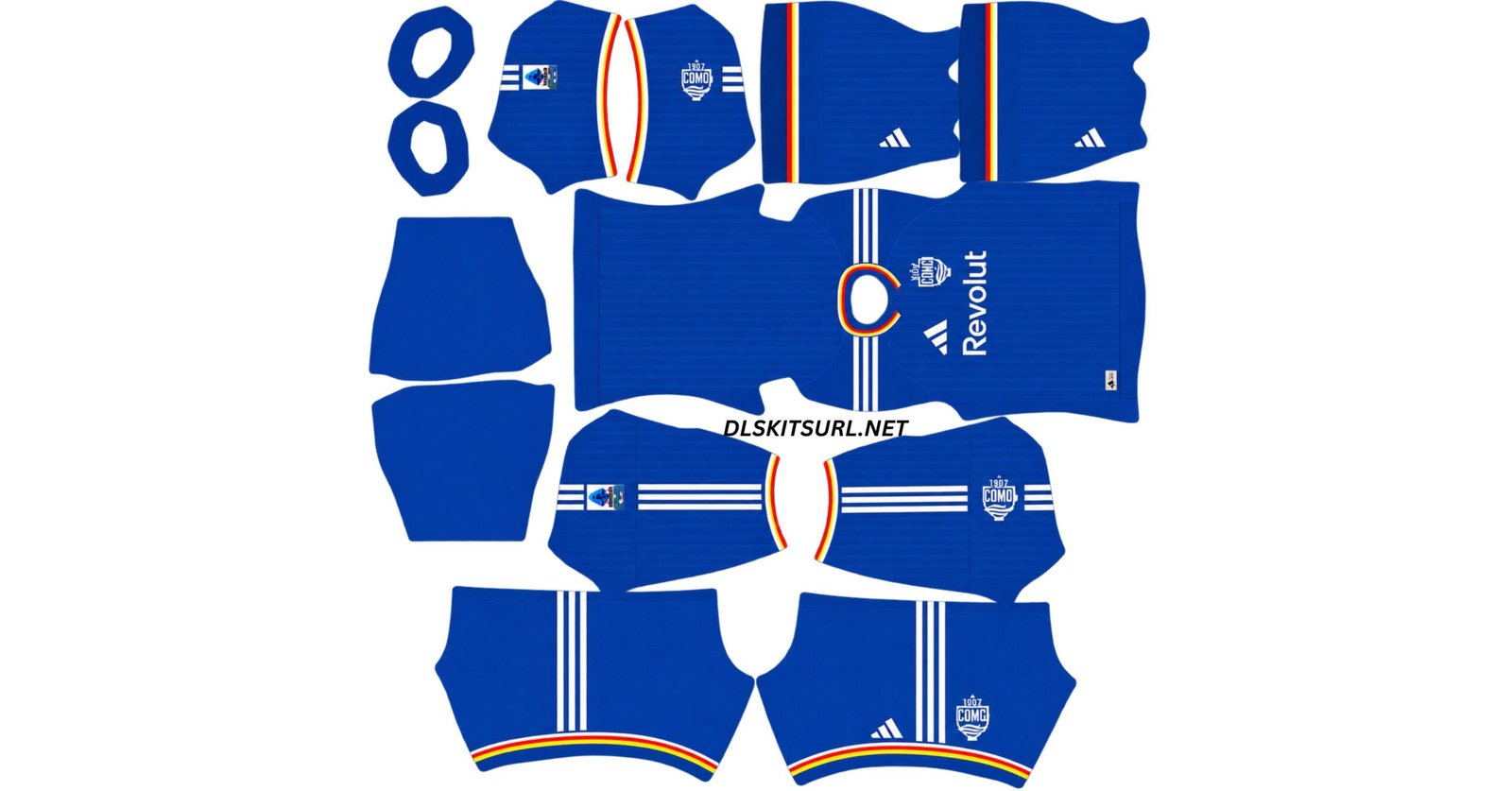
The Como DLS Kit URL 512×512 collection for Dream League Soccer 2026/27 includes the current home, away and goalkeeper kits ready for custom import.
Como Official Logo
Official Logo 512×512
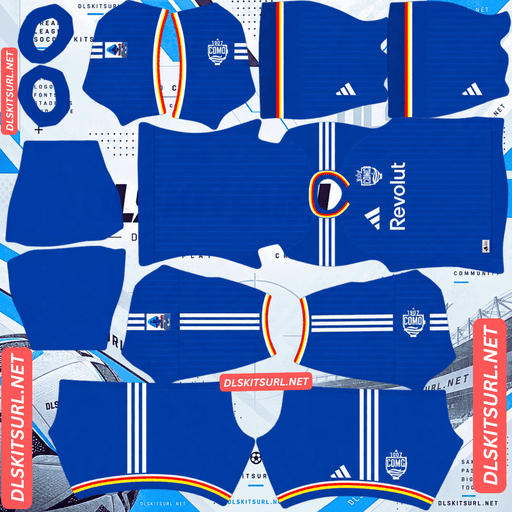
Como Home Kit
Home Kit 512×512 (2026/27)
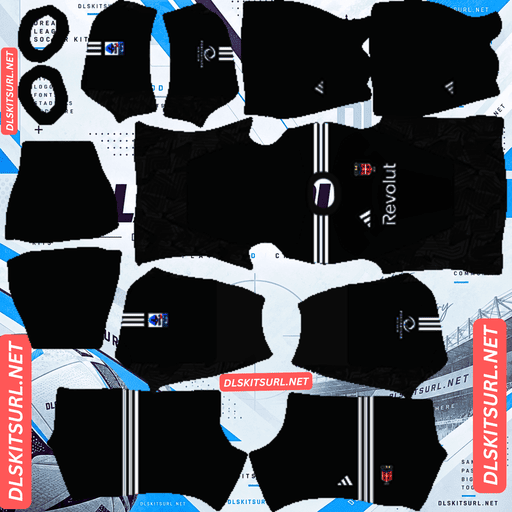
Como Home GK Kit
Home GK Kit 512×512 (2026/27)
Como are especially interesting this season because their shirts are not handled like a typical mid-table Serie A set. The designs were created with a strong fashion influence, and the home shirt exists in two official versions because of the club’s European campaign.
That means two Como home kit files can look slightly different and still both be correct. The important part is knowing which version you want before you import it.
Two Official Versions of the Como Home Kit
The biggest thing to understand about Como’s 2026/27 home shirt is that there are two official versions in circulation.
The club sells its version for €125, while Adidas sells what looks like the same shirt for €100.
The difference is not simply the price.
The club version includes the Champions League badges and the Revolut sponsor, while the Adidas version is sold without those elements.
Both are legitimate.
If you want your Dream League Soccer team to look like Como did in European competition, the badged club version is the better match. If you prefer a cleaner shirt without the competition detailing, the Adidas version is also official.
How to Tell the Two Como Home Kits Apart
The easiest place to check is the sleeves.
If the kit includes Champions League badges, you are looking at the club version.
If those badges are missing, it is the cleaner Adidas retail version.
This is worth checking before importing because many Como kit files online may use one version without clearly explaining which one it is.
Como Home Kit 2026/27
Como’s home shirt uses a deep blue shade Adidas call Dark Marine.
It is much darker and richer than a typical bright royal blue, giving the shirt a more understated look.
Tonal vertical pinstripes run across the front, sleeves and back. Because they are only slightly different from the base colour, the pattern is subtle rather than high contrast.
The collar is a polo style with narrow red, white and gold trim, and the same three-colour sequence appears around the sleeve cuffs.
Why the Red, White and Gold Trim Matters
Those colours are not random decoration.
They come from the Como city flag and the provincial coat of arms, which is also why the club crest combines blue, red, white and gold.
The detail gives the home shirt a stronger local identity without making the design visually busy.
White shoulder panels carry blue Adidas Three Stripes, while the Adidas logo appears in white on the right side of the chest and the club crest sits opposite.
Revolut is placed across the front.
The Home Kit Launch
The launch matched the local feel of the design.
According to the source description, Como players appeared unannounced at a pizzeria in the city to show the shirt to supporters.
It was a low-key launch for a shirt that is also deliberately restrained in its styling.
Como Away Kit 2026/27
The Como away shirt uses a white base with narrow tonal vertical stripes running down the front.
Navy detailing appears around the collar and sleeve cuffs, and the same colour continues across the shoulders through the Adidas Three Stripes.
The collar combines white and navy sections with an overlapping front detail, while the short sleeves finish with narrow navy edging.
Adidas Trefoil on the Como Away Kit
The easiest way to identify the current away shirt is the logo.
Instead of the standard Adidas performance mark, the 2026/27 Como away kit uses the Adidas Originals Trefoil on the right side of the chest.
The Como crest appears opposite in its traditional navy, red and gold colours, while the Revolut sponsor is placed centrally in navy.
The shirt made its debut in a pre-season match against Arsenal.
Como Kits Designed With a Streetwear Influence
Como’s kits stand out because of who helped shape them.
Both the home and away shirts were designed in collaboration with Adidas by Rhuigi Villaseñor, Como’s Chief Brand Officer and the founder and designer of the luxury streetwear label Rhude.
That is an unusual arrangement in professional football.
Most clubs receive their shirt design mainly from the manufacturer, but Como have a fashion designer working in an executive role with direct influence on the club’s visual identity.
The result is visible in the restraint of the designs.
There are no oversized graphics or loud patterns. Instead, the shirts use a polo collar, tonal pinstripes, narrow trim and carefully controlled colour.
Why Como DLS Kit Files Are Hard to Reproduce
The same subtle details that make the kits look clean also make them difficult to reproduce properly in Dream League Soccer.
A 512×512 file does not have unlimited space for fine textures.
Como’s shirts depend on very small differences in tone and narrow trim, so poor-quality images can lose important details even if they still import successfully.
Tonal Pinstripes Can Disappear
Both Como shirts use tonal vertical stripes.
That means the stripe colour is only slightly different from the main fabric colour.
Low-contrast details are usually the first things to disappear when an image has been heavily compressed or enlarged from a smaller source.
If the home shirt looks like a completely flat dark-blue kit after import, the pinstripes may have been lost in the image rather than missing from the real design.
The same applies to the away shirt.
The Three-Colour Trim Needs Good Resolution
The home shirt’s collar and cuffs use red, white and gold in a narrow sequence.
On the Dream League Soccer template, the collar and cuff areas are small.
At 512×512, each individual stripe is only a few pixels wide.
If the source image is poor, the three colours can blur together into one muddy line.
A better file should keep them clearly separated.
Quick Como Kit File Quality Check
Open the image at full size and look closely at the collar.
You should be able to distinguish red, white and gold as separate colours.
If they merge into a single band, the file has probably lost too much detail.
This is one of the fastest ways to judge whether a Como DLS kit file is worth importing.
Set the Como Kit Number Colours Correctly
Como’s home and away kits need different number colours because their bases are almost opposite.
Dream League Soccer uses small colour swatches on the kit template to decide the colour of squad numbers on the shirt and shorts.
The game does not automatically choose the best contrast from the main design.
Best Number Colour for the Como Home Kit
The home shirt is dark navy.
If the number swatches are also dark, the player numbers can disappear into the shirt.
White works well because it provides strong contrast.
Gold is another good option because it connects visually with the red, white and gold trim around the collar and cuffs.
Best Number Colour for the Como Away Kit
The away shirt has the opposite problem.
Because the base is white, a light number colour can become difficult to see.
Navy is the safer choice and also matches the collar, shoulder stripes and sponsor.
Always check the shirt and shorts swatches separately because the two parts of the kit may use slightly different base colours.
How to Use a Como DLS Kit URL
Importing a Como DLS kit URL works the same way as any other custom Dream League Soccer shirt.
Copy the direct image link using the Copy URL button on the kit card.
Avoid copying the normal browser address unless it points directly to the image file.
Open Dream League Soccer, go to My Club, and choose Customise.
Some versions may display this as Customise Team.
Open the Kit section rather than Logo and select the slot you want to replace.
Tap Custom Kit. Older versions may show the same option as Download.
Paste the direct image URL and confirm.
Repeat the process for each slot you want to change.
Unlocking Custom Kits in Dream League Soccer
Before your first custom kit import, Dream League Soccer may require the feature to be unlocked with a one-time in-game gem payment.
According to the setup described here, this is a single unlock rather than a separate charge every time you import another shirt.
Once the feature is available, you can continue replacing custom kits whenever you want.
How to Check if a Como DLS Kit Is Current
Three details are especially useful when checking whether a file belongs to the 2026/27 season.
Check the Home Collar
The current home shirt should use a dark navy base with a polo collar.
The collar trim should show red, white and gold.
A completely different collar shape or missing trim can indicate an older design or inaccurate recreation.
Check the Away Adidas Logo
The away shirt should use the Adidas Originals Trefoil.
A standard three-bar performance logo means the file does not match the current version described here.
Check the Champions League Badges Deliberately
Do not assume a Como home kit is wrong just because it has or does not have Champions League badges.
Both versions are official.
The question is whether you want the club’s European version or the cleaner Adidas retail version.
Check the Como Kit URL in Your Browser First
Before pasting the link into Dream League Soccer, open it in your normal browser.
The kit image should appear by itself without a webpage around it.
If you see menus, advertisements, buttons or other page elements, you may have copied the page URL instead of the direct image link.
A direct custom kit URL commonly points to a .png file.
The file should also use the standard 512×512 Dream League Soccer layout.
Why Como DLS Kit URLs Stop Working
A Como kit URL can stop working even if the design itself is still correct.
The problem is often the image host rather than Dream League Soccer.
Free Image Hosts Delete Old Files
Some free hosting services remove inactive images after a period of time.
The page that originally shared the kit may still exist, but the direct PNG file can disappear.
That leaves a link that looks valid but returns nothing.
Hotlink Protection Can Block Dream League Soccer
Some image hosts allow an image to load in a browser but block outside applications from requesting the same file.
This is known as hotlink protection.
Your browser may display the image normally because you opened it directly, while Dream League Soccer’s request is rejected.
If that happens, another direct image host is usually needed.
The Preview and Copy URL May Point to Different Files
Some websites show the kit preview from one server but provide the downloadable URL from another.
If the external file disappears, the preview can continue looking perfectly normal.
You only discover the problem when you try to import it.
Using the same hosted image for both the preview and copied link reduces that problem.
Como Badge for Dream League Soccer
The Como crest can be imported separately through the Logo section of Dream League Soccer.
It uses blue, red, white and gold together, which gives it more fine colour detail than many simple football badges.
Gold is especially important because small gold areas can lose clarity when a low-resolution image is enlarged.
A good-quality badge should preserve those colour differences rather than turning the gold into a dull brown patch.
Why Badge Resolution Matters
Club crests contain far more small detail than most kit designs.
When the source image is too small, thin borders and small coloured sections begin to merge.
That is why a true high-quality badge source is useful even though the logo is displayed relatively small in the game.
The cleaner the original file, the better chance the crest has of staying sharp after Dream League Soccer reduces it.
Save Your Como DLS Kit URLs
Once you have chosen between the badged and clean home versions, save the direct URLs somewhere outside Dream League Soccer.
A notes app is enough.
Custom kits are stored locally, so reinstalling the game or changing devices may mean importing them again.
Saving the Como DLS kit URL links, goalkeeper kit and badge URL now makes rebuilding the team much easier later.
Como DLS Kit URL FAQ
What Is a Como DLS Kit URL?
A Como DLS kit URL is a direct link to a Como 1907 shirt image prepared for Dream League Soccer.
The standard format uses a 512×512 PNG, which can be pasted into the game’s custom kit section.
Why Are There Two Versions of the Como Home Shirt?
The club sells a version with Champions League badges and the Revolut sponsor, while Adidas sells a cleaner version without those competition details.
Both versions are official.
Which Como Home Kit Should I Use in DLS?
Use the badged version if you want the team to resemble Como’s European setup.
Use the cleaner Adidas version if you prefer the retail look without Champions League sleeve badges.
What Colour Is the Como Home Kit for 2026/27?
The home shirt uses a deep navy shade called Dark Marine, with tonal vertical pinstripes and a polo collar trimmed in red, white and gold.
What Does the Como Away Kit Look Like?
The away shirt is white with narrow tonal vertical stripes, navy collar and cuff details, navy Adidas Three Stripes and the Adidas Originals Trefoil on the chest.
Who Designs Como’s Kits?
According to the supplied information, the kits were developed in collaboration with Adidas by Rhuigi Villaseñor, Como’s Chief Brand Officer and the founder and designer of Rhude.
Why Does My Como Home Kit Look Plain Blue?
The pinstripes are tonal, meaning they are only slightly different from the main fabric colour.
If the source image has been compressed or enlarged from a smaller file, those subtle stripes can disappear.
Why Is the Collar Trim Blurry?
The red, white and gold stripes are very narrow on the 512×512 template.
A low-resolution source can cause the colours to blend together instead of appearing as three separate lines.
Why Are the Numbers Invisible on My Como Kit?
Dream League Soccer reads the shirt and shorts number colours from dedicated swatches on the kit template.
For the dark home shirt, use a light colour such as white or gold.
For the white away shirt, navy provides better contrast.
Do Como Custom Kits Survive a Reinstall?
You may need to import the custom kits again after reinstalling Dream League Soccer or changing devices.
Save the direct links somewhere outside the game so you can restore the same setup later.