
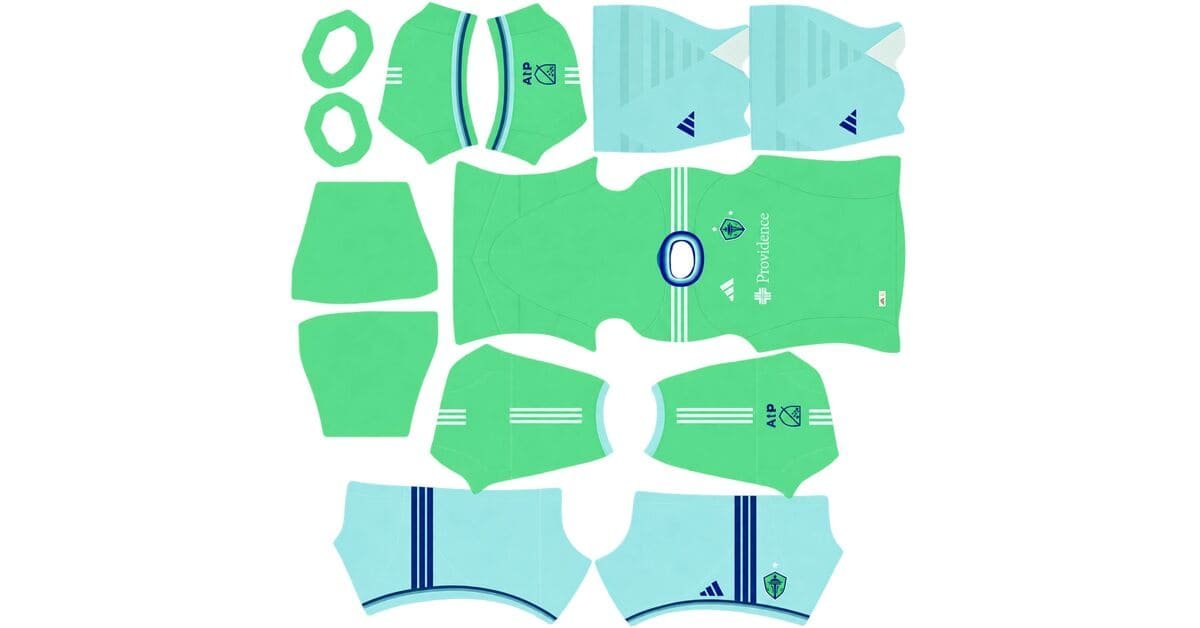
A Seattle Sounders DLS kits URL is a direct link to a 512×512 PNG Sounders shirt that you can paste into Dream League Soccer. All four kit slots are listed below, and every file has been loaded into the game before being added to this page.
Seattle Sounders FC Logo
Official Logo 512×512 (2026/27)
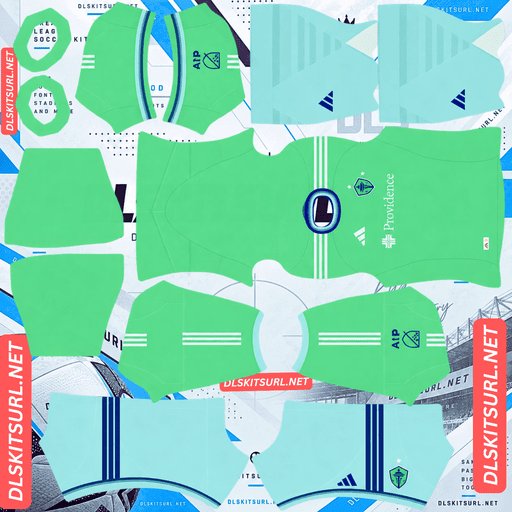
Seattle Sounders FC Home Kit
Home Kit 512×512 (2026/27)
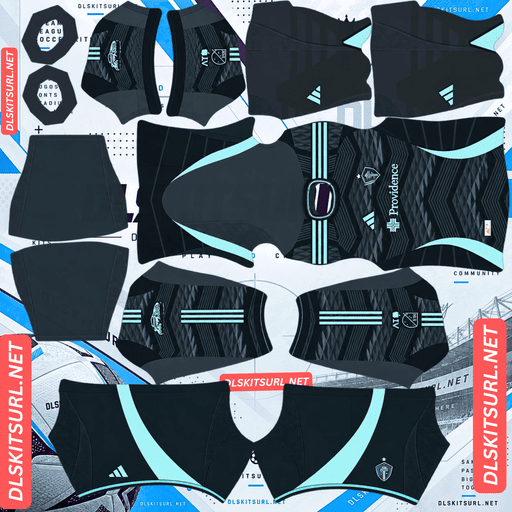
Seattle Sounders FC Away Kit
Away Kit 512×512 (2026/27)
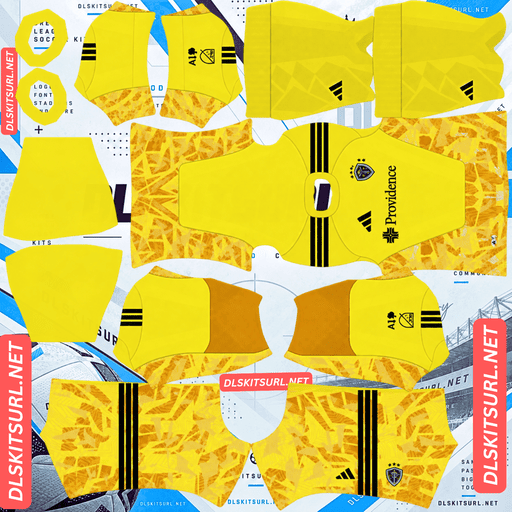
Seattle Sounders FC GK Home Kit
GK Home Kit 512×512 (2026/27)
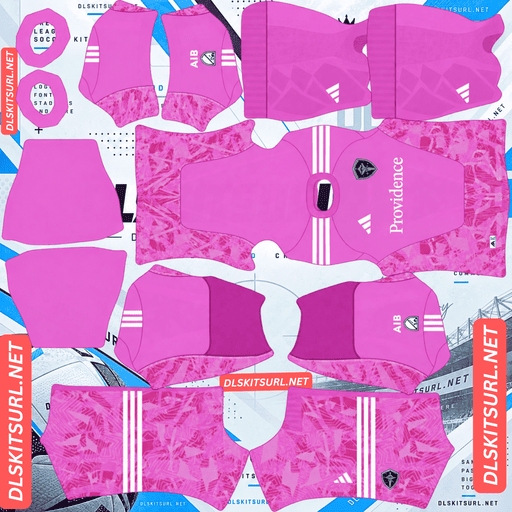
Seattle Sounders FC GK Away Kit
GK Away Kit 512×512 (2026/27)
The Evergreen State Kit has two details that DLS cannot reproduce, along with one colour that works particularly well in the game. Knowing what survives the conversion makes it much easier to judge the quality of a kit file.
The Evergreen State Kit
Seattle unveiled the Evergreen State Kit as its primary jersey for 2026, introducing it from the club’s Renton headquarters. The design celebrates Washington’s spirit, colours and culture, while drawing on the state’s nickname and the club’s own phrase: forever green and for Evergreen.
The shirt has a bright Semi Solar Lime base, with dark and light blue accents across the shoulders and sleeve cuffs. A paintbrush-style gradient inspired by Washington’s landscapes adds texture to the body, while the full kit pairs the shirt with light sky blue shorts and socks.
There is another distinctive feature on the real jersey: a lenticular, heat-applied crest and Adidas logo. These details create a shifting appearance as the shirt moves.
Why the lenticular crest cannot be reproduced in DLS
A lenticular finish works by changing its appearance depending on the viewing angle. It relies on a physical surface, light and movement between the viewer and the shirt.
A DLS kit, however, is just a flat image wrapped around a player model. It cannot change its appearance as you move the camera or look at it from another angle.
There is an additional limitation: Dream League Soccer places your imported badge over the chest area. That means even a perfect flat copy of the original crest would be covered by the badge you import.
This is the fifth lenticular crest documented this cycle. Australia, Sweden, the Netherlands and Austin FC’s Rooted Kit use similar effects, and none of these finishes can be carried over properly into DLS.
Expect the crest to look flat. It is a limitation of the game, not a problem with your image quality.
The gradient is the detail that depends on file quality
Unlike the lenticular crest, the Evergreen State Kit’s paintbrush-style gradient can survive in DLS. The result depends heavily on the quality and resolution of the image you import.
A gradient is made up of many slightly different shades blending into one another. To reproduce that transition smoothly, the image needs enough pixels to preserve the intermediate colours.
When the file is too small or heavily compressed, those gradual changes can turn into visible blocks or bands of flat colour. This is known as banding.
Open the kit image at full size and inspect the shirt body. A smooth, continuous colour transition is a good sign. If the gradient looks like separate strips of colour, the file is not preserving the design properly.
This is the important difference between the two signature details: the lenticular effect cannot be recreated in a flat image, but the gradient genuinely benefits from a better-quality file.
Other designs face the same problem this season, including Australia’s sunrise away, Manchester City’s home, CF Montréal’s third and Espanyol’s lemon-lime third.
Semi Solar Lime is excellent for visibility in DLS
The strongest feature of this Sounders kit is also the one that survives most reliably: its bright lime colour.
Dream League Soccer shows players at a relatively small size during matches, so a shirt needs to stand apart from the green pitch.
Semi Solar Lime is a bright, saturated yellow-green, and that saturation makes a big difference.
Muted greens can blend into the grass because their colour is too close to the pitch. Nottingham Forest, Kocaelispor, Atlético Nacional and Deportivo Cali face that challenge with their green kits.
Seattle’s vivid lime is different. It leans further towards yellow and has enough brightness to remain visible against the grass. The same principle helps Espanyol’s lemon-lime third and Austin FC’s mint away kit stand out despite their green tones.
The light blue shorts and socks improve the contrast further. Instead of extending the lime colour down the entire player model, they create a clear difference between the upper and lower halves of the kit.
Seattle is therefore among the easier MLS teams to follow at match distance, even though green kits do not always have that advantage.
The Sounders away kit carried over from 2025
Adidas gives each MLS club one new kit per year rather than replacing both the home and away shirts together. The other design carries over into the following season.
For Seattle, the new 2026 release was the Evergreen State home kit. The 2025 away shirt continued unchanged into 2026.
Why a 2025 away file can still be correct
On many club kit pages, a file from the previous season would usually be considered outdated. MLS is different because teams often continue using one of their previous designs.
That means a 2025-labelled Seattle Sounders away file can be exactly the shirt worn by the club throughout 2026.
Check the actual design rather than relying only on the year written in the file name.
MLS also uses a calendar-year season, so its kits are generally labelled with a single year instead of a split-season format such as 2026/27.
The same carry-over approach applies to Austin FC, Charlotte FC, Colorado Rapids, Atlanta United, FC Cincinnati, CF Montréal, New York Red Bulls, NYCFC, New England Revolution and Nashville SC.
Which Seattle Sounders kit details survive in DLS?
Kit
Design element
DLS result
Home
Semi Solar Lime base
Arrives correctly
Home
Blue shoulder and cuff accents
Survive clearly
Home
Paintbrush-style gradient
Depends on file quality
Home
Lenticular crest
Cannot be reproduced
Away
2025 design carried into 2026
Check the design, not the year
For the home shirt, use the blue shoulder and cuff accents as your first quality check. They are clear, high-contrast details without complicated textures, making them reliable indicators of whether the file is displaying properly.
After that, inspect the gradient for smooth colour transitions. Do not judge the file by the lenticular crest, because that effect cannot be reproduced in DLS.
Best number colours for Seattle Sounders kits
Dream League Soccer gets number colours from two small swatches in the kit template rather than reading them from your imported image. One controls the shirt numbers and the other controls the shorts.
Home kit: Choose dark blue to match the shoulder accents. It provides strong contrast against the bright lime base. White and other pale colours can disappear against such a vivid background.
Away kit: Choose whichever colour contrasts with the dominant shade on the upper back, because that is where DLS places the shirt numbers.
Set the shirt and shorts swatches separately. This is especially important for Seattle’s home kit because the lime shirt and light blue shorts may need different number colours.
How to identify a current Seattle Sounders kit file
Use these four checks before importing a Sounders shirt:
Adidas branding: Seattle’s MLS kit should feature Adidas branding, as all 30 MLS clubs wear Adidas.
Evergreen State home design: Look for the Semi Solar Lime base, dark and light blue accents, and light blue shorts.
Away kit year: A 2025-labelled away file is still suitable for 2026 if it matches the design carried over from the previous season.
Sleeve patch: Check which sleeve patch is included, since MLS and Leagues Cup versions both exist.
One detail can make colour-only checks misleading: Seattle also used Semi Solar Lime for its 2024 home kit. A lime shirt is not automatically the 2026 design, so compare the full details with the kit shown on the card.
How to use a Seattle Sounders DLS kits URL
Use the copy button on the kit card to get the direct image link. Copying the address from your browser’s address bar usually gives you the webpage rather than the actual PNG file.
Then follow these steps:
Open Dream League Soccer.
Tap My Club.
Select Customise.
Open the Kit section, not Logo. These are separate options.
Choose the slot you want to replace.
Press and hold the URL field, then tap Paste.
Select Confirm to import the shirt. Older versions may label this button Download.
Adidas released the home and away designs, so the third kit slot is available. Seattle’s 2025 third kit is a natural choice for that slot, although DLS accepts any working 512×512 kit URL regardless of the design’s age.
The first custom kit requires a one-time gem unlock. Once unlocked, you can change your imported kits without paying gems each time.
Test the Sounders kit URL before importing
Open the copied link in your browser before using it in the game. A working direct image URL should display the shirt on its own, and the address should end in .png.
If you see a webpage with headings, buttons or other content surrounding the image, you have a viewer page rather than a direct PNG link. DLS cannot import that type of webpage.
For the Evergreen State Kit, checking the actual image dimensions is particularly important. The paintbrush gradient needs enough pixels to preserve its smooth transition, so make sure the file is genuinely 512×512.
Why do Seattle Sounders kit URLs stop working?
There are three common reasons a kit link can stop working, even if it was available when first published.
Free image hosts delete old uploads. Some hosting services remove files that have not been accessed for months or years. The URL may still look normal, but the image itself is no longer available.
Hotlink protection blocks requests from DLS. An image host may allow you to open a picture in your browser but refuse requests coming from another application. This explains why a link can appear to work when clicked but fail when pasted into the game.
The preview and copied link point to different files. Some websites display a thumbnail stored on their own server while providing a separate URL for the actual image. The preview can continue working even after the linked file has disappeared.
For this collection, the displayed shirt and the copied URL point to the same image file on the same server.
The Seattle Sounders badge
You can import the Sounders crest in the same session. Follow the same process, but select Logo instead of Kit.
One important detail is the badge’s age. Seattle redesigned its crest in 2023, so make sure you are using the current version rather than an older badge.
Dream League Soccer crops imported badges into a circle. Choose an image with enough clear space around the entire design instead of one trimmed tightly against the artwork.
Remember that the badge itself will remain flat. The shifting lenticular treatment on the real Evergreen State jersey is a physical effect, and an imported logo cannot reproduce it.
How to keep your Seattle Sounders kits safe
Dream League Soccer stores custom kits on your device rather than permanently attaching them to your account. A regular game update usually leaves them in place, but reinstalling the game or changing phones can mean losing your imported shirts and badge.
A good-quality Evergreen State home file is worth keeping, particularly if its paintbrush gradient remains smooth rather than breaking into bands.
Before importing the collection, save all four kit URLs in a notes app. Keep your badge link there too, so you can restore everything if you reinstall the game or move to another device.
FAQ FOR RANK MATH
What is a Seattle Sounders DLS kits URL?
A Seattle Sounders DLS kits URL is a direct link to a 512×512 PNG Sounders shirt that you can paste into Dream League Soccer’s Kit section. A working direct image link ends in .png.
What is the Evergreen State Kit?
The Evergreen State Kit is Seattle’s primary jersey for 2026. It features a Semi Solar Lime base, dark and light blue accents, a paintbrush-style gradient inspired by Washington’s landscapes, and light blue shorts and socks.
Can Dream League Soccer show the lenticular crest?
No. The lenticular finish changes its appearance depending on the viewing angle, which a flat 512×512 image cannot reproduce. DLS also places your imported badge over the chest area.
Why does my Seattle Sounders home kit look striped?
This is usually caused by banding in the paintbrush gradient. The design needs a genuine, high-quality 512×512 image to preserve its smooth colour transitions. A smaller or heavily compressed file can turn the gradient into visible bands of flat colour.
Is green a problem for visibility in DLS?
Muted green can blend into the pitch, but Seattle’s Semi Solar Lime is bright and saturated enough to stand out. The light blue shorts and socks provide additional contrast.
Is a 2025 Seattle Sounders away file still current for 2026?
Yes. Adidas releases one new kit per MLS club each year, and Seattle’s 2026 release was the home shirt. The 2025 away design therefore carried over into 2026.
What number colour should I use on the Seattle Sounders home kit?
Dark blue is the best choice. It matches the shoulder accents and stands out clearly against the bright lime base. White and other pale colours can be difficult to see.
How do I check a Seattle Sounders home kit file?
Start by checking the blue shoulder and sleeve cuff accents. These are defined, high-contrast details that should remain clear in a good file. Then inspect the paintbrush gradient to make sure it flows smoothly without visible bands.