
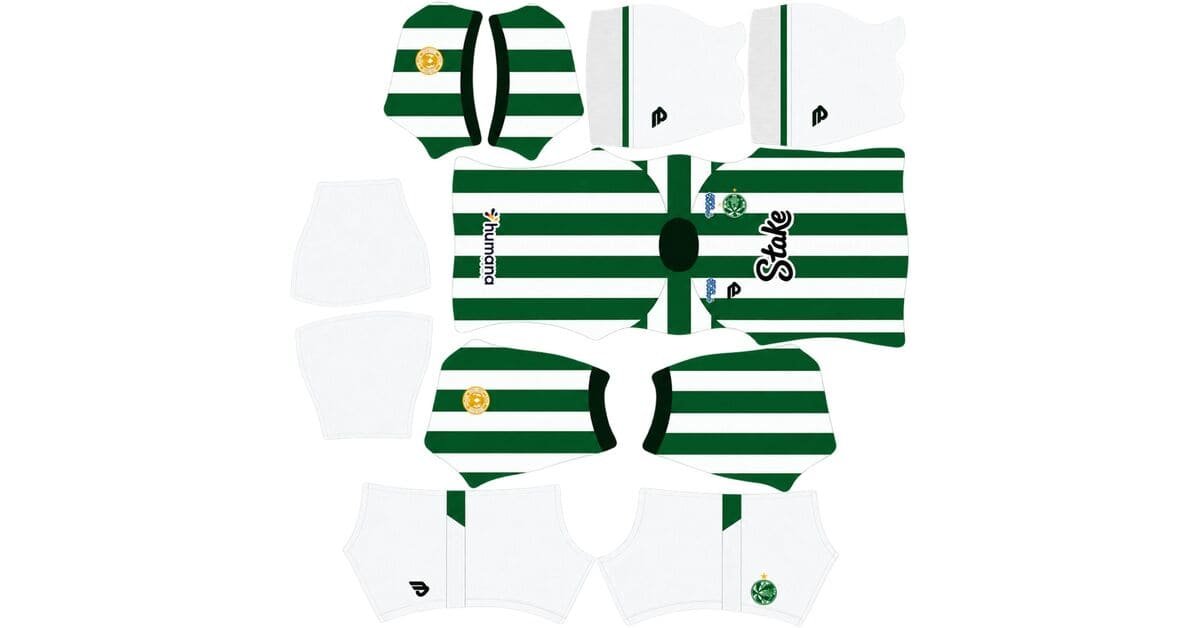
A Juventude DLS kits URL is a direct link to a 512×512 PNG EC Juventude shirt that you can import into Dream League Soccer. All four kit slots are listed below, and every image has been loaded into the game before being added to this page.
EC Juventude Logo
Official Logo 512×512 (2026/27)
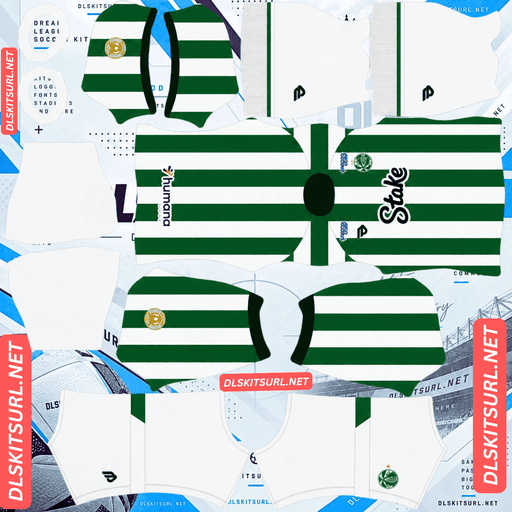
EC Juventude Home Kit
Home Kit 512×512 (2026/27)
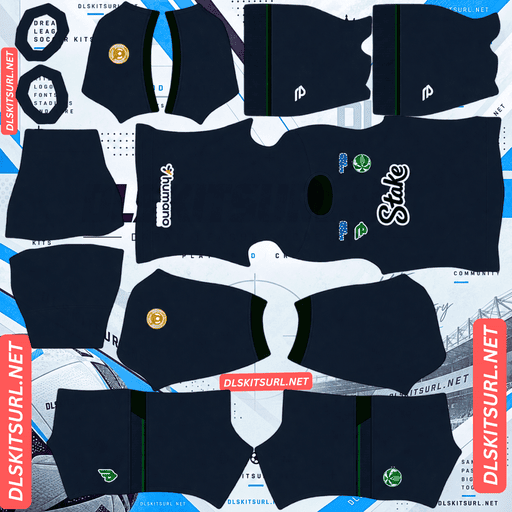
EC Juventude Away Kit
Away Kit 512×512 (2026/27)
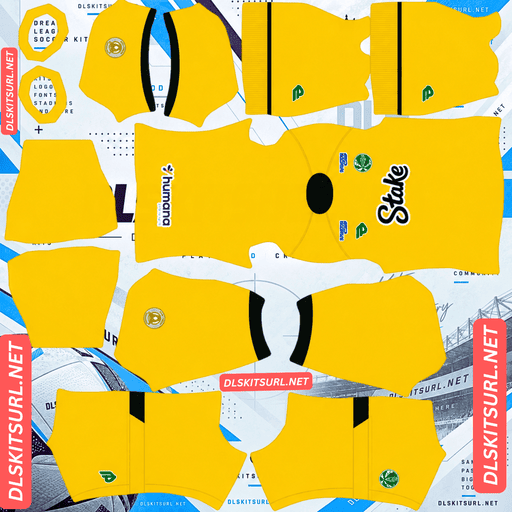
EC Juventude GK Home Kit
GK Home Kit 512×512 (2026/27)
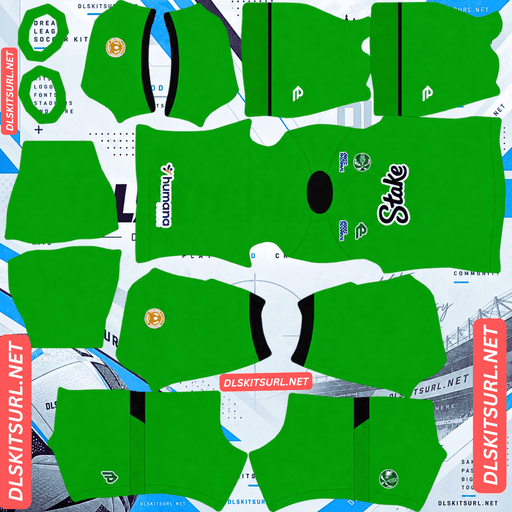
EC Juventude GK Away Kit
GK Away Kit 512×512 (2026/27)
Juventude does something relatively uncommon in football: the club makes its own kits. That makes finding usable DLS files more difficult than it would be for a club supplied by a major international brand.
Juventude Makes Its Own Kits
19Treze is Esporte Clube Juventude’s in-house kit brand, named after the club’s founding year, 1913 — dezenove-treze in Portuguese.
Released on 13 November 2025, the 2026 collection celebrates ten years of the 19Treze brand. Its designs take inspiration from Juventude shirts worn during the 1970s and 1980s.
Why Juventude Kit Files Are Hard to Find
Most large kit databases used by DLS communities focus on major suppliers such as Nike, Adidas and Puma. When one of these brands releases a new shirt, images spread internationally within hours, and kit creators can quickly turn them into 512×512 templates.
19Treze does not have the same international distribution network. There is no global sportswear brand distributing press images worldwide, and international kit websites have less reason to cover the release.
As a result, you should expect fewer downloadable options than you would find for a similarly sized club supplied by a major brand. Clubs that manufacture their own kits, including Azam FC in Tanzania and a handful of European sides, can face similar problems.
Don’t assume a file is the correct size just because its filename says 512×512. On a computer, right-click the image and open it in a new tab to check the actual dimensions reported by your browser.
The Good News — The Home Design Is Forgiving
Although Juventude kits can be harder to find, the home shirt is relatively easy to reproduce in DLS.
Its green and white vertical stripes are ideal for a 512×512 image:
Straightforward alignment: the stripes need to line up correctly down the centre of the shirt.
Strong colour contrast: green against white creates clear boundaries that are less likely to blur during compression.
Wide stripes: the broad bands retain their shape better than fine lines and tiny details.
This means even an average-quality image can produce a convincing Juventude home kit. That is particularly useful when the available selection is limited.
Three Details You Won’t See in Dream League Soccer
The 2026 home kit includes three details connected to Juventude’s history and identity. Unfortunately, the game’s kit template cannot reproduce them properly.
The Founding Year on the Back
The club’s founding year, 1913, is prominently displayed across the back of the shirt.
The problem is that Dream League Soccer places squad numbers in the upper-back area. Depending on how the kit image is prepared, the number may cover the year, overlap it awkwardly or appear on a version that leaves the detail out entirely.
Use a strong, high-contrast number colour so your squad numbers remain readable regardless of what is printed behind them.
This is not unique to Juventude. Commemorative gold numerals on Grêmio shirts, Arabic script on Qatar kits and Indonesia’s national motto face similar limitations when they occupy the same area.
The Papada Illustration Inside the Collar
Inside the neckline is an illustration inspired by Papada, included as a tribute to Juventude’s supporters and their place in the club’s history.
Unfortunately, the DLS kit template does not map the inside surfaces of a shirt. Anything printed inside the collar is therefore excluded from the imported design, regardless of the manufacturer.
It is a meaningful part of the real shirt, but one that a flat kit image simply cannot carry into the game.
The Gold ECJ Sleeve Tag
A small gold tag featuring the initials ECJ appears on the right sleeve, reinforcing the club’s own branding.
Three limitations make this detail difficult to reproduce. It is small, it sits in the sleeve section of the kit template, and its metallic gold appearance depends on gradients that need enough space to remain visible.
In DLS, expect it to appear as a small yellowish mark or disappear almost entirely.
Juventude’s 2026 Kits
The collection is made by 19Treze, with Stake serving as the main shirt sponsor in black.
Home Kit — Green and White Stripes
The home shirt keeps Juventude’s traditional green and white vertical stripes, drawing inspiration from the club’s kits of the 1970s and 1980s.
The club crest sits on the left chest, while the 19Treze logo appears on the right in verde legado, or legacy green. Black Stake sponsorship lettering runs across the centre.
These bold elements are the most important details to check when choosing a DLS version.
Away Kit
19Treze released an away shirt alongside the home design as part of the same anniversary collection.
Detailed coverage of the away kit is limited outside Brazil, so use the kit card above as your primary visual reference when checking its colours and layout. Avoid relying on descriptions from unrelated or older Juventude shirts.
What to Check in a Juventude Kit File
For the home shirt, focus on the stripes, chest logos and collar. These are the clearest features and the easiest way to judge whether a file is suitable for DLS.
Check the following:
Sharp stripe boundaries: green and white should meet cleanly rather than appearing blurred or smeared.
Correct central alignment: the vertical stripes should run neatly down the chest without awkward shifts.
Correct logo placement: the club crest should be on the left chest and the 19Treze logo on the right.
If these details look right, the file is likely to reproduce the main design effectively. The collar illustration, sleeve tag and other details that the template cannot properly represent are not reliable indicators of image quality.
What Number Colours Work Best on Juventude Kits?
Dream League Soccer uses two small colour swatches on the kit template to control numbers. One sets the shirt numbers, and the other controls the shorts numbers. The game does not automatically extract these colours from your imported image.
Home: black or gold numbers work well with the green and white stripes. Green and white numbers would disappear into parts of the shirt.
Away: choose a colour that matches the trim and contrasts with the main background. Avoid using the dominant base colour for the numbers.
Set the shirt and shorts swatches separately to keep both sets of numbers readable.
How Visible Is Juventude’s Home Kit on the Pitch?
The white stripes make Juventude’s green shirt easier to see than you might expect.
Dream League Soccer renders players at a relatively small size, so kit visibility depends partly on how strongly the shirt contrasts with the pitch.
Green is naturally close to the colour of the grass. This can make solid green kits harder to distinguish, as teams such as Nottingham Forest, Pakistan and Young Africans can experience with their predominantly green designs.
Juventude’s white stripes provide the solution. They create strong contrast within the shirt itself, helping players stand out at match distance in a way a plain green kit might not.
The same principle helps striped designs such as Vitória’s red-and-black hoops and Werder Bremen’s green-and-white shirts remain recognisable during gameplay.
How to Tell Whether a Juventude Kit File Is Current
Use these four details to identify the 2026 collection:
19Treze branding on the right chest in legacy green.
Black Stake sponsorship across the centre of the shirt.
Green and white vertical stripes inspired by Juventude’s 1970s and 1980s designs.
The founding year 1913 on the back, a signature feature of the anniversary collection.
These checks help you distinguish the current home shirt from older designs and unrelated kit versions.
How to Use a Juventude DLS Kits URL
Use the copy button on the kit card rather than copying the address from your browser’s address bar. The address bar usually contains the webpage URL, not the direct image link required by the game.
Follow these steps:
Open Dream League Soccer.
Tap My Club.
Select Customise.
Open Kit, not Logo. The two options serve different purposes.
Select the kit slot you want to replace.
Paste the copied URL into the field.
Tap Confirm. Some older versions use the label Download instead.
Choose the correct slot before pasting the link, because the selected slot is the one that will be replaced.
Since 19Treze released both home and away shirts, you can leave the third-kit slot available for another design. An older 19Treze shirt is one option, and Dream League Soccer can accept a working 512×512 image URL regardless of the kit’s release year.
The first custom kit requires a one-time gem unlock. After that, changing between kits costs nothing.
Test the Link Before Importing It
Open the URL in your browser before using it in Dream League Soccer.
A valid direct image link should display the shirt on its own, with the address ending in .png.
If the link opens a webpage containing menus, buttons or other content around the image, it is probably a viewer page rather than a direct image URL. The game needs access to the actual PNG file.
Testing the link first can save time and help you identify broken URLs before attempting an import.
Why Do Juventude Kit URLs Stop Working?
Three common problems can cause a kit link to fail. The first can be particularly frustrating when dealing with an in-house brand such as 19Treze.
Free image hosts may delete files. Because Juventude receives less international kit coverage, fewer people may maintain its uploads. Some image hosts remove files after long periods of inactivity, leaving URLs that look correct but no longer return an image.
Hotlink protection may block the game. Some hosting services refuse requests that do not originate from their own websites. This can make a link open normally in your browser but fail when Dream League Soccer tries to load it.
The preview and the direct link may point to different files. A website can display a thumbnail hosted on its own server while linking to an image stored elsewhere. The preview may continue to appear even after the actual file becomes unavailable.
For the kit cards on this page, the displayed shirt and copied URL refer to the same image file on the same server.
The EC Juventude Badge
Import the club crest during the same session, but select Logo instead of Kit in the Customise menu.
Juventude’s crest is a green-and-white shield featuring the club’s initials and founding year.
Dream League Soccer crops imported badges into a circle. Because a shield narrows towards its base, choose an image with enough empty space around the complete design rather than one cropped tightly to its edges.
The lettering and founding year may look softer at the small size used beside the score. This is a consequence of how the game displays the badge, rather than necessarily indicating a poor-quality source image.
The green-and-white colour blocking is the most important part to preserve, and it also matches the club’s traditional home shirt.
How to Keep Your Juventude Kits
Custom kits are stored on your device rather than directly in your account. Game updates usually leave them in place, but reinstalling Dream League Soccer or switching phones can mean losing your imported kits and badge.
Because 19Treze has limited international distribution, finding a replacement Juventude file may take more effort than finding one for a major-brand club.
Before importing anything, save all four kit links in a notes app. Keep the links for designs you are not using as well, so you can restore your preferred shirts later without searching for them again.
Frequently Asked Questions
What Is a Juventude DLS Kits URL?
A Juventude DLS kits URL is a direct link to a 512×512 PNG EC Juventude shirt that you can import through Dream League Soccer’s Kit menu. A working direct image URL ends in .png.
Who Makes EC Juventude’s Kits?
EC Juventude’s kits are made by 19Treze, the club’s own in-house brand. Its name comes from the club’s founding year, 1913, and the 2026 collection celebrates the brand’s tenth anniversary.
Why Are Juventude Kit Files Hard to Find?
Juventude uses 19Treze, an in-house brand without the international distribution network of major sportswear companies. Since many DLS kit databases focus on Nike, Adidas and Puma, Juventude releases receive less coverage outside Brazil.
What Inspired the Juventude 2026 Kits?
The 2026 collection draws inspiration from Juventude shirts of the 1970s and 1980s and marks ten years of the 19Treze brand. The home shirt retains the club’s traditional green-and-white vertical stripes.
Will the 1913 Detail on the Back Show Up in DLS?
The founding year appears in the same upper-back area used for squad numbers in Dream League Soccer. As a result, the number may cover the year or overlap it. Using a high-contrast number colour helps keep the number readable.
What Is Inside the Juventude Collar?
The inside of the collar features an illustration inspired by Papada, paying tribute to Juventude’s supporters. Dream League Soccer does not map the inside surfaces of a shirt, so this detail cannot be reproduced through a standard kit image.
Are Juventude Kits Easy to Reproduce in DLS?
The home kit is relatively easy to reproduce because its green-and-white vertical stripes provide strong contrast, require straightforward alignment and do not depend on subtle tonal effects. Even an average-quality file can produce a recognisable shirt.
Is Green a Problem for Visibility in DLS?
A solid green kit can blend into the grass, but Juventude’s white stripes create additional contrast within the shirt. This helps the team remain recognisable at match distance.