
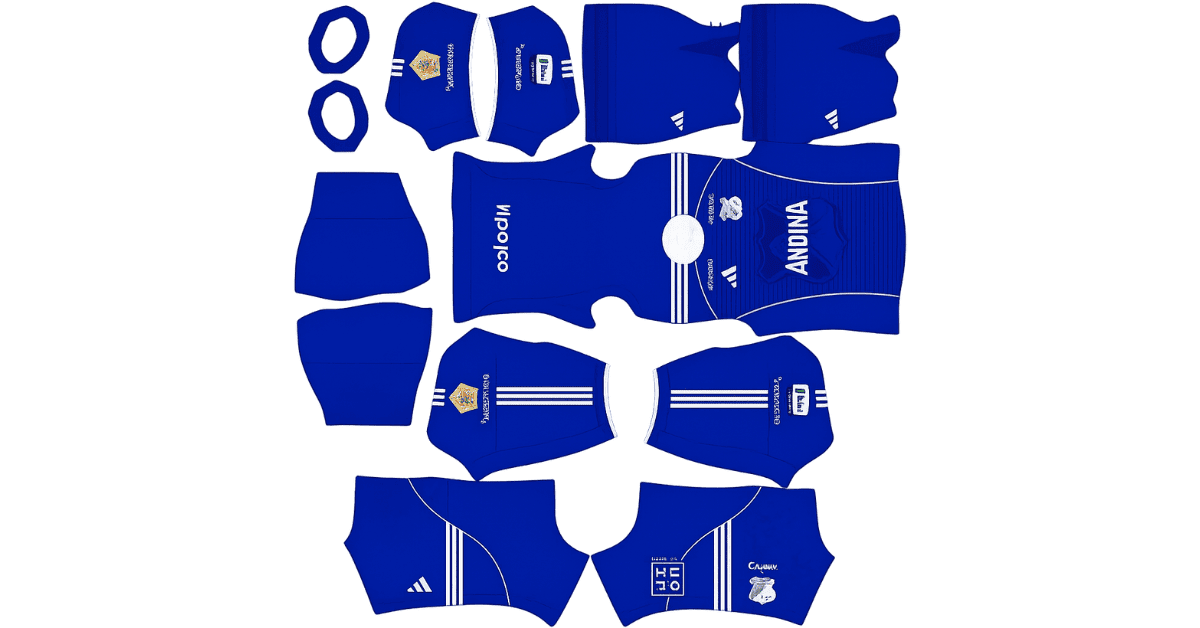
Looking for a Millonarios DLS kits URL for Dream League Soccer? Here you can find direct links to 512×512 PNG kit images that you can import into the game and use for your team. All four kit files have been loaded and tested before being added to this page.
Millonarios FC Logo
Official Logo 512×512 (2026/27)
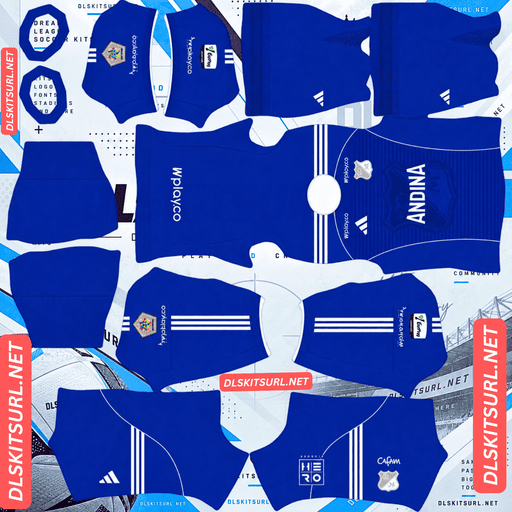
Millonarios FC Home Kit
Home Kit 512×512 (2026/27)
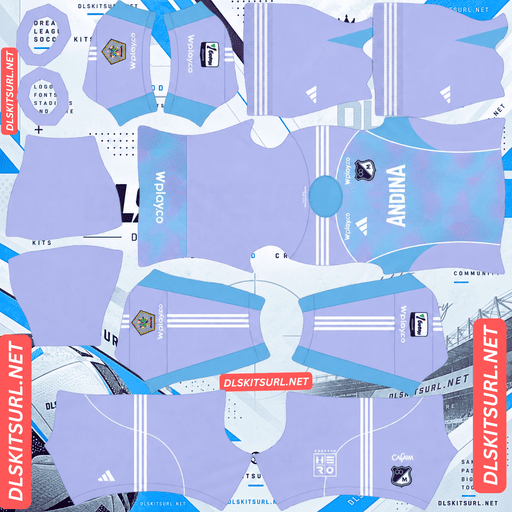
Millonarios FC Away Kit
Away Kit 512×512 (2026/27)
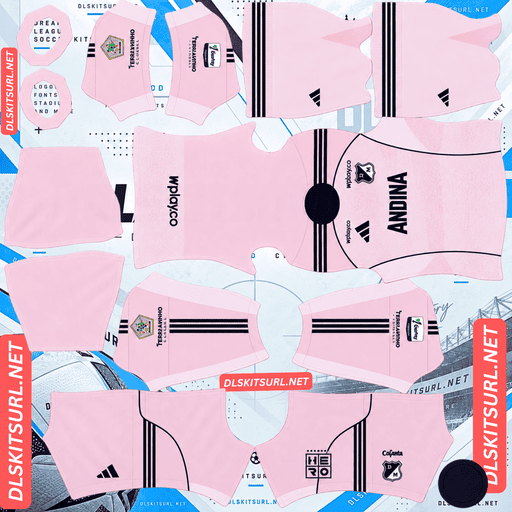
Millonarios FC Third Kit
Third Kit 512×512 (2026/27)
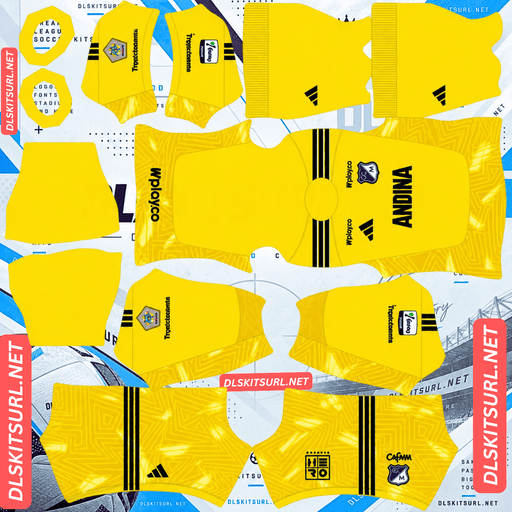
Millonarios FC GK Home Kit
GK Away Kit 512×512 (2026/27)
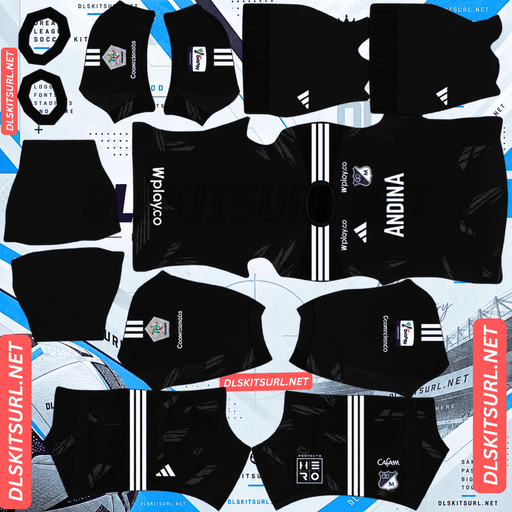
Millonarios FC GK Away Kit
GK Away Kit 512×512 (2026/27)
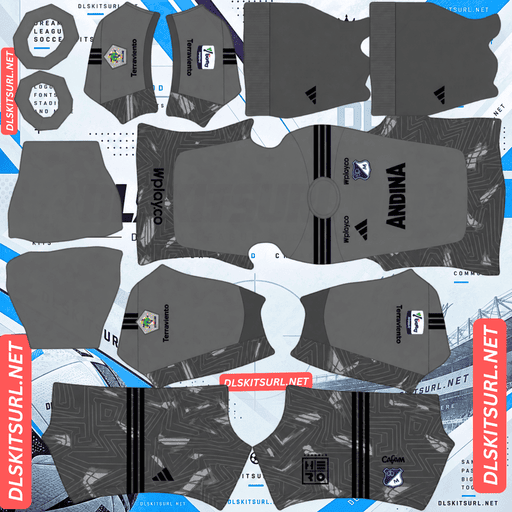
Millonarios FC GK Third Kit
GK Third Kit 512×512 (2026/27)
The 2026 season is especially important for Millonarios FC, as the Colombian club celebrates its 80th anniversary. Adidas has marked the occasion with special design details across the team’s shirts, including an architectural pattern on the home kit and a separate anniversary edition.
Below, you’ll find the available kits, tips for getting the best results in DLS, and instructions for importing the shirts without running into common URL problems.
Millonarios 2026 Home Kit — Inspired by El Campín
Millonarios introduced its 2026 home shirt on 23 January 2026. The design stays true to the club’s familiar deep-blue colours while adding a pattern inspired by the architecture of Estadio El Campín, the stadium that has been associated with the club since the 1940s.
It is a fitting design for an anniversary season, combining a traditional appearance with a subtle reference to the club’s home ground.
Will the El Campín Pattern Be Visible in DLS?
The visibility of the architectural pattern depends largely on the colours used in the design.
If the pattern appears in a noticeably lighter shade of blue or another contrasting colour, it should remain visible when the shirt is imported into Dream League Soccer. The 512×512 template can reproduce clear differences in colour without much difficulty.
A tonal pattern is more challenging. When the details use slightly different shades of the same dark blue, they can blend into the background, particularly when players are viewed from a distance during a match.
Before importing the kit, open the PNG image at full size and inspect the main body of the shirt. If the pattern is easy to distinguish, it has a better chance of remaining visible in the game. If it is already difficult to see in the original image, don’t expect DLS to make it more noticeable.
The Anniversary Message on the Back of the Shirt
The home shirt also includes the commemorative inscription “80 Años de Pasión 1946-2026”, positioned beneath the collar on the back.
Although this detail is meaningful for collectors and supporters, it has limited practical value in Dream League Soccer. The inscription sits near the upper edge of the back panel, where it is difficult to see clearly on the in-game player model.
There is another limitation: the same general area is used for the squad number. Depending on the template and number placement, the inscription may be obscured or become difficult to distinguish.
This is not unique to Millonarios. Several other clubs use the space around the collar for small commemorative details or lettering, but such features rarely remain prominent once a shirt is mapped onto the DLS player model.
Millonarios 2026 Away Kit — Pale Pink and White
The away shirt takes a different approach from the traditional blue home kit. Its main colour is pale pink, complemented by white side panels and dark navy details around the collar and Adidas stripes.
The lighter colour palette gives the shirt a distinctive appearance and makes it stand out from the usual dark or brightly coloured football kits.
Why the Pink Away Kit Works Well in Dream League Soccer
The main advantage of this design is its clear separation of colours.
Pale pink contrasts strongly with the green football pitch, making players easier to follow during gameplay. The white side panels also help define the shape of the shirt, while the navy trim provides a darker outline.
Unlike a shirt that relies on fine graphics or subtle textures, this design uses straightforward colour blocking. That means there is less risk of important visual details disappearing when the image is imported into the game.
When checking the PNG file, pay particular attention to the edges between the pink body and white panels. These boundaries should look clean and well-defined rather than blurry or pixelated.
One thing to watch out for: some kit databases also list a Millonarios away design featuring sky blue, purple, and white, with a graphic pattern. If the image you find looks completely different from the pale-pink Adidas shirt described here, double-check the release and season before importing it.
Millonarios 80th Anniversary Kit — A Special Edition for 2026
Alongside the regular home and away shirts, Adidas released a separate 80th anniversary shirt for Millonarios. The kit was unveiled on 17 July 2026, with sales beginning on 10 August 2026.
Reports from Colombia described the design as elegant and understated, with a strong connection to the club’s history and traditional identity. A special crest treatment also helps distinguish the commemorative shirt from the regular versions.
Is the Anniversary Shirt Suitable for DLS?
Yes. A relatively simple design is often a good choice for a Dream League Soccer kit because the most important features are easier to reproduce at 512×512 resolution.
Large areas of colour, clean edges, and a prominent crest generally translate better into the game than tiny lettering or intricate graphics.
However, the badge deserves special attention. If the anniversary design relies on a modified or commemorative crest, importing the standard Millonarios logo may reduce the impact of the shirt’s original appearance.
For the closest match, look for a compatible anniversary badge image as well as the kit itself. Remember that DLS displays your imported logo separately, so the badge you select can affect how the overall uniform looks in the game.
Which Millonarios DLS Kit Looks Best in the Game?
Each shirt has its own advantages, but some designs are easier to reproduce accurately than others.
Kit
Main Design
Expected DLS Performance
Home kit
Deep blue with an El Campín-inspired pattern
Depends on the contrast of the pattern
Away kit
Pale pink with white panels and navy trim
Excellent colour separation and visibility
80th anniversary kit
Traditional, understated design with a commemorative crest
Best paired with the matching anniversary badge
For most players, the pale-pink away kit is the easiest option to get right. Its clear colour boundaries make it less dependent on subtle textures, while the home kit’s architectural pattern may lose some of its detail if it uses similar shades of blue.
The anniversary shirt is also worth considering if you want a special look for the club’s milestone season.
Best Shirt Number Colours for Millonarios Kits
Choosing the right number colour can make a noticeable difference to the finished uniform. Dream League Soccer uses separate colour swatches in the kit template to control the shirt numbers and shorts numbers, so these settings should be checked individually.
Number Colours for the Home Kit
Use white for the shirt numbers against the deep-blue background. White offers strong contrast and is easier to read during matches.
For the shorts, white is also a sensible starting point if it complements the particular kit image you have imported.
Number Colours for the Away Kit
For the pale-pink away shirt, dark navy is the better choice for the numbers. It matches the collar and Adidas stripes while remaining clearly visible against the lighter fabric.
White numbers may look too faint against the pale-pink background, particularly when the players are small on the screen.
After choosing your colours, check both swatches separately. Changing the shirt-number colour does not necessarily change the shorts-number colour.
How Visible Are Millonarios Kits During Matches?
Both kits should be easy to identify on the pitch, although the away shirt has an advantage because of its lighter colour.
Home Kit Visibility
The deep-blue home shirt stands apart from the green pitch, but its darker appearance can make smaller design details harder to distinguish.
If the El Campín pattern uses only subtle variations of blue, it may blend into the shirt when viewed from a typical match camera angle. A white squad number helps provide a clear focal point on the back.
Away Kit Visibility
The pale-pink away shirt is brighter and more visually distinct against the grass. Its white side panels add further separation, making the uniform easier to recognise during quick passes, counterattacks, and crowded situations.
If visibility is your main concern, the away kit is the stronger choice. Its colour scheme does most of the work without relying on intricate details.
How to Identify the Correct Millonarios 2026 Kit
Before copying a URL into Dream League Soccer, check the image against the expected design. A few details can help you distinguish the 2026 shirts from older releases or alternative versions.
Four Things to Check
Adidas branding and Cerveza Andina sponsorship: Check that the shirt has the expected manufacturer branding and chest sponsor.
Home shirt design: Look for the traditional deep-blue base and the pattern inspired by Estadio El Campín.
Away shirt colours: The version described here should feature pale pink, white side panels, and navy accents.
Anniversary details: Check for the 80th-anniversary references associated with the 2026 season, particularly on the commemorative home shirt and special edition.
Not every detail will necessarily remain visible in the imported DLS template. Use the original shirt design as a reference, but focus on the elements that can actually be reproduced in the game.
How to Import a Millonarios DLS Kits URL
Importing a custom kit is straightforward once you have a direct image link. Follow these steps to replace one of your existing uniforms.
Step 1 — Copy the Direct PNG Link
Choose the kit you want and use the Copy URL button on its card.
Avoid copying the address of the webpage itself. Dream League Soccer needs the direct image URL rather than a page containing a preview, advertisements, or other website elements.
Step 2 — Open the Kit Menu
Launch Dream League Soccer and navigate to:
My Club → Customise → Kit
Make sure you select Kit, not Logo. The kit section is where you import uniforms, while the logo section is used for the club badge.
Step 3 — Choose the Correct Kit Slot
Select the uniform slot you want to replace before pasting the link. The selected slot determines which kit will be overwritten.
Press and hold the URL field, select Paste, and then tap Confirm. Depending on your game version, the confirmation button may instead be labelled Download.
Wait for the image to load and check the result before moving on to another slot.
Step 4 — Choose Your Three Outfield Kits
Dream League Soccer provides three outfield kit slots alongside a goalkeeper kit slot.
You could use the traditional blue shirt as your home kit, the pale-pink design as your away kit, and the 80th anniversary edition as your third kit.
The commemorative shirt makes a particularly good third-kit option if you want to preserve the regular home and away designs.
Step 5 — Unlock Custom Kits and Save Your Links
The first custom kit import requires a one-time gem unlock in versions that use this system. After the initial unlock, replacing imported kits generally does not require another gem payment.
Keep a copy of your kit URLs somewhere safe. If you change devices or reinstall the game, you may need to import the uniforms again.
How to Check Whether a Millonarios Kit URL Works
A quick browser test can save you time before opening Dream League Soccer.
Check the Image Format
Open the copied link in your browser. A working direct image URL should display the shirt itself, without a surrounding webpage, and should normally end in .png.
If the link opens a website with menus, text, and buttons around the image, it may be a preview page rather than a direct image file.
Check the Resolution
On a computer, open the image in a new tab and inspect its dimensions using your browser’s image information or properties options.
The target resolution for these kits is 512×512 pixels. A smaller image may look blurry after importing, while a stretched or poorly prepared image can lose the clean edges needed for a convincing uniform.
Resolution matters particularly for the home shirt because its architectural pattern may depend on small differences in colour.
Why Do Millonarios DLS Kit URLs Sometimes Stop Working?
A kit image can work perfectly one day and fail the next. This is usually caused by the hosting service or the way the image link is configured, rather than by the shirt design itself.
1. The Image Host Deletes the File
Some free image-hosting services remove files after a period of inactivity or when their storage policies change. Once the original image disappears, the old URL may no longer work.
Kit images for clubs outside the most widely covered leagues can also be harder to find again, so keeping a backup is worthwhile.
2. Hotlink Protection Blocks the Request
Some websites allow images to display on their own pages but prevent other applications from accessing the files directly.
This can explain why a link opens in your browser but fails when pasted into DLS. The game requests the image from the hosting server, and the server may reject that request.
3. The Preview Image and Download Link Are Different
A webpage may display a thumbnail hosted on one server while its download link points to another location. If the second file is removed, the preview can remain visible even though the URL no longer works.
For the best results, use a direct PNG link that has been tested independently. The image shown in the kit card should match the file returned by the copied URL.
Millonarios FC Logo — Choosing the Right Badge for DLS
The kit is only part of the finished uniform. Importing the correct Millonarios badge helps the team look more authentic, especially when using the 80th anniversary shirt.
How to Import the Millonarios Badge
Return to the customisation menu and select Logo instead of Kit. Paste the direct URL for the badge into the appropriate field and confirm the import.
Check the result before leaving the menu to make sure the full design is visible.
Why the Circular Crest Needs Careful Cropping
Millonarios has a circular crest featuring the club’s blue-and-white identity and stars associated with its league titles.
A circular badge works well with DLS because the game displays imported logos within a circular crop. However, a source image with the edges cut off too tightly can lose part of the design.
Choose a genuine 512×512 image with enough space around the complete crest. Make sure the stars and other small features remain sharp rather than blurred or enlarged from a low-resolution source.
If you are using the anniversary edition, look for the appropriate commemorative badge when available. A regular crest may not reproduce all the details of the special release.
How to Keep Your Millonarios DLS Kits Safe
Custom kits and badges are generally stored locally on your device rather than automatically attached to your game account.
A routine game update may leave your imported kits untouched, but reinstalling the game or switching to a new phone can mean losing them.
This is particularly frustrating when a commemorative shirt or a specific badge version is difficult to find again.
Before making major changes to your device, save the following in a notes app:
The home kit URL
The away kit URL
The 80th anniversary kit URL
The goalkeeper kit URL
The matching Millonarios badge URL
Keeping these links together makes it easier to restore the full uniform set later. If you have saved the original PNG files as well, keep backup copies in a separate folder.
Frequently Asked Questions
What Is a Millonarios DLS Kits URL?
A Millonarios DLS kits URL is a direct link to a kit image that can be imported into Dream League Soccer. For these kits, the target image format is a 512×512 PNG file.
What Do Millonarios’ 2026 Kits Celebrate?
The 2026 season marks Millonarios FC’s 80th anniversary. The home shirt features the inscription “80 Años de Pasión 1946-2026”, and Adidas also released a separate commemorative shirt in July 2026.
Can the 80th Anniversary Inscription Be Seen in DLS?
The inscription is positioned beneath the collar on the back of the shirt, where it is difficult to see on the in-game player model. Squad-number placement can also obscure this area, depending on the kit template.
What Inspired the Millonarios Home Kit Pattern?
The home shirt features a pattern inspired by the architecture of Estadio El Campín. Its visibility in DLS depends on whether the pattern contrasts clearly with the deep-blue base or uses similar shades that blend together.
What Colour Is the Millonarios 2026 Away Kit?
The away shirt described in this guide is pale pink, with white side panels and dark navy accents around the collar and Adidas stripes.
Is the Pink Millonarios Kit Easy to See in DLS?
Yes. Pale pink contrasts well with the green pitch, while the white panels and navy trim help the shirt stand out. Its colour-blocked design also makes it less dependent on fine details.
Which Millonarios Kit Is Best for Dream League Soccer?
The pale-pink away kit is a strong choice because its colours are clearly separated and easy to recognise. The deep-blue home shirt is also a good option, although its architectural pattern may be less visible if it uses tonal colours.
Who Makes Millonarios FC’s 2026 Kits?
Adidas is the kit manufacturer, and Cerveza Andina is the shirt sponsor listed for the designs covered in this guide.
How Many Millonarios Kits Can I Import into DLS?
Dream League Soccer typically provides three outfield kit slots and a separate goalkeeper kit slot. You can use the home, away, and anniversary shirts across the three outfield slots, provided the images are compatible with your game version.
Why Is My Millonarios Kit URL Not Working?
The image may have been deleted, the host may block direct requests, or the URL may lead to a webpage instead of a PNG file. Open the link in your browser and check that it displays the image directly before importing it.
Do I Need a Separate URL for the Millonarios Badge?
Yes. The badge is imported through the Logo section, separately from the kit. Use a direct image URL for the crest and make sure the complete circular design fits inside the image.
Will My Custom Millonarios Kits Remain After Reinstalling DLS?
Not necessarily. Custom kits and logos are generally stored on the device, so reinstalling the game or changing phones may remove them. Save your URLs and original image files so you can import them again when needed.