
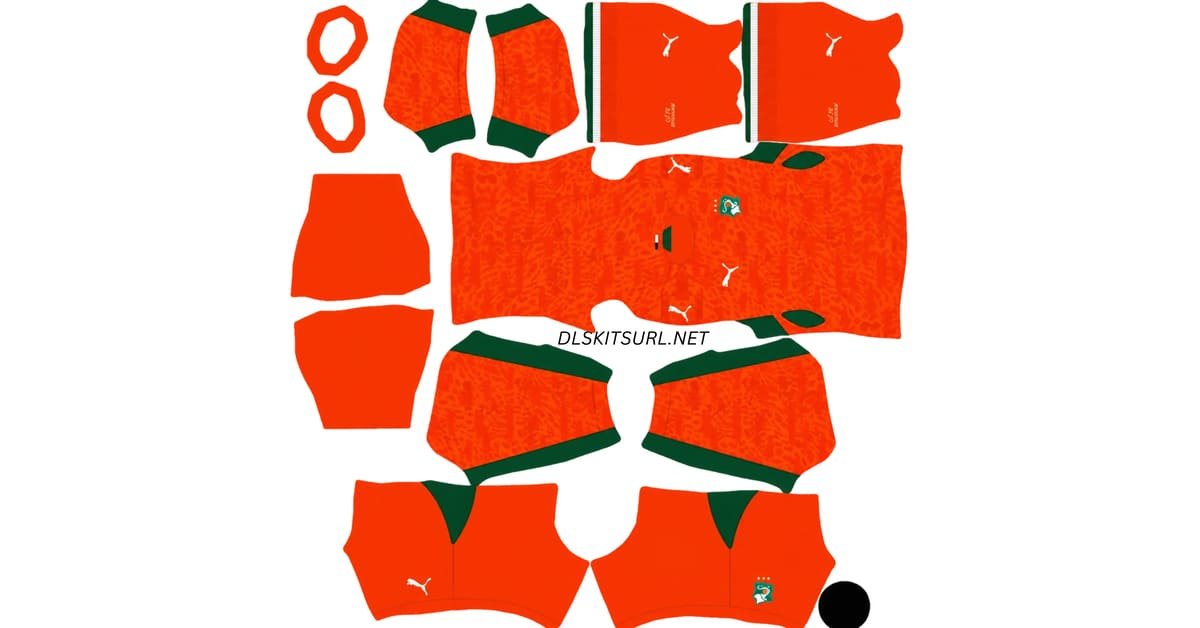
An Ivory Coast DLS kits URL is a direct link to a 512×512 PNG kit for Côte d’Ivoire that you can import into Dream League Soccer. This page covers the 2026/27 Les Éléphants home, away, and goalkeeper kits, along with the team badge and instructions for using each URL in the game.
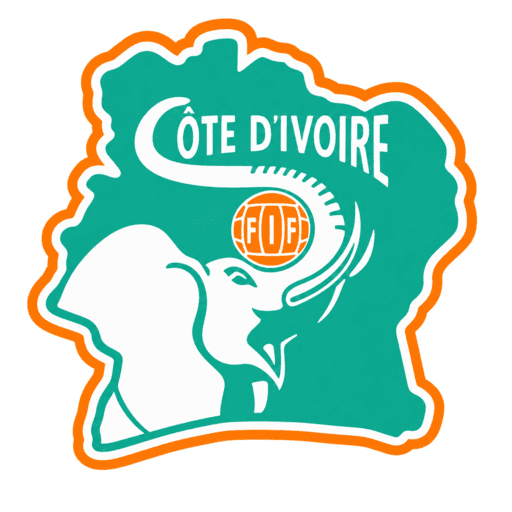
Ivory Coast Logo
Official Logo 512×512 (2026/27)
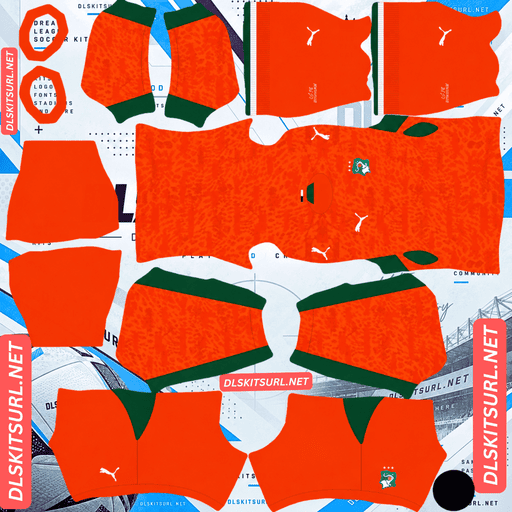
Ivory Coast Home Kit
Home Kit 512×512 (2026/27)
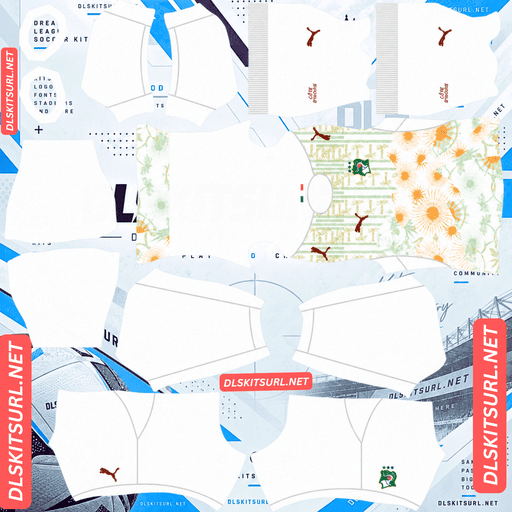
Ivory Coast Away Kit
Away Kit 512×512 (2026/27)
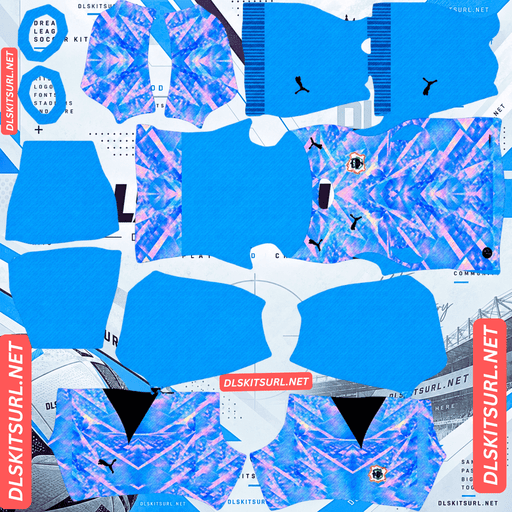
Ivory Coast Home GK Kit
Home GK Kit 512×512 (2026/27)
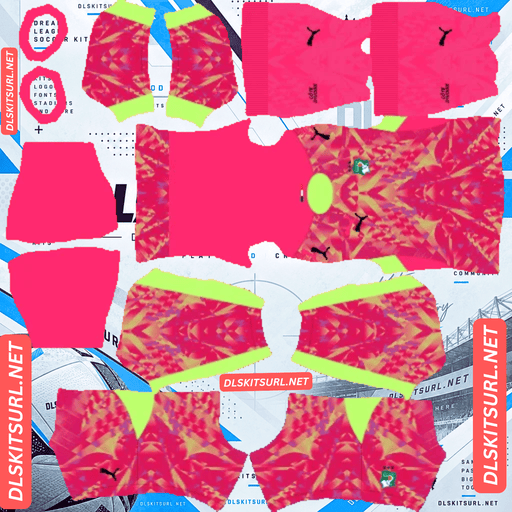
Ivory Coast Away GK Kit
Away GK Kit 512×512 (2026/27)
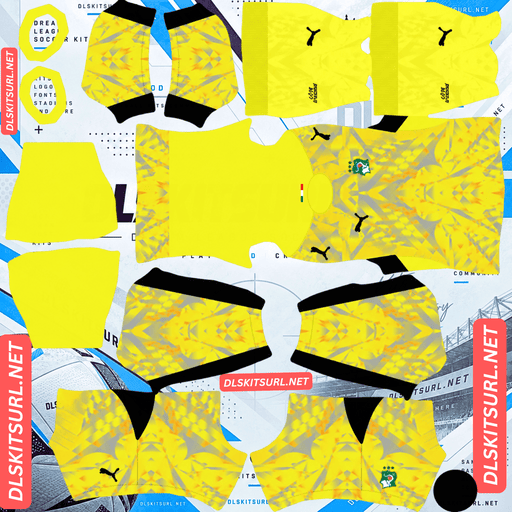
Ivory Coast Third GK Kit
Third GK Kit 512×512 (2026/27)
All four kit slots are shown below. Each kit image should match the file provided by its Copy URL button, so you can import the design you see without searching for another download.
On many DLS kit pages, the goalkeeper shirt is an afterthought. Ivory Coast is different: its 2026 goalkeeper design, created in collaboration with designer Salehe Bembury, is one of the collection’s most distinctive features.
A designer made the Ivory Coast goalkeeper kit
The 2026 Côte d’Ivoire collection includes a goalkeeper shirt created with Salehe Bembury, a designer known for his work in footwear and streetwear. A designer collaboration on a national team goalkeeper jersey is an unusual detail that makes the kit set stand out.
This matters in Dream League Soccer because the goalkeeper has a separate kit slot. If your outfield players wear custom home and away shirts but the goalkeeper remains in the default strip, the difference is easy to notice on the team screen.
With Ivory Coast, the goalkeeper kit is part of the attraction rather than a slot you simply need to fill. Alongside the home and away designs, it gives your DLS team a more complete and distinctive look.
Ivory Coast DLS Kits 2026/27
The collection follows Puma’s Collective Joy theme, bringing together Côte d’Ivoire’s national identity, visual patterns inspired by local culture, and the team’s familiar orange, green, and white colours.
Côte d’Ivoire is also a three-time Africa Cup of Nations champion. The federation crest and its three stars are an important part of the team’s visual identity.
Ivory Coast Home Kit: Orange with green side panels
The Ivory Coast home kit features the team’s unmistakable vibrant orange base, green side panels, a round collar, and white Puma branding. Its most distinctive detail is a tonal all-over graphic inspired by traditional Ivorian textiles and symbols.
Rather than using a contrasting print, the design works with different shades of orange. This gives the shirt texture without taking attention away from its main colour.
The federation crest appears on the chest with three stars above it, representing Côte d’Ivoire’s three Africa Cup of Nations titles.
For Dream League Soccer, this is the strongest choice if you want a kit that looks recognisably Ivorian and remains easy to identify during a match.
Ivory Coast Away Kit: White with botanical patterns
Released in March 2026, the Ivory Coast away kit takes a different approach. It uses a clean white base with an intricate botanical print in soft orange and mint green.
The pattern includes palm trees, large sunburst-like floral shapes, and vertical patterned sections across the front. These details give the shirt a more expressive appearance than a conventional plain white away kit.
The design reflects the collection’s emphasis on Côte d’Ivoire’s style and streetwear influences. Its pale colours make it visually different from the vibrant orange home shirt, while the large radiating shapes help preserve the overall pattern when the kit is viewed at a smaller size.
Ivory Coast Goalkeeper Kit: Salehe Bembury collaboration
The goalkeeper shirt is the collection’s standout collaboration. Designed with Salehe Bembury, it adds a fashion-led element to the Côte d’Ivoire kit range.
For DLS players, the goalkeeper design is worth including alongside the two outfield kits. The game provides a separate goalkeeper slot, and using a matching custom shirt makes the complete team kit set feel more consistent.
Use the goalkeeper URL from its own kit card rather than copying one of the outfield links. Each slot should have the correct image assigned to it.
Why the Ivory Coast orange kit works so well in DLS
Dream League Soccer displays players at a relatively small size during matches. A kit’s main colour therefore has a major effect on how easily you can follow your team across the pitch.
Orange stands out strongly against green grass. Ivory Coast’s vibrant home shirt is easy to distinguish from the playing surface, making it a practical choice as well as an accurate representation of the national team.
The green side panels add definition to the shirt without taking away from the orange base. Even when the finer textile-inspired pattern becomes difficult to see, the main colours preserve the kit’s identity.
If you prefer a team that is easy to track during gameplay, build your DLS kit set around the orange home shirt.
Ivory Coast kit patterns: What survives at match size?
The main colours of both shirts are clear, but their detailed patterns behave differently when a 512×512 image is reduced to the size of a player on the pitch.
Home kit: A tonal textile graphic
The home shirt’s graphic uses shades of orange rather than a sharply contrasting colour. This means compression, poor image quality, or excessive resizing can make the pattern difficult to see.
The shirt can still look correct even if some of the graphic disappears. Its vibrant orange base, green side panels, white branding, and federation crest preserve the main features of the Ivory Coast home kit.
When checking a home kit URL, look closely at the boundary between the orange body and the green side panels. A sharp edge is a useful sign that the image has retained its detail.
Away kit: Palm trees and sunburst shapes
The away kit’s botanical print combines fine details with large decorative forms.
The large sunburst shapes have a better chance of remaining visible at match size because they occupy more space in the image. The smaller palm trees and fine linework are more likely to soften when the shirt is reduced.
A good file should preserve the white base and the broad orange-and-mint pattern. Do not reject an otherwise suitable image simply because every tiny detail is not visible during a match.
How to check your Ivory Coast kit image
Before importing a kit, open the image at full size and check its main design elements. On the home shirt, inspect the green side panels and the tonal orange pattern. On the away shirt, look for defined sunburst edges and a clear distinction between the white base and the pastel print.
A file that already looks blurry in your browser is unlikely to improve inside the game.
Ivory Coast DLS logo: Protect all three stars
The Côte d’Ivoire federation crest is topped by three stars, representing the team’s three Africa Cup of Nations titles. Those stars are an important part of the badge and should remain visible after the logo is imported.
Dream League Soccer displays team badges within a circular area. If the image is cropped too tightly around the artwork, the top of the circle can cut into the stars or remove them altogether.
Choose a 512×512 badge with enough transparent or empty space around the design. This gives the full crest room to fit inside the game’s circular display.
The elephant head is another defining feature of the Côte d’Ivoire badge. At match size, the main elephant shape and the crest’s orange-and-green colours are generally more noticeable than small lettering.
For the cleanest result, use a genuine square badge image with the complete crest and all three stars inside the safe area.
Best number colours for Ivory Coast DLS kits
Dream League Soccer lets you adjust the number colours separately from the kit artwork. Choose colours that remain readable against the shirt rather than relying only on the colours in the original design.
Home kit: Green or white numbers work best with the vibrant orange base. Green connects with the side panels and crest, while white can provide clear contrast. Avoid orange or yellow shades that blend into the shirt.
Away kit: Green or dark orange numbers are suitable options for the white base and pastel botanical print. Avoid white numbers because they can disappear against the shirt.
Goalkeeper kit: Choose the strongest contrasting colour available for the Bembury design. Check the shirt and shorts number colours separately, as each swatch can affect readability.
The goal is to make the numbers easy to recognise during gameplay while keeping the team’s colours consistent.
How to identify the current Ivory Coast DLS kit
Before copying an Ivory Coast DLS kits URL, check these details to help distinguish the described 2026 collection from older designs.
Home shirt: Vibrant orange with green side panels and a tonal graphic inspired by Ivorian textiles and symbols.
Federation crest: Three stars above the badge.
Away shirt: White base with a botanical print featuring soft orange and mint green, including palm trees and sunburst-like shapes.
Branding: Puma branding on the collection.
Goalkeeper shirt: The design associated with the Salehe Bembury collaboration.
These visual details are useful for checking whether a kit image matches the collection described on this page. Always confirm the season and source before labelling a file as an official current release.
How to use an Ivory Coast DLS kits URL
Follow these steps to import a custom Côte d’Ivoire kit into Dream League Soccer.
Choose your kit. Find the Ivory Coast home, away, or goalkeeper card you want to use.
Copy the direct image URL. Use the card’s Copy URL button rather than copying the page address from your browser.
Open Dream League Soccer. Go to My Club and select Customise.
Open the Kit section. Select the specific kit slot you want to update.
Choose Custom Kit. Tap the URL field, press and hold, and select Paste.
Confirm the import. Follow the confirmation prompt. Depending on the game version, the button may be labelled Download.
Check the result. Make sure the correct design appears on the intended kit slot.
Repeat the process for each shirt you want to import. Be careful to select the correct slot before confirming, because the selected slot is the one that gets replaced.
The first custom-kit import may require an in-game gem unlock, depending on the version and current game rules. Check the prompt shown in your game rather than assuming every version uses the same unlock system.
Test the Ivory Coast kit URL before importing
A working Ivory Coast DLS kits URL should open the image itself, not a webpage containing a preview, navigation menu, or download button.
Open the copied link in your browser before entering the game. Ideally, the image should display on its own, and the direct image address should point to the PNG file.
On a computer, you can right-click the image and open it in a new tab. Check the image dimensions if your browser provides them. The target size for this kit page is 512×512 pixels.
If the URL opens a page instead of the image, look for a direct image link. A preview page and the image file it displays are not necessarily the same URL.
Why Ivory Coast DLS kit URLs sometimes stop working
A URL can look correct but still fail when you try to import it. These are some common reasons.
The image was deleted. Free image hosts may remove old or unused uploads. If the original file is no longer available, the URL will not load the kit.
The host blocks external requests. Some services use hotlink protection to stop other applications from loading their images. The link may work in a browser but fail when Dream League Soccer requests the file.
The link points to a preview rather than the image. Some websites display a thumbnail on a page but provide a different address for the actual file. The game needs a supported direct image URL, not just a page where the picture appears.
The file is the wrong size or format. A non-square image, unsupported format, or heavily compressed file may not import or display as expected. Use a suitable 512×512 PNG and test the link before opening the game.
If a link fails, check the address, confirm that the original image still exists, and try a replacement direct URL.
How to add the Côte d’Ivoire badge in DLS
You can import the team badge from the same general customisation area used for kits, but select Logo instead of Kit.
Choose a square badge image that includes the complete elephant crest and all three stars. Avoid files cropped tightly around the artwork, because the game’s circular display can cut off details near the edges.
Once the logo is imported, check it in the team screen. The elephant head and main colours should remain clear, even if small lettering becomes harder to read at reduced size.
For the most consistent result, use a badge image with padding around the full design rather than a close crop.
Save your Ivory Coast DLS kits and logo
Custom kits and logos may be stored locally on your device, depending on the game version and setup. A game update may leave them intact, but reinstalling the game or changing devices can mean you need to import them again.
Before setting up your full Ivory Coast kit collection, save the working URLs in a notes app or another place you can access later. Keep the home, away, goalkeeper, and badge links clearly labelled so you can restore each design without searching for it again.
The Salehe Bembury goalkeeper shirt makes this collection particularly distinctive, so keeping a record of all four links is worthwhile.
Ivory Coast DLS Kits FAQ
What is an Ivory Coast DLS kits URL?
An Ivory Coast DLS kits URL is a direct image link for a Côte d’Ivoire kit that you can import into Dream League Soccer. This page uses 512×512 PNG images as the target format. The link must point to a supported image file rather than a webpage preview.
What does the Ivory Coast 2026 home kit look like?
The described home kit has a vibrant orange base, green side panels, a round collar, white Puma branding, and a tonal all-over graphic inspired by traditional Ivorian textiles and symbols. The federation crest has three stars above it.
What pattern is on the Ivory Coast away kit?
The away shirt has a white base with an intricate botanical print in soft orange and mint green. The pattern includes palm trees, sunburst-like floral motifs, and vertical patterned sections across the front.
Why does my Ivory Coast home kit look plain orange in DLS?
The home shirt’s textile-inspired graphic uses tonal shades of orange, so it can become difficult to see after compression or resizing. The main orange colour, green side panels, and crest should still help identify the kit.
Why are the three stars missing from my Ivory Coast badge?
The stars sit above the crest and can be cut off if the badge image is cropped too tightly. Use a square logo with enough space around the complete design so the stars fit inside the game’s circular display.
Which Ivory Coast kit is easiest to follow during a match?
The vibrant orange home kit is a strong choice because orange stands out against the green pitch. Its green side panels also help define the shirt’s shape.
What number colour works best on the Ivory Coast home kit?
Green or white numbers are suitable options for the orange home shirt. Avoid orange or yellow shades that blend into the base colour, and adjust the shirt and shorts number swatches separately.
Why is my Ivory Coast DLS kits URL not working?
The image may have been deleted, the host may block external requests, or the URL may point to a preview page instead of a direct image. Check that the link opens the image itself and that the file is a suitable 512×512 PNG.
Can I use an older Ivory Coast kit in Dream League Soccer?
You can generally use an older design if you have a working direct image URL in a supported format and size. The game’s import process is not limited to the latest season’s design, although available features can vary by game version.