
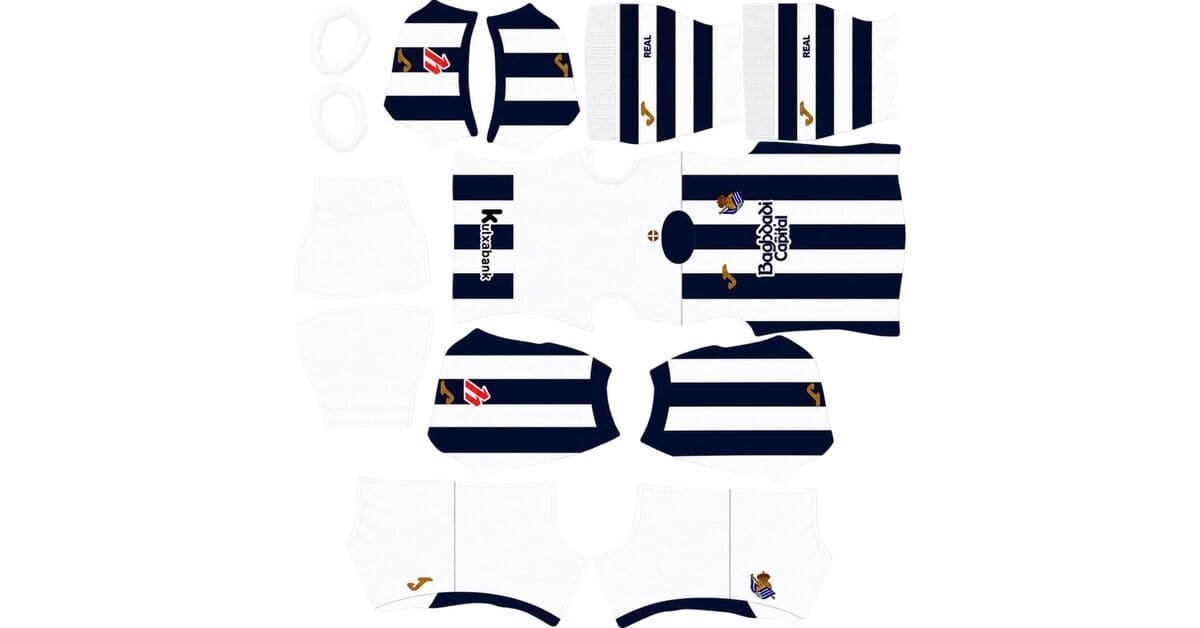
A Real Sociedad DLS kits URL is a direct link to a 512×512 PNG shirt that you can import into Dream League Soccer. Below, you can add all four kit options, each with its own Copy URL button for quick importing into the game.
Real Sociedad Logo
Official Logo 512×512 (2026/27)
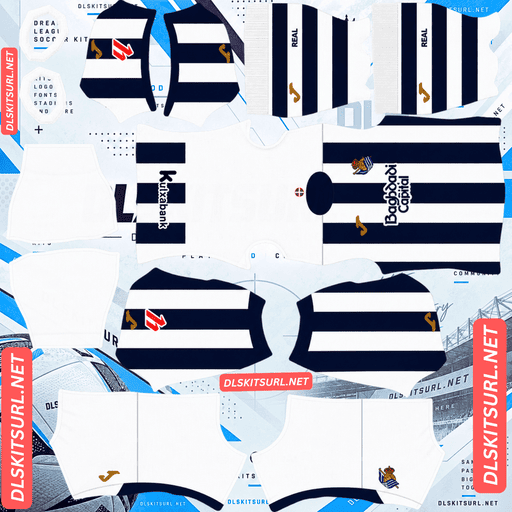
Real Sociedad Home Kit
Home Kit 512×512 (2026/27)
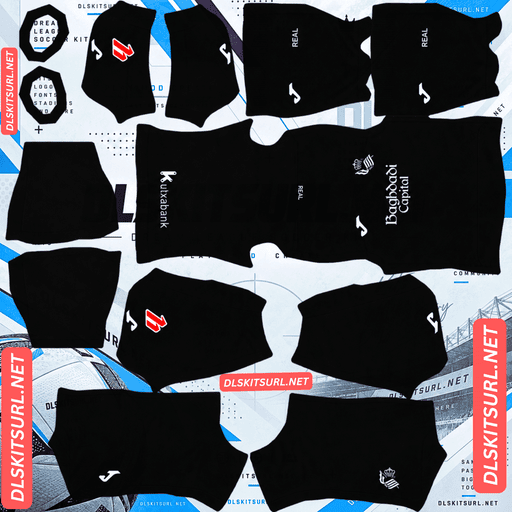
Real Sociedad Away Kit
Away Kit 512×512 (2026/27)
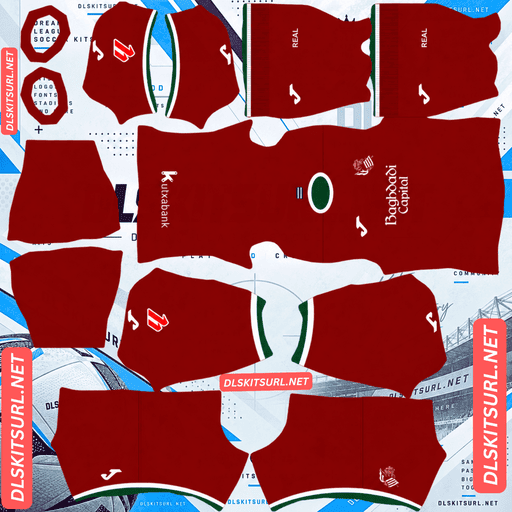
Real Sociedad Third Kit
Third Kit 512×512 (2026/27)
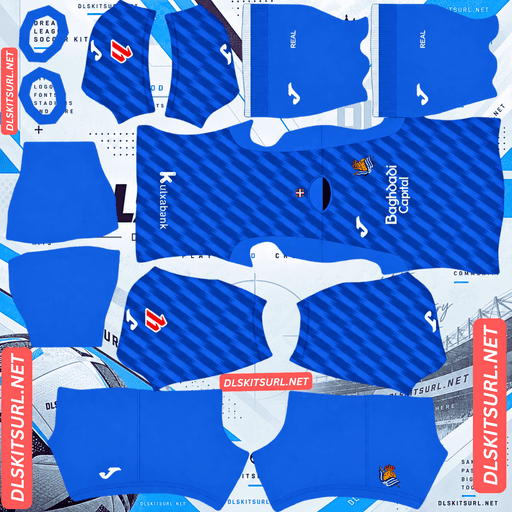
Real Sociedad GK Home Kit
GK Kit 512×512 (2026/27)
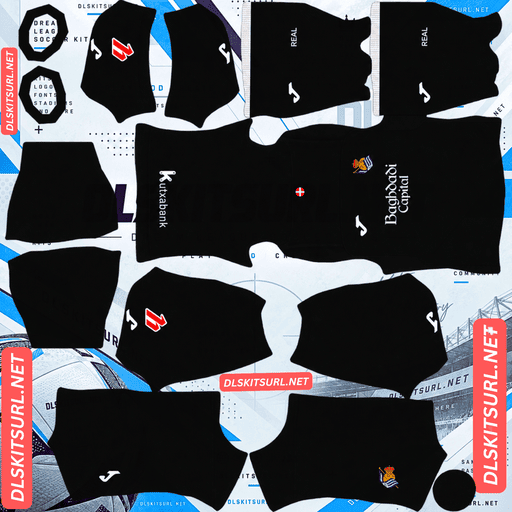
Real Sociedad GK Away Kit
GK Away Kit 512×512 (2026/27)
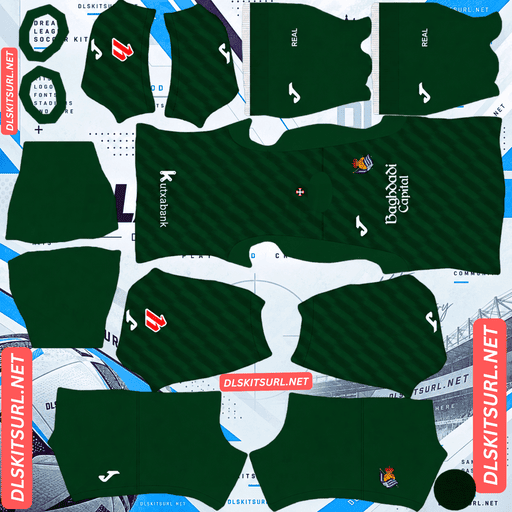
Real Sociedad GK Third Kit
GK Third Kit 512×512 (2026/27)
Real Sociedad are known as Txuri-urdin, a Basque term meaning blue and white. Those colours define the club’s traditional identity, but the 2026/27 collection introduces a different look for the away shirt: predominantly black, released under the theme “Identity.”
Joma Replaces Macron for 2026/27
The manufacturer is the quickest way to identify whether a Real Sociedad kit belongs to the current season.
Joma signed a reported five-year deal with the Basque club in April 2026, replacing Macron. The 2026/27 collection marks the beginning of the new partnership.
Joma branding indicates the new collection, while Macron branding generally points to a 2025/26 or earlier shirt.
The away and third kits followed in July 2026. The black away shirt was released on 8 July, followed by the crimson third kit on 11 July.
Real Sociedad 2026/27 Kit Designs
Home Kit: Traditional Blue and White Stripes
The Real Sociedad home kit stays close to the club’s familiar identity, featuring blue and white vertical stripes with gold accents on the logos. Baghdadi Capital appears as the main sponsor in the supplied design details.
Inside the collar, the shirt carries the Basque motto “Aurrera txuri-urdinak!”, meaning “Forward, blue and whites!”
The traditional stripes make this kit instantly recognisable, while the gold details give the design a distinctive finish. For a Dream League Soccer import, the most important quality check is whether the small gold elements retain their highlights and shadows rather than appearing as a flat brown colour.
Away Kit: A Return to Black
Released on 8 July 2026, the away shirt follows the launch theme “Identity.”
The design uses a predominantly black base with white logos, creating a sharp contrast without relying on a complicated colour pattern. Its knitted fabric adds subtle texture to the physical shirt, although that detail can be difficult to reproduce in a small DLS kit image.
The black colourway represents a return to a dark alternative strip, with 2003/04 cited as the last prominent example in the supplied draft.
In Dream League Soccer, the simple black-and-white combination is also practical. The main shirt colour remains clear at match distance, and the white logos provide additional contrast.
Third Kit: Crimson Red with White and Green Trim
Released on 11 July 2026, the third kit introduces a deep crimson red base with white and green details around the crew-neck collar and sleeve cuffs.
The combination recalls the colours of the Ikurriña, the Basque flag. Although the supplied draft does not establish that Joma explicitly confirmed this connection, the colour combination provides a distinctive regional touch.
For DLS players, the crimson base offers a clear alternative to the traditional home stripes and black away shirt. The white trim is particularly useful for preserving the design’s contrast when the kit is rendered at a smaller size.
Why the Home Shirt’s Collar Motto Won’t Appear in DLS
The phrase “Aurrera txuri-urdinak!” is printed inside the physical home shirt’s collar. It is an important detail, but it will not appear in a standard Dream League Soccer kit import.
DLS kit templates map the surfaces used by the game to render a player’s shirt. The inside of the collar is not a separate mapped surface, so text printed there cannot be reproduced through an ordinary kit URL.
This is a limitation of the game’s template rather than a problem with the PNG. Even a high-resolution image cannot display a detail on a surface that the game does not map.
How to Check Real Sociedad Kit Image Quality
A 512×512 PNG is a useful starting point, but the resolution alone does not guarantee that every detail will look accurate in the game. Each Real Sociedad design has a different feature worth checking.
Home Kit: Inspect the Gold Logos
The blue and white stripes are relatively straightforward to reproduce. Their strong contrast and broad vertical bands usually remain recognisable even when an image has been compressed.
The gold logos need more attention. Metallic gold depends on a combination of highlights, mid-tones and shadows. If those tonal differences disappear, the gold can look like mustard yellow or dull brown instead of metal.
Open the PNG at full size and inspect the logos closely. If the gold retains visible light and shade, the image is likely to preserve the intended effect. If the logos appear flat, the file may have lost detail through resizing or compression.
Away Kit: Don’t Worry Too Much About the Knit
The black away shirt uses a knitted fabric texture, but the texture is subtle because it relies on tonal differences within a black surface.
Small or heavily compressed images often lose this kind of detail first. Even a good PNG may not show the knit clearly when viewed inside DLS.
Fortunately, the texture is not the main feature of this shirt. Its identity comes from the black base and white logos, so the design remains recognisable even when the fabric detail is difficult to see.
Third Kit: Preserve the Crimson and Trim
For the third kit, check that the deep crimson remains consistent and that the white and green trim is clearly visible. Thin collar and cuff details can become blurry when the image is compressed or scaled incorrectly.
A good file should preserve the distinction between the main red surface and the two trim colours without turning the green into a muddy shade or blending the white edges into the shirt.
Which Real Sociedad Kit Looks Best on the Pitch?
All three outfield designs have useful contrast against the green pitch, but each achieves it differently.
Home kit: Blue and white stripes provide strong colour separation and make the team easy to recognise.
Away kit: Black offers a clear contrast against the grass, while white logos make the shirt details stand out.
Third kit: Crimson red is visually distinct from the pitch, and the white trim adds definition around the collar and cuffs.
The best choice depends on which look you prefer, but none of these designs relies on a complicated pattern to remain recognisable during a match.
Best Number Colours for Real Sociedad DLS Kits
Dream League Soccer uses separate colour swatches for shirt numbers and shorts numbers. The game does not automatically select the ideal number colour from your imported design, so adjust both swatches yourself.
Home kit: Use navy or black. White numbers can disappear against the white stripes, while blue numbers can blend into the blue sections. Gold may match the logos, but it can be difficult to read at the small size used for squad numbers.
Away kit: Use white. It creates strong contrast against the black shirt and matches the white logos.
Third kit: Use white for the clearest contrast against the crimson base. Green is another possible choice, although white is generally easier to read at match distance.
After importing each kit, check the shirt and shorts numbers separately to make sure both remain visible.
How to Identify a Current Real Sociedad DLS Kit
Before copying a URL, use these four checks to distinguish the 2026/27 designs from older shirts.
Check the manufacturer. Joma branding is the key indicator of the new collection; Macron branding generally identifies an older kit.
Inspect the home shirt. Look for the traditional blue and white vertical stripes with gold logo accents.
Check the away shirt. The described 2026/27 design has a predominantly black base and white logos.
Inspect the third shirt. Look for deep crimson red with white and green trim around the collar and cuffs.
These details help identify the intended designs, but manufacturer branding alone does not guarantee that a particular PNG is an accurate or high-quality reproduction.
How to Import a Real Sociedad DLS Kits URL
Once you have chosen a kit, importing it into Dream League Soccer is straightforward.
Copy the direct PNG link using the Copy URL button on the relevant kit card.
Open Dream League Soccer and go to My Club.
Select Customise, then open Kit rather than Logo.
Choose the kit slot you want to replace: home, away, third or goalkeeper.
Tap Custom Kit, press and hold the URL field, then choose Paste.
Confirm the link and allow the game to load the shirt.
Some versions may use slightly different labels, such as “Download,” depending on the game build.
The three outfield kits cover the home, away and third slots, leaving the goalkeeper slot for its own design. Set all four if you want the full collection available in your team screen.
The first custom-kit import may require a one-time gem unlock. After that, changing custom kits generally does not require paying for the same unlock again.
Test the Real Sociedad Kit URL Before Importing
A direct image link should open the PNG itself rather than a webpage containing a preview, title or download button.
Before entering the link in DLS, open it in your browser. Check that the image appears on its own and that the URL ends in .png. If the address opens a webpage instead, the link may point to a viewer rather than the actual image file.
On a computer, you can also open the image in a new tab and inspect its dimensions. For this collection, the target size is 512×512 pixels.
A correctly sized image is only part of the process. The link must also be publicly accessible and compatible with the game’s image-import system.
Why Real Sociedad DLS Kit URLs Sometimes Fail
A URL may stop working even if it opened successfully when you first copied it. Common causes include:
Image-host deletion: Some free hosting services remove files after a period of inactivity. The old URL may remain in your notes even though the image is gone.
Hotlink protection: A host may block images requested by an external application. The link can open in your browser but fail when Dream League Soccer tries to retrieve it.
Preview links instead of direct links: A website may display a working image preview while its copy link points to a different file or server. If that file becomes unavailable, the preview page may still appear normal.
For the most reliable import, use a direct, publicly accessible PNG URL and test it before opening the game.
Importing the Real Sociedad Badge
The club badge is imported separately from the shirt. Return to the customisation menu and select Logo instead of Kit.
Real Sociedad’s crest combines a shield, blue and white elements, the flag of Gipuzkoa and a crown at the top. These features make the badge distinctive, but they also require some care when preparing an image for DLS.
The game crops badges into a circular display, which can cut off artwork positioned too close to the edges. Choose a PNG with enough transparent space around the crest so the crown and the lower point of the shield remain visible.
Some fine details may soften when the game displays the badge at a small size. That does not necessarily mean the image is defective; the most important features are the overall shield shape and the blue-and-white colour blocking.
Keep Your Real Sociedad Kit URLs Safe
Custom kit and badge settings are stored locally on your device, so reinstalling the game or moving to another phone may mean importing everything again.
Before you start, save the four kit URLs and the badge URL in a notes app. Label each link clearly as home, away, third, goalkeeper or logo.
That small step makes it much easier to rebuild your Real Sociedad setup if the game data is reset or you change devices.
Frequently Asked Questions
What Is a Real Sociedad DLS Kits URL?
A Real Sociedad DLS kits URL is a direct link to a PNG shirt image that you can import into Dream League Soccer. The kit images in this guide are intended to use a 512×512-pixel format.
Who Makes Real Sociedad’s Kits for 2026/27?
The supplied draft identifies Joma as Real Sociedad’s new kit manufacturer, replacing Macron under a reported five-year agreement announced in April 2026. Confirm the agreement details against an official announcement before publishing.
Why Is the Real Sociedad Away Kit Black?
The described 2026/27 away shirt uses a predominantly black base with white logos and was launched under the theme “Identity.” The supplied draft connects the design with a return to a black alternative strip last prominently seen in 2003/04.
What Does the Real Sociedad 2026/27 Home Kit Look Like?
The home design features traditional blue and white vertical stripes, gold logo accents and the Basque motto “Aurrera txuri-urdinak!” printed inside the collar.
What Colours Are Used on the Real Sociedad Third Kit?
The described third kit has a deep crimson red base with white and green trim around the crew-neck collar and sleeve cuffs. The colour combination recalls the Basque flag.
How Can I Check the Quality of a Real Sociedad Home Kit PNG?
Inspect the gold logos at full size. Metallic gold needs highlights and shadows to look convincing. If the gold has flattened into a dull brown or yellow, the image may have lost detail through resizing or compression.
Will the Home Shirt’s Collar Motto Appear in Dream League Soccer?
No. The motto is printed inside the physical collar, which is not represented as a separate mapped surface in the standard DLS kit template.
What Number Colour Should I Use for the Real Sociedad Home Kit?
Navy or black is a practical choice because either colour contrasts with the blue and white stripes. Set the shirt-number and shorts-number colours separately, then check their visibility in a match.
How Do I Import a Real Sociedad Kit into DLS?
Go to My Club → Customise → Kit, select the slot you want to replace, open Custom Kit and paste the direct PNG URL. Use the Logo section separately if you also want to import the club crest.