
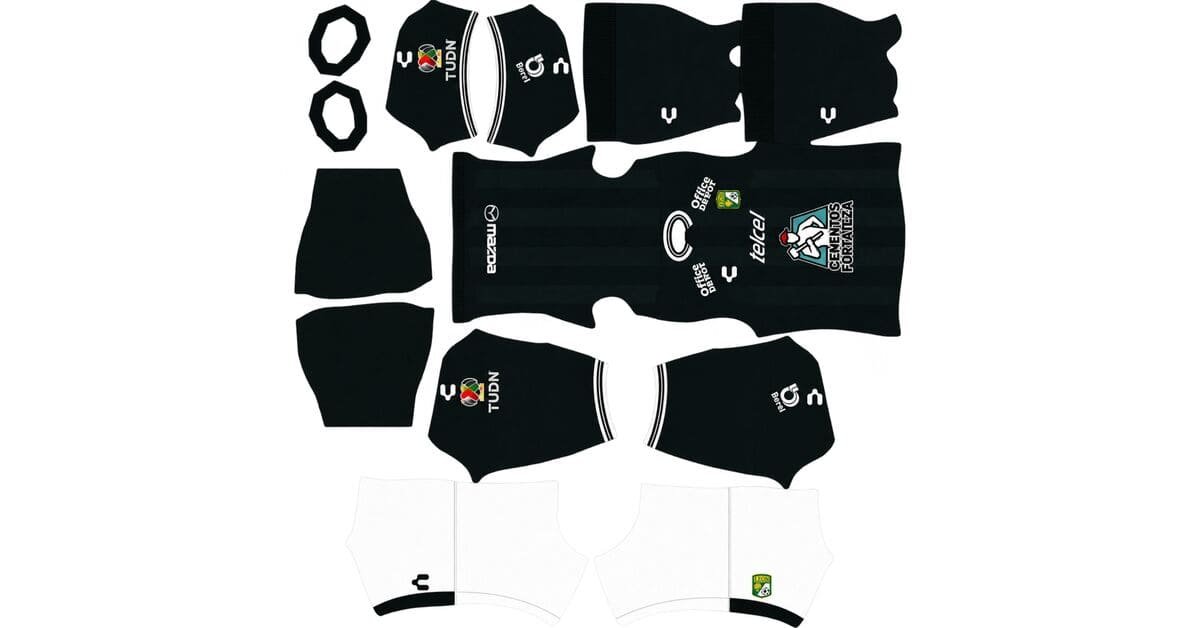
Looking for a Club León DLS kits URL for Dream League Soccer 2026/27? This guide covers La Fiera’s home and away kits in 512×512 PNG format, along with goalkeeper kit options and instructions for importing custom designs into the game.
Leon FC Logo
Official Logo 512×512
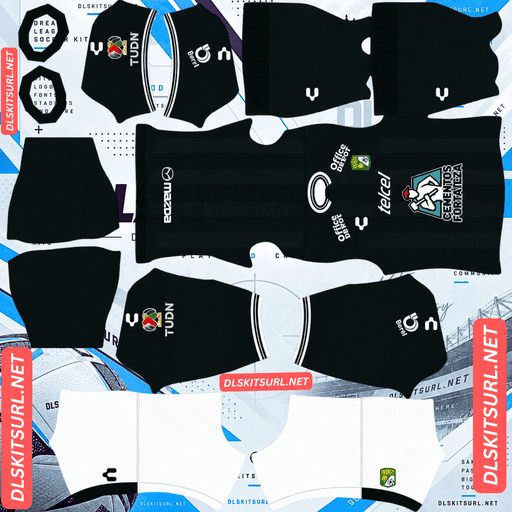
Leon FC Home Kit
Home Kit 512×512 (2026/27)
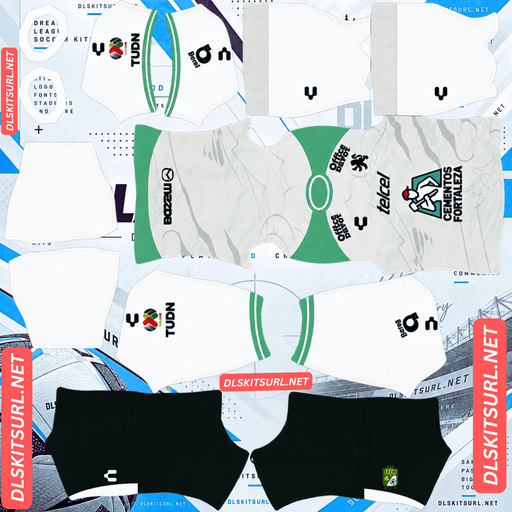
Leon FC Away Kit
Away Kit 512×512 (2026/27)
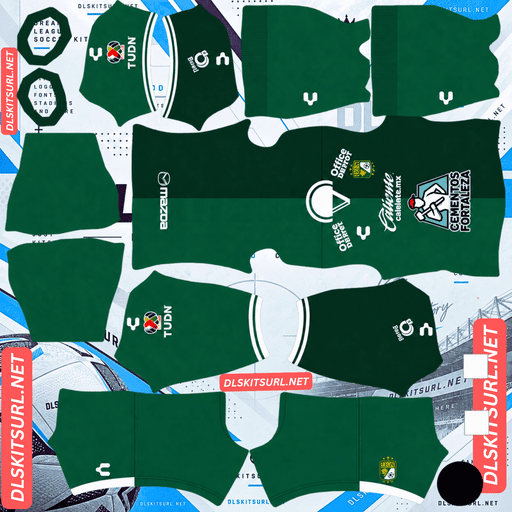
Leon FC Third Kit
Third Kit 512×512 (2026/27)
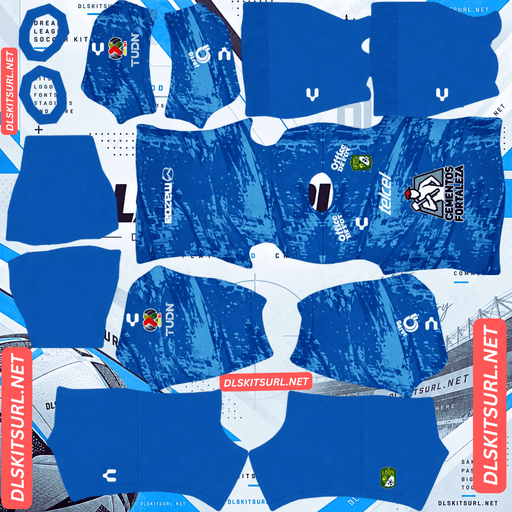
Leon FC GK Home Kit
GK Away Kit 512×512 (2026/27)
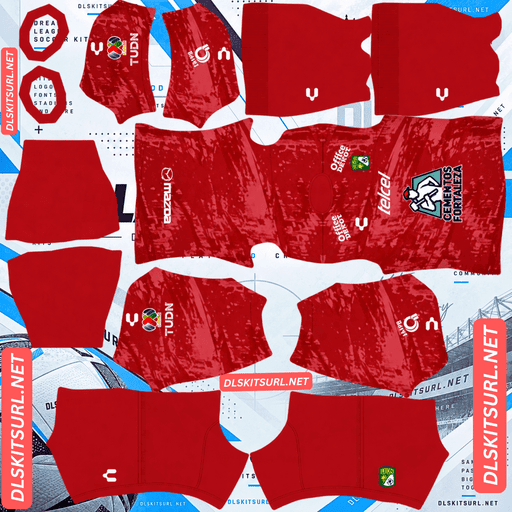
Leon FC GK Away Kit
GK Away Kit 512×512 (2026/27)
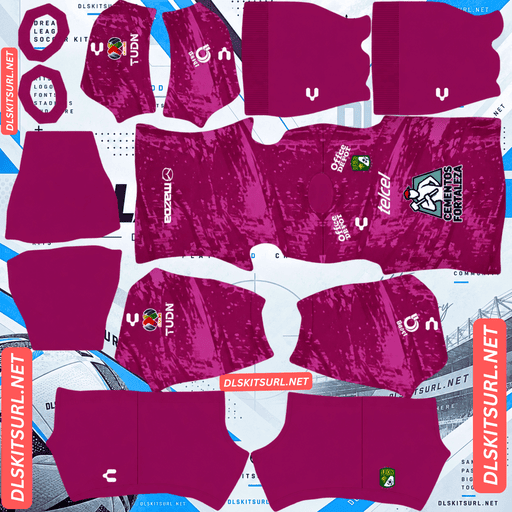
Leon FC GK Third Kit
GK Third Kit 512×512 (2026/27)
Club León’s identity revolves around one unmistakable symbol: the lion. The club’s name, its nickname La Fiera (The Beast), and its crest all connect to the same animal. For the 2026/27 season, Charly puts a roaring lion graphic on the emerald-green home shirt. However, the sponsor logo covers part of the artwork, and Dream League Soccer adds another detail to consider: your imported club badge.
Use the copy URL buttons below to access the kit images. Before importing, check the chest artwork, colours, and image quality to make sure the design looks right in the game.
The Lion on Club León’s Home Shirt
Released on 7 July 2026 for the Apertura 2026 and Clausura 2027 tournaments, the home shirt keeps Club León’s traditional emerald-green colour while introducing a prominent roaring lion graphic across the chest.
The design makes sense for a club whose name means lion in Spanish and whose nickname is La Fiera. The lion also appears in the club crest, giving the animal a central place in the team’s identity.
The difficulty is that the Cementos Fortaleza sponsor logo sits over the lion graphic. On the physical shirt, part of the artwork is already hidden by the sponsor.
Why the Lion May Look Different in DLS
Dream League Soccer adds your imported club badge separately from the kit image. The badge appears in a fixed chest position, covering whatever artwork is underneath it.
On the Club León home kit, this creates two overlapping elements: the sponsor included in the shirt design and the badge added by the game. Depending on the PNG file, the lion may be partly covered by these details.
The mane and other parts of the illustration outside the central chest area may remain visible, while the middle of the design can become difficult to see.
When choosing a kit file, open the image at full size and inspect the chest carefully. Some custom designs may leave the badge area clearer, while others may include a printed crest that competes with the imported logo.
Club León DLS Kits 2026/27
Charly’s collection retains León’s familiar green-and-white identity while giving the home and away shirts different visual styles.
Home Kit: Classic Emerald Green
The Club León home shirt features the club’s signature emerald-green base, a roaring lion graphic across the chest, and the Cementos Fortaleza sponsor logo positioned over the artwork.
Charly introduced bespoke details while maintaining the traditional colours associated with the club, founded in 1944. Green with white accents has been a defining feature of León’s home shirts for much of its history.
For a DLS version, look for a clear green base, recognisable lion artwork, and white details that remain visible at match distance. If the central chest looks crowded after the imported badge is added, check whether another kit file handles that area differently.
Away Kit: White Body With Green Sleeves
The away shirt uses a predominantly white torso with contrasting green sleeves. This creates a sharper visual arrangement than the all-white change shirts León have traditionally worn.
The colour split also has a practical advantage in Dream League Soccer. The white body stands out against the green pitch, while the sleeves preserve a clear connection to the club’s traditional colour.
When inspecting the PNG, check the boundary between the white torso and green sleeves. The two colours should meet cleanly without jagged edges, misplaced sections, or visible gaps.
The Estadio León Anniversary Tag
Both shirts feature a commemorative tag marking the 60th anniversary of Estadio León, the club’s home ground.
However, the tag is sewn inside the physical shirt. Dream League Soccer’s kit template does not map the interior of a jersey, so this detail cannot be reproduced through a standard custom-kit image.
It remains a tribute to the stadium rather than a feature you should expect to see on your imported DLS kit.
Three Goalkeeper Kit Options
According to the supplied kit details, Charly produced three goalkeeper designs for León in 2026/27: home, away, and third.
Dream League Soccer provides one goalkeeper kit slot, so you will need to choose the design you prefer. If all three PNG files are available, compare their colours and visibility before selecting one.
Using custom kits for the outfield players but leaving the goalkeeper in a default strip can create a noticeable difference in appearance. A matching goalkeeper design helps complete the collection.
Which Club León Kit Is Easier to See During a Match?
Kit visibility matters when you are controlling players on a small screen. A shirt that looks excellent in the customisation menu may be harder to distinguish when the players are moving across the pitch.
The emerald-green home kit is less distinct against green grass. Its main colour sits relatively close to the pitch, making the players harder to separate visually at a distance.
The white away kit is easier to follow. The bright torso creates a clear contrast with the grass, while the green sleeves break up the silhouette and make the players easier to recognise.
If visibility is more important to you than using the traditional home strip, the away kit is a practical choice for regular matches.
The home kit can still look effective in-game, particularly if the PNG preserves its white accents cleanly. Those details help break up the green base and improve the shirt’s overall definition.
How to Check a Club León DLS Kit File
Before importing a kit, inspect three important areas: the chest artwork, the away-shirt sleeve boundary, and the image resolution.
Check the Home Kit’s Chest
Look at the lion graphic and the area around the Cementos Fortaleza sponsor. Consider how the imported club badge will sit over the design.
If the file already contains a printed crest, importing another badge may create a crowded appearance. A cleanly prepared kit texture can produce a more balanced result.
Check the Away Kit’s Green Sleeves
The white torso and green sleeves form a high-contrast boundary. On the kit template, the body and sleeves occupy different areas that are mapped onto the player model.
If the green does not meet the white cleanly, or the boundary appears stepped or misplaced, the file may have been poorly aligned.
The strong colour contrast makes these errors easy to notice, so zoom in before importing the shirt.
Check the Image Resolution
The target size for this collection is 512×512 pixels. A genuine image at that resolution should retain reasonably crisp edges, including the away kit’s sleeve boundary and the white details on the home shirt.
An image enlarged from a smaller source may look blurry when viewed at full size. On a computer, open the PNG in a new browser tab and check the reported dimensions rather than relying only on the filename.
Best Number Colours for Club León DLS Kits
Dream League Soccer handles squad numbers separately from the kit artwork. The shirt and shorts number colours are controlled through their own colour swatches.
Home Kit Number Colour
Choose white for the home shirt. It matches León’s traditional accents and offers better contrast against the emerald-green base than a dark number colour.
White numbers also help maintain visibility when the players are moving around the pitch.
Away Kit Number Colour
For the away shirt, choose green or black. Both options contrast with the white torso, where the shirt number appears on the upper back.
Avoid white numbers on the white body because they can become almost invisible.
Remember to configure the shirt and shorts number swatches separately. The best colour for the shirt may not automatically be applied to the shorts.
How to Identify the Correct Club León 2026/27 Kits
Use these four details to distinguish the supplied 2026/27 designs from older León kits:
Home: Emerald green with a roaring lion graphic across the chest.
Away: A predominantly white torso with contrasting green sleeves.
Branding: Charly branding on both shirts.
Home sponsor: Cementos Fortaleza across the chest.
The away shirt’s green sleeves are especially useful when comparing it with previous all-white change shirts. If a file has the wrong sleeve arrangement or lacks the expected home-shirt artwork, inspect it before using the URL.
How to Import a Club León DLS Kits URL
Once you have a working 512×512 PNG link, importing the kit is straightforward.
Copy the direct URL using the button on the relevant kit card.
Open Dream League Soccer and go to My Club.
Select Customise, then open Kit rather than Logo.
Choose the slot you want to replace: home, away, third, or goalkeeper.
Tap Custom Kit. Depending on the game version, this option may be labelled Download.
Press and hold the URL field, tap Paste, and confirm the import.
Check the kit on your players to make sure the colours and artwork appear correctly.
Be careful when choosing the slot. The game replaces the kit associated with your current selection, so check that you are importing the home shirt into the home slot and the away shirt into the away slot.
Charly’s supplied collection includes home and away shirts, leaving the third slot available for another design. You can use a compatible older León shirt there if you prefer a retro look.
The game may require a one-time gem unlock for your first custom-kit import. Check the instructions shown in your version of DLS, as costs and menu labels can change.
Test Your Club León Kit URL Before Importing
Open the URL in your browser before entering the game.
A working direct link should display the image itself, without a webpage surrounding it. The address may end in .png, but the important thing is that it loads the actual PNG file rather than a page containing a preview.
Before importing, confirm that:
The image loads without an error.
The image is approximately 512×512 pixels.
The home shirt’s lion graphic is visible.
The away shirt has a clean white-and-green sleeve boundary.
The crest and sponsor details are not excessively blurry.
A browser preview alone does not guarantee that DLS will accept the link. If the import fails, the image host may restrict external requests or the URL may point to a preview rather than the original file.
Why Club León DLS Kit URLs Stop Working
If a kit URL stops loading, the cause may be the image host rather than the design itself.
The image has been deleted. Free image hosts may remove old or inactive uploads. A saved URL can remain in your notes even after the original file has disappeared.
Hotlink protection blocks the game. Some hosts allow an image to open in your browser but prevent external applications from accessing it. As a result, a link may work when opened manually but fail when pasted into DLS.
The link points to a preview. A kit page may display a thumbnail while the copied URL leads to a different file or server. If the original image is unavailable, the page can still look normal while the import fails.
The URL is incomplete or incorrect. Copy the complete direct image link from the kit card and try opening it again.
For the most reliable result, use a publicly accessible image URL that loads the original PNG without requiring a login or permission.
Add the Club León Badge in DLS
The club badge is imported separately from the kit.
Go to My Club → Customise → Logo, then use the compatible image URL for the León crest.
The club emblem features a lion, making it recognisable even when displayed at a small size. For the cleanest result, choose a badge image with sufficient empty space around the artwork.
Dream League Soccer may crop the badge into a circular shape. If the image is trimmed too tightly, the edges of the design can be cut off.
The badge placement is especially important with León’s home shirt. The imported crest shares the chest area with the lion graphic and the sponsor already printed on the shirt. Check the result in-game to make sure the different elements do not make the design look unnecessarily crowded.
Keep Your Club León Kits Saved
Custom kits and badges may be stored locally on your device rather than permanently attached to your account. Updating the game may preserve them, but reinstalling it or changing phones can mean setting up the collection again.
Save the direct links for the home, away, goalkeeper, and badge images in a notes app before importing them. Label each link clearly so you know which slot it belongs to.
This makes it easier to restore your Club León collection later, as long as the image files remain available online.
Rank Math FAQ: Club León DLS Kits URL
What is a Club León DLS kits URL?
A Club León DLS kits URL is a direct link to a custom 512×512 PNG La Fiera shirt that you can import into Dream League Soccer using the Kit customisation menu.
What does the Club León 2026/27 home kit look like?
The home shirt features the club’s traditional emerald-green colour, a roaring lion graphic across the chest, and the Cementos Fortaleza sponsor logo. The supplied details give its release date as 7 July 2026.
Why can’t I see the lion on my León home kit?
The sponsor logo covers part of the lion graphic, and Dream League Soccer adds your imported club badge separately on the chest. These elements can overlap, hiding more of the illustration.
What does the Club León away kit look like for 2026/27?
The away shirt has a predominantly white torso with contrasting green sleeves. This arrangement differs from the all-white change shirts León have used in previous seasons.
Which Club León kit is easiest to see during a match?
The away kit is generally easier to distinguish because its white torso contrasts with the green pitch. The green sleeves also help define the players’ silhouettes.
How many goalkeeper kits does Club León have for 2026/27?
The supplied article describes three Charly goalkeeper designs: home, away, and third. Dream League Soccer has one goalkeeper slot, so you need to select your preferred design.
What number colour works best on the Club León home kit?
White is the recommended option because it contrasts with the emerald-green shirt and matches the club’s traditional white accents.
Will the Estadio León anniversary tag appear in DLS?
No. The commemorative tag is sewn inside the physical shirt, and the standard DLS kit template does not include the interior areas of the jersey.
How do I fix a Club León DLS kits URL that will not load?
Check that the URL opens the original PNG image directly, that the file is still online, and that the image host allows external access. If the link points to a webpage or restricted preview, try a compatible direct image URL.