
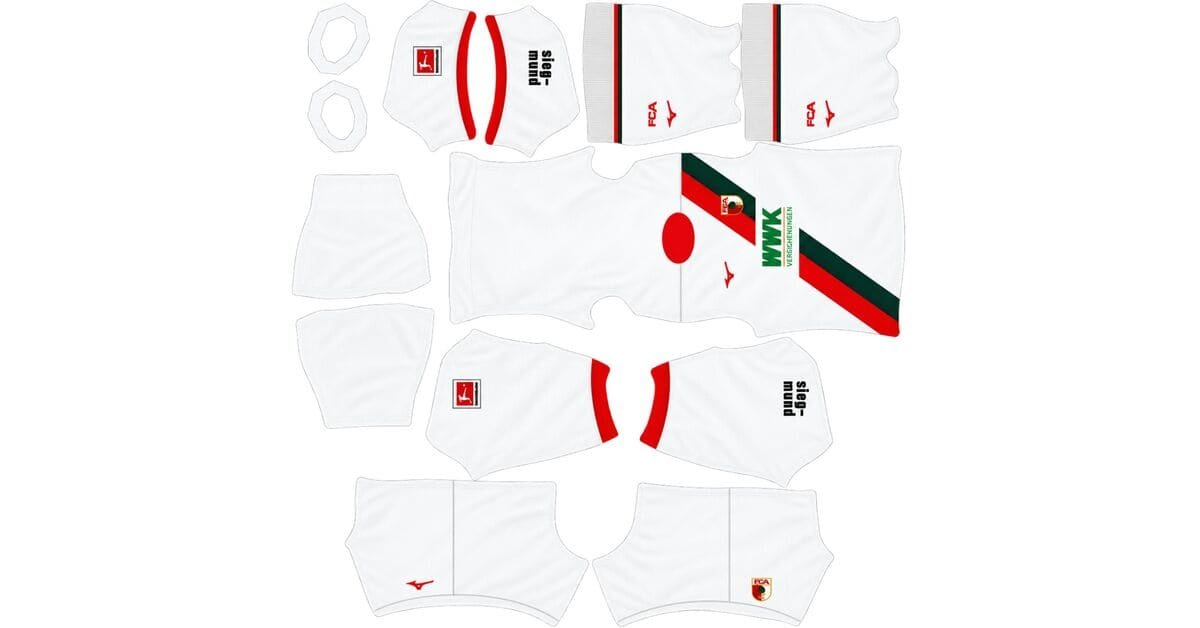
An Augsburg DLS kits URL is a direct link to a 512×512 PNG image of an FC Augsburg shirt that you can import into Dream League Soccer. This page features all four kit slots, with the supplied kit files described as having been loaded into the game before publication.
FC Augsburg Logo
Official Logo 512×512
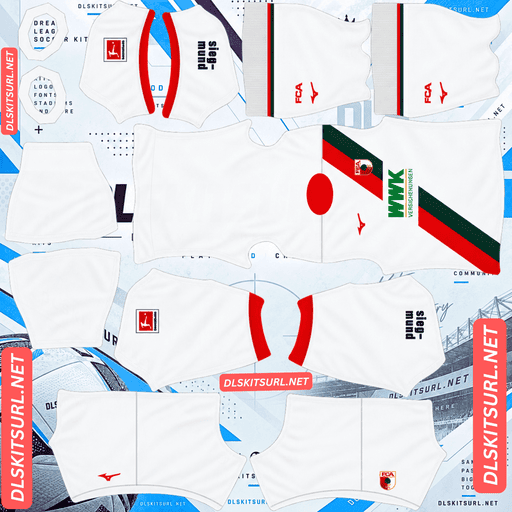
FC Augsburg Home Kit
Home Kit 512×512 (2026/27)
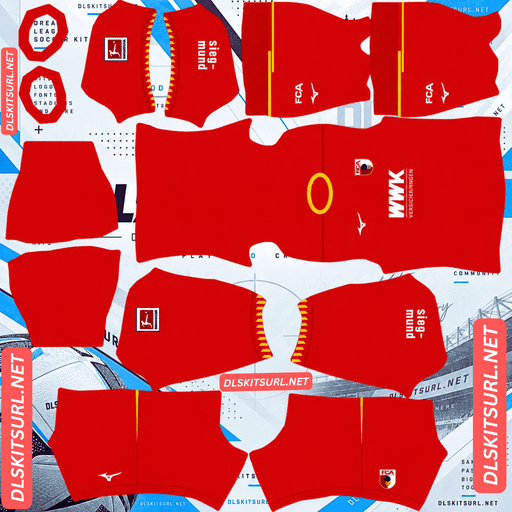
FC Augsburg Away Kit
Away Kit 512×512 (2026/27)
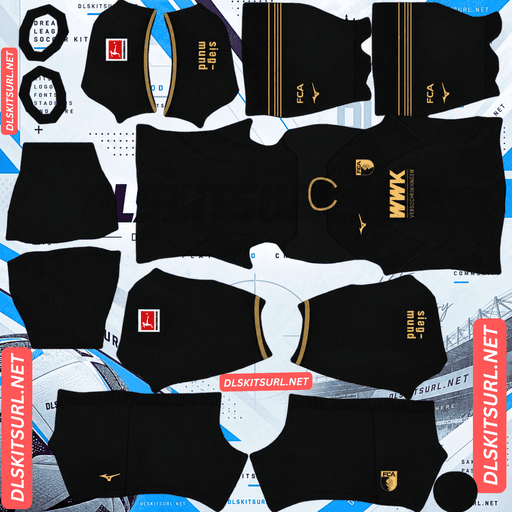
FC Augsburg Third Kit
Third Kit 512×512 (2026/27)
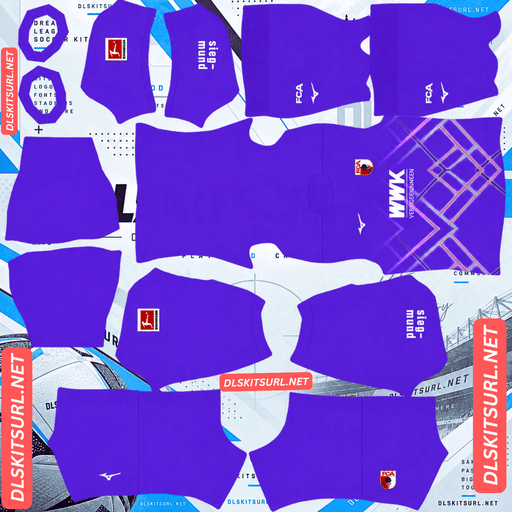
FC Augsburg GK Home Kit
GK Kit 512×512 (2026/27)
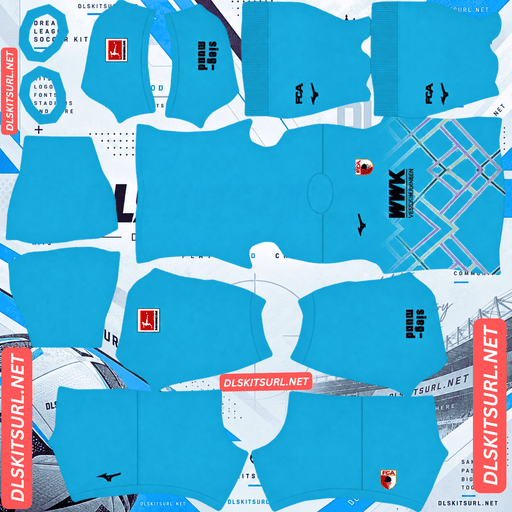
FC Augsburg GK Away Kit
GK Away Kit 512×512 (2026/27)
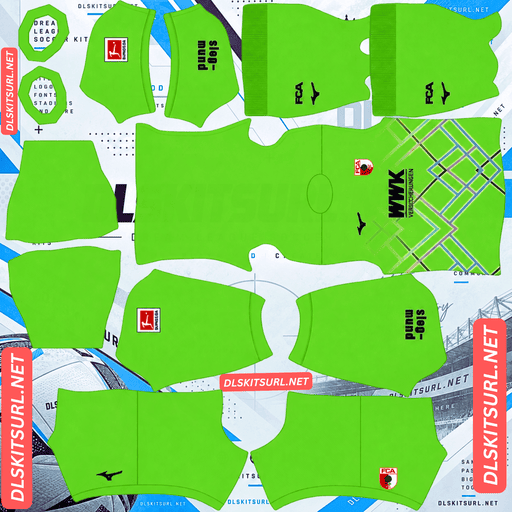
FC Augsburg GK Third kit
GK Third Kit 512×512 (2026/27)
Mizuno’s 2026/27 collection explores three chapters of Augsburg’s history: its Roman origins, the historic water system that helped shape the city, and the textile industry that contributed to its prosperity. Each kit takes a different visual approach, from marble-inspired patterns to water-themed details and woven textile designs.
Home Kit: Roman Marble and Custom Numbers
FC Augsburg’s home kit draws inspiration from the city’s Roman origins and its historic symbols.
The shirt features a cream base covered in an all-over marble pattern of dark red and dark green. Gold detailing around the collar and cuffs adds contrast, while Roman-inspired pine cone motifs reference the pine cone that has served as Augsburg’s civic emblem since antiquity.
The launch campaign reportedly included an illuminated marble version of the club crest, reinforcing the connection between the shirt’s visual design and the city’s history.
One of the kit’s standout features is its custom Roman-style player-number typography. However, this is a detail that cannot be reproduced fully in Dream League Soccer.
Why the Roman-style numbers will not appear
Dream League Soccer generates squad names and numbers using its own built-in font system. The imported kit image supplies the shirt design, but the game draws the numbers separately using the colour settings available in the kit template.
That means the marble pattern, pine cone motifs and gold trim can appear on your players, but the original Roman-style number font will not transfer as part of the PNG.
This is a limitation of the game rather than a problem with the image file. Similar restrictions apply to other kits featuring custom typography.
The part you can control is the number colour, which can be adjusted to complement the shirt and maintain visibility during matches.
Why the marble pattern works well in DLS
The home kit’s marble design is one of its most forgiving visual features.
Many patterns depend on precise alignment. Vertical stripes need to meet correctly across panels, hoops must maintain a consistent height, and geometric patterns can look broken when their lines do not match at the seams.
Marbling is different. It uses irregular swirls and shapes rather than a repeating geometric structure, so small shifts between template sections are less noticeable.
The dark red and dark green markings also contrast clearly against the cream background. This helps the marble pattern remain visible even when the shirt is displayed at a smaller size in Dream League Soccer.
For the best result, inspect the PNG at full size. The dark colours should appear as distinct swirls rather than a blurred or muddy wash.
Away Kit: The Water City
Released on 30 July 2026, the Augsburg away kit celebrates the city’s historic relationship with water.
The design uses a petrol-green base with gold details and an all-over tonal pattern inspired by the movement of water. Its concept references Augsburg’s historic water management system, a UNESCO World Heritage site featuring canals, waterworks and fountains that have shaped the city over many centuries.
The launch campaign was photographed by FC Augsburg player Han-Noah Massengo, who reportedly selected the models, styling and visual approach before shooting the campaign on his own film camera at Wolfzahnau, where Augsburg’s two rivers meet.
The campaign’s message was “Water Shapes Perspective.” Having a player photograph his club’s kit campaign gives the launch a distinctive personal angle.
Why the water pattern is the away kit’s weak point
Unlike the home kit’s contrasting marble design, the away shirt uses a tonal pattern made from different shades of petrol green.
Subtle patterns are vulnerable to compression and low image quality. If the fine tonal differences disappear, the shirt can look almost plain green, leaving the gold trim as its most noticeable decorative feature.
The gold detailing is therefore a useful way to assess the image.
Metallic gold depends on variations in brightness, including highlights and shadows, to suggest a reflective surface. If those details are lost, the colour can look dull or brown instead of metallic.
Open the image at full size and inspect the collar and cuffs. Clear gold shading and visible tonal differences across the shirt are good signs that the file has retained its detail.
Third Kit: The Textile Industry
Released on 17 September 2026 under the name “No. 03 / Unser Drittes,” the third kit pays tribute to Augsburg’s historic textile industry. According to the supplied description, it made its on-pitch debut away against Werder Bremen.
The shirt features a rich maroon base, complemented by deep green and crisp white accents. Its intricate jacquard-inspired pattern references the textile tradition that helped shape Augsburg’s history.
A green henley-style button collar and matching green sleeve cuffs give the shirt a distinctive finish. The club crest is recoloured to match the design, while maroon shorts and socks complete the kit.
Two additional details reinforce the concept: the founding year 1907 is printed inside the neck, and classic FC Augsburg lettering appears across the upper back.
The back lettering competes with squad numbers
The FC Augsburg lettering across the upper back occupies the same general area where Dream League Soccer displays player numbers.
Because the game generates numbers separately from the imported kit image, the result depends on how the lettering is positioned in the PNG. The number may cover part of the text, overlap it, or appear over a clean back if the lettering is absent from the image.
This does not necessarily mean the kit file is faulty. The physical jersey is designed for real players whose numbers are applied as part of the finished shirt, while Dream League Soccer adds its own numbers during gameplay.
Choose a strong, high-contrast number colour so the numbers remain readable even if some lettering appears behind them.
Why the jacquard pattern will lose detail
Jacquard is a weaving technique that creates patterns through the arrangement of threads. On a physical shirt, light catches the raised and recessed parts of the fabric, producing texture and depth.
A flat 512×512 kit image cannot reproduce that physical texture completely. When the shirt is rendered at match size, the intricate pattern may become a faint tonal variation rather than a clearly defined weave.
The strongest features to preserve are the maroon base, green collar and white accents. These give the kit its identity even if the jacquard details become subtle.
The 1907 marking inside the neck is another detail that will not appear in the game. The standard kit template does not map the inside of the collar as a separate visible surface.
Three Kits, Three Different Weak Points
Each Augsburg kit presents a different challenge when converted into a Dream League Soccer image.
Home kit: The Roman-style numbers cannot be imported as part of the kit artwork, but the irregular marble pattern should remain recognisable when the image is clear.
Away kit: The water-inspired pattern uses subtle shades of petrol green and may disappear in a compressed image. The gold detailing is a useful quality check.
Third kit: The jacquard texture may lose definition, while the FC Augsburg lettering across the upper back can compete visually with the game’s player numbers.
How to check the image quality
Home: Inspect the marble. Dark red and green swirls should remain distinct against the cream background.
Away: Examine the gold collar and cuffs. Look for clear shading rather than a flat, muddy colour.
Third: Check the boundary between the green collar and maroon body. A crisp edge helps confirm that the main colours remain well defined.
These checks help you judge the visible quality of the image before importing it into the game.
Set the Correct Number Colours
Dream League Soccer does not automatically copy the number colours from the original shirt design. Instead, the game uses separate colour settings for shirt numbers and shorts numbers.
Choosing a contrasting colour is especially important for Augsburg’s patterned home kit.
Home kit: Use dark red or dark green numbers against the cream shirt. Both colours connect with the marble pattern and remain easier to read than pale shades. Gold matches the trim, but its visibility can suffer if the number colour lacks sufficient contrast.
Away kit: Use white or gold numbers against the petrol-green base. White is the clearer option at match distance, while gold provides a closer match to the original trim.
Third kit: Use white or green numbers against the maroon shirt and shorts. White is a strong choice because it contrasts clearly with maroon and remains visible if the upper-back lettering is present.
Set the shirt-number and shorts-number colours separately where the game allows it. Check the result on a player model before starting a match.
How the Augsburg Kits Look on the Pitch
Dream League Soccer displays players at varying distances, so the relationship between shirt colours and the green pitch affects how easily you can follow your team.
Cream home kit: The light base stands out from the grass, while the dark red and green marble pattern gives the shirt extra visual contrast.
Maroon third kit: The deep red tone creates a strong silhouette against the green pitch. Its green collar and white accents also help distinguish it from a plain maroon shirt.
Petrol-green away kit: This is the least distinct of the three colourways against the pitch because its base colour is closer to green. The gold details provide useful contrast, making image quality particularly important for this design.
For players who prefer clear visual separation during matches, the home and third kits offer strong alternatives to the petrol-green away shirt.
How to Identify a Current Augsburg DLS Kit
Use these visual details to distinguish the supplied 2026/27 collection from older FC Augsburg kits.
Home: A cream base with dark red and dark green marbling, gold trim and Roman-inspired pine cone motifs.
Away: A petrol-green shirt with gold detailing and a tonal water-inspired pattern.
Third: A maroon base with a green henley-style button collar, matching cuffs and a recoloured club crest.
All three: Look for Mizuno branding and the WWK Versicherungen sponsor, as described in the supplied kit details.
These characteristics are useful for identifying the intended designs, but official release information and sponsor placement should be checked against the club’s announcements before publication.
How to Use an Augsburg DLS Kits URL
Once you have the direct image link, importing your FC Augsburg kit into Dream League Soccer takes only a few steps.
Use the Copy URL button on the relevant kit card to copy the direct PNG link.
Open Dream League Soccer and go to My Club.
Select Customise, then open Kit rather than Logo.
Choose the slot you want to replace: home, away, third or goalkeeper.
Tap Custom Kit.
Press and hold the URL field, then choose Paste.
Confirm the import. In some older versions, the button may be labelled Download.
Always select the correct slot before pasting the link. The selected slot is the one that gets replaced.
The three outfield designs fill the home, away and third positions, leaving the goalkeeper slot available. The supplied details mention several Mizuno goalkeeper designs for the season, so a compatible goalkeeper image can be added if its direct URL is available.
The first custom-kit import may require a one-time gem unlock. Subsequent kit changes generally do not require another unlock, although the exact process can vary by game version.
Test the Kit Link Before Importing
Open the copied URL in your browser before using it in Dream League Soccer.
A working direct image link should display the PNG by itself, without an article layout, navigation menu or extra webpage content. The URL commonly ends in .png.
On a computer, you can right-click the image and open it in a new tab. If your browser provides image dimensions, check that the file is suitable for the intended kit import.
A page that displays a shirt preview is not necessarily a direct image URL. The game needs access to the image itself rather than the webpage containing it.
Why Augsburg Kit URLs Stop Working
A kit URL may stop working even if it was valid when you first imported the shirt. Three common problems can explain the failure.
Free image hosts delete files. Some hosting services remove inactive or older uploads. A saved URL may still look correct even when the image has been deleted.
Hotlink protection blocks external requests. An image host may allow a file to open in your browser but reject requests from another application. This can cause a URL to work when clicked directly but fail during a Dream League Soccer import.
The preview and the copied link use different files. A website may show a preview stored on its own server while the Copy URL button points to a separate image host. If the external file disappears, the preview can remain visible even though the import link no longer works.
For reliable imports, test the actual URL copied from the kit card. Make sure it opens the intended shirt image rather than a webpage or an unavailable file.
The FC Augsburg Badge
The FC Augsburg badge is imported separately from the shirt.
Open My Club → Customise → Logo, then follow the custom-logo import process supported by your version of Dream League Soccer.
Augsburg’s crest is shield-shaped and features the club’s green, white and red colours, along with the Zirbelnuss, the pine cone associated with the city’s identity since Roman times. The same motif connects the crest to the home kit’s historical theme.
Dream League Soccer displays imported badges within a circular area. Because Augsburg’s crest narrows towards the bottom, use an image with enough clear space around the entire shield rather than one cropped tightly to the artwork.
The finer details of the pine cone may soften at the small size used in the game. That is a consequence of reduced display size, not necessarily a problem with the original image.
The third kit uses a recoloured crest, according to the supplied description. If you mainly use that shirt, a matching badge image may provide a more consistent look.
Keep Your Augsburg Kit URLs Safe
Custom kit and badge imports may be stored locally on your device rather than permanently linked to your account. Updating the game may preserve them, but reinstalling the game or changing phones can mean importing them again.
Before you begin, save all four links in a notes app or another accessible location:
Home kit URL
Away kit URL
Third kit URL
Goalkeeper kit URL
Save the FC Augsburg badge URL separately. Keeping these links together makes it easier to restore your collection if the game loses its custom designs, provided the image files are still available online.
Frequently Asked Questions
What is an Augsburg DLS kits URL?
An Augsburg DLS kits URL is a direct link to a 512×512 PNG image of an FC Augsburg shirt that you can import into Dream League Soccer. A working link should open the image itself rather than an article page.
What does the FC Augsburg 2026/27 home kit look like?
The supplied description features a cream base with dark red and dark green marble patterns, gold detailing around the collar and cuffs, and Roman-inspired pine cone motifs. It also includes custom Roman-style player-number typography, which cannot be imported directly into DLS.
Can I use the Roman-style numbers in Dream League Soccer?
No. Dream League Soccer draws squad names and numbers using its own built-in font system. You can choose the number colour through the game’s available kit settings, but the custom Roman-style font will not transfer as part of the PNG image.
What inspired the Augsburg away kit?
The away kit draws inspiration from Augsburg’s historic water management system, a UNESCO World Heritage site. The petrol-green design uses gold detailing and a tonal pattern inspired by the movement of water. The supplied campaign details also describe Han-Noah Massengo photographing the launch campaign at Wolfzahnau.
What is the Augsburg third kit for 2026/27?
The third kit is named “No. 03 / Unser Drittes.” It features a maroon base, deep green and white accents, a green henley-style button collar, matching cuffs and a jacquard-inspired pattern referencing Augsburg’s textile history.
Does the marble pattern survive in DLS?
The marble pattern can remain recognisable because it uses irregular shapes rather than lines that must align across kit-template seams. The dark red and green markings also provide contrast against the cream base.
Why does my Augsburg away kit look plain green?
The away kit’s water-inspired pattern is tonal, using shades of petrol green. If the PNG is low-resolution or heavily compressed, those subtle differences may disappear, leaving a mostly plain green shirt.
What is written on the back of the Augsburg third kit?
The supplied design details describe classic FC Augsburg lettering across the upper back. This area can overlap with the squad numbers generated by Dream League Soccer. The founding year 1907 is printed inside the neck and is not expected to appear in the game.
Can I import an Augsburg goalkeeper kit?
Yes, if you have a compatible direct image URL. The supplied details mention several Mizuno goalkeeper designs for the season, but the specific design and image link should be checked before including it in the kit cards.