
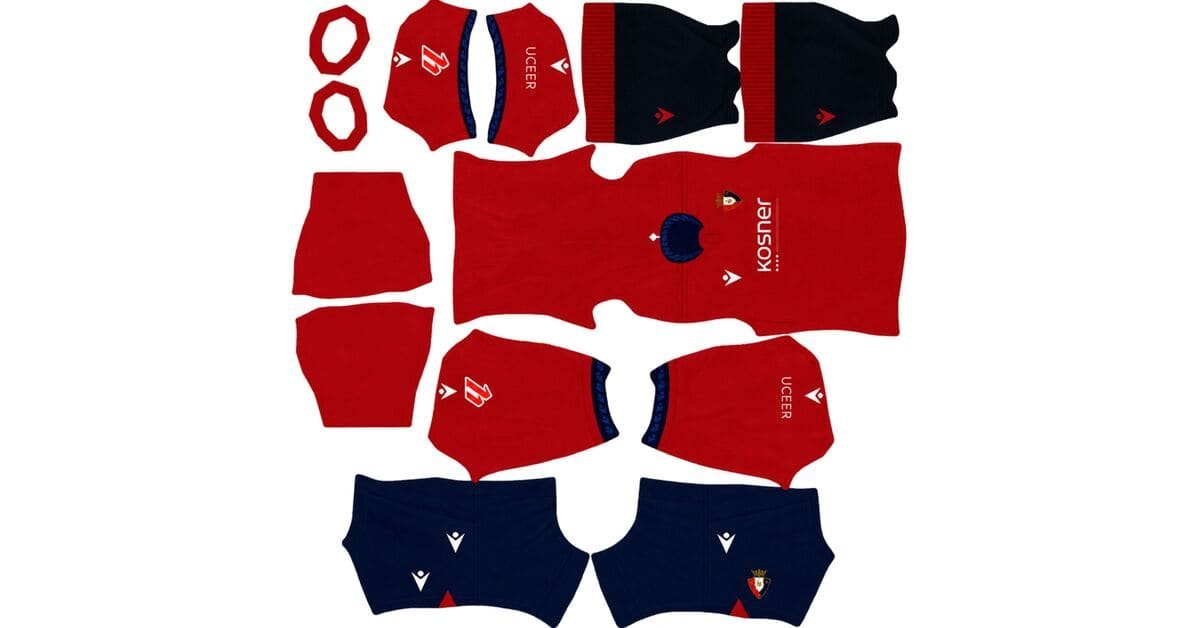
An Osasuna DLS kits URL is a direct link to a 512×512 PNG CA Osasuna shirt that you can import into Dream League Soccer. Below, you can add all four kit slots, each with a Copy URL button for quick importing into the game.
CA Osasuna Logo
Official Logo 512×512
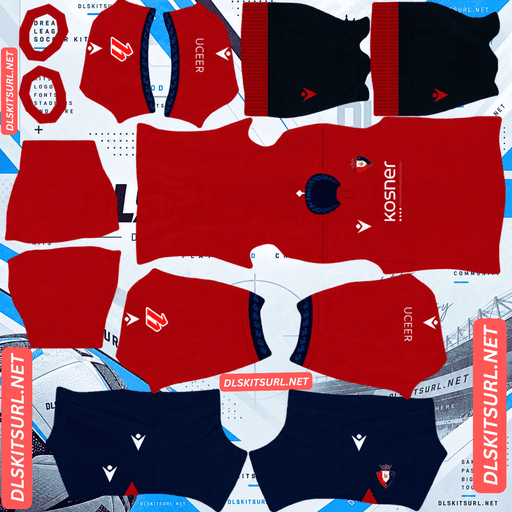
CA Osasuna Home Kit
Home Kit 512×512 (2026/27)
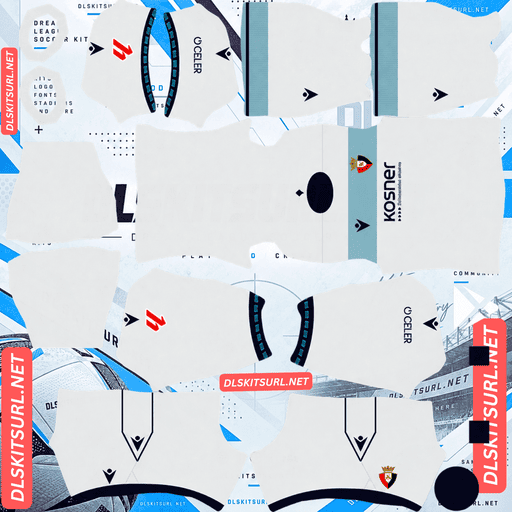
CA Osasuna Away Kit
Away Kit 512×512 (2026/27)
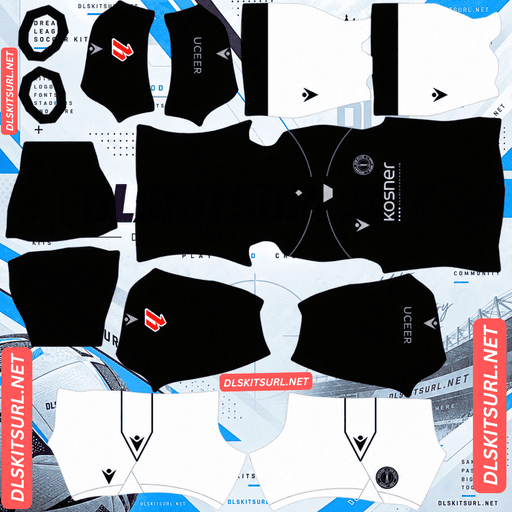
CA Osasuna Third Kit
Third Kit 512×512 (2026/27)
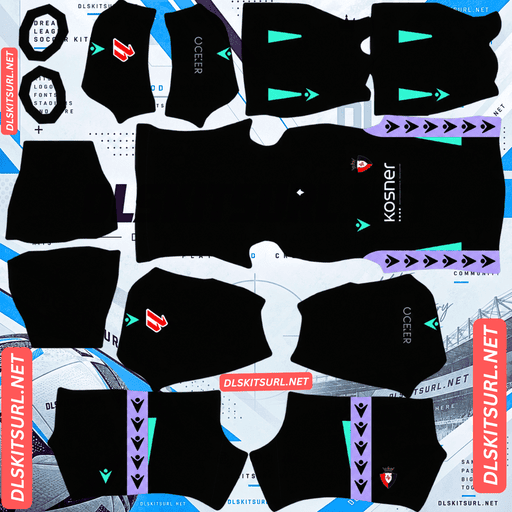
CA Osasuna GK Home Kit
GK Kit 512×512 (2026/27)
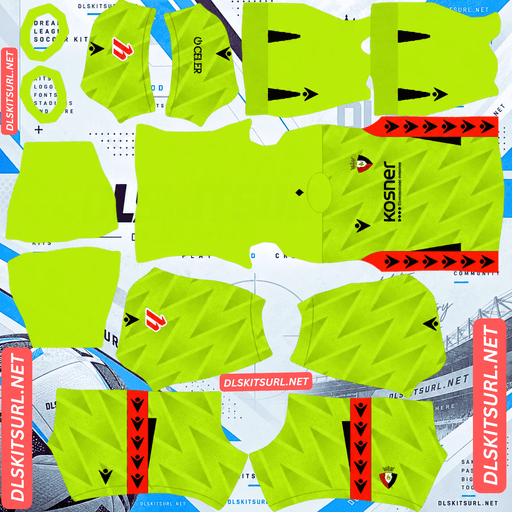
CA Osasuna GK Away Kit
GK Away Kit 512×512 (2026/27)
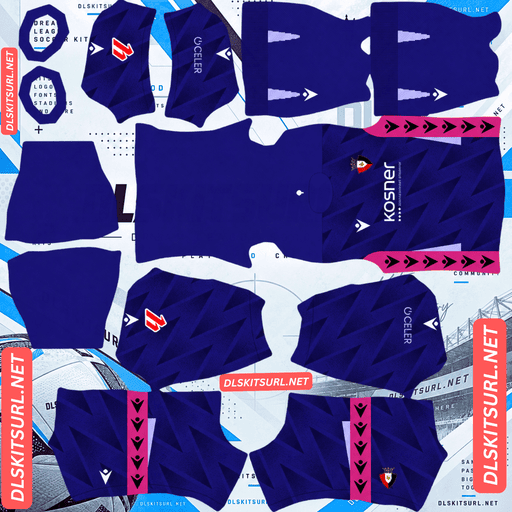
CA Osasuna GK Third Kit
GK Third Kit 512×512 (2026/27)
Macron has built the described 2026/27 Osasuna collection around a specific place in Pamplona: Plaza del Castillo, particularly Café Kutz, where the club’s founders established Osasuna in 1920.
The collection connects the club’s history with the city through embossed patterns, geometric details and historic imagery. These details make the shirts distinctive, but they also make image quality especially important when importing them into DLS.
The Home Shirt Carries a Mosaic That No Longer Exists
Released on 3 July 2026, the Osasuna home shirt combines the club’s traditional deep red with a subtle historical reference.
The shirt features deep red fabric with an embossed pattern across the front and sleeves, paired with navy blue shorts and black socks with a red turnover.
The pattern reproduces the historic mosaic that paved Plaza del Castillo between 1946 and 2001. The square is closely connected with Pamplona’s public life and with the story of Osasuna’s founding.
The original mosaic has been removed, but its design lives on in the shirt. Instead of using a large contrasting graphic, Macron has incorporated the reference into the fabric’s texture.
Why the Mosaic Pattern Is Difficult to Preserve in DLS
An embossed pattern is raised from the surface of real fabric. Its depth comes from light and shadow, creating a three-dimensional effect when you look at the physical shirt.
In a 512×512 PNG, that texture becomes a subtle variation between shades of red. It no longer has actual depth, so resizing or heavy compression can remove the tonal differences that make the pattern visible.
A good file should show faint pattern definition across the chest and sleeves. A weaker image may look like a plain deep red shirt with navy shorts.
The colours might still be correct, but the mosaic is the feature that makes this particular home shirt special. Check the pattern closely before choosing your file.
Osasuna 2026/27 Kit Designs
Away Kit: Plaza del Castillo in Cream and Pastel Blue
Released on 16 July 2026, the away kit uses a lighter palette and a prominent horizontal chest band.
The design features a cream-white base, a broad pastel blue band across the chest, and a navy blue crew-neck collar. Geometrically patterned sleeve cuffs add another layer of detail.
The shorts are cream-white with navy detailing at the leg hems, while the socks feature a pastel blue turnover and a thin navy stripe.
Macron describes the defining feature as an embossed graphic covering the entire front panel, bringing the Plaza del Castillo reference across the chest rather than limiting it to a small emblem.
For DLS players, the cream base and pastel blue band make the away shirt easy to distinguish from the deep red home kit. The challenge is preserving both the embossed graphic and the alignment of the horizontal band.
Third Kit: Black, Anthracite Grey and the Historic Crest
Released on 21 July 2026, the third kit takes a darker approach.
The shirt features a black base with anthracite grey details around the crew neck, sleeve piping and cuffs. A jacquard-woven texture and subtle geometric pattern add depth without introducing a contrasting colour.
The distinctive historical detail appears on the shorts rather than the shirt. The white shorts carry Osasuna’s first historic crest, applied as a silicone print.
White socks with a black turnover and a thin anthracite grey stripe complete the described design.
For DLS, the black-and-grey colour combination is relatively straightforward to reproduce. The woven texture, subtle geometric pattern and small historic crest are more difficult to preserve at the game’s display size.
All Three Kits Depend on Texture Rather Than Colour
The Osasuna collection is unusual because all three kits rely on surface detail to express their identity.
Home: An embossed reproduction of the historic Plaza del Castillo mosaic, rendered in shades of deep red.
Away: An embossed graphic covering the front panel, alongside the cream base and pastel blue chest band.
Third: Jacquard-woven texture, a subtle geometric pattern and anthracite grey details on black.
The main colours are relatively safe in a decent-quality PNG. Deep red, cream with a blue band, and black with grey details should remain recognisable.
The greater risk is losing the details that distinguish these designs from ordinary shirts. Each kit references Plaza del Castillo through texture or historical imagery, and those features are more vulnerable to resizing and compression than the main colours.
How to Check the Kit Files
Because the defining patterns are subtle, use the stronger colour boundaries to assess image quality.
Home kit: Inspect the edges where the deep red shirt meets any navy details.
Away kit: Check the boundary between the pastel blue chest band and the cream base, along with the navy collar.
Third kit: Inspect the anthracite grey piping against the black fabric.
A good-quality 512×512 image should preserve clean boundaries. If those edges look blurry or spread across several pixels, the image may have been enlarged or compressed too heavily, and its finer textures are likely to have suffered as well.
The Away Kit’s Chest Band Is an Alignment Test
The away shirt’s broad horizontal band is one of the most useful features for checking whether a kit image has been prepared correctly.
A horizontal band must align across multiple areas of the kit template, including the front, the back around the side seams, and the points where the sleeves meet the body.
A vertical stripe has a simpler alignment requirement. A horizontal band can look correct from the front but appear uneven where the front and back surfaces join.
After importing the away kit, inspect the sides of the shirt in the game. The pastel blue band should continue at a consistent height around the body.
If it steps up or down at the seam, the image may have been built for a different template or mapped incorrectly.
This test is particularly useful for the Osasuna away shirt because it checks alignment independently of the subtle embossed texture.
Understanding the Historic Silicone Crest on the Shorts
The third kit’s historic crest has two details worth understanding before importing the design.
First, the crest appears on the white shorts, not on the shirt. Shorts occupy a separate area of the kit template and appear relatively small on the player model, so the crest will be less prominent during a match.
Second, the original design uses silicone printing. Silicone can create a raised, tactile finish on physical fabric, but a flat PNG cannot reproduce that physical height. The image can preserve the crest’s shape and colour, not its three-dimensional surface.
The Historic Crest Is Also an Alternative Badge
The first historic Osasuna crest is more than a detail on the third kit. It can also be an alternative badge choice in Dream League Soccer.
If the third kit is your main strip, using the historic crest creates a consistent look that connects the shirt with the club’s founding period.
The modern club badge remains a suitable option, but the historic crest offers a more specific match for the third kit’s design.
Best Number Colours for Osasuna DLS Kits
Dream League Soccer does not automatically take squad-number colours from your imported shirt. The game uses separate colour swatches for shirt numbers and shorts numbers, so set them individually.
Home kit: Use white for shirt numbers. It contrasts clearly against the deep red and keeps the embossed pattern from competing with the numbers. On navy shorts, red or white can work, but white is generally the clearer choice.
Away kit: Use navy. The numbers sit on the cream upper back, so a dark shade provides strong contrast and matches the collar. Pale colours are more likely to disappear against the shirt.
Third kit: Use white or anthracite grey on the black shirt. For the white shorts, use black so the numbers remain readable.
Remember to set the shirt and shorts swatches separately, especially for the away and third kits, where the shirt and shorts have different base colours.
Which Osasuna Kit Is Easiest to See on the Pitch?
Dream League Soccer renders players at a relatively small size, so shirt colour and contrast affect how easily you can follow your team during a match.
The deep red home kit is a strong option. Its saturated colour stands out against the green pitch, while the navy shorts add another clear colour block.
The black third kit also offers good contrast against the grass. Its dark base makes the overall silhouette easy to recognise, even if the subtle geometric texture is difficult to see.
The cream away kit is the softest of the three. The cream base and pastel blue band create a gentler contrast, so the shirt may look less sharply defined at match distance.
All three remain usable in-game. The home and third kits simply provide stronger overall colour separation.
How to Identify a Current Osasuna DLS Kit
Before copying a URL, check these four details to distinguish the described 2026/27 collection from older shirts.
Home shirt: Deep red with an embossed pattern across the front and sleeves.
Away shirt: Cream-white with a broad pastel blue chest band and a navy crew-neck collar.
Third shirt: Black with anthracite grey piping and white shorts carrying the historic crest.
Manufacturer and sponsor: Look for Macron branding and Kosner as the sponsor on all three shirts, as specified in the supplied draft.
These details help identify the intended designs, but they do not guarantee that every online PNG is accurate or high quality. Inspect the image itself before importing it.
How to Use an Osasuna DLS Kits URL
Once you have selected your preferred kit, follow these steps to import it into Dream League Soccer.
Copy the direct PNG link using the Copy URL button on the relevant kit card.
Open Dream League Soccer and go to My Club.
Select Customise, then open Kit, not Logo.
Choose the slot you want to replace: home, away, third or goalkeeper.
Tap Custom Kit, press and hold the URL field, and choose Paste.
Confirm the link and wait for the game to load the shirt.
Some game versions may label the final action “Download” rather than “Confirm.”
The home, away and third kits fill the three outfield slots, leaving the goalkeeper slot for a separate design. Setting all four gives you a complete custom-kit collection.
The first custom-kit import may require a one-time gem unlock. After the initial unlock, changing kits generally does not require paying for that same unlock again.
Test the Osasuna Kit URL Before Importing
Open the URL in your browser before pasting it into the game.
A direct image link should display the shirt itself, without a surrounding webpage, navigation menu or download button. If the link opens a preview page instead, it may not be suitable for importing into DLS.
Check that the address ends in .png and, if you are using a computer, open the image in a new tab to inspect its dimensions.
The target format for this collection is 512×512 pixels. However, the file must also be publicly accessible and compatible with the game’s image-import system.
Why Osasuna DLS Kit URLs Sometimes Stop Working
A saved kit link can stop working even if it opened successfully when you first copied it. Common causes include:
Free image hosts deleting files: Some hosting services remove uploads after long periods of inactivity. Your saved URL may remain unchanged even though the image is no longer available.
Hotlink protection: A host may block requests from external applications. The image can open in your browser but fail when Dream League Soccer tries to retrieve it.
Preview links pointing to different files: Some websites display a thumbnail while the copy link points to an image stored elsewhere. If that separate file becomes unavailable, the preview page may still appear normal.
For a more reliable import, use a direct PNG URL and test it in your browser before opening the game.
The Osasuna Badge
The club badge is imported separately from the shirt. Open the customisation menu and choose Logo instead of Kit.
Osasuna’s crest is a shield in the club’s red and navy colours, incorporating the chains of Navarre, the region the club represents. The name Osasuna comes from Basque and means “health.”
Dream League Soccer crops badges into a circular display. Because a shield narrows towards the bottom, an image trimmed too tightly around the artwork may lose part of its shape when cropped.
Choose a logo PNG with clear space around the complete crest. The fine chain details may soften when the badge appears beside the score, but the red and navy colour blocking should remain recognisable.
If you use the third kit as your main strip, consider the first historic crest featured on its shorts. It provides an alternative badge that matches the kit’s historical theme.
How to Keep Your Osasuna Kits
Custom kits and badges are stored on your device rather than permanently attached to your account. Updating the game may preserve them, but reinstalling it or changing phones can mean importing them again.
Before you start, save all four kit URLs and the badge URL in a notes app. Label each link as home, away, third, goalkeeper or logo.
Keeping a backup makes it much easier to restore your Osasuna collection if your game data is reset or you switch devices.
Frequently Asked Questions
What Is an Osasuna DLS Kits URL?
An Osasuna DLS kits URL is a direct link to a 512×512 PNG CA Osasuna shirt that you can import into Dream League Soccer. A working link should open the image itself rather than a webpage preview.
What Inspired Osasuna’s 2026/27 Kits?
The supplied draft connects all three kits with Plaza del Castillo in Pamplona, particularly Café Kutz, where Osasuna’s founders established the club in 1920.
What Is the Pattern on the Osasuna Home Shirt?
The home shirt features an embossed reproduction of the historic mosaic that paved Plaza del Castillo between 1946 and 2001. The pattern is rendered in subtle shades of red, making it vulnerable to resizing and compression.
Why Does My Osasuna Home Kit Look Plain Red?
The mosaic design is an embossed texture rather than a contrasting print. In a flat PNG, its depth depends on subtle tonal variations. An undersized or heavily compressed file can lose those differences, leaving the shirt looking almost plain red.
What Does the Osasuna Away Kit Look Like for 2026/27?
The described away shirt has a cream-white base, a broad pastel blue horizontal band across the chest, a navy crew-neck collar and an embossed graphic covering the front panel.
Why Does the Blue Band on My Osasuna Away Kit Not Line Up?
The horizontal band must align across the front, back, side seams and sleeve boundaries. If the image was prepared for a different kit template or mapped incorrectly, the band may appear uneven around the shirt.
What Is the Crest on the Osasuna Third Kit Shorts?
The supplied draft identifies it as Osasuna’s first historic crest, applied as a silicone print on the white shorts. The historic crest can also be used as an alternative badge in Dream League Soccer.
What Number Colour Works Best on the Osasuna Away Kit?
Navy is a practical choice because the numbers sit against the cream upper back. It matches the collar and provides clearer contrast than pale colours.
How Do I Import an Osasuna Kit into Dream League Soccer?
Go to My Club → Customise → Kit, select the slot you want to replace, open Custom Kit and paste the direct PNG URL. Use the Logo section separately to import the club badge.