
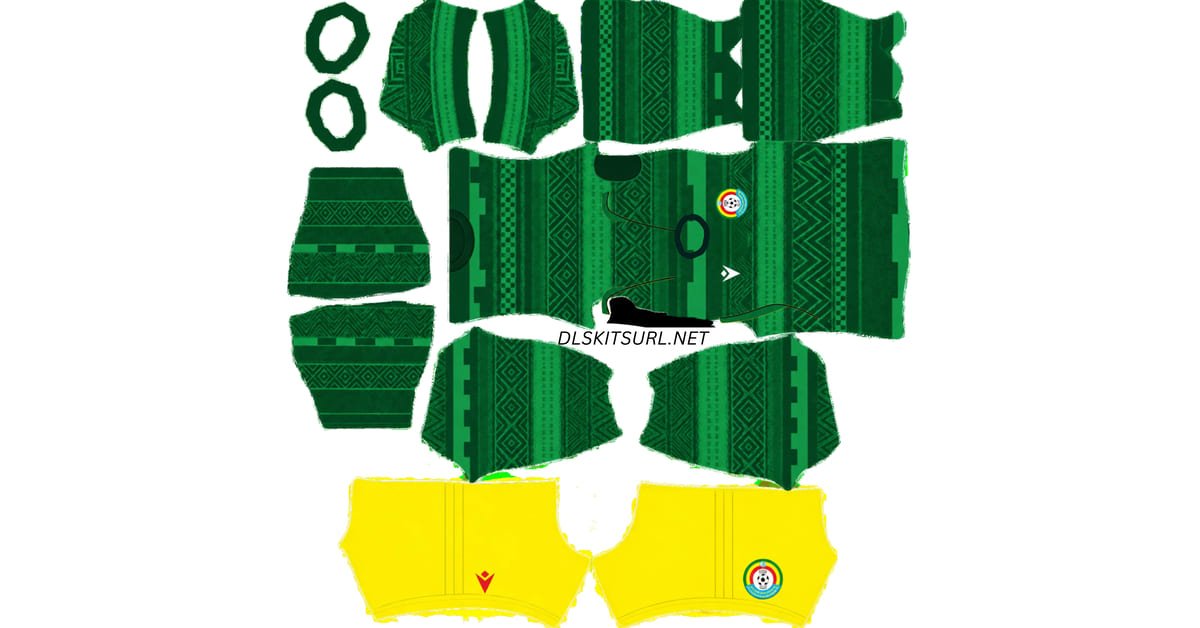
The Ethiopia DLS kits URL lets you add a Walia shirt to your Dream League Soccer team. Ethiopia’s 2026 collection gives you three distinct choices: a patterned green home shirt, a bright yellow away shirt and a red third shirt with fine vertical details. Choose the design you want below, copy its image URL and import it into the matching kit slot.
Ethiopia Official Logo
Official Logo 512×512
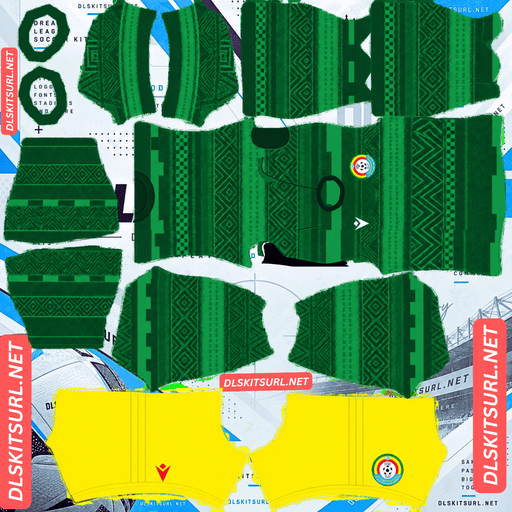
Ethiopia Home Kit
Home Kit 512×512 (2026/27)
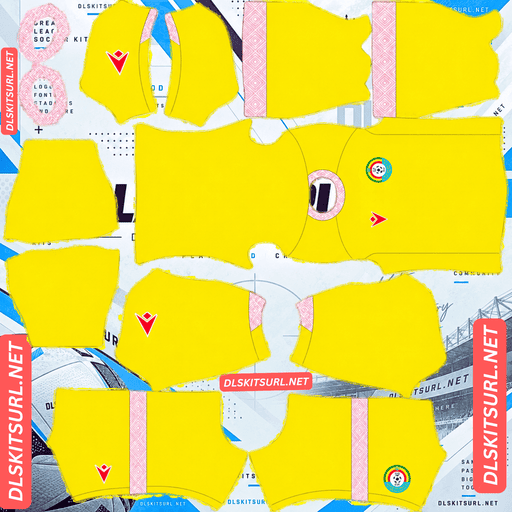
Ethiopia Away Kit
Away Kit 512×512 (2026/27)
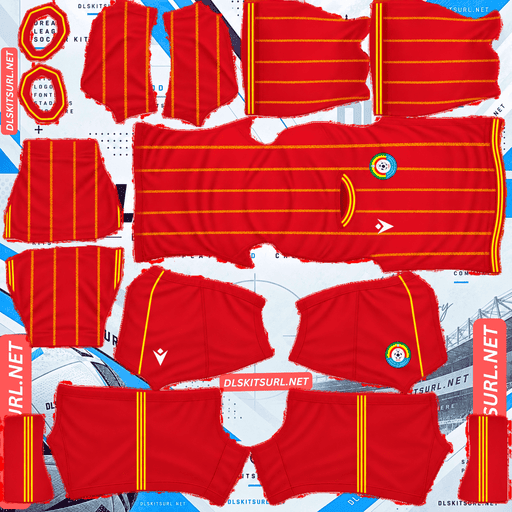
Ethiopia Third Kit
Third Kit 512×512 (2026/27)
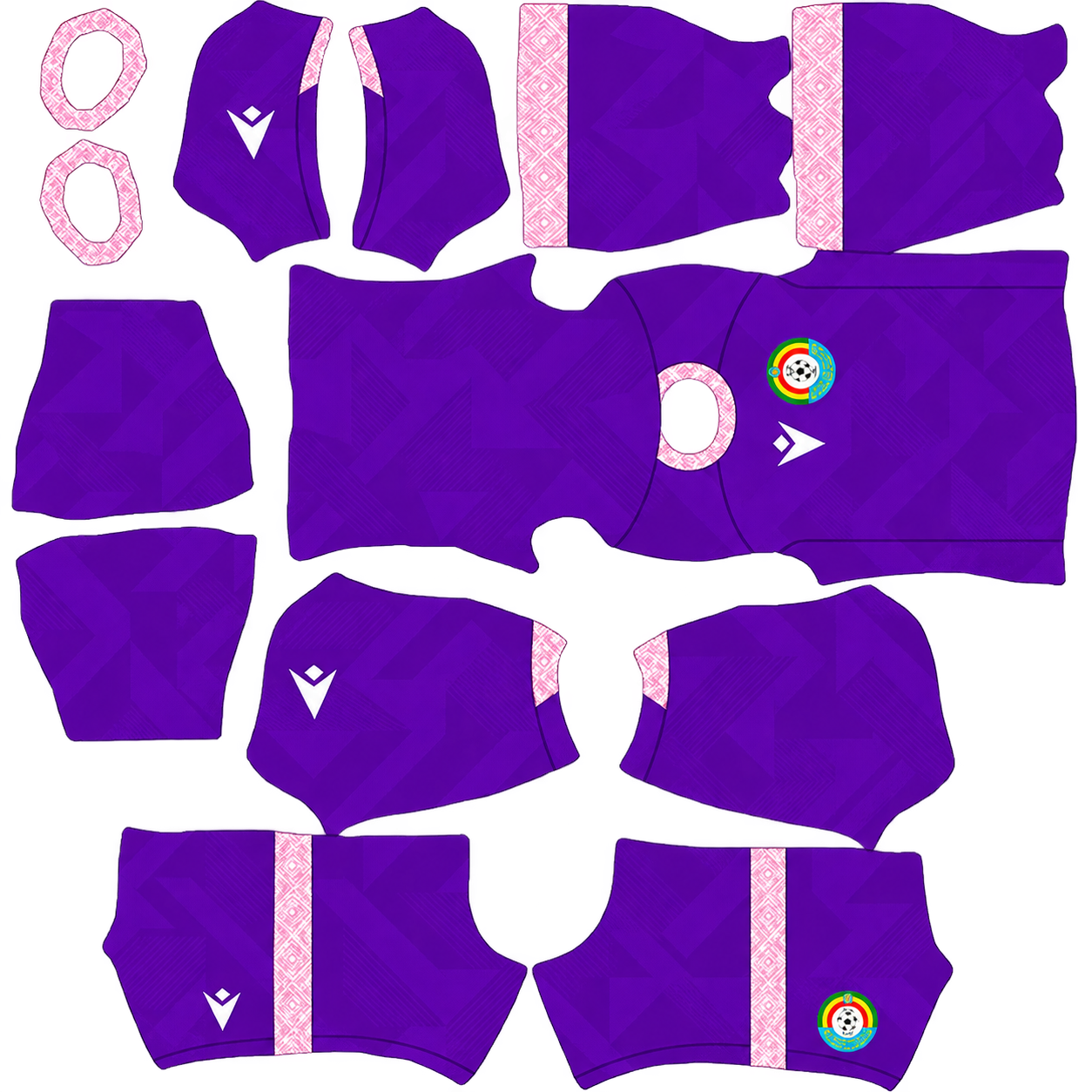
Ethiopia Home GK Kit
Home GK Kit 512×512 (2026/27)
These kits bring together the green, yellow and red associated with Ethiopia, but each uses the colours differently. Looking at the collar, cuffs and shirt pattern will help you tell a current design from an older file.
Ethiopia 2026/27 DLS Kit URLs
The current home, away and third shirts are part of the Ethiopian Football Federation’s First Edition collection produced with Macron. For Dream League Soccer, each shirt needs its own PNG arranged as a DLS kit template. Copy the URL from the card for the slot you want to fill.
Ethiopia home kit: layered greens
The home shirt uses several shades of green rather than one flat colour. Geometric shapes and tonal bands give the body texture, while the sleeves continue the layered look. A dark green collar with a short opening completes the front.
In DLS, this shirt should read as green from match distance, with more of its pattern visible when you open the player preview. Check the chest and lower front after importing. If they appear entirely plain, compare the file with the card preview to see whether the tonal geometry is present.
The federation crest and Macron mark sit on opposite sides of the chest. Their placement is another useful check when you inspect the imported player.
Ethiopia away kit: bright yellow
The away shirt provides a clear change from the green home design. Its body is predominantly bright yellow, while a paler pattern adds detail to the crew neck and sleeve cuffs. A red Macron mark and the multicoloured federation crest stand out on the chest.
That arrangement makes the collar and cuffs especially useful for checking a DLS file. A plain yellow template might have the right main colour, but it would miss the trim that distinguishes this shirt. View the player up close after importing to make sure those areas have not been left blank.
The strong yellow base should remain easy to recognise during a match, even when the smaller patterned details are less visible.
Ethiopia third kit: red with vertical details
The third shirt is red with narrow yellow-gold patterned lines running down the body. Its round collar and sleeve cuffs have matching yellow-gold trim. A white Macron mark adds contrast beside the federation crest.
The fine vertical lines give this kit a different character from the broader shapes on the green home shirt. In a large preview, check that the lines are distinct. On the player model, check that they run down the intended areas of the shirt rather than shifting onto a sleeve or breaking awkwardly at the sides.
With green, yellow and red shirts available, you can give your DLS team three clearly different outfield looks.
Why the kit branding matters
Ethiopia has worn shirts from different manufacturers over the years. The current First Edition collection is associated with Macron, so branding offers a quick way to check whether a file is intended to represent this release.
That does not mean every older Ethiopia kit is unusable. A previous design can be a good choice if you deliberately want a retro look. It simply should not be presented as the current First Edition shirt.
For a current kit, compare more than the manufacturer mark. Look at the home shirt’s green geometry, the away shirt’s yellow body and patterned trim, or the third shirt’s red body and narrow vertical detailing. Those combinations are more informative than a filename that says “2026.”
Which Ethiopia kit works best in DLS?
The yellow away shirt has the simplest overall appearance. Its bright main colour remains obvious from the normal match camera, although its patterned collar and cuffs are easier to appreciate in the kit menu.
The green home shirt rewards a closer look. Its different green tones create depth, but some of the geometry may soften when players appear small on screen.
The red third shirt sits between them. Its red base is immediately clear, while the thin yellow-gold lines add detail when you view the player more closely. If the lines look blurred in the source image, they are unlikely to become clearer after import.
Choose the shirt you like most, then inspect the player preview to judge the quality of the specific PNG you copied.
How to check an Ethiopia DLS kit image
A 512×512 label by itself does not tell you whether a kit is well made. Open the image and check its details, then review the result on a DLS player.
Look at the collar and cuffs
The yellow away shirt has patterned trim in these areas, while the red third shirt uses yellow-gold lines. If those parts appear plain after import, the template may be incomplete or misaligned.
Check the shirt pattern
On the home kit, look for layered green shapes. On the third kit, inspect the fine vertical lines. Details should appear intentional rather than stretched or smeared across the player.
Inspect the full outfit
A DLS kit PNG includes more than the front of a shirt. Check the sleeves, back, shorts and socks before deciding that a file is ready to use. A flat image may look fine on a webpage while an incorrectly placed template area becomes obvious in the game.
Ethiopia DLS Logo URL 512×512
The Ethiopia DLS logo URL is separate from the kit URLs. Use it in the game’s custom logo option to give your team the federation badge.
Choose a sharp image with enough space around the whole badge. Small writing or fine lines may be difficult to see beside the score during a match, so focus on whether the crest’s main shape and colours remain recognisable in the player and team previews.
If your imported kit PNG already has its own crest drawn on the shirt, changing the team logo may not change that part of the kit image. Check both previews if you want them to match.
How to import an Ethiopia DLS kit URL
Open Dream League Soccer and go to My Club, then your team’s customisation options. Choose the kit slot you want to edit and open its custom kit import option. Paste the URL copied from the corresponding card and confirm. Menu wording may differ between game versions.
Place the green design in Home, the yellow design in Away and the red design in Third, if those slots are available in your version. Check the selected slot before importing because a new kit replaces the one currently assigned there.
To add the badge, return to customisation and choose Logo or Custom Logo. Paste the separate logo URL rather than one of the kit URLs.
What kind of URL does Dream League Soccer need?
The game needs an address that points to the PNG image itself. The URL of a webpage containing a photo or kit preview may not work.
If an import fails, open the address you copied. You should see the image on its own, without an article or gallery around it. The image must also use a DLS kit layout. A photograph of the real Ethiopia shirt cannot correctly cover the game’s shirt body, sleeves, shorts and socks.
A URL can be valid while its kit image is poorly arranged. If it downloads but parts of the uniform land in the wrong places, inspect the PNG template.
Choosing number colours for Ethiopia’s kits
Look at the back of the imported player when setting or checking names and numbers. The best colour is the one that remains readable over the actual shirt design.
A light number may show clearly on a dark green part of the home shirt, while a dark number will usually stand out on the yellow away shirt. On the red third shirt, try a light colour and check whether its thin gold lines interfere with readability.
Also inspect the shorts numbers if they appear separately. The shirt and shorts can have different backgrounds, so one number colour may not work equally well on both.
Why an Ethiopia DLS kit URL may fail
If the game cannot import an image, check these points:
- The URL opens a webpage: Copy the direct PNG URL from the kit card.
- The file is unavailable: Open the copied address to see whether the image still loads.
- The file requires access: The game must be able to download it without a sign-in.
- The image is not a DLS template: A shirt photograph or product image will not wrap correctly around a player.
- The wrong card was copied: Compare your URL with the green home, yellow away or red third preview.
If the image imports but looks blurry, inspect the source file itself. A 512×512 image can still lack detail if it was enlarged from a much smaller original.
Save your Ethiopia kit URLs
Keep the home, away, third and logo URLs together in a note if you plan to change kits later. It makes returning to a favourite design easier. Before reusing an older saved URL, open it to confirm that the PNG is still available.
Frequently asked questions
What is an Ethiopia DLS kit URL?
It is a direct URL to an Ethiopia kit PNG formatted for Dream League Soccer. Paste it into the custom kit option to apply the design to your team.
Who makes Ethiopia’s 2026 First Edition kits?
The Ethiopian Football Federation presents its home, away and third First Edition shirts as a collection produced in partnership with Macron.
What colour is Ethiopia’s home kit?
The First Edition home shirt is green, with layered geometric patterns in different green tones and a dark green collar.
What does Ethiopia’s away kit look like?
It has a bright yellow body, patterned light-coloured collar and cuffs, red Macron mark and federation crest.
Is there an Ethiopia third kit?
Yes. The First Edition third shirt is red with narrow yellow-gold vertical details and matching trim.
Why are the Walias called the Walias?
The nickname refers to the Walia ibex, an animal native to Ethiopia’s Simien Mountains.
Why is my Ethiopia kit blurry in DLS?
The PNG may have been enlarged from a smaller image or may contain soft details in the source file. Inspect the collar edge and shirt pattern before importing.
Is an Ethiopia DLS logo URL the same as a kit URL?
No. Use the badge URL in Custom Logo and the outfit URLs in the corresponding custom kit slots.