
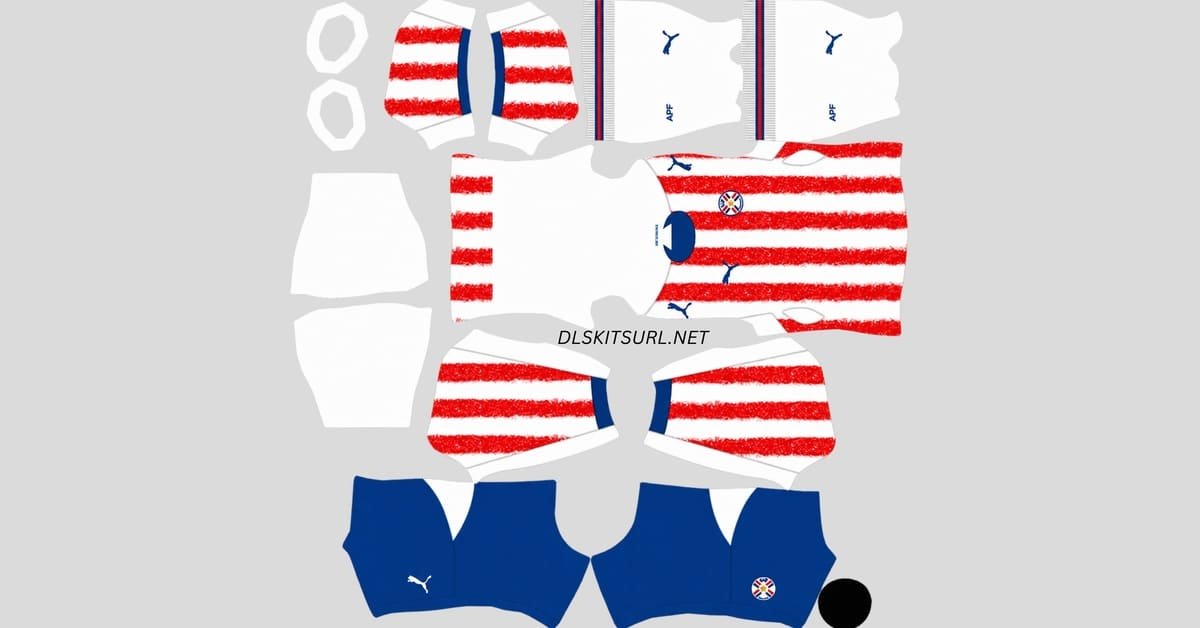
A Paraguay DLS kits URL is a direct link to a 512×512 PNG of a La Albirroja shirt that you can import into Dream League Soccer. The kit links for each available slot are listed below, and every image has been loaded into the game before being published here.
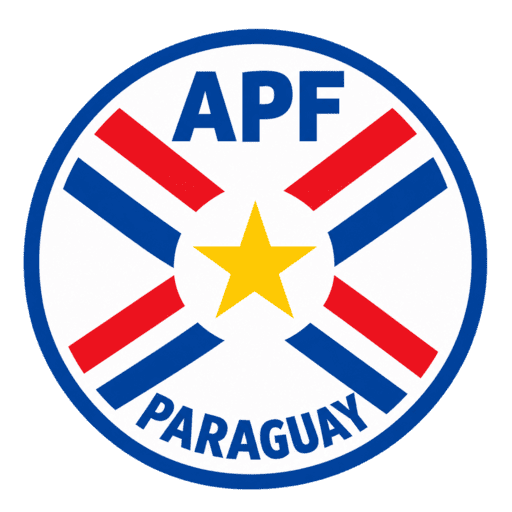
Paraguay Logo
Official Logo 512×512 (2026/27)
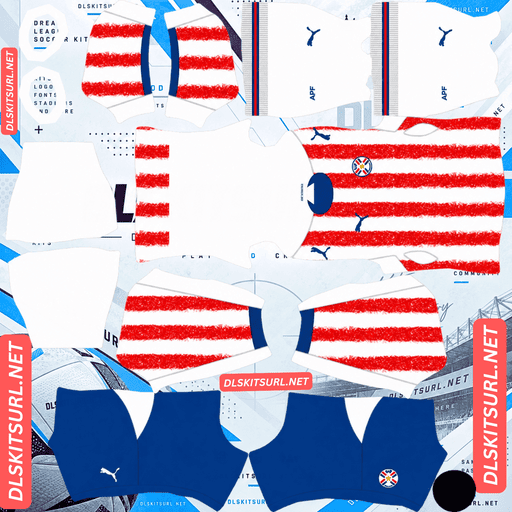
Paraguay Home Kit
Home Kit 512×512 (2026/27)
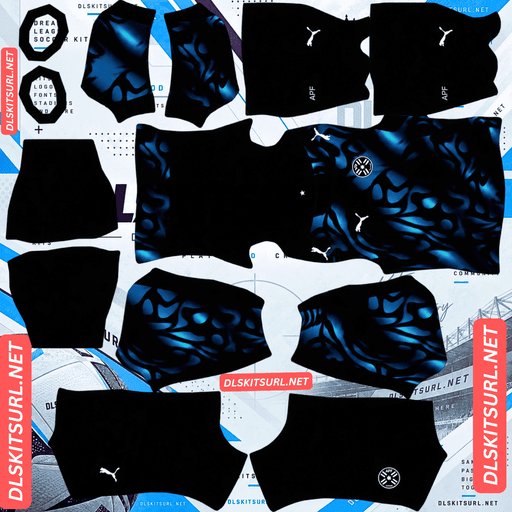
Paraguay Away Kit
Away Kit 512×512 (2026/27)
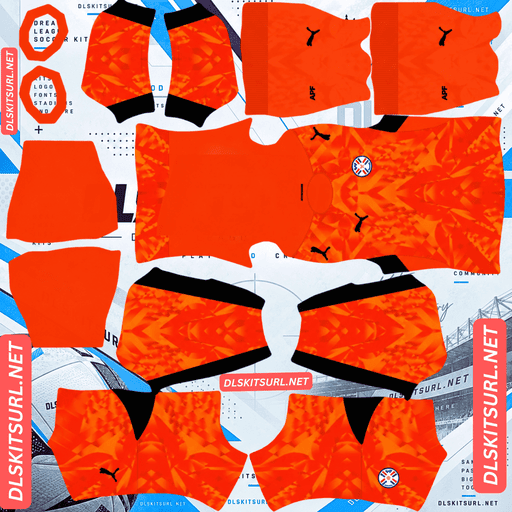
Paraguay Home GK Kit
Home GK Kit 512×512 (2026/27)
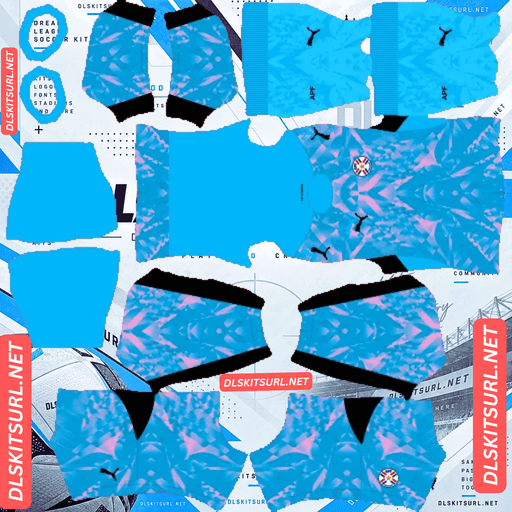
Paraguay Away GK Kit
Away GK Kit 512×512 (2026/27)
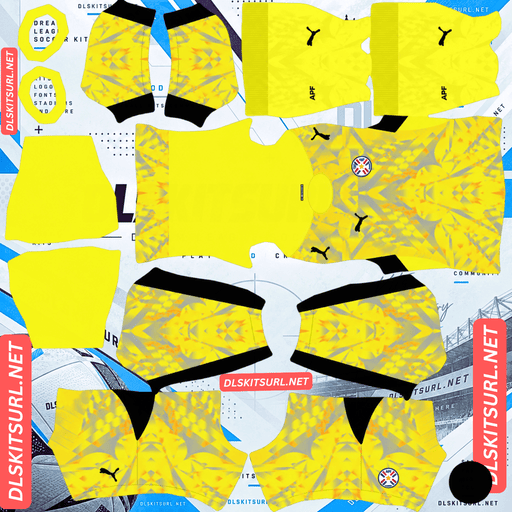
Paraguay Third GK Kit
Third GK Kit 512×512 (2026/27)
Puma took inspiration from Paraguay’s distinctive red clay soil when designing the home shirt for 2026. That gives the kit a unique look, but it also creates a challenge when checking image quality. The away shirt has its own advantages, and understanding the difference can help you choose the right files for your team.
From the Earth to the Shirt
Paraguay returned to the World Cup in 2026 after a 16-year absence, having last appeared at the tournament in 2010.
To mark the occasion, Puma and the Asociación Paraguaya de Fútbol (APF) introduced a campaign called “De la Tierra a la Piel,” meaning “From the Earth to the Skin.” The home shirt brings that idea to life by incorporating the appearance of Paraguay’s famous red clay soil into its design.
Home Kit — Inspired by Red Clay
Released on 18 March 2026, Paraguay’s home kit keeps the traditional national-team colours.
The shirt has a white base with red vertical stripes, complemented by royal blue detailing on the crew-neck collar and sleeve cuffs. The APF crest sits over the heart, while the Puma Cat appears opposite it in matching blue.
The real character of the shirt becomes clear when you look closer. Rather than using plain red stripes, Puma added a speckled, textured graphic inspired by tierra colorada — Paraguay’s distinctive red clay soil. The design also recalls the dirt pitches where many Paraguayan footballers first learned to play.
It is a thoughtful way to connect the national team’s identity with the places and conditions that helped shape its players.
Away Kit — A Liquid Terrain Design
The away shirt takes a darker approach, using a New Navy base covered by an abstract graphic in Tropical Blue and lighter blue-green tones.
The pattern has a flowing, almost liquid appearance. It covers the front, continues across the sleeves and extends onto the lower back panel. Like the home shirt, the design draws inspiration from Paraguay’s natural landscape, but expresses the idea in a more modern style.
Puma branding and the APF crest appear in clean white, helping them stand out against the detailed background. There is also a star at the back neckline, a small detail that completes the design.
Why the Usual Image-Quality Test Fails on the Home Kit
This is the most important thing to understand when choosing a Paraguay home kit for DLS.
Normally, you can judge an image by zooming in on a sharp boundary between two colours. A genuine, high-quality 512×512 file should preserve a clean edge, while a heavily compressed or enlarged image often looks blurred across several pixels.
Paraguay’s home shirt makes that test unreliable because its red stripes have deliberately distressed, splattered edges. They are supposed to look rough and uneven, almost like red soil scattered across the fabric.
Unfortunately, compression damage can create a very similar appearance. Both effects can produce soft, broken and irregular edges, making it difficult to tell whether the file is genuinely detailed or simply low quality.
What to Check Instead
Focus on the parts of the shirt that are supposed to remain clean.
The royal blue collar and cuffs: These areas use solid colour without the distressed effect. If the blue meets the white fabric along a sharp boundary, the image is likely to have good resolution. If the colours smear into each other, the file may be poor quality.
The APF crest: The crest should have clear outlines and recognisable national colours. Blurred edges are a warning sign that the image may not preserve enough detail.
Real Betis’s third kit presents a similar challenge this season because its distressed design can also make compression damage difficult to identify. In both cases, the best approach is to judge the image using clean elements rather than the intentionally rough pattern.
The Away Kit Is Easier to Work With
Although Paraguay’s away shirt has a busier design, it is actually the more forgiving option when choosing a DLS image.
The colours provide strong contrast. Tropical Blue and blue-green stand out against the New Navy base. Because the pattern relies on clear colour differences rather than subtle shading alone, it generally remains visible when the image is reduced in size.
The pattern is irregular. There are no perfectly repeating stripes or geometric shapes that must line up precisely across every template panel. Small differences where the front, sleeves and back meet are therefore less noticeable.
This is an advantage shared by other organic and marbled designs, including kits such as Türkiye’s and Poland’s. Irregular patterns tend to conceal minor alignment errors that would be obvious on a geometric shirt.
As a result, a decent-quality file can reproduce Paraguay’s away kit quite convincingly. The home kit needs more careful checking, even though its design appears simpler at first glance.
The Crest Changes Sides Between the Kits
There is an unusual detail to remember when checking Paraguay’s shirts: the APF crest does not appear on the same side of both designs.
On the home shirt, the APF crest sits on the left chest, with the Puma Cat on the right.
On the away shirt, the arrangement is reversed. The APF crest appears on the right chest, while the Puma wordmark is on the left.
A crest appearing on the wrong side can often indicate that an image has been mirrored during editing. With Paraguay, however, that is not a reliable test unless you first identify which kit you are looking at.
Remember the correct arrangements:
Home: APF crest on the left.
Away: APF crest on the right.
Check the artwork against the corresponding shirt before deciding that a file has been flipped incorrectly.
Will the Star Be Visible in DLS?
The away shirt includes a star at the back neckline, but you should not expect to see it clearly during gameplay.
The back-neck section occupies a very small area near the top of the kit template, tucked beneath the collar. It is also one of the least visible parts of the player model.
You might spot the star in the kit menu when using a high-quality image, but it is unlikely to be noticeable during a match. Its main value is as a design detail rather than a feature you will regularly see in-game.
Choose the Right Number Colours
Paraguay’s two kits need different number colours, particularly because the home shirt combines red and white stripes.
Dream League Soccer does not automatically use the number colour shown in your kit artwork. Instead, you select colours through separate swatches for the shirt numbers and shorts numbers.
Home kit: Royal blue
Both red and white can disappear into parts of the striped shirt. Royal blue provides a better contrast against the two main colours, matches the collar and cuffs, and completes the national colour scheme.
Away kit: White
The New Navy base and blue-green graphic make white the safest choice. It matches the crest and Puma branding and stands out against the darker areas of the shirt.
Remember to set the shirt and shorts number colours separately.
The Group Paraguay Are Playing In
Paraguay were drawn alongside co-hosts the United States, as well as Australia and Türkiye. It is a varied group featuring teams with different playing styles.
If you are recreating the group in Dream League Soccer, you can build your Paraguay squad alongside the other three national teams.
How to Identify a Current Paraguay DLS Kit
Use these four checks to make sure you have the right designs.
The home shirt should have textured red stripes. Plain red stripes may indicate an older design or a low-quality version that has lost the original pattern.
The home collar and cuffs should be royal blue. These details complete the familiar red, white and blue colour scheme.
The away shirt should have a New Navy base with a flowing blue and blue-green graphic. It should not be confused with Paraguay’s older, simpler away designs.
The away crest should be white and positioned on the right chest. This is part of the correct arrangement for the 2026 design.
How to Use a Paraguay DLS Kits URL
Use the copy button on the kit card whenever possible. Copying the address from your browser’s address bar may give you the webpage URL instead of the direct image link.
Open Dream League Soccer and go to My Club, followed by Customise. Choose Kit, not Logo, and select the slot you want to replace before pasting the link.
Tap Custom Kit, press and hold the URL field, choose Paste, and confirm. In some older versions of the game, the final button may be labelled Download.
Since Puma released both home and away shirts, you can use the third kit slot for another design. Paraguay’s 2010 World Cup shirt is a natural choice because it was the team’s previous World Cup kit before their return in 2026.
Dream League Soccer accepts any working 512×512 kit URL, regardless of the age of the design. The first custom kit requires a one-time gem unlock, but changing kits afterwards is free.
Test the Link Before Importing
Before opening the game, test the URL in your browser.
A correct direct link should open the image on its own, without a surrounding webpage, navigation bar or buttons. The URL should normally end in .png.
If the image appears inside a page with other content, you may have copied a viewer page rather than the direct image file. Dream League Soccer needs the image URL itself.
On a computer, you can right-click the image and open it in a new tab to check the dimensions reported by your browser.
Why Paraguay Kit URLs Stop Working
Even a working kit URL can stop functioning later. There are a few common reasons.
Free image hosts delete files. Some hosting services remove old or unused uploads after months or years. The link may still look correct even though the image is no longer available.
Hotlink protection blocks external requests. A hosting service may allow you to open an image directly but reject requests coming from another website or application. This explains why a link can work in your browser yet fail when you import it into DLS.
The preview and the direct link point to different files. Some websites display a thumbnail stored on their own server while providing a separate URL for the full image. If that external file disappears, the preview may continue to work even though the import link is broken.
For these kits, the image displayed on the page and the URL provided should point to the same file on the same server.
The APF Badge
You can import the Paraguay crest during the same customisation session by choosing Logo instead of Kit.
Dream League Soccer crops imported badges into a circular area. For that reason, choose a PNG with some clear space around the artwork rather than one cropped tightly to the edges.
The APF crest contains Paraguay’s national colours and several smaller details. Some of that detail will soften when the badge is displayed beside the score, but the red, white and blue design should remain recognisable. That is a limitation of the game’s display size, not necessarily a problem with your image.
If you plan to use the away shirt as your main kit, a monochrome white version of the APF crest is the closer match to the design Puma used on the real shirt.
Keep Your Paraguay Kit Links Safe
Dream League Soccer stores custom kits on your device rather than permanently attaching them to your account. Game updates usually leave them in place, but reinstalling the game or switching phones can remove your kits and badge.
Before importing anything, save the home kit URL, away kit URL and badge URL in a notes app or another safe location. If you ever need to set up the team again, you will have all three links ready.
Frequently Asked Questions
What is a Paraguay DLS kits URL?
A Paraguay DLS kits URL is a direct link to a 512×512 PNG of a La Albirroja shirt that you can paste into Dream League Soccer’s kit screen. A working direct image URL normally ends in .png.
What is the texture on Paraguay’s home shirt?
The red stripes feature a speckled, distressed graphic inspired by tierra colorada, Paraguay’s distinctive red clay soil and the dirt pitches where many local players learn the game. The design forms part of Puma and the APF’s campaign, “De la Tierra a la Piel,” meaning “From the Earth to the Skin.”
Why is it difficult to judge the quality of my Paraguay home kit?
The red stripes have deliberately rough, splattered edges, which can look similar to compression damage. Instead, inspect the royal blue collar and cuffs. These areas have clean boundaries, making it easier to judge the image’s resolution.
What does the Paraguay away kit look like?
The away shirt has a New Navy base with an all-over abstract graphic in Tropical Blue and blue-green tones. It also features white Puma branding and a monochrome white APF crest.
Why is the Paraguay crest on a different side on each kit?
The APF crest appears on the left chest of the home shirt and on the right chest of the away shirt. Both arrangements are correct for their respective designs, so check the kit before assuming the image has been mirrored.
Which Paraguay kit is easier to use in DLS?
The away kit is generally easier to reproduce. Its high-contrast, irregular pattern survives resizing well and is forgiving of small alignment differences. The home shirt’s distressed stripes are more difficult to assess because their rough edges can hide image-quality problems.
What number colour works best on Paraguay’s home kit?
Royal blue is the best option. Red and white numbers can blend into the striped shirt, while blue contrasts with both colours and matches the collar and cuffs.
When did Paraguay last play in a World Cup before 2026?
Paraguay’s previous World Cup appearance was in 2010. Their return in 2026 ended a 16-year absence from the tournament.