
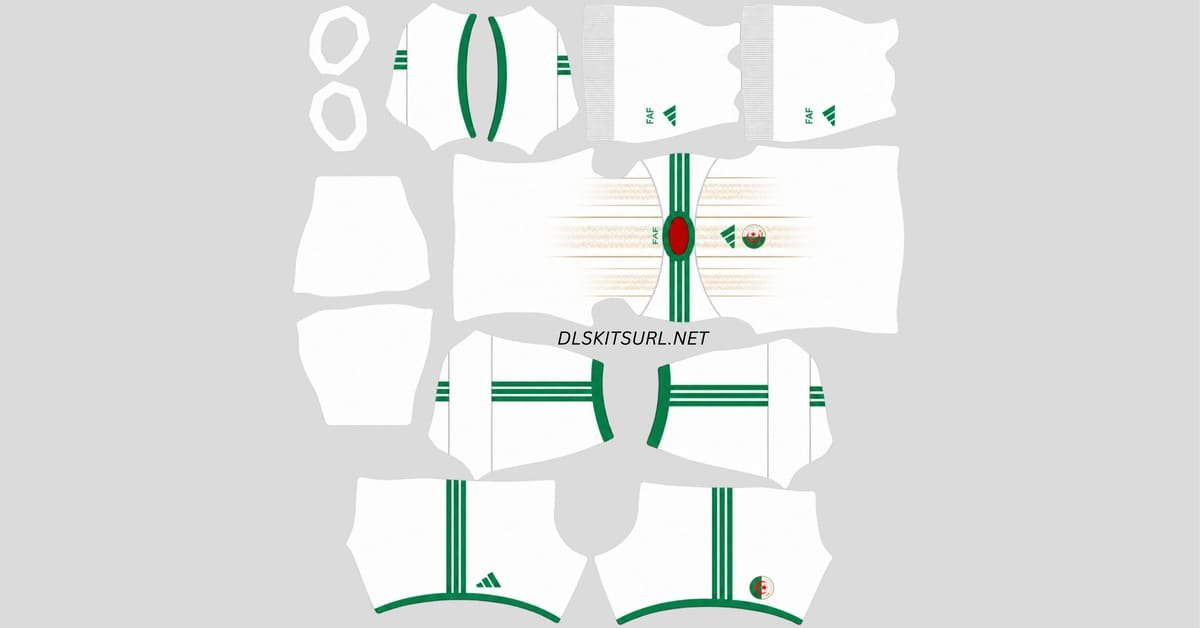
An Algeria DLS kits URL is a direct link to a 512×512 PNG kit that you can import into Dream League Soccer. The same applies to the logo URL, which allows you to add Algeria’s badge to your team. In this guide, you’ll find the Algeria kits and logo details you need, along with information about the current 2026/27 designs and how they work inside DLS.
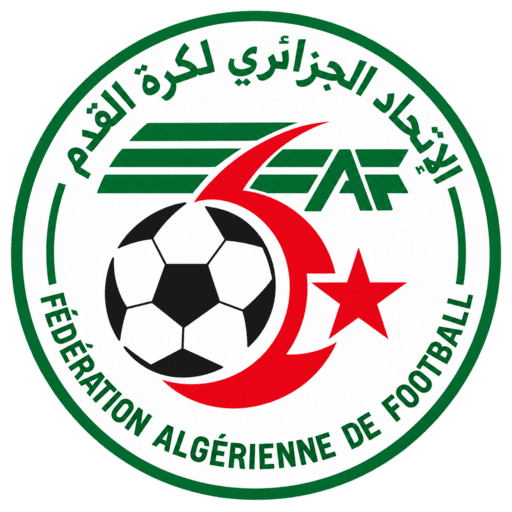
Algeria Logo
Official Logo 512×512 (2026/27)
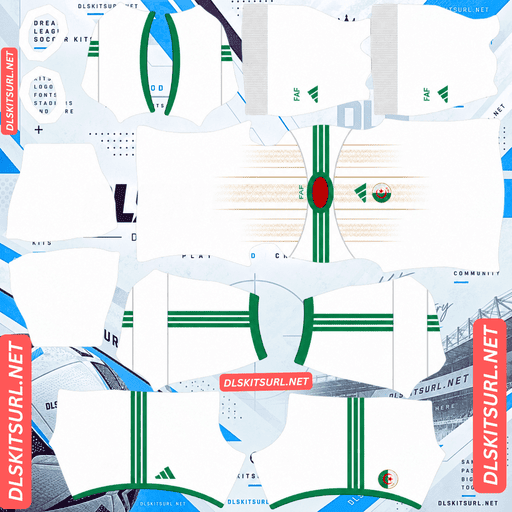
Algeria Home Kit
Home Kit 512×512 (2026/27)
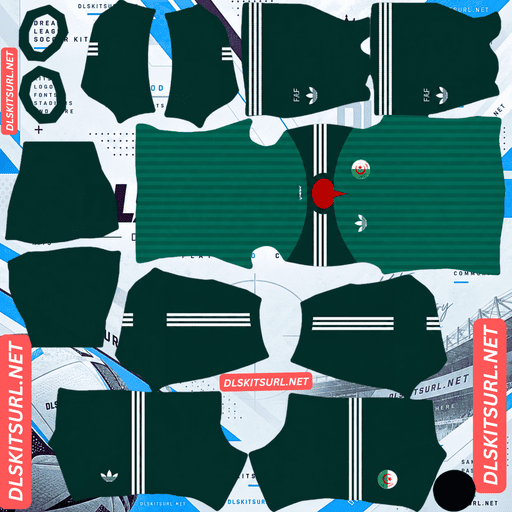
Algeria Away Kit
Away Kit 512×512 (2026/27)
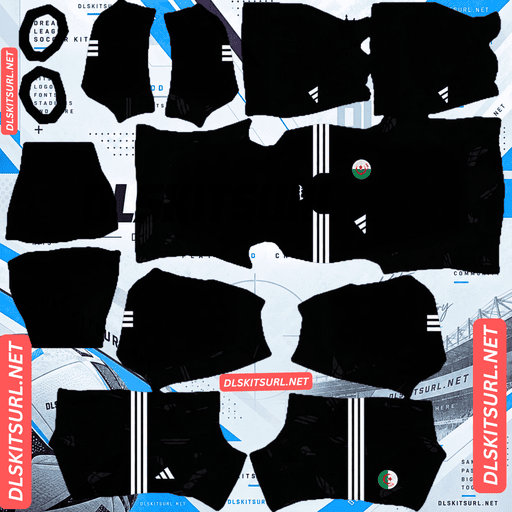
Algeria Home GK Kit
Home GK Kit 512×512 (2026/27)
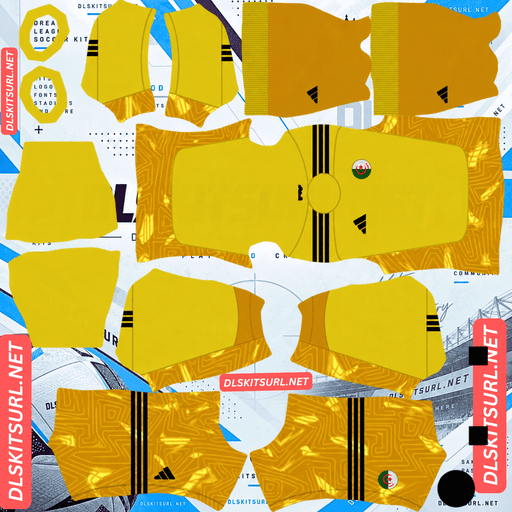
Algeria Away GK Kit
Away GK Kit 512×512 (2026/27)
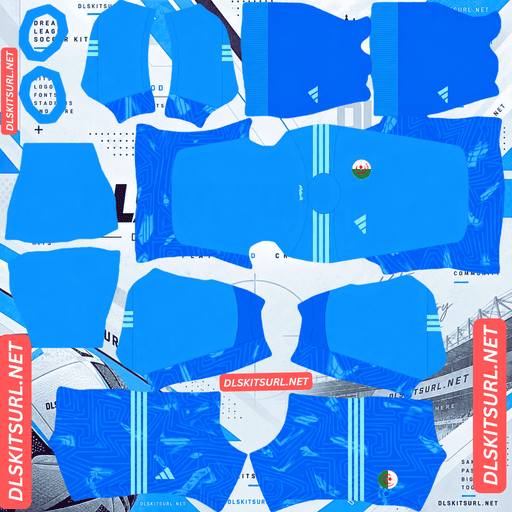
Algeria Third GK Kit
Third GK Kit 512×512 (2026/27)
Before importing the kits, there is one important detail to understand about Algeria’s current shirts. Both the home and away designs use the national flag crest rather than the Algerian Football Federation’s regular badge. If you want your DLS team to look as close as possible to the real Algeria team, using the correct national crest is important.
Flag Crest, Not Federation Crest
Algeria’s current Adidas kits have an unusual badge arrangement. Instead of using the FAF federation badge, the shirts feature the Algerian national crest, which represents the country’s national identity.
The crest uses Algeria’s familiar green, white and red colours together with the crescent and star. Unlike many football badges that use a shield shape, this crest has a circular design.
This detail matters in Dream League Soccer because the logo you import is used regardless of which kit your team is wearing. If you choose an FAF federation logo while using these kits, the badge on your DLS team will not match the crest shown on the actual Algeria shirts. For the most accurate result, use the national crest.
The Two Kits Place the Crest Differently
There is another small difference between the two shirts that is worth knowing before importing them. On the away kit, the crest is positioned on the left side of the chest, with the Adidas Trefoil on the right. This is the more traditional football-shirt arrangement and works naturally with the way DLS displays an imported badge.
The home kit, however, places the crest in the centre of the chest, underneath the Adidas logo. This creates a slightly different appearance and can cause an issue when the shirt is recreated for Dream League Soccer.
Why the Home Kit Can Show Two Badges
Dream League Soccer adds your imported logo separately from the artwork already included in the kit image. Because of this, a home-kit file that already contains the central Algeria crest can display that printed crest while DLS adds another badge in its standard position.
The result is a shirt with two Algeria crests: the original one printed in the middle and the imported DLS badge elsewhere on the chest. They usually do not overlap, but the extra badge can make the shirt look noticeably different from the real version.
For that reason, check the chest area before importing the home kit. A DLS-ready file may leave the appropriate area clear, while another version may include the original printed crest as part of the kit artwork.
The Algeria 2026 Kits
The current Algeria kits are built around a visual theme connected to the country’s landscape. The home design takes inspiration from the Sahara Desert and its sand dunes, while the away shirt uses different shades of green to create a more subtle, textured appearance.
Home Kit: Inspired by the Sahara Dunes
The Algeria home kit was released in November 2025 and was first worn during friendlies against Zimbabwe and Saudi Arabia. Its design stands out because the main colour is not the bright white that many people might expect from an Algeria home shirt.
Instead, the base is a cream or beige shade, with vertical brown and golden details running down the shirt. These details are designed to resemble the patterns and shadows created by the rolling dunes of the Sahara.
The shirt also features a rounded neckline with red trim, green Adidas stripes along the shoulders, and a green Adidas logo on the right side of the chest. The matching cream socks feature green FAF lettering. There is no commercial sponsor on the shirt, which keeps the overall design clean.
It’s Cream, Not White
The colour of the home kit is worth mentioning because it can easily cause confusion when looking for a DLS version online. Some retail descriptions refer to the shirt as white, but the actual design has a noticeable cream or beige tone.
That colour choice is intentional and forms part of the Sahara-inspired concept behind the kit. Therefore, if your Algeria home-kit file looks slightly beige instead of pure white, that does not automatically mean the file is incorrect.
A completely white Algeria shirt is more likely to represent an older kit or an inaccurate recreation of the current design.
Away Kit: Two Shades of Court Green
The Algeria away kit was released on 20 March 2026 as part of Adidas’ federation away collection. Its main colour is Court Green, but the shirt uses more than one shade to create its overall appearance.
The torso is a lighter green and features subtle tonal vertical stripes along with a textured pattern. The upper chest and sleeves use a darker green, creating a clear two-tone contrast across the shirt.
White Adidas three stripes run along the shoulders, while the ribbed collar and sleeve cuffs feature red accents. There is also a small red triangular detail underneath the back of the collar.
The Adidas Originals Trefoil appears in white on the right side of the chest, while the Algeria crest sits opposite it. On the back of the shirt, the word “Algeria” appears in Arabic just below the collar.
Green shorts and socks complete the away kit. The socks include horizontal white stripes along with the Trefoil and FAF branding.
The Arabic Script Will Not Be Very Noticeable
The Arabic writing on the back sits very close to the top of the shirt underneath the collar. Because this section is positioned near the edge of the DLS kit template and is difficult to see clearly on the player model, it may not be noticeable during a match.
You might be able to see it in the kit selection menu when using a high-quality file, but don’t expect it to remain clearly visible once your player is running around on the pitch.
Both Algeria Kits Use Subtle Patterns
Neither of the two current Algeria designs is particularly easy to reproduce in low-quality kit files. Both rely on tonal details rather than strong, high-contrast graphics.
Home Kit: Cream on Cream
The home shirt combines brown and golden detailing with a cream base. Because these colours are relatively close to each other, the dune pattern has a subtle appearance.
That subtlety is also its weakness when the image quality is poor. Heavy compression or an undersized source image can make the vertical dune details almost disappear, leaving the shirt looking like a plain cream design.
The red collar and green shoulder stripes are much easier to preserve because they have stronger contrast. The gold detailing is more demanding because it relies on gradients and shading rather than one solid colour.
Away Kit: Green on Green
The away kit has a similar problem, although the colours are different. The lighter green torso contains vertical striping made from nearby shades of green, so the pattern can easily become difficult to see after compression.
The darker shoulders and sleeves are easier to reproduce because there is a stronger contrast between them and the lighter torso. As long as the source image is high quality, the two-tone appearance should remain clear.
How to Check the Kit Quality
When checking an Algeria DLS kit, don’t only look at the main colours. For the home kit, make sure the brown and golden dune-inspired stripes are still visible across the cream background.
For the away kit, look at the lighter green torso and check whether the tonal vertical pattern is visible. If the shirt looks completely flat and you can only see the difference between the dark shoulders and light torso, the file may have lost too much detail through compression or enlargement.
The Green Away Kit and the Green Pitch
The colour of the away kit also has a practical effect during matches. Dream League Soccer places your players against a green football pitch, so a predominantly green shirt naturally has less contrast with the background than a cream-coloured one.
Algeria’s away design helps reduce this problem through its darker shoulders and sleeves, which create a stronger outline around the player’s upper body. The white Adidas stripes and red collar details also provide brighter points that stand out against the grass.
The cream home kit is much easier to follow during a match because it provides a strong contrast with the green pitch.
Choosing the Right Number Colours
The number colours should also be chosen carefully. Dream League Soccer does not simply take the number colour from the main artwork of the kit. Instead, the kit template contains separate colour settings for the shirt numbers and shorts numbers.
Home Kit Number Colours
For the home kit, green or red numbers work well because they complement the shoulder stripes and collar. White and gold are less suitable because they can blend into the cream background.
Away Kit Number Colours
For the away kit, white is the safest choice because it matches the Adidas stripes and provides clear contrast against the green shirt. Red can also work well because it matches the collar and sleeve details.
Avoid using green numbers on the green away shirt, as they can become difficult to read during gameplay. Remember to configure the shirt and shorts number colours separately.
The Algeria Logo in Dream League Soccer
How to Import the Logo
After copying your Algeria logo URL, open My Club, then select Customise and go to the Logo section. Make sure you are using the Logo section rather than the Kit section, since DLS treats the two systems separately.
Paste the logo URL into the URL field and confirm the import. If the link is a direct PNG image and meets the required specifications, the badge should load correctly.
What the Badge File Needs
For the best result, an Algeria DLS logo should be 512×512 pixels, saved as a PNG, and have a transparent background.
The file should also be under 1 MB, and the URL should point directly to the image, preferably ending in .png.
Transparency is important because the logo needs to sit naturally on the player’s shirt. A badge with a white background can appear as a visible square around the crest instead of blending cleanly into the kit.
The Circular Crest Is a Good Choice for DLS
The Algeria national crest has a circular shape, which works particularly well with Dream League Soccer’s badge display.
DLS crops imported logos into a circular area, so a naturally circular Algeria crest does not lose important sections around its edges. The design therefore remains close to the original when displayed inside the game.
What Remains Visible at Match Size
The crescent and star remain among the easiest parts of the Algeria crest to recognise when the logo is displayed at a small size. The green, white and red colours also remain visible.
Small lettering is much more difficult to read. This is normal when a detailed badge is reduced to a small size in the game and does not necessarily indicate a problem with your PNG.
For the best result, start with a genuine 512×512 image rather than enlarging a small, low-resolution logo.
How to Tell If an Algeria DLS File Is Current
If you’re searching for Algeria DLS kits and aren’t sure whether a file represents the current design, check four key details.
The home shirt should have a cream base with vertical dune-inspired detailing, rather than being plain white. The away shirt should use two shades of green, with darker shoulders and sleeves and a lighter torso.
The away shirt should also feature the Adidas Originals Trefoil, rather than the standard three-stripe performance logo. Finally, both shirts should use the national Algeria crest with the crescent and star, rather than the FAF federation badge.
These details make it easier to distinguish the current designs from older Algeria kits.
Test the Link Before Importing It
Before putting a DLS kit or logo URL into the game, open the link in your browser first.
A proper direct image URL should open the PNG by itself rather than taking you to a webpage containing buttons, advertisements or other content. Ideally, the address should end with .png.
On a computer, you can right-click the image and open it in a new tab. This can also help you check the image dimensions and make sure you’re working with the correct file.
The same test should be performed on the Algeria logo URL.
Why Algeria Kit and Logo URLs Stop Working
Even a working DLS URL can eventually stop functioning. There are several common reasons for this.
Free Image Hosts Can Delete Files
Some image-hosting services remove older or unused uploads after a certain period. The original URL may still appear valid, but the image itself may have been removed.
Hotlink Protection
Some hosts use hotlink protection to prevent external applications from loading their images. Your browser may display the image normally when you open the website directly, while Dream League Soccer’s request can be rejected.
This is why a link can sometimes work when you click it manually but fail when you paste it into the game.
The Preview and Direct File May Be Different
Some websites display a preview image while providing a separate URL for the original file. If that external image is removed or moved, the webpage can continue working even though the DLS link no longer does.
For reliable importing, the image you see and the URL you copy should point to the same direct PNG file.
Keeping Your Algeria Kits and Badge
Your custom DLS kits and logos are stored on your device rather than being permanently tied to your account. A normal game update will generally keep them, but reinstalling the game or moving to another phone can result in losing your custom kits and badges.
The easiest way to avoid rebuilding everything from scratch is to save your URLs somewhere safe. Keep the links for the home kit, away kit, goalkeeper kit and Algeria logo together in a notes app or another place you can access later.
If you ever reinstall Dream League Soccer or switch devices, having those links saved means you can restore the complete Algeria setup much more quickly.
FAQ
What is an Algeria DLS kits URL?
An Algeria DLS kits URL is a direct link to a 512×512 PNG Algeria football shirt that can be imported into Dream League Soccer. A working direct image link should normally end in .png.
Which Algeria badge should I use in DLS?
The Algerian national crest featuring the crescent and star is the appropriate choice for these current kits. The 2026 home and away designs use the national crest rather than the FAF federation badge.
What does the Algeria 2026 home kit look like?
The Algeria home kit uses a cream-coloured base with brown and golden vertical detailing inspired by the dunes of the Sahara. It also features a rounded red-trimmed neckline and green Adidas shoulder stripes.
My Algeria home kit looks beige rather than white. Is the file wrong?
No. The current home design uses a cream or beige shade inspired by desert sand. A completely white Algeria shirt is more likely to be an older design or an inaccurate reproduction.
What is the Algeria away kit for 2026?
The away kit uses Court Green, with a lighter green torso containing tonal vertical stripes and darker green shoulders and sleeves. It also has white Adidas stripes, red collar details and the Adidas Originals Trefoil.
Why does my Algeria home kit show two badges?
The real home shirt has its crest printed in the centre of the chest, while Dream League Soccer can add your imported badge separately in its normal position. If your kit file already contains the printed crest, both can appear at the same time.
Why does my Algeria kit look plain?
Both kits use subtle patterns. The home design uses brown and gold over cream, while the away design uses different shades of green. These details are usually the first elements to disappear when an image has been heavily compressed or enlarged from a low-resolution source.
What size should the Algeria logo be?
The recommended logo size is 512×512 pixels, using PNG format with a transparent background. The Algeria crest is circular, so it fits well within Dream League Soccer’s circular badge display.