
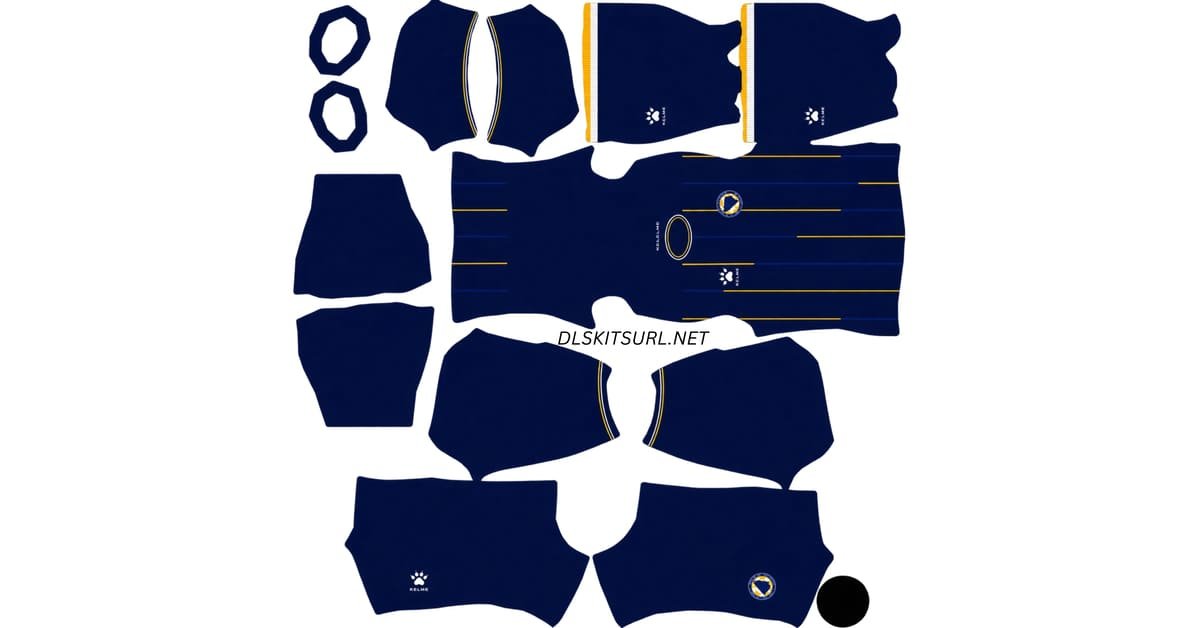
A Bosnia DLS kits URL is a direct link to a 512×512 PNG Bosnia and Herzegovina shirt that you can paste straight into Dream League Soccer. Every kit slot is listed below, and each file has been loaded into the game and checked before being added to this page.
Bosnia Logo
Official Logo 512×512 (2026/27)
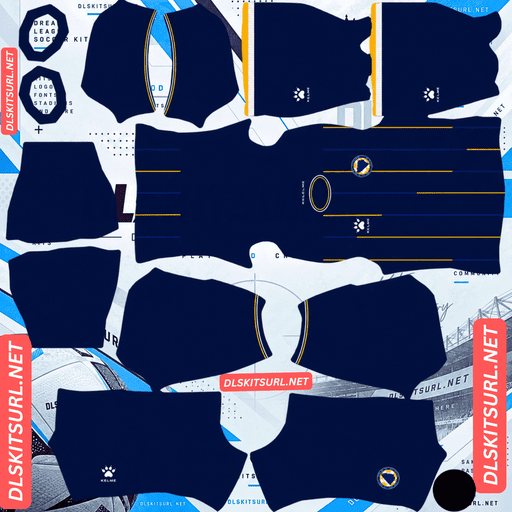
Bosnia Home Kit
Home Kit 512×512 (2026/27)
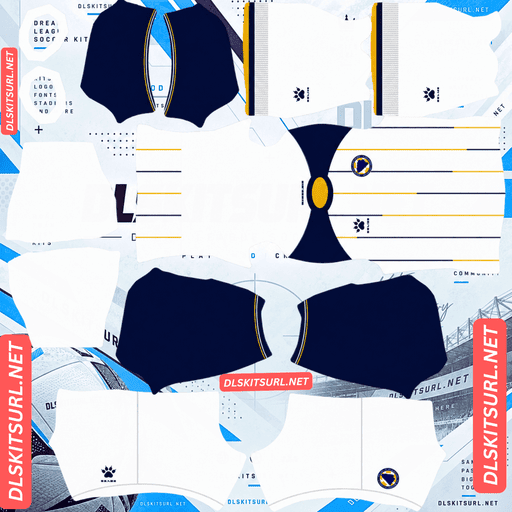
Bosnia Away Kit
Away Kit 512×512 (2026/27)
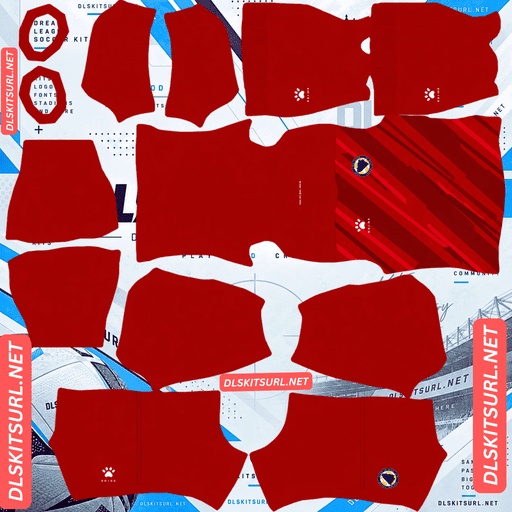
Bosnia Home GK Kit
Home GK Kit 512×512 (2026/27)
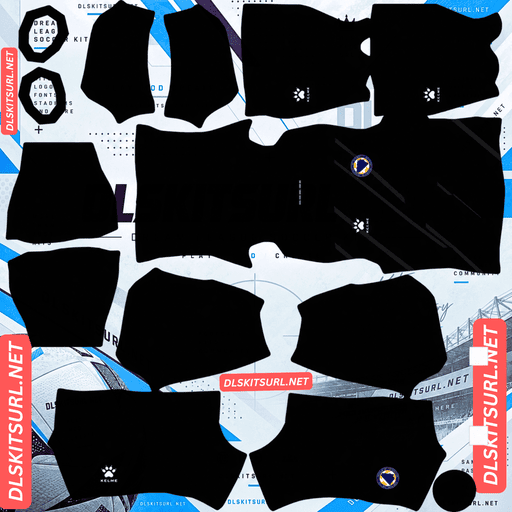
Bosnia Away GK Kit
Away GK Kit 512×512 (2026/27)
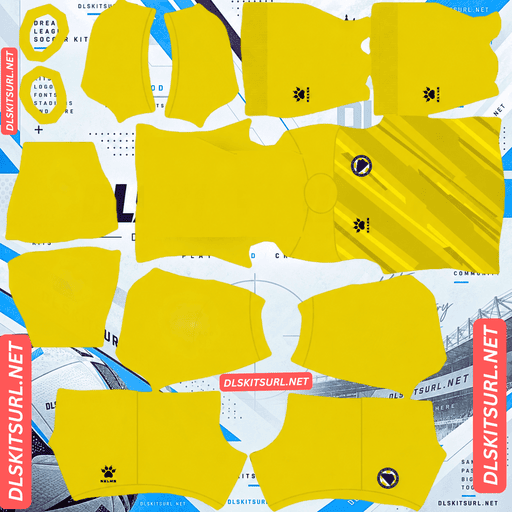
Bosnia Third GK Kit
Third GK Kit 512×512 (2026/27)
These are the shirts Bosnia wore at their first World Cup in twelve years. Considering how they qualified — and what they managed to do once they reached the tournament — they are more than just another set of national team kits.
How Bosnia Got to the World Cup
Bosnia and Herzegovina had previously appeared at just one World Cup, in 2014. Their route to the 2026 tournament went through the European play-offs, where they faced Italy in the final.
On 31 March 2026, the match finished 1-1 after Haris Tabaković equalised in the 79th minute. Bosnia then won 4-1 on penalties. Italy, four-time world champions, missed out on a third consecutive World Cup, while Bosnia booked their place.
They were then drawn into Group B with Switzerland, Canada and Qatar. Bosnia beat Switzerland 4-1 on 18 June before defeating Qatar 3-1 on 24 June.
So if you are recreating this squad in Dream League Soccer, you are not building a team simply there to fill a group-stage spot.
The 2026 Bosnia Kits
Kelme and the Bosnian federation unveiled both shirts on 25 May 2026.
Home Kit — Navy and Yellow Pinstripes
The home shirt uses a deep navy blue base, the colour strongly associated with the Zmajevi, or Dragons. Across the body are thin vertical yellow pinstripes, while the blue crew-neck collar and sleeve cuffs also feature yellow detailing.
Bosnia wore this version against Qatar.
Away Kit — White with Raglan Sleeves
The away shirt switches to a white base, with dark blue raglan sleeves and a blue crew-neck collar. Both areas include yellow accents.
The white body also carries thin vertical blue and yellow lines, connecting the away design to the home shirt while keeping the national colours clearly visible.
Bosnia wore the away version against Switzerland.
There Is No Commercial Sponsor
One of the nicest things about these shirts is how clean they are.
There is no commercial sponsor on the front, back or sleeves. The only additional patch is the FIFA World Cup patch on the right sleeve. The shorts have the squad number and Kelme paw, while the socks carry the Kelme paw.
That is useful when building the kit in Dream League Soccer because the game places your imported badge on the chest separately from the shirt image. With no sponsor taking up that space, the Bosnia badge has a much cleaner area to sit in.
Pinstripes Are the Main Challenge
Both Bosnia shirts use thin vertical lines, which makes them interesting from a DLS kit-building perspective. They are relatively easy to align but much harder to reproduce cleanly at 512×512 resolution.
Easy to Align
Vertical stripes only have to line up in one main direction on the kit template — down the centre of the body.
That is much more forgiving than horizontal hoops, which need to match across the front, sides and sleeves. Diagonal designs can be even more demanding because both their position and angle need to remain consistent at every boundary.
For a patterned shirt, Bosnia’s vertical pinstripes are therefore quite forgiving when it comes to alignment.
Harder to Preserve at 512×512
The real problem is the width of the stripes.
A pinstripe is extremely thin. Across a 512×512 kit image, individual lines may only occupy a pixel or two. Compression or enlarging a smaller image can cause those lines to merge together or break into an uneven pattern.
A poor home file can end up looking like a plain navy shirt with yellow trim. A poor away file may look like nothing more than a white shirt with blue sleeves. Both can look acceptable at first glance, but neither accurately reproduces the Kelme design.
How to Check the File
Open the shirt at full size and inspect the body.
If you can clearly distinguish the individual vertical stripes, the file is doing its job. If the body looks like a flat block of colour with only a faint texture, the resolution or compression is probably too poor.
That simple test works for both the home and away kits.
The Raglan Sleeves Are Another Test
The away shirt has another detail worth checking: its raglan sleeves.
Unlike a traditional shirt sleeve, a raglan sleeve extends up toward the collar rather than having a seam sitting directly on top of the shoulder. The boundary between the sleeve and the main body therefore runs diagonally from the armpit toward the neck.
On a DLS kit template, the sleeve and body occupy separate areas, so the design needs to place that diagonal boundary correctly on both sides.
Bosnia’s away kit makes mistakes especially easy to spot because the dark blue sleeves contrast sharply with the white body. The blue should meet the white in a clean diagonal line leading toward the collar. If the edge looks stepped, runs vertically, or otherwise loses its angle, the kit was probably built carelessly.
With its pinstripes and raglan construction, the away shirt gives you a useful test of both image quality and template accuracy.
The World Cup Sleeve Patch
There is one small detail worth knowing about the tournament version.
The FIFA World Cup patch is placed on the right sleeve, making it one of the few elements on the shirt apart from the crest and Kelme branding.
Because DLS renders the sleeves at a much smaller size, do not expect the patch to remain readable. At most, it will appear as a small mark.
It can still help identify the version, though. A Bosnia shirt with the World Cup patch represents the tournament version, while a file without it may be an earlier release or another version of the same kit.
Choose the Right Number Colours
The two kits need different number colours.
Dream League Soccer does not automatically take the number colour from the main kit artwork. The shirt and shorts numbers are controlled through separate colour swatches in the kit template.
Home: The base is navy, so yellow or white can work. Yellow matches the pinstripes, collar and cuffs, while white provides slightly stronger visibility from a distance.
Away: The white body and dark blue sleeves make blue the better choice. It matches the sleeves and collar while remaining clearly visible against the white shirt. White numbers would disappear into the back of the shirt.
Make sure you set the shirt and shorts number colours separately.
Both Bosnia Kits Stand Out on the Pitch
These two designs also work well from a gameplay visibility perspective.
DLS players are displayed relatively small on the pitch, so the contrast between the shirt and the grass matters. Navy separates well from the green pitch, while the yellow detailing gives the home kit an additional bright contrast.
The white away kit is even easier to see. Its dark blue raglan sleeves break up the white base and stop the players from looking like a single white shape.
You therefore do not have to sacrifice visibility for accuracy with either Bosnia kit.
One Detail You Can Ignore
Some older kit listings still claim that Bosnia’s new World Cup shirts had not been confirmed, or they continue to list the 2023-24 Kelme kits as the latest designs.
Those listings are outdated.
The federation and Kelme launched both 2026 shirts on 25 May 2026, and Bosnia wore them at the World Cup — the navy home against Qatar and the white away against Switzerland.
If a website is still presenting the 2023-24 shirts as current, its files are unlikely to be the versions you are looking for.
How to Identify a Current Bosnia DLS Kit
There are four simple checks.
The home shirt should be navy with thin yellow pinstripes, rather than a completely plain navy design.
The away shirt should have dark blue raglan sleeves on a white body, along with the blue and yellow vertical lines.
Neither shirt should have a commercial sponsor. If you see a sponsor across the chest, you are probably looking at a club, fan-made or incorrect version.
Kelme branding should also be visible on both shirts.
How to Use a Bosnia DLS Kits URL
Use the copy button on the kit card instead of copying the address from your browser. Browser addresses often point to the webpage containing the image rather than the actual image file.
In Dream League Soccer, go to My Club, then Customise, and open the Kit section rather than Logo. Select the slot you want to replace before entering the URL.
Choose Custom Kit, press and hold the URL field, select Paste, and then confirm. Some older versions of the game may label the button Download instead.
Kelme released both a home and an away shirt, leaving the third slot available. The obvious option for that slot is the 2014 Bosnia shirt, since that was the country’s only previous World Cup appearance. DLS can use any working 512×512 kit URL regardless of how old the design is.
The first custom kit requires a one-time gem unlock. After that, changing your custom kits does not cost anything.
Test the Link Before Importing
Always test the URL in your browser before putting it into the game.
The image should open by itself and fill the browser window without a webpage, buttons or other content around it. The address should also end in .png.
If you see a normal webpage containing the image, you have copied a viewer page rather than the direct image URL.
On a computer, you can right-click the image and open it in a new tab to check the image dimensions reported by the browser.
Why Bosnia Kit URLs Stop Working
Free image hosts can delete files. Some services remove unused uploads after months or years. The URL may still look correct even though the image itself has disappeared.
Hotlink protection can also cause problems. A host may allow you to view the image directly but reject requests coming from outside its own website. This is why a URL can work in your browser but fail when pasted into DLS.
The preview and direct file may be different. Some websites display a thumbnail from their own server while providing a separate image URL. If that external file disappears, the webpage can still look completely normal.
For these Bosnia kits, the image shown and the URL provided are the same file on the same server.
The Bosnia Badge
Set the Bosnia crest during the same customisation session, but select Logo instead of Kit.
The Bosnian federation crest is a shield featuring the country’s blue and yellow colours, along with white stars. Since Dream League Soccer places imported badges inside a circular area, a tightly cropped shield can lose part of its lower point.
Choose a PNG with some clear space around the entire crest. This gives the game room to crop the badge without cutting into the artwork.
The blue and yellow design remains easy to recognise at the small size used beside the score. Small lettering, however, may become difficult to read. That is a limitation of the game’s rendering size rather than necessarily a problem with the original file.
Because the Bosnia shirts have no commercial sponsor, the badge also has a particularly clean area on the chest.
Keep a Backup of Your Bosnia Kits
Custom kits are stored on your device rather than being permanently tied to your account. Updating the game normally keeps them, but reinstalling the game or moving to another phone can remove them.
The same applies to the custom badge.
Before importing everything, save the home kit URL, away kit URL and badge URL somewhere safe, such as a notes app. If you ever need to rebuild the team, you can restore everything within a minute.
FAQ
What is a Bosnia DLS kits URL?
It is a direct link to a 512×512 PNG Bosnia and Herzegovina shirt that you paste into Dream League Soccer’s custom kit section. A working direct image link normally ends in .png.
What do Bosnia’s 2026 World Cup kits look like?
The home shirt is navy with thin vertical yellow pinstripes, along with yellow collar and cuff detailing. The away shirt has a white body, dark blue raglan sleeves, a blue collar and thin blue and yellow vertical lines. Both shirts were released by Kelme on 25 May 2026.
How did Bosnia qualify for the 2026 World Cup?
Bosnia defeated Italy in the European play-off final on 31 March 2026. The match ended 1-1 before Bosnia won 4-1 on penalties. It was Bosnia’s second World Cup appearance after their 2014 debut.
Why does my Bosnia kit look plain?
Both shirts rely on very thin vertical pinstripes. At 512×512, individual lines can be only a pixel or two wide. If the image has been compressed heavily or enlarged from a smaller source, the stripes can merge into the main shirt colour.
Why do the sleeves look wrong on my Bosnia away kit?
The Bosnia away shirt uses raglan sleeves, meaning the boundary between the sleeve and body runs diagonally toward the collar rather than vertically from the shoulder. A poorly constructed kit can make this line look stepped, uneven or completely straight.
Do Bosnia’s kits have a sponsor?
No. The shirts do not have a commercial sponsor on the front, back or sleeves. The FIFA World Cup patch on the right sleeve is the main additional tournament marking.
What number colour works best on the Bosnia away kit?
Blue. It matches the dark blue sleeves and collar while remaining visible against the white body. White numbers would blend into the shirt.
Are Bosnia’s pinstripe kits difficult to align?
Not particularly. Vertical stripes are relatively forgiving because they mainly need to line up along the centre of the kit template. The bigger challenge is preserving the thin stripes at 512×512 resolution.