
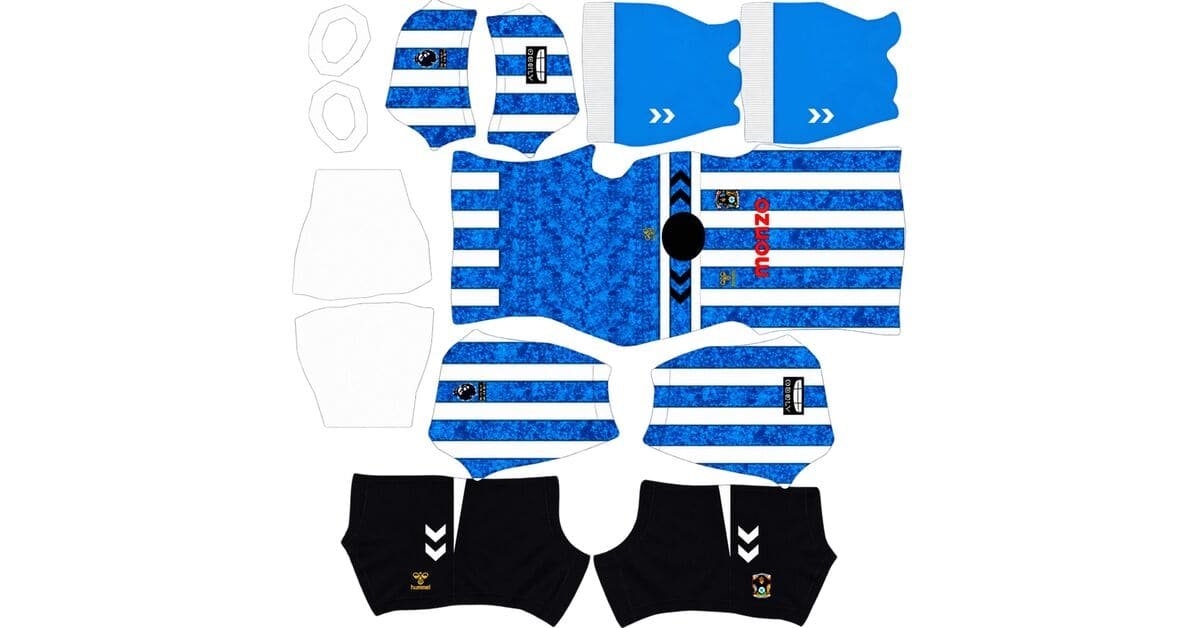
A Coventry DLS kits URL is a direct link to a 512×512 PNG of the Sky Blues’ shirt that you can paste into Dream League Soccer. All four kit slots are featured below, with each design prepared for use in the game.
Coventry City Logo
Official Logo 512×512 (2026/27)
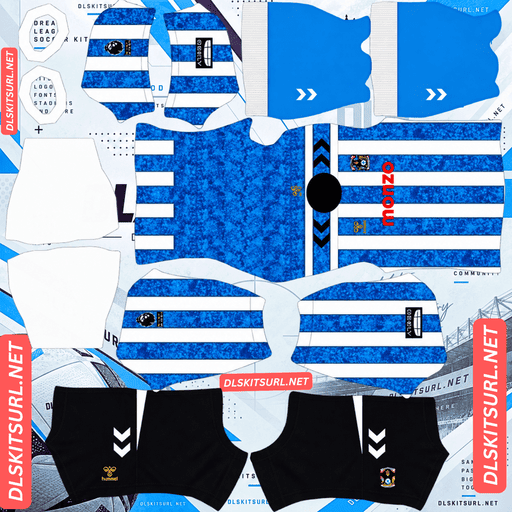
Coventry City Home Kit
Home Kit 512×512 (2026/27)
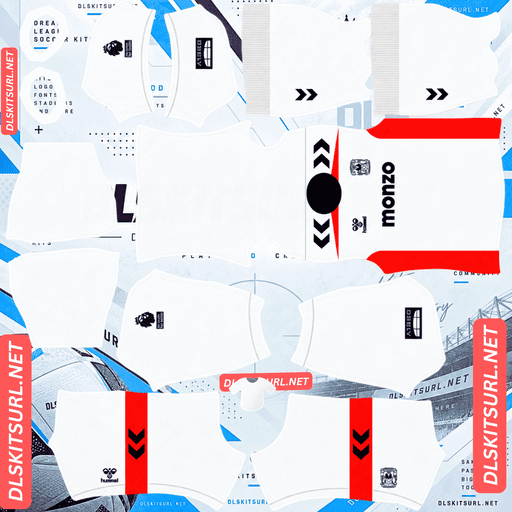
Coventry City Away Kit
Away Kit 512×512 (2026/27)
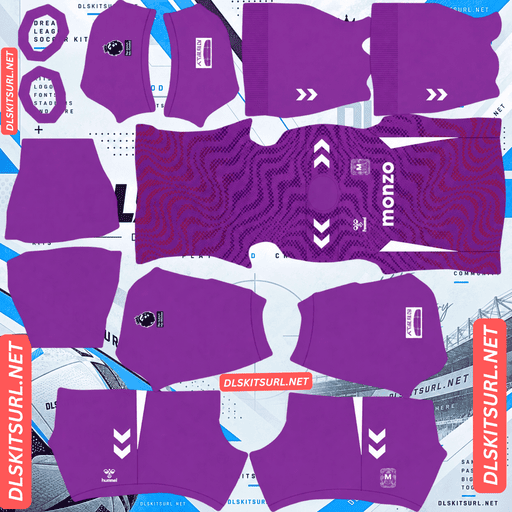
Coventry City Third Kit
Third Kit 512×512 (2026/27)
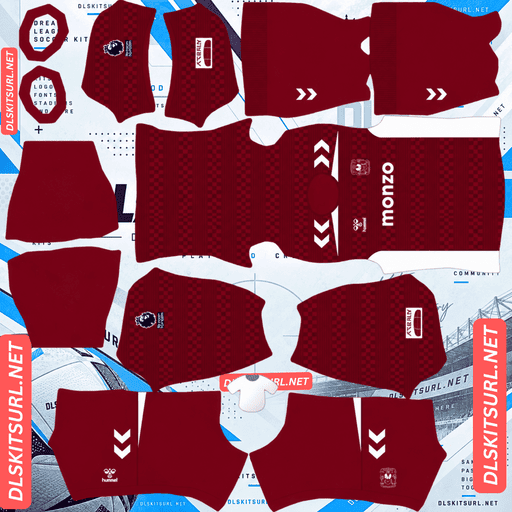
Coventry City GK Home Kit
GK Kit 512×512 (2026/27)
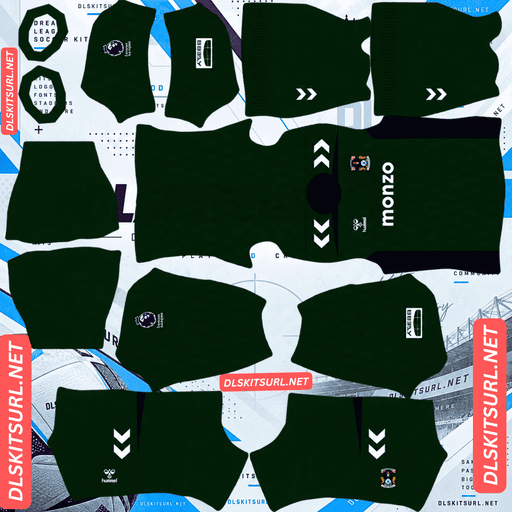
Coventry City GK Away Kit
GK Away Kit 512×512 (2026/27)
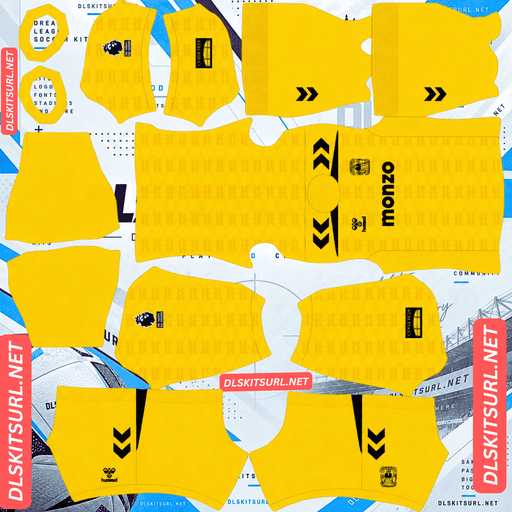
Coventry City GK Third Kit
GK Third Kit 512×512 (2026/27)
This is Coventry’s first Premier League home shirt in 25 years, and Hummel has used the occasion to celebrate the greatest day in the club’s history. There is one catch, though: the detail that makes the home shirt special is also the hardest part to preserve in a small game-ready image.
The FA Cup is woven into the stripes
Coventry’s home kit was released on 2 July 2026.
The first surprise is the design. Instead of the solid sky blue traditionally associated with the club, the shirt features prominent blue and white vertical stripes. Navy details appear on the collar and Hummel shoulder chevrons, while the Hummel logo stands out in yellow on the right chest, opposite the full-colour club crest. Navy shorts and blue socks with white turnovers complete the look.
The real story, however, is hidden inside the stripes.
The sky blue sections feature a four-tone jacquard pattern depicting scenes from Coventry city centre celebrating the return of the FA Cup. The design commemorates the club’s historic 1987 victory, the only major trophy in its history and one of the most important moments for Coventry supporters.
The supporter version adds a woven flock club crest, reinforcing the shirt’s connection to that memorable occasion.
Why four-tone patterns are so difficult to preserve
Coventry’s home shirt has a particularly challenging design for anyone creating a 512×512 Dream League Soccer kit.
A tonal pattern uses different shades of the same base colour instead of contrasting colours. This makes the design subtle, but it also means that small differences in brightness carry most of the detail.
The more tones a pattern contains, the harder it can be to preserve every distinction.
A two-tone pattern has one main difference between its shades. A four-tone pattern introduces several smaller steps across a similar range of colour. When an image is compressed, nearby colour values can blend together, making those subtle differences disappear.
Four tones do not automatically provide four times the detail. Instead, they introduce more distinctions that the image must preserve.
Coventry’s design is even more demanding because the jacquard appears only inside the sky blue stripes. The texture occupies a relatively narrow area, and the differences between its shades are subtle.
That combination makes the home shirt particularly difficult to reproduce faithfully in Dream League Soccer.
What to expect from the imported shirt
A good-quality file should show visible texture within the blue stripes. You may not be able to identify individual city scenes at match distance, but the blue areas should have depth rather than appearing completely flat.
A low-quality file may retain the blue and white stripes while losing almost all the jacquard detail. The result will still look like a Coventry shirt, but it will miss the tribute that makes this design special.
Fortunately, the stripes themselves are much easier to preserve. Blue against white provides strong contrast, and the wide vertical bands are relatively forgiving when placed on the kit template.
Your players should still look like Coventry. The challenge is preserving the connection to 1987.
Use the yellow Hummel logo to judge image quality
The jacquard can be difficult to assess directly, so look at the yellow Hummel logo on the right chest.
Yellow against sky blue provides a clear colour contrast, and the logo does not rely on the same subtle texture as the jacquard.
If the logo has crisp edges, the image is more likely to retain its finer details. If it looks blurred or smeared, the jacquard is unlikely to fare any better.
It is a useful quality check before importing the home kit.
Coventry’s 2026/27 kits
Hummel has made woven texture a major feature of Coventry’s kit collection this season. The home, away and third shirts each use a different approach.
Away kit: off-white, navy and Hot Coral
The away shirt was released on 24 July 2026.
It combines an off-white base with navy branding and Hot Coral accents. The design includes a navy crew-neck collar, navy Hummel branding, the club crest and the Monzo sponsor across the chest.
Hot Coral piping runs over the shoulders beneath the navy chevrons, while matching coral panels extend down both sides of the shirt.
A tonal jacquard pattern made from geometric and angular shapes runs across the body. The Pro version features a full-colour silicone club crest.
Matching shorts with Hot Coral side panels complete the outfit.
Third kit: purple with a dotted graphic
Released on 20 August 2026, Coventry’s third kit is one of the club’s boldest departures from its traditional sky blue in recent years.
The shirt uses a purple base with a dotted graphic across the front and shoulders. Dark purple elements create depth, while orange details run through the lower portion of the pattern.
The short sleeves remain plain purple, and the shirt features a matching ribbed crew-neck collar.
White is used for the Hummel logo, shoulder chevrons and Monzo sponsor. The Coventry crest appears in a monochrome treatment on the opposite side of the chest, while contrasting white panels run down the sides.
Purple shorts and socks complete the third kit.
Which Coventry kit survives best in Dream League Soccer?
All three outfield shirts use texture, but their designs do not respond equally to image compression or limited resolution.
Away kit: Hot Coral provides the contrast
The tonal jacquard pattern is likely to lose some of its finer detail when reproduced in a small image. However, the shirt has a strong visual structure that does not depend on the pattern.
The Hot Coral piping and side panels stand out against the off-white base, while the navy branding adds another clear contrast.
These larger colour elements are easier to preserve than subtle tonal details. Even if the jacquard becomes less visible, the away kit should retain its recognisable appearance.
Third kit: the dots are the main challenge
Small dots are particularly difficult to reproduce at reduced sizes. A continuous line can remain visible even when it becomes thinner, but a dot may either survive as a distinct shape or disappear completely.
When the image quality is poor, individual dots can vanish or merge into irregular patches.
For Coventry’s third kit, pay attention to the orange detailing across the lower part of the purple graphic. Orange against purple provides genuine colour contrast, making it a useful indicator of whether the pattern remains clear.
The white side panels and branding should remain recognisable even if some of the smaller dots are lost.
RB Leipzig and Freiburg have also used dot-based designs this season, so similar challenges can arise when recreating their kits.
Home kit: the most demanding design
The home shirt remains the hardest of the three to reproduce faithfully.
Its four-tone jacquard sits inside the sky blue stripes, making the pattern both subtle and confined to a relatively small area. The main stripes should survive, but preserving the finer tribute to Coventry’s 1987 FA Cup victory requires a clear, detailed image.
Set the correct number colours
Each Coventry kit needs its own number-colour settings in Dream League Soccer.
The game does not automatically take squad-number colours from the shirt design. Instead, the kit template uses separate colour swatches for shirt numbers and shorts numbers.
Home kit: Use navy for shirt numbers. The blue and white stripes make either club colour difficult to see across the entire shirt, while navy matches the collar and shoulder chevrons. White numbers work well on the navy shorts.
Away kit: Use navy numbers to match the collar and branding. White numbers can disappear against the off-white background, so they are best avoided.
Third kit: Use white numbers to match the branding and side panels. Orange is another option if you want the numbers to connect visually with the dotted graphic.
Remember to set the shirt and shorts number colours separately.
All three kits stand out on the pitch
Dream League Soccer displays players at relatively small sizes during matches, so the contrast between a kit and the green pitch can make a real difference.
Sky blue and white create a bright, recognisable combination that stands apart from the grass.
Off-white with Hot Coral offers another clear look. The pale base keeps the shirt bright, while the warm coral accents provide a strong visual highlight.
Purple is the clearest option of the three. It contrasts strongly with green, and the white side panels help define the players’ silhouettes. This is one reason purple kits, such as those associated with Palermo and Bournemouth, can be easy to follow during gameplay.
Each design has a distinctive appearance, whether you prefer Coventry’s traditional colours or the more adventurous third kit.
How to identify a current Coventry kit
Use these four details to check whether you have the correct 2026/27 designs.
Home: Blue and white vertical stripes replace the traditional solid sky blue look.
Home branding: The Hummel logo on the right chest is yellow.
Away: The shirt has an off-white base with Hot Coral piping and matching side panels.
Third: The shirt is purple, with a dotted graphic and a monochrome Coventry crest.
These details help distinguish the current collection from older Coventry kits and unofficial recreations.
How to use a Coventry DLS kits URL
Importing a custom kit is straightforward when you have a direct image link.
Copy the URL using the button on the relevant kit card. Copying the browser address bar may give you the webpage link rather than the image itself.
Open Dream League Soccer and tap My Club.
Select Customise, then open Kit — not Logo.
Choose the slot you want to replace before pasting the URL.
Tap Custom Kit, press and hold the URL field, then select Paste and Confirm. Depending on your game version, the final button may be labelled Download.
Coventry has three outfield kits: home, away and third. These occupy the three outfield slots, leaving the goalkeeper kit slot available.
Hummel also produced three goalkeeper designs for the season, giving you options if you want to customise that kit as well.
The first custom kit requires a one-time gem unlock in the game. After the initial unlock, changing your custom kits does not require another gem payment.
Test the link before importing it
Before opening Dream League Soccer, test the kit URL in your browser.
A direct image link should display the shirt by itself, without a surrounding webpage, navigation bar or extra buttons. The URL should end in .png.
If the link opens a page containing the shirt rather than the image alone, you may have a viewer-page URL that the game cannot import.
On a computer, right-click the image and open it in a new tab. You can then inspect the image and check its reported dimensions.
For the best result, use a compatible 512×512 PNG with enough detail to preserve the kit’s colours and patterns.
Why Coventry kit URLs sometimes stop working
A kit URL can stop working even if it was valid when you first saved it. Three common issues are worth checking.
Free image hosts delete files. Some hosting services remove uploads that have not been accessed for months or years. The URL may still look correct even though the image is no longer available.
Hotlink protection blocks external requests. A hosting service may allow an image to load when you visit its website directly but reject requests from Dream League Soccer. This can make a link work in your browser while failing during import.
The preview and the direct link point to different files. Some pages display a thumbnail hosted on their own server but provide a URL that points to an image elsewhere. If that external image disappears, the webpage may still look normal while the import link fails.
To reduce these problems, use a direct PNG URL that points to the actual kit image rather than a webpage or temporary preview.
Adding the Coventry City badge
You can import Coventry’s crest separately from the shirt.
Return to My Club, open Customise, and select Logo instead of Kit. Paste the badge URL into the appropriate field and follow the game’s confirmation steps.
Coventry’s crest features the elephant and castle, a historic emblem associated with the city. Its central design is distinctive, although finer details may become less visible when the badge is displayed at the small size used in the game.
Dream League Soccer crops badges into a circle. Since Coventry’s crest has a shield shape that narrows towards the bottom, use an image with clear space around the entire design rather than one cropped tightly to its edges.
There is also a useful matching detail in the third kit: its crest uses a monochrome treatment. If you choose that shirt as your main strip, a matching monochrome badge creates a more consistent overall appearance than a full-colour crest.
Keep your Coventry kits safe
Custom kits and badges are generally stored on your device rather than permanently attached to your account. Game updates may leave them intact, but reinstalling Dream League Soccer or switching phones can mean losing your imported designs.
Before importing the shirts, save all four URLs — home, away, third and badge — in a notes app or another safe location.
That way, you can restore your collection without having to search for the links again.
Coventry’s return to the Premier League after 25 years makes this home shirt particularly memorable, and the 1987 FA Cup tribute gives it a special place among the club’s modern designs. Keeping the links safe means you can continue using all four custom slots even if you change devices.
FAQ
What is a Coventry DLS kits URL?
A Coventry DLS kits URL is a direct link to a 512×512 PNG image of a Sky Blues shirt. You paste it into Dream League Soccer’s custom kit screen to import the design. A direct image URL commonly ends in .png.
What is the pattern on Coventry’s 2026/27 home kit?
The home shirt features a four-tone jacquard pattern inside its sky blue stripes. The design depicts scenes from Coventry city centre celebrating the return of the FA Cup following the club’s historic 1987 victory.
Why does my Coventry home kit look like plain stripes?
The jacquard uses four tones of blue, so the differences between shades are subtle. Compression or low image resolution can merge these tones, leaving the blue and white stripes visible while removing much of the texture.
How can I check the quality of a Coventry home kit file?
Look at the yellow Hummel logo on the right chest. Its high-contrast colour and clean edges make it easier to inspect than the subtle jacquard. If the logo appears blurred, the image may not preserve the finer details of the shirt.
Why is Coventry’s home kit striped in 2026/27?
The blue and white vertical stripes represent a departure from Coventry’s traditional solid sky blue home shirts. The design also incorporates a jacquard tribute to the club’s 1987 FA Cup victory.
What is Coventry’s third kit for 2026/27?
Coventry’s third kit features a purple base, a dotted graphic across the front and shoulders, dark purple details, orange accents, white branding and a monochrome club crest. Purple shorts and socks complete the look.
What number colour works best on Coventry’s home kit?
Navy is a strong choice for shirt numbers because it matches the collar and shoulder chevrons while contrasting with the blue and white stripes. White numbers also work well on the navy shorts.
Which Coventry kit is easiest to see during a match?
The purple third kit offers strong contrast against the green pitch, while its white side panels help define the players’ silhouettes. The sky blue home kit and off-white away kit also have distinctive colour combinations that make the team easy to recognise.