
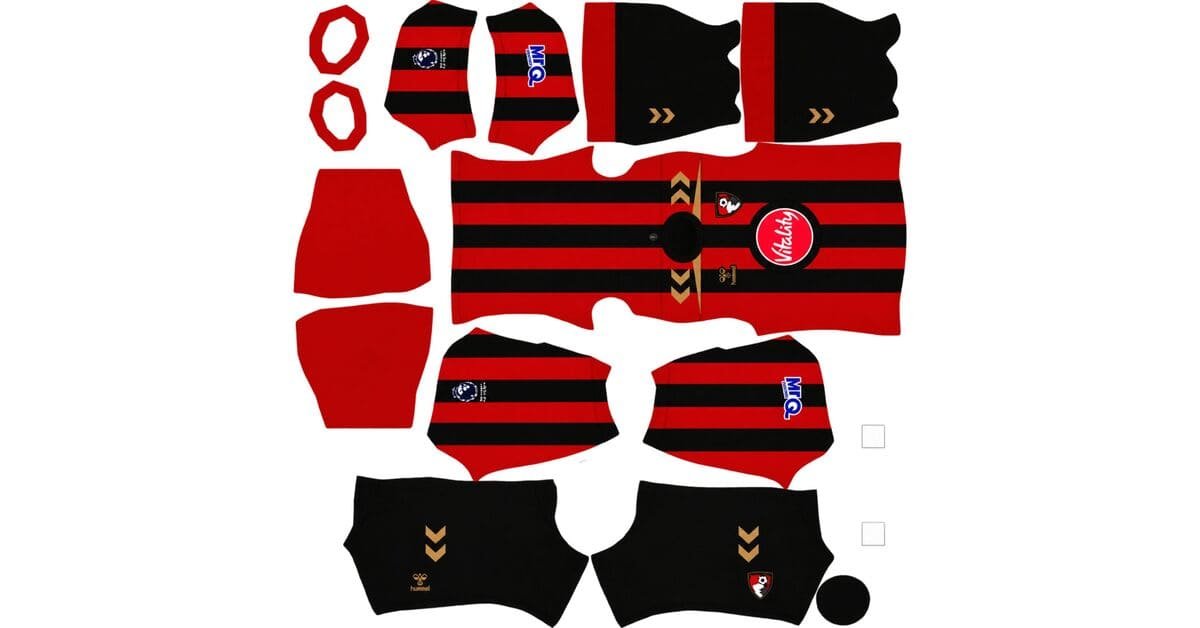
A Bournemouth DLS kits URL is a direct link to a 512×512 PNG of an AFC Bournemouth shirt that you can import into Dream League Soccer. Below, you’ll find all four kit slots, with each image described and prepared for use in the game.
AFC Bournemouth Logo
Official Logo 512×512 (2026/27)
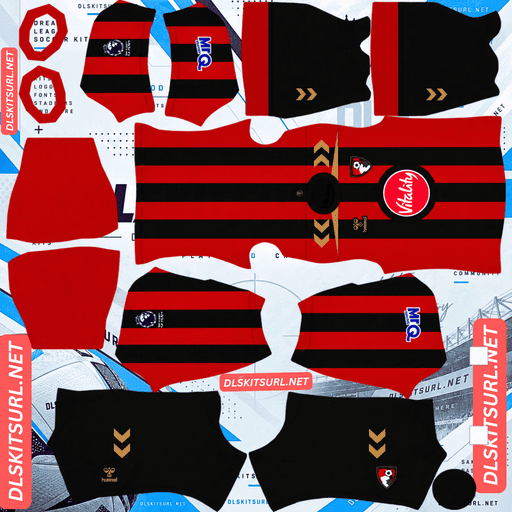
AFC Bournemouth Home Kit
Home Kit 512×512 (2026/27)
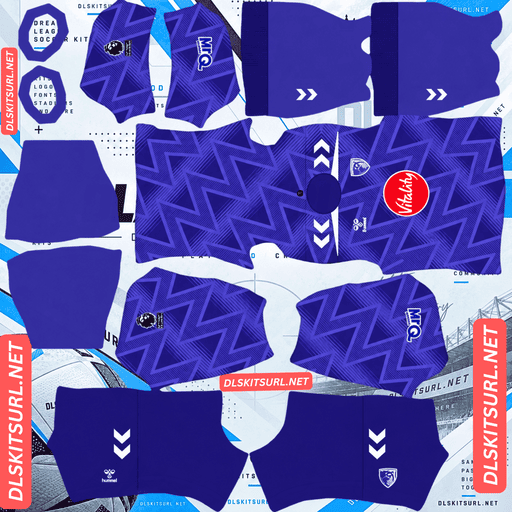
AFC Bournemouth Away Kit
Away Kit 512×512 (2026/27)
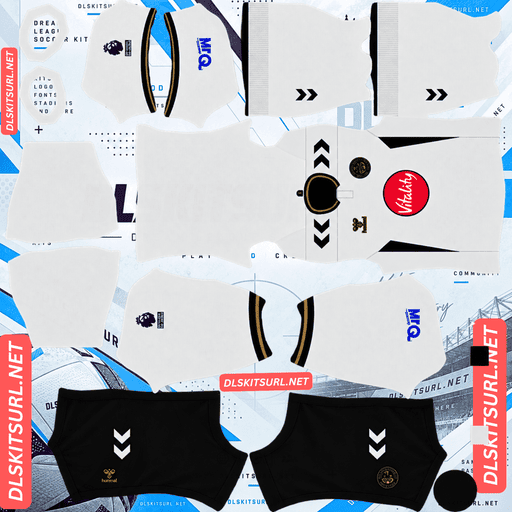
AFC Bournemouth Third Kit
Third Kit 512×512 (2026/27)
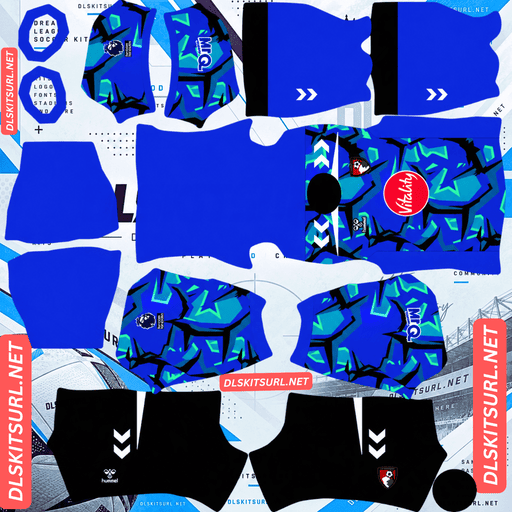
AFC Bournemouth GK Home Kit
GK Kit 512×512 (2026/27)
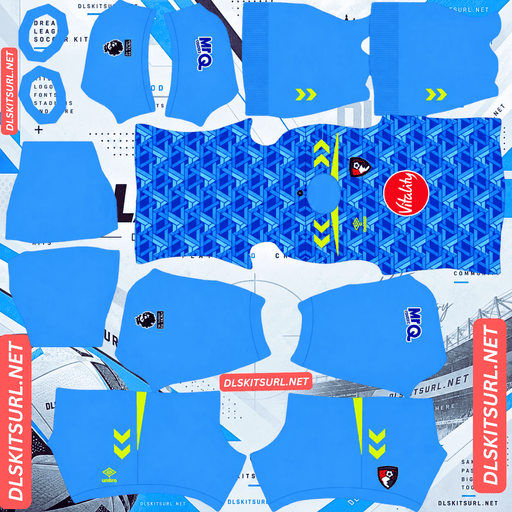
AFC Bournemouth GK Away Kit
GK Away Kit 512×512 (2026/27)
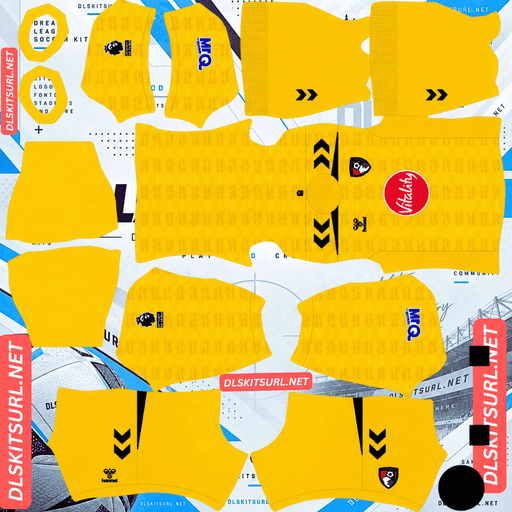
AFC Bournemouth GK Third Kit
GK Third Kit 512×512 (2026/27)
Hummel’s first season with Bournemouth introduces an unusual feature: three shirts featuring three different crests. Dream League Soccer allows only one badge at a time, so choosing the right crest is an important part of building an accurate kit setup.
Three Kits, Three Crests
The different crests are one of the defining features of Bournemouth’s 2026/27 collection. Here is how each shirt uses its badge.
Home kit: The regular Bournemouth club crest appears on the chest, while the historic 1936 crest features separately as a gold sign-off at the centre of the back neckline.
Away kit: A tonal, monochromatic crest in purple and white sits on the left chest instead of the standard full-colour badge.
Third kit: A special Cherries design, distinct from the regular club logo, is embossed into the fabric and appears on the left chest.
Which Bournemouth Crest Should You Import?
Dream League Soccer uses the same badge regardless of which kit your team wears. You cannot assign a different crest to each shirt, so your choice should match the kit you plan to use most often.
Regular crest: The best match for the home shirt. The historic 1936 design is a separate back-neck detail, not the main chest badge.
Monochromatic crest: A natural choice if you mainly use the purple away kit, where the tonal badge complements the shirt’s design.
Special Cherries crest: The closest match for the third kit, provided you can find a suitable image file of the design.
There is no setting to change the badge automatically when switching kits. Choose your main shirt first, then select the crest that suits it best.
Check the Chest Before Importing
Dream League Soccer places the team badge on the chest in a fixed position. For that reason, your kit image should leave the badge area clear unless you deliberately want the design printed beneath the in-game logo.
The third shirt already features its special Cherries crest on the left chest. If your custom kit image includes that artwork, the game’s badge may overlap it, leaving two designs competing for the same space.
Open the PNG at full size before importing it. Check the chest area and decide whether the existing artwork should remain in the file.
Bournemouth DLS Kits for 2026/27
Hummel replaced Umbro as Bournemouth’s kit supplier this summer under a five-year deal running through 2030/31. Vitality Insurance continues as the shirt sponsor.
The collection covers the club’s league and domestic cup matches, as well as its Europa League campaign, according to the supplied kit details.
Home Kit: Wider Stripes and a 1936 Tribute
Release date: 10 July 2026
Bournemouth’s traditional red and black vertical stripes return in a wider format. Unlike designs that interrupt the stripes around the sides, this shirt carries them continuously around the jersey.
The red sections feature a subtle tonal pattern inspired by the club’s original 1936 crest. Gold accents appear on the collar, sleeve cuffs, shoulders and Hummel chevrons, adding contrast to the main colours.
Black shorts and socks complete the home look.
For DLS players, the wider stripes are a useful feature because they remain easier to distinguish when the kit is reduced to the game’s 512×512 template.
Away Kit: Purple With an Early-1990s Influence
Release date: 30 July 2026
The away shirt uses a vibrant purple base with a lighter purple geometric pattern across the main body. White details provide contrast, including the Hummel chevrons on the shoulders.
A monochromatic purple-and-white crest sits on the left chest, giving the design a different appearance from the full-colour home badge.
Hummel has drawn inspiration from classic early-1990s football shirts, which is reflected in the geometric patterning. Purple shorts and socks complete the away strip.
Third Kit: The Cherries Design
Release date: 12 August 2026
The third kit features an off-white base combined with navy applications and golden details. A navy polo collar, matching sleeve cuffs and navy side panels give the shirt a defined outline.
Across the fabric is a subtle, repeating embossed cherry pattern. Rather than using a large graphic, the design references Bournemouth’s Cherries nickname through a textured finish.
The shirt is completed by black shorts and cream socks.
Its special Cherries crest makes this the most distinctive design in the collection, although the embossed pattern presents a challenge when recreating it as a flat DLS image.
Which Bournemouth Kit Looks Best in Dream League Soccer?
Each shirt has different strengths when translated into the game. Strong colour contrast usually survives resizing better than fine textures, subtle shading or small decorative details.
Home Kit: Strong Stripes, Subtle Texture
The home shirt’s red and black stripes are well suited to Dream League Soccer.
The two colours contrast strongly, and the wider bands have more room to remain visible at 512×512 than narrow pinstripes would. Vertical stripes also have a relatively straightforward layout: their alignment down the centre of the body is especially important, while horizontal hoops require careful matching across several parts of the template.
The continuous stripe design helps create a consistent appearance across the shirt.
The main challenge is the tonal pattern inspired by the 1936 crest. Because it uses shades of red and stays within the red stripes, it has limited contrast against the background. A low-resolution or heavily compressed image may lose this detail almost completely, leaving plain red and black stripes.
For the best result, use a clear PNG with the tonal pattern visible when viewed at full size.
Away Kit: The Most Forgiving Design
The purple away shirt should be relatively straightforward to recreate.
Its lighter purple geometric pattern is subtle, so some detail may disappear when the image is reduced. However, the geometric shapes have more defined edges than a soft gradient, while the white chevrons and trim preserve the shirt’s overall identity.
A good image should retain both the purple base and the geometric design. Even if the pattern becomes faint, the purple shirt with white shoulder details should still resemble the intended away kit.
Third Kit: The Embossed Pattern Is Fragile
The third kit relies on an embossed cherry pattern. On real fabric, embossed details appear raised because light and shadow create subtle variations across the surface.
A flat 512×512 PNG cannot reproduce that physical depth. It can only approximate the effect through small differences in colour and shading.
Expect the off-white base, navy collar, navy side panels and golden details to survive most clearly. The repeating cherry pattern may be faint or difficult to distinguish, especially in a compressed image.
A good file should preserve the overall colour arrangement even if the texture is not as visible as it is on the original shirt.
How to Check the Gold Details
Gold is a useful quality check across all three kits.
A convincing metallic effect depends on highlights, shadows and tonal gradients rather than a single flat yellow colour. When an image is compressed or reduced too aggressively, those variations can disappear, leaving gold that looks muddy brown or mustard yellow.
Inspect the gold accents at full size before importing the kit. If they already look flat or brown in the original PNG, the image may not preserve the intended appearance in the game.
The Historic Back-Neck Crest Has Limited Visibility
The home shirt’s historic 1936 crest appears as a gold sign-off at the centre of the back neckline.
On a DLS kit template, this area sits close to the top edge of the shirt panel beneath the collar. It is also one of the least visible areas on the player model during a match.
A high-quality kit image may preserve the detail in the kit menu, but it is unlikely to be clearly visible during normal gameplay. If you cannot see it on the pitch, that does not necessarily mean the design is missing from the image.
Set the Correct Number Colours
Dream League Soccer does not automatically copy the number colours from your kit artwork. Instead, the game uses separate colour swatches for shirt numbers and shorts numbers.
Set these colours individually for each kit to keep the numbers readable.
Home Kit Number Colours
The home shirt combines red and black stripes with black shorts. Black numbers would disappear against the black stripes, while red numbers would blend into the red sections.
Recommended shirt number colour: white.
Gold reflects the kit’s trim, but its subtle shading can make it harder to read at the small size used for player numbers.
For the black shorts, white or red numbers should provide suitable contrast. Check the final appearance in a match before settling on your preferred combination.
Away Kit Number Colours
The away shirt uses a purple base with white chevrons and trim.
Recommended shirt number colour: white.
White matches the shirt’s existing details and stands out clearly against the purple background. For the shorts, check the final contrast against the purple fabric before choosing a separate number colour.
Third Kit Number Colours
The third shirt is off-white, with navy collar and side-panel details, while the shorts are black.
Recommended shirt number colour: navy.
Navy matches the darker details and remains easier to read against the cream-coloured shirt than white or another pale shade.
For the black shorts, white numbers are a suitable option.
Remember to configure the shirt and shorts number swatches separately for all three outfield kits.
All Three Kits Stand Out on the Pitch
Visibility matters in Dream League Soccer because players and their kit details appear relatively small during a match. A shirt that contrasts clearly with the green pitch is easier to follow.
Red and black: The home kit has a strong contrast between its two main colours. Its wider stripes also give the player model a recognisable pattern.
Purple: The away kit provides a clear alternative to the traditional red-and-black strip. Purple stands apart from the green playing surface, helping your team remain visually distinct.
Off-white and navy: The third kit has a lighter overall appearance, while the navy collar, cuffs and side panels give it a more defined outline.
All three designs have a distinct colour identity. The main difference in DLS is how much of each shirt’s finer detailing survives the conversion to a flat image.
How to Identify a Current Bournemouth DLS Kit
Before importing a Bournemouth kit URL, check these four features to help distinguish the 2026/27 designs from older shirts.
Hummel branding, not Umbro: Look for the Hummel chevrons. An Umbro double-diamond logo indicates an older design or a file that needs further checking.
Home shirt: It should have wide red and black vertical stripes, gold accents and a subtle tonal pattern within the red sections.
Away shirt: Look for the purple base, lighter purple geometric pattern, white details and monochromatic crest.
Third shirt: It should have an off-white base, navy panels, golden details and the special Cherries crest on the left chest.
These features are useful visual checks, but they do not independently guarantee that a file is authentic or current. Compare the artwork with the intended shirt before importing it.
How to Use a Bournemouth DLS Kits URL
Follow these steps to import your custom Bournemouth shirt into Dream League Soccer.
Copy the direct PNG link using the Copy URL button on the relevant kit card. Copying the webpage address instead may give you a link the game cannot use.
Open Dream League Soccer.
Go to My Club, then select Customise.
Open Kit, not Logo.
Select the slot you want to replace: home, away, third or goalkeeper.
Tap Custom Kit.
Press and hold the URL field, then select Paste.
Tap Confirm. Some older versions may label this button Download.
Check the selected slot before confirming because the current kit in that slot is the one that will be replaced.
The three outfield kits occupy the home, away and third slots, leaving the goalkeeper slot available. The supplied kit details indicate that Hummel has produced three goalkeeper designs for the season, offering alternatives to the default goalkeeper shirt.
The first custom-kit import may require a one-time gem unlock. After that unlock, changing custom kits does not normally require another gem payment.
Test the Bournemouth Kit URL Before Importing
Test the image link in your browser before opening the game.
A direct image link should display the PNG on its own, without a surrounding webpage, navigation menu or extra buttons. The address should end in .png if the host uses a conventional direct-file URL.
If you see a webpage containing a preview, the link may point to the viewer rather than the image itself. Dream League Soccer needs to access the image file directly.
On a computer, open the image in a new browser tab and inspect its dimensions. A 512×512 PNG is the intended format for these kit images.
Why Bournemouth DLS Kit URLs Stop Working
A kit link can fail even if it worked when first published. Common causes include the following.
The Image Host Deletes the File
Some free image hosts remove uploads after long periods of inactivity. The original webpage or article may still exist even though the image has been deleted.
If the direct PNG no longer loads, the kit cannot be imported from that URL.
Hotlink Protection Blocks the Game
Some hosting services prevent other websites or applications from requesting their images directly.
Your browser may display the image when you visit the host, but Dream League Soccer’s request may be rejected because it comes from a different source. This can make a URL appear to work in a browser but fail inside the game.
The Preview and Direct Image Are Different Files
Some pages display a thumbnail stored on one server while their download link points to a separate host. The preview may remain visible even after the direct image disappears.
That is why it is important to test the exact URL copied from the kit card, rather than relying only on the preview.
For a reliable import, the link must resolve to the actual PNG file. Recheck the image link if it stops working.
The Bournemouth Badge for Dream League Soccer
To import the club crest, open the same customisation area but select Logo instead of Kit.
Bournemouth’s regular crest features a footballer’s head in profile, using the club’s red-and-black colours. Its compact design can work well at the small size used for a team badge in Dream League Soccer.
The game crops badges into a circle, so choose an image with enough clear space around the complete design. A file cropped too tightly may lose parts of the artwork when the game applies its circular mask.
As discussed earlier, Bournemouth’s 2026/27 collection features three crest treatments: the regular crest, a monochromatic version for the away shirt and the special Cherries design on the third. Since DLS uses one badge across your team, choose the version that best matches the shirt you use most often.
Keep Your Bournemouth DLS Kit URLs Safe
Custom kits and badges may be stored locally on your device rather than being permanently tied to your account. A routine game update may leave them intact, but reinstalling the game or changing devices can mean setting them up again.
Save the links before importing the shirts so you can restore your preferred setup later.
Because this collection has three different crest treatments, it is worth saving the badge link alongside your kit URLs. Keep all four kit links and your chosen logo together in a notes app or another safe place.
That way, you will not need to search for the images again if you change phones, reinstall the game or decide to rebuild your Bournemouth team.
FAQ FOR RANK MATH
What is a Bournemouth DLS kits URL?
A Bournemouth DLS kits URL is a direct link to a 512×512 PNG of an AFC Bournemouth shirt. You paste the link into Dream League Soccer’s Kit section to import the custom design. The important point is that the link must open the image file directly.
Why do Bournemouth’s three kits have different crests?
The home shirt uses the regular club crest and includes the historic 1936 crest as a gold sign-off at the back neckline. The away shirt carries a tonal monochromatic crest, while the third shirt features a special Cherries design on the left chest.
Which Bournemouth badge should I use in DLS?
Dream League Soccer uses one badge for the team, regardless of the selected kit. Choose the regular crest for the home shirt, a monochromatic version for the purple away shirt, or the special Cherries crest if you mainly use the third kit and have a suitable image file.
What does the Bournemouth 2026/27 home kit look like?
The home shirt has wide red and black vertical stripes that continue around the jersey. Gold accents appear on the collar, cuffs, shoulders and Hummel chevrons, while a subtle tonal pattern inspired by the original 1936 crest sits inside the red sections.
What is the Bournemouth third kit for 2026/27?
The third kit has an off-white base, a navy polo collar, navy cuffs and side panels, and golden details. A subtle repeating embossed cherry pattern covers the fabric, and a special Cherries crest appears on the left chest.
Why does my Bournemouth home kit look like plain stripes?
The 1936-inspired pattern is tonal and confined to the red stripes, making it difficult to preserve at low resolution. If the PNG is undersized or heavily compressed, the subtle pattern may disappear, leaving only the red and black stripes.
Why does the gold on my Bournemouth kit look brown?
Gold relies on highlights, shadows and gradients to create a metallic appearance. When an image is compressed or reduced too much, those details can flatten into dull brown or mustard yellow. Check the original PNG for clear tonal variation.
Who makes Bournemouth’s kits for 2026/27?
According to the supplied kit details, Hummel replaced Umbro under a five-year agreement running through 2030/31. The new shirts use Hummel chevrons rather than Umbro’s double-diamond branding.