
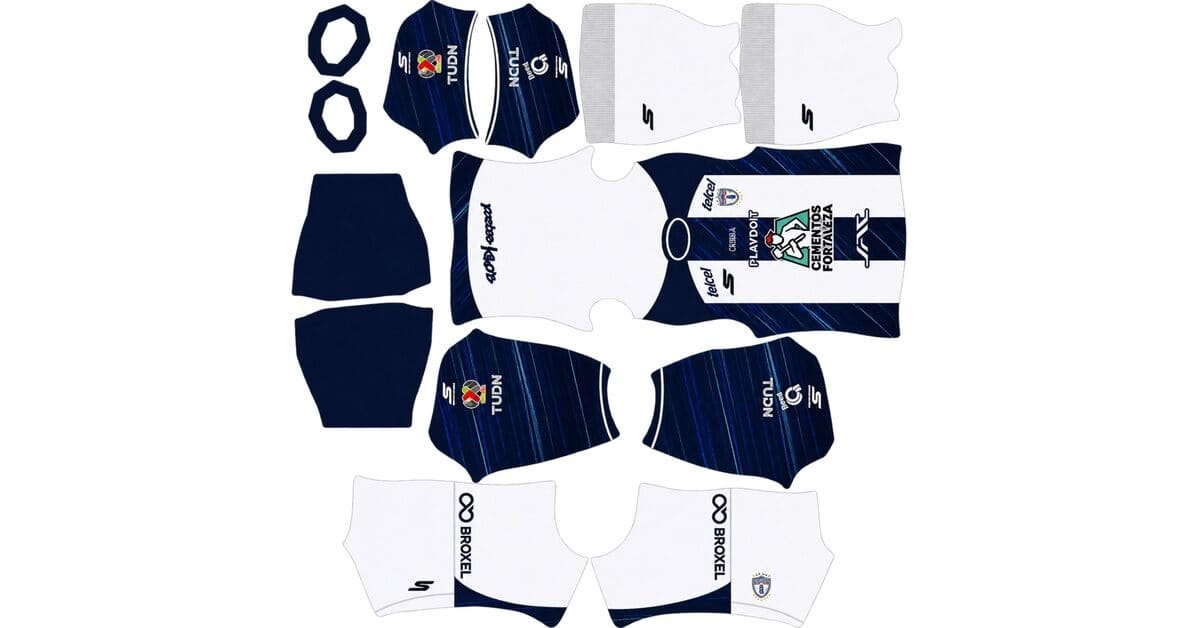
A Pachuca DLS kits URL is a direct link to a 512×512 PNG Tuzos shirt that you can paste into Dream League Soccer. All four slots are covered below, and each file has been loaded into the game before being placed on this page.

CF Pachuca Logo
Official Logo 512×512 (2026/27)
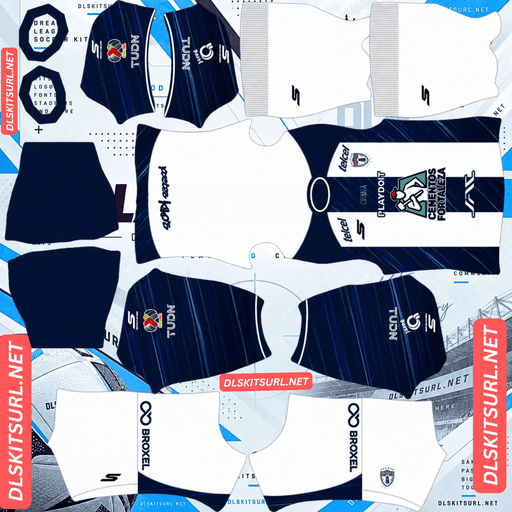
CF Pachuca Home Kit
Home Kit 512×512 (2026/27)

CF Pachuca Away Kit
Away Kit 512×512 (2026/27)
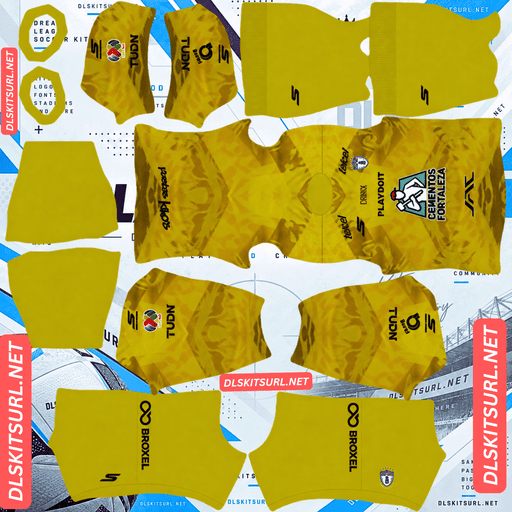
CF Pachuca GK Home Kit
GK Home Kit 512×512 (2026/27)
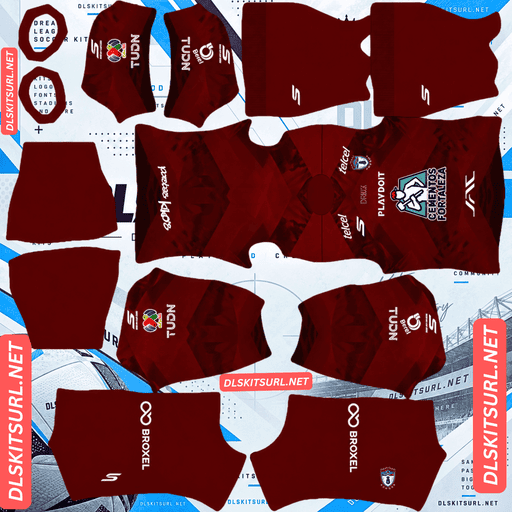
CF Pachuca GK Away Kit
GK Away Kit 512×512 (2026/27)

CF Pachuca GK Third Kit
GK Third Kit 512×512 (2026/27)
Pachuca changed kit supplier for this season, giving you one of the clearest ways to separate the current shirts from older files.
Skechers replaced Nike
The 2026-27 home and away shirts are made by Skechers, ending Pachuca’s long association with Nike. Both designs continue to draw on the club’s identity as the “Cuna del Futbol Mexicano” — the cradle of Mexican football and the city where the sport was introduced to Mexico.
Which makes dating a file unusually simple
A Nike swoosh on a Pachuca shirt means 2025-26 or earlier. For this season, Skechers is the manufacturer you want to see.
That is more useful than it sounds. Many clubs stay with the same supplier for years, so the manufacturer logo does little to identify the season. Pachuca is different because the supplier changed completely for 2026-27.
Skechers also has no previous Pachuca football-kit era to confuse matters. This is different from clubs such as Grasshoppers, where a returning Adidas partnership means the same manufacturer logo can appear on shirts from two separate periods.
Chivas, Pumas, Fiorentina, Alavés, Hoffenheim, Grasshoppers and Deportivo are among the other clubs that changed suppliers this season.
The new supplier also affects availability
A new manufacturer normally creates a burst of coverage when the shirts launch, so current Pachuca files should be relatively easy to find.
The problem comes later. Skechers has no large Pachuca kit back catalogue yet. If you want an older shirt for rotation, you will be looking for a Nike or Charly design instead.
Keep the distinction in mind when searching, because an older file can look perfectly legitimate while still being from the wrong supplier period.
The away’s white lines should survive
The 2026-27 away shirt uses a navy blue base with white lines around the sleeves and collar.
That detail is particularly useful for checking the quality of a DLS file because thin trim often disappears when an image is compressed or reduced.
Thin does not automatically mean lost
Small details fail most often when they combine two problems: they are narrow and they have little colour contrast with the surface underneath.
A thin gold line on black, for example, has much less room to survive than a thin white line on navy.
The Pachuca away has the advantage of maximum contrast. White against navy gives the file a very clear difference between the trim and the shirt.
The lines may appear slightly thinner than they do on the real shirt, but they should remain visible and continuous in a good 512×512 file.
This is the same principle behind why black-on-white trim can survive while moderate-contrast gold or red details often disappear.
Use the lines as your quality test
Thin, high-contrast trim is one of the quickest ways to spot compression damage.
Open the image at full size and inspect the edges of the white lines. They should look clean and continuous. If they appear soft, broken or uneven, the file has probably been compressed too heavily or prepared at a poor resolution.
Check the dimensions at the same time. On a computer, right-click the image and open it in a new tab. Your browser can then report the actual image dimensions.
Navy is still the visibility weakness
Navy separates from the green pitch well enough to avoid blending, but it is still a dark colour with little brightness of its own.
The white details are concentrated around the sleeves and collar, so most of the shirt remains a solid dark surface during gameplay.
Use white numbers on the away. They provide the strongest contrast against the navy body and remain readable when the player is viewed from a distance.
The home keeps Pachuca’s striped identity
Pachuca’s traditional identity is built around white and navy, with striped arrangements appearing across different periods of the club’s history.
The vertical construction is forgiving
Vertical stripes are among the easier shirt designs to reproduce because the main alignment follows the centre line of the kit template.
Navy against white also provides maximum colour contrast, so the stripes remain obvious even when the image is displayed at a small size.
That means a reasonably prepared file should produce a convincing Pachuca shirt without demanding complicated geometric alignment.
Which means the home is not a strong file test
A forgiving design can hide problems in the source file.
Instead of judging the home only by its stripes, inspect the collar, cuffs, crest and Skechers branding. These have defined edges and are more useful for spotting a low-quality or incorrectly sized image.
Confirm the image dimensions as well before importing.
The number colour needs more attention
Dream League Soccer does not take the squad-number colour directly from the shirt image. The number colours are controlled through separate small swatches on the kit template, with one setting for the shirt and another for the shorts.
White numbers on a white shirt are therefore invisible.
For a plain white Pachuca home, navy is the obvious choice.
If the particular shirt is striped across the back rather than mostly white, a third colour such as red or gold can work better. Navy and white would each disappear into one part of the striped back, while a contrasting third colour remains readable across both.
The home is easy to see during matches
White is bright enough to separate clearly from the pitch, while navy also avoids blending into the grass.
Together, the two colours give the shirt strong internal contrast, making the home generally easier to read during gameplay than the dark navy away.
The “Cuna del Futbol Mexicano” text is likely to disappear
Both 2026-27 shirts prominently connect Pachuca with its “Cuna del Futbol Mexicano” identity.
That wording is meaningful on the real shirts, but small lettering is one of the least reliable elements to reproduce at 512×512.
If the text is on the chest
If the wording is placed on the chest beneath or around the badge area, the imported Pachuca crest can cover part or all of it once the game adds the badge.
Dream League Soccer treats the crest as a separate element, so the final result can differ from the flat shirt image.
If the text is on the upper back
The upper back presents a different problem. It is also where the game places the squad number, and that area has limited room for small lettering.
Even if the text exists in the original PNG, it may become unreadable after reduction.
Either way, it is safest to expect the slogan to lose most of its impact rather than relying on it as a visible part of the imported design.
Napoli’s Partenopei lettering, Monaco’s arches motif, Boca Juniors’ anchor graphic, Alianza Lima’s collar slogan and Monterrey’s neckline text face similar limitations.
Open the image at full size before importing so you know exactly where the wording appears on the original shirt.
Which Pachuca kit works best in DLS?
The home kit is the safer choice if you want maximum visibility. Its white-and-navy construction is easy for a 512×512 file to reproduce, although the design itself is forgiving enough that you should inspect the crest, collar, cuffs and Skechers branding when checking image quality.
The away kit is the better test of the actual file. Its thin white lines sit against navy with very strong contrast, so a good image should preserve them clearly. The shirt is darker on the pitch, however, making it the weaker option for overall visibility.
The women’s crest carries a championship star
This is worth knowing before you download a badge because Pachuca now has more than one crest version in circulation.
Pachuca Femenil added a star above the crest after winning the Clausura 2025 league title.
There are two badge versions to choose from
The men’s and women’s versions are not identical. If you specifically want the championship star, use the Femenil version.
The star creates one extra problem in Dream League Soccer. The game crops imported badges into a circle, and the upper edge of that crop is exactly where a star can be cut off.
Choose a badge with enough clear space around the complete design rather than one cropped tightly against the artwork.
Boca Juniors, Atlas, Peñarol, Galatasaray and Millonarios have similar issues when stars or other details extend above the main crest.
The women’s away is different as well
The women’s away design uses blue with white sleeves, unlike the men’s navy shirt with its white sleeve and collar lines.
Both can be used in Dream League Soccer. Just make sure you know which version you are downloading before copying the URL.
Monterrey, FC Juárez and Young Boys also have women’s variants circulating during the season.
Be careful with Liga MX season labels
Pachuca’s 2026-27 shirts can appear under more than one year when you search for them.
Liga MX operates with two tournaments in each season: Apertura in the latter part of the calendar year and Clausura in the following spring.
That means the 2026-27 Pachuca shirts are used across Apertura 2026 and Clausura 2027.
A file labelled “Pachuca 2027” can therefore still be the correct 2026-27 shirt. Check the actual design and manufacturer rather than rejecting a file simply because its title uses 2027.
How to use a Pachuca DLS kits URL
Copy the direct image link using the button on the kit card rather than copying the browser address. The browser address normally leads to the webpage containing the image, while Dream League Soccer needs the actual PNG file.
In Dream League Soccer, go to My Club → Customise → Kit. Do not choose Logo, because the badge is imported separately.
Select the slot you want to replace before pasting the URL. Press and hold the link field, choose Paste, then tap Confirm. Older versions of the game may show Download instead.
The home and away occupy two outfield slots, leaving the third slot available for another Pachuca design. The club has a useful back catalogue, so you can also rotate in older or special shirts.
Examples worth looking for include the 2020 Día de los Muertos shirt, the Chapecoense tribute kit and the Miguel Calero memorial third. Dream League Soccer accepts any working 512×512 kit URL regardless of how old the design is.
The first custom kit requires a one-time gem unlock. Once that is done, changing imported kits is free.
Test the link before importing
Open the URL in your browser before putting it into the game. A correct direct image should open on its own, with the address ending in .png.
If you see a webpage, navigation, buttons or other content surrounding the shirt, you have probably copied a viewer page rather than the image itself.
For the away, pay particular attention to the white lines. Because they are thin but extremely high contrast, they make an excellent quality check. They should remain crisp and continuous rather than appearing soft or broken.
For the home, inspect the collar, cuffs, crest and Skechers branding because the basic white-and-navy construction is too forgiving to reveal every weakness in the file.
Why do Pachuca kit URLs stop working?
There are three common reasons a kit URL eventually stops working.
Free image hosts can delete files. Some services remove uploads that have not been accessed for a long time. The webpage can continue displaying an old reference while the actual PNG is gone. Special and one-off Pachuca shirts are particularly vulnerable because fewer people maintain copies of them.
Pachuca does not receive the same volume of kit coverage as clubs such as América, Chivas or Monterrey, although the arrival of Skechers has increased attention around the current collection. Older special shirts remain the highest-risk files.
Hotlink protection can also block the game. An image host may allow you to open the picture directly in your browser while rejecting requests from another application. That is why a link can appear perfectly healthy when clicked but fail after being pasted into Dream League Soccer.
The preview and the actual link can be different files. Some websites display a thumbnail from one server while their copy button points to an image stored somewhere else. The preview can remain visible even after the direct file disappears.
For the kits listed here, the image displayed on the card and the URL provided by the copy button refer to the same file on the same server.
The Pachuca badge
Import the crest from the same My Club → Customise menu, but choose Logo instead of Kit.
Pachuca’s crest uses the club’s navy and white colours and features the Tuzo, the gopher that gives the club its nickname.
An animal-based crest is reasonably well suited to Dream League Soccer because its overall silhouette remains recognisable even when small. Fine facial or internal details may soften, but that is a limitation of the game’s display size rather than necessarily a problem with the source image.
Navy against white also gives the badge excellent contrast.
Remember that there are two versions in circulation: the standard crest and the Femenil version with the championship star. If you want the star, make sure you choose the correct badge before importing it.
Dream League Soccer crops every badge into a circle, so leave clear space around the complete crest. A tightly cropped file can lose the star or other outer details.
Keep copies of your Pachuca kit links
Custom kits are stored on your device rather than permanently on your account. A normal game update will generally leave them alone, but reinstalling the game or moving to a new phone can remove your imported kits and badge.
It is worth saving all four URLs in a notes app before you start.
Because Nike-era files will continue appearing in searches for years, also record which links are the current Skechers 2026-27 versions. That makes it much easier to restore the correct kits later.
FAQ FOR RANK MATH
What is a Pachuca DLS kits URL?
A Pachuca DLS kits URL is a direct link to a 512×512 PNG Tuzos shirt that you paste into Dream League Soccer’s kit screen. A working direct image link ends in .png.
Who makes Pachuca’s kits in 2026-27?
Skechers makes Pachuca’s 2026-27 kits, replacing Nike. A Nike swoosh on a Pachuca shirt therefore indicates a 2025-26 or earlier design.
Do the white lines on the Pachuca away survive?
Yes. They may appear slightly thinner than on the real shirt, but white against navy provides enough contrast for the lines to remain visible in a good 512×512 file.
How can I check the quality of a Pachuca away kit file?
Inspect the thin white lines at full size. They should have clean, continuous edges. Soft, broken or uneven lines usually indicate compression or a poor-quality source file. Confirm that the image is also 512×512.
Will the “Cuna del Futbol Mexicano” text appear in DLS?
Do not rely on it appearing clearly. If the wording is placed near the chest, the imported badge can cover it. If it sits on the upper back, the area also has to accommodate the game’s squad number. Small lettering is generally one of the hardest details for a 512×512 kit to preserve.
Why does the Pachuca women’s crest have a star?
Pachuca Femenil added the star after winning the Clausura 2025 league title. Both the standard and Femenil crest versions can be found, but the star needs extra clear space because Dream League Soccer crops every badge into a circle.
Is the Pachuca women’s away kit different?
Yes. The women’s away uses blue with white sleeves, while the men’s 2026-27 away uses navy with white lines around the sleeves and collar. Check the card before downloading so you know which version you are importing.
What number colour should I use on Pachuca kits?
Use navy on a mostly white home shirt and white on the navy away. If the home has strong stripes across the back, red or gold can be safer because both navy and white can disappear into parts of the striped design.
Is a file labelled “Pachuca 2027” outdated?
Not necessarily. The 2026-27 kits are used through Apertura 2026 and Clausura 2027, so a file labelled 2027 can still be the current shirt. Check the manufacturer and actual design instead of relying on the year in the filename.