
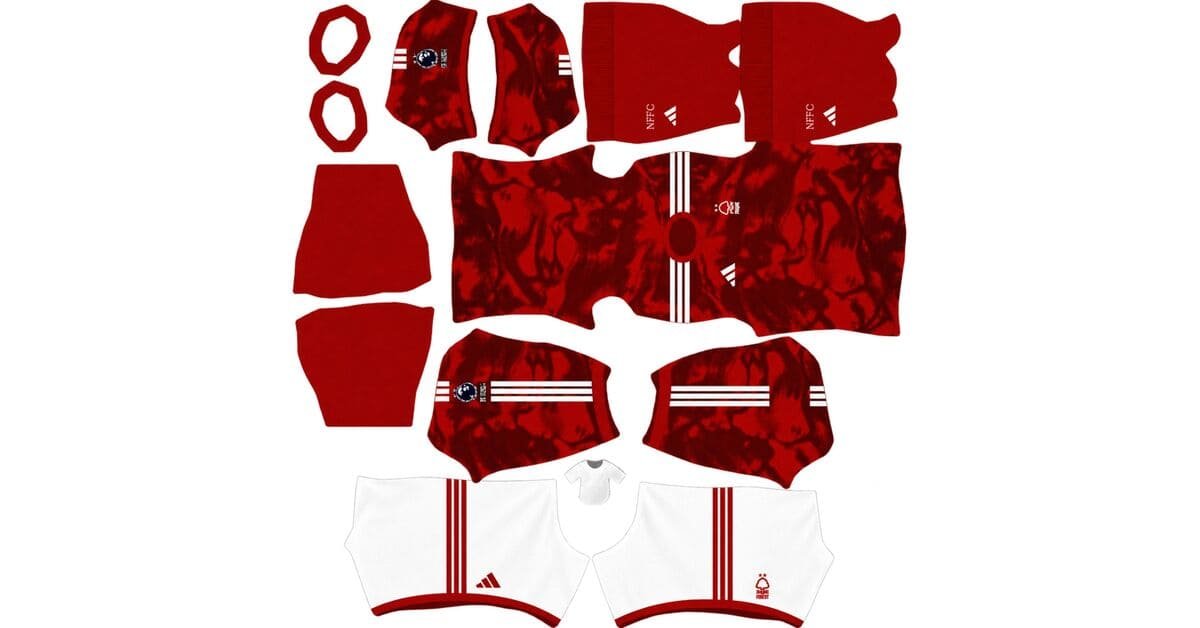
A Nottingham Forest DLS kits URL is a direct link to a 512×512 PNG shirt that you can import into Dream League Soccer. Choose your favourite Reds kit below, copy its URL, and paste it into the game’s custom kit menu.
Nottingham Forest F.C. Logo
Official Logo 512×512 (2026/27)
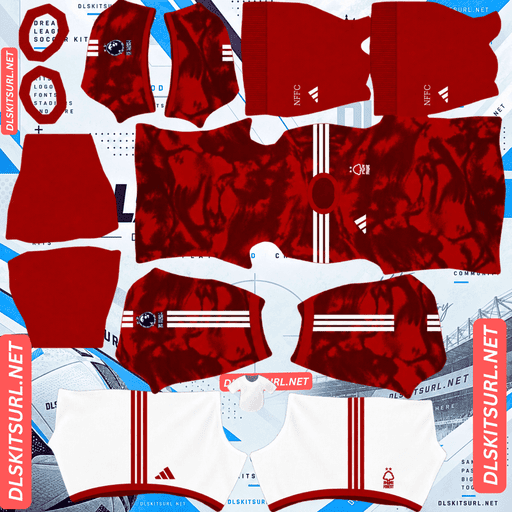
Nottingham Forest F.C. Home Kit
Home Kit 512×512 (2026/27)
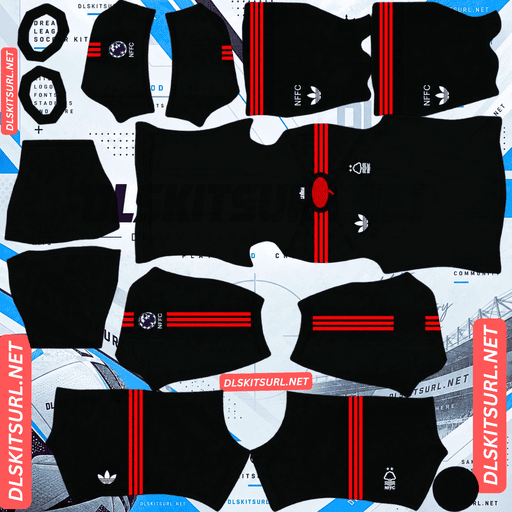
Nottingham Forest F.C. Away Kit
Away Kit 512×512 (2026/27)
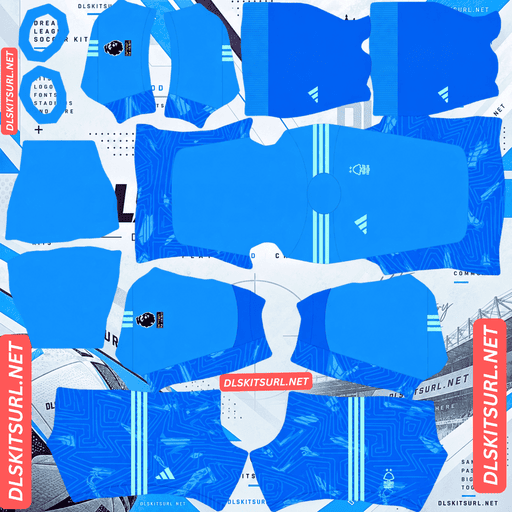
Nottingham Forest F.C. GK Home Kit
GK Home Kit 512×512 (2026/27)
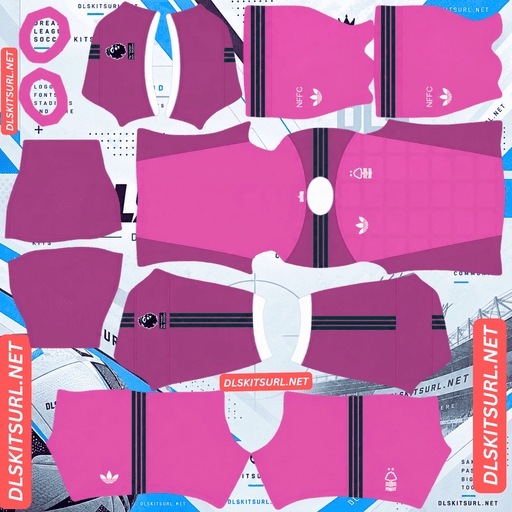
Nottingham Forest F.C. GK Away Kit
GK Away Kit 512×512 (2026/27)
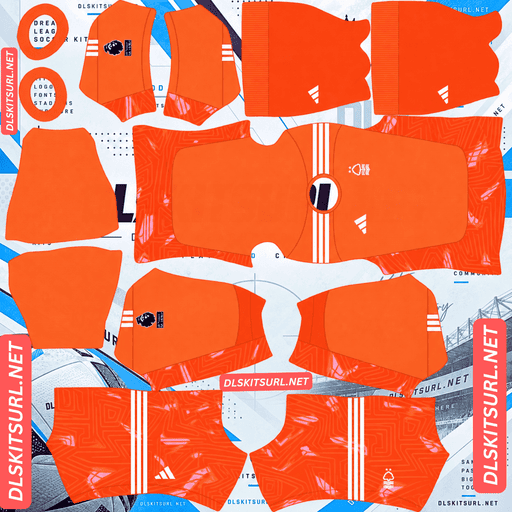
Nottingham Forest F.C. GK Third Kit
GK Third Kit 512×512 (2026/27)
Adidas has built Nottingham Forest’s 2026/27 collection around the River Trent and the woodland heritage behind the club’s name. The three shirts offer different looks, but there’s one important detail to understand before downloading: the third kit uses an Adidas template shared with other clubs, so its graphic alone cannot confirm that a file belongs to Forest.
The third kit’s graphic won’t identify the club
Released on 28 August 2026, Nottingham Forest’s third shirt features a light-blue base with sweeping white graphics running diagonally across the fabric. Dark navy details and grey Adidas three stripes on the shoulders complete the design.
The club presented the shirt as an interpretation of the waters of the River Trent and its home on Trentside. However, the underlying design isn’t exclusive to Forest. Adidas has used the same template for other clubs, including Köln.
Check the crest and colours, not just the pattern
When several clubs wear shirts built from the same template, the overall graphic isn’t enough to identify the correct team. Another club’s version may look almost identical at first glance.
Check these details before importing a Nottingham Forest third kit:
Two-star crest: Look for the Forest badge with two European Cup stars, positioned opposite the Adidas logo.
Navy, white, and light blue: These colours distinguish Forest’s version of the template.
Grey shoulder stripes: The Adidas stripes should be grey rather than white.
Collar and cuffs: Look for a white round neckline with a narrow navy edge, repeated around the cuffs.
These features are more useful for identifying the correct club than the sweeping graphic itself.
Why the third kit is easiest to reproduce
The shared Adidas template also has an advantage for DLS players. Its large shapes, flat colours, and clean boundaries are well suited to a 512×512 image.
The white graphics contrast clearly against the light-blue base, making the main design easier to preserve when the image is resized or compressed.
That makes the third shirt the most straightforward of Forest’s three kits to reproduce accurately. Its shared template doesn’t make it less suitable for the game; it simply means you need to check the club-specific details carefully.
The home and away shirts rely on tonal patterns
The home and away kits present a different challenge. Both use subtle patterns that add texture to the original shirts but can disappear in a low-quality DLS image.
Home kit: inspired by mist on the River Trent
Released on 17 July 2026, the home shirt retains Nottingham Forest’s traditional red colour.
An all-over tonal pattern inspired by mist rising from the River Trent adds texture across the fabric. The design aims to capture the atmosphere surrounding the club’s home ground.
A red V-neck collar, white shorts, and red socks complete the outfit.
The key detail is the word tonal. The pattern uses different shades of red rather than a contrasting colour. When an image is compressed or enlarged, these subtle differences are among the first details to disappear.
A lower-quality file may therefore show a plain red shirt with a red collar. It will still look like a Forest kit, but the texture Adidas designed may be missing.
Away kit: the forest-inspired green shirt
Released on 14 August 2026, the away shirt made its debut during Forest’s pre-season tour in Italy.
Its dark Collegiate Green base reflects the woodland imagery associated with the club’s name. A subtle all-over printed graphic adds texture to the fabric without overpowering the main colour.
As with the home shirt, the pattern is deliberately understated. A weak image may lose the tonal differences and leave a plain dark-green shirt.
How to judge the home and away files
Because neither shirt relies on a high-contrast pattern, inspect the details that should remain sharp even at 512×512.
For the home shirt, check the crest, sponsor outlines, and the edges of the red V-neck collar. The collar blends into the body, so the crest and other defined details are particularly useful quality indicators.
For the away shirt, inspect the crest and the boundaries of the collar and sleeves. A clear image gives the subtle green pattern the best chance of surviving the import process.
The third kit’s plain upper back works well in DLS
One of the more practical details of Forest’s third shirt is the predominantly plain light-blue area across the upper back.
Adidas kept this section relatively clear so player names and numbers could be applied without competing with the main graphic. It’s a considered design decision that also suits Dream League Soccer.
The game renders squad numbers on the upper back using its own font and the number colour selected in the kit settings. When a shirt has a busy graphic running across the same area, the numbers can become harder to read.
Forest’s cleaner upper-back section provides a more suitable background for those numbers. It’s a useful example of real-shirt design working in harmony with the game’s requirements.
Other clubs, including Tottenham and RB Leipzig, have also used relatively clear upper-back areas in their kits, although the exact design differs from shirt to shirt.
Best number colours for Nottingham Forest DLS kits
Dream League Soccer doesn’t automatically choose squad-number colours based on the design of your imported shirt. Instead, it uses separate colour swatches for shirt numbers and shorts numbers.
Set both swatches carefully so the numbers remain visible during matches.
Home kit: White numbers provide a clear contrast against the red shirt. For the white shorts, choose red or navy.
Away kit: White numbers are a strong choice against the dark Collegiate Green base.
Third kit: Navy numbers match the crest, Adidas logo, and trim. The plain light-blue upper back gives them a clean background. For navy shorts, use white or light blue.
Remember to configure shirt and shorts numbers separately. A colour that looks clear on the shirt may blend into the shorts.
Why the green away kit is harder to follow on the pitch
Kit visibility matters in Dream League Soccer because players appear relatively small during matches. The closer a shirt’s colour is to the grass, the harder it can be to distinguish players at a glance.
Collegiate Green sits close to the colour of the pitch. This reduces the visual separation between Forest’s away kit and the playing surface, particularly when the shirt’s subtle pattern and minimal trim don’t add much contrast.
The home kit’s red is easier to distinguish from green grass, while the light-blue third kit offers the clearest colour separation of the three.
If visibility is your priority, the home and third shirts are strong choices. The away kit is still a distinctive option for supporters who prefer the forest-inspired colour scheme.
Protect the two stars on your Nottingham Forest badge
Nottingham Forest’s crest carries two stars representing the European Cups won in 1979 and 1980.
Dream League Soccer crops imported badges into a circle. A circular crop can cut off artwork near the top and bottom, which makes the position of Forest’s stars particularly important.
Choose a badge image with sufficient clear space around the entire design. A file cropped too tightly may lose the tops of the stars or remove them altogether.
This issue can affect other football badges with stars positioned above their main crests, including those associated with Ivory Coast, Uruguay, Spain, and Germany.
Before confirming your badge, check the circular preview and make sure both stars remain visible.
How to identify a current Nottingham Forest DLS kit
Use these four checks to distinguish the described 2026/27 shirts from older designs or templates made for other clubs.
Home kit: Look for a tonal mist-inspired pattern across the traditional red shirt.
Away kit: Check for the dark Collegiate Green base and subtle all-over print.
Third kit: Look for grey Adidas shoulder stripes rather than white ones.
Third-kit crest: Confirm that the Forest badge carries two stars and sits opposite the navy Adidas logo.
The third kit deserves particular attention because its main graphic is shared with other clubs. Check the colours, crest, collar, and shoulder stripes before importing it.
How to use a Nottingham Forest DLS kits URL
Follow these steps to import your chosen Forest shirt.
Copy the kit URL using the Copy URL button on the relevant kit card.
Open Dream League Soccer and go to My Club.
Select Customise, then open Kit — not Logo.
Choose the slot you want to replace.
Tap Custom Kit, press and hold the URL field, and select Paste.
Tap Confirm or Download, depending on your version of the game.
Choose the correct slot before importing because the selected URL replaces the kit currently assigned to it.
The home, away, and third shirts can fill the three outfield kit slots, leaving the goalkeeper kit in the remaining position. Check all four kits on the team screen after importing.
Depending on your game version and account, the first custom kit may require a one-time gem unlock. Once the feature is unlocked, changing kit images generally doesn’t require another unlock.
Test the kit URL before importing
Open the URL in your browser before pasting it into Dream League Soccer.
A direct image link should display the PNG itself, without a surrounding webpage, navigation menu, or download interface. Ideally, the address should end in .png, and the image should measure 512×512 pixels.
If the link opens a webpage containing a shirt preview, you may have copied the viewer page rather than the image file itself. The game needs direct access to the image.
On a computer, open the image in a new browser tab or inspect its properties to check its actual dimensions.
Why Nottingham Forest kit URLs stop working
Even a kit URL that worked previously can become unavailable. Three common issues explain why.
Free image hosts delete files. Some services remove old uploads after long periods of inactivity or changes to their storage policies. A webpage may remain accessible even after the image has disappeared.
Hotlink protection blocks external requests. Some image hosts allow a file to load when opened directly but reject requests from external applications. This can explain why a link works in your browser but fails when pasted into the game.
The preview and download links point to different files. A website may display a thumbnail hosted on one server while its download link points to another. If the external file becomes unavailable, the preview can remain visible even though the import fails.
Always test the exact URL you intend to use. A working preview doesn’t guarantee that Dream League Soccer can download the underlying image.
The Nottingham Forest badge
To import your badge, open My Club → Customise → Logo instead of the Kit menu.
Forest’s crest features a tree, a river, the club’s initials, and two European Cup stars above the main design. The tree provides a recognisable central shape, while the lettering and finer details may become less distinct at the small size used beside the score during matches.
Because Dream League Soccer crops badges into a circle, choose an image with enough space around the complete crest. This is especially important for preserving both stars above the design.
Preview the crop before confirming the import. If the stars are missing or cut off, choose a less tightly cropped image.
Keep your Nottingham Forest kits safe
Custom kits and badges may be stored locally on your device rather than synchronised with your game account. Updating the game may leave them intact, but reinstalling the app or switching phones can mean setting everything up again.
Before importing your collection, save the URLs for your home, away, third, and goalkeeper kits, along with your preferred badge.
Keep the links together in a notes app so you can restore your setup quickly if needed.
FAQ
What is a Nottingham Forest DLS kits URL?
A Nottingham Forest DLS kits URL is a direct link to a 512×512 PNG Forest shirt that you can import into Dream League Soccer. A working link should point directly to the image file.
Is the Nottingham Forest third kit a bespoke Adidas design?
No. The third shirt uses an Adidas template also worn by other clubs, including Köln. Its sweeping graphic alone cannot identify the shirt as Nottingham Forest’s, so check the crest, colours, collar, and grey shoulder stripes.
How do I identify the correct Forest third kit file?
Look for the two-star Forest crest, light-blue base, navy details, grey Adidas shoulder stripes, and white collar with a narrow navy edge.
What is the pattern on the Nottingham Forest home kit?
The home shirt features a tonal pattern inspired by mist rising from the River Trent. The pattern uses different shades of red rather than contrasting colours.
Why does my Forest home kit look plain red?
The mist-inspired pattern is subtle and tonal, so it can disappear when a PNG is compressed or resized. A lower-quality file may preserve the main red colour while losing the texture.
Why is the upper back of the Forest third kit mostly plain?
Adidas kept the upper back predominantly light blue so player names and numbers could be applied without interrupting the main graphic. This also gives Dream League Soccer’s squad numbers a cleaner background.
Why are the two stars missing from my Nottingham Forest badge?
Dream League Soccer crops imported badges into a circle, which can cut off details positioned above the crest. Use a badge image with enough clear space around the entire design to preserve both European Cup stars.
Which Nottingham Forest kit is hardest to follow during a match?
The Collegiate Green away kit can be harder to distinguish against green grass because its dark colour sits close to the playing surface. The red home shirt and light-blue third kit offer greater visual separation.