
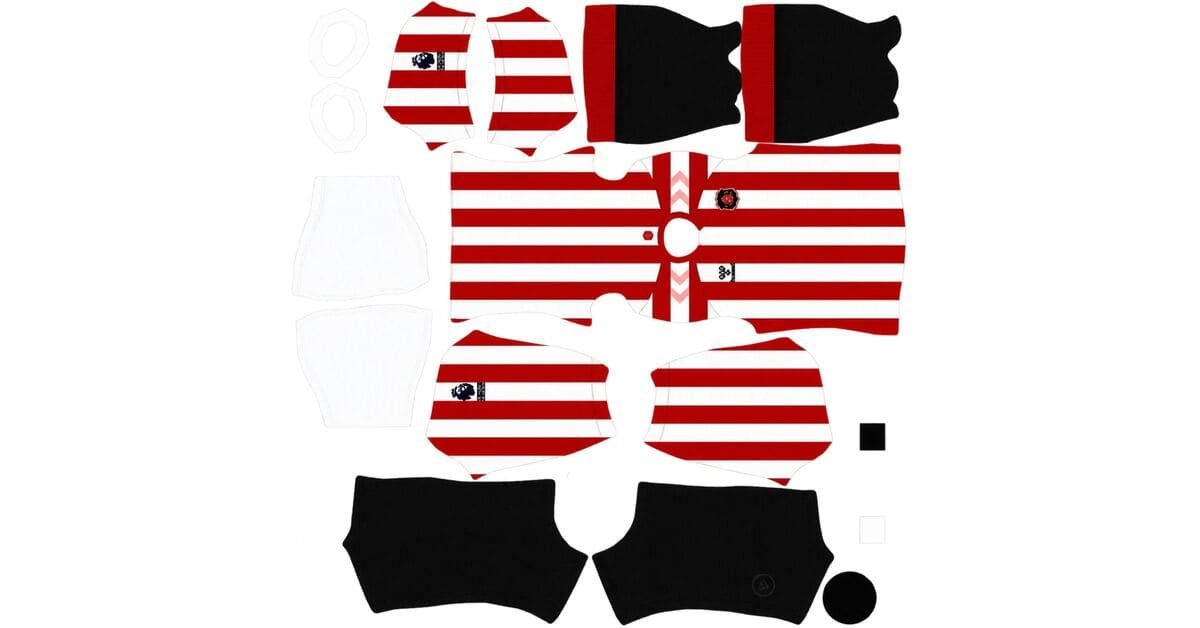
A Sunderland DLS kits URL is a direct link to a 512×512 PNG Black Cats shirt that you can import into Dream League Soccer. Choose your preferred kit below, copy its URL, and paste it into the game’s custom kit menu.
Sunderland Logo
Official Logo 512×512 (2026/27)
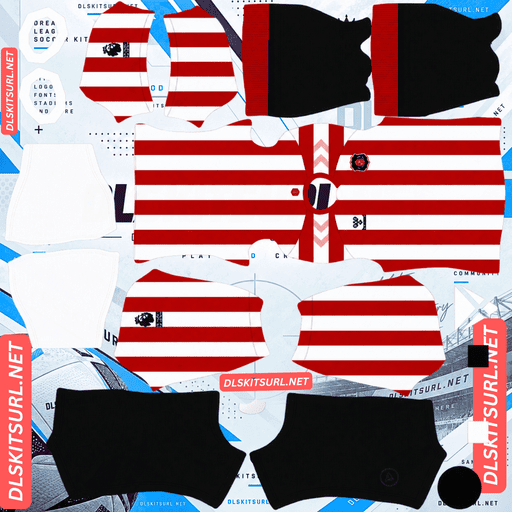
Sunderland AFC Home Kit
Home Kit 512×512 (2026/27)
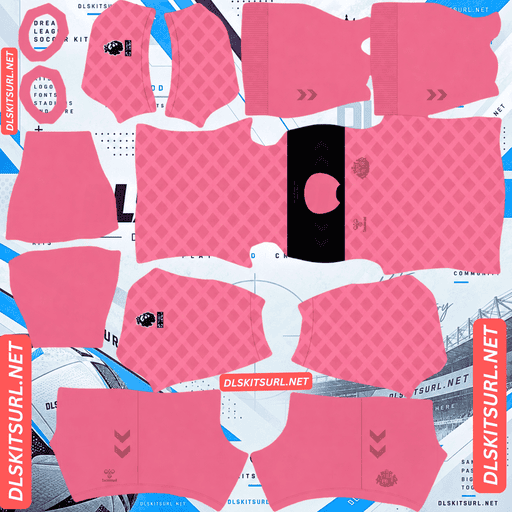
Sunderland AFC Away Kit
Away Kit 512×512 (2026/27)
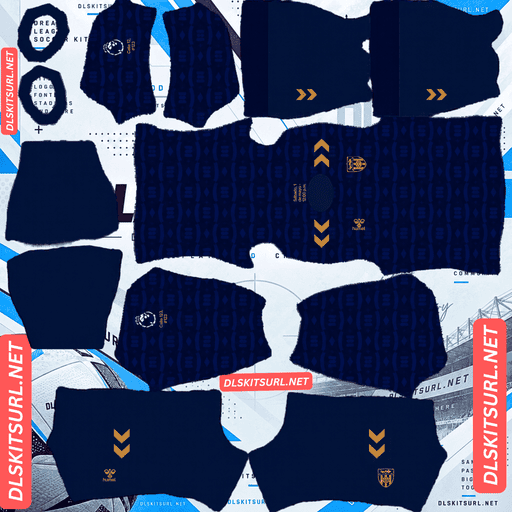
Sunderland AFC Third Kit
Third Kit 512×512 (2026/27)
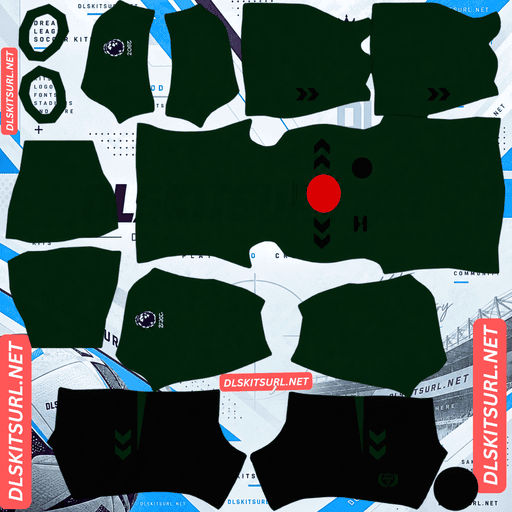
Sunderland AFC GK Home Kit
GK Kit 512×512 (2026/27)
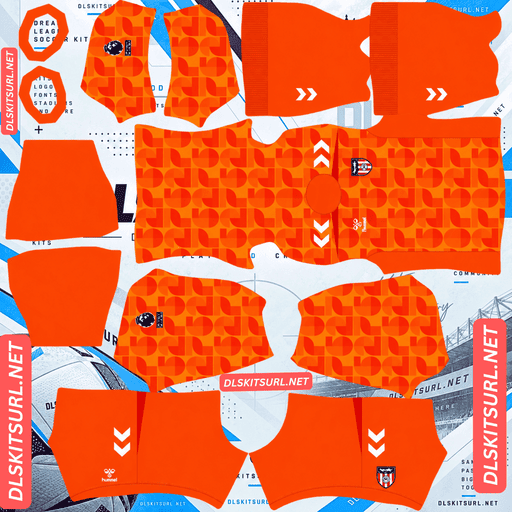
Sunderland AFC GK Away Kit
GK Away Kit 512×512 (2026/27)
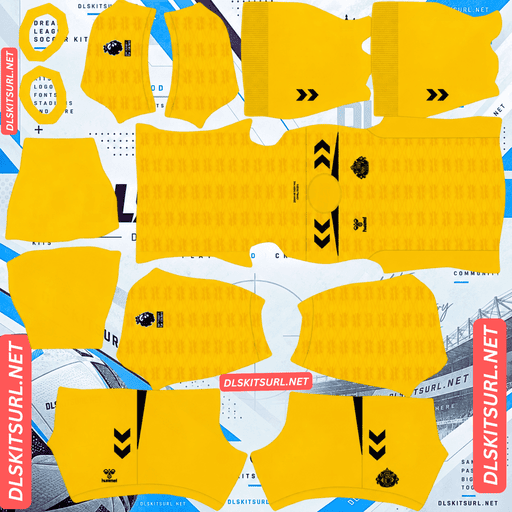
Sunderland AFC GK Third Kit
GK Third Kit 512×512 (2026/27)
Sunderland’s 2026/27 collection stands out for two unusual reasons: an official Elvis Presley collaboration and a home shirt whose real-world stripe alignment has reportedly attracted criticism. Both details matter when choosing a DLS version that matches the original.
Misaligned stripes may actually be accurate
Most striped football kits are easy to assess. Check where the front and back panels meet and inspect the shoulders. If the stripes continue neatly, the template is usually well constructed. If they jump or become uneven, the file may need work.
Sunderland’s 2026/27 home shirt complicates that test. According to reports about retail versions of the shirt, supporters and collectors noticed a visible stripe-alignment issue after its release. The overall design received a positive response, but the execution raised questions about quality control.
What this means for your DLS file
A kit image recreated faithfully from photographs of the retail shirt may reproduce the same alignment issue. It might look imperfect by conventional template standards while still resembling the actual jersey.
A version built from a clean template may have perfectly aligned stripes. That can look better in Dream League Soccer, even if it differs from the reported retail appearance.
Neither approach is automatically wrong. The important question is whether you want a cleaner design or a closer recreation of the shirt as sold.
Judge the image’s resolution rather than relying on stripe alignment alone. Inspect the white polo collar and crest. If their edges are sharp and well defined, the file may still be high quality, even if the stripes don’t line up perfectly.
The away kit is an Elvis Presley collaboration
Released in late June 2026, Sunderland’s away shirt introduced a distinctive partnership involving the Elvis Presley Estate and Authentic Brands Group. The collaboration was presented as a first of its kind in the Premier League.
The shirt combines a pink base with a wide black shoulder yoke, a black polo collar, and 1950s-inspired design elements. Tonal pink Hummel and club markings complete the look.
Why Elvis Presley?
The connection comes from Sunderland’s matchday tradition.
Supporters have sung “Can’t Help Falling in Love” before kick-off, both at home and away, since the late 1970s. Over the decades, the song has become closely associated with the club and its supporters.
To reflect that connection, Hummel included the song’s lyrics inside the neck tape, alongside the club crest and Elvis Presley’s personal signature.
Why the lyrics won’t appear in Dream League Soccer
The inside of a shirt collar isn’t a surface represented by the standard DLS kit template. That means the printed lyrics and signature cannot be reproduced through a conventional custom kit image.
The collaboration’s most personal details therefore remain exclusive to the physical shirt. In Dream League Soccer, the pink-and-black colour scheme is the defining feature.
The kit made its debut during Sunderland’s pre-season tour of the USA and France.
Sunderland DLS kits for 2026/27
Sunderland’s return to the Premier League brings a collection with three distinct identities: a traditional striped home shirt, an Elvis-inspired away design, and a royal-blue third kit celebrating the city’s glassmaking heritage.
The club is also competing in the Europa League this season, marking its return to European football after a 53-year absence.
Home kit: the 1937 FA Cup tribute
Released on 29 July 2026, the home shirt commemorates Sunderland’s 1937 FA Cup triumph.
Traditional red-and-white vertical stripes form the foundation of the design. A subtle tonal loop pattern adds texture within the stripes, while the white polo collar features button-up detailing. A distinctive 1937 shield badge gives the shirt a deliberately retro appearance.
One particularly useful detail for DLS players is the absence of a main front-of-shirt sponsor. The uncluttered chest provides a clean backdrop for the separately imported badge used by the game.
The clean chest makes badge placement easier
Dream League Soccer places your imported badge on the shirt independently of the kit artwork. A suitable template should therefore preserve the intended chest design without unnecessary graphics in the same area.
Because the Sunderland home shirt has no main front sponsor, there’s less visual clutter around the badge position. This makes it easier to recreate the shirt’s clean appearance in-game.
For the closest match, look for a file with clear red-and-white stripes, a white polo collar, and the appropriate retro styling.
Third kit: stained glass and the original club logo
Released on 13 August 2026, Sunderland’s third shirt celebrates the city’s long association with glassmaking.
The design uses a royal-blue base covered in a repeating tonal stained-glass graphic. Gold chevrons decorate the shoulders, while the shirt features Sunderland’s first-ever official club logo, used from 1963 to 1972, in an amber monochrome treatment rather than the contemporary crest.
This combination gives the third kit a different character from both the traditional home shirt and the pink away strip.
For a DLS version, focus on the royal-blue base, the gold shoulder chevrons, and the historic logo. The stained-glass pattern is an important part of the design, although it can be difficult to preserve in a small image.
Three kits, three badge treatments
Sunderland’s 2026/27 collection offers several ways to represent the club, depending on which shirt you prefer.
Home: The contemporary crest, alongside the shirt’s distinctive 1937 shield detail.
Away: The club crest in tonal pink.
Third: The first official club logo from 1963–1972, rendered in amber monochrome.
Dream League Soccer allows one imported badge at a time, regardless of which kit you’re wearing. Choose the emblem that best matches your preferred shirt.
The historic 1963–1972 logo is particularly distinctive. It offers a vintage alternative to the modern crest and can help create a deliberately retro-looking team.
Which Sunderland kit looks best in Dream League Soccer?
Home kit: the stripes survive better than the loops
The red-and-white stripes provide strong contrast and remain recognisable even when some of the finer details are lost.
Vertical stripes are also relatively straightforward to reproduce on a kit template because their main alignment runs down the body. The subtle tonal loop pattern is more difficult to preserve.
That pattern uses shades close to the surrounding stripe colours and occupies a limited area within each stripe. When a PNG is compressed or resized, this low-contrast texture may disappear.
A lower-quality file can therefore leave you with plain red-and-white stripes. The shirt will still look recognisably like Sunderland, but the original texture may be missing.
Away kit: the most forgiving design
The Elvis-inspired away shirt is built around a pink base and a broad black shoulder yoke. These large blocks of contrasting colour are easier to reproduce than small repeating graphics.
The black collar and shoulder panels also provide clear visual boundaries, so the kit remains distinctive even if minor details are softened.
For this shirt, check that the pink is consistent and that the black yoke has clean edges. Those features matter more than tiny decorative details.
Third kit: the stained-glass pattern needs a good image
The third shirt’s tonal stained-glass graphic is the most vulnerable feature of its design.
Because the pattern uses shades of royal blue, compression can remove the subtle differences between the shapes and the background. A poor file may end up looking like a plain blue shirt with gold chevrons.
Check the gold details carefully. Gold relies on highlights, mid-tones, and shadows to create a metallic appearance. If the chevrons and historic badge look flat or muddy brown, the file may have lost important colour detail.
A sharp image gives you the best chance of preserving both the gold accents and the stained-glass pattern.
Best number colours for Sunderland DLS kits
Dream League Soccer uses separate colour swatches for shirt numbers and shorts numbers. It doesn’t automatically select these colours based on the kit artwork, so you’ll need to configure them yourself.
Home kit: Black is a useful option for numbers on the red-and-white striped shirt because it contrasts with both main colours. Choose a separate colour for the shorts based on their design.
Away kit: Black matches the shoulder yoke and collar, making it a strong choice on the pink base. White is another option where it provides enough contrast.
Third kit: Gold matches the chevrons and historic badge, while white offers strong readability against royal blue.
Always check the number colours on both the shirt and shorts. A colour that works on one part of the uniform may disappear against another.
Why Sunderland’s pink away kit stands out on the pitch
During a DLS match, players appear relatively small, so a kit’s main colour can make a noticeable difference to visibility.
Pink contrasts strongly with green grass, helping the Elvis-inspired away shirt stand out during gameplay. Its black shoulder yoke adds another clear visual feature.
The traditional red-and-white home shirt is also easy to identify, while the royal-blue third kit provides a separate colour option.
For players who like switching between kits, Sunderland’s collection offers three noticeably different looks.
How to identify a current Sunderland DLS kit
Before importing a file, check these four details to avoid using an outdated or incorrect design.
Home kit: Look for red-and-white vertical stripes, a white polo collar, a retro 1937 shield detail, and no main front-of-shirt sponsor.
Away kit: The shirt should be pink with a wide black shoulder yoke and a black polo collar.
Third kit: Look for a royal-blue base, gold shoulder chevrons, and the historic 1963–1972 club logo.
Manufacturer: Check for Hummel branding on all three shirts.
The overall colour scheme and distinctive design details are more reliable identifiers than a filename alone.
How to use a Sunderland DLS kits URL
Follow these steps to import your chosen Black Cats shirt.
Copy the kit URL using the Copy URL button on the relevant kit card.
Open Dream League Soccer and go to My Club.
Select Customise, then open Kit — not Logo.
Choose the slot you want to replace.
Tap Custom Kit, press and hold the URL field, and select Paste.
Tap Confirm or Download, depending on your game version.
Select the correct slot before importing, because the chosen URL replaces the kit currently assigned to it.
The home, away, and third shirts can fill the three outfield kit slots, leaving the goalkeeper kit in the remaining position. Check all four kits on the team screen after importing.
Depending on your game version and account, the first custom kit may require a one-time gem unlock. Once the feature is unlocked, changing kit images generally doesn’t require another unlock.
Test the Sunderland kit URL first
Before opening the game, test the URL in your browser.
A direct image link should display the PNG itself, without a surrounding webpage, navigation menu, or download interface. Ideally, the address should end in .png, and the image should measure 512×512 pixels.
If the URL opens a webpage containing a shirt preview, you may have copied the viewer page rather than the actual image file. Dream League Soccer needs access to the image itself.
On a computer, open the image in a new browser tab or inspect its properties to check the actual dimensions.
Why Sunderland DLS kit URLs stop working
Even a previously working kit URL can become unavailable. Here are three common reasons.
Free image hosts delete files. Some services remove older uploads after periods of inactivity or changes to their storage policies. The webpage may remain accessible even when the original image has disappeared.
Hotlink protection blocks external requests. Some hosts allow images to load when opened directly but reject requests from external applications. This can explain why a URL works in your browser but fails when you paste it into the game.
The preview and download links point to different files. A webpage may display a thumbnail hosted on one server while its download button points elsewhere. If the linked file becomes unavailable, the preview can still appear even though the import fails.
Always test the exact link you plan to use. A working preview alone doesn’t guarantee that the game can download the image.
Choosing the right Sunderland badge
To import a badge, open My Club → Customise → Logo instead of the Kit menu.
Sunderland’s contemporary crest includes the club’s colours, Penshaw Monument, and a black cat. Its shield shape and internal details make it important to choose a sufficiently clear image.
Dream League Soccer crops imported badges into a circle. Use a file with some clear space around the artwork so the edges of the shield aren’t cut off by the crop.
The small badge display used during matches can soften fine details, even when the original image is high quality.
For this collection, you can choose between the contemporary crest, the retro 1937 shield treatment associated with the home shirt, and the historic 1963–1972 logo used on the third kit. Match your choice to the shirt you wear most often.
Keep your Sunderland DLS kits safe
Custom kits and badges may be stored on your device rather than synchronised with your game account. Updating the game may leave them intact, but reinstalling the app or changing phones can mean setting them up again.
Before importing the collection, save the URLs for your home, away, third, and goalkeeper kits, along with your chosen badge.
Keep the links together in a notes app so you can find them easily if you need to restore your setup later. This is particularly useful for distinctive releases such as the Elvis collaboration or the historic third shirt.
FAQ
What is a Sunderland DLS kits URL?
A Sunderland DLS kits URL is a direct link to a PNG Black Cats shirt that you can import into Dream League Soccer. A 512×512 image is the preferred size for this collection, and the link should point directly to the image file.
Why is the Sunderland away kit an Elvis Presley design?
Sunderland’s away kit forms part of a collaboration involving the Elvis Presley Estate and Authentic Brands Group. It reflects the club’s tradition of supporters singing “Can’t Help Falling in Love” before kick-off.
Why don’t the stripes line up on my Sunderland home kit?
Reports about retail versions of the 2026/27 home shirt described a noticeable stripe-alignment issue. A file recreated faithfully from photographs of that shirt may reproduce the same appearance. Check the collar and crest edges when assessing image quality.
What does Sunderland’s 2026/27 home kit commemorate?
The home shirt commemorates Sunderland’s 1937 FA Cup triumph. It features red-and-white stripes, a subtle tonal loop pattern, a white polo collar with button detailing, a retro shield detail, and no main front-of-shirt sponsor.
What is the pattern on Sunderland’s third kit?
The third kit features a repeating tonal stained-glass graphic inspired by Sunderland’s history of glassmaking. It has a royal-blue base, gold shoulder chevrons, and the club’s historic 1963–1972 logo in amber monochrome.
Which Sunderland badge should I use in DLS?
Dream League Soccer allows one imported badge at a time. You can choose the contemporary Sunderland crest or a historic design to complement the kit you use most often.
Which Sunderland kit is easiest to see during a match?
The pink-and-black away kit offers strong contrast against green grass, while the red-and-white home kit and royal-blue third kit provide two other distinctive options.
Will the Elvis lyrics appear in Dream League Soccer?
No. The lyrics and Elvis Presley’s signature are printed inside the physical shirt’s neck tape, an area that the standard DLS kit template doesn’t reproduce.