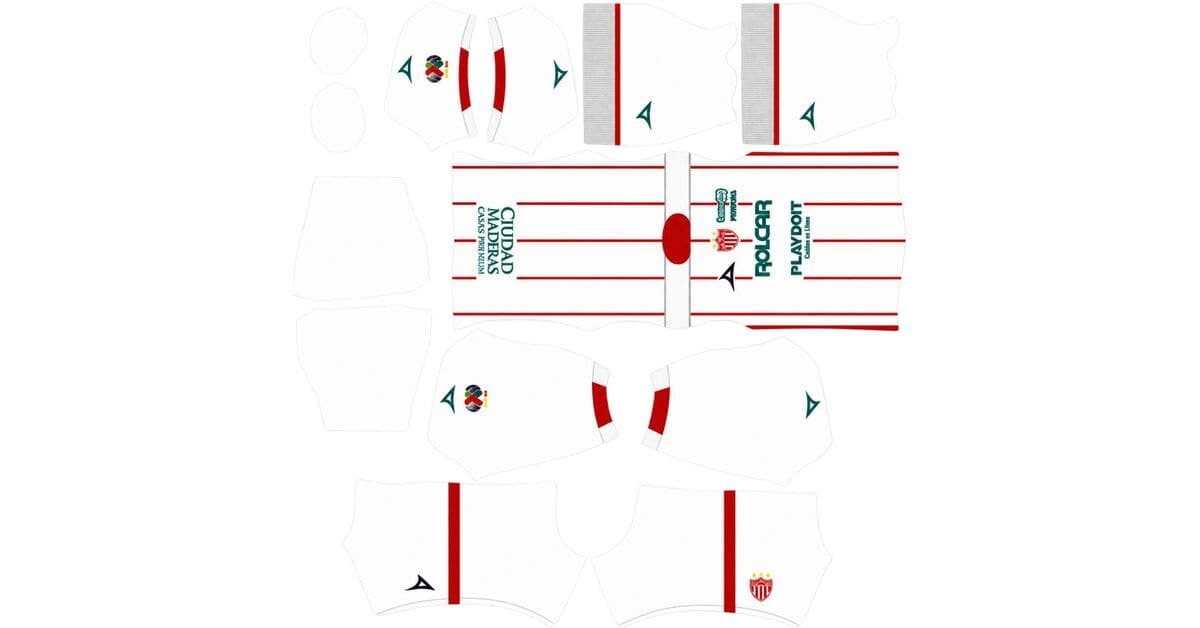
A Necaxa DLS kits URL is a direct link to a 512×512 PNG Rayos shirt that you can paste into Dream League Soccer. All four slots are included below, and every file has been loaded into the game before being published here.
Club Necaxa Logo
Official Logo 512×512 (2026/27)
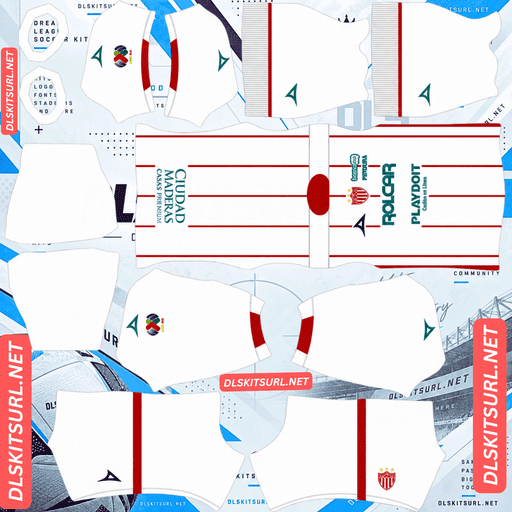
Club Necaaxa Home Kit
Home Kit 512×512 (2026/27)

Club Necaxa Away Kit
Away Kit 512×512 (2026/27)

Club Necaxa Third Kit
Third Kit 512×512 (2026/27)

Club Necaxa GK Home Kit
GK Home Kit 512×512 (2026/27)

Club Necaxa GK Away Kit
GK Away Kit 512×512 (2026/27)
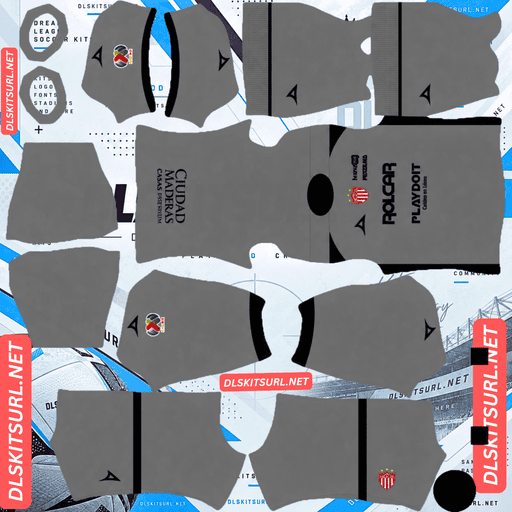
Club Necaxa GK Third Kit
GK Third Kit 512×512 (2026/27)
Necaxa made two important changes for 26-27: they switched kit suppliers and redesigned the home shirt. The supplier change helps identify the season, but the new pattern is what makes this kit particularly interesting to test.
The stripes have turned into lightning bolts
Released in July 2026 for the Apertura, Necaxa’s new home shirt replaces the familiar black stripes with downward-pointing lightning bolts. The design uses the club’s traditional red-and-white colours, with additional red detailing on the sleeves.
It is a literal interpretation of the club’s nickname. Necaxa are Los Rayos — the Lightning Bolts — and the new shirt puts that identity across the front.
A much harder pattern to reproduce
A vertical stripe is one of the easiest designs to map onto a DLS kit. It follows a single alignment line down the body, so there is little room for the pattern to become distorted.
Lightning bolts are more demanding. Each one is made from diagonal sections that change direction, and every section needs the right position and angle. If one part shifts, the next can look wrong too.
The difference is worth understanding:
Vertical stripe: Two edges following one alignment.
Horizontal band: Several points that need to meet across the body and sleeves.
Diagonal sash: Position and angle must remain consistent across seams.
Lightning bolts: Every diagonal section and every change of direction needs to line up.
Necaxa have made their shirt harder to reproduce without changing the basic red-and-white palette. Fluminense faced a related problem this season when narrower stripes pushed their design closer to the resolution limit.
A small design change can make a surprisingly large difference to how well a kit transfers into the game.
The colours are not the problem
Red against white provides excellent contrast. The two colours are far enough apart that the lightning pattern should remain visible even after the image is reduced to 512×512.
The difficulty is not whether the bolts survive. It is whether they appear in the right places and keep their intended angles.
Croatia’s checkerboard and Monaco’s diagonal design present a similar distinction: strong contrast helps the artwork remain visible, but the geometry determines whether it looks correct on the player model.
Check the seams after importing
A flat PNG can look perfectly accurate and still produce a poor result in DLS. The pattern has to wrap around the shirt model, and that is where diagonal designs can expose alignment problems.
After importing the home shirt, inspect the player from the side and back. Check whether the lightning bolts continue naturally across the body and sleeve joins. Look for sudden jumps, broken lines or angles that change where two panels meet.
There is another detail to check before importing: the bolts point downward. If the original artwork is asymmetric from left to right, a mirrored file can look convincing while showing the wrong design direction. Check the orientation before pasting it into the game.
Match visibility
Red and white are both strong choices against a green pitch. Red sits on the opposite side of the colour spectrum from green, while white remains bright and easy to distinguish.
The lightning pattern also breaks up the shirt’s silhouette, so the player does not appear as one solid block of colour. Necaxa’s home is among the more readable Liga MX designs in this respect.
For squad numbers, use navy or black. The bolts cross the back of the shirt, so red and white numbers would disappear against matching sections of the pattern. A third colour gives you more consistent contrast.
The missing black stripes help date the shirt
Previous Necaxa shirts used black stripes alongside the red and white. The 26-27 home replaces that arrangement with lightning bolts.
That gives you a quick way to reject older files: a red-and-white Necaxa shirt with black striping belongs to 25-26 or an earlier season, regardless of what the filename claims.
Voit takes over from Pirma
Necaxa’s 26-27 kits are made by Voit, ending the club’s partnership with Pirma. Pirma had taken over from Charly in 2020-21, so the club has now moved through three supplier eras in a relatively short period.
The manufacturer is a useful dating clue
A Pirma logo on a Necaxa shirt points to 25-26 or earlier. Charly branding takes you further back, to 19-20 or before.
That makes Necaxa easier to date than many clubs whose kit manufacturers remain unchanged for years. With those teams, the supplier logo tells you very little about the season.
Pachuca’s move to Skechers and Tijuana’s switch to Reebok are similar examples of supplier changes helping distinguish current shirts from older ones.
The change may mean fewer files
Voit is a Mexican brand without the international reach of Nike, Adidas or Puma. Kit websites tend to cover the major global suppliers more consistently, while designs from domestic manufacturers can take longer to appear.
You may therefore find fewer 26-27 Necaxa images in circulation than Pirma-era shirts, particularly early in the season. That should improve as more people upload the new range.
Atlas, Santos Laguna, Deportivo Pereira and Deportivo Pasto face similar coverage limitations with their domestic suppliers.
The away kit
Necaxa released the 26-27 away alongside the home. Use the card above as your main reference when checking the file rather than relying on a written description alone.
There are a few basic details worth inspecting before import:
Colour boundaries should be clean, without one shade bleeding into another.
The collar and sleeve cuffs should have defined edges.
Voit branding, the club crest and the sponsor should remain recognisable.
Check the actual image dimensions in your browser. On a computer, right-click the image and open it in a new tab to see its size.
If the away also uses the lightning-bolt pattern, apply the same checks as the home. Confirm the direction before importing, then inspect the side and back of the player model for broken alignment.
Which Necaxa kit reproduces best?
The home has the strongest visual identity, but it also needs the most careful in-game inspection. Its red-and-white contrast is excellent; the challenge is keeping the lightning bolts correctly positioned.
Home: Red and white with downward-pointing lightning bolts. The colours should reproduce clearly, but check the pattern’s direction and alignment around the seams. Match visibility is strong.
Away: Compare the imported image with the card above. Check its colour boundaries, collar, cuffs and branding before judging the final result in-game.
Necaxa have a sizeable collection of special kits
Necaxa release more commemorative designs than many clubs, which gives you extra options if you want to fill the third outfield slot with something different.
Some notable examples include:
25-26 red-and-black special: Released in December 2025.
25-26 claret-and-white third: Another alternative from the previous season.
22-23 Mexico 1998 tribute: A third kit inspired by the national team’s famous World Cup shirt.
2023 special edition: Another design worth looking for in the club’s back catalogue.
All of these can be used in DLS as long as you have a working 512×512 image URL. The game does not restrict custom kits to the current season.
The Mexico 1998 tribute is the strongest option
Mexico’s 1998 World Cup shirt is remembered for its large Aztec calendar graphic. It is a bold design with clearly defined shapes and strong contrast, rather than a pattern made from tiny details.
That makes it particularly suitable for DLS. Large graphics with distinct edges tend to survive the reduction to 512×512 much better than fine textures or subtle surface treatments.
It is also one of the most distinctive designs in Necaxa’s back catalogue. If you find a working file, it is a strong choice for the third slot.
Universidad de Chile’s Chuncho graphic and Tijuana’s xolo silhouette follow the same principle: a recognisable central shape can remain clear even when smaller details are lost.
Special editions can be harder to find
Commemorative shirts often receive plenty of attention when they are released, but the number of available files tends to fall over time. Necaxa are also a mid-sized Liga MX club, so their older designs may not have the same coverage as América, Chivas or Monterrey.
If you find a good-quality special edition, save its direct image link before it disappears.
Understanding Liga MX season labels
Liga MX uses two tournaments within each season: Apertura and Clausura. They run across two calendar years, with Apertura taking place in the autumn and Clausura following in the spring.
Necaxa’s 26-27 shirts were released for Apertura 2026 and are intended to be worn through Clausura 2027.
That is why the same design may appear online under different labels. A file called “Necaxa 2027” could be exactly the same shirt as one listed as “Necaxa 26-27”.
Check the actual design and manufacturer rather than relying on the year in the filename.
How to identify a current Necaxa kit
Four details make the 26-27 range easier to recognise:
Voit branding instead of Pirma: Voit is the new supplier for 26-27.
No black stripes on the home: The old striped arrangement has been replaced.
Downward-pointing lightning bolts: The new pattern should retain its intended direction, with red detailing on the sleeves.
Compare with the kit cards: Necaxa’s red-and-white identity has remained familiar across seasons, so the overall colours alone are not enough.
The first two checks are the quickest. Voit branding and the absence of the old black stripes identify the current season without needing to compare every detail.
How to use a Necaxa DLS kits URL
Use the copy button on the kit card rather than copying the address from your browser bar. The browser address may lead to the webpage displaying the shirt instead of the actual image.
Open Dream League Soccer and go to My Club → Customise → Kit. Do not choose Logo, as badge imports are handled separately.
Select the slot you want to replace before pasting. Press and hold the URL field, choose Paste, then tap Confirm. Older versions of the game may show Download instead.
The home and away use two of your three outfield slots, leaving the third available for a special Necaxa design. The goalkeeper kit has its own separate slot.
You need to unlock custom kits with gems the first time. Once that one-time unlock is complete, changing the designs is free.
Test the link before importing
Open the URL in your browser first. The image should appear on its own, filling the screen, and the address should end in .png.
If you see a webpage with navigation, buttons or other elements around the shirt, you have a viewer page rather than a direct image file. Dream League Soccer cannot import that page as a kit.
For Necaxa’s home, however, a successful browser test is only the beginning. The lightning bolts can look correct in a flat image but break when the design wraps around the player model.
Check the direction before importing, then inspect the sides and back in-game. That is the only reliable way to judge the pattern’s alignment.
Why Necaxa kit URLs stop working
There are three common reasons a custom kit link can fail, even if it worked when you first found it.
Free image hosts remove old uploads. Some services delete files that have not been accessed for months or years. The original webpage may still load, but the image URL no longer returns anything. Necaxa are a mid-sized Liga MX club, and their new domestic supplier means there may be fewer files available than for América, Chivas or Monterrey. Older special editions are particularly vulnerable.
Hotlink protection blocks external requests. An image host can allow the file to open in your browser while refusing requests from Dream League Soccer. That explains why a URL may work when clicked but fail when pasted into the game.
The preview and copied link point to different files. Some websites display a thumbnail hosted on their own server but provide a copy button linked to an external image. The preview can remain visible even after the actual file has disappeared.
Here, the shirt shown on the card and the URL you copy are the same file on the same server.
The Necaxa badge
You can import the crest during the same session as the shirts. Go back to My Club → Customise, but choose Logo instead of Kit.
Necaxa’s badge uses the club’s red and white, with a lightning bolt at its centre. It is a strong design for DLS because the bolt is a simple, angular shape that remains recognisable without needing fine detail.
The red-and-white combination also gives the badge excellent contrast at the small size displayed beside the score.
There is a nice connection with this season’s shirt, too. The home design repeats the lightning symbol from the crest across the body, so the badge and kit feel like parts of the same visual identity.
Remember that DLS crops imported badges into a circle. Use a file with some clear space around the artwork rather than one cut tightly to the badge edges.
Universidad de Chile, Croatia and Juárez are other examples where the badge design and shirt identity reinforce one another.
Keeping your Necaxa kits
Custom kits are saved on your device rather than linked to your DLS account. A normal game update will usually leave them in place, but reinstalling the game or switching phones can remove the imported shirts and badge.
A correctly oriented Necaxa home file is worth keeping. The lightning bolts need to point the right way and line up across the seams, so finding another accurate version later may take some searching.
Save all four direct URLs in a notes app before importing them. You will have the links ready if you ever need to restore your kits.
FAQ FOR RANK MATH
What is a Necaxa DLS kits URL?
A direct link to a 512×512 PNG Rayos shirt that you paste into Dream League Soccer’s kit screen. A working link should end in .png.
What changed on the Necaxa home kit for 26-27?
The traditional black stripes have been replaced by downward-pointing lightning bolts, with red detailing on the sleeves. The design reflects the club’s Los Rayos nickname.
Why are the new lightning bolts harder to reproduce?
A vertical stripe follows one alignment line, while a zig-zag pattern contains several diagonal sections. Each section needs the correct position and angle, especially where the shirt meets the sleeves and side panels.
Will the lightning-bolt pattern survive at 512×512?
The red-and-white contrast is strong enough for the bolts to remain visible. The main concern is whether their direction and alignment are correct when the image is mapped onto the DLS player model.
What should I check before importing the Necaxa home kit?
Make sure the bolts point downward and that the image has not been mirrored. After importing, inspect the sides and back to see whether the pattern continues cleanly across the seams.
Who makes Necaxa’s kits in 26-27?
Voit is the new supplier, replacing Pirma. Pirma branding identifies a 25-26 or older shirt, while Charly branding points to 19-20 or earlier.
What number colour works best on the Necaxa home kit?
Navy or black is the safest choice. The lightning bolts cross the back, so red and white numbers would disappear against matching parts of the pattern.
Which Necaxa special kit is best for Dream League Soccer?
The 22-23 third kit inspired by Mexico’s 1998 World Cup shirt is a strong option. Its bold Aztec calendar graphic uses large, high-contrast shapes that reproduce well at 512×512.