
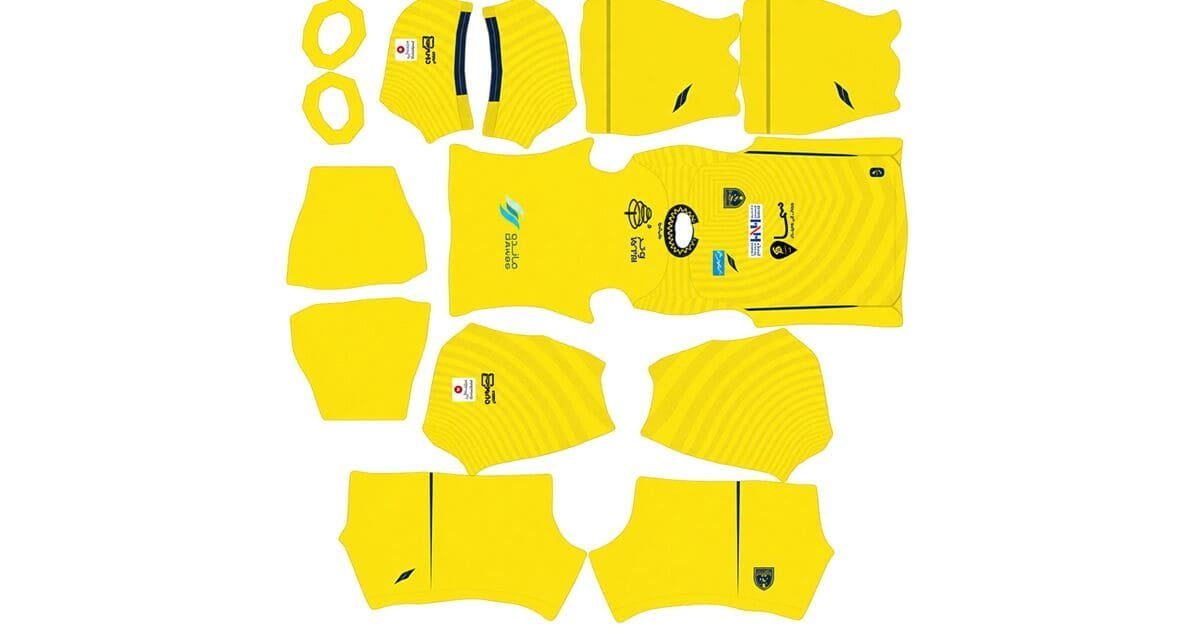
Looking for the Al-Taawoun DLS kits URL for Dream League Soccer 2026/27? This guide brings together the club’s home, away, and third kits, along with a separate continental design, in 512×512 PNG format for easy importing. Each kit link is presented through the copy buttons below.
Al Taawoun Logo
Official Logo 512×512 (2026/27)
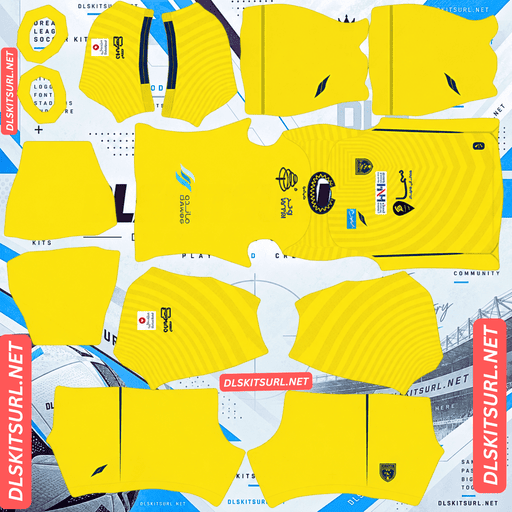
Al Taawoun Home Kit
Home Kit 512×512 (2026/27)
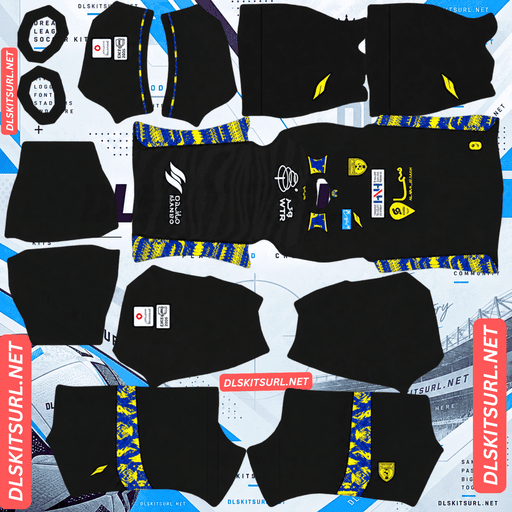
Al Taawoun Away Kit
Away Kit 512×512 (2026/27)
For the 2026/27 season, Al-Taawoun’s kits are attributed to Offside, a Saudi sportswear brand replacing Macron. The three main shirts feature different patterns: diagonal arrows on yellow, chevrons on black, and horizontal pinstripes on light grey. These differences make each design behave differently when resized for Dream League Soccer.
Who Makes Al-Taawoun’s Kits for 2026/27?
Offside is the manufacturer identified for Al-Taawoun’s 2026/27 collection, replacing Macron from the start of the new season.
This change is a useful way to distinguish the current shirts from older designs. If you find an Al-Taawoun kit with Macron branding, check its season before using it, as it may belong to the 2025/26 campaign or an earlier year.
How to Recognise Offside Branding
Offside is also associated with other Saudi Pro League clubs, including Al Shabab and Al-Fateh. Its branding is therefore becoming more familiar among supporters who follow Saudi football.
When selecting a kit, check the manufacturer logo alongside the shirt’s colours, pattern, and club crest. A matching club name alone is not always enough to identify the correct season.
Three Al-Taawoun Kits, Three Different Pattern Challenges
The home, away, and third shirts each use a different graphic style. Although all three patterns are subtle, their shapes and placement create different challenges when the designs are reduced to a 512×512 image.
Kit
Main design
Main challenge
Home
Diagonal arrows on yellow
Keeping the arrows aligned across seams
Away
Chevrons on black
Matching the two halves at the centre
Third
Horizontal pinstripes on light grey
Preserving thin lines across multiple seams
The main difference is not simply the shirt colour. Each pattern relies on a different kind of alignment, and that affects how much detail remains visible after resizing.
Home Kit — Diagonal Arrows on Yellow
The home shirt has a predominantly yellow body, a subtle pattern of diagonal arrows, and dark blue trim. The collar and sleeve cuffs feature a white zigzag detail that adds contrast to the design.
Diagonal patterns can be difficult to reproduce accurately because their position and angle both matter. If a pattern shifts where two panels meet, the arrows may appear to change direction or lose their natural flow.
The repeating arrow motif makes this more noticeable. Unlike an irregular graphic, arrows have a clear direction, so even a small mismatch can stand out.
The yellow base creates another challenge. Since the pattern is tonal and deliberately subtle, there may not be enough contrast to make every arrow visible at DLS resolution.
Away Kit — Black Base With Yellow and Blue Accents
The away shirt uses a black base with a subtle chevron pattern. Yellow and blue accents across the shoulders, side panels, and sleeve cuffs provide the strongest visual contrast.
A chevron consists of two diagonal lines that meet at a point. For the pattern to look continuous, the left and right sides need to align properly along the centre of the shirt.
If the two halves are offset, the chevrons can look like broken steps rather than a connected design. This becomes more noticeable when the pattern is repeated across the shirt.
The black background also makes subtle tonal graphics difficult to distinguish. Because black is already very dark, the pattern needs lighter shades to remain visible. If the difference is too small, the texture can disappear when the image is scaled down.
For that reason, expect the away shirt to appear mostly black, with the yellow and blue accents doing most of the visual work.
Third Kit — Horizontal Pinstripes on Light Grey
The third shirt has a light grey base with subtle horizontal pinstripes, complemented by dark blue trim around the V-neck collar and sleeve cuffs.
This design combines two difficult elements: thin lines and a pattern that must remain consistent across several panels.
Horizontal stripes need to line up across the front and back, around the side seams, and where the sleeves meet the body. If their positions differ between panels, the lines may look broken.
Their narrow width makes the problem more noticeable. In a 512×512 image, a thin stripe may occupy only a small number of pixels. Resizing or compression can soften the lines until they merge into the grey background.
The best way to judge the file is to check the stripe definition before looking at anything else. If the lines appear as a soft grey wash rather than distinct stripes, the pattern has lost much of its detail.
Leeds United’s home shirt offers another example of a design where horizontal pinstripes require careful handling at small resolutions.
Why Does the Al-Taawoun Third Kit Have a La Liga Patch?
Some kit databases reportedly list a La Liga sleeve patch on Al-Taawoun’s 2026/27 third shirt. This detail is unusual because Al-Taawoun compete in Saudi and Asian competitions rather than Spain’s domestic league.
Could the La Liga Patch Be a Template Error?
One possible explanation is that a supplier template retained a sleeve detail from another design. Another possibility is that the patch appears because of an error in a kit database rather than on the actual shirt.
Without confirmation from the club or manufacturer, it is difficult to establish why the patch appears in those listings.
Should You Reject a Kit File With This Patch?
Not automatically. If the file otherwise matches the expected Al-Taawoun colours and design, the patch alone does not prove that the image is incorrect.
However, if you want the most accurate representation of the real shirt, compare the sleeve detail with an official club or manufacturer image before importing it.
The dark blue V-neck collar and sleeve cuffs provide useful visual reference points because they are clear, high-contrast features that should remain recognisable at 512×512 resolution.
Al-Taawoun Has a Fourth Kit for Continental Matches
Alongside the regular home, away, and third shirts, Al-Taawoun have a separate continental home design associated with their AFC Champions League Two campaign.
This gives the collection four designs, although Dream League Soccer generally provides three outfield kit slots and a separate goalkeeper kit slot.
Which Three Al-Taawoun Kits Should You Keep?
The yellow home shirt is a good first choice because it represents the club’s main colours and stands out clearly on the pitch.
The black away shirt is another strong option if you prefer a darker design with bright accents. For the remaining outfield slot, choose the grey third kit or the continental shirt according to your preference.
You can rotate custom designs when needed, provided the relevant slots and import features are available in your game version. Check the in-game requirements before using gems to unlock a custom kit.
How to Check the Quality of an Al-Taawoun Kit File
The subtle patterns on these shirts can make image quality difficult to judge. Instead of relying entirely on the graphics, inspect the contrasting trim and accents first.
Home Kit — Check the White Zigzag
Look at the white zigzag detail on the dark blue collar trim. The sharp contrast between white and navy makes this one of the easiest areas to inspect.
The edges should look clean rather than blurred or heavily pixelated. If this detail is sharp, the file is more likely to preserve the pattern as well as its resolution allows.
Away Kit — Check the Yellow and Blue Accents
On the black away shirt, examine the shoulder details and side panels. The yellow and blue areas should remain clearly separated from the black background.
If these accents look smeared or uneven, the image may have been resized poorly or saved at a lower quality.
Third Kit — Check the V-Neck and Sleeve Cuffs
The dark blue collar and cuffs should stand out clearly against the light grey fabric.
After checking those edges, look closely at the horizontal pinstripes. They should remain distinguishable wherever the source image preserves them.
Confirm the Actual Image Dimensions
Open the direct image URL in a desktop browser and inspect its dimensions. The image should measure 512 pixels wide by 512 pixels high.
Keep in mind that a file can have the correct dimensions and still look blurry if it was enlarged from a smaller source. Dimensions confirm the image size, not necessarily its original quality.
What Number Colours Work Best on Al-Taawoun’s Kits?
Dream League Soccer uses its own kit customisation settings for player numbers. The number colour is not automatically determined by the PNG image you import, so you should choose a suitable colour for each shirt.
Best Number Colour for the Home Kit
Recommended colour: Dark blue.
Dark blue matches the collar and sleeve cuffs and stands out against the yellow body. White and other pale shades may be less readable against the bright background.
Best Number Colour for the Away Kit
Recommended colour: Yellow.
Yellow matches the shirt’s accents and creates strong contrast against black. It is a good choice for keeping player numbers visible during matches.
Best Number Colour for the Third Kit
Recommended colour: Dark blue.
The dark blue trim provides a natural match for the light grey shirt. White numbers may lack sufficient contrast, so a darker shade is the more practical option.
Remember to check the shorts number settings separately, as the shirt and shorts colours may use different swatches.
How Visible Are Al-Taawoun’s Kits on the Pitch?
The main colours have a noticeable effect on how easily players can be identified during a Dream League Soccer match.
Yellow Home Kit — Excellent Visibility
Yellow stands apart from the green grass, making the home shirt easy to recognise at normal gameplay distance. The dark blue trim and white zigzag add further contrast.
Even if the diagonal arrows become difficult to see, the shirt’s overall colour remains distinctive.
Black Away Kit — Strong Contrast
The black away shirt creates a clear silhouette against the pitch. Its yellow and blue accents provide additional points of contrast, helping the design remain recognisable even when the chevron pattern is barely visible.
Light Grey Third Kit — More Subtle Appearance
The grey shirt has a softer appearance than the yellow and black designs. Its neutral colour offers less contrast against some stadium backgrounds, and the horizontal pinstripes may disappear at normal viewing distance.
The dark blue collar and cuffs therefore become especially important in maintaining the shirt’s definition.
How to Tell Whether an Al-Taawoun Kit Is From 2026/27
Before importing a kit, compare its branding and design with the expected details for the current season.
Four Details to Check
Manufacturer: Look for Offside branding rather than Macron on the current-season designs described in this guide.
Home shirt: It should be yellow, with dark blue trim and a white zigzag detail.
Away shirt: It should have a black base with yellow and blue accents across the shoulders and side panels.
Third shirt: Look for the light grey base, horizontal pinstripes, and dark blue V-neck collar.
These features provide a useful starting point when comparing kit files. For confirmation of the exact season and release details, consult official club or manufacturer imagery.
How to Use an Al-Taawoun DLS Kits URL
Importing a kit is straightforward once you have copied the direct image link. The important part is making sure you select the correct slot and use the image URL rather than the address of the page displaying it.
Step 1 — Copy the Kit URL
Use the copy button on the relevant kit card. This should give you the direct image link rather than the address of the article.
Step 2 — Open the Customise Menu
Launch Dream League Soccer and go to My Club → Customise → Kit.
Choose the slot you want to change before importing the image. Selecting the wrong slot may replace a shirt you intended to keep.
Step 3 — Paste and Confirm the Link
Press and hold the import field, select Paste, and confirm the link. Depending on the game version, the confirmation button may say Confirm or Download.
Wait for the import to finish, then check the kit to make sure the colours and pattern display correctly.
Step 4 — Decide Which Kits to Keep
Since Al-Taawoun have three regular outfield designs and an additional continental shirt, decide which designs you want to use before replacing any existing kits.
You can use the yellow home, black away, and grey third as your main collection, then replace one when you want to use the continental design.
The first custom-kit unlock may require gems, depending on your game version and existing unlocks. Check the prompt in the game before spending them.
Test Your Al-Taawoun Kit URL Before Importing
It is worth testing the link in your browser before opening Dream League Soccer.
What a Working Kit Link Should Look Like
Open the copied URL in a new browser tab. A direct image link should display the kit image on its own rather than a webpage with menus, headers, or buttons.
A .png ending is a useful clue, but it does not guarantee that the image is accessible or that it has the correct dimensions.
If the image fails to load, check the copied URL and confirm that the hosting service still has the file available.
Why Do Al-Taawoun DLS Kit URLs Stop Working?
A kit link may work when an article is published but fail later. There are several reasons this can happen.
Free Image Hosts Delete Files
Some free hosting services remove images after periods of inactivity or change their storage policies. If the original image disappears, the link may stop working even though the article remains online.
This can be particularly frustrating when looking for less widely shared kit designs.
Hotlink Protection Blocks External Requests
Some image hosts restrict access from external applications. As a result, an image may open in your browser but fail to load when Dream League Soccer requests it.
The difference comes from how the host handles requests from browsers, websites, and other applications.
The Preview Image Is Different From the Download File
Some websites display a thumbnail while linking to a separate full-size image. If the original download file is moved or deleted, the preview can remain visible even when the link no longer works.
Always test the exact URL you plan to import instead of assuming that a visible preview guarantees a working download.
How to Import the Al-Taawoun Club Badge
The Al-Taawoun badge is imported separately from the kit image. Open the customisation menu and select Logo rather than Kit.
Choose a Badge That Fits the Circular Crop
Dream League Soccer displays the crest inside a circular area. A logo with a little space around its edges is easier to position than one cropped tightly around the artwork.
Arabic lettering and fine details may become less readable at the small size used in matches. The main colours and central design are usually the most recognisable elements at that distance.
Check that the crest belongs to the correct Al-Taawoun team before importing it.
How to Keep Your Al-Taawoun DLS Kits Safe
Custom kits and badges may be stored locally on your device, depending on your game version and save system. Reinstalling the game or changing phones can mean you need to import them again.
Save Your Kit URLs and Image Files
Keep the home, away, third, continental, and badge links in a notes app or another safe location. If a custom image disappears, you will have the original URL available for another attempt.
If you have permission to retain the original PNG files, saving local copies can also help if an image host removes a link.
Keeping a backup is a simple way to avoid searching for the same designs again later.
Frequently Asked Questions
What Is an Al-Taawoun DLS Kits URL?
An Al-Taawoun DLS kits URL is a direct link to a shirt image that can be imported into Dream League Soccer. A 512×512 PNG is commonly used for custom kits.
Who Makes Al-Taawoun’s 2026/27 Kits?
The kits covered in this guide are attributed to Offside, which replaced Macron for the 2026/27 season. Check the branding and design details when comparing current kits with older versions.
Why Does My Al-Taawoun Away Kit Look Plain Black?
The away shirt has a subtle chevron pattern on a black background. Because the tonal difference is small, the pattern may become difficult to see after resizing. The yellow and blue accents provide most of the visible detail.
Why Are the Pinstripes on the Al-Taawoun Third Kit Difficult to See?
The third shirt uses thin horizontal lines on a light grey base. These lines can lose definition when resized to 512×512 pixels, particularly where the shirt panels meet.
Why Does the Al-Taawoun Third Kit Have a La Liga Patch?
Some kit databases reportedly list a La Liga patch on the third shirt, although its presence is unusual for a Saudi club. It may be a template carry-over or a catalogue error. Check official imagery if you need to confirm the real shirt’s sleeve details.
How Many Kits Does Al-Taawoun Have for 2026/27?
The collection described here includes four designs: home, away, third, and a separate continental home kit associated with the AFC Champions League Two campaign.
How Can I Check the Quality of an Al-Taawoun Kit File?
Inspect the white zigzag on the home shirt’s dark blue collar, the yellow and blue accents on the away shirt, and the dark blue V-neck on the third shirt. These contrasting details are easier to assess than the subtle patterns.
What Number Colour Works Best on the Al-Taawoun Home Kit?
Dark blue is a good choice because it matches the collar and cuffs while standing out against the yellow shirt.
Can I Use the Continental Al-Taawoun Kit in DLS?
You can use it as a custom kit if the image meets the game’s import requirements and the URL is accessible. Depending on your available slots, you may need to replace another outfield design.
Why Does My Al-Taawoun Kit URL Work in a Browser but Not in DLS?
The hosting service may restrict requests from external applications, or the link may point to a preview rather than a directly accessible PNG. Test the exact URL and use a host that allows direct image access.
Will I Lose My Al-Taawoun Custom Kits if I Reinstall DLS?
Custom kits and badges may not transfer automatically after reinstalling the game or changing devices. Save your links and any original image files so you can import them again if necessary.