
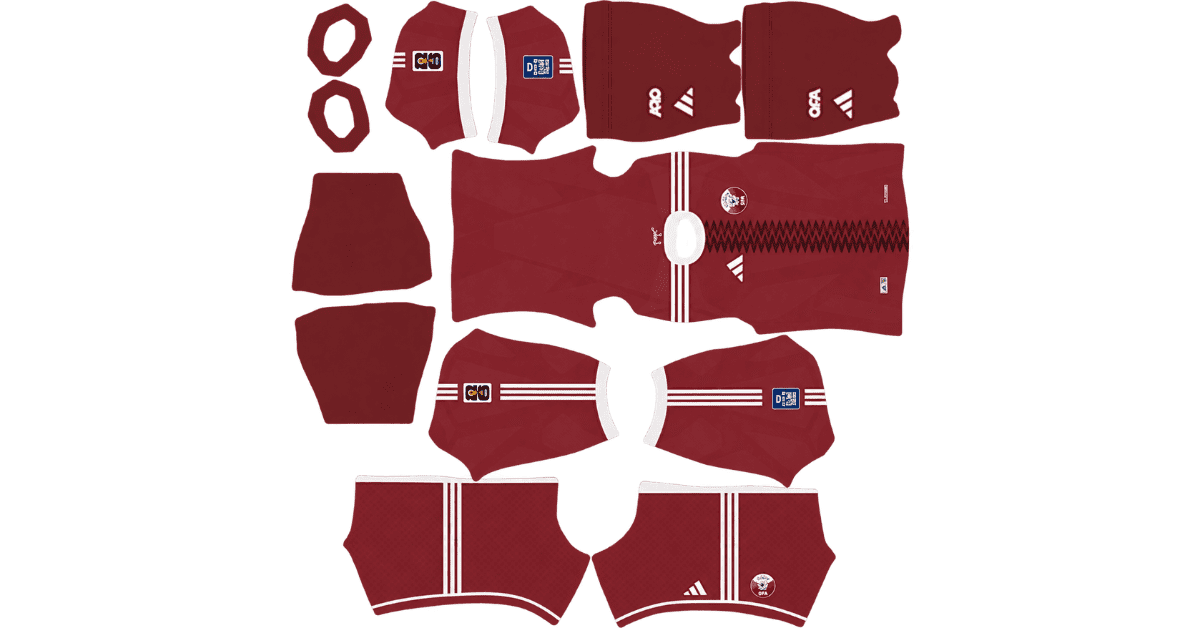
A Qatar DLS kits URL gives you a direct link to a 512×512 PNG of an Al Annabi shirt that you can import into Dream League Soccer. Both kits are listed below, and each image has been loaded into the game before being added to this page.
Qatar Logo
Official Logo 512×512 (2026/27)
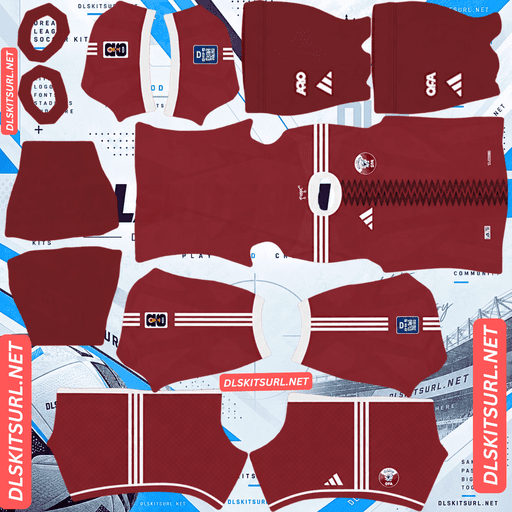
Qatar Home Kit
Home Kit 512×512 (2026/27)
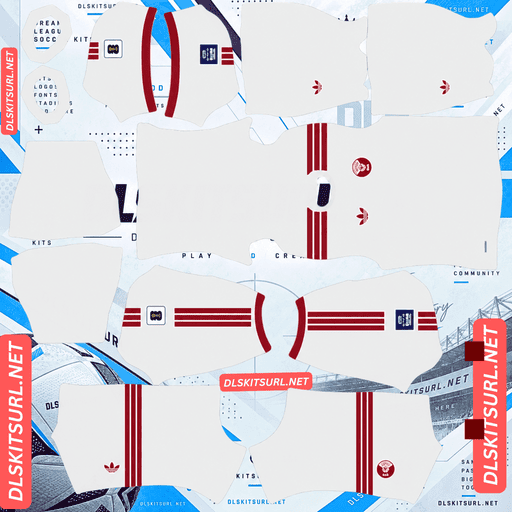
Qatar Away Kit
Away Kit 512×512 (2026/27)
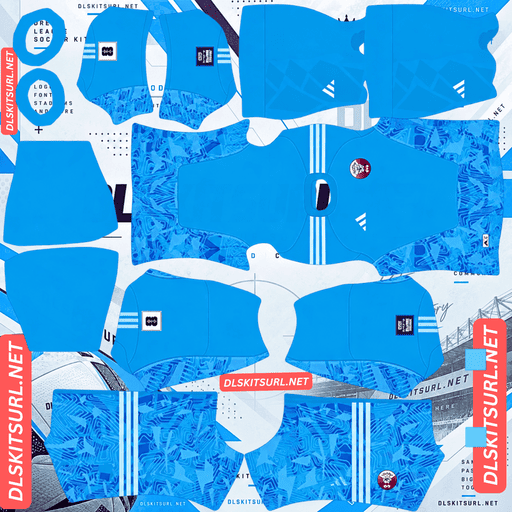
Qatar GK Home Kit
GK Home Kit 512×512 (2026/27)
Adidas designed the shirts around two defining parts of Qatar’s identity: its national flag and its desert landscape. However, one design holds up much better than the other when imported into DLS.
Qatar’s 2026 Kits
Both shirts are made by Adidas. The home kit was unveiled on 6 November 2025, followed by the away kit on 21 March 2026.
Home Kit — Inspired by the Qatari Flag
The home shirt features a rich maroon base, Qatar’s signature national colour. Running down the centre is a zig-zag serrated graphic inspired by the nine-point serration of the Qatari flag.
A white crew-neck collar, white Adidas three stripes and matching white sleeve cuffs complete the design.
Away Kit — Inspired by Desert Dunes
The away shirt uses a white base with maroon detailing. According to the Qatar Football Association, its design takes inspiration from the country’s desert dunes.
Compared with the bold home shirt, the away kit has a lighter, more understated appearance. Its desert-inspired graphics add character to the original design, although those details are harder to preserve in a game-ready image.
Which Qatar Kit Looks Better in DLS?
The home kit performs better, mainly because its central pattern is easier to preserve at 512×512 resolution.
Kit
Main Pattern
DLS Result
Home
Serrated graphic running down the centre
Holds up well because the pattern runs vertically
Away
Desert-dune graphics on a white background
Details fade because the colours have little contrast
Home Kit — Why the Vertical Pattern Works
The home shirt’s serrated graphic runs vertically down the centre of the body. That makes it relatively forgiving when the design is transferred onto the DLS kit template.
A vertical element mainly needs to align with the centre line of the shirt. Horizontal bands can require matching across several areas, while diagonal designs need careful alignment of both their position and angle wherever they cross seams.
The home kit also benefits from strong contrast between maroon and white. Its white collar, Adidas stripes and sleeve cuffs remain easy to distinguish because they use clean, solid colours rather than subtle textures.
Check the white Adidas stripes when judging the image quality. If their edges look crisp, the file has enough detail for the central serrated graphic to remain clear as well.
Away Kit — Why the Desert Pattern Fades
The away shirt’s dune graphics sit on a white background, making them difficult to distinguish once the image is reduced to the resolution used by DLS.
Pale graphics against a pale background are particularly vulnerable to disappearing during import. Similar problems affect England’s jacquard home design, Tunisia’s feather graphics, Iran’s pale cheetah pattern and Al-Faisaly’s dotted away shirt.
Expect the Qatar away kit to appear mostly white with maroon detailing. It will still look recognisably like Qatar’s away shirt, but much of the desert-inspired texture may be lost.
When checking the imported image, focus on the maroon elements. They provide the strongest contrast and are the easiest details to judge at a glance.
Why the Arabic Script on Qatar’s Shirt Back Disappears
Qatar’s shirts feature Arabic script across the upper back, but you should not expect the lettering to remain visible in Dream League Soccer.
The game draws squad numbers across the upper-back area. Depending on how the kit image was prepared, the number may cover the lettering, overlap it awkwardly or appear against a plain back if the script was never included in the file.
This is a normal limitation, not necessarily a problem with your kit URL. The lettering was designed to be viewed on a real shirt, while DLS places its own numbers over the same area.
Arabic script also contains fine details that need more resolution than a small kit texture can reliably preserve. Even without overlapping numbers, the letterforms may become difficult to read.
The same limitation applies to Al-Fateh’s embossed Arabic script, Genoa’s Union Jack, Augsburg’s lettering and Grêmio’s commemorative numerals.
For the clearest result, choose a strong, high-contrast number colour so your squad numbers remain readable against the shirt.
Qatar’s Campaign at the 2026 World Cup
Qatar entered its second FIFA World Cup after hosting the tournament in 2022. This time, the team competed in Group B alongside Switzerland, Canada and Bosnia and Herzegovina.
Qatar opened its campaign with a 1–1 draw against Switzerland on 13 June. It was the team’s only point of the tournament, with Switzerland conceding an own goal in the fourth minute of stoppage time.
The next match ended in a 6–0 defeat to Canada on 18 June. The result gave Canada its first-ever World Cup victory and represented the largest winning margin by a nation outside UEFA or CONMEBOL in World Cup history.
Qatar then lost 3–1 to Bosnia and Herzegovina on 24 June, bringing its group campaign to a close.
The team finished bottom of Group B with one point and a goal difference of minus eight. Qatar was among the sixteen teams eliminated during the group stage.
Build Your Group B Collection
Group B is well represented on this site, with kit pages available for Switzerland, Bosnia and Herzegovina and Canada. You can use them alongside Qatar’s kits to build a collection of all four teams from the same group.
Switzerland progressed to the quarter-finals, reaching that stage for the first time since 1954.
What Number Colours Work Best on Qatar’s Kits?
Dream League Soccer uses two small colour swatches in the kit template to determine the colours of your shirt numbers and shorts numbers. These settings are separate from the colours shown in your imported image.
Home kit: Use white numbers to match the collar, Adidas stripes and sleeve cuffs. White stands out clearly against the maroon shirt.
Away kit: Use maroon numbers to match the shirt’s detailing. White numbers on a white shirt can disappear almost completely.
Remember to set the shirt and shorts number colours separately. Importing the kit image does not automatically configure both settings to match the design.
How Visible Are Qatar’s Kits on the Pitch?
The maroon home kit is the stronger option for on-pitch visibility.
Players appear relatively small during a DLS match, so a kit’s visibility depends partly on how clearly its main colour contrasts with the grass.
Maroon is a deep red that stands apart from the green pitch. The home shirt’s white collar, stripes and cuffs also help define the player’s silhouette.
The away kit’s white base remains easy enough to see, but it does not provide the same strong contrast against every background. Since the desert graphics may disappear during import, the maroon detailing becomes especially important for preserving the shirt’s identity.
How to Check Whether a Qatar Kit URL Is Current
Use these four details to check whether a Qatar kit image matches the 2026 designs:
Adidas branding, not Nike: Adidas makes the kits for this cycle.
A maroon home shirt with a central serrated zig-zag: The graphic should be inspired by the Qatari flag.
White home-kit details: The collar, Adidas three stripes and sleeve cuffs should be white.
A white away shirt with maroon detailing: The original design should also feature graphics inspired by desert dunes.
These checks help distinguish the current designs from older Qatar shirts and inaccurate kit recreations.
How to Use a Qatar DLS Kits URL
To import a Qatar shirt, copy the direct image link using the button on the kit card. Avoid copying the page address from your browser, because that usually points to the webpage rather than the PNG itself.
Follow these steps:
Open Dream League Soccer.
Go to My Club.
Select Customise.
Open Kit, not Logo. These are separate customisation options.
Choose the kit slot you want to replace.
Press and hold the URL field, then tap Paste.
Select Confirm. Some older versions may label the button Download instead.
Choose the correct slot before importing the link. The kit currently selected is the one that will be replaced.
Adidas released a home and an away shirt, leaving the third custom-kit slot available. Qatar’s 2022 World Cup shirt is an obvious choice for that slot because the team wore it while hosting the tournament. DLS can accept any working 512×512 kit URL, regardless of the age of the design.
The first custom kit requires a one-time gem unlock. Once that feature is unlocked, changing your imported kits does not cost additional gems.
Test Your Qatar Kit URL Before Importing It
Open the URL in your browser before pasting it into the game. A working direct image link should display the shirt on its own, and the address should end in .png.
If you see a webpage with buttons, navigation or other content surrounding the shirt, you probably have a viewer page rather than a direct image URL. Dream League Soccer needs the image file itself.
On a computer, you can right-click the image and select the option to open it in a new tab. Check the image dimensions reported by your browser if that information is available.
Do not rely on the filename alone. A file named 512×512.png is not necessarily a genuine 512×512 image.
Why Do Qatar DLS Kit URLs Stop Working?
Kit links can stop working for several reasons, and not all of them are immediately obvious.
Free image hosts may delete old uploads. Some services remove files that have not been used for months or years. The original URL may still look correct even though the image no longer exists.
Hotlink protection can block the game. Some image hosts allow an image to load when you open it directly in a browser but refuse requests coming from another application. This explains why a link can work in your browser and still fail when pasted into DLS.
The preview image may differ from the linked file. Some webpages display a thumbnail stored on their own server but provide a URL pointing to an image hosted elsewhere. The preview can remain visible even after the actual image link stops working.
For the most reliable import, the shirt shown on the kit card and the image URL you copy should point to the same file on the same server.
How to Import the Qatar Football Association Badge
You can add the Qatar Football Association crest during the same customisation session. Follow the same menu path, but select Logo instead of Kit.
The QFA badge features Qatar’s national colours, maroon and white, along with its distinctive serrated division. This echoes the nine-point serration that inspires the graphic on the home shirt.
Dream League Soccer crops imported badges into a circular shape. Choose an image with enough clear space around the complete crest so that its edges are not cut off during cropping.
The maroon-and-white design helps the badge remain recognisable at the small size used beside the match score. Any Arabic script around the crest may become softer or less readable, but that is a normal consequence of the game’s small display size.
How to Keep Your Qatar Kits Safe
Custom kits are stored on your device rather than being permanently attached to your account. Updating the game will usually preserve them, but reinstalling the app or moving to a new phone may mean importing the kits again. Your custom badge can be lost in the same way.
Before making changes, save both kit URLs and the badge URL in a notes app. If you reinstall the game or change devices, you can copy the links again without having to search for the files.
Frequently Asked Questions
What is a Qatar DLS kits URL?
A Qatar DLS kits URL is a direct link to a 512×512 PNG of an Al Annabi shirt that you can import through Dream League Soccer’s Kit menu. A working direct image link should end in .png.
What is the pattern on the Qatar home kit?
The Qatar home kit has a zig-zag serrated graphic running down the centre of its maroon shirt. The design is inspired by the nine-point serration of the Qatari flag and is finished with a white crew collar, white Adidas stripes and white sleeve cuffs.
Why does my Qatar away kit look plain white?
The away kit’s desert-dune graphics sit on a white background. Because the colours have very little contrast, the pattern is one of the first details that may disappear when the image is reduced to the resolution used by DLS.
Will the Arabic script on the back of Qatar’s shirt show up?
Usually not. The script sits in the upper-back area where Dream League Soccer draws squad numbers, and the fine details of Arabic lettering are difficult to preserve at the resolution used for kit textures.
Which Qatar kit works better in DLS?
The home kit generally works better because its serrated graphic runs vertically down the centre of the shirt, making alignment easier. The contrast between maroon and white also helps the design remain clear after import.
How did Qatar perform at the 2026 World Cup?
Qatar finished bottom of Group B with one point. The team drew 1–1 with Switzerland, lost 6–0 to Canada and then suffered a 3–1 defeat against Bosnia and Herzegovina.
Who makes Qatar’s 2026 kits?
Adidas makes Qatar’s 2026 kits. The maroon home shirt was unveiled on 6 November 2025, while the white away shirt was unveiled on 21 March 2026.
What number colour works best on the Qatar away kit?
Maroon is the best choice because it matches the shirt’s detailing and stands out against the white background. White numbers on a white shirt can be difficult or impossible to see.