
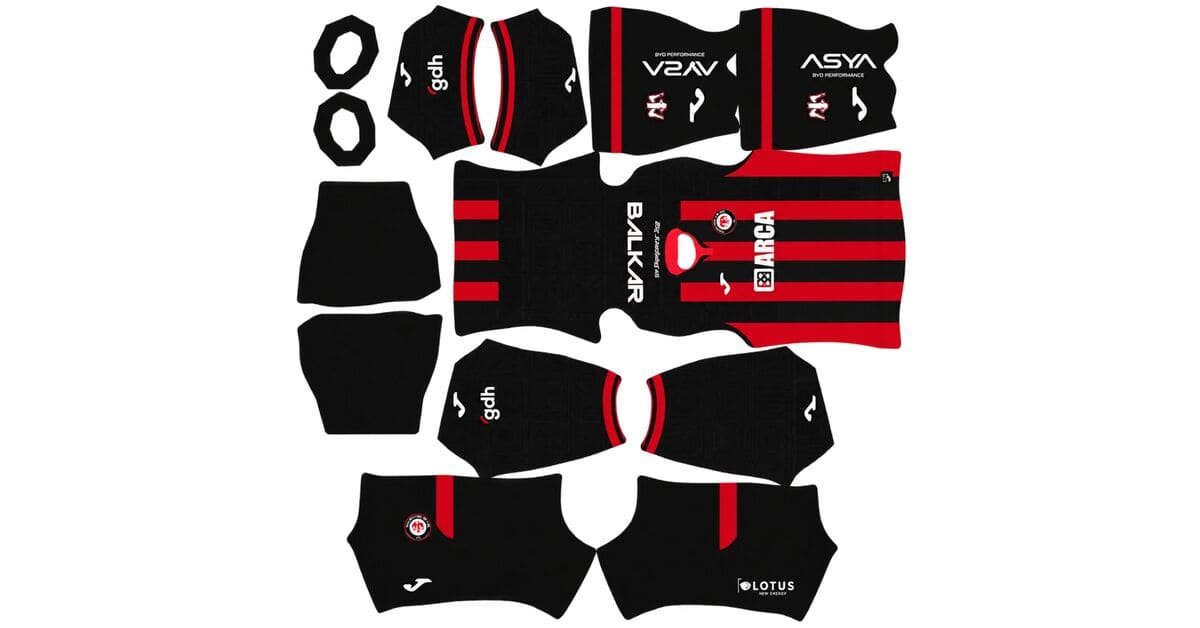
A Çorum FK DLS kits URL is a direct link to a 512×512 PNG Arca Çorum shirt that you can paste into Dream League Soccer. All four kit slots are listed below, and each image has been loaded into the game before publication.
Çorum FK Logo
Official Logo 512×512 (2026/27)
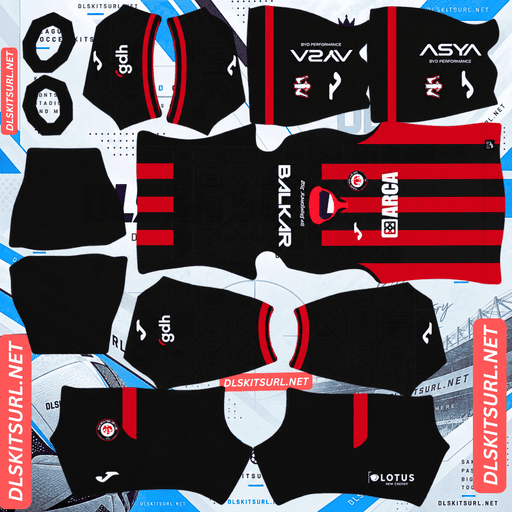
Çorum FK Home Kit
Home Kit 512×512 (2026/27)
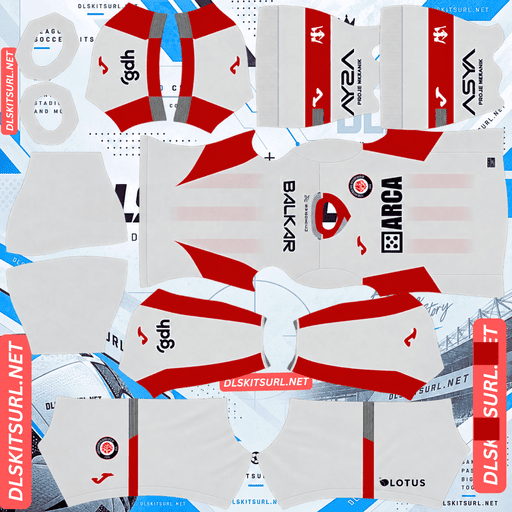
Çorum FK Away Kit
Away Kit 512×512 (2026/27)
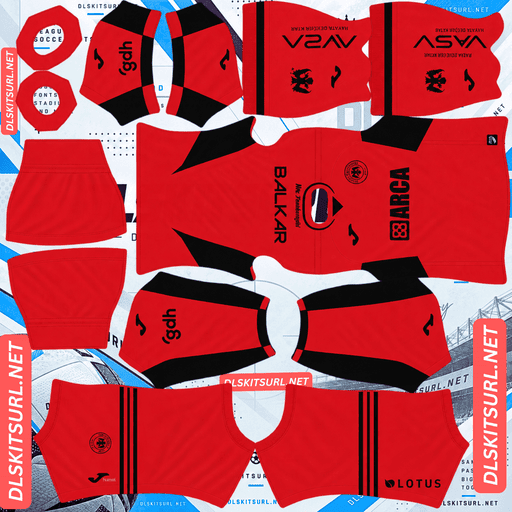
Çorum FK Third Kit
Third Kit 512×512 (2026/27)
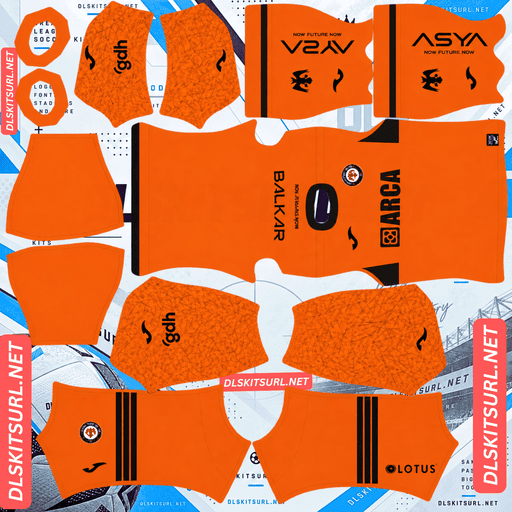
Çorum FK GK Home Kit
GK Home Kit 512×512 (2026/27)
Joma’s home design is built around two key elements: red-and-black vertical stripes, which reproduce well at almost any resolution, and a symbol dating back thousands of years, which may not survive the same process as clearly.
The Hittite Sun Is the Detail to Check
Çorum’s home shirt features the Hitit Güneşi, or Hittite Sun Disc, a symbol rooted in the region’s ancient history and associated with the fighting spirit of the city.
This is more than a decorative detail. Çorum province is home to Hattusa, the former capital of the Hittite Empire and a UNESCO World Heritage Site. The Hittite Sun Disc is also a symbol of the city itself. The kit launch centred on the club’s motto, “BİZ ANADOLUYUZ” — meaning We are Anatolia.
Why the Hittite Sun Can Lose Its Detail at 512×512
The Hittite Sun is a circular emblem with radiating spokes: a central disc surrounded by thin bars that fan outward.
That design makes it particularly vulnerable to image compression. Large graphics often retain their outlines because their main shapes occupy plenty of pixels. The Sun Disc may be large overall, but much of its detail comes from thin radiating lines. Those lines can merge into the surrounding colours even when the complete symbol takes up a substantial area of the shirt.
In other words, size only solves part of the problem. The circular outline may remain visible while the spokes inside it become indistinct.
The Result Depends on How Joma Applied the Symbol
Descriptions of the shirt identify the Hittite Sun as part of the design but do not specify exactly how it appears on the fabric. That distinction matters when recreating the kit in DLS.
Large printed chest graphic: The circular outline should remain visible, although the spokes may lose definition.
Tonal detail incorporated into the stripes: Expect considerably less of the symbol to remain visible.
Small repeated motif: The details are unlikely to survive at the game’s rendering size.
Open the home-kit image at full size and inspect the symbol before importing it. If the Sun Disc is clearly visible in the flat image, it has a better chance of remaining recognisable in the game. If you already have to search for it at full size, it is unlikely to become clearer after import.
Why the Red-and-Black Stripes Should Reproduce Well
The good news is that the main shirt design is much easier to recreate.
Red-and-black vertical stripes are an excellent match for Dream League Soccer’s kit system.
Simple alignment: Vertical stripes mainly need to line up along the centre of the body.
Strong colour contrast: Red and black are distinct colours rather than subtle variations of the same shade.
Wide bands: The stripes have enough pixels to remain recognisable after compression.
Almost any decent-quality image should produce a convincing Çorum home shirt, even if the Hittite Sun loses some of its finer details.
Four Red-and-Black Clubs, One Important Difference
This site now covers four clubs with red-and-black striped shirts. Comparing their designs shows why stripe direction matters when importing kits into DLS.
Club
Stripe direction
Reproduction difficulty
Çorum FK
Vertical
Forgiving
Flamengo
Vertical
Forgiving
Atlético Mineiro
Vertical
Forgiving
Vitória
Horizontal
Three alignment points
The colour palette, contrast and stripe width may be similar, but horizontal stripes are more demanding to reproduce correctly.
A horizontal band must align across the front, around both side seams and onto the sleeve. Vertical stripes have a simpler alignment requirement. That difference can make one design much harder to reproduce despite using the same two colours.
Four Kits, Three Outfield Slots
Çorum FK’s 2026/27 collection contains four shirts: home, away, third and fourth.
Dream League Soccer provides three outfield kit slots — home, away and third — alongside a goalkeeper slot. That means you cannot use all four outfield designs simultaneously in the standard setup.
The home kit is the natural first choice. Its red-and-black stripes represent the club’s identity and are also among the easiest elements of the collection to reproduce accurately.
Choose your preferred two additional shirts for the remaining outfield slots. You can rotate the fourth design into a slot later, and once you have unlocked custom kits for the first time, changing them does not cost additional gems.
Where the “BİZ ANADOLUYUZ” Motto May Appear
The club’s motto played an important role in the kit launch. If the wording appears on the shirt itself, its position can affect how much of it remains visible in Dream League Soccer.
Upper Back
The upper back is a difficult location because DLS places squad numbers in this area. Depending on the shirt design and number placement, the wording may be covered, overlapped or omitted from the imported image.
Inside the Collar
Interior collar details are even more difficult to reproduce. The standard kit template does not map the inside surface of a collar, so lettering printed there cannot be imported as a visible detail.
For the best result, choose a strong, high-contrast number colour so the squad number remains readable regardless of any lettering or pattern behind it.
Honduras’ federation lettering, Al-Fateh’s Arabic script, Juventude’s founding year and Leverkusen’s “WERKSELF” all face similar challenges this season.
Which Number Colours Work Best on Çorum FK Kits?
Dream League Soccer determines number colours using two small swatches in the kit template, rather than reading the colours from the imported image. One controls shirt numbers and the other controls shorts.
Use these settings as a starting point:
Home: Choose white. Red or black numbers would blend into parts of the striped design.
Away and third: Match the numbers to the shirt’s trim colour, while avoiding colours that disappear into the main background.
Set the shirt and shorts swatches separately. This helps keep both sets of numbers visible during matches.
How Visible Is Çorum FK’s Home Kit on the Pitch?
The home kit should be highly visible, making it one of the more practical designs to use in the Süper Lig.
Dream League Soccer renders players at a relatively small size, so visibility depends on how strongly the shirt colours contrast with the grass.
Red and black are both visually distinct from the green pitch. The alternating stripes also create internal contrast, making the player easier to distinguish than a solid shirt in either colour might be.
You are not looking at one flat block of colour. The striped pattern helps Çorum’s players remain identifiable from a distance, much like Flamengo and Vitória.
Çorum FK or Arca Çorum FK? Understanding the Name
The club appears under both names: Çorum FK and Arca Çorum FK, with Arca included as a sponsorship addition.
Turkish coverage also uses the nickname kırmızı-siyahlılar, which translates to the red-and-blacks.
If your search for a kit image returns few results, try the alternative name as well. This can be particularly useful for a club in its first top-flight season, when fewer kit files may be circulating online.
How to Tell If a Çorum FK Kit File Is Current
Before importing a shirt, check these four details to distinguish the 2026/27 collection from older designs.
Joma branding: All four shirts should carry Joma branding.
The home design: Look for red-and-black vertical stripes, accompanied by matching red-and-black shorts and socks.
The Süper Lig badge: The current-season shirt should show the Süper Lig badge rather than the TFF 1. Lig badge, following Çorum’s promotion.
The Hittite Sun: Look for the Hitit Güneşi on the home shirt, as it is the collection’s signature element.
These details are more reliable than the club name in a file’s filename alone.
How to Use a Çorum FK DLS Kits URL
Use the Copy URL button on the kit card rather than copying the address from your browser’s address bar. The browser address usually points to the webpage, not the actual shirt image.
Follow these steps to import the kit:
Open Dream League Soccer.
Tap My Club.
Select Customise.
Open Kit, not Logo. The Logo section is used for the club badge.
Select the slot you want to replace before pasting.
Press and hold the URL field and tap Paste.
Tap Confirm to import the image. Older game versions may call this button Download.
Make sure you have selected the correct slot first, because the selected slot is the one that gets replaced.
Çorum’s collection has four designs but only three outfield slots, so decide which shirts you want to use before starting. The goalkeeper occupies the fourth slot, so remember to customise that kit instead of leaving the default design.
The first custom kit requires a one-time gem unlock. After the feature is unlocked, you can change kits without paying additional gems.
Test the Kit URL Before Importing
Open the link in your browser before using it in the game. A valid direct image URL should display the shirt on its own, with the address ending in .png.
If you see a webpage containing headings, buttons or other elements around the image, you may have copied a viewer page rather than the direct image link. Dream League Soccer needs access to the image itself.
On a computer, you can right-click the image and open it in a new tab to check its dimensions. A filename that claims to be 512×512 does not prove that the image actually has those dimensions.
Why Do Çorum FK Kit URLs Stop Working?
There are three common reasons a DLS kit URL may stop working. Newly promoted clubs can be especially vulnerable to the first problem.
Free Image Hosts Delete Files
Free image-hosting services sometimes delete uploaded files. There may be fewer people maintaining kit uploads for a club in its first top-flight season, making it more likely that older links will disappear.
The URL may still look correct, but the image itself no longer loads.
Hotlink Protection Blocks the Game
Some image hosts enable hotlink protection, which prevents other websites or apps from requesting images directly.
As a result, a link might open successfully in your browser but fail when pasted into Dream League Soccer. The browser can display the image while the game’s request is refused by the hosting service.
The Preview and the Direct Link Point to Different Files
Some kit pages display a thumbnail hosted on their own server while the supplied URL points to an image stored elsewhere.
That can leave the preview working even after the actual image link has stopped working.
Here, the shirt preview and the URL you copy refer to the same image file on the same server, avoiding that particular mismatch.
Adding the Çorum FK Badge
You can import the club crest during the same customisation session. Follow the same menu path, but select Logo instead of Kit.
Dream League Soccer crops imported badges into a circle, so choose a file with enough space around the full crest rather than one trimmed tightly to the artwork.
Any Turkish lettering around the badge may become less distinct when displayed beside the score at the game’s small rendering size. This does not necessarily mean your image file is faulty. The red-and-black colour arrangement remains a strong visual identifier and complements the home shirt.
If the badge includes the Hittite Sun, the same limitation applies: the circular outline may remain visible, while the fine radiating spokes become less distinct at smaller sizes.
How to Keep Your Çorum FK Kits
Custom kits are stored on your device rather than permanently linked to your account. Game updates usually preserve them, but reinstalling the game or switching phones may mean importing the kits and badge again.
With four designs, two versions of the club’s name and a first Süper Lig season to keep track of, finding the right files later can take longer than expected.
Before importing the shirts, save every kit URL in a notes app, including the design you decide not to use. That way, you can switch kits later without having to search for the images again.
Frequently Asked Questions
What is a Çorum FK DLS kits URL?
A Çorum FK DLS kits URL is a direct link to a 512×512 PNG shirt that you can paste into Dream League Soccer’s kit screen. A working direct image URL ends in .png.
What is the symbol on Çorum FK’s home kit?
The symbol is the Hitit Güneşi, or Hittite Sun Disc. It is associated with Çorum’s history and identity. The province contains Hattusa, the former capital of the Hittite Empire and a UNESCO World Heritage Site.
Will the Hittite Sun remain visible in DLS?
Some of its detail may be lost. The emblem has a circular outline and thin radiating spokes, and those fine lines can merge into flat colours at 512×512 resolution. The circle is more likely to remain recognisable than the smaller details inside it.
Are red-and-black stripes easy to reproduce in DLS?
Yes. Vertical red-and-black stripes are relatively easy to reproduce because they have clear colour contrast, wide bands and simple alignment requirements. A good-quality file should produce a convincing result.
Why are Vitória’s red-and-black stripes harder to reproduce than Çorum’s?
Vitória’s stripes run horizontally, so the bands must align across the front, around the side seams and onto the sleeves. Çorum’s vertical stripes have a simpler alignment requirement, making them more forgiving.
How many kits does Çorum FK have for 2026/27?
Çorum FK’s collection contains four shirts: home, away, third and fourth. All four are made by Joma, but Dream League Soccer provides only three standard outfield kit slots.
Is the club called Çorum FK or Arca Çorum FK?
Both names are used. Arca is a sponsorship addition, while the Turkish nickname kırmızı-siyahlılar means the red-and-blacks.
Who makes Çorum FK’s kits?
Joma makes the club’s 2026/27 kits. This is Çorum FK’s first season in the Süper Lig following promotion.