
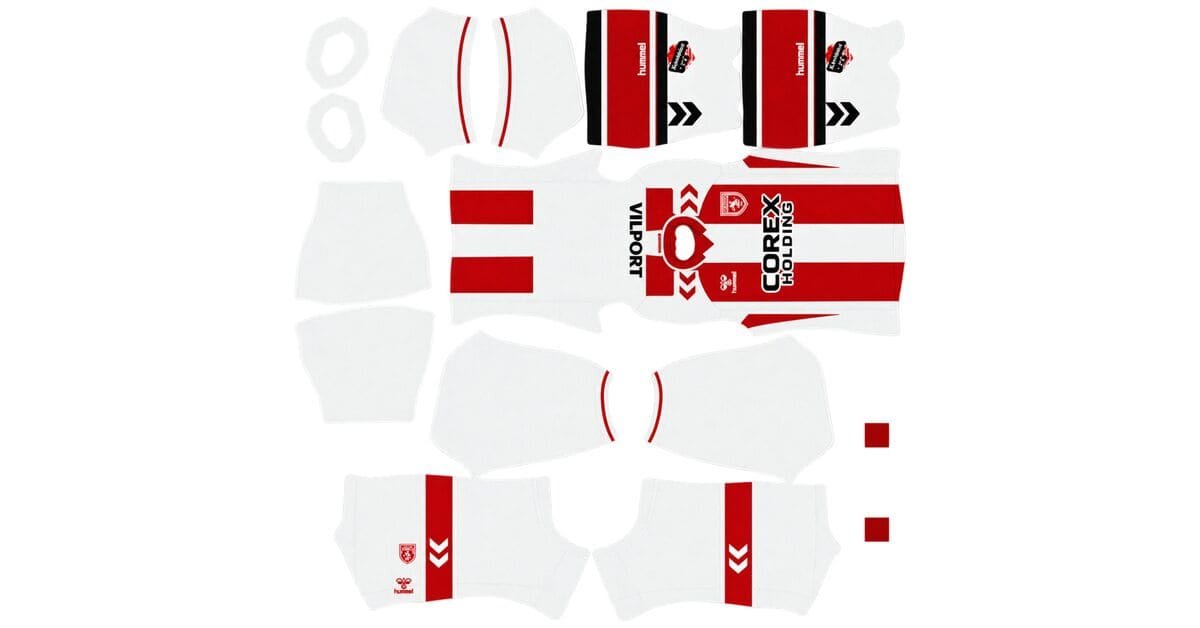
A Samsunspor DLS kits URL is a direct link to a 512×512 PNG shirt that you can import into Dream League Soccer. Below, you’ll find all four kit slots, with each image loaded into the game before being added to this page.
Samsunspor Logo
Official Logo 512×512 (2026/27)
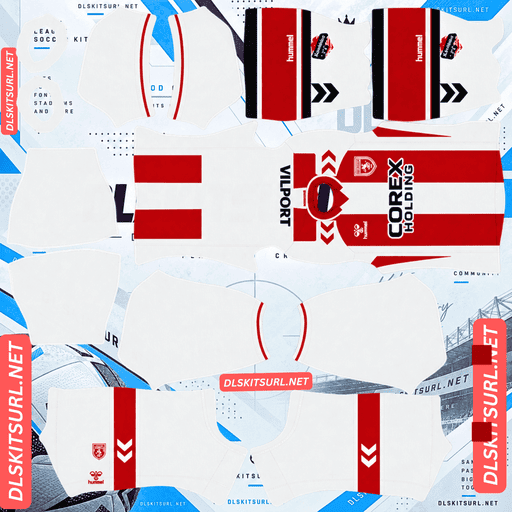
Samsunspor Home Kit
Home Kit 512×512 (2026/27)
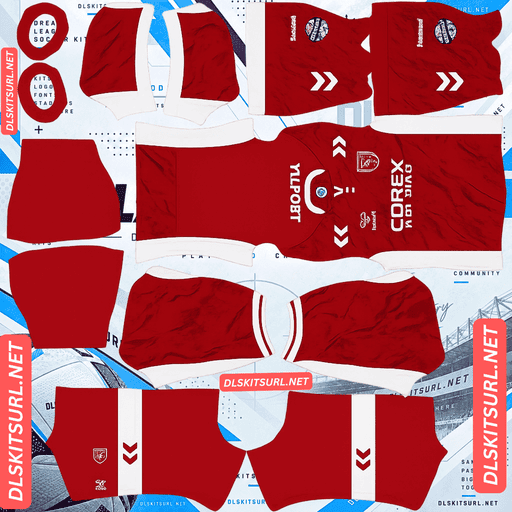
Samsunspor Away Kit
Away Kit 512×512 (2026/27)
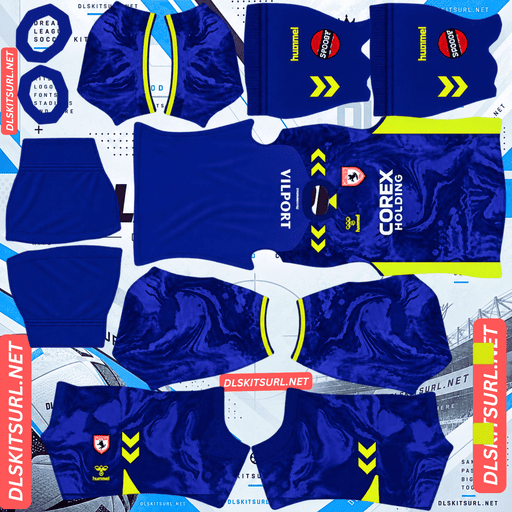
Samsunspor GK Home Kit
GK Home Kit 512×512 (2026/27)
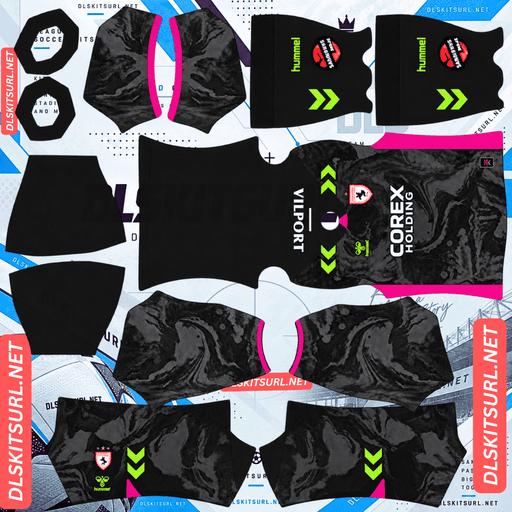
Samsunspor GK Away Kit
GK Away Kit 512×512 (2026/27)
For the 2026/27 season, Hummel has produced two Samsunspor shirts that are very different in terms of how easily they work in DLS. They share the same club colours and manufacturer, but their designs create completely different challenges when fitted to the in-game player model.
Two Samsunspor Shirts, Two Very Different Levels of Difficulty
The main difference comes down to the direction of the design. The home kit features vertical red stripes, while the Legend Retro has a horizontal three-colour chest band. That small structural difference has a big impact on how accurately each shirt needs to be aligned.
Home kit: Vertical red stripes on a white base, with one main alignment point.
Legend Retro: A horizontal red, white and black chest band, with three alignment areas and four parallel boundaries to keep in place.
Why the Home Kit Is One of the Easiest to Import
The Samsunspor home shirt features vertical red stripes over a white base, plain white sleeves and red sleeve cuffs. It was released under the slogan “We Are Samsun.”
Several details make this design particularly forgiving in Dream League Soccer.
First, the vertical stripes meet at one main alignment area: the centre line of the shirt. There are no multiple horizontal sections that need to match across the front, sides and back.
Second, red and white provide strong contrast. The colours remain easy to distinguish, even when the image is compressed or the player appears small on screen.
Finally, the sleeves are plain white. On many striped shirts, the pattern continues onto the sleeves, creating another area where the design can become misaligned. Samsunspor avoids that extra complication.
As a result, the home kit is one of the most forgiving files to work with. A good-quality image should produce a convincing result without requiring complicated alignment adjustments.
Why the Legend Retro Is Much Harder to Reproduce
The Legend Retro is a special shirt inspired by Samsunspor’s 1976 era. It has a white base with a bold horizontal chest band in red, white and black. The same three-colour design also appears on the collar and sleeve cuffs.
The challenge is getting that band to line up correctly on the player model.
A horizontal design must match across three main areas: the front panel, the back panel around the side seams, and the points where the sleeves begin. If the band sits at different heights in any of these areas, the mismatch becomes immediately visible.
The three-colour band also has four parallel boundaries to preserve:
The top edge of the band.
The transition from red to white.
The transition from white to black.
The bottom edge of the band.
Each boundary must remain correctly positioned across all three alignment areas. This creates more opportunities for visible errors than the simpler home design.
How to Check the Legend Retro After Importing
A flat PNG can look perfect in a browser but reveal problems once Dream League Soccer wraps it around the player’s body. For that reason, checking the image alone is not enough.
After importing the Legend Retro, inspect the player from the side and the back. Make sure:
The chest band continues at the same height where the front and back panels meet.
All four boundaries remain parallel.
The red, white and black sections maintain consistent proportions around the shirt.
The band aligns correctly where the sleeves begin.
The white base makes mistakes easier to spot. Red and black stand out strongly against white, so a misaligned section will be obvious rather than hidden by similar shades.
Where Samsunspor Fits on the DLS Kit Alignment Scale
Looking at other kits featured on this site helps explain why these two Samsunspor designs sit at opposite ends of the difficulty scale.
Vertical stripe — Samsunspor home: One main alignment area, with the position of the stripes being the main concern.
Two-colour vertical stripe — Lyon home: Three boundaries, but all contained within one main alignment area.
Horizontal band — Le Mans away: The design must line up across three areas.
Three-colour horizontal band — Samsunspor Legend Retro: Four boundaries that must remain aligned across three areas.
Two-colour diagonal sash — RC Lens third: Multiple boundaries, with both position and angle needing to remain consistent across the shirt.
Two of these five examples belong to Samsunspor. Few clubs on this site offer such a wide difference in alignment difficulty within a single kit collection.
Samsunspor DLS Kits for the 2026/27 Season
Hummel makes the Samsunspor kits for the 2026/27 season. The two shirts covered here are the regular home design and the special Legend Retro.
Home Kit — Red Stripes on White
The home shirt has vertical red stripes over a white base, with plain white sleeves and red sleeve cuffs. It was released with the slogan “We Are Samsun.”
Its straightforward layout and strong colour contrast make it a practical choice for players who want a clean, recognisable Samsunspor kit in DLS.
Legend Retro Kit — A Tribute to 1976
The Legend Retro features a white base with a horizontal chest band in red, white and black. The tricolour design is repeated on the collar and sleeve cuffs, giving the shirt a distinctive vintage appearance.
Because it looks different from the regular home shirt, the Legend Retro is best used in the third-kit slot rather than replacing either of the standard kits.
What Number Colours Work Best on Samsunspor Kits?
Dream League Soccer uses two small colour swatches in the kit settings to control the numbers. The colour shown in your PNG does not automatically determine the in-game number colour.
You need to set the shirt-number and shorts-number colours separately.
Home kit: Red is the recommended choice because it matches the stripes and cuffs. White numbers can disappear against the white sections of the shirt.
Legend Retro: Black or red can work, depending on the section behind the numbers. Since the numbers sit high on the back, where the chest band crosses the shirt, check which colour provides the clearest contrast.
Once you have selected your preferred colours, make sure you adjust both the shirt and shorts swatches.
How Visible Are the Samsunspor Kits on the Pitch?
Both designs are easy to recognise during a match, although they stand out in different ways.
The home kit combines red and white, creating a strong contrast with the green pitch. Red is visually distinct from green, while the white sections add brightness. The vertical stripes also help players remain recognisable when viewed from a distance.
The Legend Retro relies more on its distinctive shape and pattern. Its white base is broken up by a bold horizontal chest band, which sits high enough on the body to remain visible in the usual gameplay camera view.
In short, the home shirt stands out through its vertical stripes and colour contrast, while the Legend Retro is recognisable because of its prominent three-colour band.
How to Identify the Correct Samsunspor 2026/27 Kit
Before importing a file, check these four details to make sure it matches the designs covered in this guide.
Hummel branding: Look for Hummel branding and its characteristic chevron detailing.
Correct home design: The home shirt should have vertical red stripes and plain white sleeves. Striped-sleeve versions belong to other seasons.
Correct Legend Retro design: The special shirt should have a horizontal red, white and black chest band.
Check the third kit: Do not confuse the Legend Retro with the separate tribute shirt used as Samsunspor’s 2025/26 third kit.
These details make it easier to distinguish the current designs from older Samsunspor shirts.
How to Import a Samsunspor DLS Kits URL
Importing a custom shirt is straightforward once you have the direct image link.
Copy the kit URL using the Copy URL button on the relevant kit card. Avoid copying the browser’s address bar, which may point to the webpage rather than the actual image.
Open Dream League Soccer.
Go to My Club → Customise → Kit.
Select the kit slot you want to replace before pasting the URL.
Press and hold the URL field, then choose Paste.
Tap Confirm to apply the shirt. Some older game versions use the label Download instead.
Dream League Soccer provides three outfield kit slots: home, away and third, alongside the goalkeeper kit. The Legend Retro is a natural choice for the third slot because of its distinctive design.
Your first custom kit requires a one-time gem unlock. After that initial unlock, changing custom kits does not cost additional gems.
Test Your Samsunspor Kit URL Before Importing
It is worth checking the link in a browser before opening the game.
A working direct image URL should display the shirt by itself, without surrounding webpage content, and the address should end in .png.
If the link opens a page with buttons, headers or other website elements around the image, you may have copied a viewer page instead of the direct image file. Dream League Soccer needs the image itself.
For the Legend Retro, however, a successful browser test is only the first step. The horizontal band may look perfectly aligned in the flat PNG but shift at the seams when wrapped around the player model.
Import the Legend Retro and inspect it from the sides and back before deciding that the file is correct.
Why Do Samsunspor DLS Kit URLs Stop Working?
Custom kit links can fail for several reasons. These are the three main problems to watch for.
Free Image Hosts Delete Files
Some free image-hosting services remove uploaded files over time. When fewer people maintain or re-upload kits for a club, older files can become harder to find.
The original URL may still look valid, even though the image has been deleted from the server.
Hotlink Protection Blocks the Game
Some hosting services allow an image to load on their own website but block requests coming from other applications.
This can explain why a kit opens successfully in your browser but fails when you paste the same URL into Dream League Soccer.
The Preview and Direct Link Point to Different Files
A webpage may display a thumbnail hosted on one server while its download link points to a different file or hosting service. The preview can continue working even after the actual image link stops responding.
Here, the shirt displayed on the page and the link copied from its card refer to the same image file on the same server.
The Samsunspor Badge in Dream League Soccer
You can import the club crest separately from the shirt. Open the same customisation area, but select Logo instead of Kit.
Samsunspor’s crest uses the club’s red and white colours and includes an anchor, reflecting its connection with a Black Sea port city.
The anchor’s bold, self-contained shape works well at the small size used for the in-game badge. Fine details can be harder to recognise when displayed beside the score, but a strong central shape remains clear.
Dream League Soccer crops imported badges into a circle. Choose an image that leaves enough space around the entire crest rather than trimming it tightly to the artwork.
Turkish lettering may appear softer at the game’s small display size. That does not necessarily mean your image file is faulty; the limited display size affects how clearly small text can be rendered.
How to Keep Your Samsunspor Kits Safe
Custom kits are stored on your device rather than being permanently attached to your game account. Updating the game usually preserves them, but reinstalling the game or moving to a new phone can mean losing your imported shirts and badge.
Before you start, save all four kit URLs in a notes app so you can find them again later. This is particularly useful for the Legend Retro, since finding a file with a properly aligned horizontal band can take more effort than finding a straightforward home shirt.
Keep your badge link with the kit links, too, so you can restore the complete Samsunspor look if you need to set everything up again.
Frequently Asked Questions
What Is a Samsunspor DLS Kits URL?
A Samsunspor DLS kits URL is a direct link to a 512×512 PNG shirt that you can import through the kit section in Dream League Soccer. A working direct image link should end in .png.
What Does the Samsunspor 2026/27 Home Kit Look Like?
The home kit features vertical red stripes on a white base, with plain white sleeves and red sleeve cuffs. It was released under the slogan “We Are Samsun.”
What Is the Samsunspor Legend Retro Kit?
The Legend Retro is a special Hummel shirt inspired by Samsunspor’s 1976 era. It has a white base with a horizontal chest band in red, white and black, with the tricolour repeated on the collar and sleeve cuffs.
Why Is the Legend Retro Harder to Reproduce Than the Home Kit?
The horizontal band must align across the front, back and sleeve areas. Its three colours also create four parallel boundaries that need to remain consistent. The home kit is simpler because its vertical stripes have one main alignment area.
How Do I Check Whether a Legend Retro File Is Correct?
Import the shirt into Dream League Soccer and inspect it from the side and back. The band should remain at the same height across the seams, all four boundaries should stay parallel, and the red, white and black sections should maintain consistent proportions.
Which Samsunspor Kit Works Best in DLS?
The home kit is the easiest option. Its vertical red stripes, strong red-and-white contrast and plain white sleeves make it more forgiving when imported into the game.
Who Makes Samsunspor’s 2026/27 Kits?
Hummel makes Samsunspor’s kits for the 2026/27 season.
What Number Colour Should I Use on the Samsunspor Home Kit?
Red is a good choice because it matches the stripes and sleeve cuffs. White numbers may disappear against the white sections of the shirt. Remember to set the shirt and shorts number colours separately.