
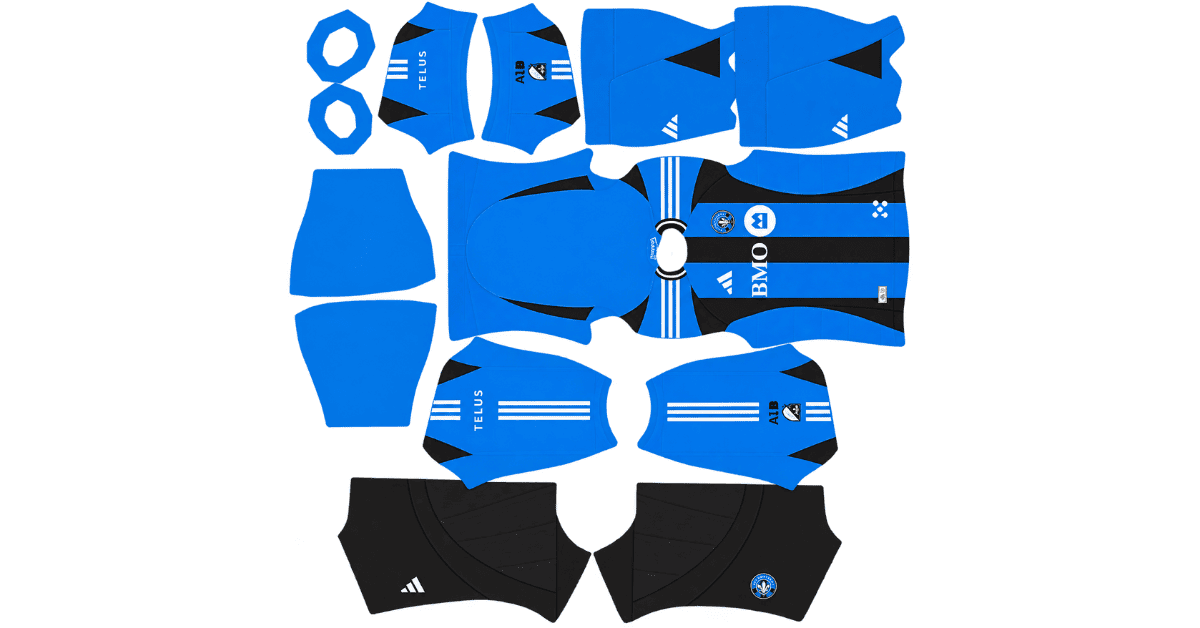
A CF Montréal DLS kits URL is a direct link to a 512×512 PNG shirt that you can import into Dream League Soccer. All four kit slots are covered below, and each file has been loaded into the game before being listed here.
CF Montréal Logo
Official Logo 512×512 (2026/27)
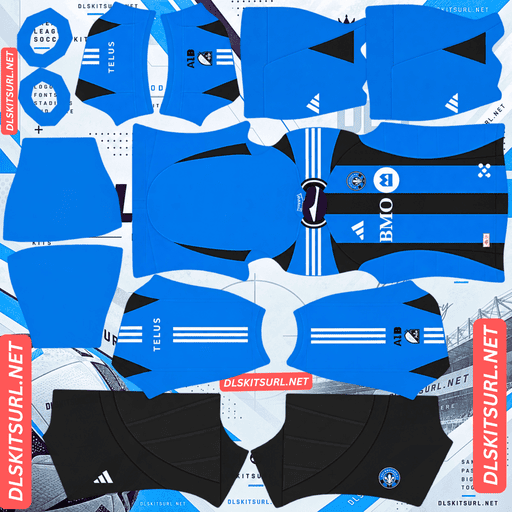
CF Montréal Home Kit
Home Kit 512×512 (2026/27)
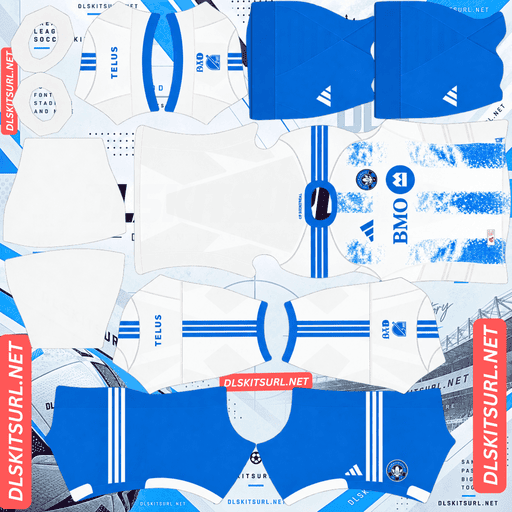
CF Montréal Away Kit
Away Kit 512×512 (2026/27)
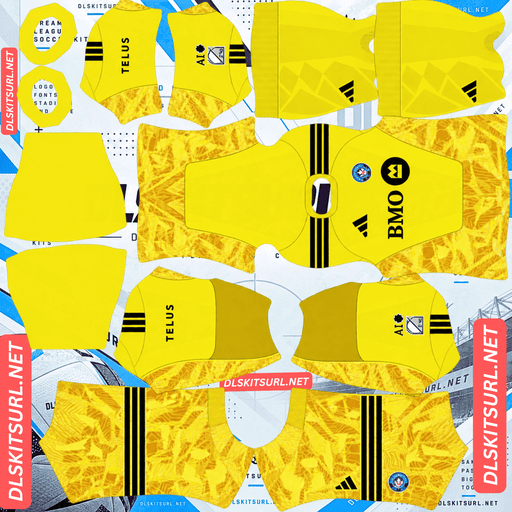
CF Montréal GK Home Kit
GK Home Kit 512×512 (2026/27)
The standout detail in Montréal’s 2026 collection is the return of the classic Montreal Impact crest on the third kit. The club dropped that identity when it rebranded in 2021, so this shirt creates a decision that most DLS kit collections do not: which club badge do you want displayed across all your kits?
The Montreal Impact Crest Returns on the Third Kit
The third shirt is part of the adidas x MLS Archive Collection, a set of eight retro-inspired MLS third kits released for 2026. Montréal’s design pays tribute to the club’s first professional away match in 1993.
The shirt features the classic Montreal Impact crest, a blue shield containing a wheat sheaf and a soccer ball, along with the words IMPACT MONTREAL.
The kit uses a light blue and white gradient, subtle horizontal wavy lines and black accents. Its collared Adidas template is also used for Austin FC’s Violet Crown third kit.
Why the Crest Matters More Than the Shirt
Dream League Soccer displays your imported club badge on the chest of the player, over the kit image. That means the Impact crest featured on Montréal’s third shirt can be covered by whichever badge you have selected in the game.
You cannot assign a different badge to each kit. One imported crest applies across all three outfield shirts and the goalkeeper kit.
That leaves you with two choices:
Use the current CF Montréal crest: Your home and away kits represent the club’s current identity, but the third kit loses its original Impact badge.
Use the historic Impact crest: The third kit better reflects its retro inspiration, but the home and away shirts display a badge the club no longer uses.
Choose based on the kit you plan to use most often. For most clubs, an alternate crest is simply a nice extra. Here, it changes how closely the third kit matches its original design.
Other clubs, including Santos, Corinthians, Strasbourg, Lyon and Internacional, have used historic crests in their 2026 designs. Montréal’s choice stands out because the Impact badge represents a former club identity rather than just an older version of the current crest.
The Third Kit’s Gradient Needs a Good Image File
The third shirt’s light blue and white gradient is its defining visual feature, but it is also the part most likely to suffer if you use a poor-quality image.
A gradient transitions gradually between colours. To reproduce that smooth fade, an image needs enough pixels and sufficient colour information to represent the intermediate shades.
When a gradient comes from an undersized or heavily compressed file, the smooth transition can break into visible bands of flat colour. This is known as banding.
Montréal’s gradient is particularly sensitive because light blue and white are already close in brightness. Compression can make the transition look uneven rather than smooth.
Open the third-kit file at full size and inspect the shirt’s body. A gradual, continuous change from light blue to white is what you want. Clearly separated bands suggest that the image has lost detail, and the game will not restore information that is missing from the original file.
Similar problems can affect gradient-heavy designs such as Australia’s sunrise away shirt, Manchester City’s home kit, Espanyol’s third kit and Toulouse’s kit designs.
The Wavy Lines Are Another Quality Check
The third kit also features subtle horizontal waves running across its pale background. These details can be difficult to preserve for two reasons.
First, the lines have relatively little contrast against the light blue and white base, making them easy to lose during compression.
Second, horizontal patterns need to look consistent across the front, around the sides and onto the sleeves. Misalignment can make the design look less convincing.
Do not expect the waves to remain strongly visible in every DLS rendering. Instead, pay close attention to the black accents, which provide the strongest contrast and are easier to assess when checking image quality.
The Home and Away Kits Carry Over From the Previous Season
Adidas generally introduces one new kit per MLS club each year, with the other designs often carrying over into the following season.
For Montréal, the supplied 2026 release information identifies the third kit as the new design from the Archive Collection. The home and away kits therefore continued from the previous season.
Why a 2025 Kit File May Still Be Current
On many club kit pages, an image labelled with the previous season would be considered outdated. MLS is different because clubs can continue wearing existing designs when a new release introduces only one replacement.
That means a 2025-labelled CF Montréal home or away file may still be correct for 2026. Check the actual shirt design rather than rejecting a file simply because of the year in its name.
MLS also follows a calendar-year season, so its kit labels typically use a single year rather than a split-season format such as 2026/27.
Other MLS clubs, including Austin FC, Charlotte FC, Colorado Rapids, Atlanta United and FC Cincinnati, can also carry kits across seasons.
Which CF Montréal Kit Is Best for DLS?
Kit
Design
What to check
Home
Carried over from the previous season
Match the design rather than relying on the filename year
Away
Carried over from the previous season
Confirm that the colours and details match the current design
Third
Light blue and white gradient with wavy lines
Check the real image dimensions and gradient quality
The third kit is the most distinctive design in the collection, but it also needs the most attention when choosing a file.
If you want the retro shirt to look right in Dream League Soccer, confirm that the image really measures 512×512 pixels and that the gradient appears smooth before importing it.
The Best Number Colours for Montréal’s Kits
Dream League Soccer controls player-number colours through two small swatches in the kit template, not through the imported image. One controls the shirt numbers and the other controls the shorts numbers.
For Montréal, the third kit deserves particular attention because its background changes from light blue to white.
Third kit: Black numbers work well with the shirt’s black accents. They should remain easier to distinguish across the pale gradient than white or light blue numbers.
Home kit: Choose a colour that contrasts with the upper back of the shirt.
Away kit: Again, select a number colour that stands out clearly against the upper-back area rather than automatically matching the shirt’s dominant colour.
Always set the shirt and shorts number swatches separately. The ideal colour for one may not work on the other.
How Visible Is the Third Kit on the Pitch?
The Montréal third kit should be easy enough to distinguish from the green pitch, although its pale colours give the shirt a softer appearance than a design with strong dark panels.
Dream League Soccer renders players relatively small, so visibility depends on how clearly the shirt separates from the playing surface.
Both light blue and white contrast with pitch green, meaning the third kit does not have the same blending problem as a predominantly green shirt.
The trade-off is that a pale gradient can provide less internal definition. Once the subtle wavy lines become less visible at match distance, the shirt may read as a bright shape rather than a strongly structured design.
That makes the black accents especially important. A good-quality image should preserve their edges and keep the overall design looking crisp.
How to Identify a Current CF Montréal Kit
Use these four checks before importing a shirt.
Look for Adidas branding. The supplied kit information identifies Adidas as the MLS-wide supplier.
Check the third kit’s design. It should feature a light blue and white gradient with the historic Montreal Impact crest, rather than the current CF Montréal badge.
Do not automatically reject a 2025-labelled home or away file. These designs may carry over into 2026, so compare the actual shirt.
Check the sleeve patch. Different versions may exist for MLS and Leagues Cup use, so make sure the file matches the version you want.
These checks help distinguish the intended match shirts from older designs or alternate versions.
How to Use a CF Montréal DLS Kits URL
Once you have the correct image link, importing the kit is straightforward.
Copy the URL using the button on the kit card. Copying your browser’s address bar may give you the webpage address instead of the image itself.
Open Dream League Soccer and tap My Club.
Select Customise, then open Kit. Do not choose Logo, which is a separate option for the club badge.
Select the slot you want to replace: home, away, third or goalkeeper.
Press and hold the URL field, tap Paste, then select Confirm. Some older game versions may label the button Download.
Repeat the process for the other kits you want to import.
Make sure you select the correct slot before pasting. The kit in the selected slot is the one that gets replaced.
Before you begin, decide which badge you want to use. Since Dream League Soccer applies one crest across the whole team, that choice affects how all four kit slots look.
The first custom kit requires a one-time gem unlock. After that, changing kits costs nothing.
Test the Link Before Importing It
Open the kit URL in your browser before using it in the game.
A working direct image link should display the shirt on its own, without a surrounding webpage, navigation menu or extra buttons. The address should end in .png.
If the URL opens a webpage with the image embedded inside it, you may have a viewer-page link rather than a direct image link. Dream League Soccer needs access to the actual image file.
For Montréal’s third kit, checking the image dimensions is especially important. A pale gradient needs enough image detail to preserve the smooth transition between colours.
Why Do CF Montréal Kit URLs Stop Working?
A kit URL can stop working even if it was valid when you first found it. Three common problems explain why.
1. Free Image Hosts Delete Files
Some free image-hosting services remove files after long periods of inactivity. The URL may still look normal, but the image behind it has been deleted.
If that happens, you will need another working link to the same kit. Always test a URL before trying to import it.
2. Hotlink Protection Blocks the Game
Some image hosts restrict direct requests from external websites and apps. Your browser may display the image when you click the link, while Dream League Soccer’s request is rejected.
This is why a URL can appear to work in a browser but fail when pasted into the game.
3. The Preview and the Copied Link Use Different Files
Some websites display a thumbnail stored on their own server while the copy button points to an image hosted somewhere else. The preview can continue to work even after the linked file becomes unavailable.
For the most reliable import, make sure the image shown on the kit card and the copied URL refer to the same file. The links provided here are intended to take you directly to the shirt image.
The CF Montréal Badge — Two Different Identities
You can import the badge during the same customisation session. Open the same menu, but choose Logo instead of Kit.
This decision matters more for Montréal than for most clubs because the two badges represent different identities.
The Historic Montreal Impact Crest
The Montreal Impact crest is a blue shield featuring a wheat sheaf, a soccer ball and the words IMPACT MONTREAL. It is a detailed design, so small lettering may become less readable when displayed in-game.
Dream League Soccer crops imported badges into a circle. That can cut into the top and bottom of a shield, particularly when the design extends close to its edges.
Choose a file with enough clear space around the full crest. Some fine lettering may still be difficult to read at the game’s display size, but leaving extra padding helps preserve the overall design.
The Current CF Montréal Crest
The current CF Montréal badge represents the club’s post-2021 identity and pairs naturally with the home and away shirts.
If your main kit is the home or away, this is the straightforward choice. If you mainly want to use the retro third kit, the Impact crest better reflects its original inspiration.
You can change the imported badge later, so switching between the two is an option if you do not mind repeating the import process when you rotate kits.
How to Keep Your CF Montréal Kits
Custom kits are generally stored on your device rather than permanently attached to your account. A normal game update may preserve them, but reinstalling the game or changing phones can mean importing the shirts and badge again.
Montréal takes a little more planning than a typical MLS setup because the third kit works best with the historic Impact crest, while the home and away pair more naturally with the current badge.
Before importing anything, save all four kit links in a notes app. Keep both badge links alongside them so you can restore the collection you want without searching for every file again.
Frequently Asked Questions About CF Montréal DLS Kits
What is a CF Montréal DLS kits URL?
It is a direct link to a 512×512 PNG Montréal shirt that you can paste into Dream League Soccer’s Kit menu. A working direct image URL commonly ends in .png.
Does the 2026 CF Montréal third kit use the Montreal Impact logo?
Yes, according to the supplied kit details. The shirt features the historic Impact crest, a blue shield with a wheat sheaf, a soccer ball and IMPACT MONTREAL lettering. It is part of the adidas x MLS Archive Collection.
Can I use the Montreal Impact crest in Dream League Soccer?
Yes. However, Dream League Soccer uses one imported badge across all your kits. You can choose the historic Impact crest or the current CF Montréal crest, but you cannot assign a different one to each shirt.
Which badge should I use for CF Montréal?
Choose the badge that best matches your main kit. The historic Impact crest suits the retro-inspired third shirt, while the current CF Montréal crest pairs naturally with the home and away designs.
Why does my Montréal third kit look striped?
The effect may be gradient banding. The light blue-to-white transition needs enough image detail to appear smooth. An undersized or heavily compressed file can turn the gradual fade into visible bands of flat colour.
Is a 2025 CF Montréal home kit still current in 2026?
It may be. The supplied release information identifies the third kit as Montréal’s new 2026 design, with the home and away carrying over from the previous season. Compare the actual shirt design before deciding whether a file is outdated.
What number colour should I use on the CF Montréal third kit?
Black is a good choice because it matches the shirt’s accents and contrasts with the light blue and white background. Set the shorts numbers separately to make sure they remain visible.
What is the adidas x MLS Archive Collection?
It is a collection of retro-inspired third kits for eight MLS clubs in 2026, with designs drawing on each club’s history. The supplied information also identifies Austin FC’s Violet Crown and Orlando City’s 1994 World Cup tribute as part of the collection.