
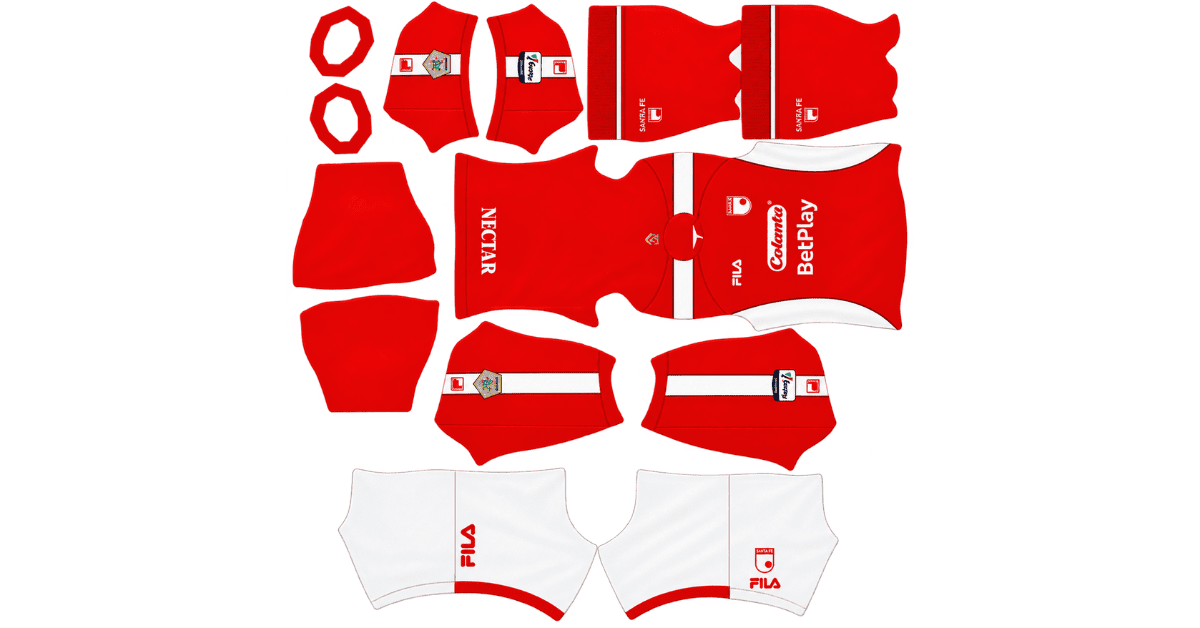
Looking for an Independiente Santa Fe DLS kits URL to give your Dream League Soccer team a fresh look? This guide features direct links to 512×512 PNG kit images for the Colombian club, ready to import into the game. All four kit slots are included below, and each image has been tested in-game before being added to the page.
Independiente Santa Fe Logo
Official Logo 512×512 (2026/27)
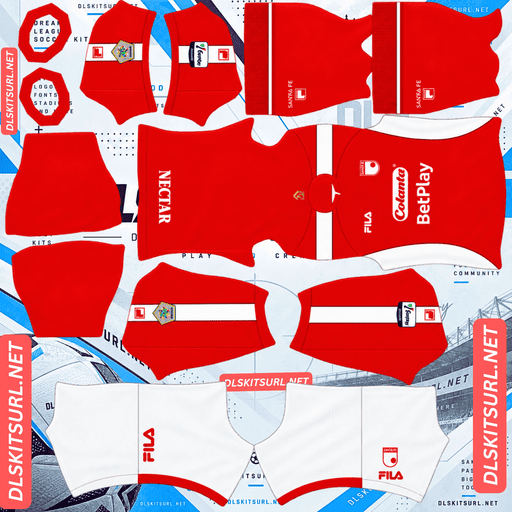
Independiente Santa Fe Home Kit
Home Kit 512×512 (2026/27)
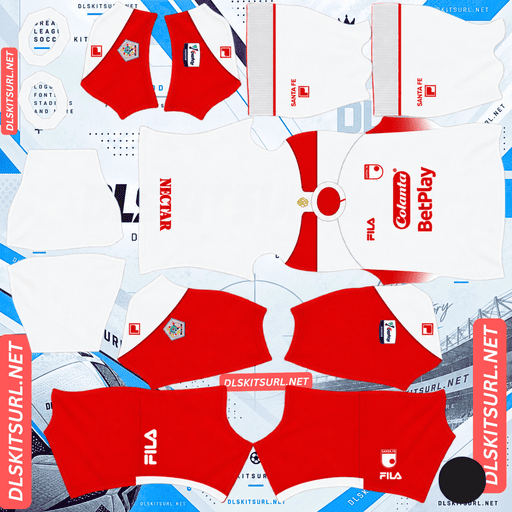
Independiente Santa Fe Away Kit
Away Kit 512×512 (2026/27)
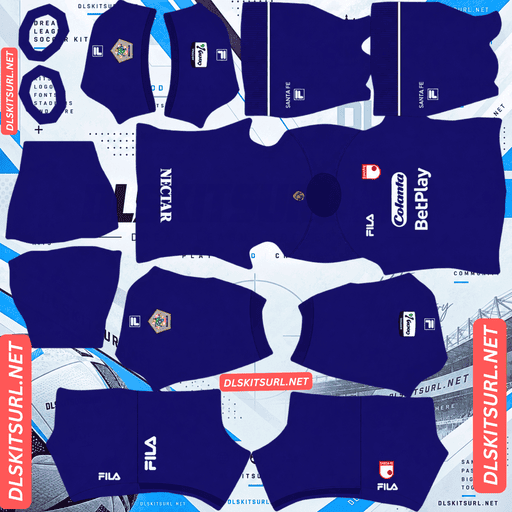
Independiente Santa Fe GK Home Kit
GK Home Kit 512×512 (2026/27)
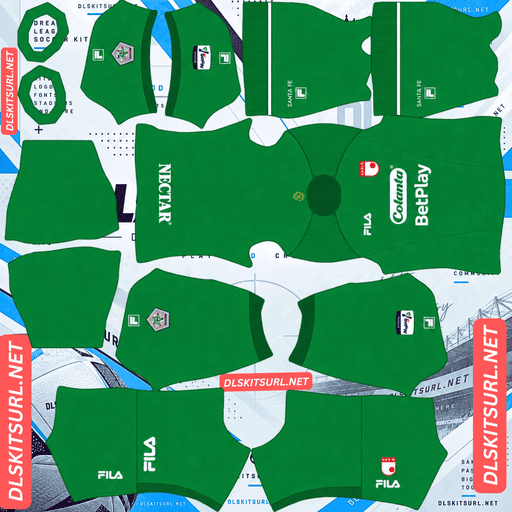
Independiente Santa Fe GK Away Kit
GK Away Kit 512×512 (2026/27)
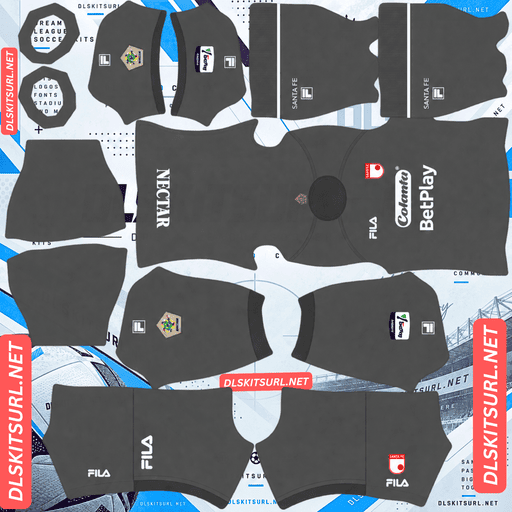
Independiente Santa Fe GK Third Kit
GK Third Kit 512×512 (2026/27)
Santa Fe’s 2026 collection includes the traditional red home shirt, a white away kit, and a more colourful third design. There is also a special Bogotá tribute shirt for supporters who prefer something different.
One detail worth knowing before choosing your kit is that the home shirt features a lion’s-mane texture. That effect may look impressive on the original fabric, but it cannot be reproduced in the same way on a flat DLS kit image.
Independiente Santa Fe 2026 Home Kit — The Lion’s Mane Design
Released on 24 January 2026, the home shirt keeps Independiente Santa Fe’s familiar red colour and introduces a texture inspired by a lion’s mane. The design reflects the club’s historic association with the lion, which is also the reason supporters know the team as El León.
The shirt retains a polo collar, giving it a more traditional football-shirt appearance.
Why the Lion’s-Mane Texture Disappears in DLS
The most important thing to understand about this design is the difference between a printed pattern and a fabric texture.
A printed pattern uses changes in colour to create its appearance. Even when those changes are subtle, a well-prepared 512×512 PNG can preserve some of the detail.
A fabric texture works differently. Its appearance depends on the way light interacts with raised fibres, woven surfaces, and recessed areas. A flat image cannot reproduce those physical qualities in the same way as the original material.
As a result, the lion’s-mane effect may become difficult to see or disappear entirely after the shirt is imported into Dream League Soccer.
Expect the home kit to look mainly red in the game. This does not automatically mean the file is poor quality. The original texture itself is difficult to represent on a flat kit template.
How to Check the Home Kit Image
Since the texture is unlikely to survive, focus on the parts of the shirt that can be reproduced accurately.
The polo collar is particularly useful because it has a defined shape, an outline, and a visible front opening. These features translate more reliably into the DLS template than a surface effect.
Open the PNG at full size and inspect the collar and placket. The edges should look clean, with no obvious blurring or stretching.
If those details are sharp, the image is likely to be a better choice than a file that looks soft or distorted. The lion’s-mane texture is not a reliable way to judge image quality.
Independiente Santa Fe Away Kit — White with Red Details
The away shirt follows a familiar approach, using white as its main colour with red accents. It provides a clear alternative to the traditional red home uniform while retaining the club’s identity.
Why the Away Kit Is the Safest Choice for DLS
The white away shirt is the easiest of the regular designs to reproduce accurately because it relies on clear blocks of colour rather than a complicated surface effect.
The white fabric creates a clean background, while the red details provide contrast around the shirt.
When checking the image, pay attention to the edges of the red elements. They should be clearly defined rather than blurred into the white background.
This straightforward design makes the away kit a practical option for players who want a clean, recognisable uniform without worrying about subtle textures or fine graphics.
If your priority is accurate reproduction, the white away kit is the strongest choice.
Santa Fe 2026 Third Kit — Navy, Gold and Orange
Released on 2 May 2026, the third shirt moves away from Santa Fe’s traditional red-and-white combination. It features a dark base with navy, gold, and orange elements arranged in a graphic design.
The different colour palette gives the shirt a distinctive appearance and makes it an interesting option for the third outfield slot.
Will the Gold Details Look Metallic in DLS?
Gold is one of the more difficult colours to reproduce convincingly when the original design relies on a metallic appearance.
On real fabric, gold can appear shiny because highlights, midtones, and darker shadows create the impression of reflected light. A flat PNG can preserve those colour variations, but it cannot reproduce the same changing reflections as physical material.
If the gold areas are broad enough, some of the gradient may remain visible. Very narrow gold piping or trim, however, can lose much of its metallic effect and look more like ordinary yellow or brown.
Before importing the third kit, open the image at full size and check how much space the gold occupies. Wider graphic elements are generally easier to recognise than tiny decorative lines.
Why the Orange Details Have an Advantage
Orange is less dependent on metallic shading. It is a conventional colour, so it can remain recognisable even when the image is displayed at a smaller size.
The orange elements also contrast with the dark base and the green pitch, helping the shirt stand out during gameplay.
If the gold becomes less noticeable after importing the image, the orange graphics may still provide the visual character that makes the third kit distinctive.
Watch Out for the 2025 Home Kit with the Club Anthem
Older Independiente Santa Fe shirts may look similar to the 2026 home design at first glance, so checking the season is important.
The 2025 home shirt featured the club’s anthem subtly incorporated into the red fabric. This tonal treatment is difficult to reproduce in Dream League Soccer, especially when the lettering blends into the background.
How to Recognise the Older Design
If a kit image is described as having the anthem printed into the body, check whether it belongs to the 2025 release rather than the current collection.
The lettering may be difficult to see in the DLS version, even if it is visible in photographs of the original shirt.
For the 2026 home kit, look for the polo collar and the lion’s-mane-inspired texture instead. Comparing the actual image with the kit cards above is more reliable than trusting the season written in the filename.
The Bogotá Tribute Shirt — A Special Santa Fe Release
Independiente Santa Fe has also released a special shirt paying tribute to Bogotá, featuring symbols associated with the city and the club’s first crest.
This design has a historical connection that makes the badge particularly important when recreating the shirt in Dream League Soccer.
Which Badge Should You Use?
DLS displays a single club badge regardless of which kit your team wears. That means the logo you import needs to suit the shirt you want to recreate.
If the Bogotá tribute shirt is your main choice, the club’s first crest is the more appropriate option when matching the original design.
The standard crest may still work visually, but it will not reproduce the same historical detail.
Special releases can also be harder to find as 512×512 images than regular match shirts. If you locate a suitable Bogotá tribute kit, save its image and URL so you can restore it later if necessary.
Which Independiente Santa Fe Kit Works Best in DLS?
Each design offers something different, but the results depend on how much of the original artwork can be represented in a flat image.
Kit
Main Design
Expected Result in DLS
Home
Red with lion’s-mane texture
Mainly red; surface texture may disappear
Away
White with red trim
Excellent colour reproduction
Third
Dark base with navy, gold, and orange graphics
Orange remains clear; metallic gold may lose detail
Bogotá tribute
Special city-themed design with historical crest
Depends on image quality and the matching badge
For most players, the white away kit is the easiest to reproduce accurately. The home shirt remains a good option if you like Santa Fe’s traditional red, while the third kit offers a more distinctive appearance.
If historical accuracy is your main goal, the Bogotá tribute shirt is worth considering when a suitable image is available.
Who Makes Independiente Santa Fe’s Kits?
Fila has supplied Independiente Santa Fe’s shirts since 2025, replacing Kappa, which followed an earlier period with Umbro.
The manufacturer logo provides a useful way to identify older kit images before importing them.
Why Santa Fe DLS Kit Files Can Be Hard to Find
Many Dream League Soccer kit collections focus heavily on global sportswear brands such as Nike, Adidas, and Puma. Their releases receive widespread international attention, making images easier to find.
The Colombian Categoría Primera A receives less international kit coverage than competitions such as the Brasileirão and Argentina’s Primera División. This can mean fewer uploads, fewer alternative image sources, and fewer updated 512×512 files.
When searching for Santa Fe kits, check the manufacturer’s branding and the shirt design rather than relying only on the filename.
A Kappa-branded shirt is associated with the club’s earlier Kappa period, including the 2023 and 2024 seasons. Fila branding is the main detail to look for on the 2026 collection.
Best Number Colours for Santa Fe DLS Kits
Dream League Soccer uses colour swatches in the kit template to control shirt and shorts numbers. The game does not automatically select number colours based on the PNG you import.
Choosing the right combination helps keep the numbers visible during a match.
Number Colours for the Home Kit
White numbers are a good choice for the traditional red home shirt. They stand apart from the main colour and match the bright appearance of Santa Fe’s home shorts.
Check the shorts separately before finalising the design, as the shirt and shorts may use different colours.
Number Colours for the Away Kit
For the white away shirt, red numbers provide a clear contrast.
White numbers would blend into the main body, making them difficult to read during gameplay. Red also connects the numbers to the club’s traditional colours and the shirt’s trim.
Number Colours for the Third Kit
For the dark third shirt, orange or white should be a good starting point.
Both colours can stand out against the dark base. Gold is less dependable at small sizes because its metallic appearance may flatten into a dull yellow or brown.
Try the number colours in a match or preview before settling on your final combination. Remember to configure the shirt and shorts swatches independently.
How Visible Are Santa Fe Kits on the Pitch?
All three regular kits use colours that separate reasonably well from the green football pitch. Their brightness and contrast determine how easily you can follow players during a match.
Home Kit Visibility
Red stands apart from the green pitch, making the traditional home shirt relatively easy to recognise.
The white shorts add another bright element to the overall uniform, preventing the team from appearing as one continuous dark shape.
Even if the lion’s-mane texture disappears, the red shirt and white shorts still provide a recognisable combination.
Away Kit Visibility
White is highly distinct against the grass, and the red trim helps define the shirt’s shape.
The clean colour blocking also makes the away kit easier to recognise when players are small on the screen. It is a strong option if you prefer visibility over intricate design details.
Third Kit Visibility
The dark third shirt stands apart from the pitch, although it may appear less prominent than the white away kit.
Orange is particularly useful because it provides a brighter visual element against the darker base. Gold may contribute to the original design, but its impact can be reduced when metallic gradients become less distinct.
For the best visibility, choose the version with clear orange details and a well-defined dark background.
How to Identify the Correct Santa Fe 2026 Kit
Before copying a kit URL, compare the image with the expected 2026 designs.
Four Details to Check
Fila branding: Look for Fila rather than Kappa on the current collection.
Home kit: The shirt should be red, with a polo collar and a lion’s-mane-inspired texture.
Third kit: Check for the dark base and navy, gold, and orange graphics.
Older anthem design: A shirt described as carrying the club anthem in the fabric belongs to the 2025 home release rather than the 2026 design.
The original shirt may contain subtle features that do not survive the DLS template. Concentrate on the manufacturer, overall colours, collar, and other visible elements when deciding whether a file is suitable.
How to Use an Independiente Santa Fe DLS Kits URL
Once you have the correct image, importing it into Dream League Soccer takes only a few steps.
Step 1 — Copy the Direct PNG Link
Choose the Santa Fe kit you want and use the Copy URL button on its card.
Do not copy the address of the webpage displaying the shirt. You need the direct image URL, not the website’s preview page.
Step 2 — Open the Kit Customisation Menu
Launch Dream League Soccer and navigate to:
My Club → Customise → Kit
Choose Kit rather than Logo. The Kit section is for uniforms, while Logo is used to import the club badge.
Step 3 — Select the Slot You Want to Replace
Choose the home, away, or third slot before pasting the link. The selected slot determines which uniform will be replaced.
Press and hold the URL field, select Paste, and tap Confirm. Some older versions may display Download instead.
Wait for the import to finish and check the shirt before moving on to the next slot.
Step 4 — Set Up Your Full Kit Collection
Dream League Soccer generally provides three outfield kit slots and a separate goalkeeper slot.
You can use the red home shirt, white away shirt, and dark third kit together. If you find a suitable Bogotá tribute image, you can use it in place of one of the regular outfield shirts.
The first custom kit import may require a one-time gem unlock, depending on your game version. Once the feature is unlocked, subsequent kit changes generally do not require another gem payment.
Test Your Santa Fe Kit URL Before Importing
Checking the link in your browser first can prevent unnecessary problems when importing the image into the game.
Confirm That the URL Opens the Image
Open the copied link in a new browser tab. A direct PNG URL should display the shirt on its own, without webpage menus, buttons, or surrounding text.
The address will usually end in .png. If you see a complete webpage instead of the image itself, look for the direct image URL.
Check the Image Resolution
The target size for these kit images is 512×512 pixels.
On a computer, open the image in a new tab and check the dimensions through your browser’s image information or properties options.
A low-resolution file may appear blurry in the game, while a stretched image can distort the collar, sleeves, or graphic elements. Inspect the image at full size before importing it.
For the Santa Fe home kit, concentrate on the collar and placket rather than the lion’s-mane texture, which is unlikely to reproduce fully on a flat image.
Why Do Santa Fe DLS Kit URLs Stop Working?
Even a working kit link can eventually become unavailable. Most problems are related to image hosting rather than Dream League Soccer itself.
1. The Image Host Removes the File
Free image-hosting services may delete uploads because of inactivity, storage limits, or changes to their policies.
When that happens, the saved URL can remain in your notes but stop returning the image.
Special-release shirts can be particularly difficult to replace if only a few websites ever hosted them.
2. Hotlink Protection Blocks the Game
Some websites allow images to display on their own pages but block requests from external applications.
This means a kit might open in your browser but fail when Dream League Soccer attempts to retrieve it directly from the hosting server.
If the image works in a browser but not in the game, the server may be refusing the game’s request.
3. The Preview and the Direct Link Are Different Files
A website may display a thumbnail hosted on its own server while the copy button points to an image stored somewhere else.
If the external file is moved or deleted, the webpage may still show its preview even though the original download URL no longer works.
For the most reliable result, use a direct PNG link and test it independently. The image shown on the kit card should match the file returned by the URL you copy.
Independiente Santa Fe Badge for Dream League Soccer
After importing the shirts, you can add the club crest through the same customisation menu.
Select Logo instead of Kit and paste the direct image URL for the Independiente Santa Fe badge.
Choosing the Right Santa Fe Crest
The club’s regular crest uses its red-and-white identity, with stars associated with its league titles. The lion is also an important part of Santa Fe’s wider visual identity.
Bold shapes and simple outlines generally work well in Dream League Soccer because the badge appears relatively small during matches. Fine details can become difficult to recognise at that size.
The game crops imported badges into a circular area, so choose a source image with enough space around the entire design. This is especially important if the stars sit close to the top edge.
A genuine 512×512 image with clean edges is preferable to enlarging a smaller, blurry file.
If you are using the Bogotá tribute shirt, consider importing the club’s first crest to match the historical design more closely.
How to Keep Your Santa Fe DLS Kits and Badge
Custom kits and badges are generally stored on your device rather than automatically saved to your account. A normal game update may leave them in place, but reinstalling the game or switching phones can mean importing them again.
This is worth remembering if you have found a good-quality third kit or a special Bogotá tribute design that may be difficult to locate later.
Before reinstalling the game or changing devices, save these links in a notes app:
Home kit URL
Away kit URL
Third kit URL
Goalkeeper kit URL
Independiente Santa Fe badge URL
Historical crest URL, if you use the Bogotá tribute shirt
Keep backup copies of the original PNG images whenever possible. Saving the files as well as the links gives you another option if an image-hosting service removes the original upload.
Frequently Asked Questions About Independiente Santa Fe DLS Kits
What Is a Santa Fe DLS Kits URL?
A Santa Fe DLS kits URL is a direct link to an Independiente Santa Fe shirt image that can be imported into Dream League Soccer. The target image format in this guide is a 512×512 PNG file.
Why Does My Santa Fe Home Kit Look Plain Red?
The 2026 home shirt’s lion’s-mane effect is a fabric texture rather than a simple printed pattern. A flat PNG cannot reproduce the way light interacts with raised and recessed fabric, so the shirt may look mostly red after import.
How Should I Check the Santa Fe Home Kit Image?
Check the polo collar, placket, and the sharpness of the shirt’s edges. These features can be reproduced more reliably than the lion’s-mane texture.
What Is the Independiente Santa Fe 2026 Third Kit?
The third kit is a dark-based graphic design featuring navy, gold, and orange. It was released on 2 May 2026 and provides an alternative to the club’s traditional red and white colours.
Will the Gold Details on the Third Kit Look Metallic?
Not necessarily. Metallic gold relies on gradients and highlights to create its appearance. Some of that detail may remain in a 512×512 image, but narrow gold trim can look more like ordinary yellow or brown.
Who Makes Independiente Santa Fe’s Kits?
Fila has supplied the club’s kits since 2025, following the earlier Kappa period and the club’s previous association with Umbro.
Which Badge Should I Use with the Bogotá Tribute Shirt?
The club’s first crest is the appropriate choice if you want to reproduce the historical design. The regular badge is suitable for the standard home, away, and third kits.
Which Santa Fe Kit Works Best in DLS?
The white away kit is the easiest to reproduce accurately because it uses clear colour blocking rather than a texture-heavy design. The red home kit remains a good option if you prefer the club’s traditional look.
What Number Colour Should I Use on the Santa Fe Home Kit?
White is a good choice for the red home shirt because it provides clear contrast. For the white away shirt, use red numbers. For the dark third kit, orange or white should provide good visibility.
How Many Santa Fe Kits Can I Import into DLS?
Dream League Soccer generally provides three outfield kit slots and one separate goalkeeper slot. You can use the regular home, away, and third shirts across the outfield slots.
Why Is My Santa Fe Kit URL Not Working?
The image may have been deleted, the hosting website may block external requests, or the URL may point to a preview page instead of a direct PNG. Open the link in your browser and check that it displays the image itself.
Will My Santa Fe Kits Remain After Reinstalling Dream League Soccer?
Not necessarily. Custom kits and logos are generally stored locally, so reinstalling the game or changing devices may remove them. Save the URLs and original PNG files so you can import them again later.