
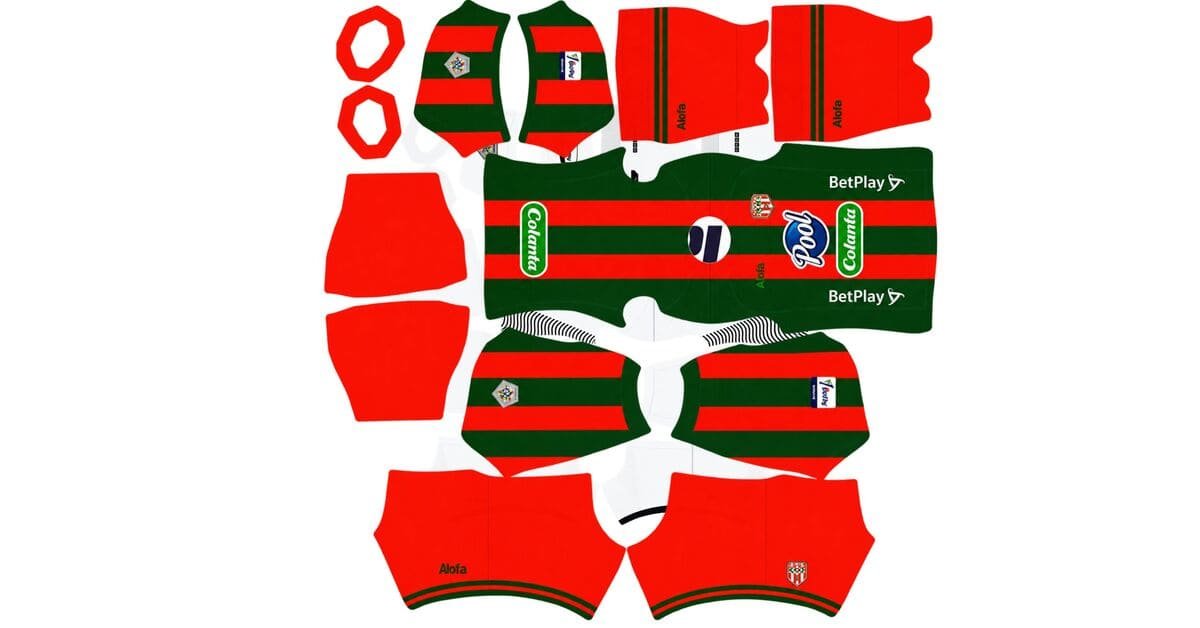
An Envigado FC DLS kits URL is a direct link to a 512×512 PNG shirt that you can import into Dream League Soccer. All four kit slots are listed below, and every file has been loaded into the game before being featured here.
Envigado FC Logo
Official Logo 512×512 (2026/27)
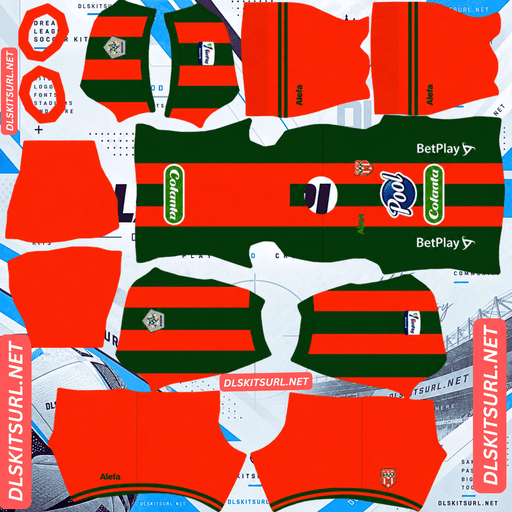
Envigado FC Home Kit
Home Kit 512×512 (2026/27)
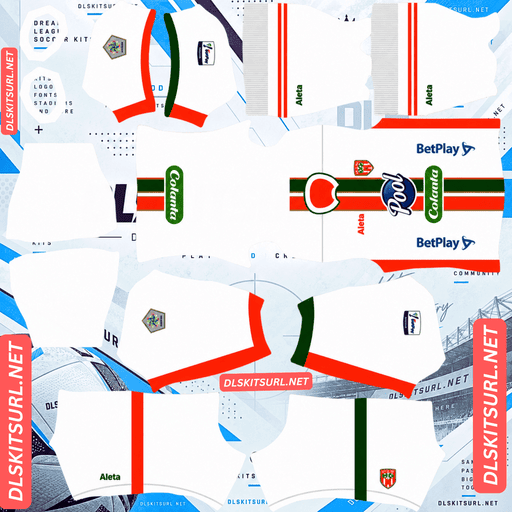
Envigado FC Away Kit
Away Kit 512×512 (2026/27)
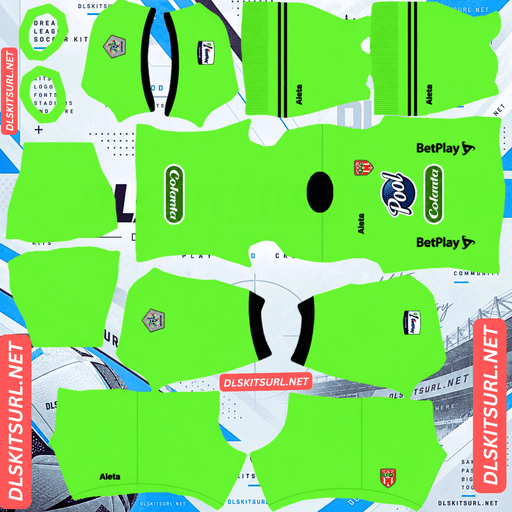
Envigado FC GK Home Kit
GK Home Kit 512×512 (2026/27)
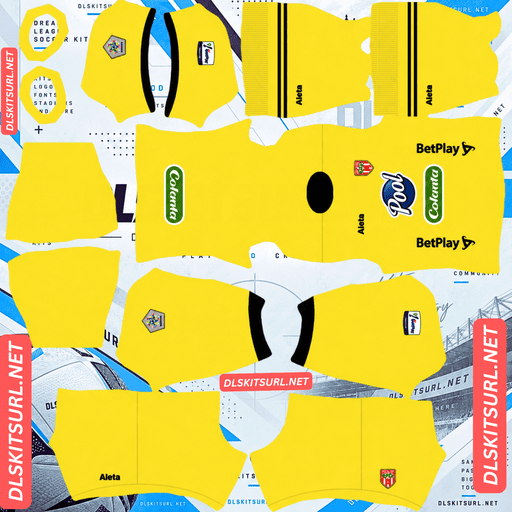
Envigado FC GK Away Kit
GK Away Kit 512×512 (2026/27)
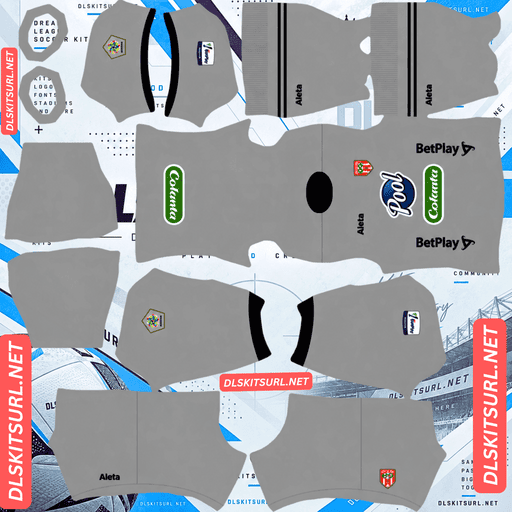
Envigado FC GK Third Kit
GK Third Kit 512×512 (2026/27)
Envigado are competing in the Categoría Primera B in 2026, after playing in Colombia’s top division the previous season. That change has a bigger impact than you might expect: finding reliable kit files for the club is considerably more difficult.
Boman supplies three kits for 2026
Boman produced Envigado’s three outfield shirts for the 2026 season: home, away and third.
That fits neatly with Dream League Soccer’s kit system. The game provides three outfield slots, along with a separate goalkeeper slot, so each of Envigado’s outfield designs has a place. You only need to choose a goalkeeper kit for the remaining slot.
Why the Primera B matters when searching for Envigado kits
Envigado played in the Categoría Primera A during 2025 but moved to Colombia’s second division, the Categoría Primera B, for the 2026 season.
Finding reliable files is more difficult
Coverage of second-tier football is much thinner than coverage of the top division. Kit databases that document every Primera A release often leave Primera B clubs out completely. English-language websites covering Colombian football also tend to focus on the country’s biggest teams and rarely cover the lower division in detail.
The kit supplier adds another obstacle. Boman works with clubs in Colombia and Ecuador, but has no international distribution network that would encourage kit websites outside the region to cover every release.
These two factors make Envigado particularly difficult to find. There are fewer sources to choose from, so it is important to check the actual image dimensions instead of trusting the filename.
On a computer, right-click the image and open it in a new tab. Your browser should report the original dimensions, giving you a much more reliable indication of whether the file is genuinely 512×512.
Deportivo Cali’s Hillside, Águilas Doradas’ Aerosport and Boyacá Chicó’s Geus create similar sourcing difficulties even in the top division. Envigado face that same challenge, with the additional disadvantage of being a second-tier club.
The division also helps identify the correct season
There is a useful way to distinguish older Envigado shirts from the 2026 designs:
A 2025 Envigado kit belongs to the Primera A period, while a 2026 kit belongs to the Primera B season.
This distinction matters because competition patches and league branding can change between divisions. If a shirt carries top-flight competition markings, it is from 2025 or an earlier season rather than the current 2026 campaign.
For the most reliable comparison, check the kit cards above instead of relying only on the season written in an image filename.
Orange is one of the strongest colours for DLS visibility
Envigado’s traditional orange and white combination works particularly well in Dream League Soccer.
Players appear relatively small during matches, so shirt visibility depends heavily on how much the colours contrast with the green pitch.
Orange has a clear advantage here. It sits a long way from pitch green, making players easier to recognise at match distance. FC Cincinnati, San Diego FC, Hull City, Ivory Coast and Göztepe benefit from a similar colour advantage.
White also separates clearly from the grass. Together, orange and white create a bright shirt with enough internal contrast to keep the overall design easy to follow.
That makes Envigado one of the easier Colombian teams to recognise during gameplay, especially compared with clubs that rely more heavily on green or darker shirt colours.
What to check in an Envigado kit file
Detailed information about Envigado’s 2026 designs is limited outside Colombia. For that reason, the best approach is to compare any file you find directly with the kit cards above rather than relying on descriptions from other websites.
There are also a few basic details worth checking before importing.
The most useful test is the boundary between orange and white. These colours contrast strongly, so the dividing edge should look clean rather than blurred or smeared. Also inspect the collar and cuffs to make sure any trim has sharp edges.
Finally, check the club crest and sponsor. Both should remain legible instead of appearing soft or distorted.
If the colour boundaries, trim, crest and sponsor all look clean, the file is more likely to have the resolution it claims.
Best number colours for Envigado’s kits
Dream League Soccer takes number colours from two small swatches in the kit template, not directly from your imported PNG. One swatch controls the shirt numbers, while the other controls the numbers on the shorts.
For an orange shirt, navy or black is the better choice. White and other pale colours can disappear against a bright orange background, making them difficult to read during matches.
For a white shirt, orange matches Envigado’s traditional colour combination, while black provides the strongest straightforward contrast.
Set the shirt and shorts swatches separately. Envigado can use different colours for the shirt and shorts, so one setting may not work equally well for both.
How to identify a current Envigado FC kit
Before importing a file, use these four checks to make sure you have the right shirt.
First, look for Boman branding, which is the supplier of Envigado’s 2026 home, away and third kits. Next, check the competition markings. A Primera B design is expected for 2026, while a top-flight patch points to a 2025 or earlier shirt.
You should also compare the actual design with the kit cards above rather than trusting the season written in the filename. Finally, make sure the image shows an outfield shirt rather than a goalkeeper or training design.
These checks are particularly useful for Envigado because reliable information and file coverage are limited.
How to use an Envigado FC DLS kits URL
Use the copy button on the kit card to get the direct image link. Copying the address from your browser’s address bar usually gives you the webpage instead of the actual PNG file.
Open Dream League Soccer and go to My Club, then select Customise. Choose the Kit section rather than Logo, which is reserved for importing badges.
Select the slot you want to replace before pasting the URL. The game changes whichever slot is currently open, so double-check your selection first. Press and hold the URL field, tap Paste, and then select Confirm. Older versions of the game may show Download instead.
Envigado have three outfield shirts for 2026, so the home, away and third slots can all be filled with their official designs. That leaves the separate goalkeeper slot for you to complete. All four kits appear together on the team screen, so it is worth setting the goalkeeper shirt rather than leaving the default.
Your first custom kit requires a one-time gem unlock. Once you have unlocked the feature, changing or replacing imported kits does not cost additional gems.
Test the URL before importing
Open the copied link in your browser before moving to the game. A correct direct image URL should display the shirt on its own, with the address ending in .png.
If you see a webpage with buttons, headings or other elements surrounding the image, you have probably copied a viewer page. Dream League Soccer needs the direct image file, not the page displaying it.
Checking the link first can save time and help you avoid importing a URL that the game cannot read.
Why Envigado FC kit URLs stop working
There are three common reasons an imported kit link may stop working. The first can be an especially significant problem for a club like Envigado.
Free image hosts delete files. With a domestic kit supplier and a second-tier club, relatively few people maintain Envigado uploads. Some free hosting services remove images that have not been accessed for months or years. The URL may still look normal, but the file behind it has disappeared.
Hotlink protection can block the game. Some image hosts prevent other websites and apps from requesting their files directly. Your browser may display the image when you open the link, but Dream League Soccer can receive a refusal when it tries to download it. That is why a URL can work in your browser but fail inside the game.
The preview and download links may point to different files. Some websites display a thumbnail hosted on their own server while the download URL points somewhere else. The preview can continue working even after the actual image link has stopped responding.
Here, the shirt preview and the URL you copy refer to the same image file on the same server.
The Envigado FC badge
You can import the Envigado crest during the same session as your kits. Open the same Customise menu, but select Logo instead of Kit.
The Envigado badge features the club’s name and its familiar orange and white colours.
Dream League Soccer crops imported badges into a circle, so avoid using an image that is trimmed tightly against the artwork. A little clear space around the full design helps prevent important parts of the crest from being cut off.
The orange-and-white colour combination also works well at the small size used beside the match score. The strong contrast makes the badge easy to recognise without depending entirely on fine details. Spanish lettering around the crest may become softer at that size, but this is a result of the game’s small badge rendering rather than necessarily being a problem with your original file.
Keeping your Envigado kits
Dream League Soccer saves custom kits on your device rather than attaching them to your account. Game updates will usually leave imported designs in place, but reinstalling the game or moving to another phone can remove them. Your imported badge can disappear too.
Envigado is one of the more difficult clubs on this site when it comes to finding reliable kit files. If you find a good set, make sure you keep a record of it.
Save all four image URLs in a notes app before importing anything. That way, you can restore your home, away, third and goalkeeper kits without having to search for the files again.
FAQ FOR RANK MATH
What is an Envigado FC DLS kits URL?
It is a direct link to a 512×512 PNG Envigado shirt that you can paste into Dream League Soccer’s kit screen. A working direct image URL ends in .png.
Who makes Envigado’s kits?
Boman supplies Envigado’s kits. The brand produced the club’s home, away and third shirts for the 2026 season.
What league are Envigado in for 2026?
Envigado are playing in the Categoría Primera B, Colombia’s second division, in 2026. They competed in the Categoría Primera A during the 2025 season.
Why are Envigado kit files so difficult to find?
There are two main reasons. Many kit databases focus on the Primera A and do not cover second-tier clubs, while Boman is a domestic supplier without international distribution. Together, these factors mean fewer websites publish Envigado’s kit releases.
How can I identify the correct season for an Envigado kit?
Check the competition markings. A 2025 shirt belongs to Envigado’s Primera A season, while the 2026 designs are for the Primera B. Top-flight competition markings therefore indicate a shirt from 2025 or earlier.
How many kits do Envigado have for 2026?
Envigado have three outfield shirts for 2026: home, away and third. These fill all three outfield kit slots available in Dream League Soccer.
Is orange a good colour for visibility in DLS?
Yes. Orange stands out strongly against the green pitch, making players easier to follow during matches. The white details add further contrast within the shirt.
What number colour should I use on Envigado’s kits?
Use navy or black numbers on orange shirts. For white shirts, orange matches the club’s colours, while black provides strong contrast. Remember to set the shirt and shorts number colours separately.