
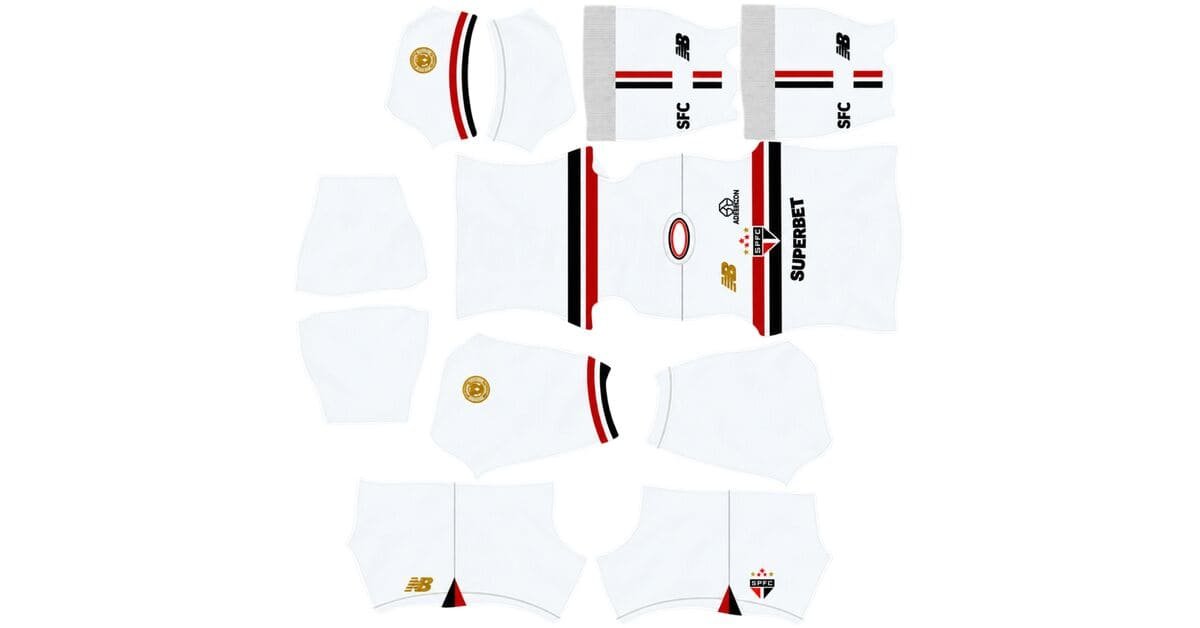
A São Paulo DLS kits URL is a direct link to a 512×512 PNG shirt that you can import into Dream League Soccer. All four kit slots are listed below, and each image has been loaded into the game before being added to this page.
Sao Paulo FC Logo
Official Logo 512×512 (2026/27)
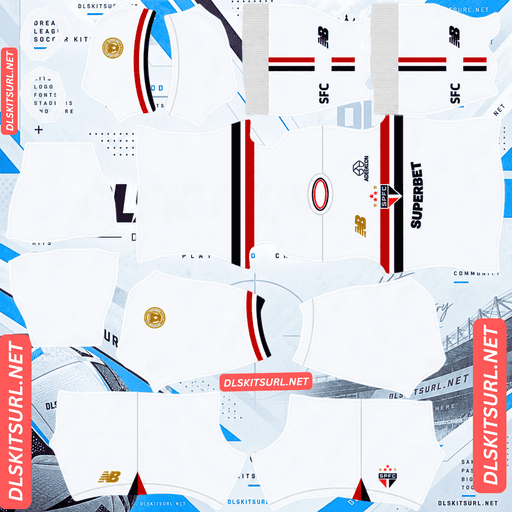
Sao Paulo FC Home Kit
Home Kit 512×512 (2026/27)
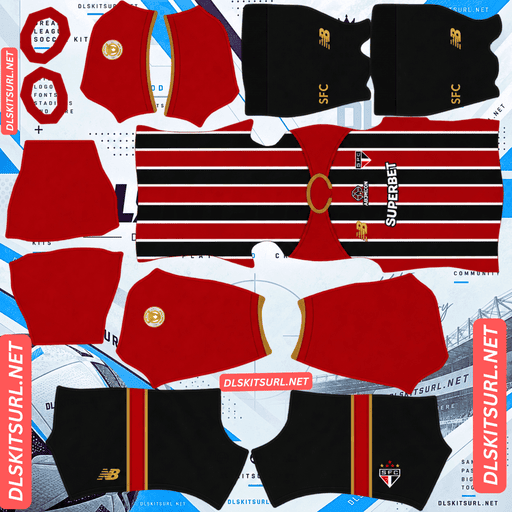
Sao Paulo FC Away Kit
Away Kit 512×512 (2026/27)
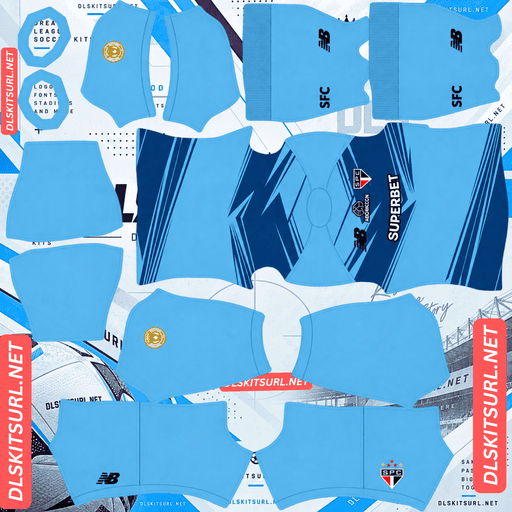
Sao Paulo FC GK Home Kit
GK Home Kit 512×512 (2026/27)
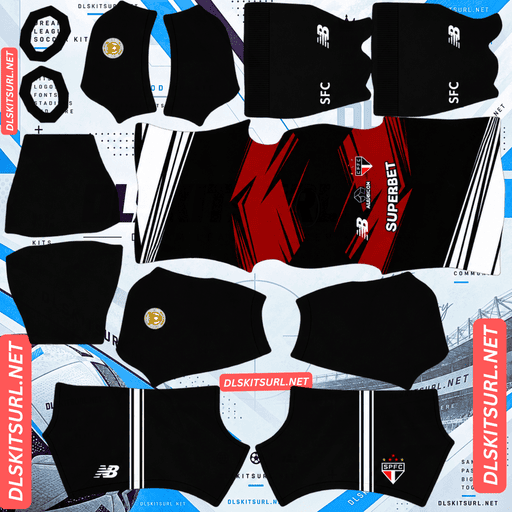
Sao Paulo FC GK Away Kit
GK Away Kit 512×512 (2026/27)
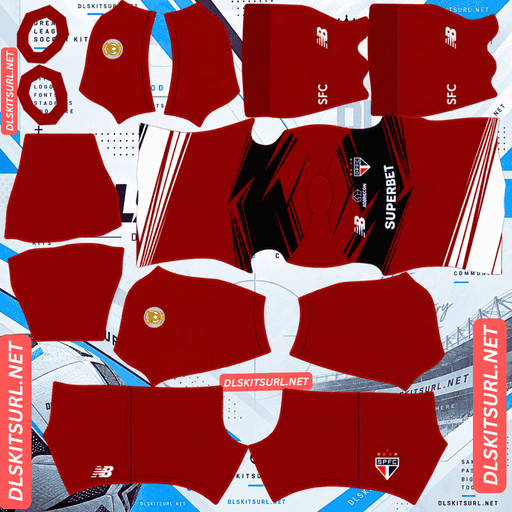
Sao Paulo FC GK Third Kit
GK Third Kit 512×512 (2026/27)
São Paulo’s home and away shirts use the same three colours in the same widths. The difference is how those colours are arranged: the home kit features a horizontal chest band, while the away kit uses vertical stripes. That one design choice makes the home shirt more challenging to reproduce accurately in DLS.
Same Colours, Different Alignment Difficulty
Although the home and away kits share São Paulo’s traditional red, white and black colours, their layouts require different levels of precision.
Home kit: A red and black horizontal chest band across a white base, requiring alignment across three areas.
Away kit: Red and black vertical stripes separated by thin white lines, requiring one main alignment area.
Why the Away Kit Is Easier to Import
Released in April 2026, São Paulo’s away shirt brings back the club’s traditional tricolour appearance. It features black and red vertical stripes separated by thin white lines, a white polo collar, matching cuffs and a fully striped back.
The vertical stripes make this design relatively easy to reproduce. They align around the centre line of the body, and the wide red and black sections remain distinct from the white separators.
The fully striped back is worth checking, though. Some striped shirts have a plain back, meaning the pattern stops at the side seams. São Paulo’s design continues around the body, so the stripes must meet correctly at both sides.
The good news is that the main requirement is consistent positioning rather than matching a horizontal band at a particular height. A decent-quality file should reproduce the away shirt accurately without much difficulty.
Why the Home Kit Requires More Precision
Released in February 2026 to celebrate the club’s 96th anniversary, São Paulo’s home shirt features a white base with the traditional red and black horizontal band across the chest. It also includes a gradient New Balance logo and a modern collar.
The horizontal band creates a more demanding alignment task because it must match across three areas: the front, the back around both side seams, and the points where the sleeves begin.
The two-colour band also has three boundaries to preserve:
The top edge of the band.
The dividing line between red and black.
The bottom edge of the band.
Each boundary needs to remain correctly positioned across the different parts of the shirt. Because red and black stand out strongly against white, even a small alignment error can be easy to spot.
How to Check the Home Kit After Importing
A flat image can look correct in your browser but show problems once Dream League Soccer wraps it around the player model.
After importing the home shirt, view the player from the side and check the following:
The band continues at the same height where the front panel meets the back.
All three boundaries remain parallel.
The red-to-black dividing line stays at the same position within the band around the shirt.
This is the same kind of alignment challenge found in Samsunspor’s Legend Retro and Le Mans’ away kit.
The Gradient New Balance Logo Won’t Survive Intact
One of the home shirt’s modern details is the gradient effect on the New Balance logo. Unfortunately, this is the kind of detail that Dream League Soccer’s kit rendering cannot reproduce smoothly.
A gradient consists of many slightly different shades blending into one another. To display that transition smoothly, an image needs enough pixels to represent the intermediate colours.
The New Balance logo occupies only a small area of a 512×512 PNG, leaving limited room for a smooth colour transition.
Expect the logo to appear in a flat colour rather than with its original gradient. The general colour should remain correct, but the fade will be lost.
Toulouse’s gradient kit font and Manchester City’s home-kit fade encounter a similar limitation this season. In São Paulo’s case, the effect is confined to a small logo, so the change affects a detail rather than the overall shirt design.
The Third Kit Is the Cleanest File of the Three
São Paulo’s third kit was released on 30 July 2026, offering a simpler alternative to the two striped designs.
The shirt features an off-white, cream-coloured base with thin red piping around a simple crew-neck collar and the sleeve cuffs. There are no additional patterns or complicated colour blocks.
That simplicity makes the third kit especially easy to reproduce in Dream League Soccer. There are no stripes to align, gradients to preserve or complicated textures to worry about.
What to Check on the Cream Third Kit
There are two details worth keeping in mind.
The red piping is very thin. Narrow details can become less distinct when a kit is reduced to the game’s texture size. Check the collar carefully, as the piping may be easier to see there.
Cream is a neutral colour. The shirt remains distinguishable from the green pitch, but it does not provide the same strong contrast as the red and black striped designs. With only the thin red piping for contrast, the overall shirt can appear as one pale shape during gameplay.
Even so, the third kit is the simplest of the three to reproduce accurately.
The “Tricolor Since Forever” Detail and Squad Numbers
São Paulo’s away shirt includes a special seal near the nape of the neck. It reads Tricolor Since Forever in Portuguese.
The detail sits near the top edge of the shirt panel, tucked beneath the collar. This is one of the least visible areas of the player model, and small lettering placed there is unlikely to remain readable at normal match distance.
Similar details appear on Leverkusen’s “WERKSELF” design, Bragantino’s “Alma Bragantina” shirt and Juventude’s founding-year detail this season. In each case, the lettering is positioned in an area that is difficult to see during gameplay.
Which São Paulo Kit Works Best in DLS?
Each of São Paulo’s three kits has a different advantage.
Home kit: The horizontal chest band requires careful alignment, and the gradient logo loses its smooth transition. Check the seams after importing.
Away kit: The vertical stripes are comparatively straightforward to align. It is the most reliable choice if you want São Paulo’s traditional identity.
Third kit: The cream base and thin red piping create a simple design with very little that can go wrong. It is the cleanest file to reproduce.
Choose the away kit for the strongest São Paulo identity with minimal alignment risk. Choose the third kit for the simplest and most reliable import.
What Number Colours Work Best on São Paulo Kits?
Dream League Soccer controls number colours through two small swatches on the kit template rather than reading them directly from the PNG. One swatch controls the shirt numbers, and the other controls the shorts numbers.
Here are the recommended colours for each São Paulo kit:
Home kit: Red or black works well for the numbers on the upper back, where the horizontal band crosses the shirt. White numbers may disappear against the white base.
Away kit: White is the best choice because it matches the thin separating lines and the polo collar. Red or black numbers can blend into the corresponding stripes.
Third kit: Red matches the piping and stands out against the cream base. White is too similar to the shirt colour.
Remember to set the shirt and shorts swatches separately. This matters particularly for the away kit, which combines a striped shirt with black shorts.
How Visible Are São Paulo’s Kits on the Pitch?
All three shirts remain distinguishable against the green pitch, but each achieves that in a different way.
The home kit uses a white base with a red and black chest band. The strong contrast makes the shirt easy to recognise, while the horizontal band creates a clear visual marker across the body.
The away kit combines red and black vertical stripes with thin white separators. These colours create strong internal contrast and make the shirt particularly easy to identify at match distance.
The third kit is the softest-looking option. Its cream base stands apart from the pitch, but the thin red piping provides less contrast than the bold patterns on the other two shirts.
Overall, the away kit is the most immediately identifiable during gameplay, while the third kit offers the cleanest and simplest appearance.
How to Identify the Correct São Paulo 2026/27 Kits
Before importing a file, check these four details to make sure you have the right season’s design.
New Balance branding: São Paulo’s deal with New Balance has been extended to 2032, so this branding is expected to remain.
Home kit: Look for a white base, a red and black horizontal chest band, and the gradient New Balance logo.
Away kit: Check for the white polo collar, which returns as a defining feature of the 2026/27 design.
Third kit: The correct shirt has a cream-coloured base with red piping, rather than the previous season’s design.
These details help distinguish the current collection from older São Paulo kits.
How to Use a São Paulo DLS Kits URL
Importing a custom shirt is straightforward when you have the direct PNG link.
Copy the URL using the Copy URL button on the kit card. Avoid copying the browser’s address bar, which usually points to the webpage rather than the image.
Open Dream League Soccer and go to My Club.
Select Customise, then open the Kit section. Do not choose Logo, as that is used for the club badge.
Select the kit slot you want to replace before pasting the URL.
Press and hold the URL field, then choose Paste.
Tap Confirm to apply the kit. Older versions of the game may show Download instead.
The three outfield slots are home, away and third, with a separate goalkeeper slot. Once you have imported the shirts, check the team screen to make sure all four kits are set correctly rather than leaving one on its default design.
The first custom kit requires a one-time gem unlock. After that, changing your custom kits costs nothing.
Test the São Paulo Kit URL Before Importing
Before opening the game, test the link in your browser.
A working direct image URL should display the shirt by itself, without webpage headers, buttons or other surrounding content. The address should also end in .png.
If the link opens a webpage instead of a standalone image, you may have copied a viewer page rather than the direct image file. Dream League Soccer needs the actual image URL.
For the home kit, there is one extra step: import the shirt and check the horizontal band at the side seams. A flat image can look flawless but reveal alignment problems when wrapped around the player model.
Why Do São Paulo DLS Kit URLs Stop Working?
There are three common reasons a custom kit link might stop working.
Free Image Hosts Delete Files
Free image-hosting services sometimes remove uploads that have been inactive for months or years. The URL may still look valid even after the image has been deleted, leaving nothing for the game to load.
Hotlink Protection Blocks External Requests
Some image hosts allow pictures to display on their own websites but block requests from other applications.
This means a kit may open normally in your browser but fail when you paste the same URL into Dream League Soccer.
The Preview and the Direct Link Use Different Files
Some websites display a thumbnail stored on their own server while providing a download link to an image hosted elsewhere. The preview may continue working even after the direct link stops responding.
Here, the shirt displayed on the page and the URL copied from its card refer to the same image file on the same server.
The São Paulo Badge in Dream League Soccer
You can import São Paulo’s crest separately from the shirts. Open the customisation menu and select Logo instead of Kit.
The club crest features São Paulo’s initials in red, white and black, along with three stars marking the club’s Club World Cup and Intercontinental triumphs.
How to Keep the Stars Visible
The stars are the main detail to protect when preparing the badge for DLS. They sit above the crest, close to the top edge of the design.
Dream League Soccer crops imported badges into a circle, and that crop can cut off details near the top if the image is trimmed too tightly.
Choose a badge file with enough clear space around the complete design so that the stars and the rest of the crest remain inside the circular crop.
Supporters of Uruguay, France, Spain, Grêmio and Cape Verde face similar challenges when importing badges that include stars above the main emblem.
How to Keep Your São Paulo Kits Safe
Custom kits are stored on your device rather than permanently attached to your game account. Updating the game usually preserves them, but reinstalling it or switching to a new phone can mean losing your imported shirts and badge.
Before importing anything, save all four kit URLs in a notes app so you can restore the collection later.
This is especially useful for the home shirt, which takes more effort to find in a properly aligned version. The away and third kits are simpler to reproduce, but saving their links means you will not have to search for them again.
Keep the São Paulo badge URL alongside the kit links so you can restore the full set if needed.
Frequently Asked Questions
What Is a São Paulo DLS Kits URL?
A São Paulo DLS kits URL is a direct link to a 512×512 PNG São Paulo FC shirt that you can paste into Dream League Soccer’s kit screen. A working direct image link ends in .png.
Why Is the São Paulo Home Kit Harder to Reproduce Than the Away Kit?
Both shirts use the same three colours, but the home kit has a horizontal band that must align across the front, side seams and sleeve areas. The away kit uses vertical stripes that are easier to position consistently.
Will the Gradient New Balance Logo Appear in DLS?
The gradient is unlikely to survive as a smooth transition. Since the logo occupies a small area of a 512×512 image, expect it to appear in a flat colour instead.
What Does the São Paulo 2026/27 Away Kit Look Like?
The away shirt features black and red vertical stripes separated by thin white lines. It has a white polo collar, matching cuffs, a fully striped back and black shorts.
What Is the São Paulo Third Kit?
The third kit is an off-white, cream-coloured shirt with thin red piping around the collar and sleeve cuffs. Released on 30 July 2026, it is the simplest of the three designs to reproduce in DLS.
Which São Paulo Kit Works Best in DLS?
The away kit is the best choice for São Paulo’s traditional striped look with minimal alignment difficulty. The third kit is the most reliable option if you prefer a simple design that is easy to reproduce.
Why Are the Stars Missing From My São Paulo Badge?
The stars sit above the main crest, where Dream League Soccer’s circular crop can cut them off. Use a badge image with enough empty space around the design to keep the stars inside the crop.
Who Makes São Paulo’s Kits?
New Balance makes São Paulo’s kits under a deal that has been extended to 2032.