
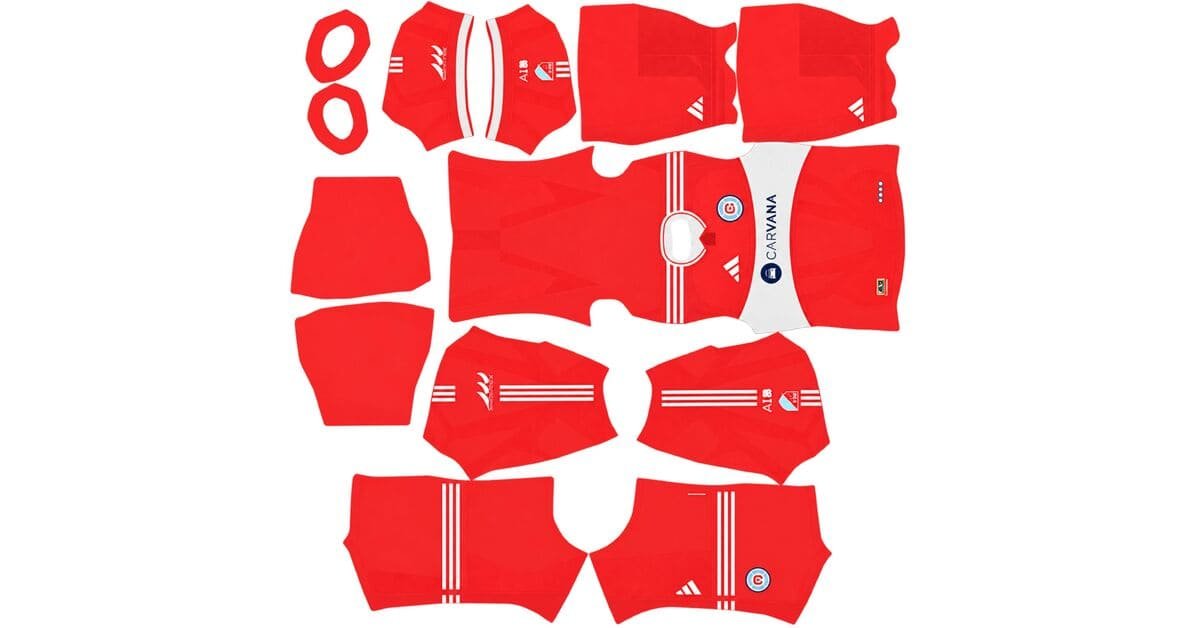
A Colorado Rapids DLS kits URL is a direct link to a 512×512 PNG Colorado Rapids shirt that you can import into Dream League Soccer. All four kit slots are listed below, and each file has been loaded into the game before being added to this page.
Colorada Rapids Logo
Official Logo 512×512 (2026/27)
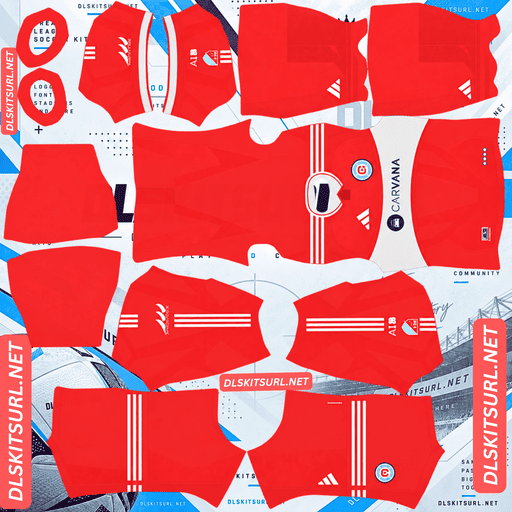
Colorada Rapids Home Kit
Home Kit 512×512 (2026/27)
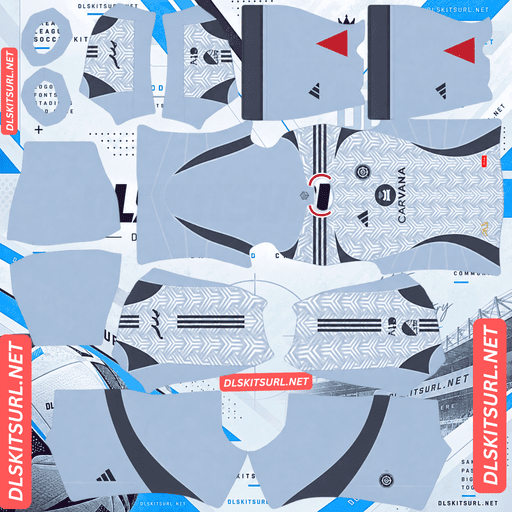
Colorada Rapids Away Kit
Away Kit 512×512 (2026/27)
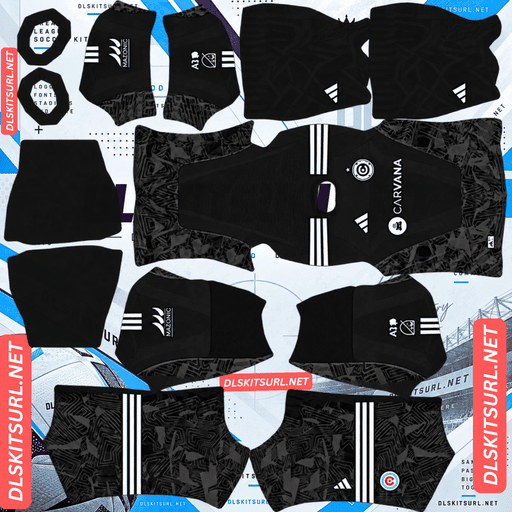
Colorada Rapids GK Home Kit
GK Home Kit 512×512 (2026/27)
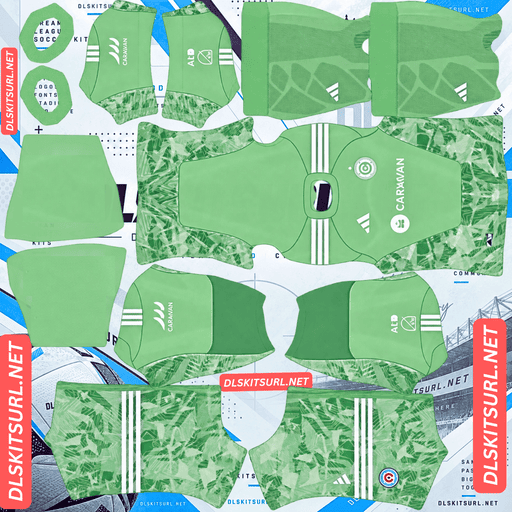
Colorada Rapids GK Away Kit
GK Away Kit 512×512 (2026/27)
The Rapids’ Colorful Colorado Kit has an unusual feature: despite its name, the shirt is almost entirely black. The challenge is not the base colour itself, but where the design’s colourful details are placed.
All the Colour Is in the Collar and Shoulders
Unveiled on 11 February 2026, the Colorful Colorado Kit celebrates the club’s 30th MLS season. Colorado Rapids are one of the league’s original clubs, having competed in MLS since 1996.
The shirt has a black base, making it the first all-black home kit in the club’s history. Multicoloured trim around the collar and shoulders features four colours: burgundy, blue, green and gold. These accents draw inspiration from Colorado’s skies, forests, sandstone and aspen trees, as well as the Rapids’ kits worn between 1996 and 2026.
Black shorts and socks complete the strip. According to the club, the design was two years in the making.
Why the Placement Makes a Difference
The collar and shoulders are two of the smallest areas on the Dream League Soccer kit template.
The collar is scaled down and mapped onto the neckline, while the shoulder detail occupies a narrow strip between the body and the sleeve. That area also has to accommodate the shirt’s seam.
This creates a particular problem for the Colorful Colorado design: the four colours representing 30 years of club history occupy very little space, while black covers almost the entire shirt.
In the game, expect the result to look like a black shirt with a narrow band of colour around the neckline and shoulders. How clearly the burgundy, blue, green and gold remain separated depends heavily on the quality of the imported PNG.
Inspect the Trim Before Choosing Your File
For most shirts, the collar is a minor detail. On this Rapids home kit, it is the main feature worth checking.
Open the image at full size and inspect the shoulders first. They provide more space for the coloured trim than the collar does.
Check two things:
Colour separation: Can you distinguish all four colours, or have they merged into a muddy-looking band?
Edge quality: Is there a sharp boundary between the coloured trim and the black base?
If all four colours remain distinct, the file is doing its job. If they blend together, the shirt may look almost completely black once imported into DLS.
Why the Gold Trim May Look Yellow
Gold behaves differently from the other three accent colours.
To look metallic, gold usually needs a combination of highlights, midtones and shadows within a small area. The narrow trim on this kit offers very little room for those tonal changes, so gold may appear as flat yellow rather than a metallic finish.
That does not necessarily mean your PNG is faulty. It is a limitation of reproducing a metallic effect in such a small area. Burgundy, blue and green are ordinary pigment colours and should be easier to reproduce clearly.
Sevilla, Udinese, Brest and Amed SK face a similar limitation with their kits this season.
An All-Black Shirt Has Another Challenge — Visibility
Dream League Soccer displays players at a relatively small size during matches. How easily you can follow your team depends partly on how strongly the kit contrasts with the pitch.
Black separates reasonably well from the green grass, so the base colour itself is not the main issue.
The bigger problem is the lack of contrast within an all-black strip. From a distance, your players can appear as single dark silhouettes. Once the colourful collar and shoulder trim becomes too small to distinguish, there may be very little bright colour left on the outfield kit.
How to Improve Visibility
Use white numbers. On a black shirt with black shorts, white squad numbers provide one of the clearest bright elements you can add through the game’s kit settings.
You should also set the goalkeeper’s kit deliberately rather than leaving it on the default. A goalkeeper in a contrasting, brighter strip is much easier to identify when the rest of your team is wearing black.
Sport Recife’s All Black third kit, Santos’ black third kit and Amed SK’s third kit face a similar visibility challenge.
The Colorful Colorado Kit Covers Two Seasons
MLS kit cycles work differently from those of many other leagues covered on this site.
Adidas releases one new kit per MLS club each year rather than replacing both shirts. The other kit carries over into the next season.
The Colorful Colorado Kit was announced as Colorado Rapids’ home shirt for both the 2026 and 2027 MLS seasons.
Why a Previous Season’s File May Still Be Correct
On many kit pages, a file from the previous season is outdated. With MLS, that assumption can lead you to reject a perfectly suitable image.
A Rapids home file labelled 2026 remains current through 2027 because the Colorful Colorado design covers both seasons. Meanwhile, the secondary shirt in the current collection may be listed under an earlier year.
Check the design rather than relying only on the season label. MLS follows a calendar-year season, so its kits are labelled 2026 instead of 2026/27.
Austin FC and Charlotte FC follow the same general pattern of carrying kits across seasons.
The Original Green Third Kit
Colorado Rapids also released an Original Green third kit to celebrate the club’s 30th season. The design brings back the green associated with the team’s earliest years.
Although green is brighter than the black home shirt, it creates a different problem in Dream League Soccer: it sits relatively close to the colour of the pitch.
This is a similar challenge to the one faced by Nottingham Forest, Kocaelispor and Young Africans. At match distance, a green shirt can blend into the playing surface more easily than a black one.
Check the Contrast Around the Green
Look at the colours paired with the green base. White or another light-coloured trim can break up the silhouette and help players stand out against the grass.
If the shirt has clear light-coloured sections, those areas can improve visibility even when the main green colour blends into the pitch.
What Number Colours Work on Colorado Rapids Kits?
Dream League Soccer uses two small colour swatches in the kit template rather than reading the number colours from your imported image. One swatch controls shirt numbers, while the other controls shorts numbers.
Home kit: Choose white. With an all-black shirt and black shorts, white is the clearest bright option. Burgundy or blue numbers would be much harder to distinguish against the black base.
Original Green third kit: White is also the recommended choice because it contrasts well with green and remains easier to read at match distance.
Set the shirt and shorts number swatches separately. On the home strip, both the shirt and shorts are black, so white numbers provide a consistent contrast across the kit.
How to Identify a Current Colorado Rapids DLS Kit File
Use these four checks before importing your Rapids shirt:
Look for Adidas branding. All 30 MLS clubs wear Adidas kits.
Check the home design. It should be black, with multicoloured collar and shoulder trim. This is the first black home shirt in the club’s history; earlier designs used different colours, including burgundy and blue.
Remember the two-season cycle. The 2026 Colorful Colorado home kit remains current through the 2027 MLS season.
Inspect the sleeve patch. MLS and Leagues Cup versions can have different patches even when the main shirt design is the same.
These checks help you distinguish the current home shirt from older Rapids designs and identify variations made for different competitions.
How to Use a Colorado Rapids DLS Kits URL
Importing a Colorado Rapids shirt is straightforward as long as you have a working direct image link.
Copy the URL using the button on the kit card. Do not copy the address from your browser bar, which usually points to the webpage instead of the image.
Open Dream League Soccer and tap My Club.
Select Customise, then open Kit. Do not choose Logo, which is a separate system for importing the club badge.
Select the kit slot you want to replace before pasting the link.
Press and hold the URL field, tap Paste, then select Confirm. Some older versions of the game label this button Download.
Choose a Contrasting Goalkeeper Kit
The three outfield slots cover the home, away and third kits. For Colorado, it is particularly useful to choose a contrasting goalkeeper strip rather than leaving the default unchanged.
When your outfield players are all wearing black, a brighter goalkeeper kit makes it much easier to identify the keeper during a match.
The first custom kit requires a one-time gem unlock. Once that initial unlock is complete, changing your custom kits does not cost additional gems.
Test the Colorado Rapids Kit URL First
Before opening Dream League Soccer, test the copied link in your browser.
A working direct image URL should display the shirt on its own, without a webpage full of navigation, buttons or other content around it. The address should end in .png.
If the link opens a page containing a preview rather than the image itself, it may not be suitable for importing into the game.
On a computer, right-click the image and choose the option to open it in a new tab. This lets you inspect the image and check the dimensions reported by your browser.
Image quality matters especially for the Colorful Colorado Kit. The four-colour trim occupies a very small area, so every available pixel helps preserve the separation between burgundy, blue, green and gold.
Why Do Colorado Rapids Kit URLs Stop Working?
There are three common reasons a Colorado Rapids DLS kit link may fail, although the cause is not always obvious.
1. Free Image Hosts Delete Files
Some free image-hosting services remove uploads after months or years of inactivity. The URL may still look valid, but the image itself has been deleted and can no longer be loaded by the game.
2. Hotlink Protection Blocks the Request
Image hosts can enable hotlink protection to prevent other websites or apps from loading their images directly.
This can explain why a URL opens successfully in your browser but fails when you paste it into Dream League Soccer. Your browser may display the image through the host’s own webpage, while the game’s request is refused.
3. The Preview and the Direct Link Are Different Files
Some websites display a thumbnail hosted on their own server while providing a download link to an image stored elsewhere. The preview can continue to work even after the actual image URL stops working.
For the kits listed on this page, the displayed shirt and the copied URL point to the same file on the same server. This keeps the preview consistent with the image you import.
The Colorado Rapids Badge
You can import the Colorado Rapids crest separately from your kit. Open the same customisation menu, but choose Logo instead of Kit.
The badge is particularly useful with this collection. Since the home shirt places most of its colour in a narrow trim band, the crest can provide another clear reminder of the club’s burgundy and blue identity, including when it appears beside the score.
Keep the Whole Crest Inside the Image
Dream League Soccer crops imported badges into a circle. Choose a PNG with enough clear space around the entire design rather than one cropped tightly to the artwork.
Leaving a margin around the crest helps prevent important parts of the badge from being cut off when the game applies its circular crop.
How to Keep Your Colorado Rapids Kits
Custom kits are stored on your device rather than permanently attached to your account. Game updates usually preserve them, but reinstalling the game or switching to a new phone can mean losing your imported shirts and badge.
The Colorful Colorado home kit is especially worth saving carefully. If you find a file where all four trim colours remain distinct, keep that exact URL rather than assuming another copy will have the same quality.
Save all four kit links in a notes app before importing them. Keep the badge URL with them, so you can restore your full Colorado Rapids setup if you reinstall the game or change devices.
Frequently Asked Questions
What Is a Colorado Rapids DLS Kits URL?
A Colorado Rapids DLS kits URL is a direct link to a 512×512 PNG Rapids shirt that you paste into Dream League Soccer’s kit screen. A working direct image link ends in .png.
What Is the Colorful Colorado Kit?
The Colorful Colorado Kit is the Rapids’ 2026 home shirt, released to mark the club’s 30th MLS season. It is the first all-black home kit in the club’s history and features multicoloured collar and shoulder trim in burgundy, blue, green and gold.
Why Does My Rapids Home Kit Look Plain Black?
The design’s colours are concentrated around the collar and shoulders, two of the smallest areas on the Dream League Soccer kit template. If the PNG does not preserve enough detail, the four trim colours can merge into a single muddy band against the black base.
How Do I Check a Rapids Home Kit File?
Open the image at full size and inspect the shoulders, which provide more room for the coloured trim than the collar. You should be able to distinguish burgundy, blue, green and gold, with a clear boundary between the trim and the black shirt.
Is a 2026 Colorado Rapids Home Kit Still Current?
Yes. The Colorful Colorado Kit was announced as the club’s home shirt for both the 2026 and 2027 MLS seasons. This reflects the MLS kit cycle, in which one shirt carries over while the other is replaced.
What Number Colour Should I Use on the Rapids Home Kit?
Use white. The all-black shirt and shorts offer little internal contrast, so white squad numbers provide a bright element that is easy to see during matches.
Why Doesn’t the Gold Trim Look Metallic?
Metallic gold usually relies on highlights, midtones and shadows to create the appearance of metal. The trim band is too small to reproduce those tonal changes clearly, so gold may look like flat yellow. This is a limitation of the design’s scale rather than necessarily a problem with your file.
Who Makes Colorado Rapids Kits?
Adidas makes Colorado Rapids kits. All 30 MLS clubs wear Adidas under the league-wide kit arrangement.