
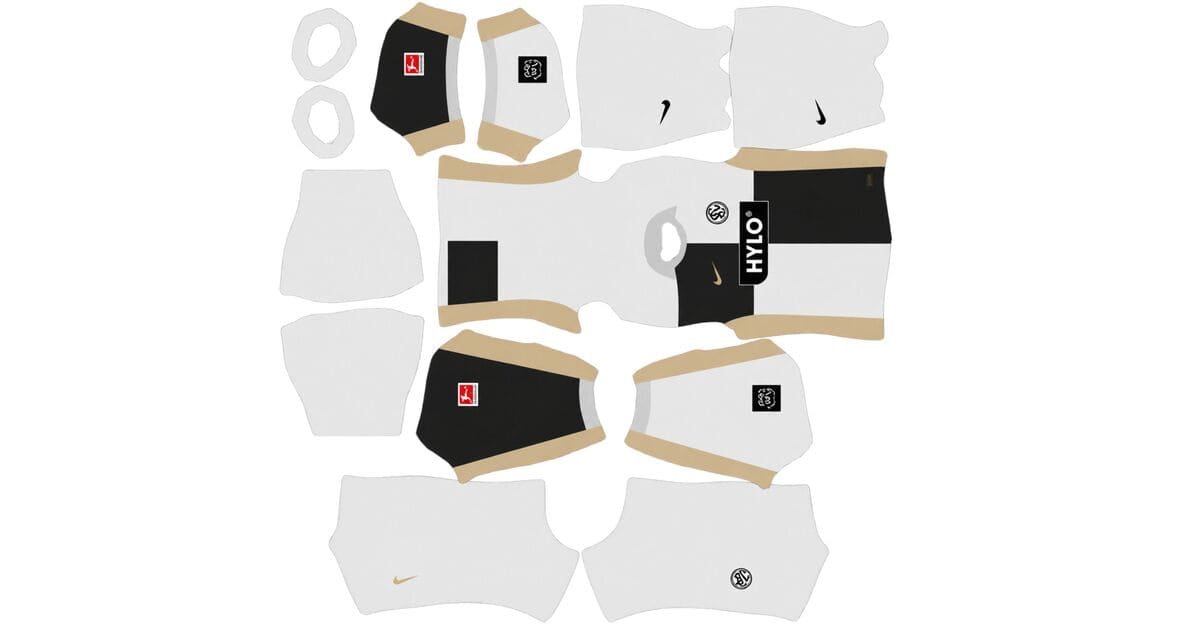
An Elversberg DLS kits URL is a direct link to a 512×512 PNG SV Elversberg shirt that you can import into Dream League Soccer. All four kit slots are included below, and each image has been loaded into the game before being added to this page.
SV Elversberg Logo
Official Logo 512×512 (2026/27)
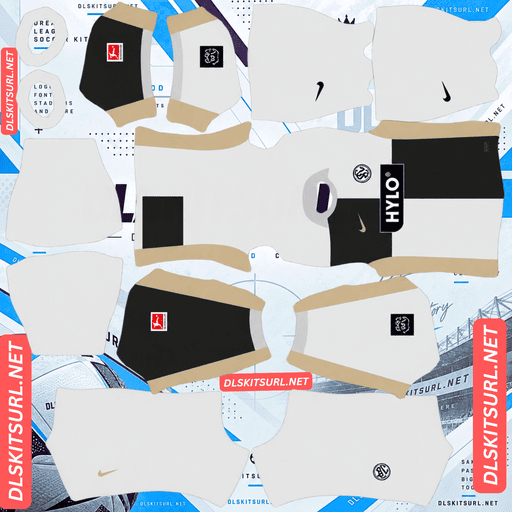
SV Elversberg Home Kit
Home Kit 512×512 (2026/27)
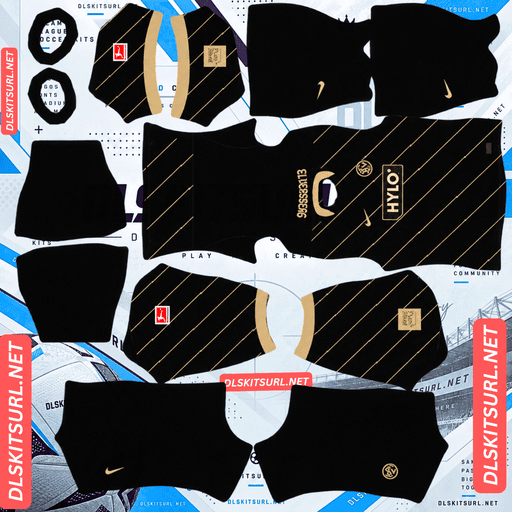
SV Elversberg Away Kit
Away Kit 512×512 (2026/27)
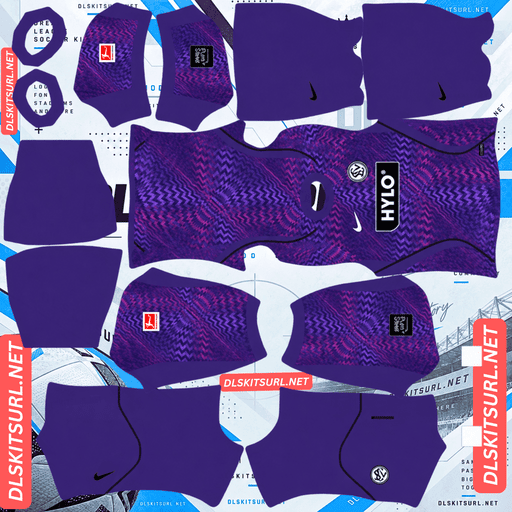
SV Elversberg GK Home Kit
GK Home Kit 512×512 (2026/27)
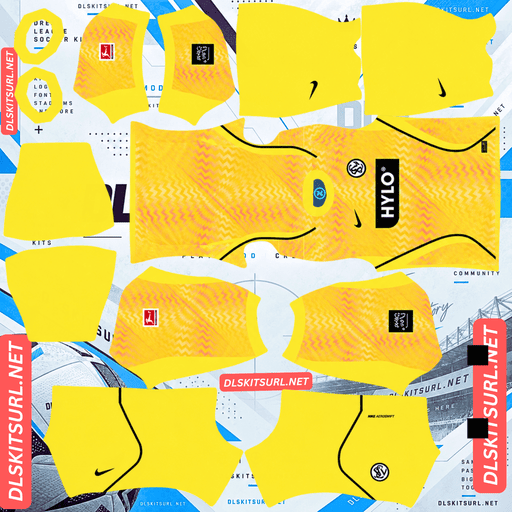
SV Elversberg GK Away Kit
GK Away Kit 512×512 (2026/27)
These are the first Bundesliga kits in SV Elversberg’s history. Finding kit files for a newly promoted club from a village of around thirteen thousand people can be harder than finding them for established teams. However, Elversberg’s home shirt has one major advantage: its simple design makes it one of the easiest kits to reproduce accurately in DLS.
Why Is the Elversberg Home Kit So Easy to Get Right?
The reason is its simple half-and-half design: black on the left, white on the right, with very little else to reproduce.
Released on 3 July 2026, the home kit carries the slogan “Unsere Farben, Unsere Zeit” — “Our colours, our time” — celebrating the club’s first promotion to Germany’s top flight.
The shirt is divided vertically into two halves. The left side is black, while the right side is white. Gold accents appear on the Nike Swoosh, side panels and sleeve badges, with a white collar and cuffs completing the design.
Why This Design Works So Well at 512×512
Most kit designs contain details that can become difficult to reproduce at a small resolution. Elversberg’s home shirt avoids many of those problems.
One alignment point: The vertical division only needs to line up along the centre of the shirt. Horizontal stripes require several alignment points, while diagonal designs need both the correct position and angle across seams.
Maximum contrast: Black against white creates a clear boundary. The difference between the two colours makes it easier to preserve the design without losing definition.
No complicated pattern: The shirt does not rely on gradients, embossed textures or intricate woven details.
Large colour areas: Each half occupies a substantial portion of the shirt, so the design does not depend on tiny details that can merge during compression.
The result is a home kit that remains recognisable even when the source image is not perfect.
Genoa’s half-and-half shirt follows a similar principle, but Elversberg’s black-and-white combination offers even stronger contrast than Genoa’s red and blue.
Why This Matters When Kit Files Are Hard to Find
Large DLS kit collections tend to offer more options for established European clubs than for newly promoted teams. Since SV Elversberg are entering their first Bundesliga season, there may be fewer community-made files available.
Fortunately, the home kit’s simplicity makes it forgiving. Even a file that is not especially detailed can reproduce the overall design accurately.
When checking an Elversberg home kit URL, focus on two things:
The black-and-white division should run cleanly down the centre of the shirt.
The gold accents should be visible.
If both details are correct, the file should capture the main features of the home kit.
The Third Kit Is a Built-In Resolution Test
Released on 12 August 2026, the third kit is the most useful of Elversberg’s designs for assessing the quality of a DLS image.
It features a bright red-orange base covered with an optical halftone graphic across the front and sleeves. The Nike Swoosh appears in white on the right chest, while the club crest sits on the left. Names and numbers on the back use white lettering with black outlines.
How the Halftone Pattern Reveals Image Quality
A halftone creates the appearance of shading through dots of different sizes. Larger dots gradually transition into smaller ones, producing the impression of changes in tone.
This makes the Elversberg third kit particularly useful for testing image quality. Small dots occupy very little space in a 512×512 image, so compression can merge them into the surrounding colour.
However, the pattern does not disappear all at once. Larger dots may remain visible even after the smallest ones have merged into the background. The point where the dots stop being distinguishable gives you a useful indication of how much detail the file can preserve.
Open the third kit at full size and examine the halftone pattern:
Most dots remain distinct: The file preserves fine detail well.
Only the larger dots are visible: The image may have been enlarged from a smaller source or may have lost detail during compression.
Unlike a pattern that either survives or disappears, the halftone lets you see the gradual loss of detail as the pattern becomes finer.
Why the Collar Tagline Will Be Difficult to See
The club’s tagline sits around the upper collar area, close to the top edge of the shirt panel in the kit template. Because this detail is small and positioned near the edge, it is unlikely to remain legible at match distance.
Other kits have similar limitations. Examples include Norway’s “Norge” lettering, Leverkusen’s “WERKSELF” detail and Werder Bremen’s centenary stadium graphic.
Why Is the Elversberg Away Kit Harder to Reproduce?
Released on 29 July 2026, the away kit presents almost the opposite challenge to the home shirt.
It uses a black base decorated with fine diagonal gold lines and subtle zig-zag details across the front. Gold names and numbers complete the back.
Four design characteristics make these details particularly vulnerable in DLS:
Fine lines: Thin details are among the first elements to merge or disappear when an image is compressed.
Diagonal positioning: Diagonal lines need accurate placement and angle to remain consistent across different parts of the kit template.
Gold colouring: A metallic appearance depends on highlights, mid-tones and shadows, which are difficult to preserve in very thin details.
A black background: Subtle patterns have limited contrast against a dark base, making them even harder to distinguish.
Because these features are combined in one shirt, the away kit may appear almost completely black after import.
That does not necessarily mean your file is faulty. The fine gold details are simply difficult to reproduce at this resolution.
Al-Faisaly’s away kit presents a similar challenge by combining four fragile design characteristics, although it uses a white base rather than black.
When checking the Elversberg away file, focus on the crest and Nike Swoosh. These are among the shirt’s clearest high-contrast elements and provide a more reliable quality check than the fine gold pattern.
Which Elversberg Kit Survives Best in Dream League Soccer?
The home kit is the safest choice for reliable reproduction.
Kit
Main design feature
Expected result in DLS
Home
Black-and-white half-and-half design
Highly forgiving and easy to reproduce
Away
Fine diagonal gold lines on black
Fine details may become almost invisible
Third
Red-orange base with an optical halftone
Some detail survives, depending on image quality
The home kit is the best starting point because its main features rely on large, contrasting colour areas rather than delicate patterns.
The away shirt is more vulnerable to losing its decorative details, while the third kit offers a useful way to compare how much fine detail different image files can retain.
What Number Colours Work Best on Elversberg’s Kits?
Dream League Soccer controls squad-number colours through two small swatches in the kit template rather than automatically copying the colours from your imported image. One swatch controls shirt numbers, and the other controls shorts numbers.
Here are suitable choices for each Elversberg kit:
Home kit: Use gold or red. The upper back follows the same black-and-white split as the front, so black numbers would disappear against the black half and white numbers would disappear against the white half.
Away kit: Gold matches the real shirt’s lettering. White is another clear option against the black background.
Third kit: White matches the real shirt’s names and numbers and provides a strong contrast against the red-orange base.
Set the shirt and shorts number colours separately to avoid leaving one of them at an unsuitable default.
How Visible Are Elversberg’s Kits on the Pitch?
All three outfield kits have colours that stand apart from the green pitch, although the third kit is the brightest of the three.
Dream League Soccer displays players at relatively small sizes during matches. A shirt’s visibility therefore depends on how clearly its colours contrast with the grass and how easily its overall design can be recognised.
The home kit combines black and white, giving it strong internal contrast as well as clear separation from the pitch. Its distinctive half-and-half layout also makes it easier to identify from a distance.
The third kit uses red-orange, a colour that stands out clearly against green. Similar colour separation benefits kits such as those of Ivory Coast and Hull City.
The away kit remains visually distinct because of its black base, although the fine gold detailing may be difficult to see at match distance.
How to Tell If an Elversberg Kit File Is Current
Use these four checks to identify the intended 2026/27 designs:
Nike branding and HYLO on the chest.
Home kit: Black on the left and white on the right, with gold accents.
Away kit: Black base with fine diagonal gold lines.
Third kit: Red-orange base featuring a halftone dot pattern.
These details help distinguish the current designs from older shirts or unofficial versions that may not match the 2026/27 collection.
How to Use an Elversberg DLS Kits URL
Start by copying the direct image link using the copy button on the kit card. Avoid copying the address from your browser’s address bar if it points to the webpage rather than the PNG image.
Then follow these steps in Dream League Soccer:
Open My Club.
Select Customise.
Enter the Kit section, not Logo.
Select the kit slot you want to replace.
Press and hold the URL field and tap Paste.
Tap Confirm. Some older versions may display Download instead.
Choose the correct slot before pasting the link because the selected slot is the one that will be replaced.
The game has three outfield kit slots—home, away and third—plus a goalkeeper slot. You can configure all four so your team does not have to use the default goalkeeper kit.
Your first custom-kit import requires a one-time gem unlock. Once that initial unlock is complete, changing your kits does not cost additional gems.
Test the Elversberg Kit URL Before Importing It
Open the link in your browser before entering Dream League Soccer.
A working direct image URL should display the shirt by itself, and its address should end in .png. If you see a webpage with buttons, navigation or other surrounding content, you may have copied a viewer page rather than the direct image.
On a computer, right-click the image and open it in a new tab to inspect it more closely and check the dimensions reported by your browser.
The third kit is especially useful for checking the quality of a source. Examine the halftone dots: if the smaller dots remain distinguishable, the file is preserving more of the original detail. This can help you judge the quality of other kits from the same source, although it does not guarantee that every file has the same resolution or quality.
Why Do Elversberg Kit URLs Stop Working?
Three common problems can make an Elversberg kit URL stop working. The first can be particularly troublesome for smaller clubs with fewer community-maintained files.
Free image hosts delete files.
Some free image-hosting services remove files after long periods of inactivity. Kit uploads for less widely supported clubs may be harder to find again if the original file disappears. The page may still look valid even though the image URL no longer works.
Hotlink protection blocks the game.
Some image hosts prevent other applications from requesting their images directly. The link may open normally in your browser but fail when Dream League Soccer tries to load it.
The preview and the direct link point to different files.
A webpage may display a thumbnail stored on one server while the copy button provides a URL pointing to another. The preview can remain visible even after the direct image link stops working.
For the kit cards on this page, the displayed shirt and the copied URL refer to the same file on the same server.
The SV Elversberg Badge
You can import the SV Elversberg crest during the same session as your kits. Return to Customise, but choose Logo instead of Kit.
Dream League Soccer crops imported badges into a circular shape. To avoid losing parts of the crest, choose an image with enough clear space around the complete design rather than one tightly cropped to the artwork.
Any lettering around the crest may become softer when displayed at the small size used beside the score. This can be a result of the game’s display size rather than a problem with your original file.
The black-and-white colour blocking is particularly important because it connects the badge visually with the home shirt.
How to Keep Your Elversberg Kits
Custom kits are stored on your device rather than permanently attached to your account. Updating the game will usually leave them in place, but reinstalling the game or switching phones can mean importing your kits and badge again.
Files for newly promoted clubs can be more difficult to find than those for established Bundesliga teams, so keeping a backup of your working URLs is useful.
Before importing anything, copy all four kit links into a notes app. Save the badge link as well so you can restore your complete Elversberg setup if you reinstall the game or change devices.
Frequently Asked Questions
What is an Elversberg DLS kits URL?
An Elversberg DLS kits URL is a direct link to a 512×512 PNG SV Elversberg shirt that you can import through Dream League Soccer’s kit screen. A working direct image link ends in .png.
Why is the Elversberg home kit so easy to reproduce in DLS?
The shirt is divided vertically, with black on the left and white on the right. Its strong contrast, large colour areas, simple alignment and lack of complicated patterns make it particularly easy to reproduce at 512×512.
What does the Elversberg 2026/27 home kit look like?
The home shirt has a half-and-half design, with a black left side and a white right side. Gold accents appear on the Nike Swoosh, side panels and sleeve badges, while the collar and cuffs are white.
How can I test a kit file’s quality using the Elversberg third kit?
Open the third-kit image at full size and examine its halftone pattern. The graphic uses dots of different sizes, so the point where the smallest dots disappear gives you an indication of how well the file preserves fine detail.
Why does my Elversberg away kit look almost completely black?
The away shirt combines fine diagonal gold lines, subtle zig-zag details and a black base. These features are difficult to reproduce at low resolution, so the pattern may become almost invisible even when the file loads correctly.
Is the 2026/27 season SV Elversberg’s first Bundesliga season?
According to the supplied kit article, yes. The collection was released to mark the club’s first promotion to Germany’s top flight, with the home kit carrying the slogan “Unsere Farben, Unsere Zeit.”
What number colour works best on the Elversberg home kit?
Gold or red are suitable choices. Because the upper back is split into black and white sections, black numbers disappear against one half and white numbers disappear against the other.
Who makes SV Elversberg’s kits?
The supplied article identifies Nike as the kit supplier, with HYLO appearing as the shirt sponsor.